






Most B2B buyers list their job title and employer in public on LinkedIn, which makes it the most direct place to find them.
The harder part is getting those people to reply.
In this article, I’ll go over how you can generate B2B leads in 2026 in eight steps using Meet Alfred, our LinkedIn lead generation platform.
TL;DR
- Do the groundwork first: an ICP with exact job titles, a do-not-contact list, a profile written for buyers, and a steady posting schedule.
- Build lists from warm sources like post engagers before cold search, then run four to six touches across LinkedIn and email over two to three weeks.
- Answer interested replies the same working day, and track every campaign through to meetings booked.
- The best platform to generate B2B leads on LinkedIn is Meet Alfred, which handles the list building, sending, replies, and reporting in one product.
How do you generate B2B leads on LinkedIn?
You generate B2B leads on LinkedIn by working through eight steps in order, starting with the audience and finishing with measurement.
A sequence built before the audience is clear tends to need rebuilding a month later, after the reply data shows who it should have targeted.
Steps 1 to 3 handle the groundwork, while Steps 4 to 8 deal with the outreach itself:
Step 1: Define your ideal customer profile and buying committee
You want to write down exactly who you're selling to before you open any tool.
Every search filter and every message later in this guide depends on that definition, and a vague one like "SaaS companies" produces lists that are just as vague.
A usable ideal customer profile (ICP) spells out the following:
- Company fit: the industries and headcount range you sell to best, in the regions you can serve.
- Buying trigger: something that makes now the right time, like a recent funding round or a hiring push.
- Buying committee: the person who signs off and the person who'd use your product every day, since B2B deals rarely rest on one person.
- Do-not-contact list: current customers, open deals, competitors, and partners.
A payroll software vendor, for example, might target finance and HR leaders at companies of 50 to 500 people in the UK and Germany.
Companies that posted finance roles in the last 90 days would go to the top of that list.
Much of the finished ICP maps onto the filters in Meet Alfred's AI Lead Finder: job title, industry, location, keywords, and language.
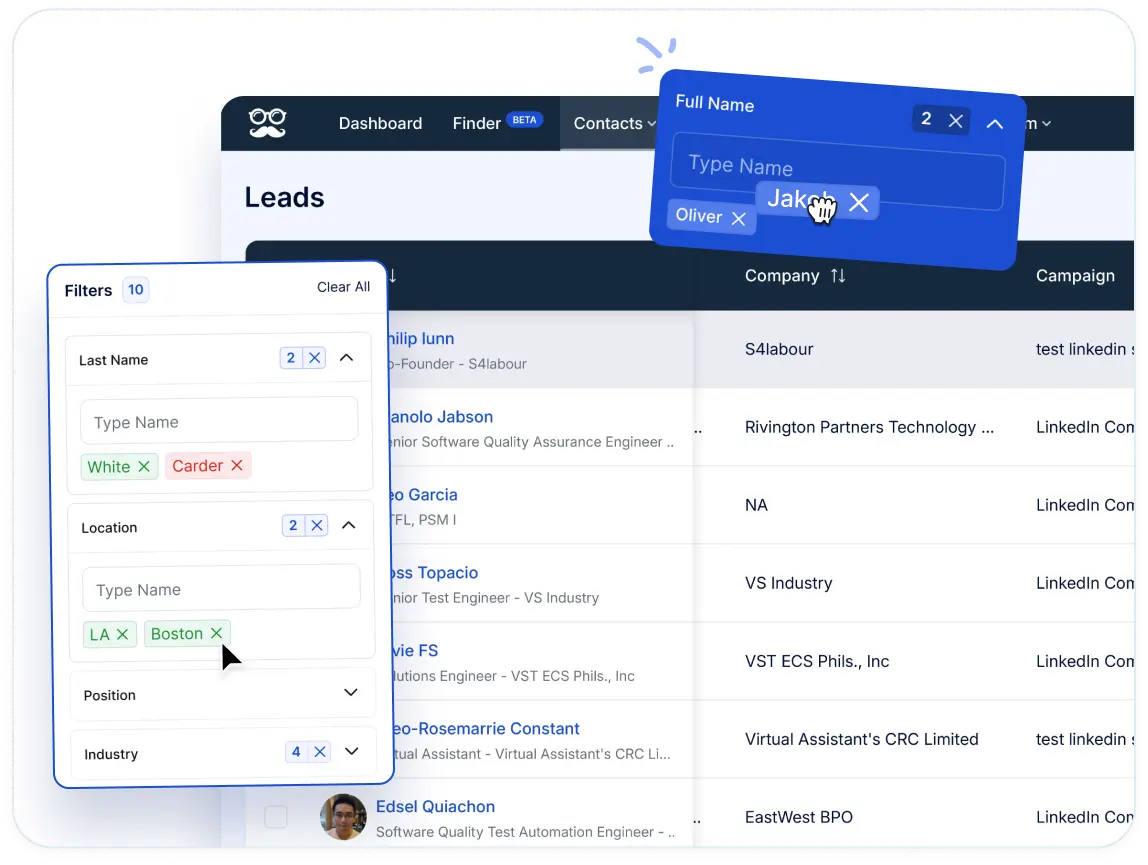
The do-not-contact list goes into the blacklist in Meet Alfred's LinkedIn CRM.
You can label each segment with color-coded tags from the Tag Manager.
I'd also give each segment its own campaign, because the Step 8 reports can then compare segments with no extra setup.
Step 2: Get your LinkedIn profile and account ready
Your LinkedIn profile is the landing page for every connection request you send, so you want to optimize it before any outreach goes out.
Prospects tend to click through to your profile before accepting, and a profile that reads like a résumé gives them no reason to say yes.
Here are the sections worth fixing first:
- Photo and banner: a clear headshot, plus a banner that states what you help with.
- The line under your name: who you help and the result you get them, written for a buyer.
- About section: a few short paragraphs on the problem you solve, with the career history left to the Experience section.
- Featured section: a case study or a booking link.
With the profile in shape, you can then connect it to Meet Alfred.
Two-factor authentication is handled inside the app, and the whole connection takes a few minutes.
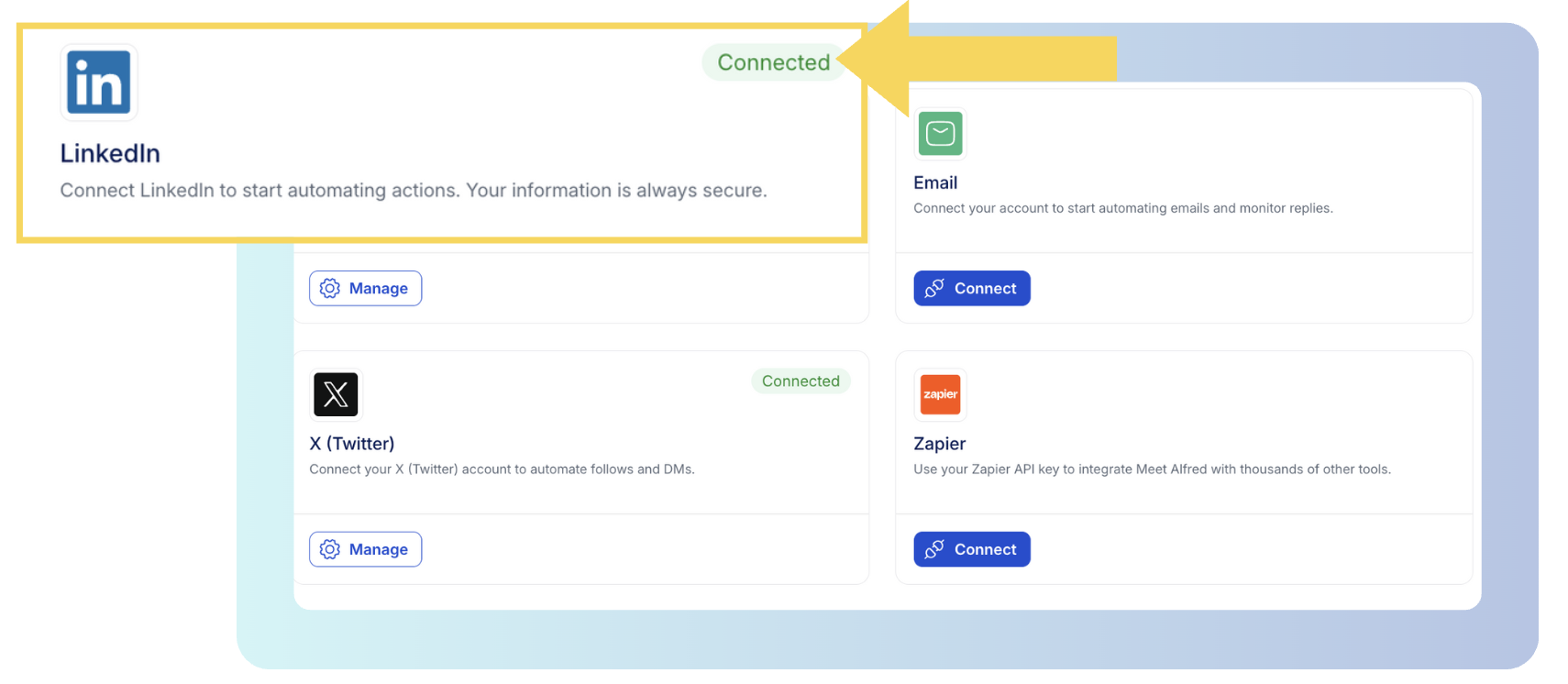
The Customizable AI Settings in Meet Alfred then decide how the account behaves day to day.
The daily ceiling for connection requests goes up to 100, though a newer account is better off starting well below it.
Working hours with a time zone setting keep every action inside a window you choose, such as 8 AM to 6 PM where your prospects work.
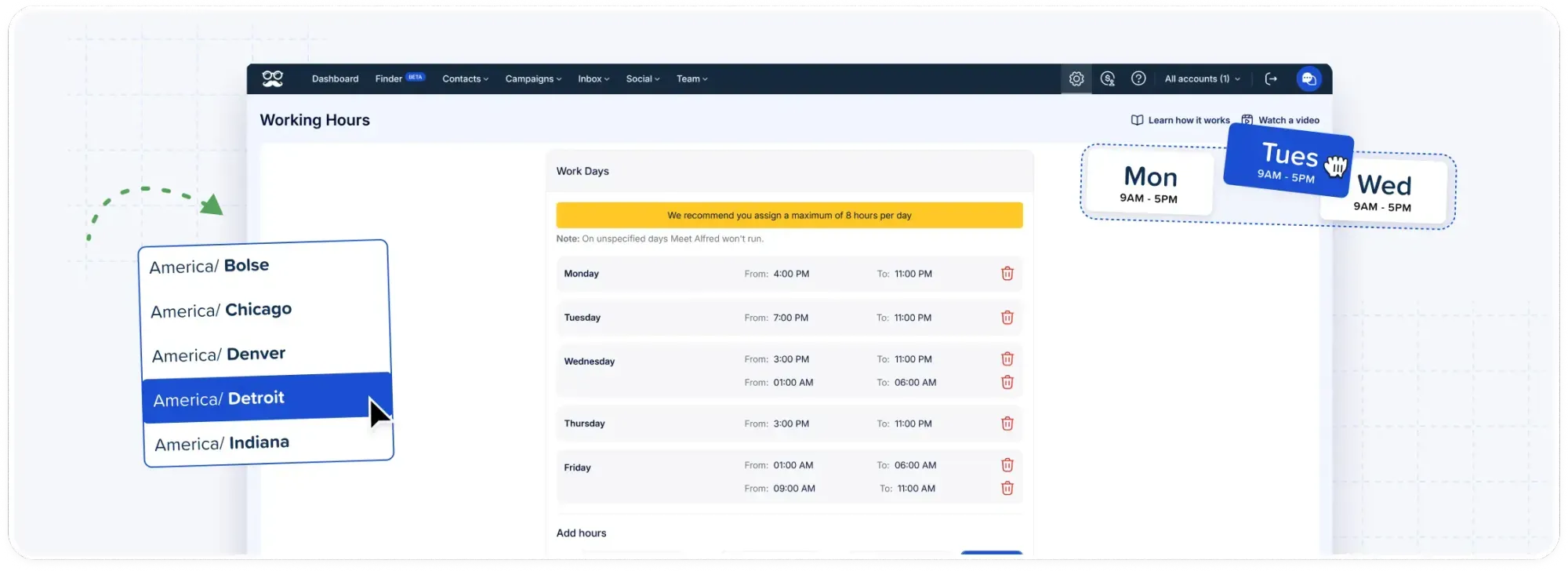
Auto-withdrawal is worth switching on early, since it clears connection requests nobody accepted and tracks them in the withdrawn invitations analytics.
On top of those limits, Meet Alfred randomizes the gap between actions to keep the account's activity off a fixed rhythm.
➡️ Campaigns run in Meet Alfred's cloud on AWS, from a dedicated IP address assigned to your account.
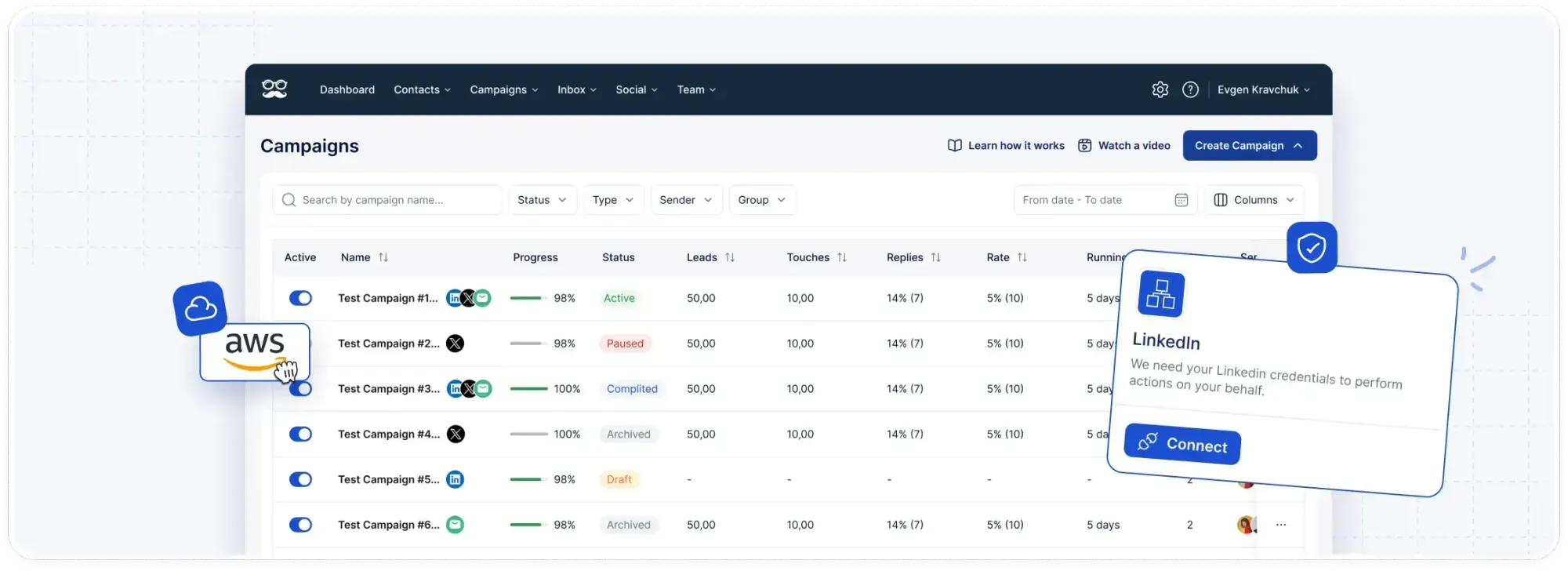
Campaigns keep sending with your laptop closed, since no browser extension is involved.
Step 3: Publish content that brings buyers to you
If you post on a steady schedule, prospects get a reason to accept your request, and you build up a pool of warm leads for later.
I'd take two posts a week held for a full quarter over daily posting that fizzles out after a fortnight.
Formats that tend to hold up with B2B audiences include:
- Customer results with real numbers.
- Breakdowns of a mistake your buyers keep making.
- Takes on industry news.
- Short how-tos.
➡️ On LinkedIn, I'd spend almost as much time commenting as posting.
A thoughtful comment on a post by someone in your ICP puts your name in front of that person and their network before you've sent a single request.
Meet Alfred's Social Media Posting module schedules posts to LinkedIn, Facebook, Instagram, and X from one dashboard, and they publish whether or not you're online.
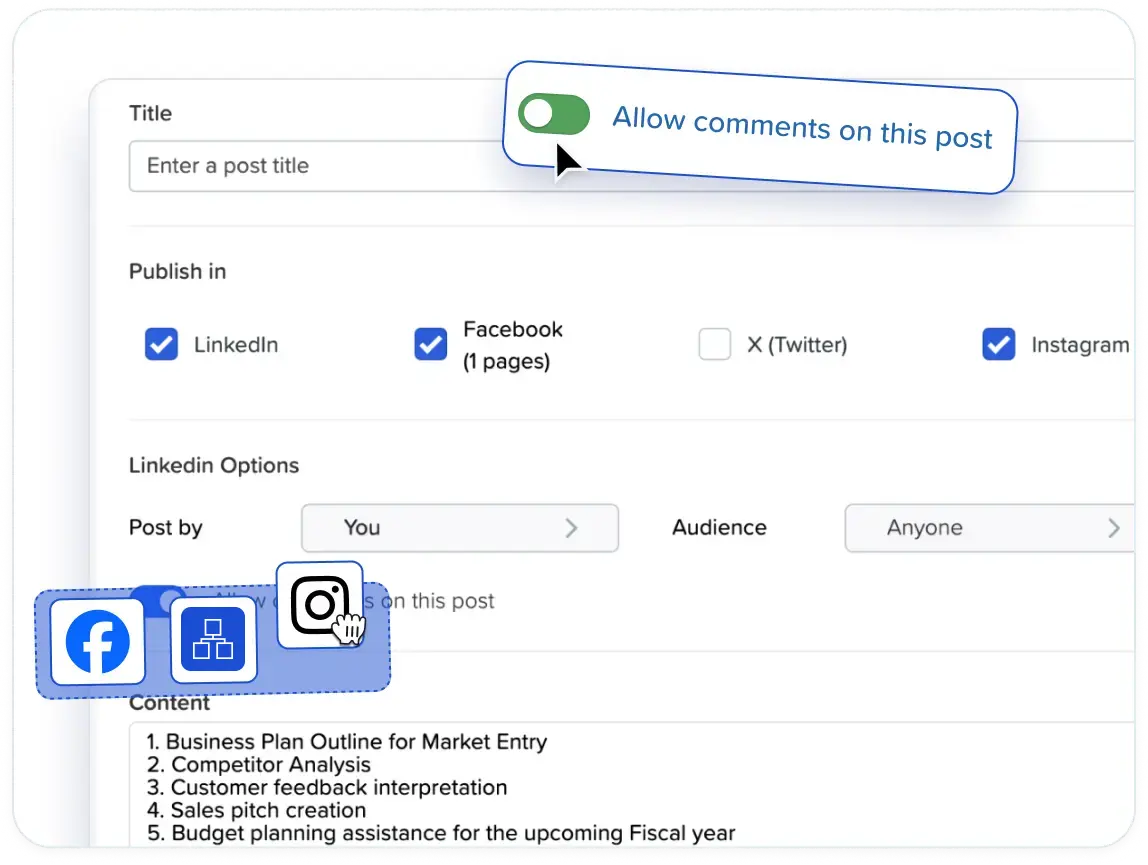
Each post can be previewed, and hashtags are supported.
A full week of drafted posts can go out on schedule while you're travelling or stuck in back-to-back calls.
Best-time-to-post recommendations suggest slots based on when your audience is most active.
After publishing, real-time social analytics track results on every channel and point out trends in your content.
The main dashboard also includes a social media scheduler analytics view.
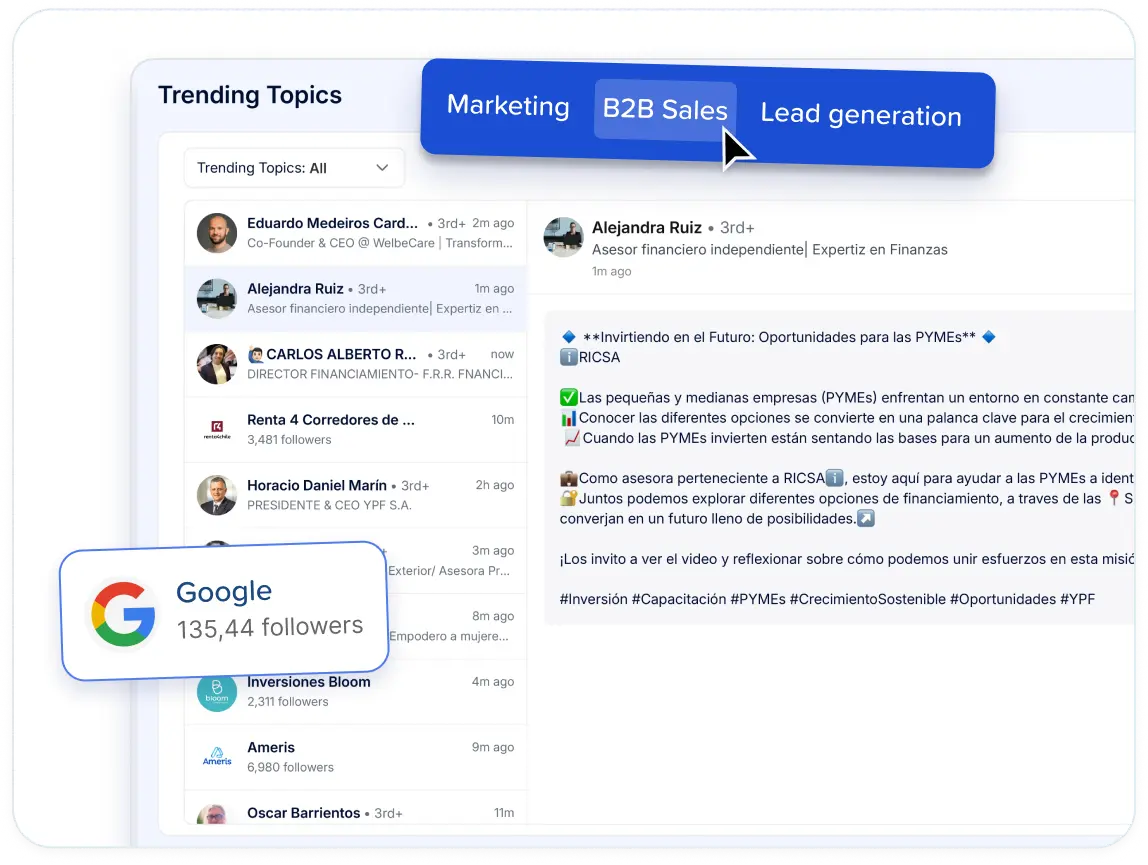
For the commenting side, LinkedIn trends monitoring surfaces posts that mention the keywords you choose, ready to engage with from inside the dashboard.
Keywords tied to buyer problems, like "month-end close" for the payroll vendor, keep it focused.
For the network you already have, Meet Alfred sends automated greetings for birthdays, work anniversaries, new roles, and thank-yous for endorsements you receive.
Each one goes out on time, while the news is still fresh.
💡 Every reaction and comment your posts collect turns into a lead source in the next step.
Step 4: Build lead lists from warm and cold sources
You want to start your first lists with people who have already shown some interest, then fill the gaps with cold search.
A warm lead has given you a reason to get in touch, whether that's a comment on a post or a seat at the same event.
Cold leads match your ICP but have never interacted with you, so the message has to carry more of the weight.
Here’s what that looks like:
| Lead source | Warm or cold | Works well for |
|---|---|---|
| People who reacted to or commented on a LinkedIn post | Warm | Following up on a topic they already engaged with |
| LinkedIn event attendees | Warm | Messages that reference the event |
| LinkedIn group members | Warm | Niche communities organized around one topic |
| Your 1st-degree connections | Warm | Reopening conversations with people who know you |
| LinkedIn search | Cold | Broad lists built from standard search filters |
| Sales Navigator searches and lead lists | Cold | Narrower targeting with Sales Navigator's filters |
| Meet Alfred’s AI Lead Finder | Cold | Prospect discovery past standard LinkedIn search |
Post campaigns work on any LinkedIn post, yours or someone else's.
A popular post from a respected voice in your industry is a ready-made list of people who care about that topic.
Newsletter subscribers and company pages can be used as sources too.
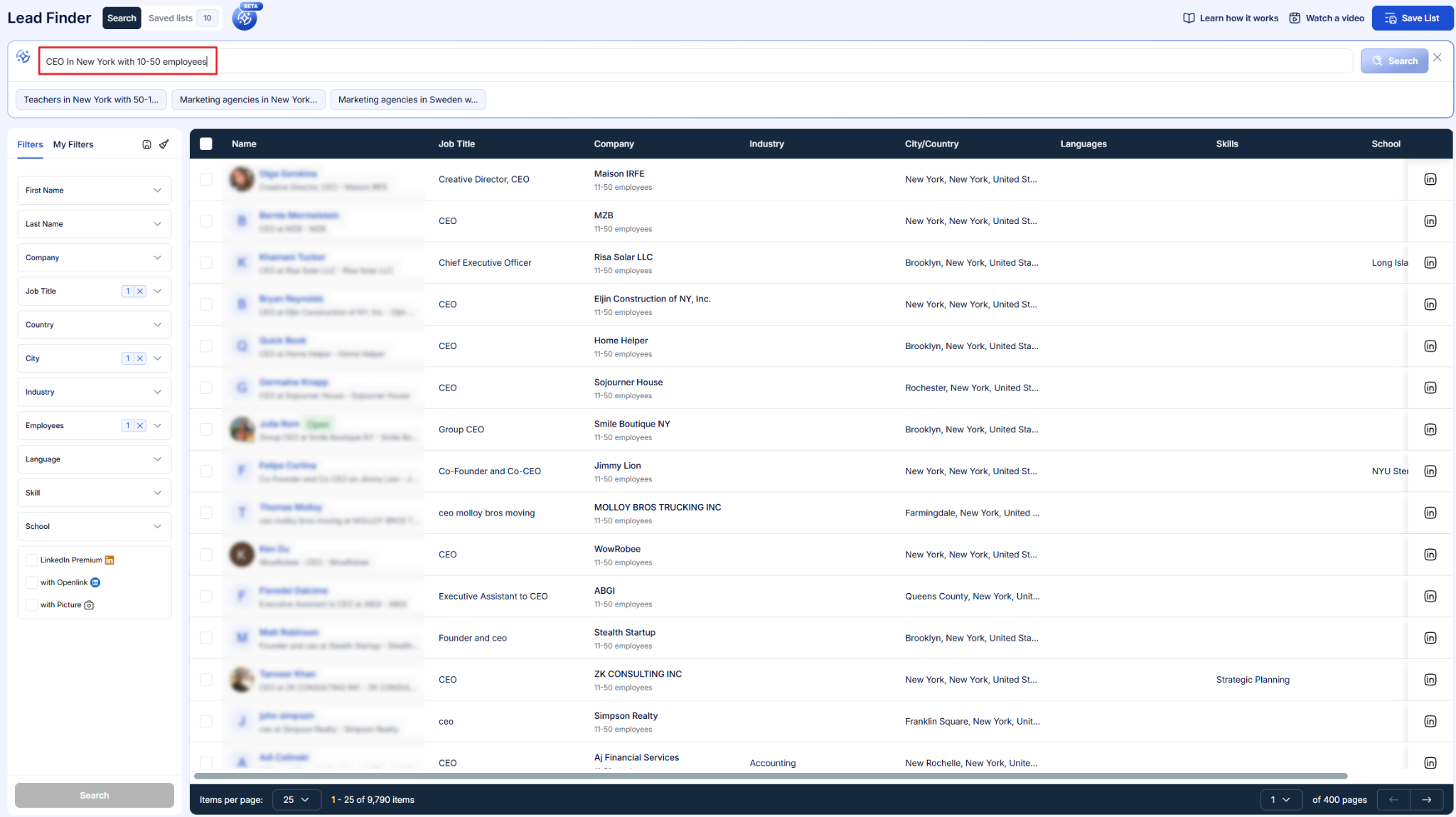
💡 For cold lists, Meet Alfred’s Lead Finder is usually the quickest place to start.
You enter the filters from Step 1, then click Preview sample results to check who the search catches before setting the lead count.
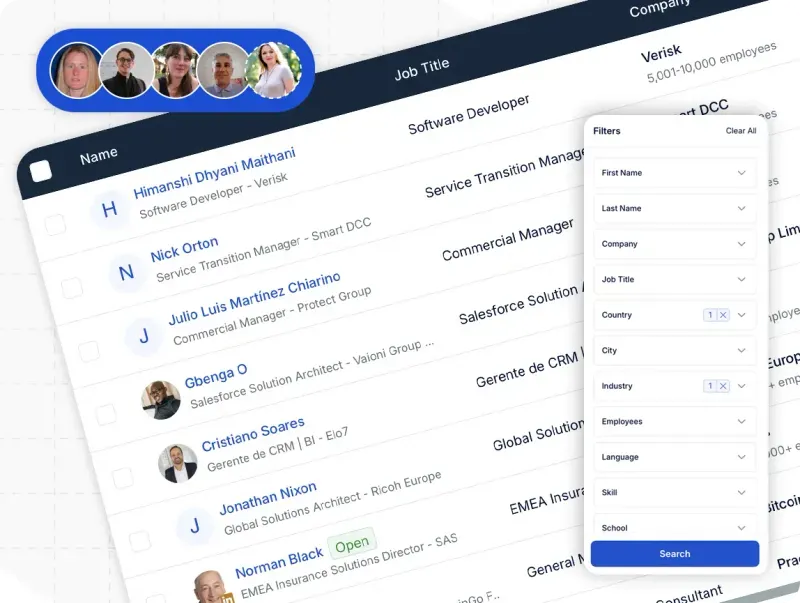
From there, the list goes straight into a campaign.
Leads from any source are stored in Meet Alfred's LinkedIn CRM, which shows new leads and existing connections in separate views.
Tags and notes go on each contact, and anyone on your blacklist is excluded from outreach.
Contact details such as emails and phone numbers can be exported for a sales team that works from another system.
I’d say that smaller lists beat one giant list, as the message can speak to a single situation.
Step 5: Write connection notes and messages that sound personal
A connection request works best when it's short and specific to the person, with any pitch held back until they accept.
The note has one job: giving the prospect a believable reason to connect, ideally one drawn from the list source.
A comment they left or an event you both attended works far better than a compliment about their profile.
The first message after acceptance can carry a little more.
You want to offer something small and useful, like a checklist or a benchmark, and end on a question that takes five seconds to answer.
Here are two examples for the payroll vendor from Step 1:
Connection note: Hi [First name], I saw your comment on [Author]'s post about month-end close. We work with finance teams on the same problem, so I'd like to connect.
First message: Thanks for connecting, [First name]. We put together a two-page checklist on cutting close time for finance teams at companies around [Company]'s size. Want a copy?
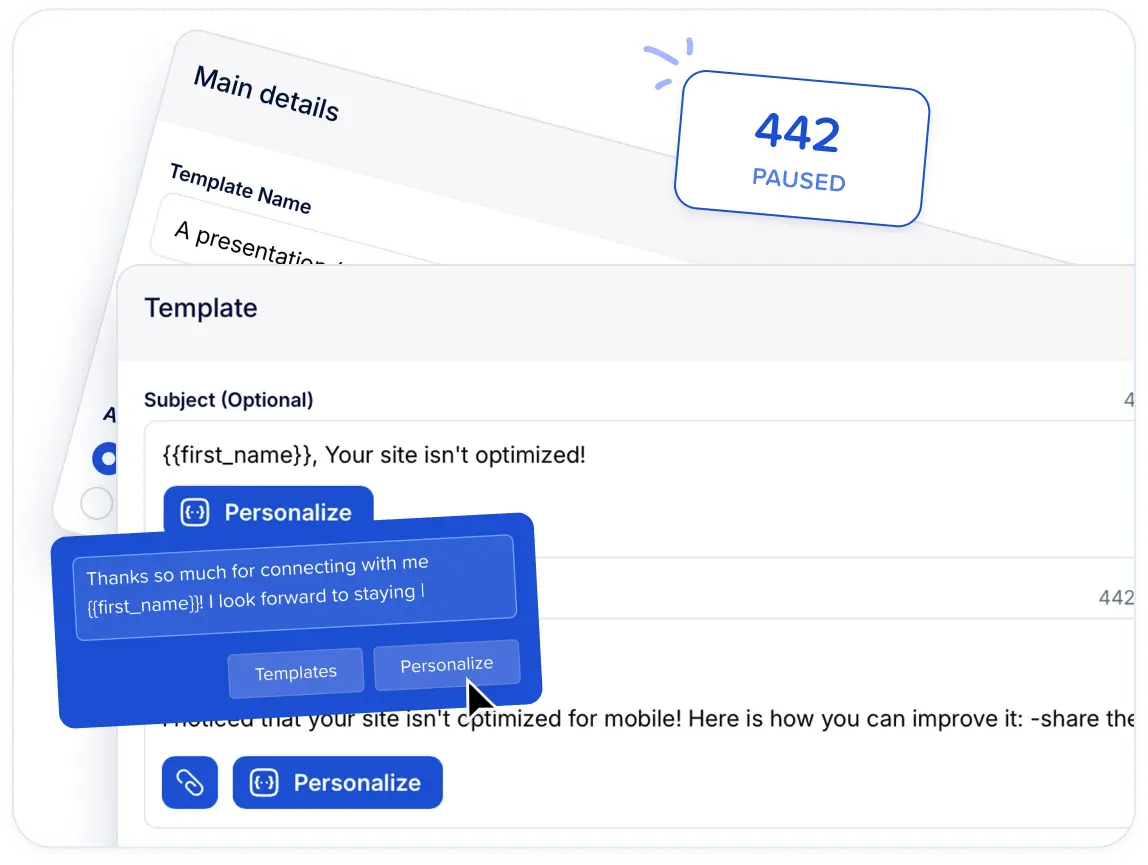
In Meet Alfred, AI-Personalization fills placeholders like these from each prospect's LinkedIn profile, pulling details such as first name and company automatically.
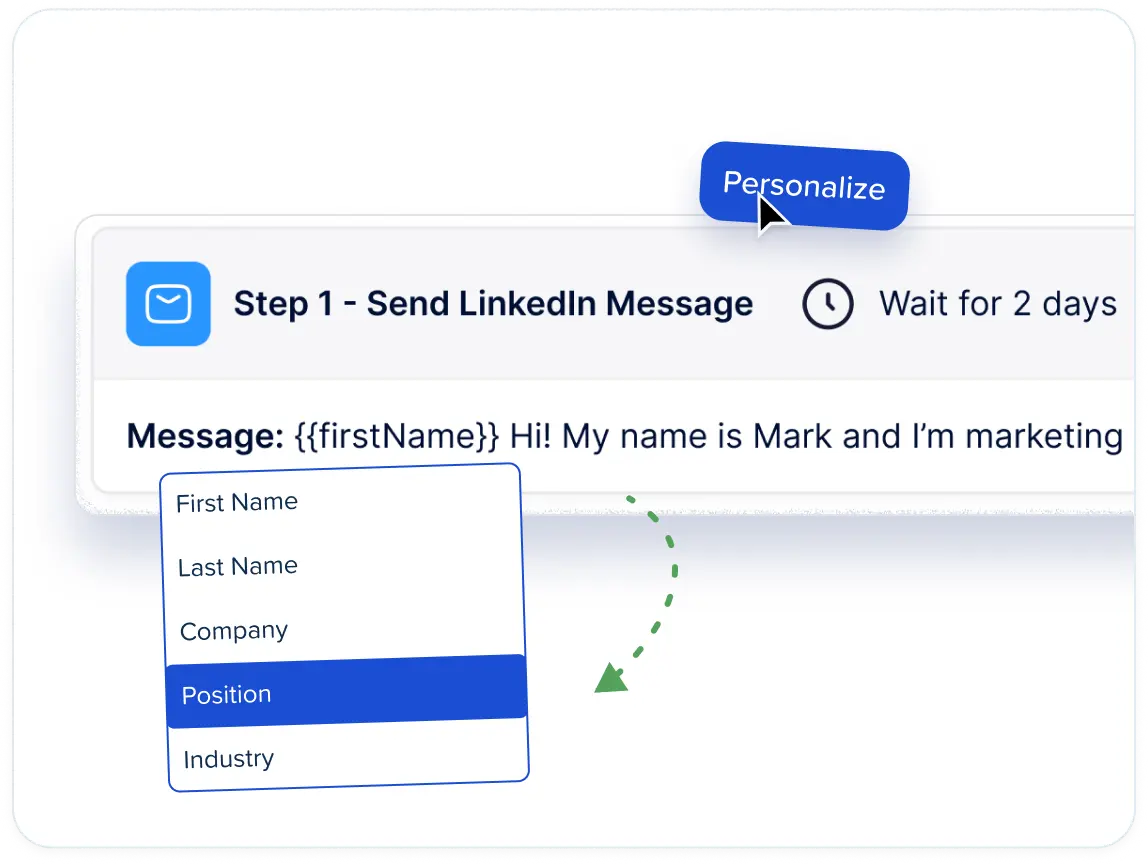
Custom snippets go further, drawing on custom fields from a CSV upload.
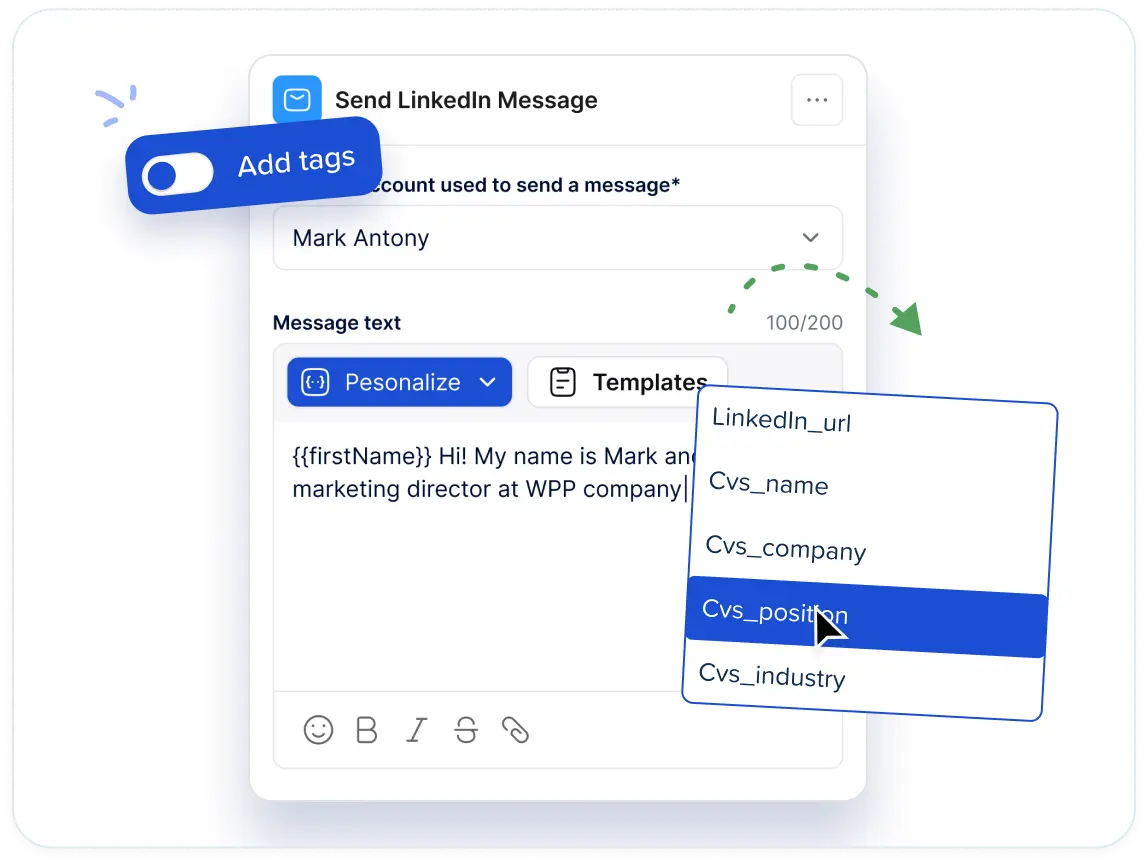
You want to treat them as first drafts and rewrite each one for your audience.
The result can be saved as a personal template or shared with the team, so every rep starts from the same version.
The same goes for whole multi-step sequences, which you can store and run again on the next list.
Step 6: Sequence your follow-ups across channels
Plan four to six touches over two to three weeks across more than one channel, and stop the moment someone replies.
Most prospects need more than one message, and a second channel reaches people who barely check their LinkedIn inbox.
A five-touch version for the same payroll vendor might look like this, assuming you have email addresses for part of the list:
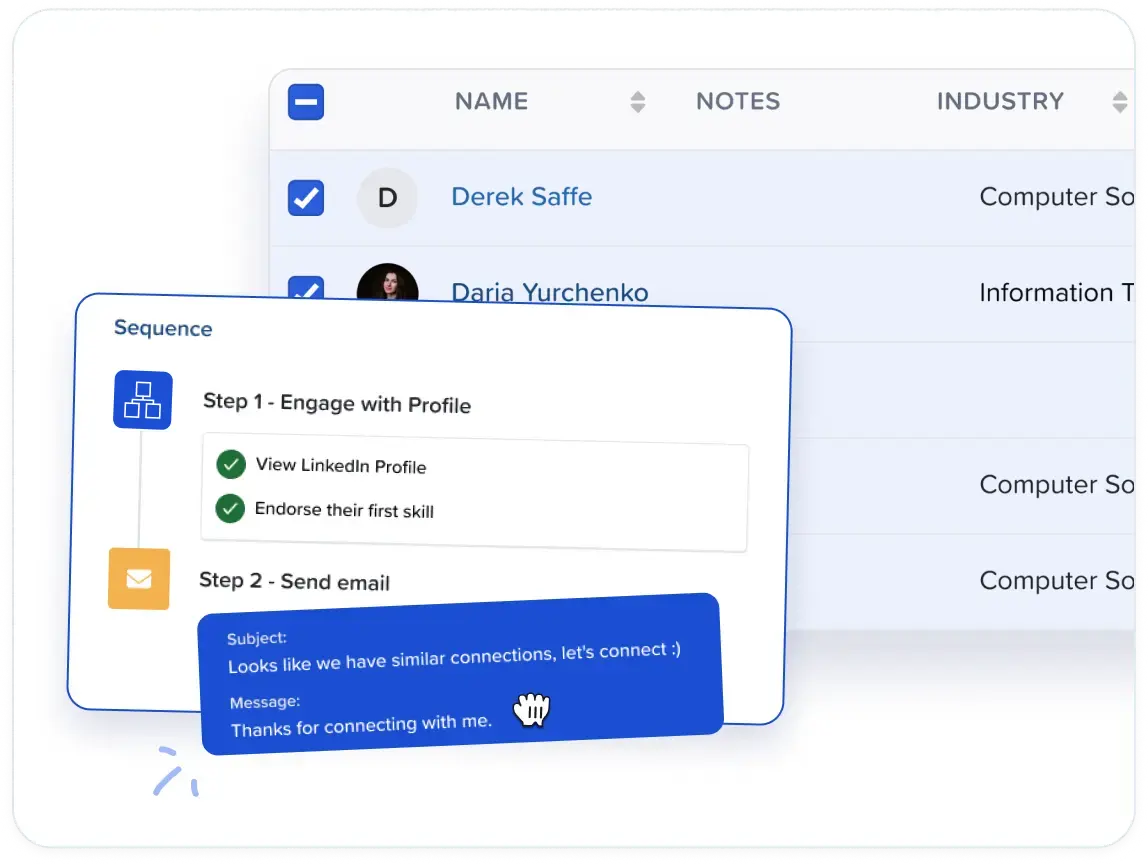
- Day 1, LinkedIn: the connection request from Step 5.
- Day 3, LinkedIn: the first message, once the request is accepted.
- Day 7, email: a slightly longer version of the same offer, sent to anyone who hasn't answered and whose address you have.
- Day 11, LinkedIn: a short nudge with one new detail, such as a result from a similar customer.
- Day 16, email: a closing note that leaves the door open.
X fits as an extra step for audiences who spend time there, though for most B2B lists it works best as an optional extra.
All of this runs as one workflow in Meet Alfred's Multichannel Sequences, with LinkedIn, InMail, email, and X steps in the same builder.
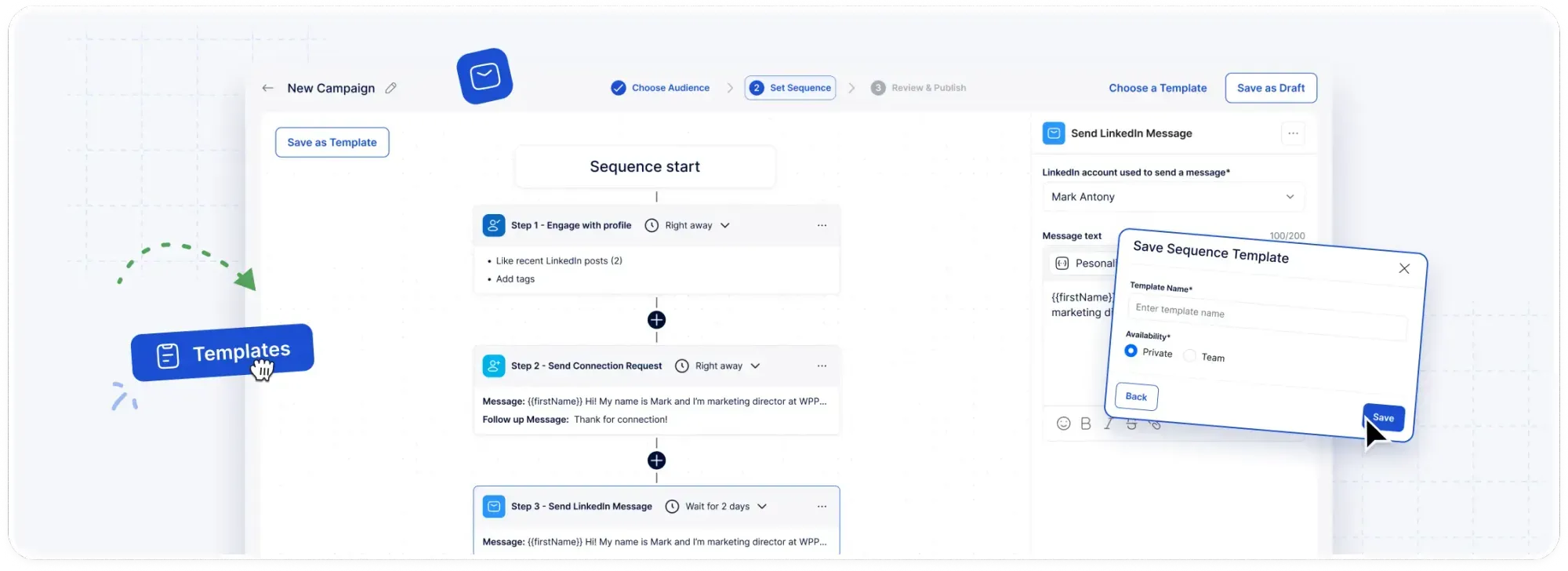
Smart delays build the timing above into the sequence by setting the gap between steps.
Email steps send from your own mailbox over SMTP or IMAP, and that covers Gmail and Outlook with no email credits to buy.
Your provider's sending limits still apply, and so does privacy law, so check that emailing each contact is lawful where they're based.
X steps can reach up to 1,000 prospects a day with personalized DMs.
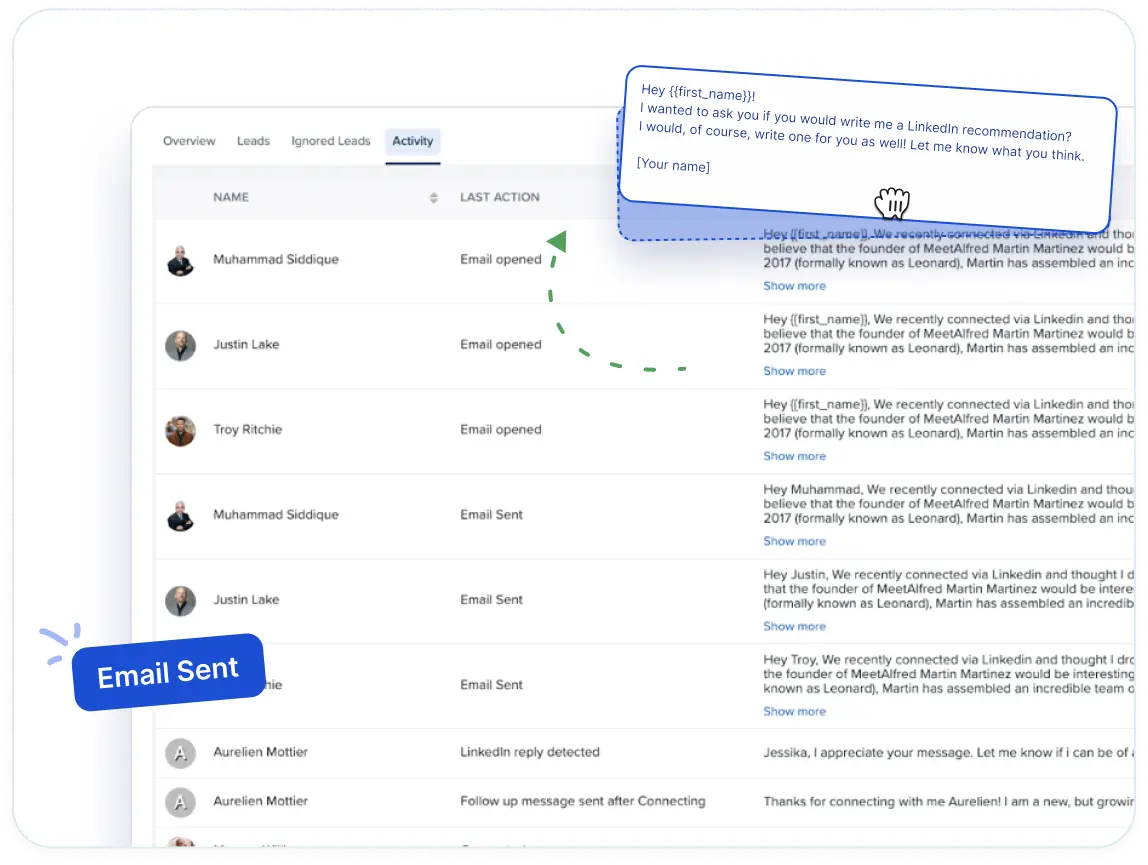
When a prospect replies on LinkedIn, reply detection pauses their sequence so a person can take over.
Meet Alfred's AI hand-off also spots conversations that need a human and returns them to your team.
Step 7: Handle replies fast and pass qualified leads to sales
Interested replies deserve an answer within the same working day, and every conversation should stay where the whole team can see it.
A quick two-line answer is fine at this stage. In practice, almost every reply you get will fit one of the following groups:
- Interested: propose two specific meeting times and include a booking link.
- Not now: ask when to check back, then tag the contact for a later campaign.
- Not a fit: thank them and exclude them from future outreach.
- Referral: contact the colleague they named, and mention who sent you.
Replies from every connected account arrive in Meet Alfred's Smart Inbox, with InMails and Sales Navigator conversations in the same view.
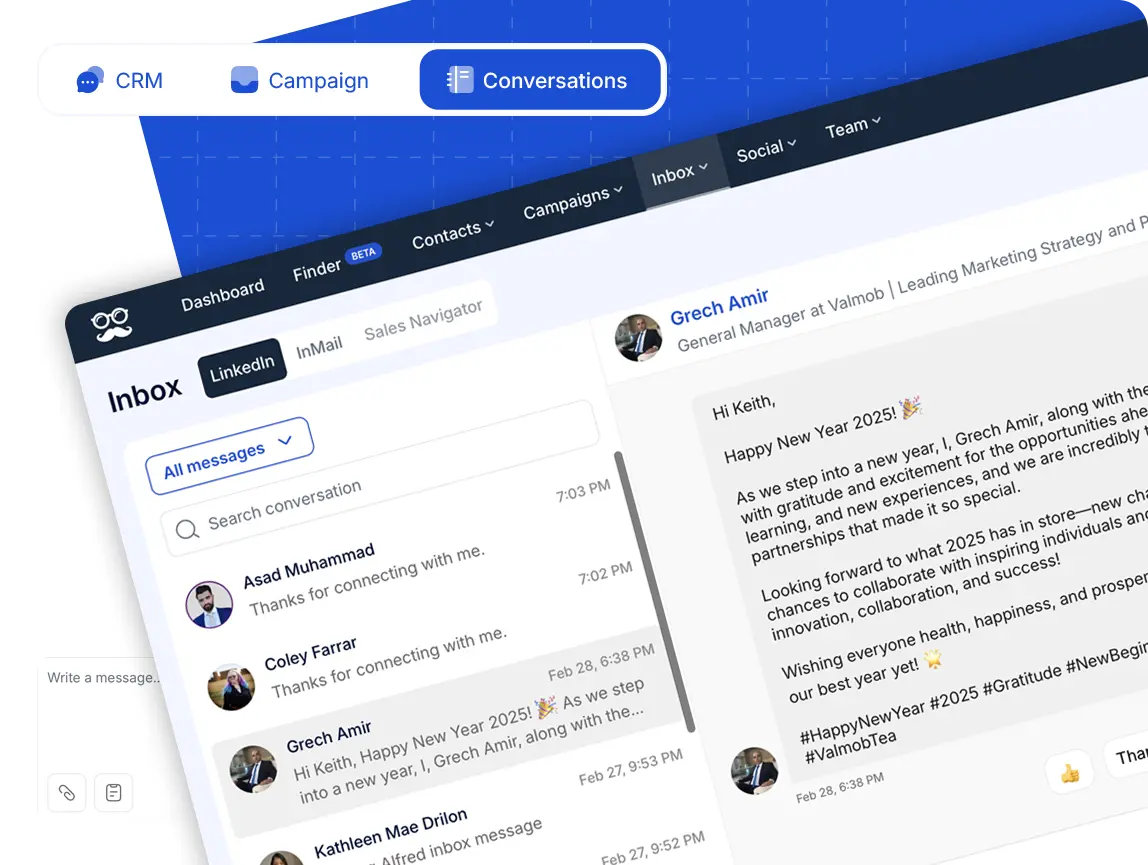
Say one of the finance leaders from the payroll example writes back asking for the checklist.
Their job title and company appear beside the thread, which saves a trip to their profile before you answer.
If they're keen, I'd tag them and add a note for the rep taking the call, all without leaving the inbox.
A "not now" gets tagged and returned to a campaign for later, while anyone who isn't a fit gets excluded so no later sequence reaches them by mistake.
The questions that come up every week, like pricing or integrations, are worth saving as shared inbox templates that every rep answers from.
On a team, the Team Inbox gives a manager one view across every rep's conversations, and role-based permissions keep each person's responsibilities clear.
When a rep is out sick or buried in calls, Impersonation lets the manager step into that rep's account and reply on their behalf, with no LinkedIn password changing hands.
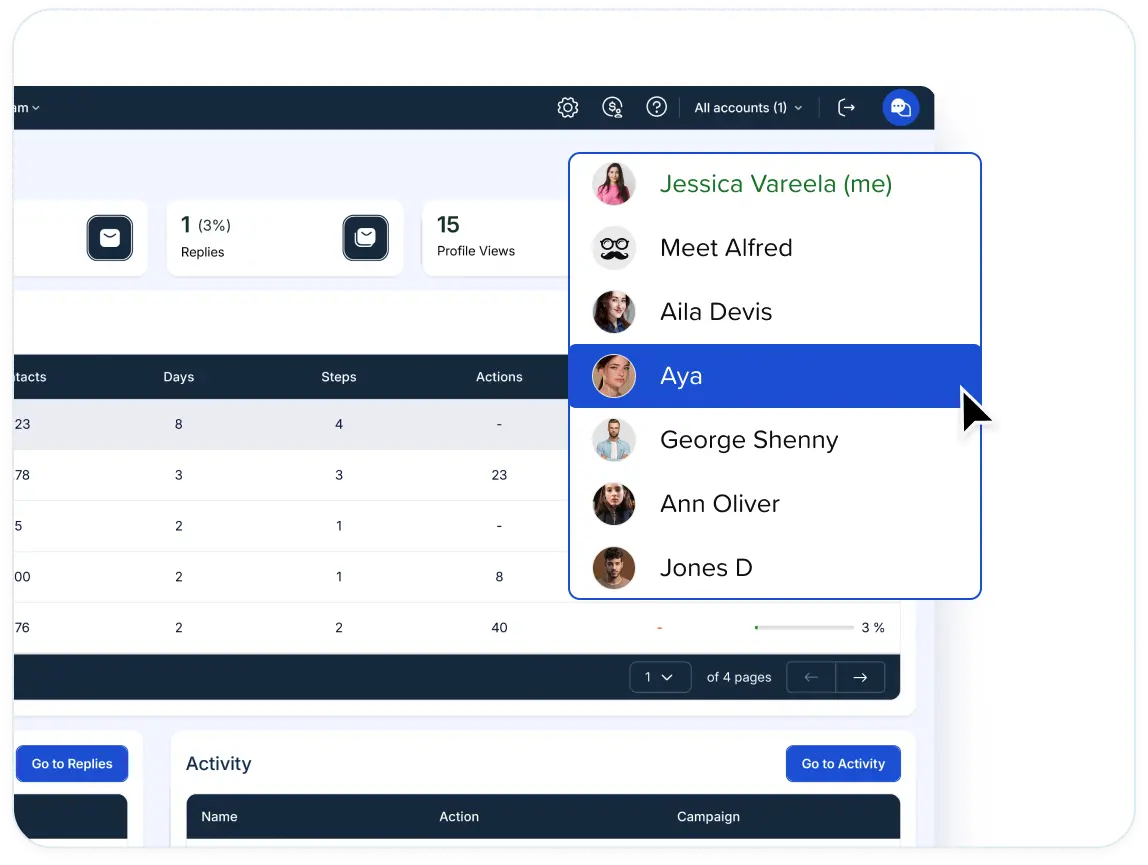
Once a lead agrees to a call, the record can move into Salesforce or HubSpot.
If your stack runs on something else, Zapier connects Meet Alfred to more than 5,000 other apps, and webhooks handle anything custom.
Step 8: Measure results and change one variable at a time
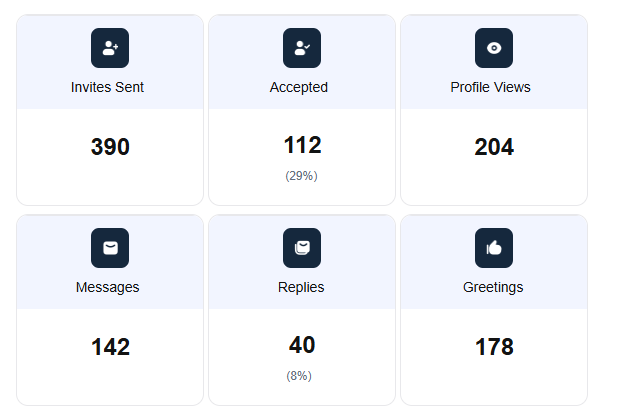
Finally, you want to judge each campaign on connection acceptance rate, reply rate, positive reply rate, and meetings booked.
When one of them drops, it usually points to a specific part of the process:
| Metric | What a low number usually points to |
|---|---|
| Acceptance rate | The connection note or the targeting, and sometimes your profile |
| Reply rate | The first message after acceptance |
| Positive reply rate | The offer, or an ICP that's slightly off |
| Meetings booked | How quickly and clearly replies get handled |
Give each version a fair run before judging it, which for me means a few hundred leads over at least two weeks.
Then change one thing at a time, for example, a new connection note on the same list, or the same note on a new segment.
Reporting & Tracking in Meet Alfred follows opens, clicks, replies, connections, and conversions in real time, across every channel in the sequence.
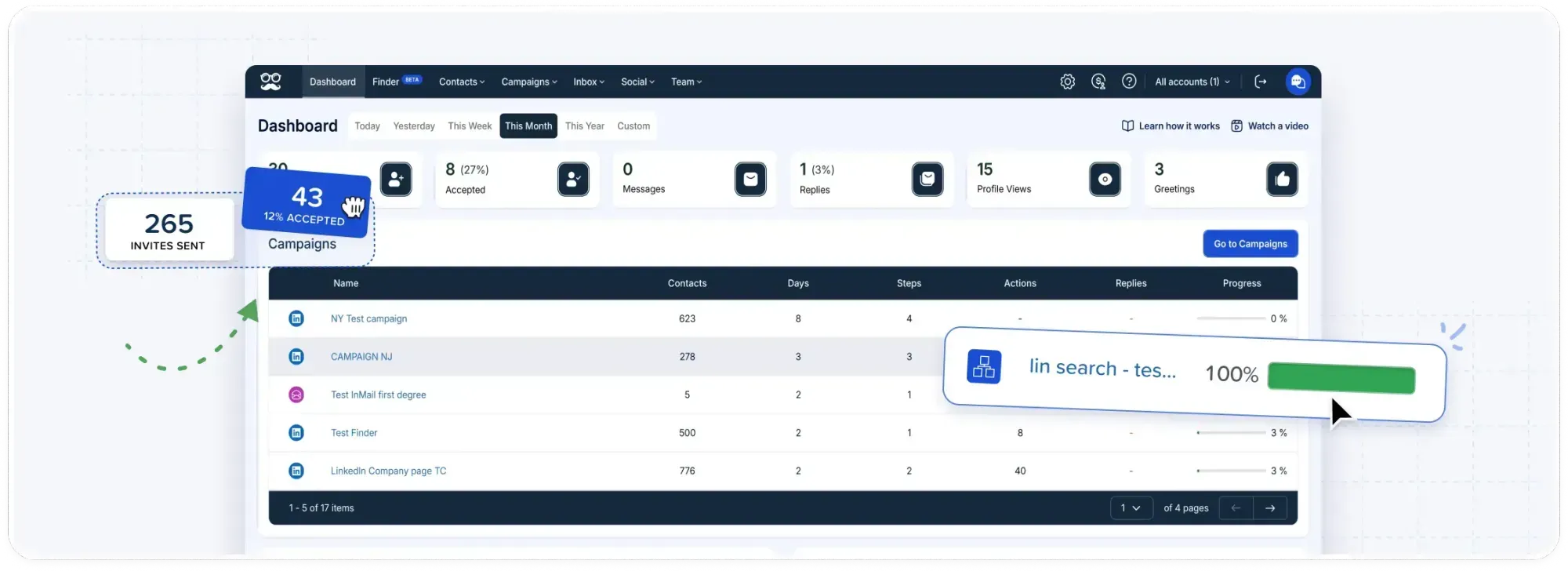
Positive replies and meetings are easier to count with consistent Step 7 tags.
Meet Alfred's reporting also includes a replies overview, an activity overview, a campaigns overview, and social media scheduler analytics.
With one segment per campaign, as suggested in Step 1, the campaigns overview doubles as a segment comparison.
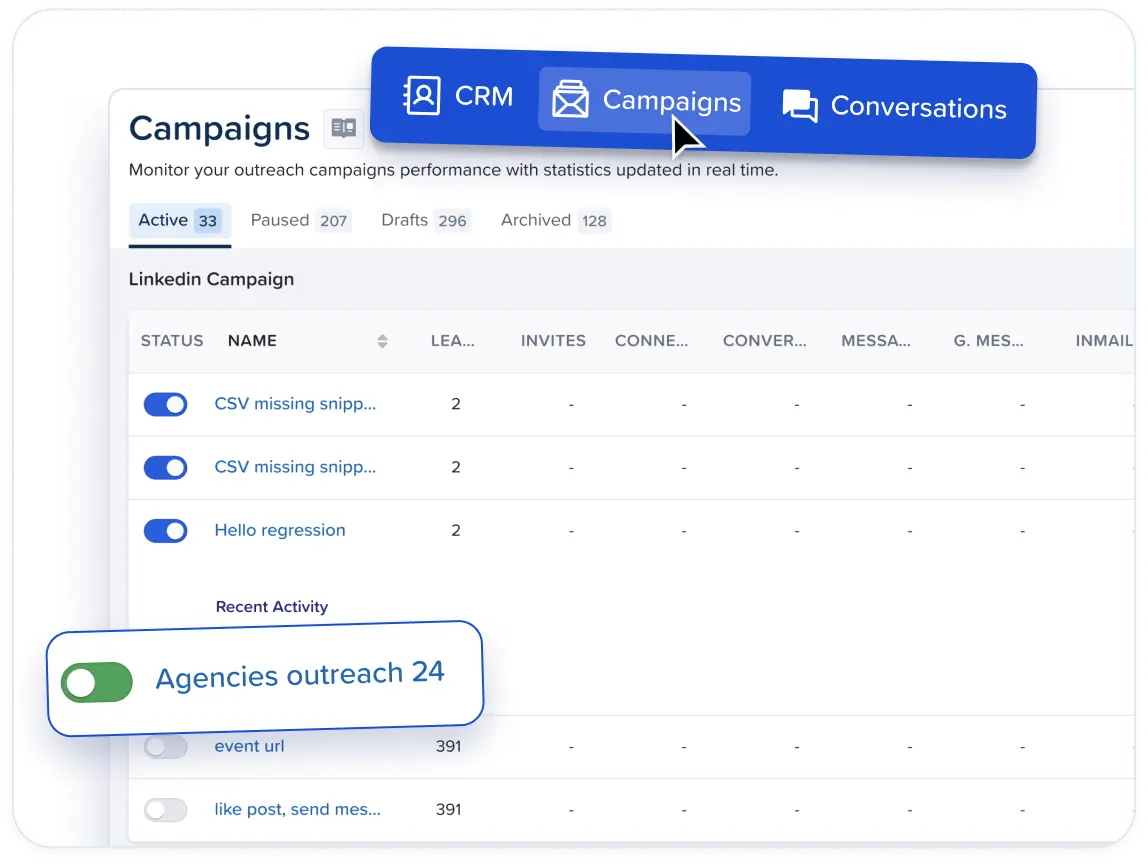
You can also compare channels side by side to decide whether email or X deserves a bigger role in the next sequence.
Managers also get per-rep numbers in the team analytics, and those can be exported for a weekly pipeline review.
How much does Meet Alfred cost for LinkedIn lead generation?
Meet Alfred starts at $35/user/month on the Individual plan, billed annually.
Before any of that, there's a 7-day free trial that covers the full feature set and needs no credit card.
- Individual, $35/user/month: LinkedIn-only automation for Basic and Premium LinkedIn accounts, AI Lead Finder with 1,000 results, the Smart LinkedIn Inbox, the advanced CRM, templates, and automated greetings.
- Business, $59/user/month: unlimited campaigns, 5,000 Lead Finder results, Sales Navigator and InMail, email and X in multichannel sequences, social post scheduling, Zapier and webhooks, and campaigns built from LinkedIn posts, events, groups, newsletters, company pages, or CSV files.
- Teams, $47/user/month: 10,000 Lead Finder results, native Salesforce and HubSpot integrations, White Label, the team inbox, roles and permissions, team analytics, priority support, and a dedicated account manager.
- Unlimited, custom quote: volume pricing with white-glove onboarding, a dedicated success manager, around-the-clock priority support, a premium SLA, and custom White Label.
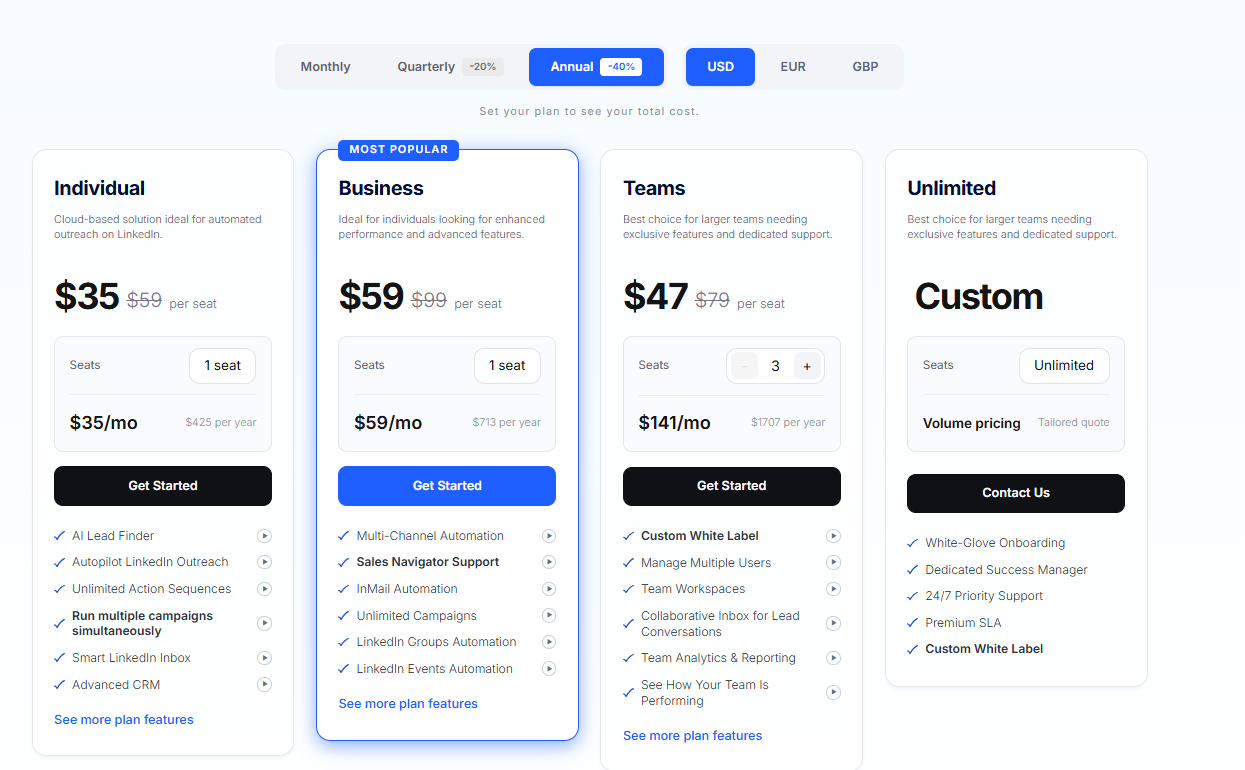
Individual covers a LinkedIn-only version of this guide.
Business unlocks the rest of Steps 3 to 6, from post scheduling and Sales Navigator lists to the email and X steps in your sequences.
Teams then adds the shared inbox and the native CRM integrations used in Step 7.
Start generating B2B leads on LinkedIn with Meet Alfred
From a standing start, I'd write the ICP on day one.
The first campaign would go to people who engaged with a relevant post, with cold lists added only after the reply data comes in.
Everything after the ICP, from the first list to the reply that turns into a meeting, runs in one cloud-based Meet Alfred dashboard.
All of it stays inside the daily limits and working hours you set.
You can try it on your own ICP with a 7-day free trial, no credit card required.
A demo with the Meet Alfred team is the other option, if you'd like someone to walk you through the first campaign.
⚠️ Disclaimer: This article was last updated on the 9th of October, 2026, and if there's any misinterpretation of the information, please contact us, and we will fact-check it.
Frequently asked questions
Is LinkedIn automation safe for my account?
No LinkedIn automation tool can promise zero risk, because LinkedIn looks for automated activity whichever tool produces it.
The safest approach pairs conservative daily limits with natural pacing and messages that are genuinely personal.
That's the approach Meet Alfred is built around.
Campaigns send from the cloud on a dedicated IP per account, and every action runs at randomized intervals inside working hours you set.
Data protection covers end-to-end encryption, DDoS protection, AWS hosting, and GDPR and CCPA compliance.
How many LinkedIn connection requests can you send per day?
Meet Alfred lets you set a ceiling of up to 100 connection requests a day, though LinkedIn also applies weekly invitation limits that differ between accounts.
I'd start a newer or quieter account at around 20 a day and raise it over a few weeks while watching the acceptance rate.
A healthy acceptance rate is a better signal than a high daily count.
Auto-withdrawal in Meet Alfred clears the requests nobody answered, keeping the backlog of pending invitations from growing.
Do you need Sales Navigator to generate B2B leads on LinkedIn?
No, Sales Navigator is optional for B2B lead generation on LinkedIn.
Standard LinkedIn search and Meet Alfred's AI Lead Finder both work without a Sales Navigator seat.
Sales Navigator becomes useful when you want finer filters and saved lead lists.
If you do have a seat, Meet Alfred imports Sales Navigator searches and lists into campaigns, and those conversations show up in the Smart Inbox.
You can also get Sales Navigator at a discount through Meet Alfred.
Can Meet Alfred message people who engage with my LinkedIn posts?
Yes, Meet Alfred's post campaigns message anyone who likes or comments on a LinkedIn post, and shares count too.
They work on any post, including posts written by other people in your industry.
In the message itself, I'd name the post's topic openly and skip pretending you came across the person by chance.