






Are you trying to work out which LinkedIn marketing tool your team actually needs, when the products that message strangers, the products that write your posts, and the products that report on both are all sold under the same three words?
LinkedIn marketing splits into three jobs.
There's the work you do on people who have never heard of you, the work you do on the audience already watching your feed, and the measurement that tells you which of the two paid off.
Most products own one of those jobs and brush the edge of a second. Teams end up with two subscriptions, sometimes three, and a spreadsheet reconciling them.
Below are the 10 best LinkedIn marketing tools for 2026, grouped by the job each one does and priced so the total cost of a full stack is visible before you buy anything.
TL;DR
- Meet Alfred is the best LinkedIn marketing tool in 2026 for sales teams, agencies, and recruiters, because outreach across LinkedIn, email, and X shares one subscription with scheduled posting to LinkedIn, Facebook, Instagram, and X, starting at $29 a seat.
- On the outreach side, HeyReach counts connected senders on the invoice while headcount goes free, Expandi ties a regional IP to every profile and puts if-then branching over the top, and Waalaxy gets a campaign running the same week from €19 a seat.
- For content, Taplio writes and schedules with AI trained on millions of posts, AuthoredUp runs without cookies or automation and grades your drafts before they go out, and Supergrow activates a leadership team through one approval hub.
- For measurement and reach, Sprout Social handles Company Pages at enterprise scale, Buffer charges per channel starting at $5, and Favikon finds the creators worth partnering with.
- A four-person team buying all three jobs separately can clear $500 a month before anybody has sent a single connection request. Check that figure against one platform covering two of the three.
What are the best LinkedIn marketing tools in 2026?
The best LinkedIn marketing tools in 2026 are Meet Alfred for outreach, HeyReach for sender scale, and Taplio for content.
The table below lists all ten, the job each one does, and the team each one suits:
| Tool | Category | Best For | Pricing |
|---|---|---|---|
| Meet Alfred | Outreach and lead generation | Teams and agencies running outreach and social publishing on one subscription, with client branding from five seats. | From $29/user/month billed annually, multi-channel from $49, Team at $39. 7-day free trial. |
| HeyReach | Outreach and lead generation | Agencies whose connected LinkedIn account count moves independently of headcount. | From $79/month for one sender, 25 senders from $999. 14-day trial. |
| Expandi | Outreach and lead generation | Buyers who ask about account safety first and want branching logic second. | $79/month, two months waived on annual. Agency quoted from ten seats. 7-day trial. |
| Waalaxy | Outreach and lead generation | Solo operators and small teams wanting a campaign live without building logic first. | From €19/user/month, cold email from €69. 14-day trial. |
| Taplio | Content creation | Founders and creators who want ideas, drafts, scheduling, and warm outreach in one loop. | From $32/month billed yearly, lead outreach from $149. 7-day trial with full Pro access. |
| AuthoredUp | Content creation | Writers who want formatting, readability grading, and post analytics with no automation touching the account. | $16.63/month billed annually for one profile, $12.46/profile from three. Free to start. |
| Supergrow | Content creation | Marketing and comms teams activating several executives under one approval workflow. | From $16/month billed yearly, teams from $133. 7-day trial. |
| Sprout Social | Social management and analytics | Larger organisations managing LinkedIn Company Pages alongside every other network. | From $79 per seat/month billed annually, unlimited profiles from $299. 30-day trial. |
| Buffer | Social management and analytics | Small teams and agencies who want to pay for the channels they actually connect. | Free tier for three channels, paid from $5/channel/month. 14-day trial. |
| Favikon | Social management and analytics | B2B marketers buying reach through creators and needing proof the audience is real. | From $159/month, five campaigns from $239. 7-day trial. |
What are the best LinkedIn outreach and lead generation tools?
This first group handles the cold end of LinkedIn.
That includes finding people who have never heard of you, messaging them at volume, keeping the account healthy under that load, and catching the replies when they arrive.
#1: Meet Alfred
Meet Alfred is the best LinkedIn marketing tool in 2026 for sales teams, agencies, and recruiters who want prospecting, outreach, publishing, and reporting billed as one product.
Cold outreach and your own publishing schedule run off the same subscription, which is the first two jobs above.
The campaigns messaging strangers and the scheduler keeping your feed active share one set of analytics and one support team.
Full disclosure: Meet Alfred is our own product, so I'll be specific about the jobs we cover, and equally specific further down about the work the content and analytics tools on this list do that we don't.
The capabilities below are the ones our customers use most, a group that includes teams at Reuters, Samsung, Oracle, Salesforce, and HSBC:
From sign-up to a running campaign in four steps
Getting a campaign running on Meet Alfred takes four steps: all you have to do is connect LinkedIn and set your limits, choose the audience, build the sequence, and then work the replies as a team.
Step 1: Connect LinkedIn and set the limits
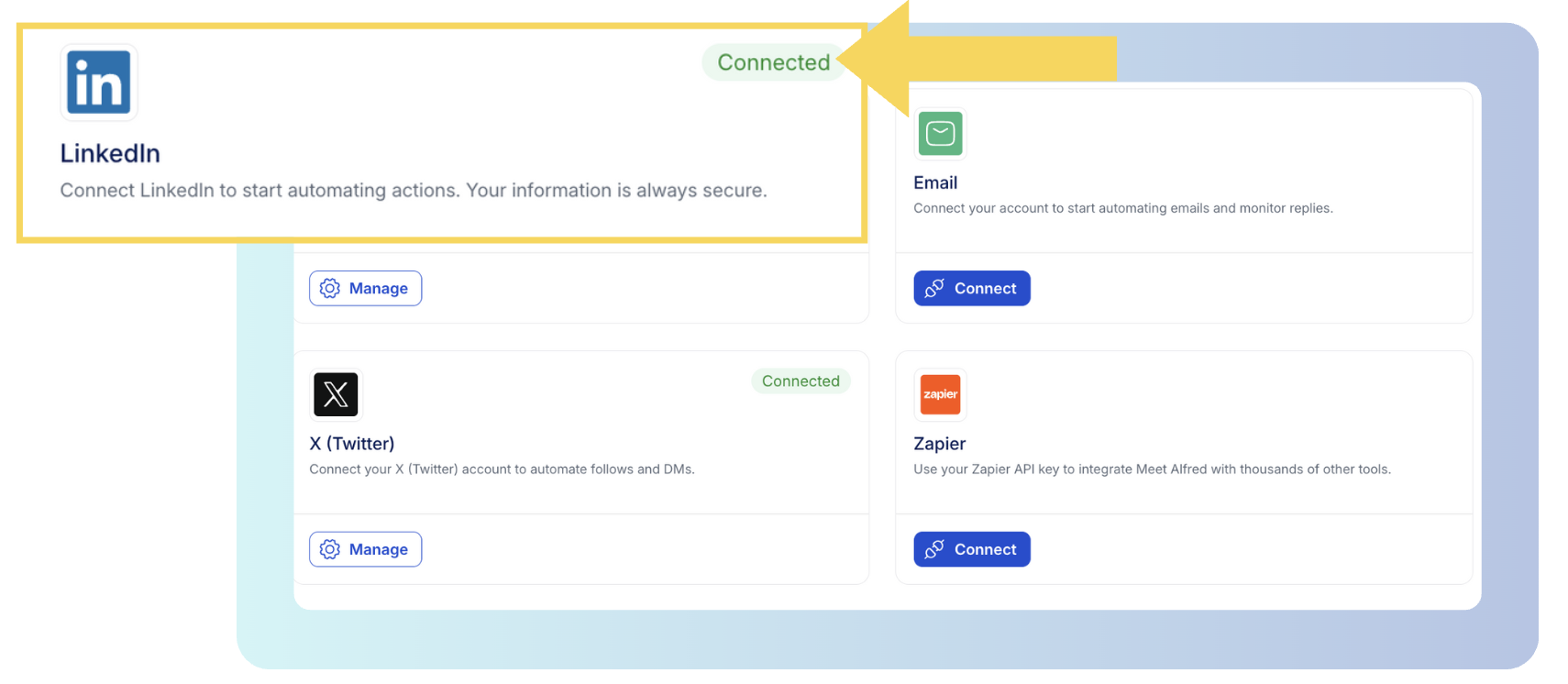
Setup opens with a LinkedIn connection, and two-factor authentication gets handled without leaving Meet Alfred.
Then comes the daily ceiling on connection requests, running as high as 100 a day while staying within safe parameters.
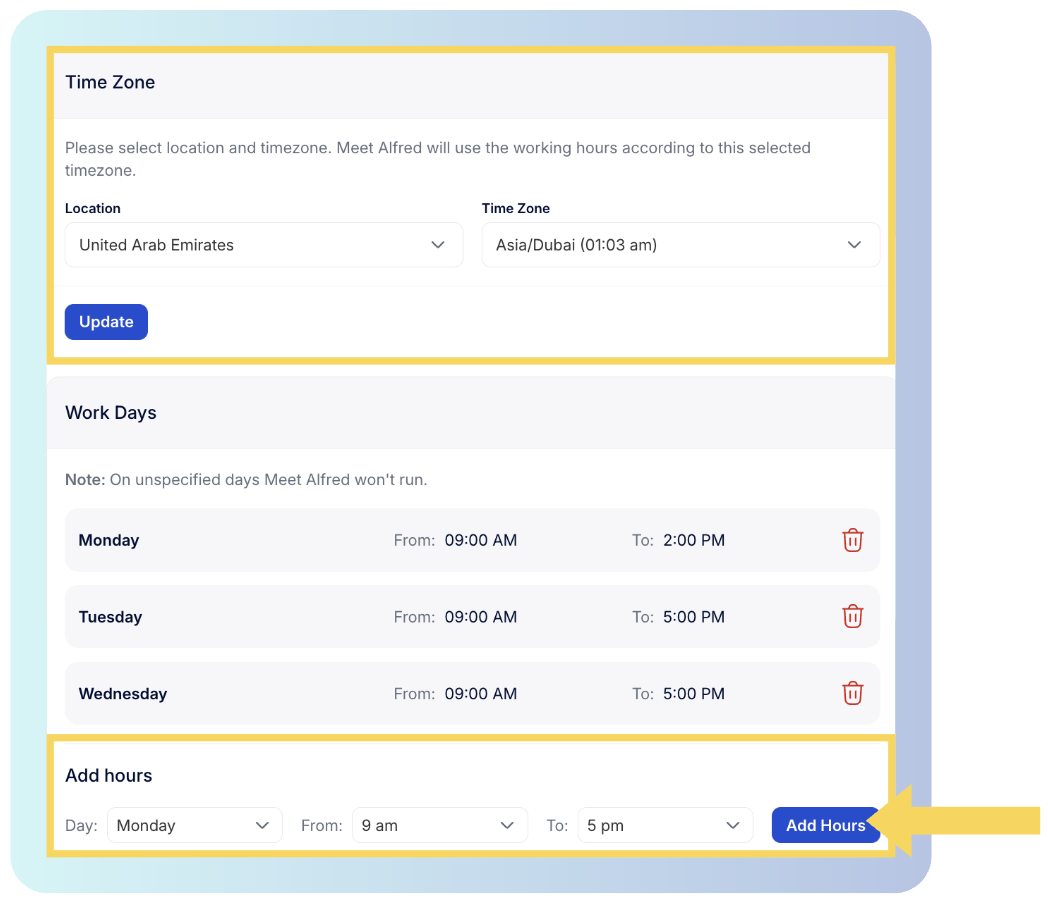
Beside it you set the hours automation may operate and the time zone it follows. No invitation lands at four in the morning where your prospect happens to live.
Auto-withdrawal deals with the pending invitations you'd otherwise be clearing by hand.
➡️ Every action carries a randomized delay, and sending happens in the cloud on an IP reserved for your account. Nothing installs locally, and no proxy has to be bought in.
Step 2: Build the audience
An audience comes next, and warm sources beat cold ones.
Group membership, an event attendee list, newsletter subscribers, and the reactions under a specific post all work as campaign sources, and every name in them has already shown up somewhere you can point at.
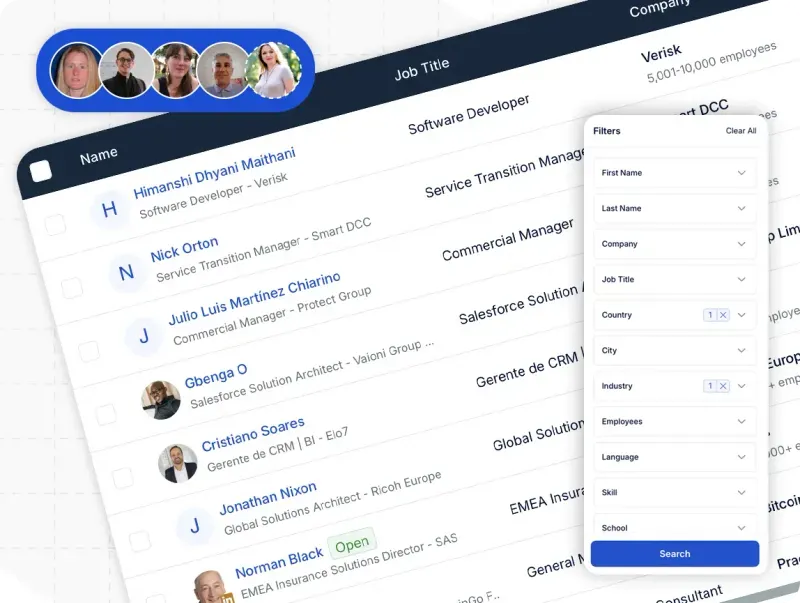
Colder targeting runs through LinkedIn search, filtered on job title, industry, location, language, and keywords, with a preview of sample results and a control for how many profiles the campaign pulls in.
The AI Lead Finder handles discovery on its own terms.
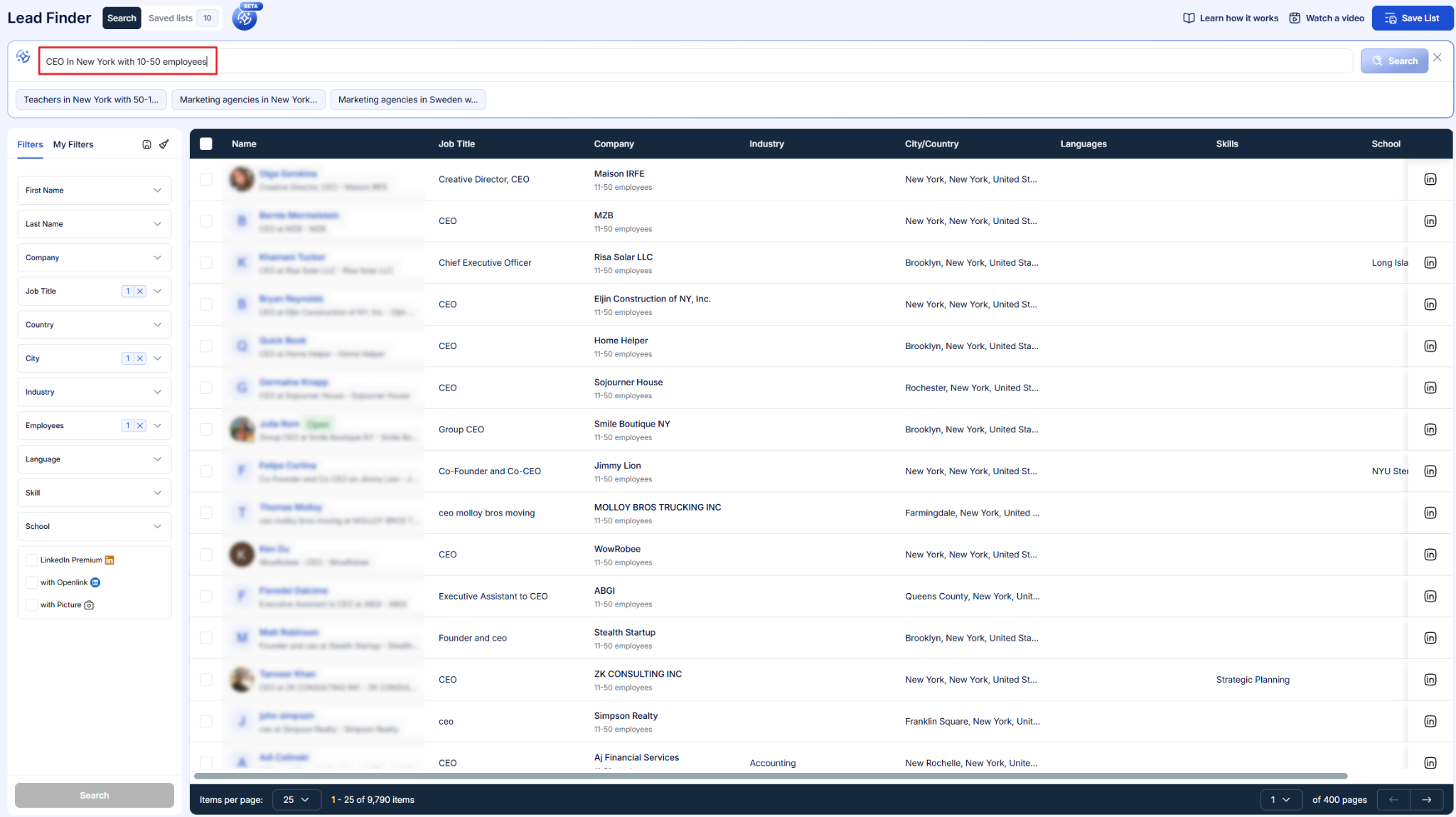
Filters cut to decision-makers by job title, industry, location, keywords, and language, with no manual research and no credits burned on a search that missed.
Result ceilings run 1,000 on Basic, 5,000 on Pro, and 10,000 on Team, and the saved list appears as a source option when you build the campaign.
Step 3: Lay out the sequence
A sequence is an ordered run of actions with a set wait between each one.
You can assemble one from scratch, or open a saved template and rewrite the copy.
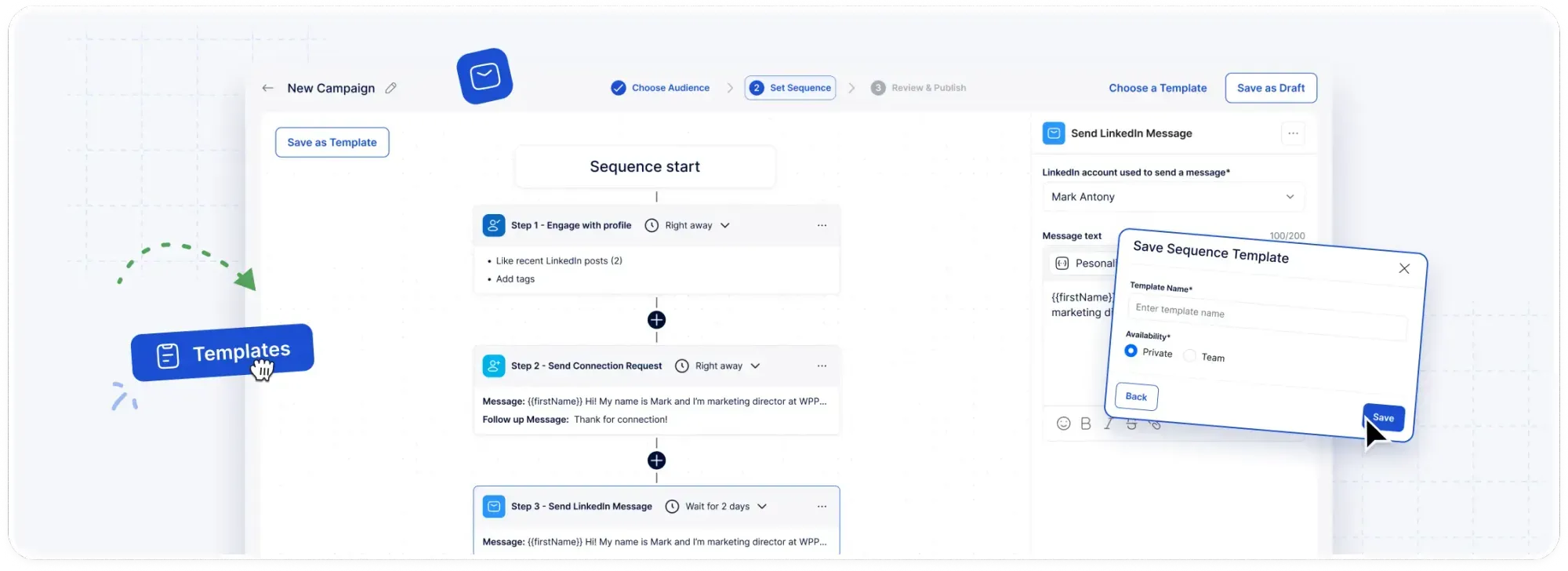
As an example, a sequence might view a prospect's profile on Monday, engage with one of their posts on Tuesday, send a connection request carrying a personalized note on Thursday, then follow up with a message once that request is accepted.
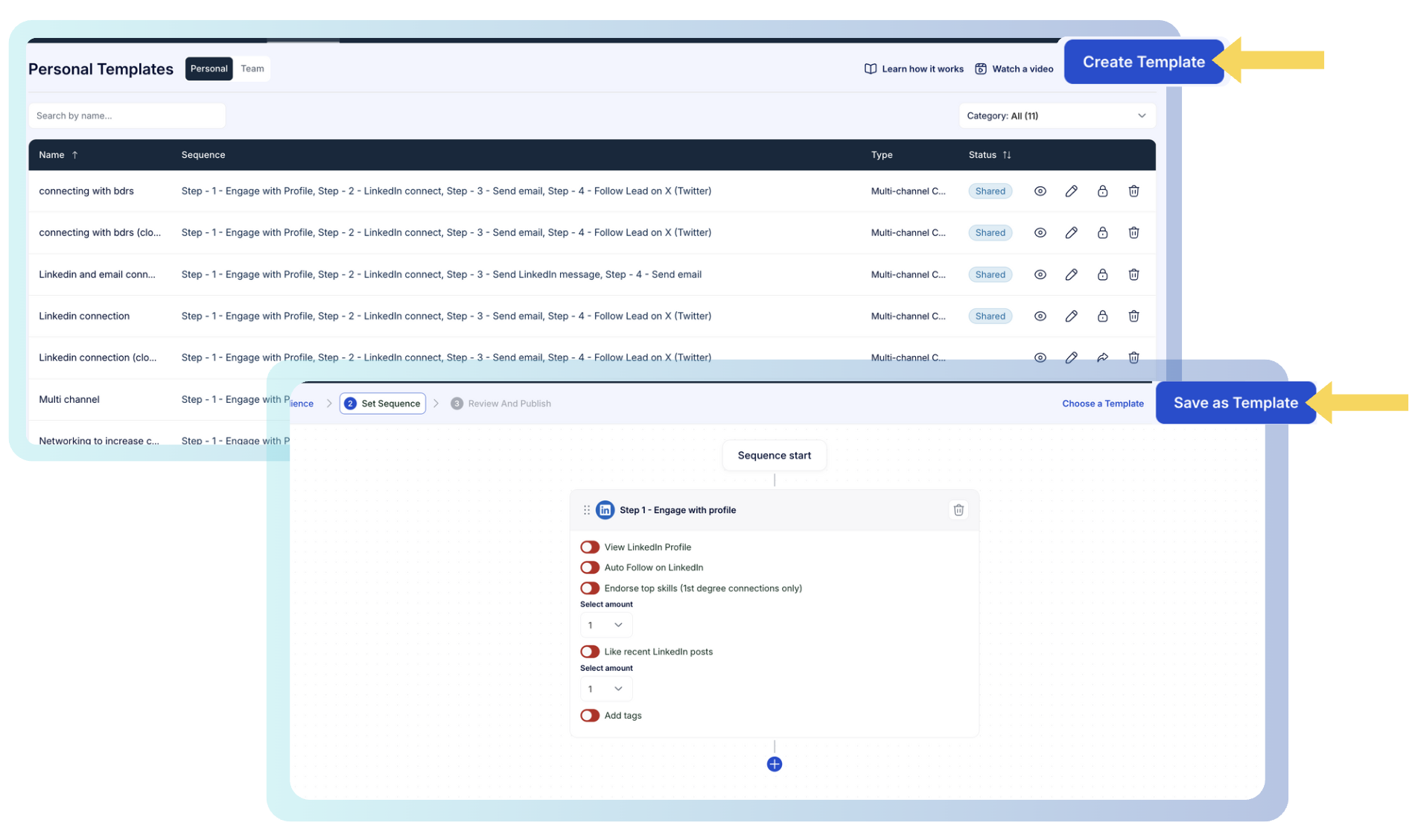
Whatever performs gets saved and shared. A working play stops being one rep's private knowledge.
After launch, each step runs on its own clock in the cloud, and the campaign view fills in with connections made, replies, opens, clicks, and conversions as they land.
Step 4: Handle replies across the team
LinkedIn's own inbox stops being usable somewhere past the first few hundred replies, and four reps working the same list makes that arrive sooner.
The Smart Inbox pulls LinkedIn messages, InMails, and Sales Navigator threads into one list covering the whole team, and each thread carries the contact's job title, company, and location beside it.
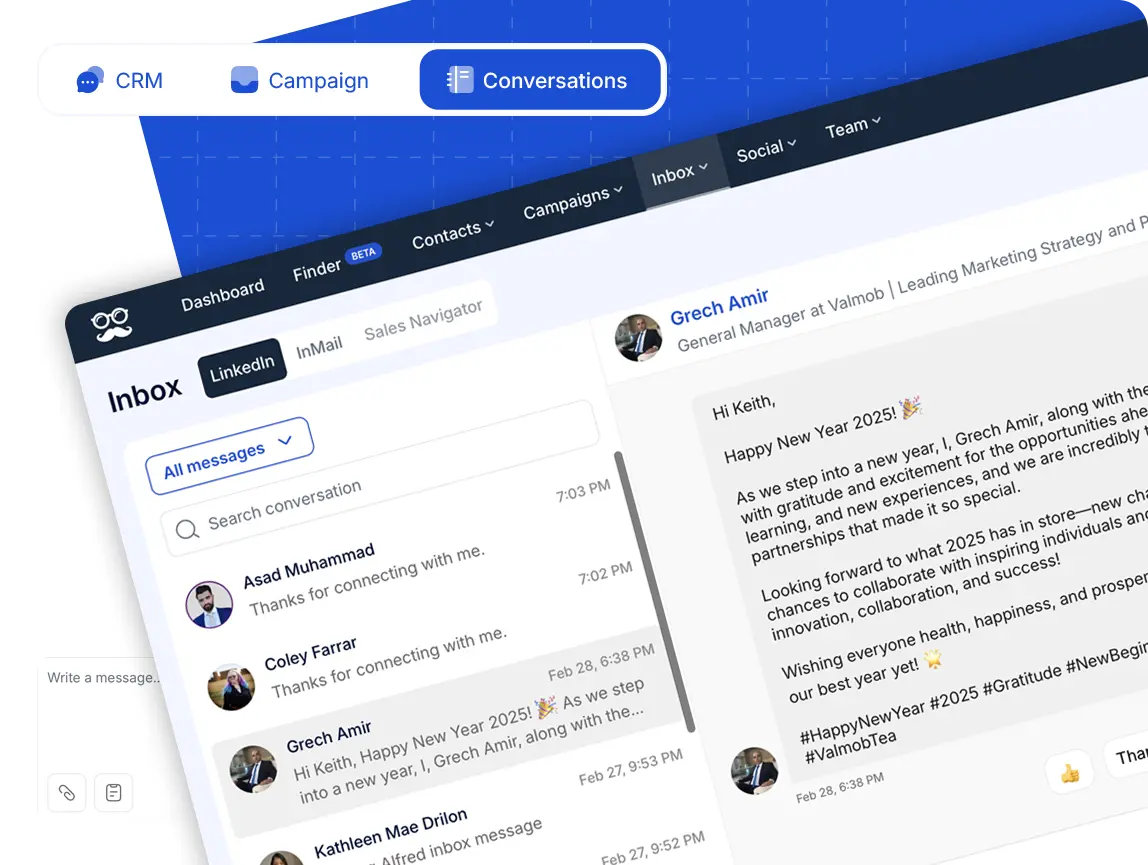
The moment somebody answers, their campaign stops. Nobody who has already replied gets chased by an automated follow-up.
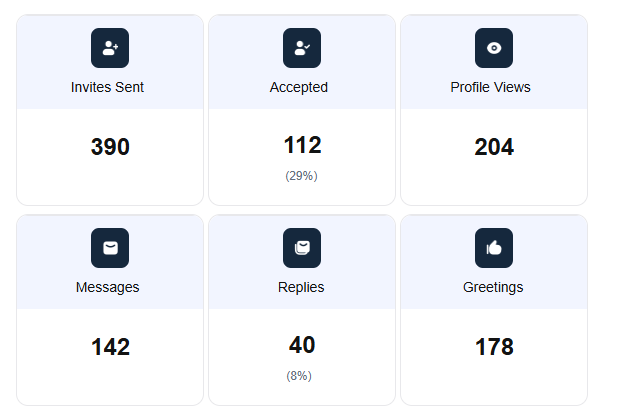
Alongside that, team analytics break connection requests, follow-ups, and replies down by member.
The agency layer: white label, groups, and impersonation
Four capabilities carry most of the weight for agencies running client accounts on Meet Alfred:
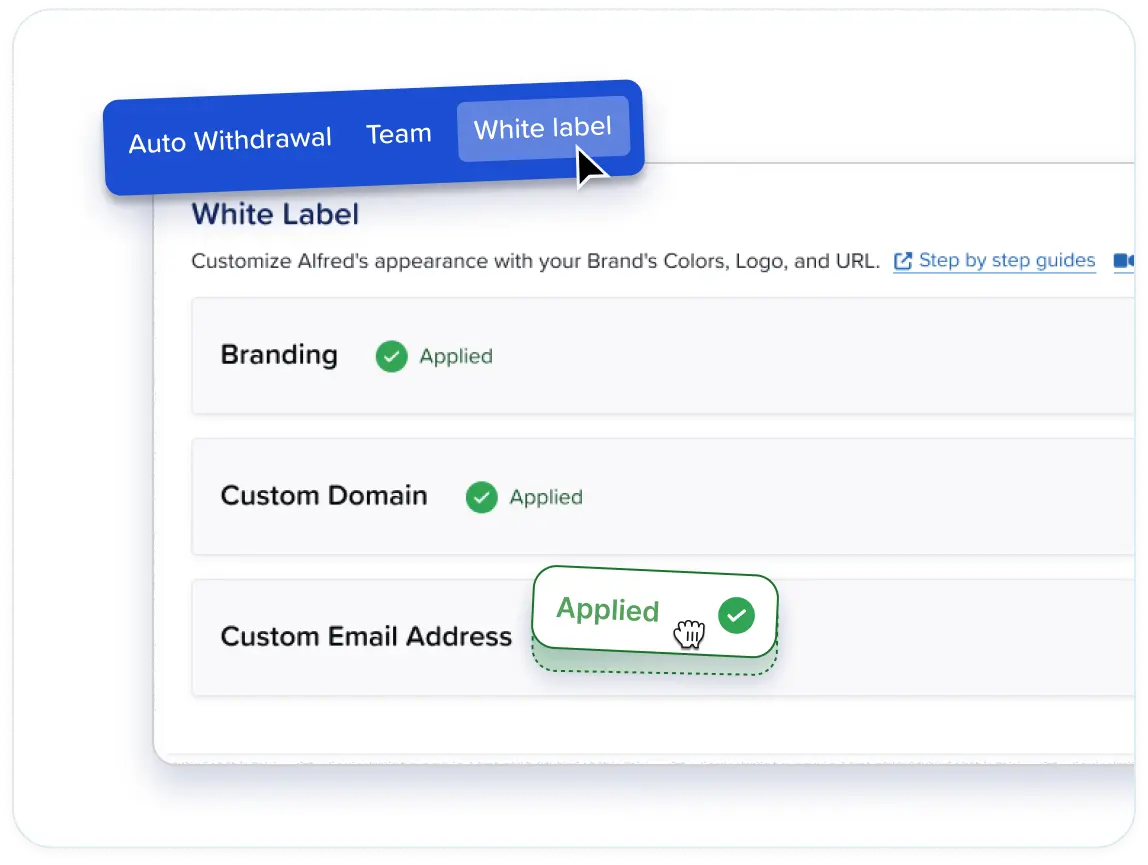
- Rebranding runs product-wide: Your colors, your logo, a domain of your own along the lines of app.youragency.com or dashboard.yourbrand.com, and system notifications leaving from an address you control.
Setup takes minutes with no developer involved, and the default Meet Alfred domain is one click back whenever you want it.
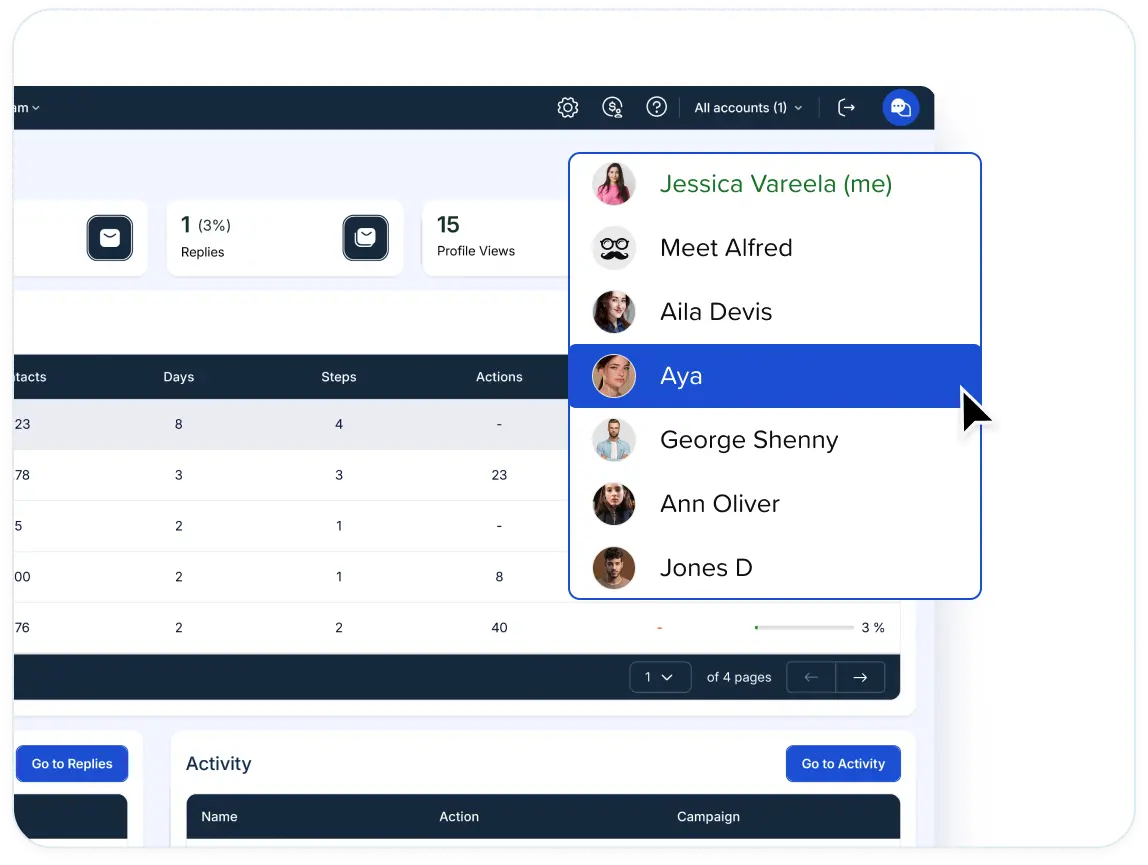
- Groups organize connected accounts by client, by campaign, or by project goal, so a roster of nine clients stops being one undifferentiated list.
- Impersonation covers the reply side: A manager opens any connected account from their own dashboard, answers in that account's inbox, launches campaigns inside it, and configures its integrations, with no credentials changing hands.
- Performance reporting carries your branding too, which is important when the monthly report is the deliverable your retainer gets judged on.
White label opens on Team at five seats.
➡️ At ten seats, priority support arrives alongside an account manager of your own, help with migration and onboarding, and a discount tied to volume.
How is Meet Alfred different from other LinkedIn marketing tools?
Meet Alfred differs from the rest of this market on four points:
- How long the platform has been running.
- How much of the surrounding stack arrives inside the same subscription.
- How far outreach reaches past LinkedIn.
- Which tier the agency features open on.
Here's what each of those means once you put the options beside each other:
| Dimension | Typical LinkedIn marketing tool | Meet Alfred |
|---|---|---|
| Years in market | Spans category pioneers and tools that launched inside the last three years. | Launched in 2016 and ten years in market, with more than 175,000 registered users across 92 countries. |
| Outreach channels | LinkedIn on its own, or LinkedIn with email. Of the three outreach tools alongside us here, one runs LinkedIn alone and two add email. | LinkedIn, InMail, email, and X inside one sequence, with everything past LinkedIn opening on Pro. |
| Social posting | Handled well, but bought separately. Every scheduling and content tool on this page is its own subscription with its own renewal date. | Scheduled posts to LinkedIn, Facebook, Instagram, and X from the same dashboard as the campaigns, with recommended posting times and social analytics attached. |
| Lead sourcing | LinkedIn and Sales Navigator search, CSV import, and post or group engagement, with enrichment metered in credits on several of the tools here. | Those same sources, plus the AI Lead Finder inside the product, capped at 1,000 results on Basic, 5,000 on Pro, and 10,000 on Team. |
| Email volume | Metered by plan, by mailbox count, or by credit balance, depending on the vendor. | Sent over your own SMTP or IMAP connection, so there are no platform credits and no ceiling beyond what your own mailbox allows. |
| Reply management | Included on some platforms and charged as a separate line on others, Waalaxy's LinkedIn Inbox being one example. | Smart Inbox on every tier including Basic, with reply detection pausing a contact's campaign the moment they answer. |
| Sending architecture | Split between browser extensions running on your own machine and cloud platforms that keep working while you are offline. | Entirely cloud-based on AWS since 2017, with no browser extension and no desktop session involved. |
| IP address and proxies | A dedicated or residential proxy comes with some entry plans, while sourcing proxies becomes the customer's job on the higher tiers of others. | A dedicated IP address for every connected account, and no proxy to buy on any tier. |
| LinkedIn account safety | Randomized daily ranges and gradual profile warm-up where a vendor publishes its approach, as Expandi does. | Daily limits you set yourself with headroom to 100 connection requests a day inside safe parameters, randomized pacing on each action type, working hours with time zone control, and auto-withdrawal of pending invitations. |
| Security and compliance | Published to different depths across the category. AuthoredUp is at the transparent end, leading with EU hosting and GDPR. | End-to-end encryption, DDoS protection, and AWS hosting, with GDPR and CCPA compliance and a published data processing agreement. |
| Team collaboration | Seat permissions and a shared inbox are common, and answering on a teammate's behalf appears on some platforms. Operating another user's account in full from one login is rarer. | Team inbox, role-based permissions, groups by client or campaign, per-member analytics, and impersonation, letting a manager work any connected account without credentials changing hands. |
| Client branding | Where platform white label exists, it usually arrives on an agency plan quoted from ten seats or at a fixed agency price. Buffer brands the report on its Team plan, which covers the report and not the platform. | Team plan from five seats at $39 a user, covering your logo, your colors, a custom domain, and system notifications from your own address. |
| Pricing model | Billed per user, per seat, per sending profile, per connected LinkedIn account, or per connected channel, depending on the vendor. | Three published tiers billed per user per month annually: Basic at $29, Pro at $49, and Team at $39. |
| Support | Email and chat on the lower tiers, with priority support and a named contact usually held back for agency or enterprise plans. | Support around the clock with a first reply averaging under three minutes, plus a dedicated account manager, migration help, and priority support at ten seats. |
If I were you, I’d read that table as a question about how many vendors you want on the books.
Almost everything on this page does its own job well, and several do it better than we do in their own lane.
What none of them does is put prospecting at volume and a social scheduler on one invoice, with the agency branding on a published tier underneath.
Pricing
Meet Alfred starts with a 7-day free trial that opens the full feature set and asks for no credit card.
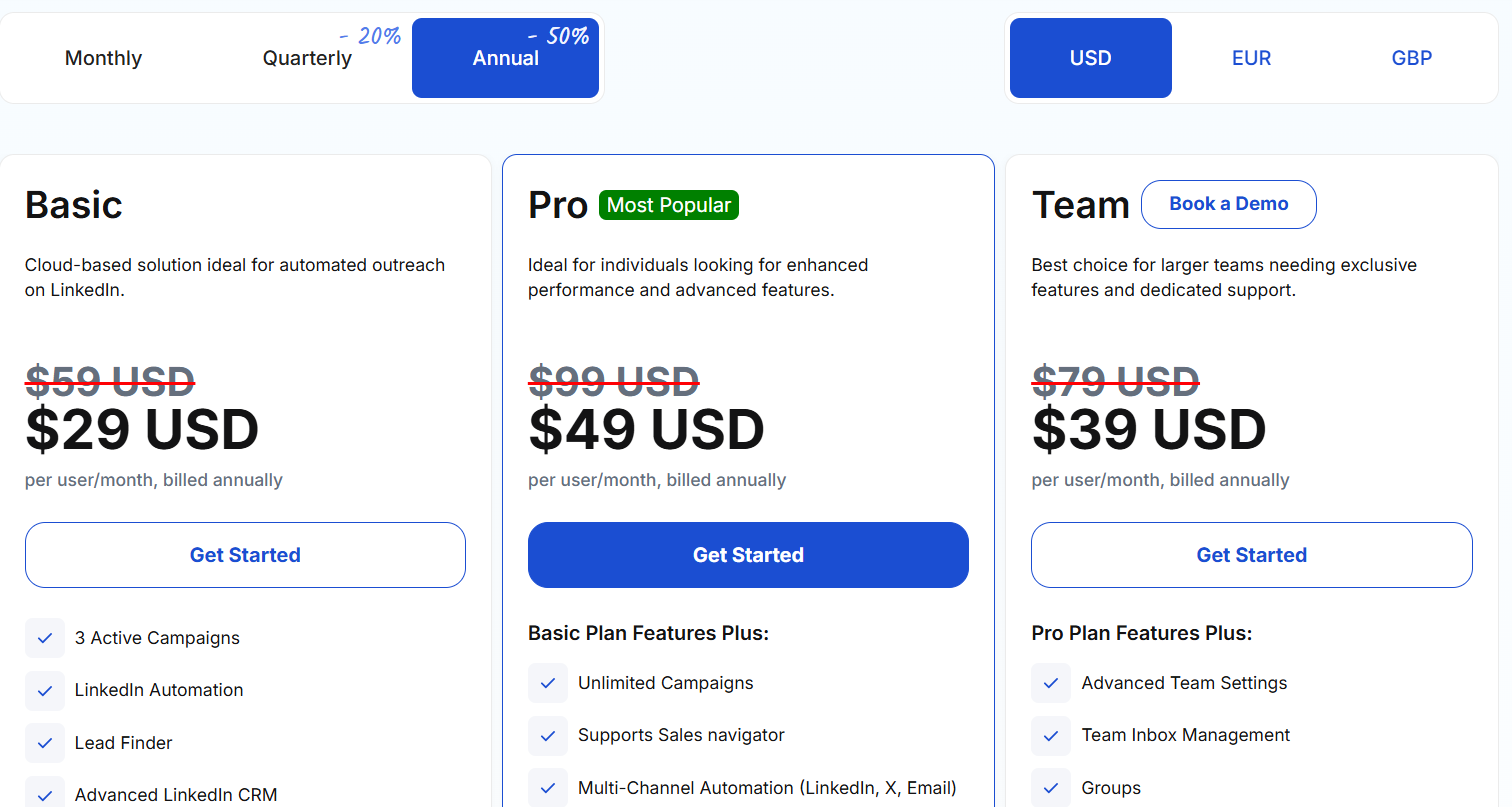
After that, there are three paid tiers, with annual billing taking 50% off and quarterly taking 20%:
- Basic, from $29/user/month billed annually: three active campaigns of cloud LinkedIn automation, Lead Finder capped at 1,000 results, the advanced LinkedIn CRM, the Smart Inbox, data export, notes, custom tags, automated greetings, and the template library.
- Pro, from $49/user/month billed annually: the campaign cap lifts, and Lead Finder reaches 5,000 results alongside Sales Navigator support, InMail automation, LinkedIn, email, and X sequences, group, event, and post campaigns, CSV imports, social scheduling, custom snippets, Zapier, and webhooks.
- Team, from $39/user/month billed annually: Lead Finder at 10,000, groups, team inbox management, and the advanced team settings, with client branding from five seats and volume discounts, an account manager, migration help, and priority support from ten.
Pros & Cons
✅ Outreach on LinkedIn, email, and X plus scheduled posting to four networks belong to one subscription, with no proxies to source separately.
✅ The AI Lead Finder builds prospect lists in the same product that runs the campaigns.
✅ White label, a custom domain, and branded notifications open at five seats on a published tier.
✅ Impersonation lets one manager work any connected client account without a shared password.
❌ No permanent free plan, only the seven-day trial.
#2: HeyReach
Best for: Agencies whose connected LinkedIn account count grows faster than their payroll, and who want one monthly figure covering every sender on the books.
Similar to: Expandi, Meet Alfred.
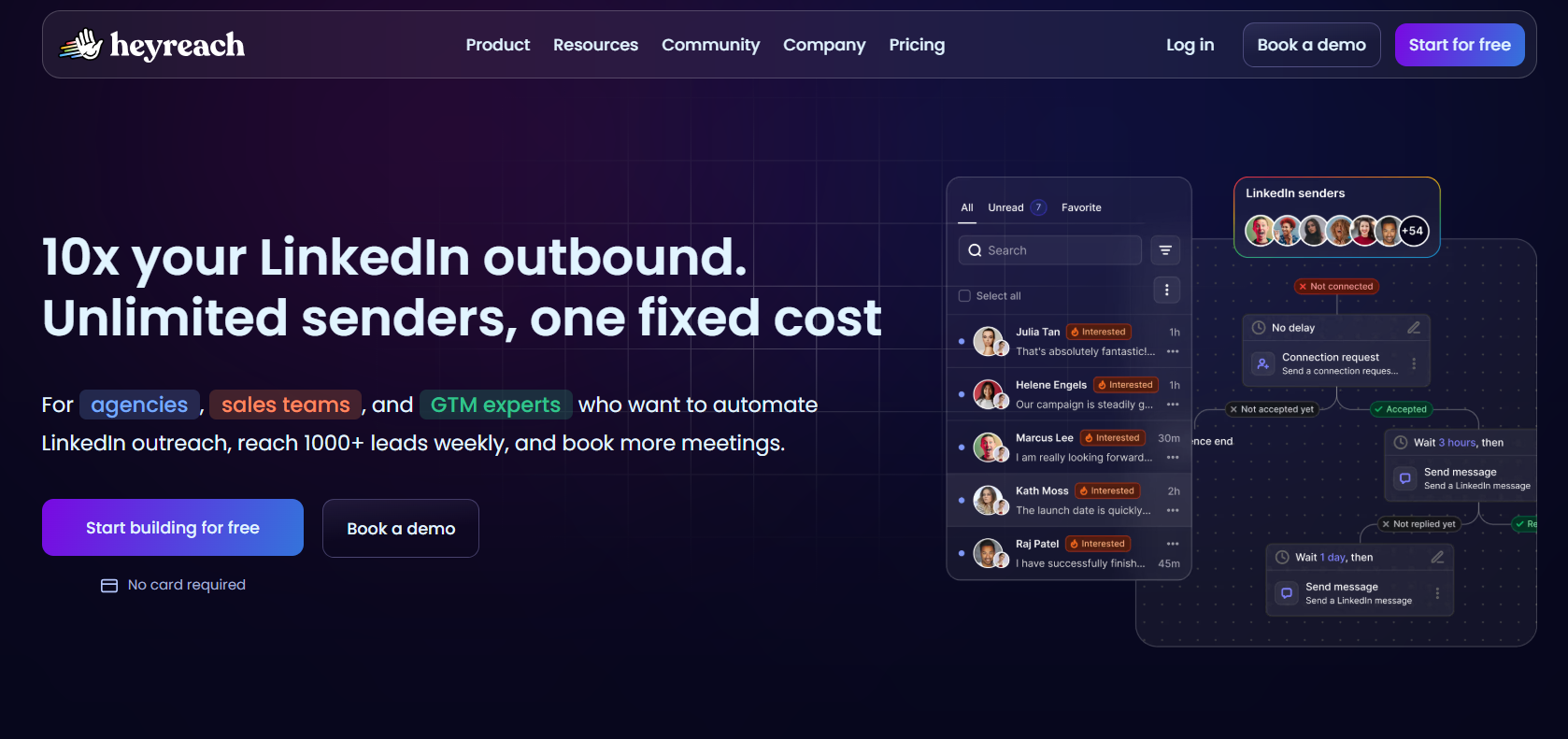
HeyReach charges against connected LinkedIn senders. People are free.
Headcount stays off the invoice entirely, so teammates, virtual assistants, and clients all join a workspace at no cost.
Features
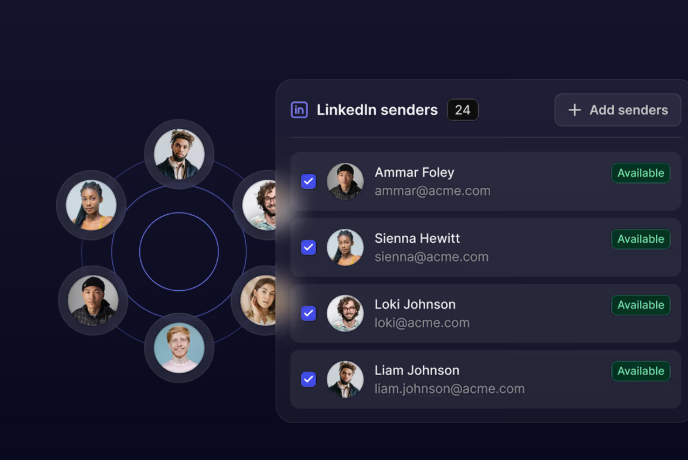
- Rotation across the pool: Sending gets divided between every profile you have connected, so one campaign's ceiling is a function of staffing and no individual account absorbs the whole load.
- Replies gathered in one view: Every connected account reports into a single screen. Managers answer for colleagues, audio notes included, and LinkedIn itself never has to be opened.
- Imports from anywhere: Sales Navigator, Clay, RB2B, and HubSpot all feed contacts in, and an If Connected rule keeps existing relationships apart from cold names.
- An automation surface: API, webhooks, CLI, MCP server. An AI assistant can start a campaign and read back the numbers conversationally.
Pricing
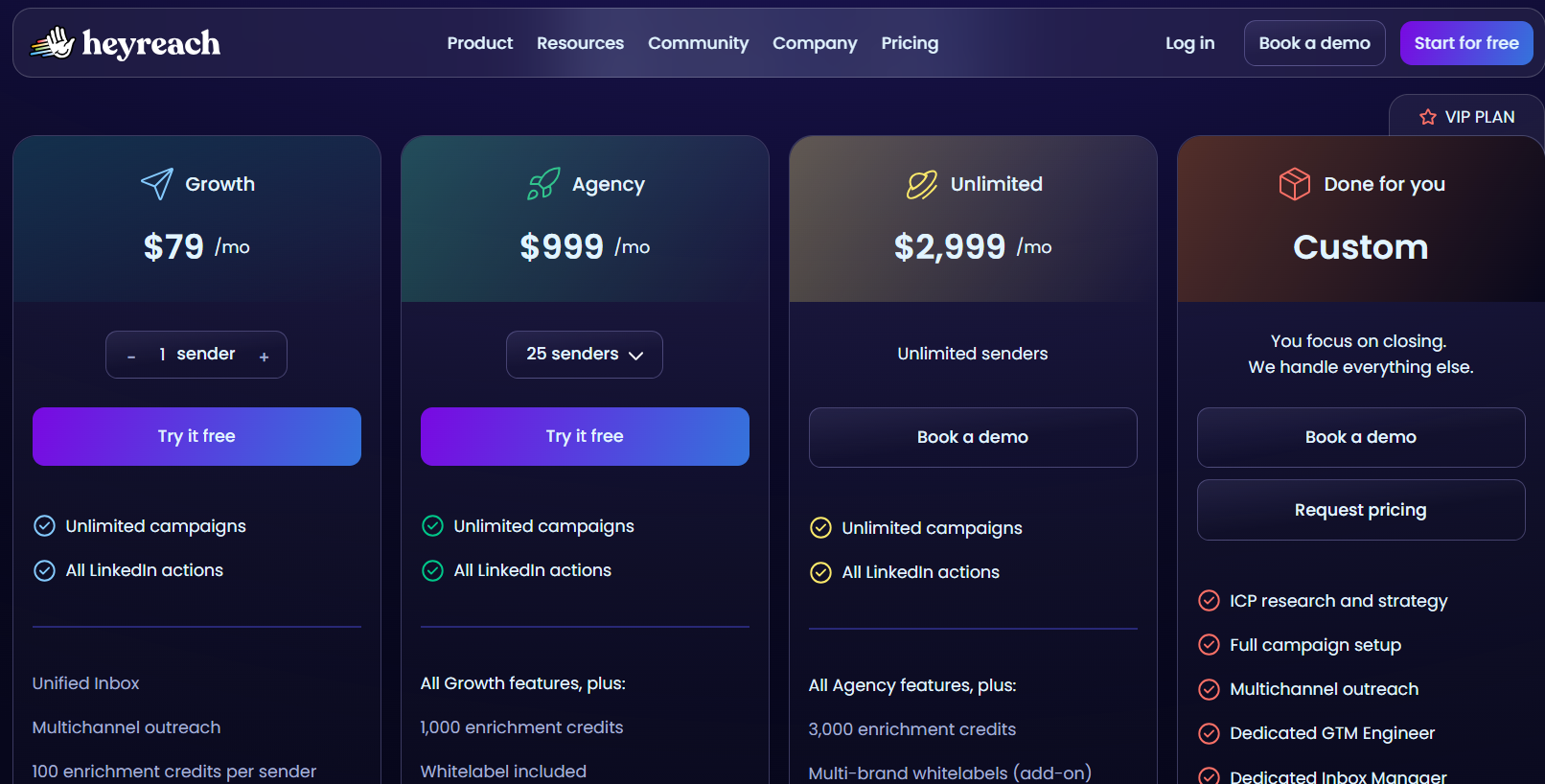
The sender count sets the rate. Quarterly billing removes 10%, annual removes 20%:
- Growth, $79 a month: one sender, dedicated residential proxy supplied.
- Agency, $999 a month: 25 senders and white label branding, on proxies you bring.
- Unlimited, $2,999 a month: the sender cap disappears and workspaces are uncapped too, with proxies still on you.
- Done for you, custom: HeyReach runs the campaigns for you.
Growth opens a 14-day trial covering three accounts with no card, and the larger two extend to 30 days if you ask.
There's a discounted early-stage track for companies below a quarter of a million in ARR with fewer than five people.
Pros & Cons
✅ Scale works in your favour on price here, because the fee attached to each connected account keeps shrinking as the pool grows.
✅ Unusually deep go-to-market tooling, including Clay, n8n, and a HubSpot sync HubSpot has verified itself.
❌ No outbound email. One G2 reviewer mentions that they would like that changed.
❌ Agency and Unlimited expect you to bring proxies.
#3: Expandi
Best for: Buyers who open every vendor call by asking what happens to the LinkedIn account, and who want conditional logic on top of that answer.
Similar to: HeyReach, Meet Alfred.
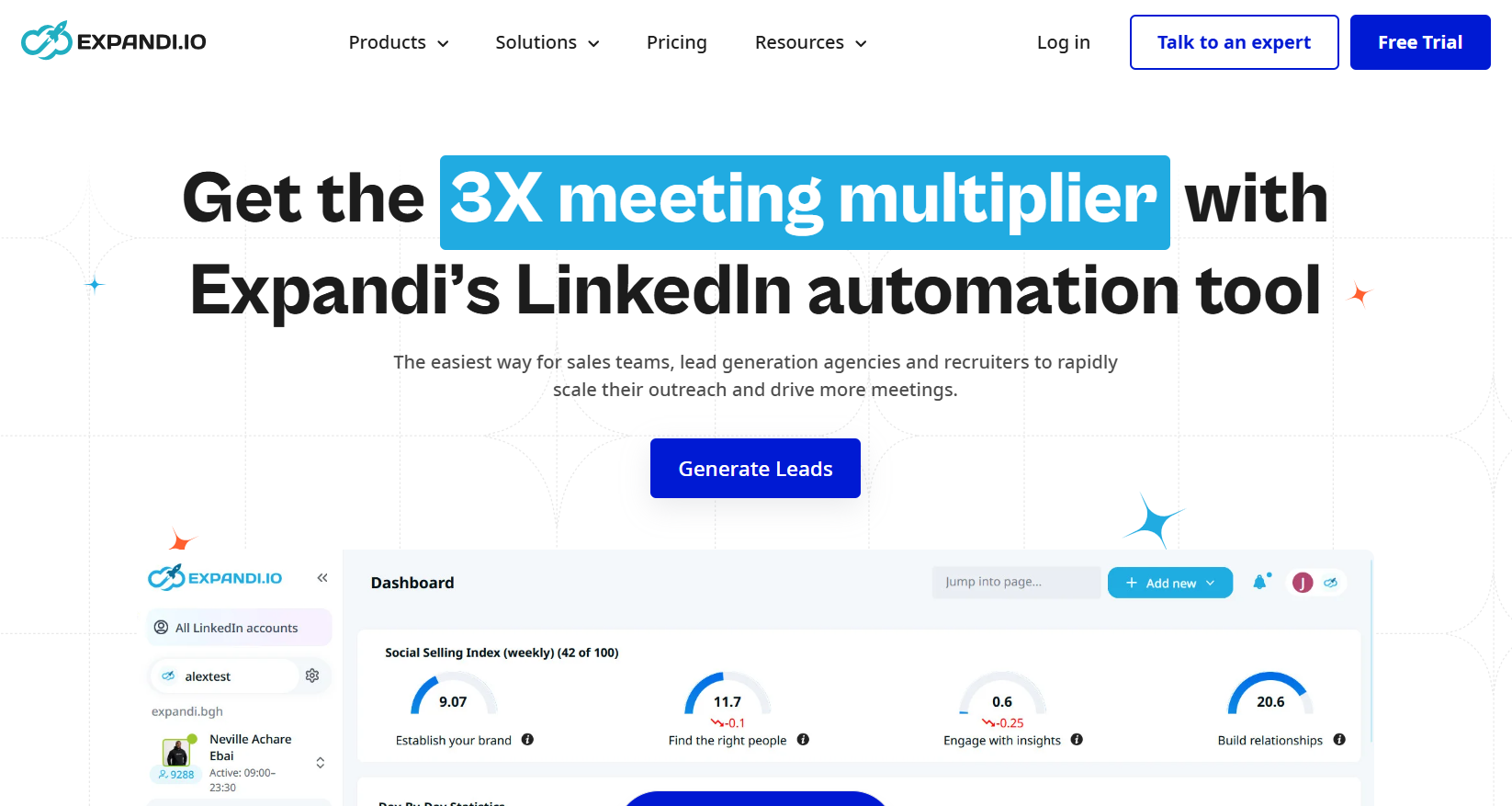
Expandi is a cloud LinkedIn platform organised around Smart Sequences.
If-then rules pick the next action based on how the prospect behaved, whether that was accepting the invitation, writing back, opening the email, or liking a post.
Features
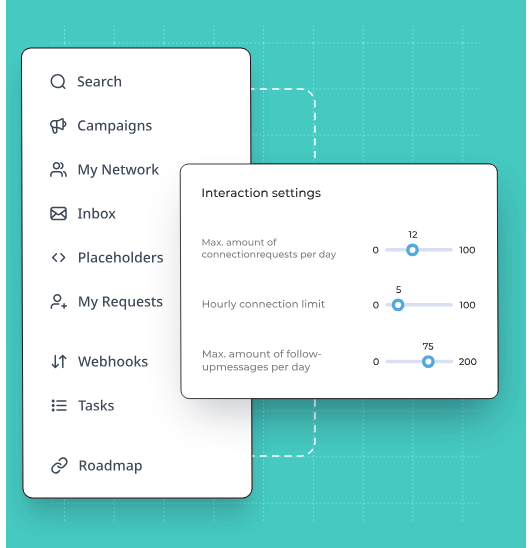
- Smart Sequences: Two prospects entering the same Expandi campaign can leave it having received nothing in common, because acceptances, replies, profile visits, email opens, and post engagement each open a different branch of the flow.
- A softer opening: Views and post interactions land before the first message, so the invitation comes from a familiar face.
- Visual personalization: Hyperise for dynamic images and GIFs, Sendspark for video. Both are add-ons.
- Per-step statistics: Reported action by action, so you can find the exact point people leave.
Pricing
One plan is published, and agency buyers receive a direct quote:
- Business, $79 a month when paying annually, which includes unlimited campaigns, the whole safety layer, email follow-ups inside multichannel outreach, the builder, per-step statistics, campaign prioritization, scheduling, and a blacklist.
- Agency, quoted from ten seats upward: permissions and roles, every campaign managed from one screen, reporting shaped for clients, shared templates, a named customer success manager, and Expandi under your brand.
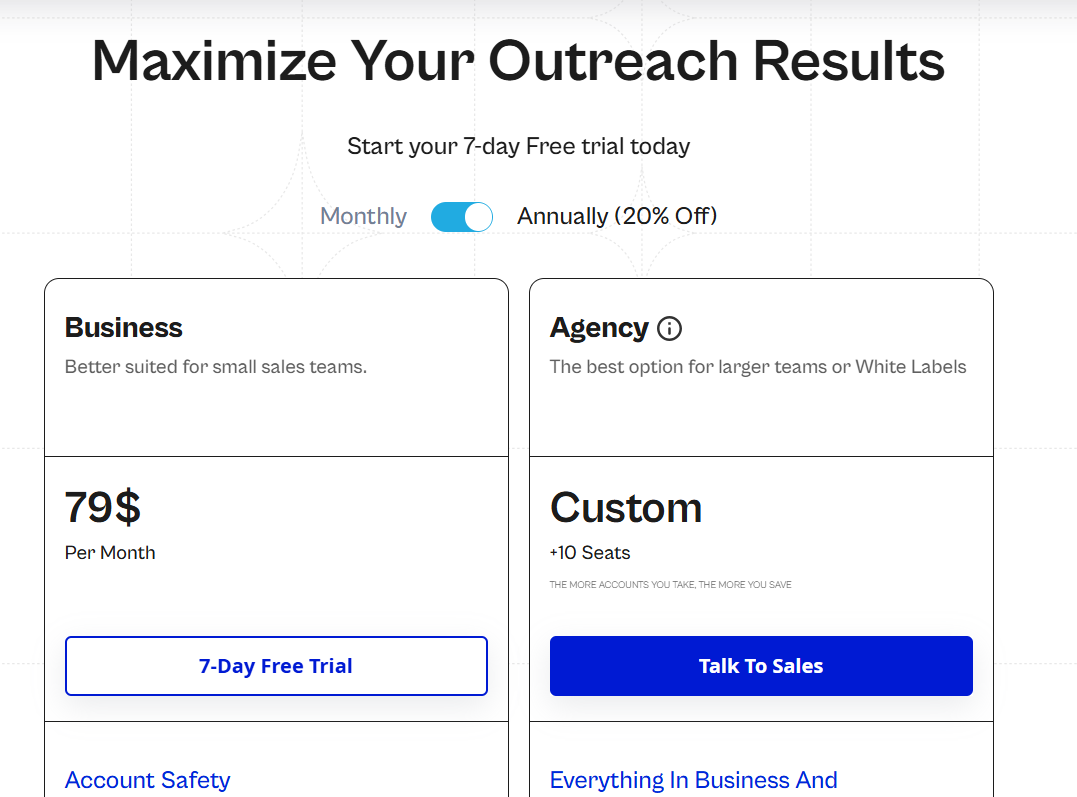
➡️ A 7-day free trial is also published.
Pros & Cons
✅ A regional IP and an automatic warm-up period on every profile you connect.
✅ The conditional logic is the sharpest part of the product, keyed to prospect behaviour more than to elapsed time.
✅ Per-step statistics pinpoint the exact action where people drop out.
✅ Unlimited campaigns on the one published plan, with prioritization, scheduling, and blacklisting included.
❌ Imagery and video cost extra.
❌ A single published plan, at $79 per seat.
#4: Waalaxy
Best for: Solo operators and newer teams who want a LinkedIn campaign running this week without designing any logic first.
Similar to: Dux-Soup, Dripify.
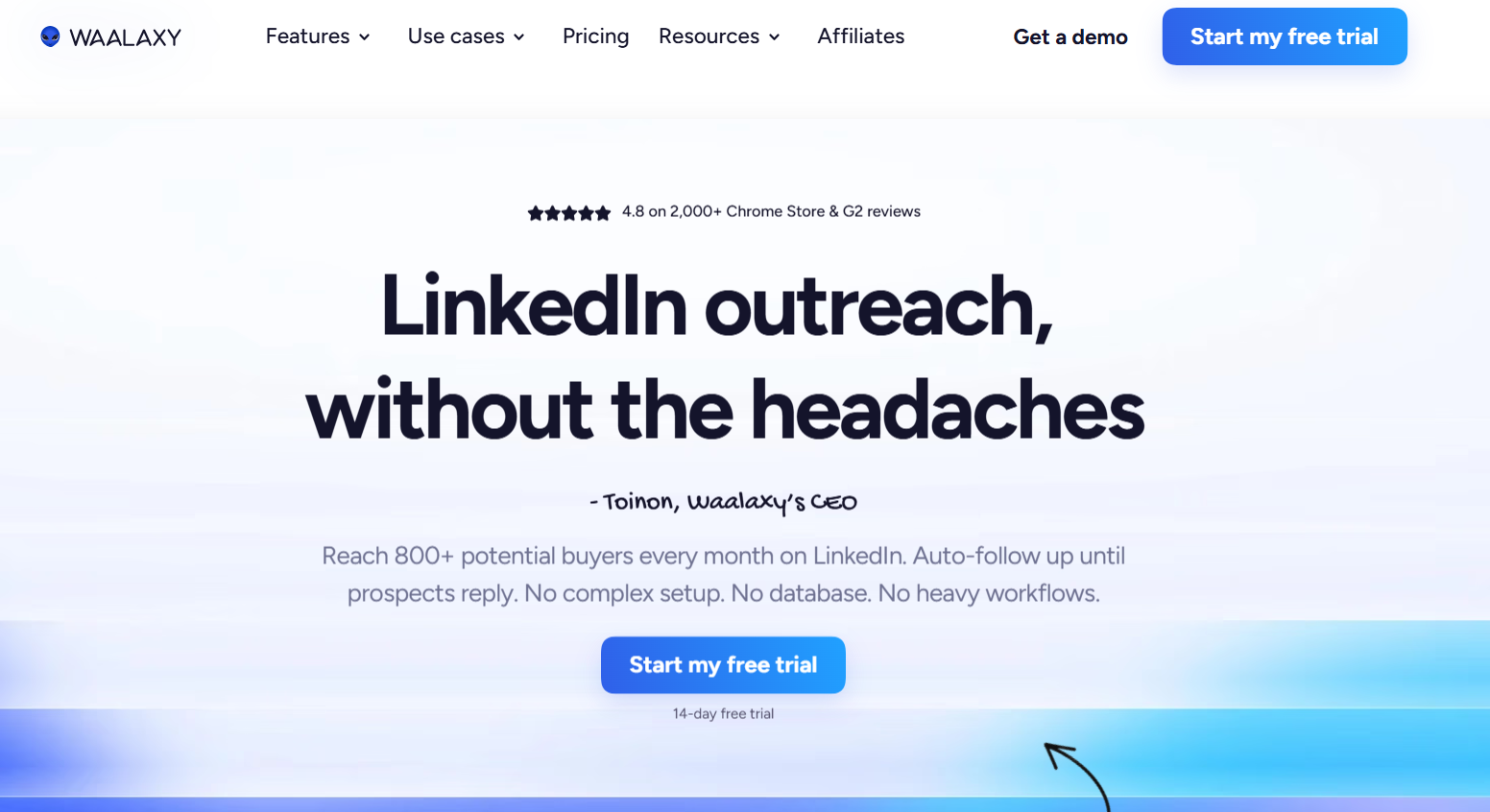
Waalaxy runs as a Chrome extension on top of LinkedIn.
Because the prebuilt templates have already made most of the structural decisions, a campaign gets going straight off a search result.
Features
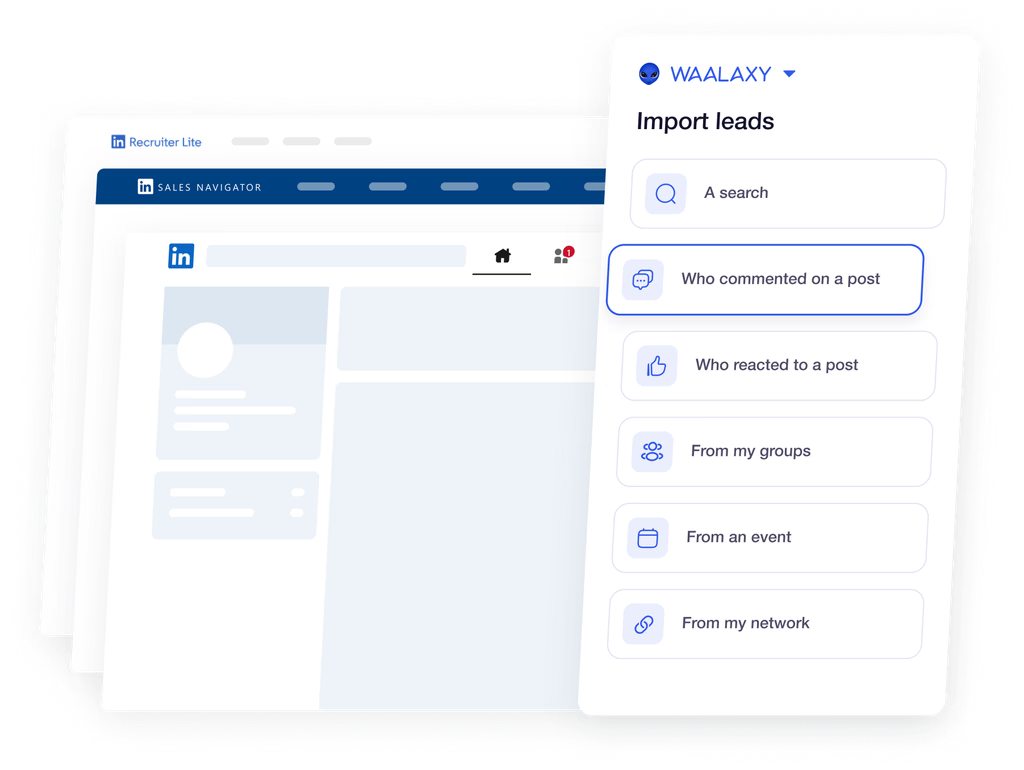
- 99 ready-made sequences: Each launches off Recruiter Lite, a Sales Navigator list, or an ordinary search, follow-ups included, and drops anybody who replies.
- Interest as a trigger: Post reactions and comments feed a list automatically, as does activity around rival companies.
- Email steps on the top tier: Enrichment credits find the addresses, at a self-reported match rate above 61%.
- Team hygiene: Overlap checks, shared lists, permissions, group analytics.
Pricing
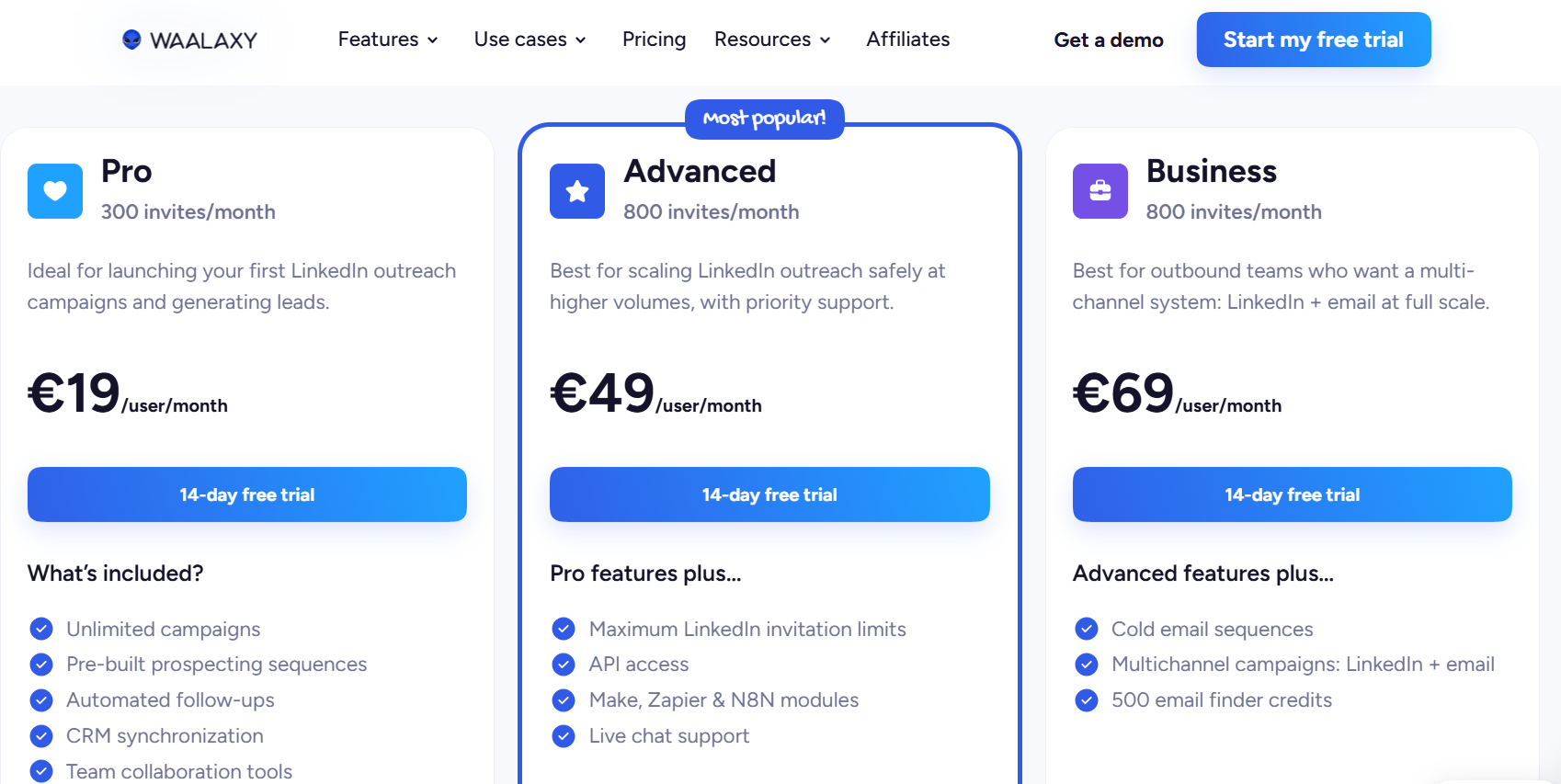
What changes between tiers is the monthly invitation allowance, billed per user, and the rate drops on longer commitments:
- Pro, €19 per user per month: 300 invitations, uncapped campaigns, the template library, follow-ups on autopilot, CRM syncing.
- Advanced, €49 per user per month: the allowance goes to 800, with API access, Make, Zapier, and n8n modules, and chat support.
- Business, €69 per user per month: cold email, LinkedIn and email in a single campaign, plus 500 monthly credits for address finding.
- The LinkedIn Inbox is a separate line on every tier, with the first 500 conversations free.
Waalaxy runs a 14-day trial with no card required.
Pros & Cons
✅ Ninety-nine sequences ship with the product, so the blank-canvas problem never comes up on day one.
✅ Lists build themselves off engagement signals, with nobody scraping a search by hand.
❌ The inbox costs extra.
❌ Pricing draws complaints in several G2 reviews.
What are some of the best LinkedIn content creation tools?
The second group aims at the audience already watching your feed.
The job here is turning a profile into something people follow, and messaging strangers harder has no bearing on it.
#5: Taplio
Best for: Founders, creators, and small teams who want ideas, drafting, scheduling, and warm outreach running as one loop.
Similar to: Supergrow.
Taplio is built by lempire, the company behind Lemlist.
Four stages run end to end. You find an idea, write it up, queue it, and turn whoever engages into a conversation.
Features

- AI trained on the corpus: The generator learned from more than 3 million posts. It writes hooks, rewrites drafts, matches your tone, and puts a reach prediction on screen while the post is still editable.
- A queue that runs itself: A week's worth gets batched in one sitting, then each post goes out when your own followers are active. Carousels and series drip on their own.
- Engagement with direction: A curated feed narrows down whose posts you should be commenting under, with AI comment starters attached.
- Outreach off the back of it: You pick leads out by job title and industry, or by how hard they engage. The connection request sends itself, and your DM lands the second they accept.
Pricing
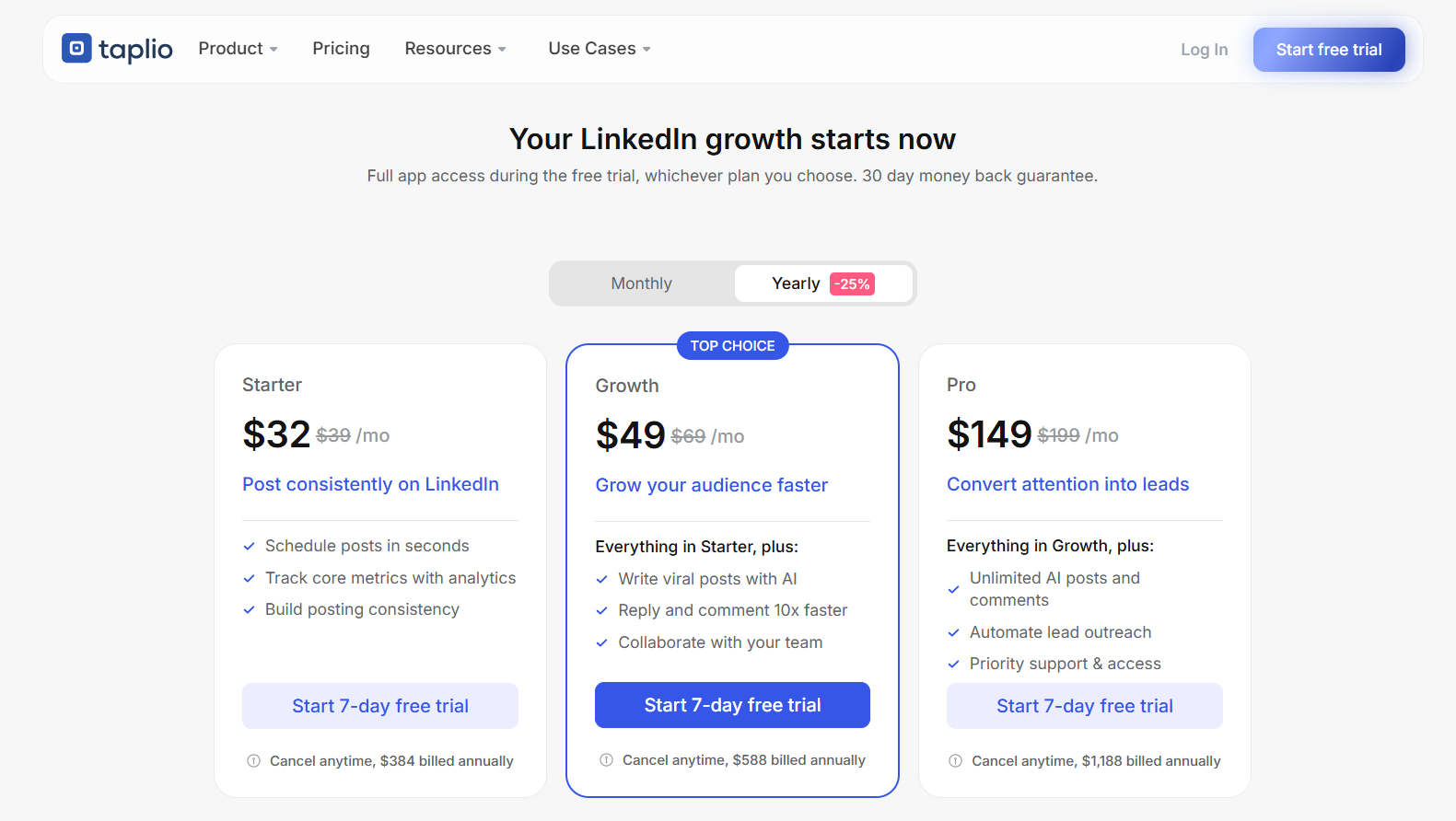
Three tiers, with yearly billing taking 25% off:
- Starter, $32 a month billed yearly or $39 monthly: scheduling, the drafts Kanban, text formatting, snippets, polls, media assets, and core analytics.
- Growth, $49 a month billed yearly or $69 monthly: 250 AI credits and 500 comment credits monthly, the post generator, carousel and image generation, curated feed commenting, and team collaboration.
- Pro, $149 a month billed yearly or $199 monthly: unlimited AI and comment credits, auto-DM, bulk DMs, automatic connection requests, the lead database, 90-day comment monitoring, and the Taplio API.
Teams and agencies get up to 30% off multi-seat, with admin, content writer, and client roles.
The trial runs seven days at full Pro access, backed by a 30-day money-back guarantee.
Pros & Cons
✅ Ideation, writing, scheduling, and lead outreach all run inside one product. Rare on the content side of this list.
✅ Reach prediction before publishing gives you a signal while the draft is still editable.
✅ Free masterclasses from creators with large followings come with the account.
✅ The Chrome extension is usable without paying anything.
❌ Starter carries no AI credits, and Growth caps them at 250 a month.
❌ Auto-DM and the lead database start at the top plan.
#6: AuthoredUp
Best for: Writers and small teams who want formatting and readability scoring, with post analytics attached and no automation touching the account.
Similar to: Taplio, Supergrow.

AuthoredUp collects no cookies and runs no automated actions on your profile.
Data is hosted in Germany on European cloud infrastructure, and you get both a Chrome extension that works inside LinkedIn and a separate web platform.
Features

- An editor that shows the result: Bold, italic, bullet points, numbered lists, and emoji palettes, with previews across desktop, tablet, and phone so the line breaks land where you expect.
- Readability scored before publishing: Every draft gets a readability grade and a character count, on the same principle journalists follow when they aim for grade eight or lower.
- More than 200 opening hooks and 150 endings: Templates in several languages for the first two lines, which AuthoredUp argues are the lines deciding whether anybody clicks "see more".
- Analytics that go past impressions: Saves, sends, reach, profile views, and followers gained per post, with breakdowns by post type, day, length, and readability, plus side-by-side post comparison.
Pricing
Two published plans and a custom tier, all billed annually:
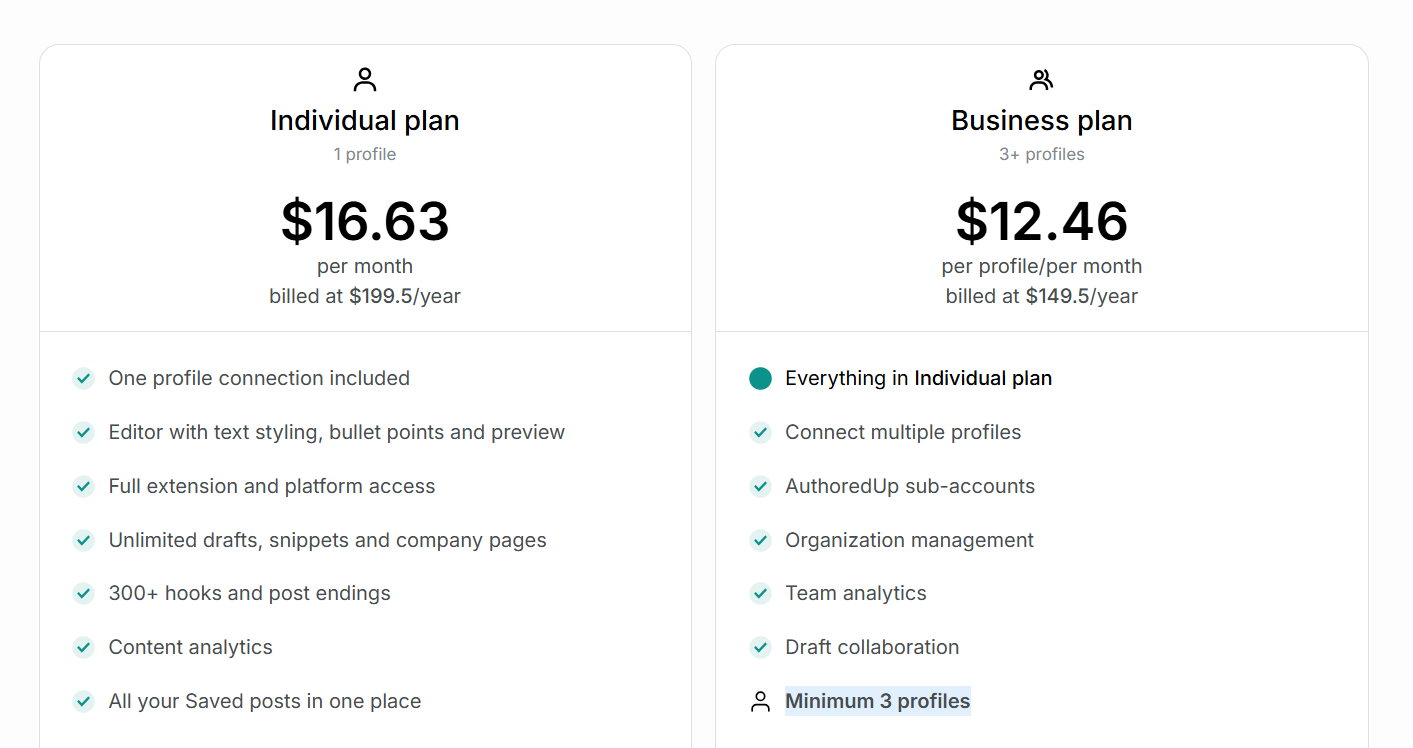
- Individual, $16.63 per month billed at $199.50 a year: one profile connection, the full editor and extension, unlimited drafts and snippets, content analytics, and saved posts.
- Business, $12.46 per profile per month billed at $149.50 a year, minimum three profiles: sub-accounts, organization roles, team analytics, draft collaboration, and a shared team calendar.
- Custom Growth Plan, quoted from ten profiles: personalized onboarding, dedicated training, and invoicing options.
Pros & Cons
✅ Nothing automated ever runs on the account and no cookies are collected, so third-party access stops being a worry.
✅ Business billing counts profiles, so members can be invited without limit.
✅ Company pages are unlimited and free on every plan.
✅ Analytics reach metrics LinkedIn's native view doesn't surface, including saves and sends.
❌ No outreach, sequencing, or messaging of any kind.
#7: Supergrow
Best for: A communications lead running a posting programme across several executives, who needs everything passing one approval hub before it publishes.
Similar to: Taplio, AuthoredUp.

Supergrow builds a voice profile called Content DNA and drafts against it, so posts read like the person whose name is on them.
Postcast runs an AI interview and turns the conversation into drafts. Useful for the executive with plenty to say and no interest in typing it out.
Features

- Content DNA per person: One workspace can carry a founder, a head of sales, and a VP of product without their posts starting to converge.
- Repurposing: YouTube videos, articles, PDFs, and voice notes all go in as sources and come out as drafts.
- The approval layer: Feedback and approval workflows, an organisation dashboard, a calendar across every member, publishing on behalf of others, and Slack alerts.
- Programme reporting: Team-wide analytics, weekly reports per member and across the group, with challenges and a leaderboard attached.
Pricing
Yearly billing takes 20% off, and the published rates are the yearly ones:
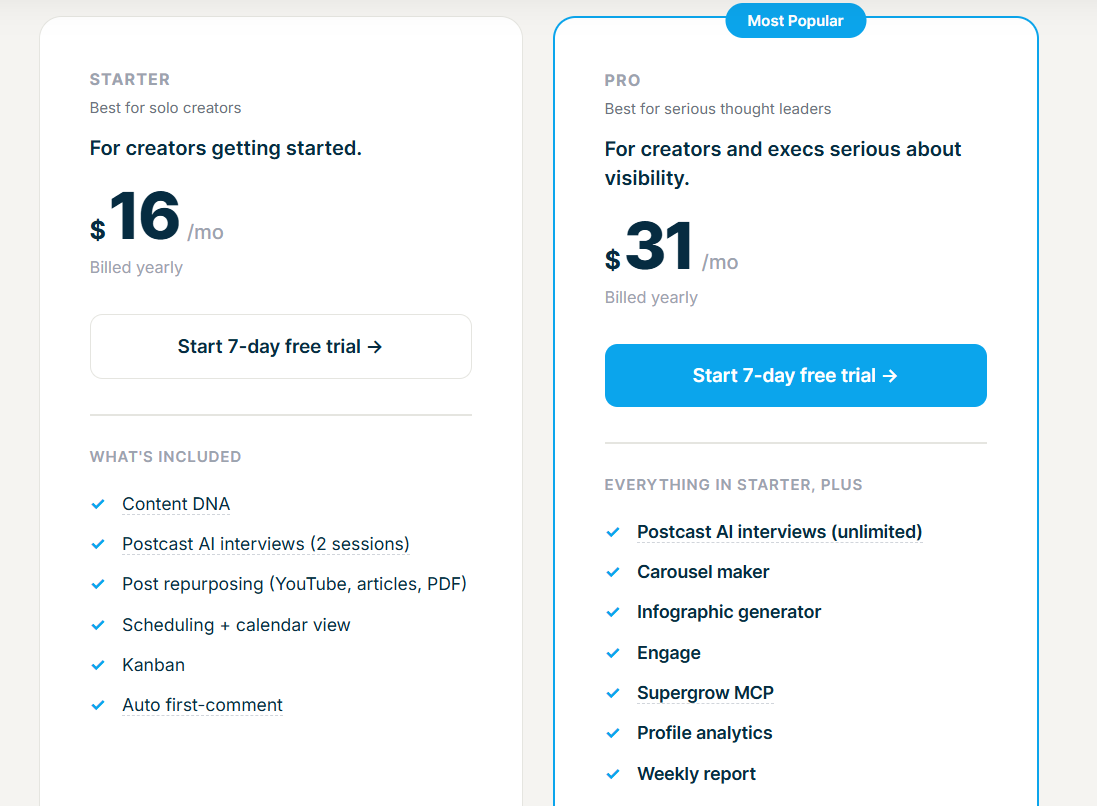
- Starter, $16 a month: Content DNA, two Postcast sessions, repurposing, scheduling, Kanban, automatic first comment.
- Pro, $31 a month: unlimited Postcast, carousel maker, infographic generator, Engage, profile analytics, weekly report, the Supergrow MCP, priority support.
- Teams, $133 a month: four accounts bundled, plus the whole approval and reporting layer above.
- Large organisations are quoted directly, adding API access, custom integrations, an SLA, dedicated onboarding, volume pricing, and invoice billing.
Pros & Cons
✅ Teams carries the approval workflow, organisation dashboard, and cross-member calendar that no individual seat includes.
✅ Publishing on behalf of team members lets a comms lead run the programme without collecting anybody's password.
❌ Carousels, infographics, and analytics start at Pro.
❌ Teams at $133 works out above four Pro seats, so the team layer carries a premium.
What are some of the best social management and analytics platforms?
Everything in the last group happens after the post goes out or the campaign closes.
Measurement of what the first two groups produced, plus reach bought through people who already command an audience, with LinkedIn managed beside every other network in the same window.
#8: Sprout Social
Best for: Larger organisations and agencies running LinkedIn Company Pages alongside every other network, with approval chains and permissions to match.
Similar to: Buffer.

Sprout Social is a certified LinkedIn Marketing Partner, and LinkedIn Company Pages are one integration inside a suite covering every major network.
That breadth is the reason to buy it. If LinkedIn is one of eight channels a communications team answers for, running it in the same product as the other seven removes a reconciliation problem that no LinkedIn-only tool can solve.
Features
- Publishing with targeting attached: One compose window drafts, schedules, and queues updates to a single Company Page or several at once, and audience targeting narrows who sees each post by company size, industry, and job title.
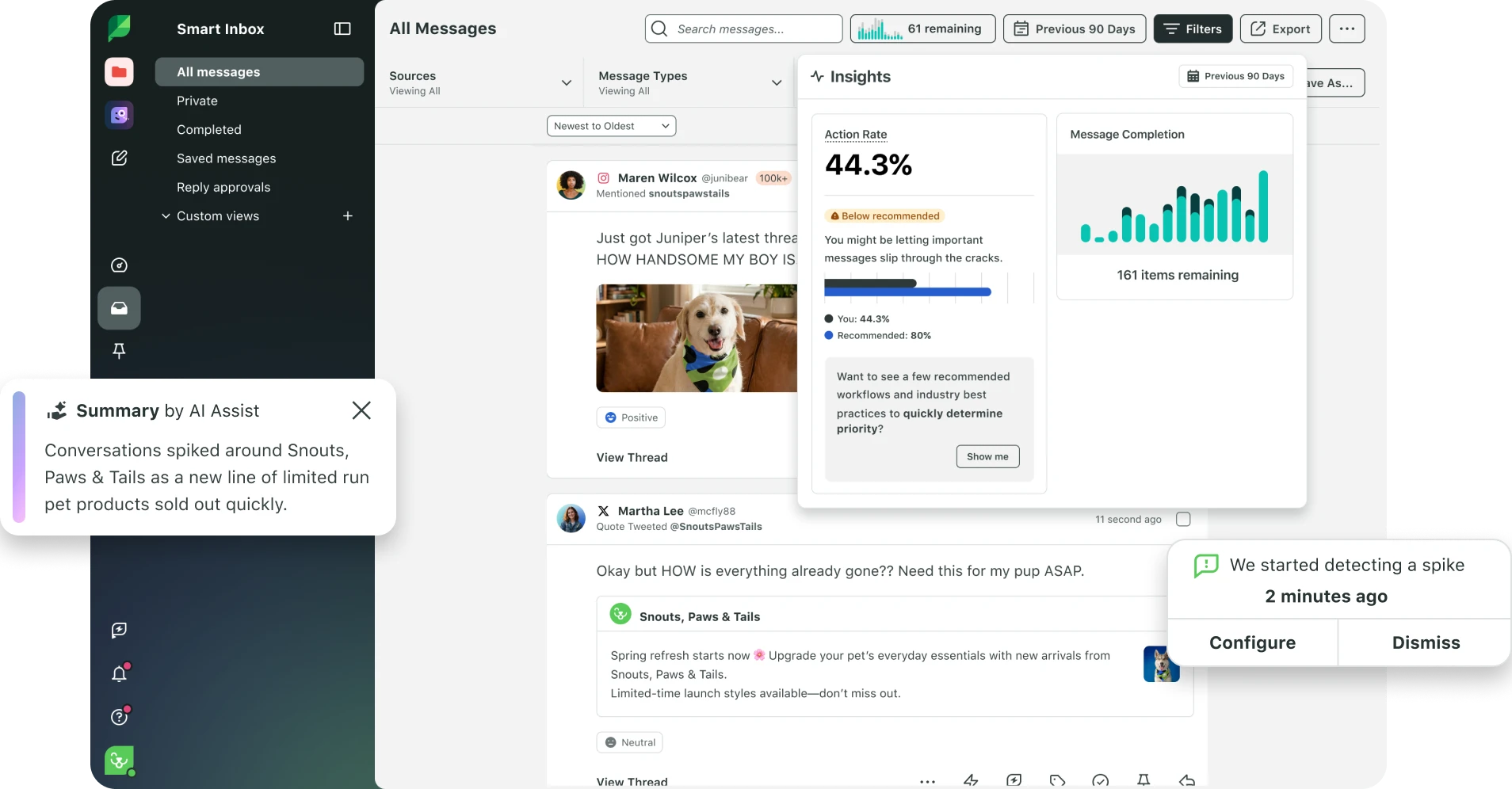
- The Smart Inbox: Comments on Page updates and sponsored posts arrive together, tagged and routed, and the LinkedIn Contact View surfaces what somebody has said on your Page before you answer them.
- Workflow for teams that need it: Cases, tagging, live activity updates, permissions by user, and an approval chain built for agency review.
- Reporting against goals: Page benchmarking, follower demographics down to seniority, and Sponsored Content ROI set against organic.
Pricing
Every plan is priced per seat, and the rates below are the annual ones:
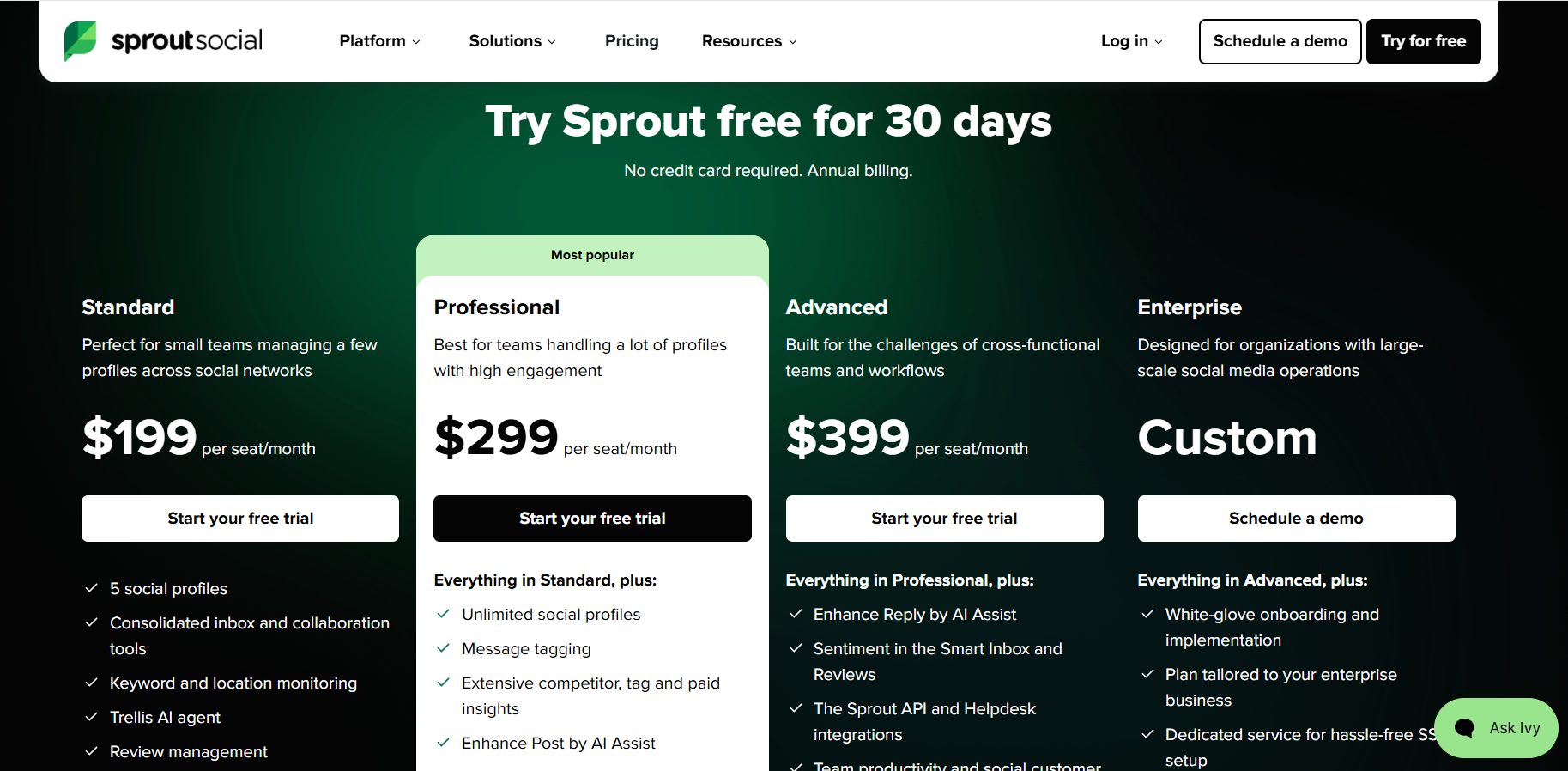
- Essentials, $79 per seat/month, or $99 billed monthly: five social profiles, publishing workflows, optimal send times, and profile and post reporting.
- Standard, $199 per seat/month: five profiles, the consolidated inbox and collaboration tools, keyword and location monitoring, and review management.
- Professional, $299 per seat/month: unlimited profiles, message tagging, competitor and paid insights, and Enhance Post by AI Assist.
- Advanced, $399 per seat/month: Enhance Reply, sentiment scoring in the Smart Inbox, the Sprout API and helpdesk integrations, message spike alerts, and social customer care reports.
- Enterprise, custom: white-glove onboarding, SSO setup, and priority support.
Every seat carries 100 AI agent credits a month, whichever tier you're on.
Premium Analytics, Listening, Employee Advocacy, and Professional Services attach as add-ons from Standard upward, and the influencer marketing product runs standalone with no Sprout plan required.
Pros & Cons
✅ Audience targeting on Company Page posts by company size, industry, and job title is a LinkedIn-specific capability few schedulers expose.
✅ Paid and organic performance appear in the same report, so Sponsored Content ROI is calculable without exporting anything.
✅ The approval workflow and permission model are built for agency review chains.
✅ Thirty days is the longest published trial on this list.
❌ Per-seat pricing starts well above the other schedulers here.
❌ Unlimited profiles begin at the $299 tier.
#9: Buffer
Best for: Small teams, creators, and agencies who want to pay only for the channels they actually connect, with a free tier that covers three of them.
Similar to: Sprout Social, Taplio.
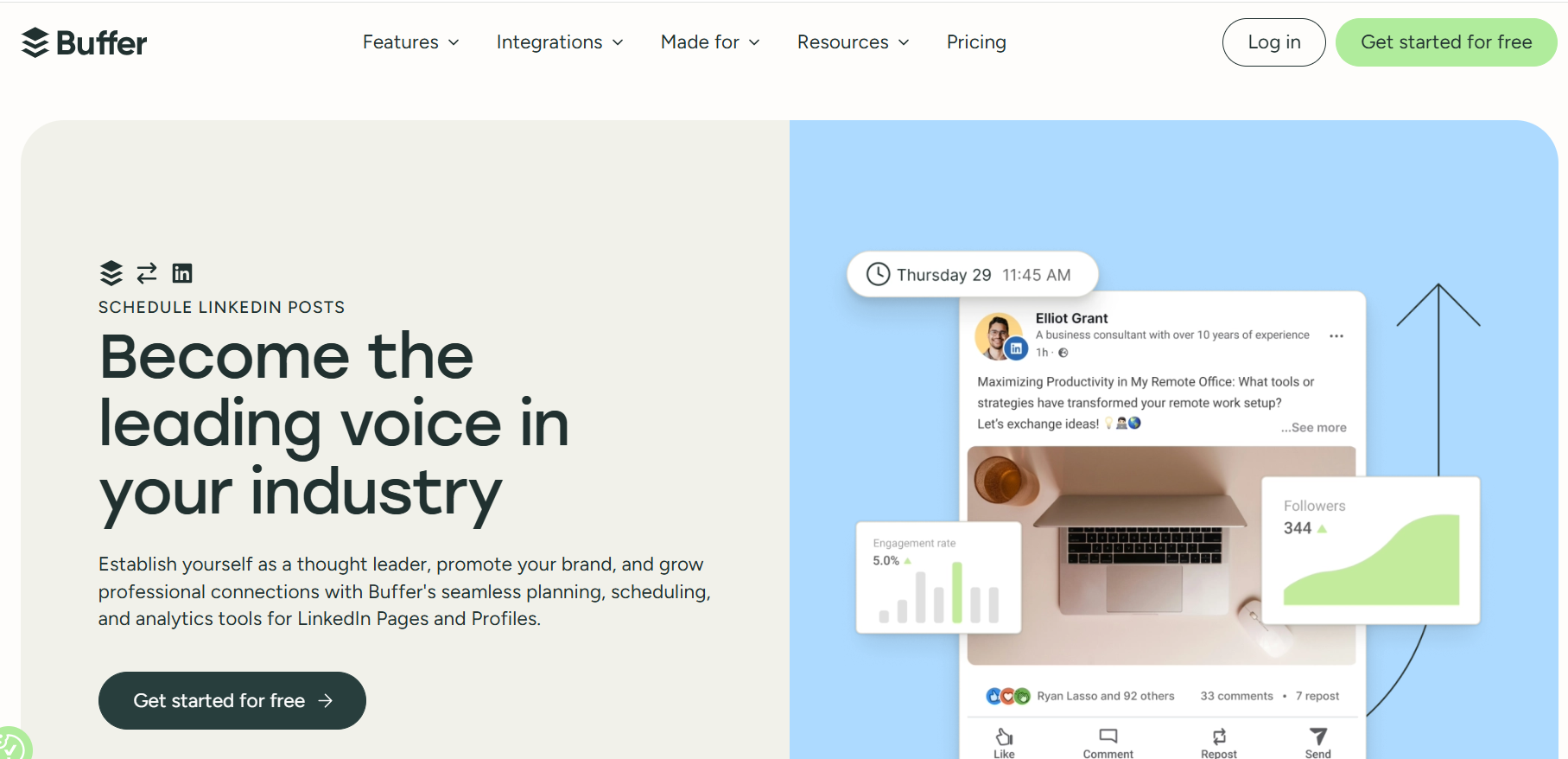
Buffer charges per connected channel, not per seat.
An agency losing a client drops that channel and stops paying for it the same month.
Features

- Every LinkedIn post format: Carousels, PDFs, video, images, text posts, link previews. All of them queue ahead, to Profiles and to Company Pages alike.
- Insights beside the content: Follower growth, impressions, clicks, engagement rate, period-over-period comparisons, and export to CSV, PDF, or markdown.
- An ideas hub with AI attached: Board view for ideas, an assistant that drafts and repurposes, hashtag suggestions included.
- Community for the comment section: You answer comments on posts and pages without leaving Buffer, using saved replies and AI replies trained on your voice, while a comment score tracks how fast you get back to people.
Pricing
Channels set the price, and the per-channel figure applies to each one you connect:
- Free: three channels, ten scheduled posts per channel, 100 ideas, one user, the AI Assistant, and Insights with 30 days of history.
- Essentials, $5 per channel a month billed yearly at $60: unlimited scheduled posts and ideas, advanced analytics, exportable reports, hashtag manager, first comment scheduling, and channel groups.
- Team, $10 per channel a month billed yearly at $120: unlimited team members, access levels, content approval workflows, and branded reports carrying your logo.

Pros & Cons
✅ A genuinely usable free tier covering three channels. Almost nothing else here offers one.
✅ Per-channel billing means client churn shows up on the invoice immediately.
✅ Unlimited team members on a $10 channel makes headcount irrelevant to the bill.
✅ First comment scheduling for LinkedIn arrives at the $5 tier.
❌ Branded reports are held for the Team plan.
#10: Favikon
Best for: B2B marketers and agencies buying LinkedIn reach through creators, who need evidence that a following is real before money moves.
Similar to: Sprout Social.

Favikon is an influencer marketing platform covering discovery, vetting, outreach, campaign management, and reporting, across nine social platforms including LinkedIn.
Features

- Search by what a creator posts: More than 30 million posts are searchable in everyday language, across a base of over 10 million profiles.
- Vetting past follower count: Authenticity analysis reads comment sections, audience credibility gets scored, and past brand collaborations show how the sponsored work actually performed.
- LinkedIn-specific filters: Job title, company, and Top Voice narrow a search to the B2B end.
- Outreach and campaigns together: Email and social DMs with AI personalization, then a Kanban moving creators through stages with contracts, payment terms, and pricing stored per person.
Pricing
Two published tiers and a custom one:
- Core, $159 a month: 500 credits monthly, 3,000 contacts, one active campaign, 100 tracked creators, creator and content search, rankings, lookalikes, email messaging, and the Chrome extension.
- Pro, $239 a month: 1,000 credits, 5,000 contacts, five active campaigns, 300 tracked creators, Radar, the sponsored post filter, job title, company, and Top Voice filters, social DMs, GA4 integration, and priority support.
- Larger accounts are quoted directly, bringing API access, custom volumes, onboarding, a dedicated CSM, custom exports, and beta programme access.

Pros & Cons
✅ Authenticity scoring answers the question a follower count can't. Is anybody actually listening.
✅ One subscription covers discovery, outreach, campaign management, and ROI reporting, which Favikon positions against creator platforms that stop at the database.
❌ Only one active campaign on the Core plan.
❌ Social DMs and the LinkedIn-specific filters start at Pro.
Which LinkedIn marketing tool fits your team?
Which one fits depends on the job you're currently underserving, so here's the short version:
- For flat pricing across a lot of sending accounts, choose HeyReach.
- For account safety published in detail, with branching that reads prospect behaviour, choose Expandi.
- For a first campaign running this week on a small budget, choose Waalaxy.
- For ideas, drafting, and scheduling in one loop, choose Taplio.
- For formatting and post analytics with nothing automated touching your account, choose AuthoredUp.
- For a leadership team posting under one approval workflow, choose Supergrow.
- For Company Pages managed beside every other network, choose Sprout Social.
- For paying only for the channels you actually connect, choose Buffer.
- For buying reach through creators whose audiences check out, choose Favikon.
For a sales team, an agency, or a recruiting team running outreach at volume, choose Meet Alfred.
Here's what that covers on one invoice:
- Sequences carrying a prospect across LinkedIn, email, and X, paced inside daily limits you set yourself, on a dedicated IP with no proxy to buy.
- Prospect lists built in the same product through the AI Lead Finder at 1,000 to 10,000 results by tier, with email going out over your own SMTP or IMAP and no credits to top up.
- Every reply from every rep in one Smart Inbox, campaigns pausing the moment somebody answers, and any client account workable by a manager without a shared password.
- Scheduled posts to LinkedIn, Facebook, Instagram, and X under your own logo and domain from five seats, with volume discounts, an account manager, and priority support from ten.
We don't write posts in your voice, build carousels, or grade readability, so if a personal brand is the whole strategy, pair us with one of the content tools above.
➡️ The seven-day Meet Alfred trial opens the full feature set with no card attached, and a demo can be booked if you'd sooner have somebody walk you through it first.
⚠️ Disclaimer: This article was last updated on the 9th of September, 2026, and if there's any misinterpretation of the information, please contact us, and we will fact-check it.
Related Articles