





Every tool on this list can put a first name at the top of a message.
Where they separate is what else the message knows about the prospect, and how many steps and channels that detail survives before it runs dry.
Here are the 10 best LinkedIn personalization tools for 2026, each paired with the data it works from and the way it charges.
TL;DR
- Meet Alfred is the best LinkedIn personalization tool in 2026 for sales teams, agencies, and recruiters. Profile fields, custom fields off a CSV, templates, and a sequence spanning LinkedIn, InMail, email, and X all run on a single subscription.
- Expandi and Lemlist push personalization past text, one with dynamic images and video through paid add-ons, the other with cloned AI voice notes sent on LinkedIn.
- Dripify carries more than 20 personalization fields with a fallback phrase for profiles missing the detail you referenced, and We-Connect puts AI on the connection note and on the reply.
- La Growth Machine sends one voice recording to a whole list, with LGM Voice AI generating a separate intro for every prospect on top of it.
- PhantomBuster feeds personalization from more than 15 data sources, while Sbl.so and Salesforge hand the work to an AI rep, one replying in more than 100 languages, the other writing across more than 20.
- Dux-Soup writes each message against the prospect's own profile, with AI personalization arriving on Turbo Dux at €49 a month, or €36.25 billed annually.
What are the best LinkedIn personalization tools?
The best LinkedIn personalization tools in 2026 are Meet Alfred, Expandi, and Lemlist.
All ten are in the table below, with the buyer each one suits and what it costs:
#1: Meet Alfred
Meet Alfred offers the best LinkedIn personalization tool in 2026 for sales teams, agencies, and recruiters, as the detail it reads off a prospect's profile stays usable at every step of a sequence and on every channel that sequence reaches.
You already know how decision-makers receive a lot of automated outreach.
A message that visibly went to five hundred other people gets treated as one, and personalizing the copy against each prospect's own details keeps that from happening.
The mechanics are simple enough.
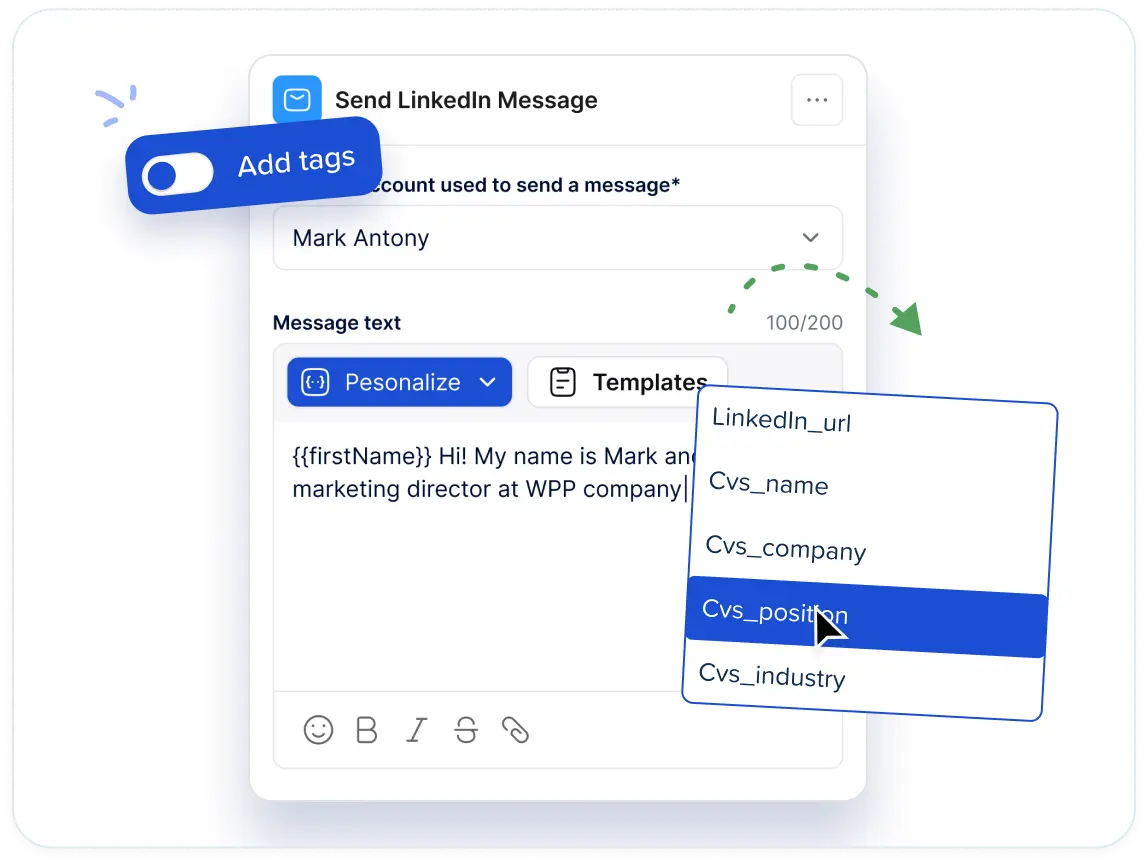
Meet Alfred opens each prospect's LinkedIn profile and pulls out what's held there: name, job title, company, and more.
Those details become dynamic fields you drop into your message copy. One sequence, written once, reads differently for every person on the list.
For details LinkedIn doesn’t hold, a CSV import brings in custom fields of your own.
Disclosure before we go on: Meet Alfred is ours. I'll be specific about where it separates from the rest of this list, and just as specific about which tool here you should buy instead.
Teams at Reuters, Samsung, HSBC, Oracle, and Salesforce run outreach on the platform:
From a raw list to personalized messages in four steps
The four steps below cover the whole path, from assembling the records your personalization draws on to answering the replies it produces.
Step 1: Build the list the personalization will draw from
Personalized copy is only ever as good as the records sitting behind it, and Meet Alfred offers four routes to those records.
Some of them use signals already in front of you. Group membership, event attendance, newsletter subscriptions, and reactions on one of your posts all convert into a list directly.
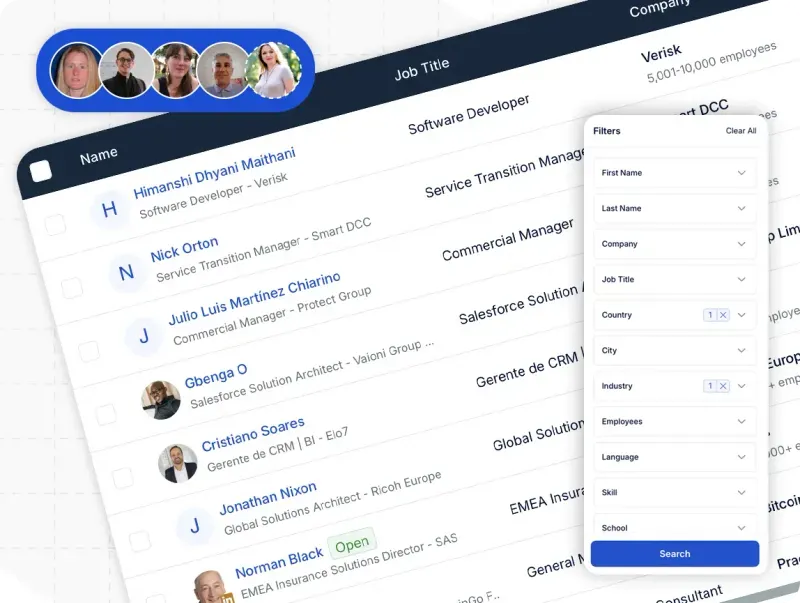
LinkedIn search covers the colder route.
Filters run on job title, industry, location, language, and keywords, and a sample of what came back appears on screen before you commit to a lead count.
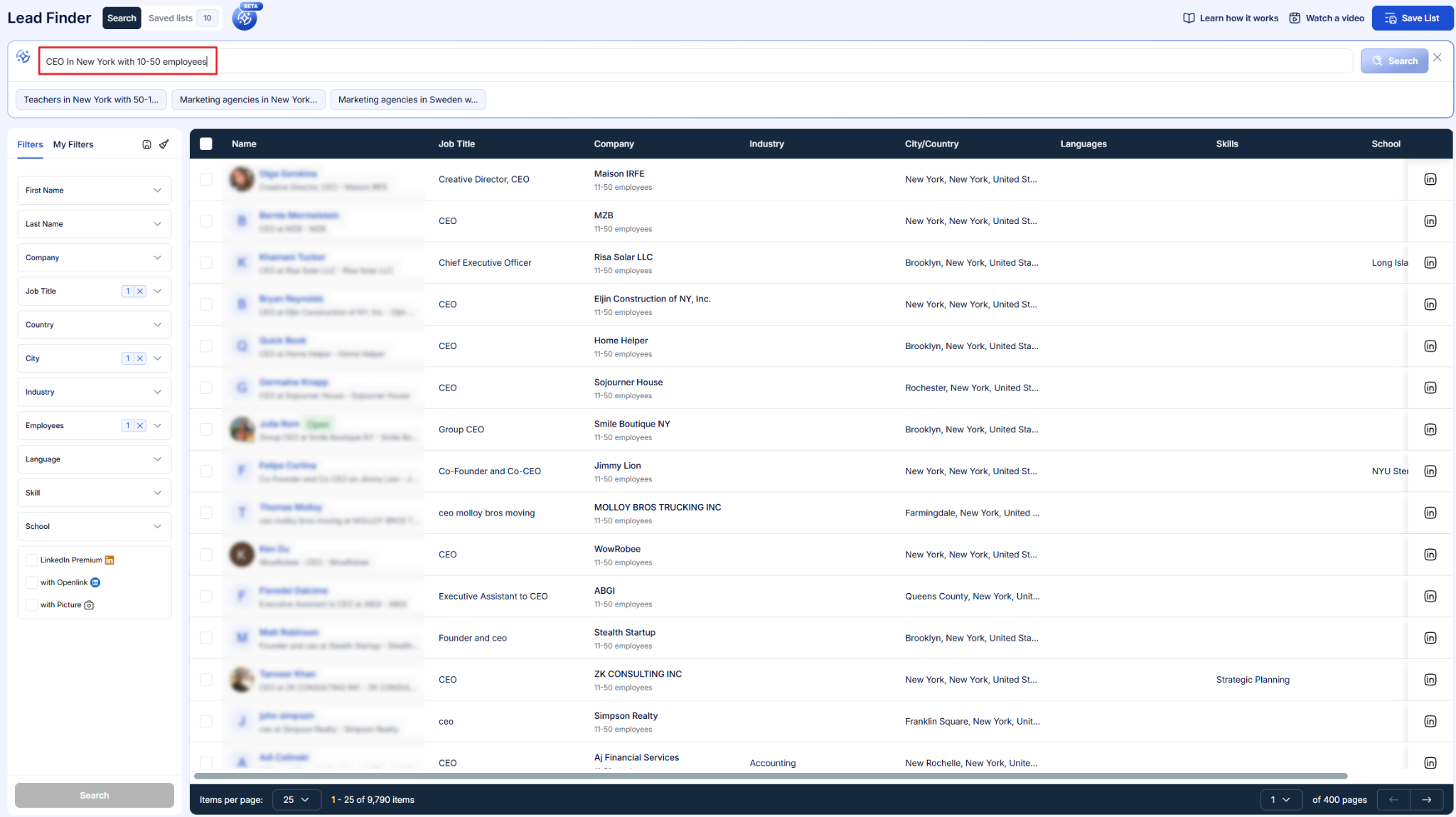
AI Lead Finder is the third route, working from its own filter set: job title, industry, location, keywords, language, and more. Qualified leads drop straight into a campaign from there.
How many results you can pull depends on the plan: 1,000 on Basic, 5,000 on Pro, 10,000 on Team.
CSV upload is the fourth route, and for personalization purposes it's the interesting one, because your own columns arrive with it.
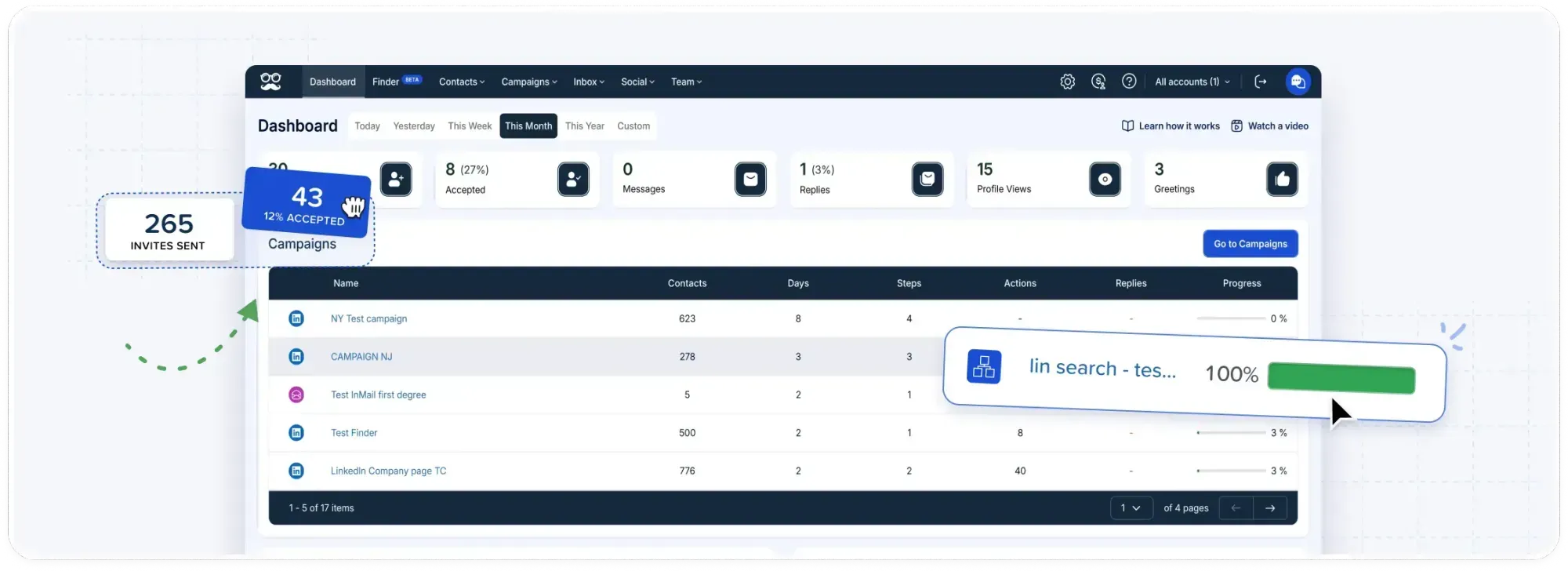
➡️ Every record lands in the built-in LinkedIn CRM, whichever route it took, where tags, notes, and exclusions tighten the segmentation before a single message goes out.
Leads and existing connections display separately there.
It stays obvious which relationships are new and which ones need attention.
The blacklist feature drops anyone who doesn't fit, campaigns launch from the CRM without switching screens, and contact data covering emails, phone numbers, X handles and more exports out when you need it somewhere else.
Step 2: Write the message once and place the fields
Copy gets written in the sequence builder, from an empty editor or from the template library.
The library holds more than 600 templates, organized by platform and by use case, covering invite notes, follow-ups, and InMails.
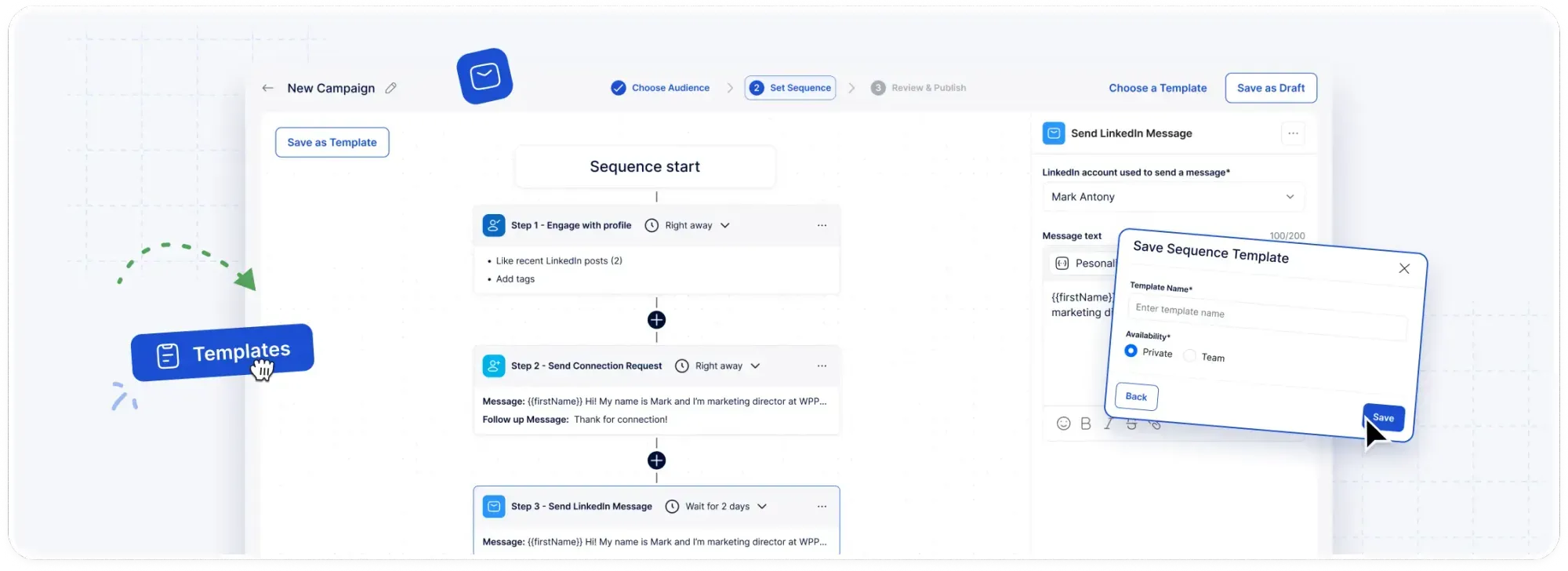
LinkedIn snippets put the profile-sourced fields into the text. On Pro, custom personalization snippets let you define fields of your own on top of those.
Templates save in two ways: a personal template stays yours, while a shared team template goes to everyone on the account, and a working message stops being one rep's private property.
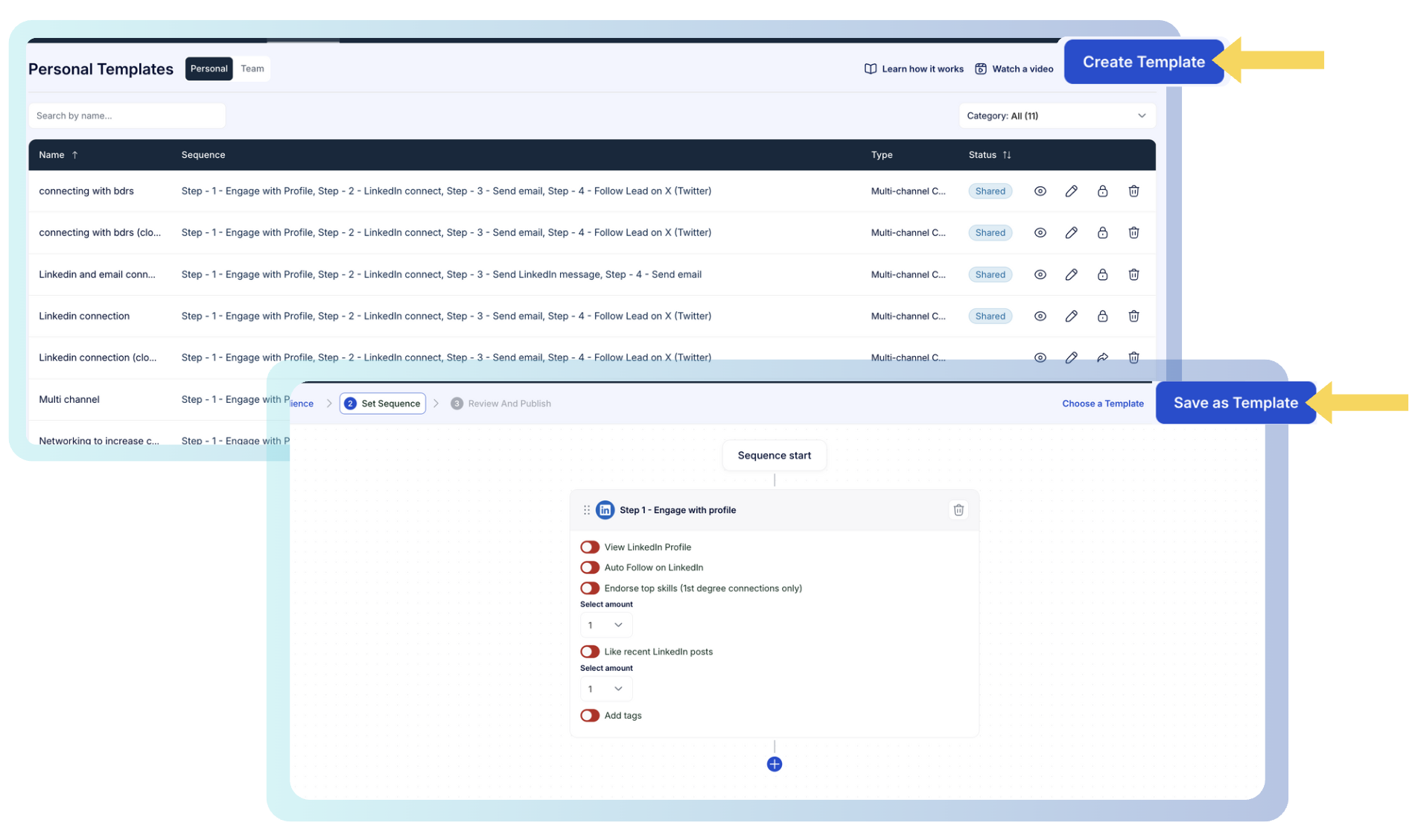
Whole sequences save on the same basis. Nobody rebuilds a multi-step play twice.
Step 3: Carry the same fields past LinkedIn
A prospect who ignores a LinkedIn message will often open an email, and the personalization has to survive that move.
On Pro, the sequence builder offers email, InMail, and X steps beside the LinkedIn ones, and the dynamic fields you placed in step two work in all of them.
Email goes out over your own SMTP or IMAP connection, with no platform credits metering how much personalized copy you're allowed to send.
X outreach reaches as many as 1,000 prospects a day on the same templates and the same variables.
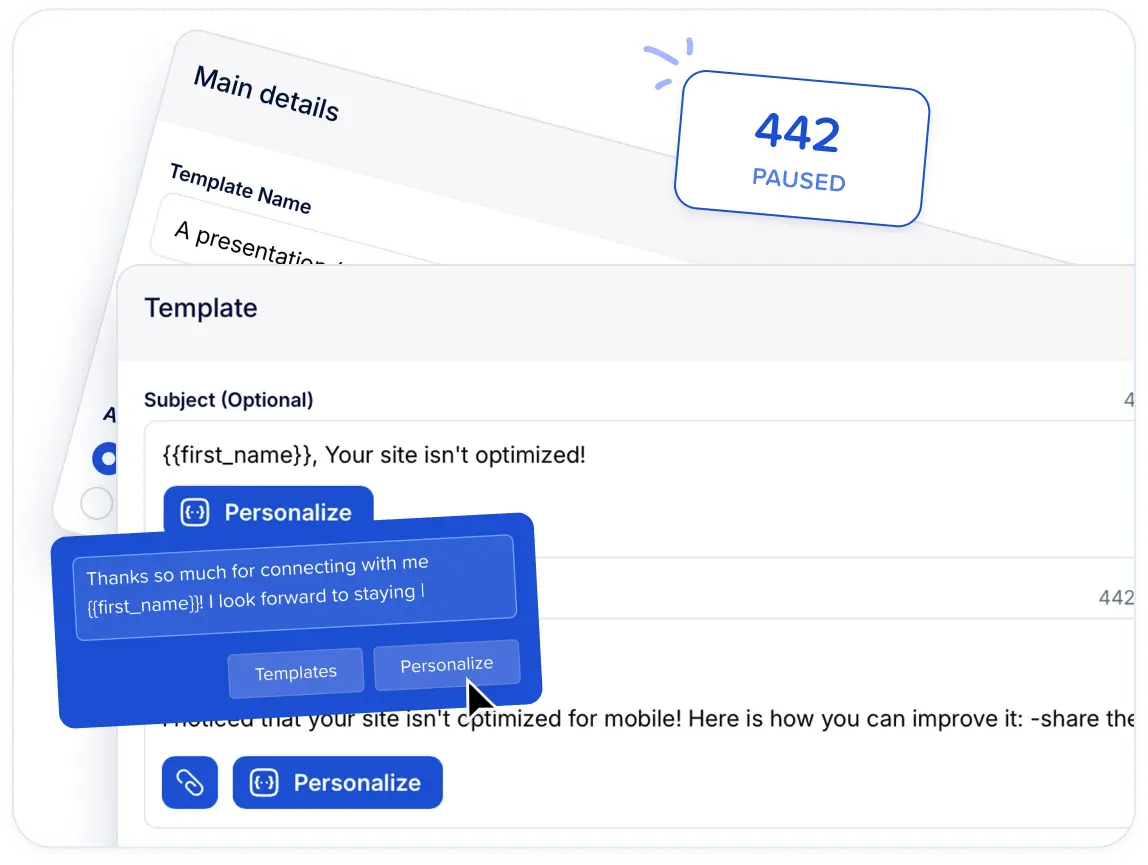
Nothing gets re-imported, re-enriched, or re-matched between channels. One record, one set of fields, and every step of the sequence able to use them.
Step 4: Keep it personal after they reply
Automated personalization ends the second somebody answers, and that handover is where LinkedIn campaigns usually start leaking.
Reply detection halts that contact's campaign the moment the message arrives. Nobody who has already written back receives another automated follow-up.
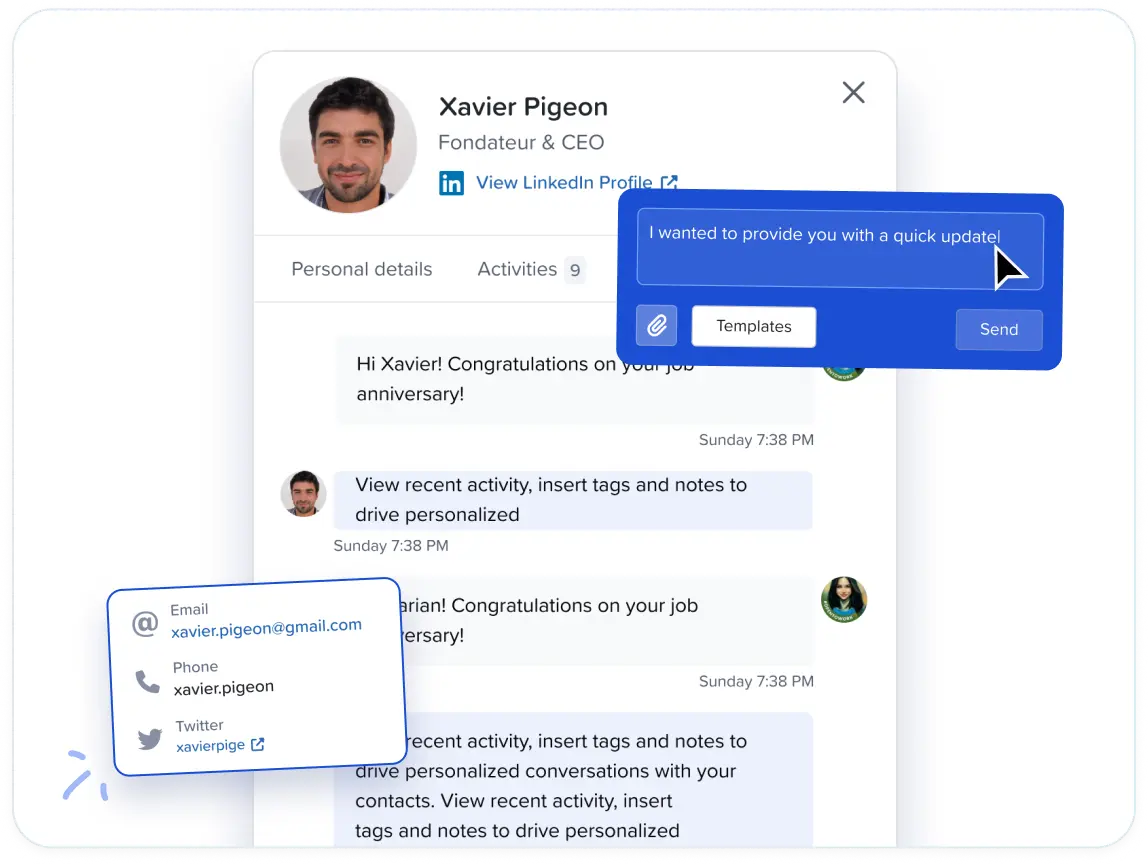
The conversation then surfaces in the Smart Inbox. It covers LinkedIn messages, InMails, and Sales Navigator threads across every rep on the account, with job title, company, and location shown beside each one.
Inbox templates cover the replies you send most, and they're shareable across the team. Tagging, notes, file attachments, and excluding a lead all happen without leaving the screen.
Leads go back into a campaign from the same place once a conversation runs its course.
Customizable AI Settings: pacing, working hours, daily limits, and auto-withdrawal
A message written for one person still has to arrive the way one person would send it, and Meet Alfred's Customizable AI Settings govern that half of the job.
The engine underneath them is Meet Alfred's own, introduced in 2020 to handle personalized outreach at volume while keeping it looking like ordinary human activity.
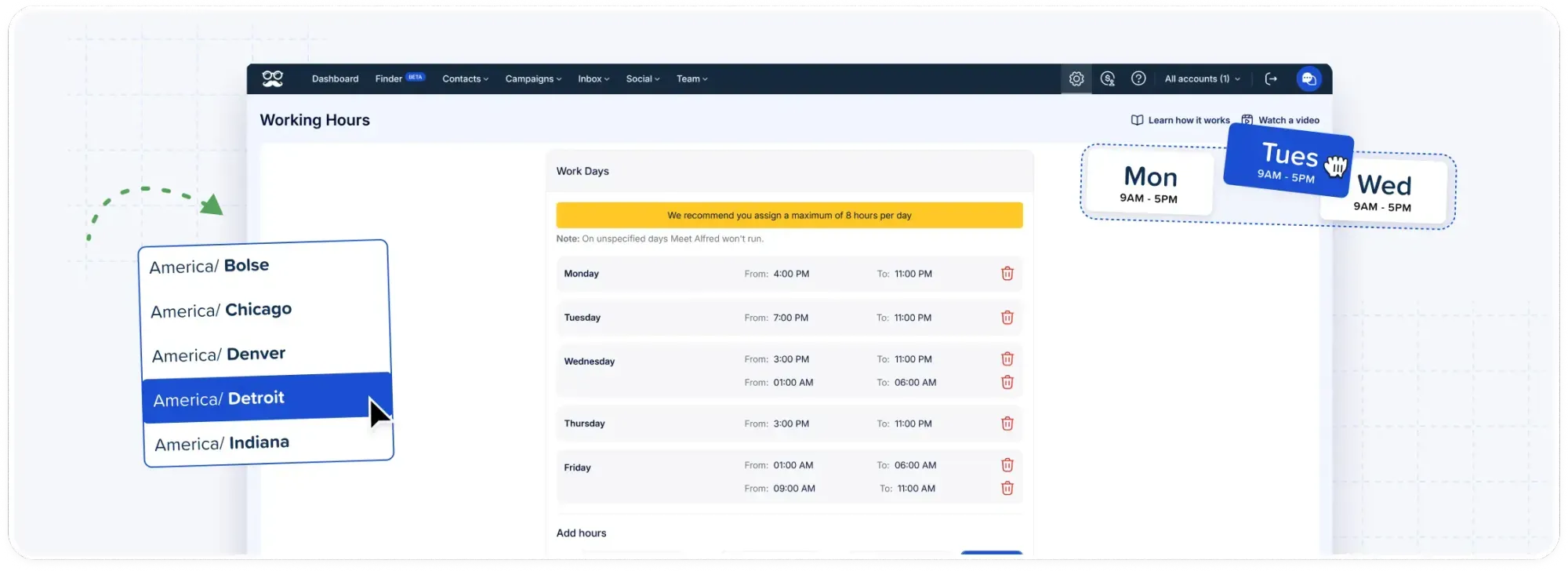
Every action picks up a randomized delay beneath whatever ceiling you set, and the account's activity pattern reads as human.
Spacing the actions out also stops a prospect receiving several messages in quick succession.
Working hours and a time zone decide when automation may run at all. Outreach lands inside the window you picked and nowhere near the middle of the night.
Spaced-out sending serves twice over. It keeps the account clear of LinkedIn's red flags, and it gives a conversation room to develop across days.
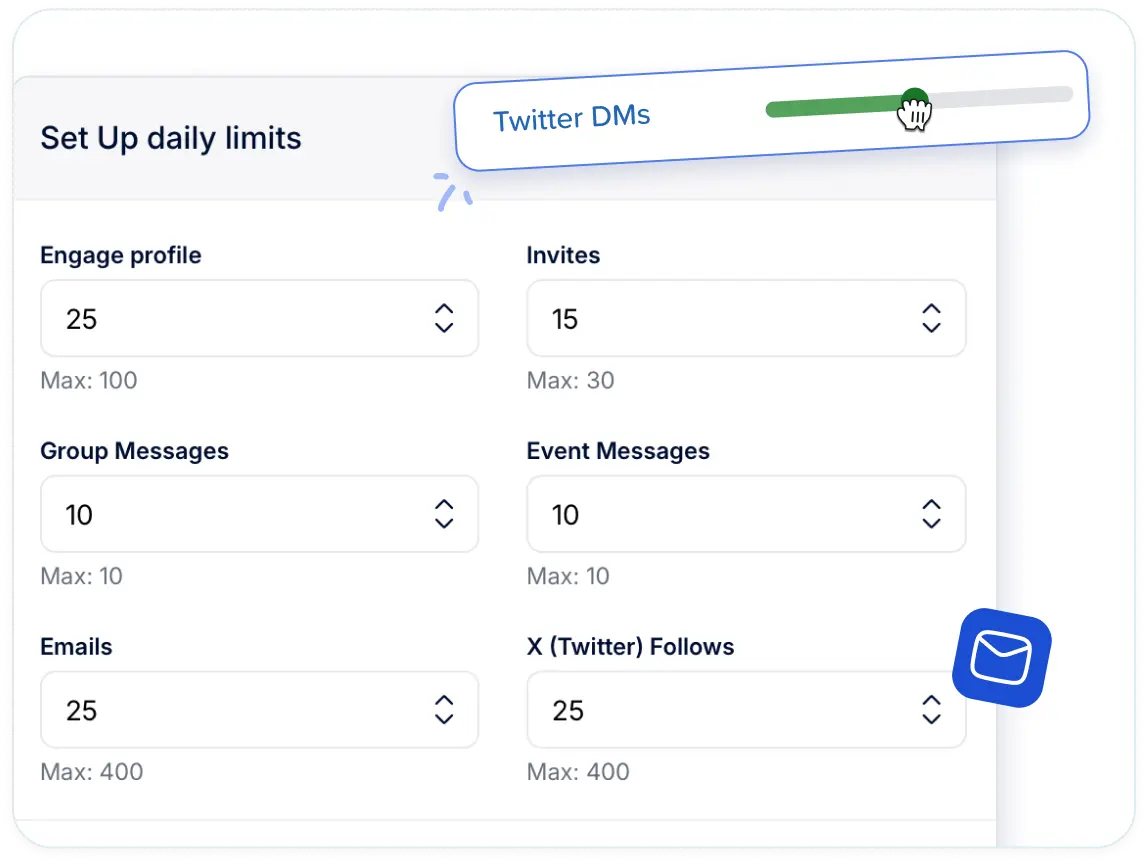
Daily limits are yours to choose, with headroom as high as 100 connection requests a day while staying inside safe parameters.
Auto-withdrawal clears pending invitations by itself, with an analytics view tracking what it pulled back.
Underneath all of it, sending runs in the cloud on AWS from a dedicated IP address per connected account. That helps LinkedIn message deliverability and removes the proxy purchase from your plate entirely.
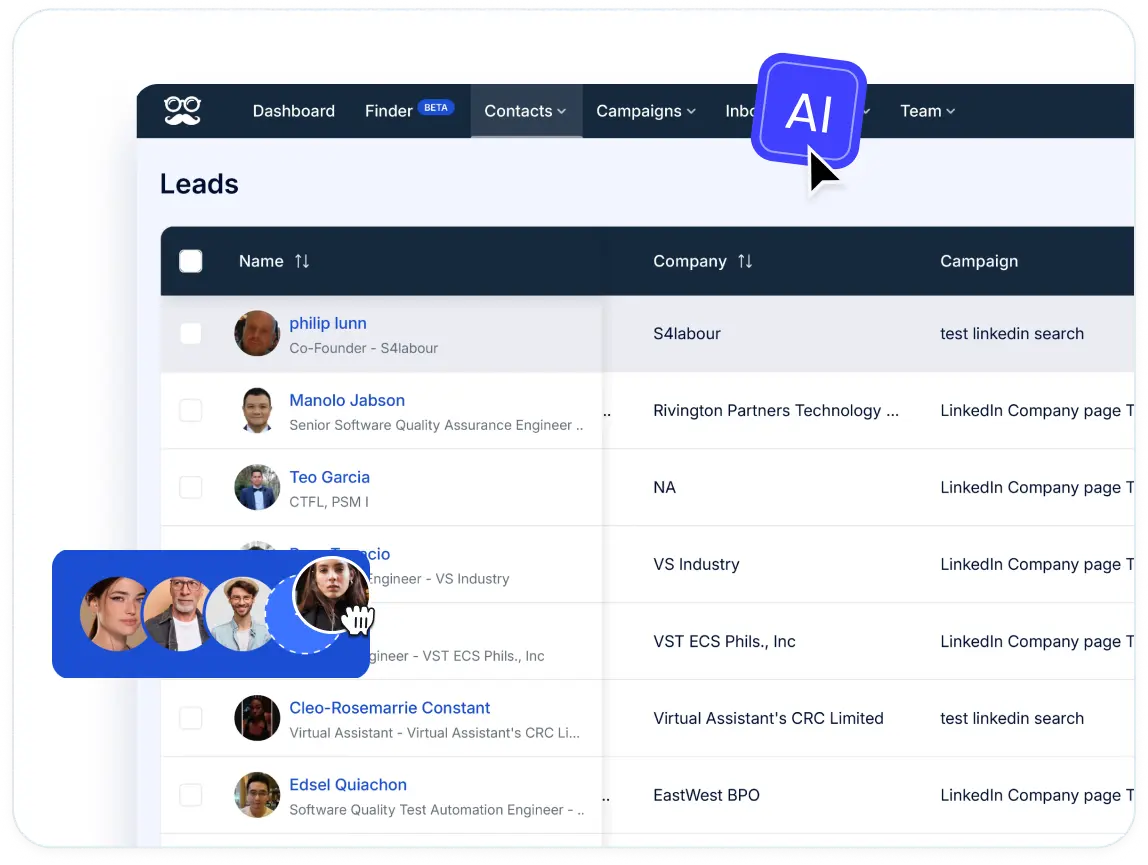
Personalization across several client accounts
Agencies run into a version of this problem that in-house teams never meet.
The same personalization machinery has to work for six different clients at once, and the six can never touch each other.
Meet Alfred handles that from one dashboard. Campaigns for separate client accounts run side by side, with no account-switching and no cross-contamination between them.
Groups organize accounts by client or by campaign, and role permissions decide who can see and run what.
Shared team templates carry weight here.
A message that lands for one client's audience becomes available to whoever picks up the next account. Nobody rewrites the same opener twice.
That matters given 63% of agency prospects need five or more touches before they respond. Five touches is a lot of copy to keep personal.
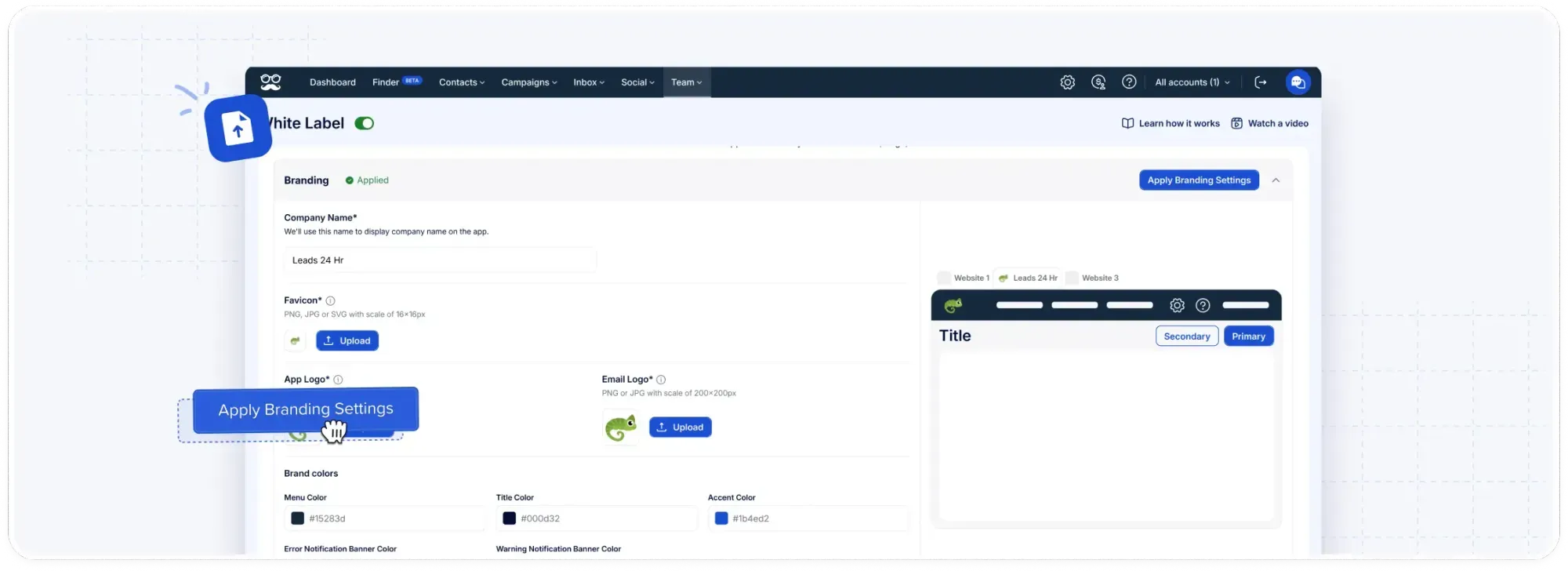
White-label opens at five seats: your logo, your colors, a domain like app.youragency.com, system notifications from your own address, and client-branded performance reporting.
How is Meet Alfred different from other LinkedIn personalization tools?
Meet Alfred differs from a typical LinkedIn personalization tool on four points: where the personalization data originates, how many channels the same fields reach, whether any of it meters in credits, and what the account and the platform do to keep the sending safe.
The table below puts a generic LinkedIn personalization tool against Meet Alfred on each of those, with the security layer underneath:
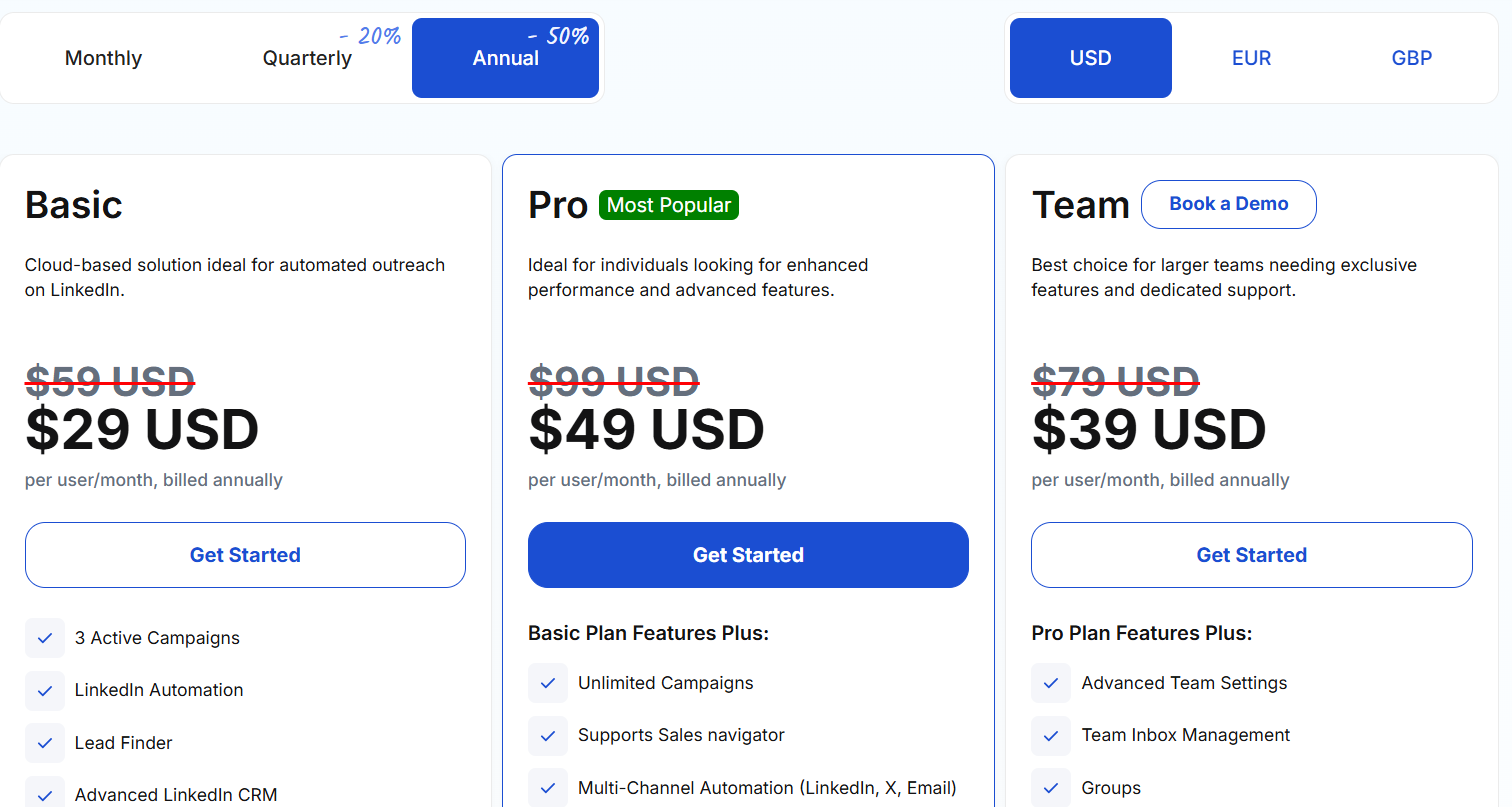
Pricing
A 7-day free trial opens every feature, and there's no credit card step.
Three paid plans follow. Annual billing takes 50% off the rate, quarterly takes 20%:
- Basic, from $29/user/month billed annually: cloud LinkedIn automation across three active campaigns, the advanced LinkedIn CRM, Smart Inbox, automated greetings, message templates, notes and custom tags, data export, and 1,000 Lead Finder results.
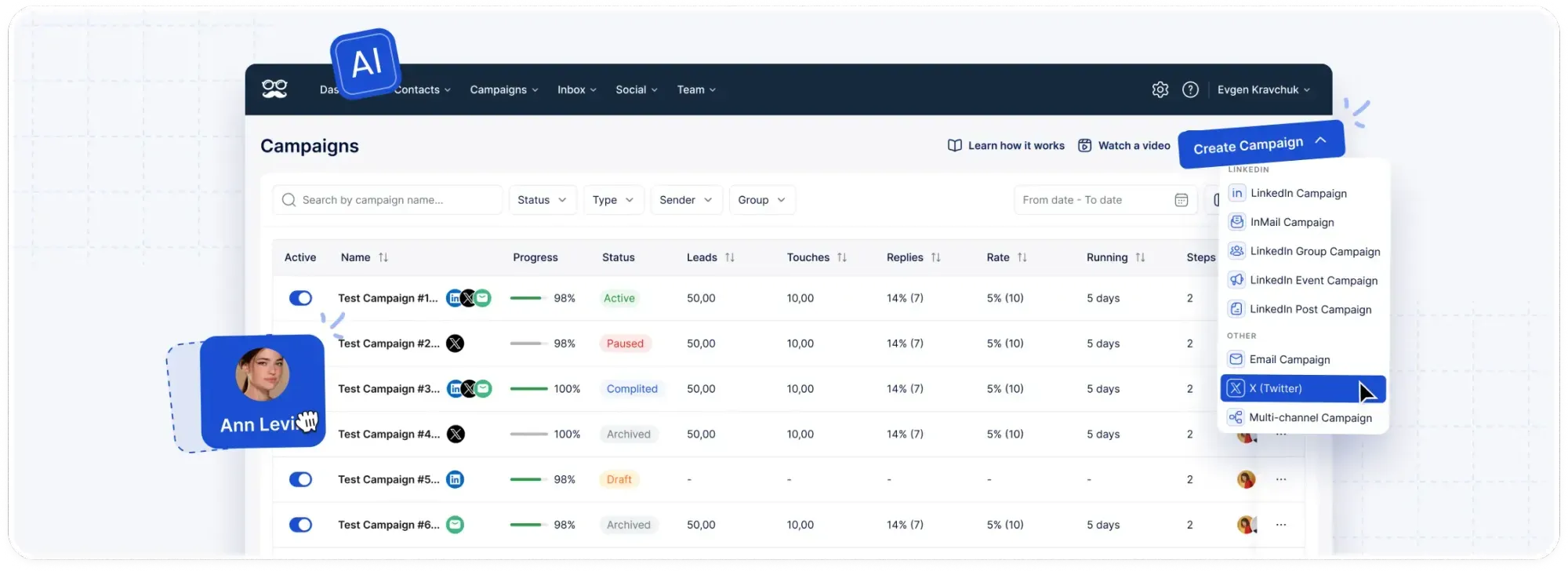
- Pro, from $49/user/month billed annually: campaigns become uncapped, and the tier adds Sales Navigator support, InMail automation, multi-channel sequences over LinkedIn, email, and X, campaigns off groups, events, and posts, CSV campaigns, social post scheduling, Zapier and webhooks, custom personalization snippets, and 5,000 Lead Finder results.
- Team, from $39/user/month billed annually: groups, team inbox management, advanced team settings, and 10,000 Lead Finder results. White label unlocks at five seats. At ten, volume discounts arrive with an account manager, migration help, and priority support.
Pros & Cons
✅ Profile fields, custom CSV fields, saved templates, and snippets you wrote yourself all stay usable at every step of a sequence, with no credit meter on any of them.
✅ The same fields work in LinkedIn messages and invite notes from Basic, and in InMail, email, and X from Pro, all on one subscription.
✅ More than 600 templates, savable privately or shared with everybody on the account, and multi-step sequences save the same way.
✅ Email leaves through your own SMTP or IMAP connection, putting no platform ceiling on how much personalized email you send.
❌ No free tier, just the seven-day trial.
#2: Expandi
Best for: Buyers who want personalized images and video available alongside their outreach, with the next step chosen by what the prospect actually did.
Similar to: Meet Alfred, Dripify.
Expandi is a cloud LinkedIn platform whose campaigns are governed by Smart Sequences, a rules layer picking the next action from what the prospect just did.
Personalization there operates on two levels at once: the copy somebody receives, and the route they travel through the campaign.
Features
- Dynamic images and GIFs through Hyperise: Visual personalization arrives through a partner integration that carries its own charge on top of the plan.
- Personalized video through Sendspark: The video side of the same job, priced the same way.
- Smart Sequences: Accepts, replies, profile visits, email opens, and post engagement each fork the path. Two prospects inside one campaign can end up on completely separate routes.
- Warming before the ask: Profile views and post interactions get scheduled ahead of the first message. The invite then comes from somebody the prospect has already noticed.
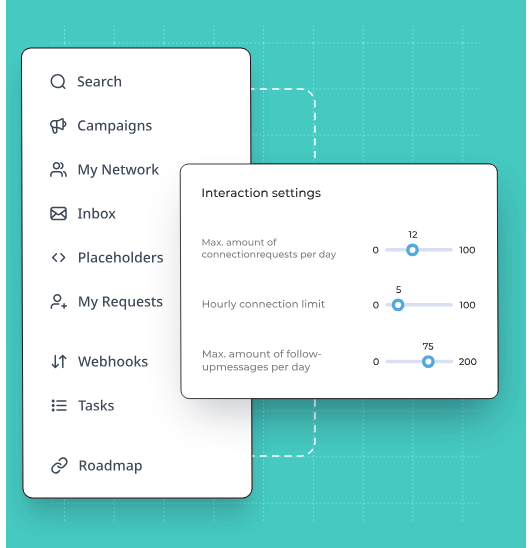
- Protection in the architecture: Cloud sending, a regional IP assigned per account, randomized daily ranges across every action type, and a warm-up period for new profiles.
Pricing
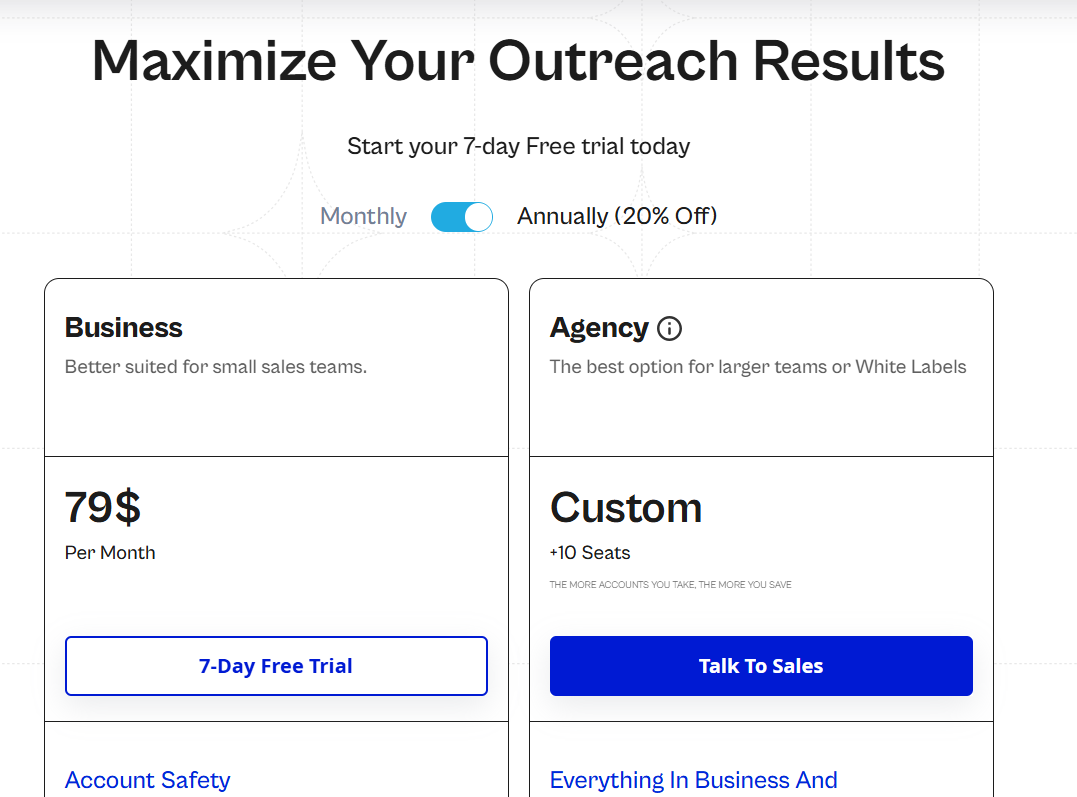
Expandi publishes a single plan, with agencies quoted directly:
- Business, $79 per month, two months waived when you pay annually: the full protection layer, uncapped campaigns, multichannel outreach carrying email follow-ups, the builder, statistics broken down by step, campaign prioritization, scheduling, and blacklisting.
- Agency, quoted from ten seats: permissions and roles, all campaign management in one place, reports built for clients, shared templates, a customer success manager assigned to you, and the platform wearing your brand.
- Free trial: 7 days.
Pros & Cons
✅ Dynamic images, GIFs, and personalized video are all reachable, through two partner integrations.
✅ Branching keys off what the prospect did, and it's the sharpest part of the product.
✅ Step-level statistics pinpoint the action losing people.
❌ Imagery and video carry extra charges.
❌ One published plan only, at $79 a seat.
#3: Lemlist
Best for: Teams taking personalization past text, into cloned voice notes on LinkedIn and custom images on the email steps beside them.
Similar to: La Growth Machine, We-Connect.
Lemlist is an outbound platform where one sequence can move a prospect through email, LinkedIn, phone, WhatsApp, and SMS, with conditions picking each next step from that prospect's behaviour.
Features
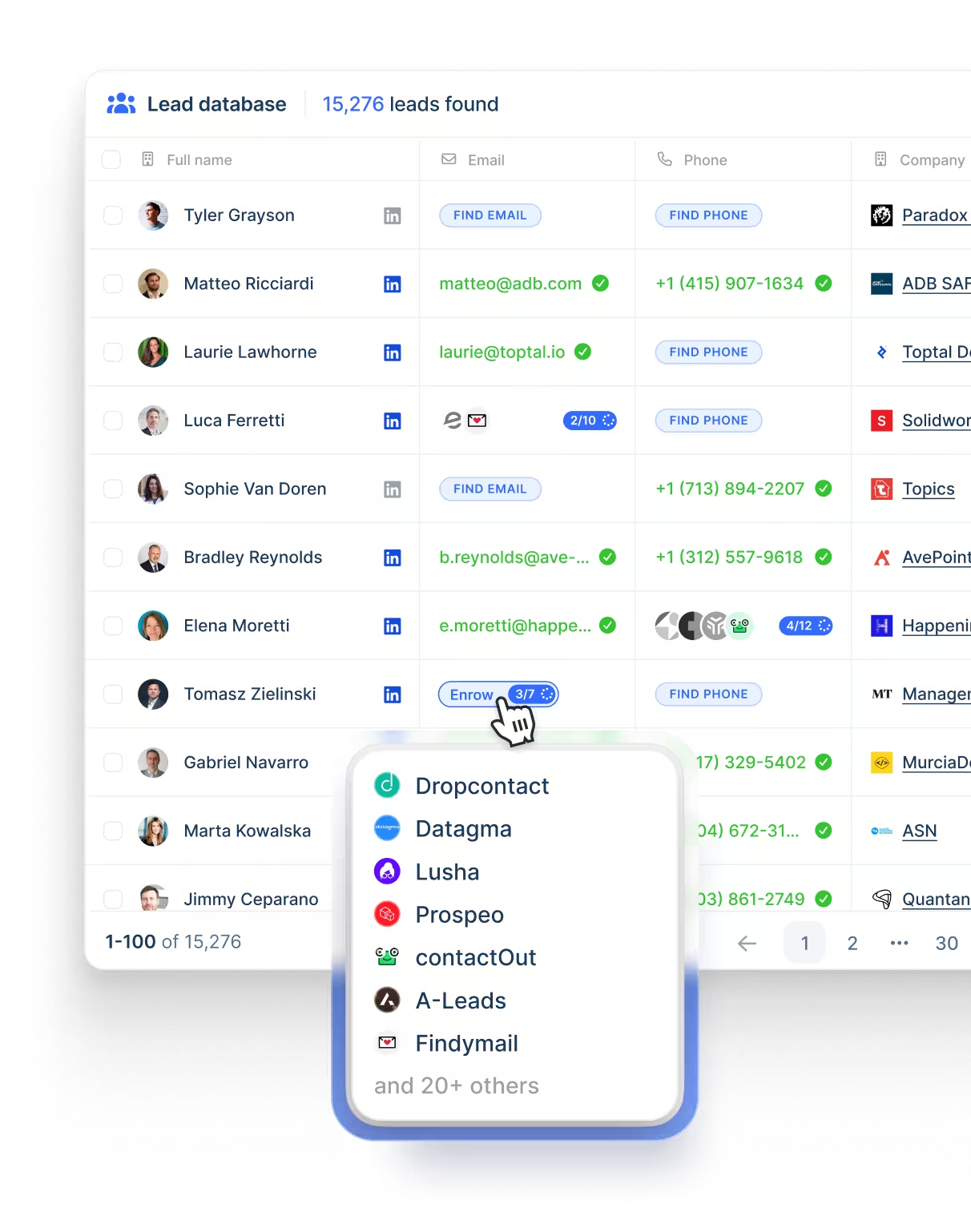
- AI voice messages on LinkedIn: One script written with variables such as firstName or companyName becomes a separate voice note for every lead on the list, generated in a clone of your own voice through an ElevenLabs integration.
- Manual voice notes per lead: Review mode allows a custom recording for one specific lead, and the main version is restorable at any point afterwards.
- AI variables: Icebreakers and PS lines get generated per prospect, from a prompt you write or one of Lemlist's prebuilt prompt templates.
- Liquid syntax: A single message adapts its content on lead attributes like job title, gender, or company type, producing several variations from one piece of copy without anybody writing separate emails per segment.
- Custom variables with fallbacks: Each one holds up to 2,000 characters, long enough for a full paragraph, and a fallback value fills the gap whenever a lead record is missing that field.
- Personalized images on email steps: Company logos pulled from the lead's email domain, website screenshots, profile pictures, GIFs, and image variables fed from URLs in your CSV.
Pricing
Lemlist publishes three paid plans, with 20% off on yearly billing:
- Email, $69 monthly at list or $55 yearly: no cap on users or on email senders, 50,000 messages a month, the Deliverability Hub, and access to the contact database.
- Multichannel, $109 monthly at list or $87 yearly per user: LinkedIn automation, SMS, the built-in dialer, five senders apiece, uncapped messages, and WhatsApp available on top.
- Enterprise, custom: single sign-on, roles and permissions built to spec, a named account manager, and priority support.
- Credits: five for a verified address, 20 for a phone number, and intent signals from 20 upward, each priced individually.
- Free trial: two weeks.
Pros & Cons
✅ One recorded script turns into a separate audio message for every prospect, in a voice cloned from your own.
✅ Liquid syntax and AI variables between them cover rule-based personalization and generated personalization.
✅ Custom variables run to 2,000 characters, with a fallback ready for any lead record missing the field.
❌ LinkedIn automation starts at the Multichannel tier.
❌ A learning curve at the start, according to a G2 review.
#4: Dripify
Best for: Solo sellers and small teams wanting a wide field set and a written fallback for every profile lacking the detail referenced.
Similar to: We-Connect, Dux-Soup.
Dripify is a LinkedIn and email drip tool where the whole campaign, actions and delays and conditions alike, gets assembled in one drag-and-drop panel.
Features
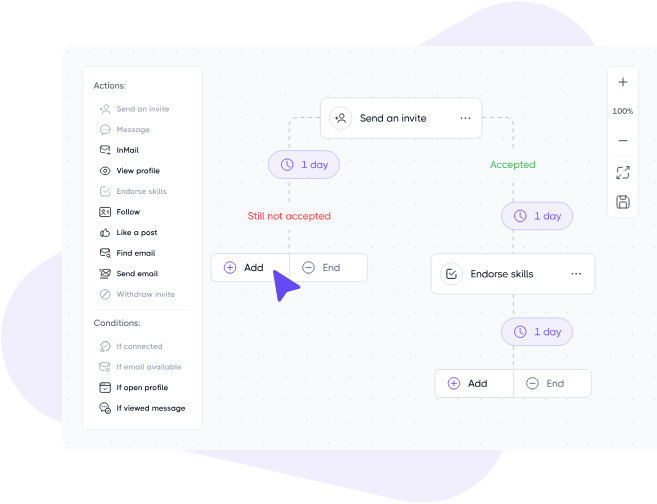
- More than 20 personalization fields: An icebreaker variable is one of them.
- Fallback phrases: When a lead's profile doesn't carry the detail you referenced, a backup phrase goes in instead. The message still reads properly.
- Enrichment: Roughly 30 live data points come back per lead. An email finder carrying monthly credits is on every paid plan, and a verifier sits alongside it.
- Step analytics from the Advanced tier: Acceptances and replies, reported action by action. Isolating the weakest line in a long sequence stops being guesswork.
Pricing
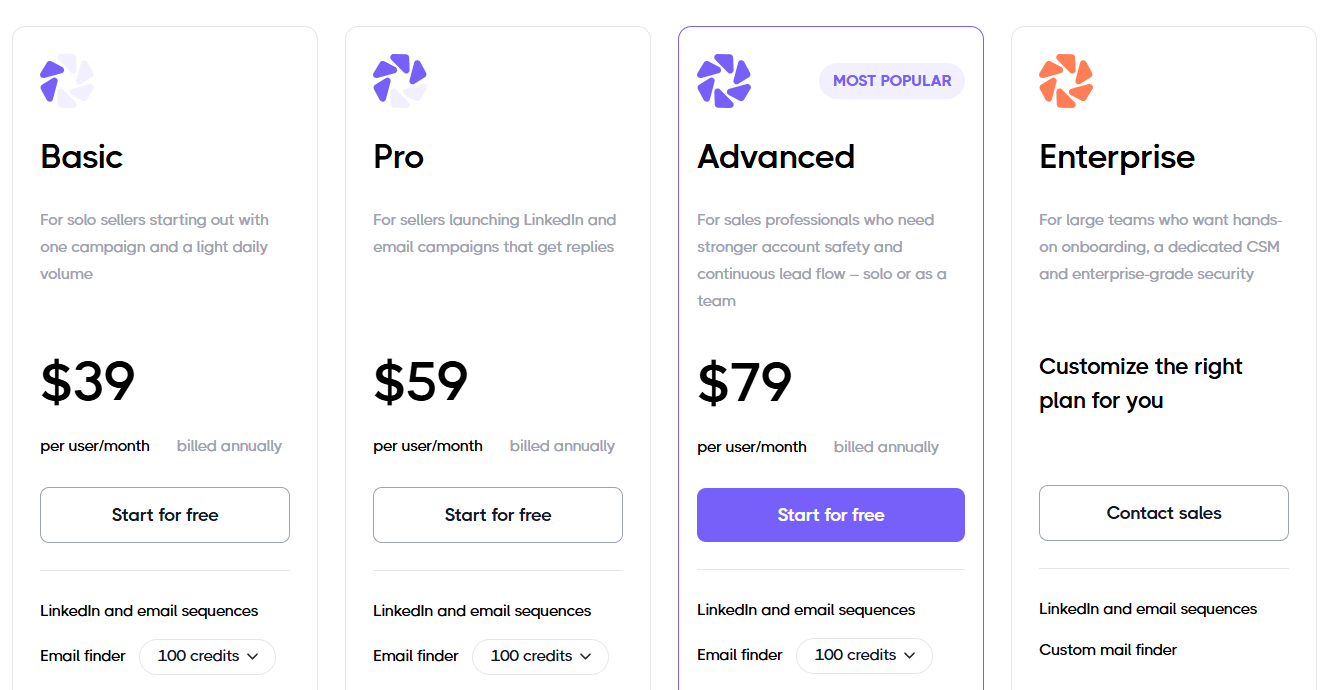
Three tiers are published, all billed per user, with a custom enterprise plan sitting above them:
- Basic, $39 per user per month billed annually ($59 monthly): a single drip campaign, capped daily quotas, reports and advanced analytics, sequence templates, LinkedIn protection built in, and live support around the clock.
- Pro, $59 annually ($79 monthly): uncapped drip campaigns, daily quotas at full strength, a dedicated inbox, CSV export, and webhook integration.
- Advanced, $79 annually ($99 monthly): management across multiple teams, LinkedIn protection at the advanced level, split testing, evergreen leads, lead tagging, and step analytics.
- Enterprise, custom: onboarding at the premium level, a customer success manager, and dedicated technical support.
- Free trial: 7 days, no credit card, cancel anytime.
Pros & Cons
✅ More than 20 fields, with a fallback phrase covering the profiles that lack one.
✅ Both LinkedIn and email sequences are included from the entry tier.
✅ Nine lead sources, and any LinkedIn post works as a rolling feed of fresh prospects.
✅ Step analytics on Advanced report acceptances and replies action by action.
❌ Team management arrives on Advanced.
❌ Basic covers one campaign.
#5: La Growth Machine
Best for: Outbound teams sending LinkedIn voice messages at volume, who would sooner pay for sending profiles than for seats.
Similar to: Lemlist, We-Connect.
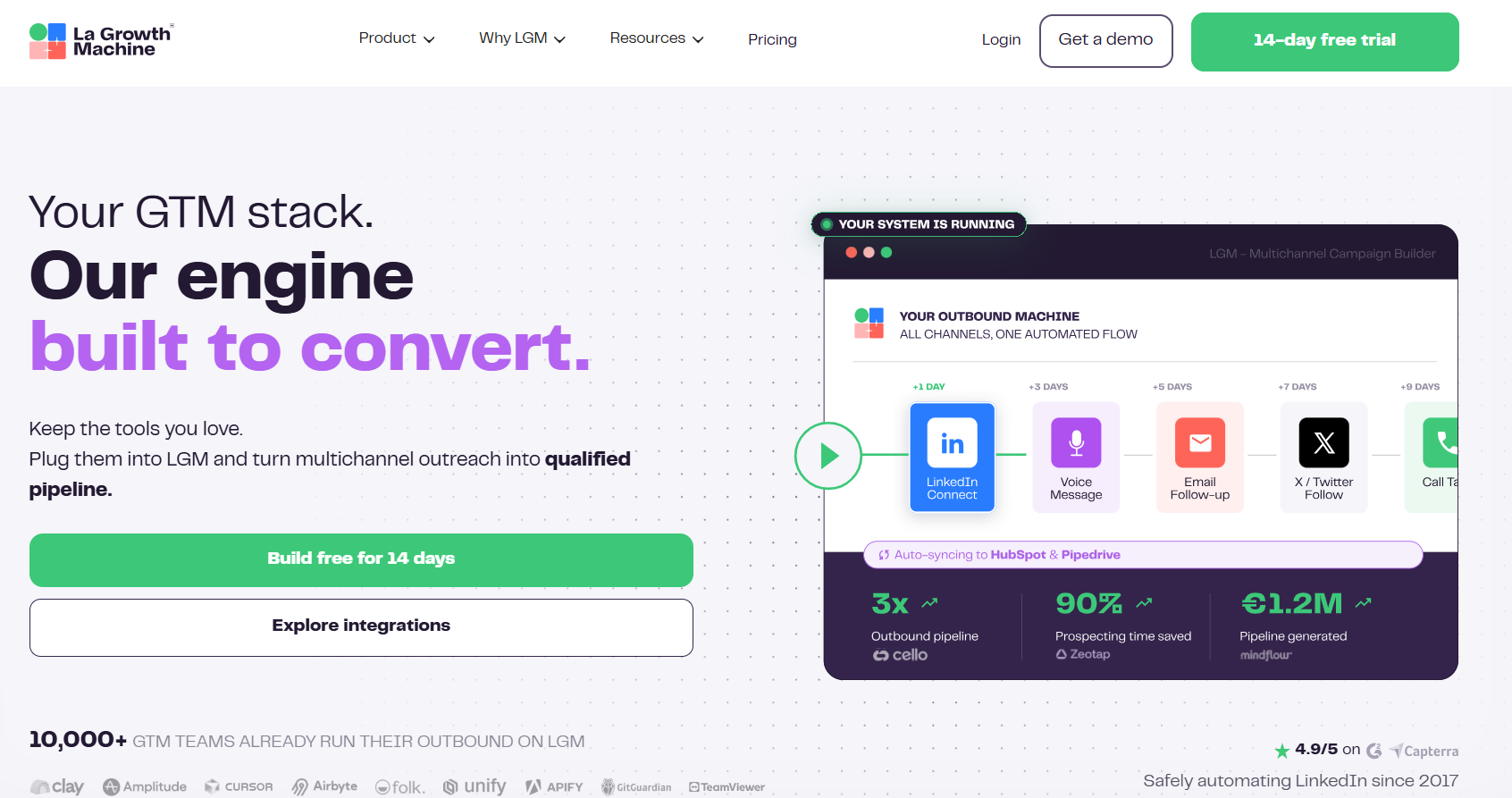
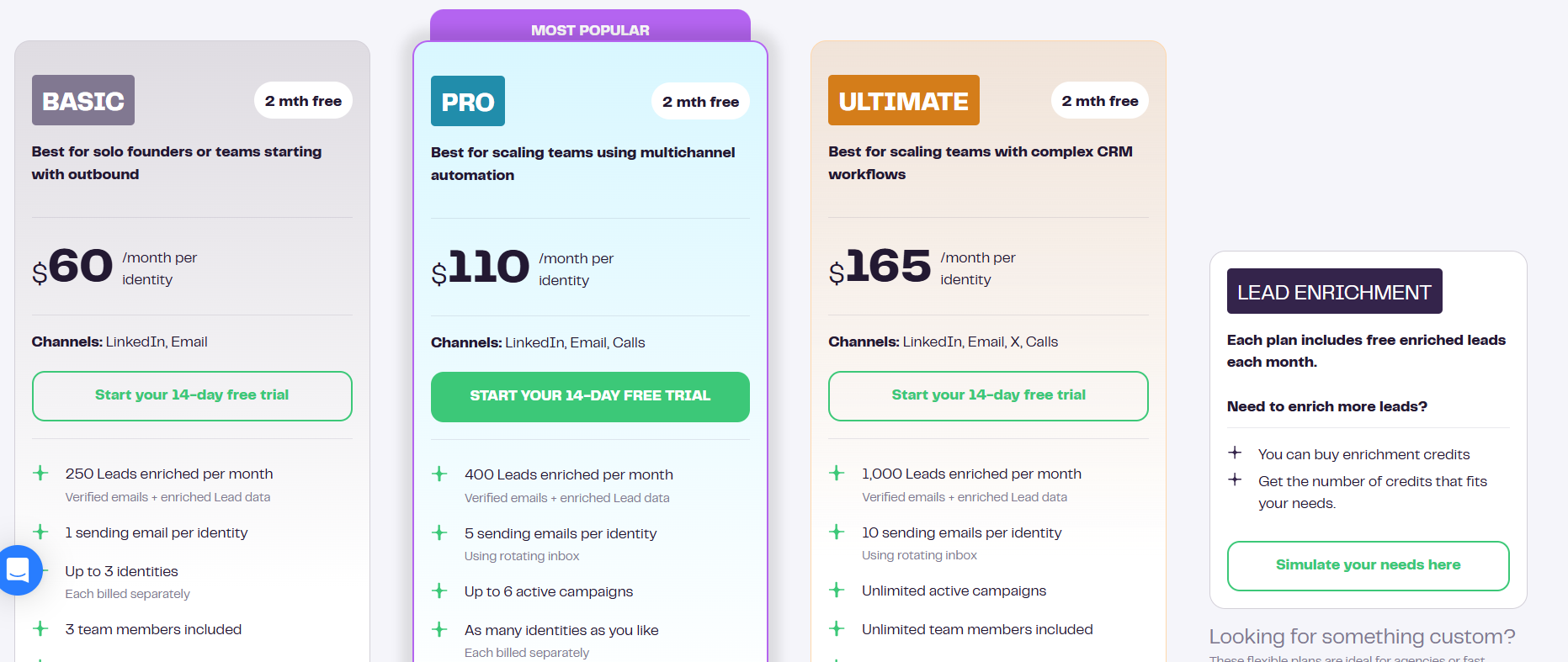
La Growth Machine charges per identity, meaning per profile actually running campaigns, and its sequences reach across LinkedIn, email, calls, and X.
Anybody whose job is answering the replies joins without moving the bill.
Features
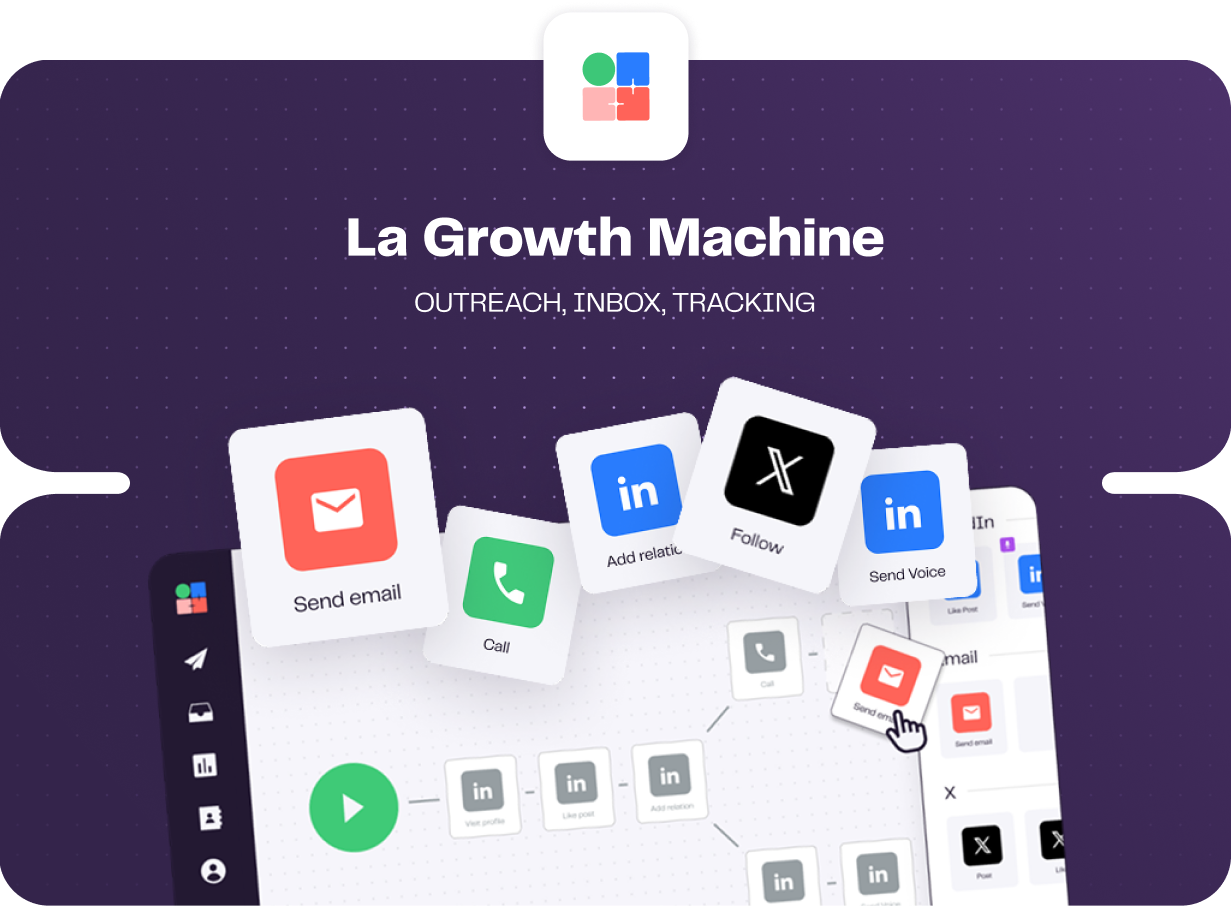
- LGM Voice AI: You record the body of the message a single time. The AI then produces a personalized intro for each lead in a clone of your voice, reading custom variables like a first name aloud. Hard for anyone else here to copy.
- Enrichment inside the subscription: Verified emails and profile data arrive with a monthly allowance on every plan, sourced through a waterfall of providers.
- Native conditions and branching: A lead's behaviour decides which branch they take, and split tests run on message copy, on subject lines, and on the invite note.
- Shared multichannel inbox: LinkedIn and email replies gather in a single view, with filters for campaign and for identity. Status labels apply inside the thread and carry through to HubSpot or Pipedrive.
Pricing
Identities are the billing unit, charged monthly, and an annual commitment gives two months free:
- Basic, $60 per identity: LinkedIn and email, one sending address, 250 enriched leads monthly, a ceiling of three identities, and three team members.
- Pro, $110 per identity: calls join the sequence, enrichment climbs to 400 leads, six campaigns run at once, five sending addresses rotate, plus social warming and 25 team members at no charge.
- Ultimate, $165 per identity: X joins too, enrichment goes to 1,000 leads, ten sending addresses, no ceiling on campaigns or team members, and two-way sync with HubSpot or Pipedrive.
- Agency, custom: quoted from six identities upward.
- Free trial: 14 days, no card.
Pros & Cons
✅ One recording reaches the whole list, with LGM Voice AI generating the intro for each prospect on top of it.
✅ Enrichment belongs to the subscription and never appears as its own line on the invoice.
✅ Invited team members are free, leaving only the profiles actually sending on the bill.
✅ Four channels inside one sequence, calling included on Pro and X on Ultimate.
❌ Per-identity pricing climbs quickly once several people are sending.
❌ Occasional sync errors and interface lag during workflow setup, according to a G2 review.
#6: We-Connect
Best for: Small sales teams and recruiters who want AI drafting the connection note and answering the reply that comes back.
Similar to: Dripify, Expandi.
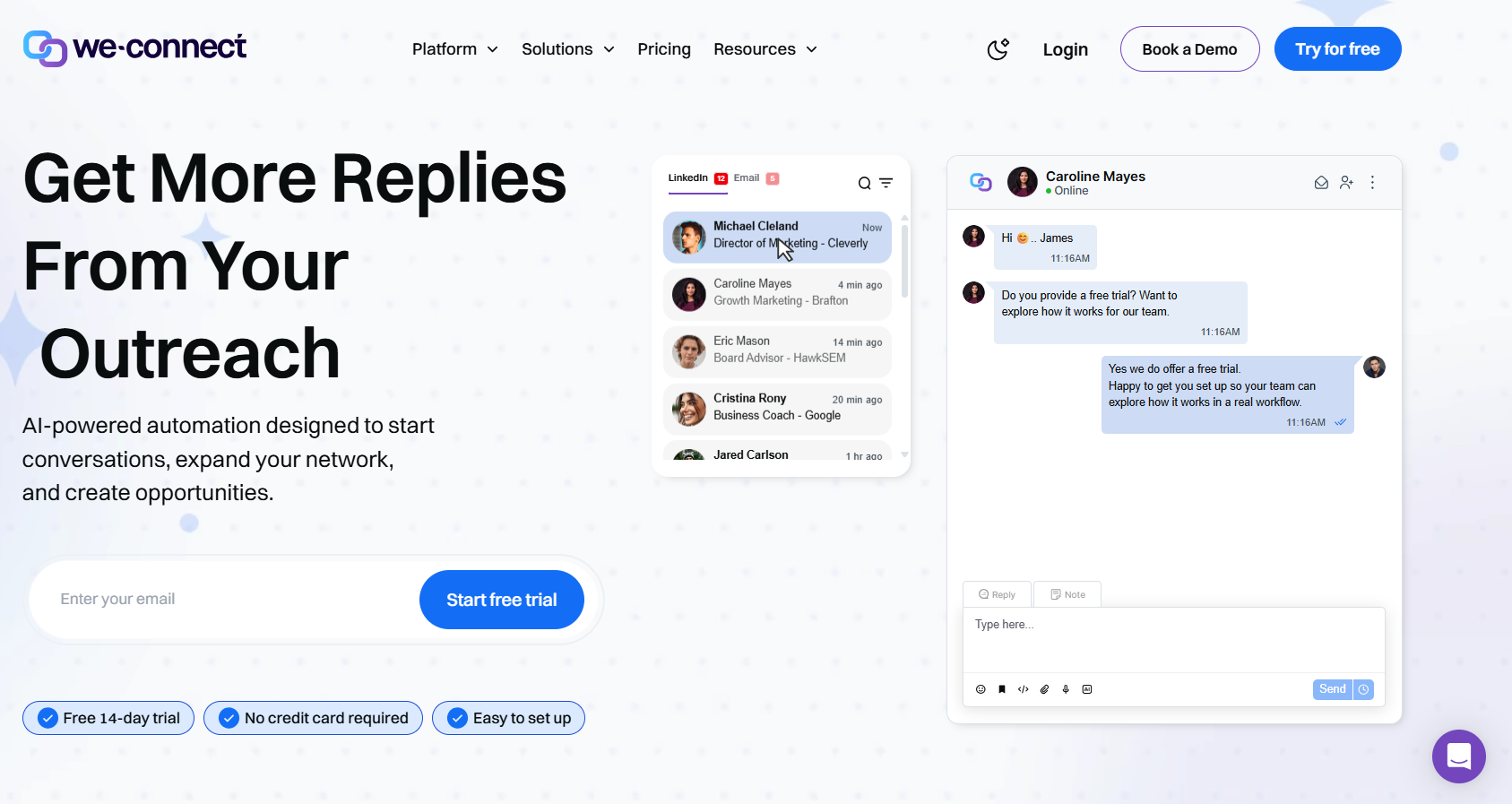
We-Connect runs LinkedIn automation and email sequences together, with AI writing what goes out and answering what arrives, your sign-off optional.
Features
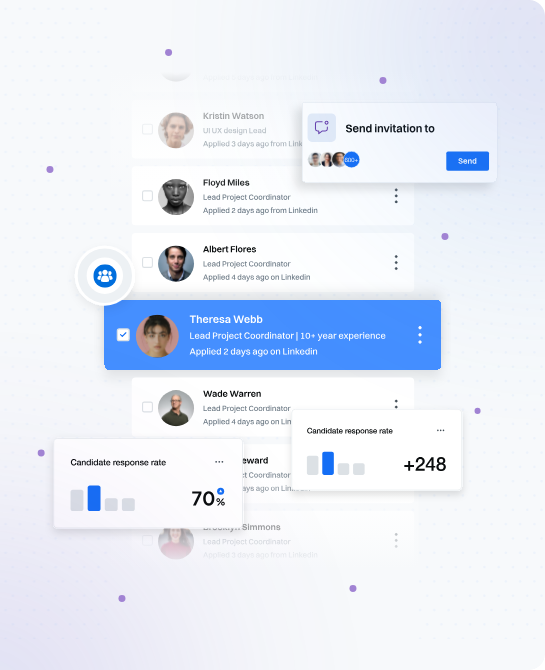
- AI Assist: Profile data feeds the connection notes and the follow-ups, and the Growth plan carries icebreakers and spintax.
- AI auto-reply: Incoming messages get answered in co-pilot mode or autonomously.
- Profile-populated messages: Invites through to InMails, with each message drawing its content from the contact's profile before it sends.
- Behaviour-triggered email: The email step fires on something the contact did over on LinkedIn. Copy gets split tested, with opens, clicks, and bounces all reported.
- Lead Engine: A visual builder in beta, reading a contact's activity, scoring them, and routing them accordingly.
Pricing
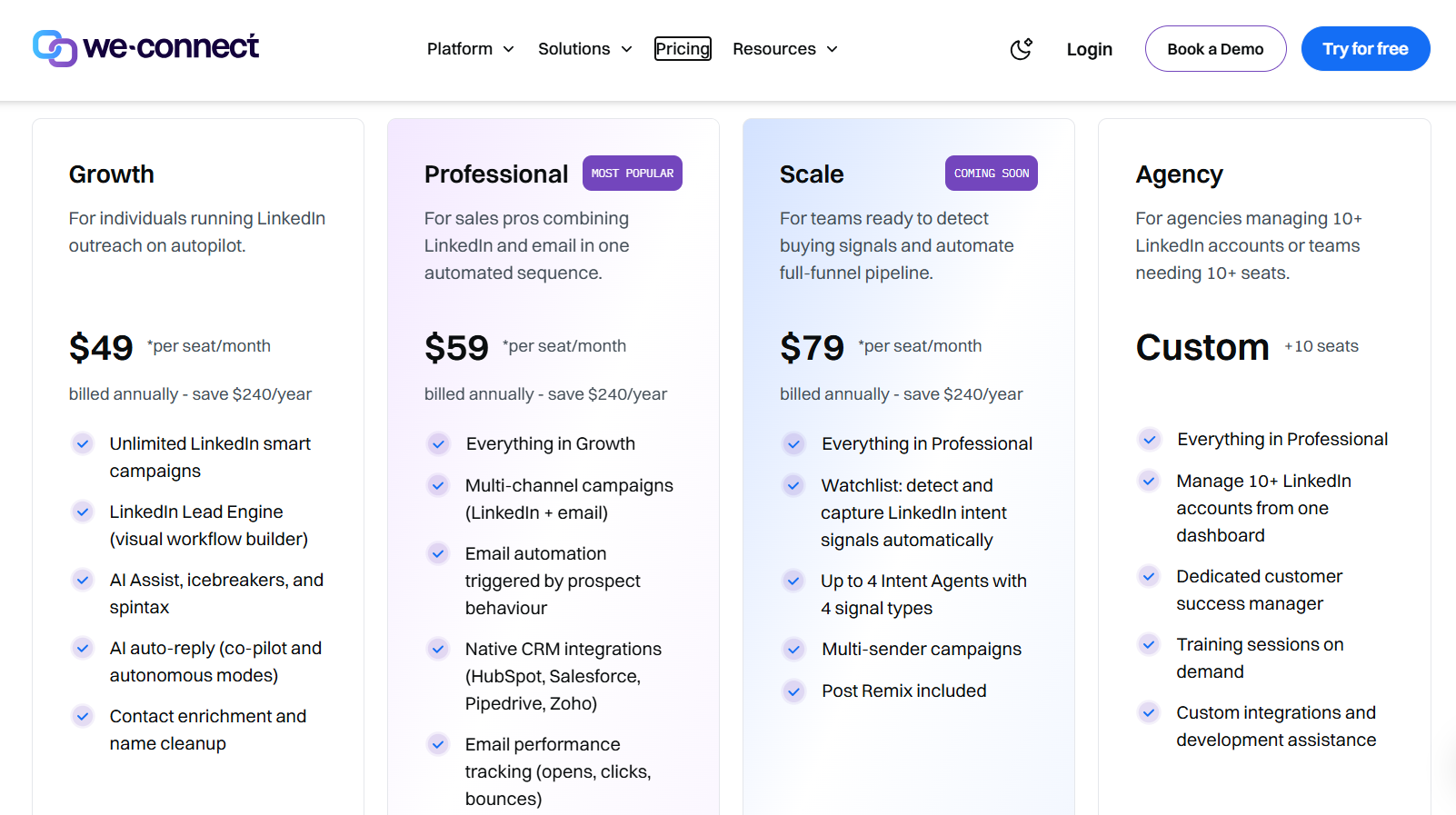
Seats are the billing unit at We-Connect. An annual commitment lowers the rate, and agencies get a direct quote:
- Growth, $49 per seat per month billed annually: uncapped LinkedIn smart campaigns, the Lead Engine, contact enrichment, AI auto-reply, and AI Assist with its icebreakers and spintax.
- Professional, $59 per seat per month billed annually: campaigns across channels, email automation triggered by behaviour, native CRM integrations, and tracking on email performance.
- Scale, $79 per seat per month billed annually: marked coming soon, covering intent-signal capture, four intent agents at most, multi-sender campaigns, and Post Remix bundled in.
- Agency, custom from ten seats: ten or more LinkedIn accounts on one dashboard, a customer success manager, training on request, and help with custom development.
- Free trial: 14 days, no card, and Post Remix is a separate add-on at an introductory $16/seat/month.
Pros & Cons
✅ AI writes the outbound copy and handles the inbound reply, running in co-pilot or autonomous mode.
✅ Icebreakers and spintax arrive on the entry plan.
✅ Native syncs to Salesforce, HubSpot, Pipedrive, and Zoho from Professional upward, with campaign alerts reaching Slack.
✅ The agency plan covers ten accounts upward and attaches a named success manager.
❌ The starting price is higher than many alternatives on the market.
❌ Post scheduling is an add-on from $16/seat/month.
#7: PhantomBuster
Best for: Growth and RevOps people whose personalization needs data from further afield than a LinkedIn profile.
Similar to: Sbl.so, Salesforge.
PhantomBuster is a prospect data toolkit, built around extraction and enrichment with outreach automation layered on top, and its jobs reach more than 15 sources, LinkedIn and Sales Navigator among them, alongside Google, Instagram, and X.
Features
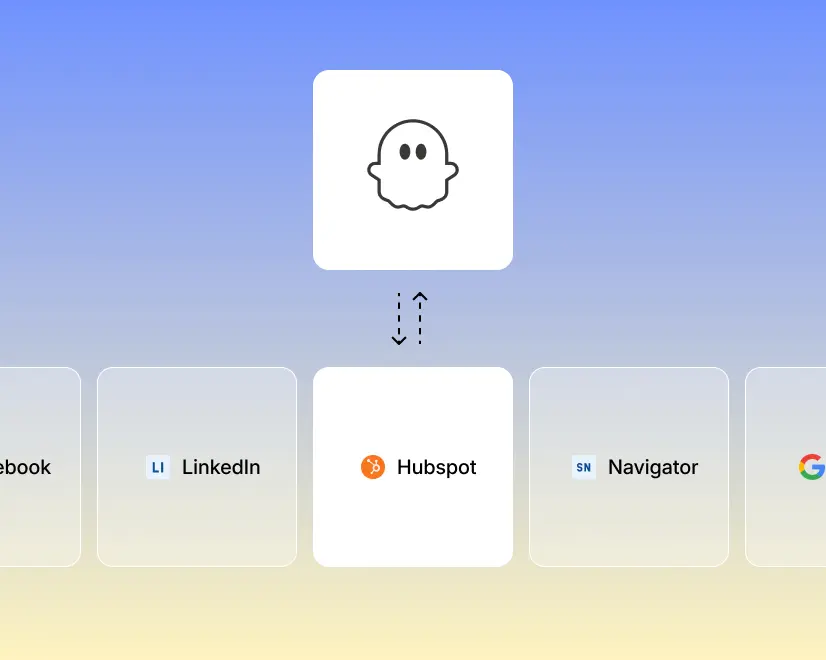
- More than 1,000 data points per record: Live enrichment layers them on, and scheduled refreshes keep a list from going stale between builds.
- AI writing against the signal: Direct messages, connection requests, likes, and event invitations all run on a schedule, and the AI writes each message against whatever signal that lead gave off.
- More than 100 prebuilt automations: Ready-made jobs set up and schedule in minutes, covering everything from pulling the likers and commenters off a LinkedIn post to exporting a Google Maps search.
- MCP server: The toolkit exposes itself to Claude or ChatGPT, and prospecting can be driven in conversation from there. One workspace holds multiple LinkedIn accounts.
Pricing
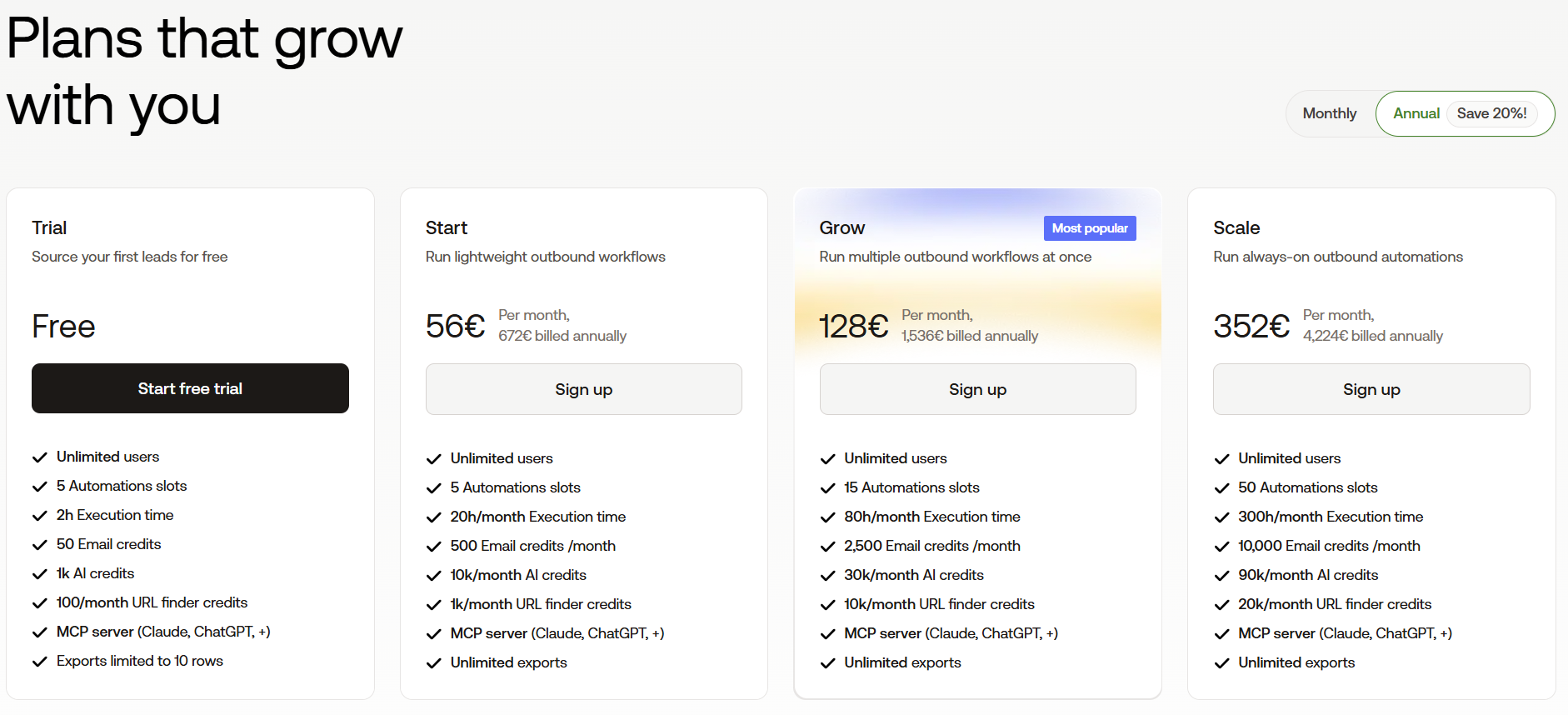
PhantomBuster meters automation slots, execution hours, and credit pools separately from each other.
A year up front cuts 20% off:
- Free trial: five automation slots, two hours of execution, 50 email credits, and exports stopping at ten rows.
- Start, €56 per month billed annually: five slots, 20 hours of execution, 500 email credits, 1,000 URL finder credits.
- Grow, €128 per month billed annually: 15 slots, 80 hours, 2,500 email credits, 10,000 URL finder credits.
- Scale, €352 per month billed annually: 50 slots, 300 hours, 10,000 email credits, 20,000 URL finder credits.
Pros & Cons
✅ Signals and data off more than 15 platforms, including places a pure sequencer never looks.
✅ Prebuilt automations handle fairly technical jobs without any code.
✅ MCP access for teams running their prospecting through an AI assistant.
❌ Metered credits and execution hours make monthly cost harder to forecast.
❌ Conversations happen elsewhere, with no unified reply inbox.
#8: Sbl.so
Best for: Founders with no SDR to delegate outbound to, who want the AI carrying a personalized conversation through to a booked meeting.
Similar to: Salesforge, PhantomBuster.
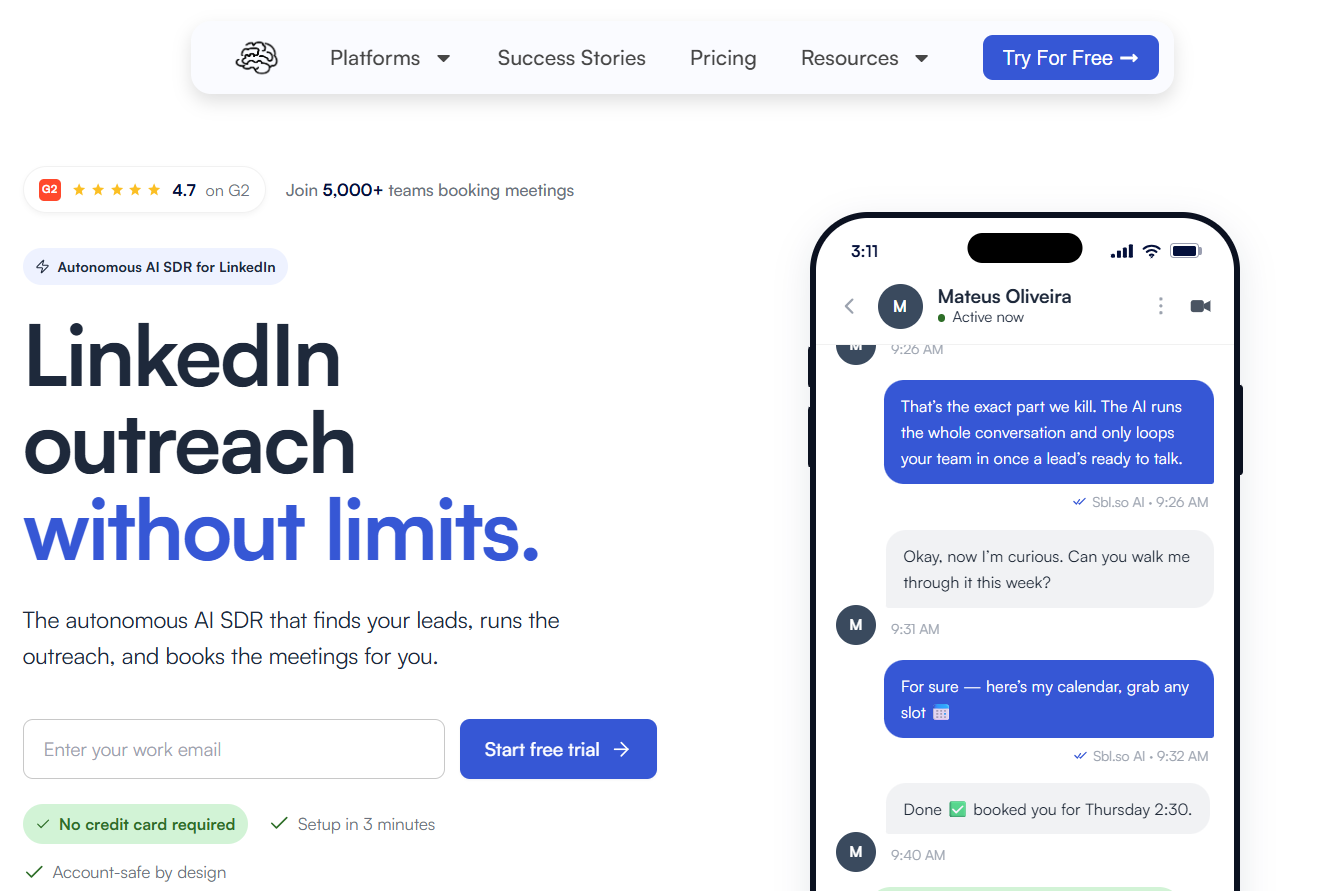
Sbl.so works as an AI sales rep on LinkedIn, taking a description of your buyer and running from there: it builds the list off buying signals, opens the conversations, handles the replies, and books the meetings.
The decision here is really about how much of the writing you're willing to delegate.
Features
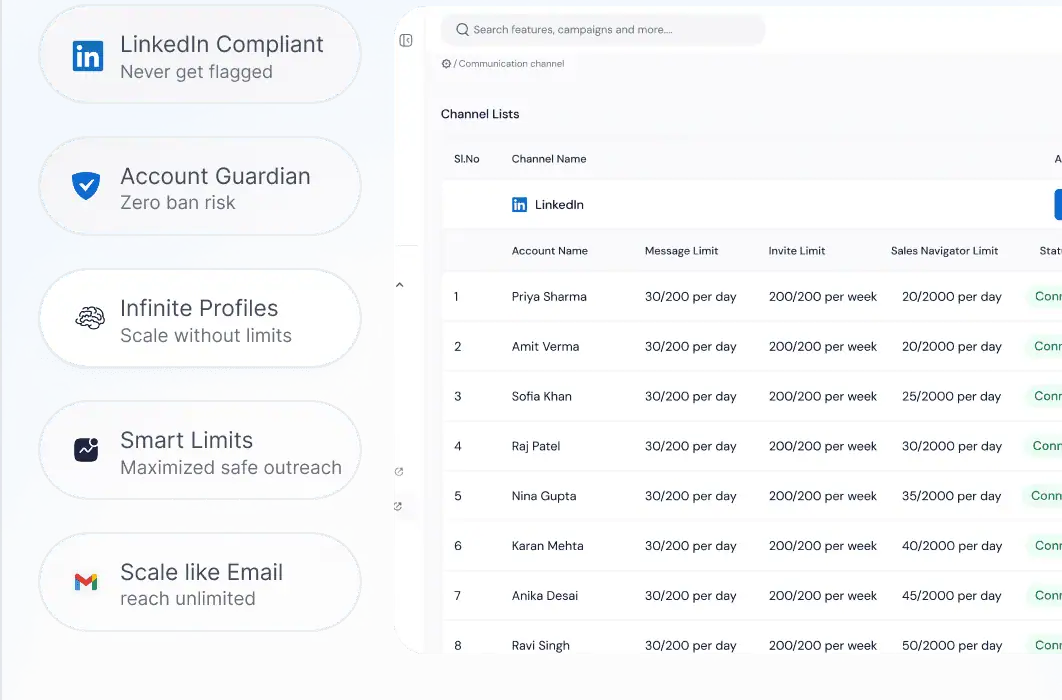
- Cloned voice messages: An AI copy of your own voice delivers the message, and the same AI handles replies in more than 100 languages.
- Lists scored against your buyer description: Funding news, job moves, competitor post engagement, and profile activity refresh the list every day, and each name carries a score against your ideal customer.
- Conversations handled end to end: The AI works the thread, then hands it to a person once the lead warms up.
- Sending profiles supplied by the vendor: Accounts come pre-warmed, and volume spreads across the pool, with no single profile carrying a whole campaign.
Pricing
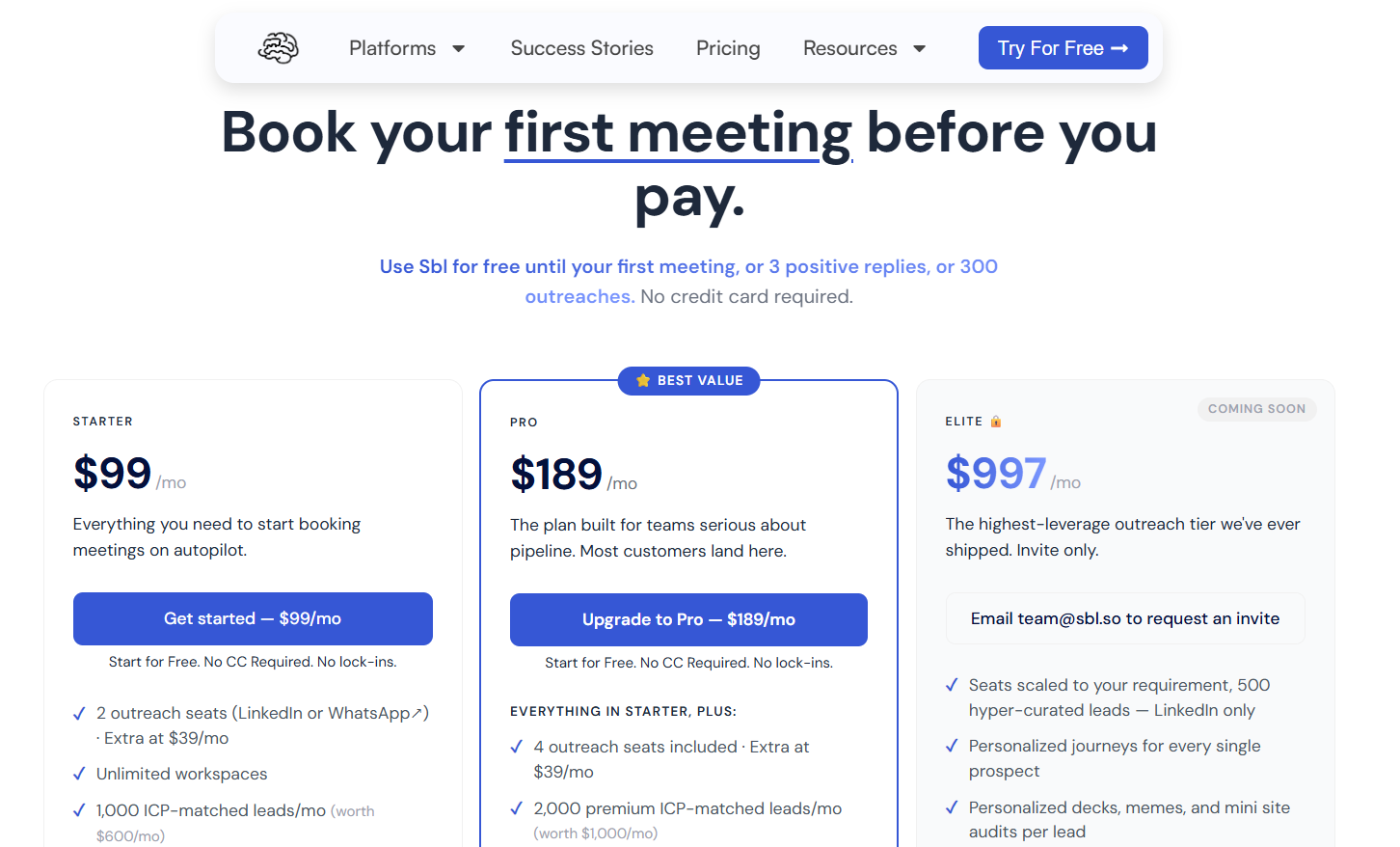
The free trial runs until the first of 300 outreaches, three positive replies, or a booked meeting, with no card required.
Sbl.so then bills by outreach seat, one seat covering one LinkedIn or WhatsApp account, and an extra seat costs $39 a month:
- Starter, $99 per month: two outreach seats, 1,000 ICP-matched leads monthly, signals taken off the comments and reactions your own posts attract, AI chat replies across more than 100 languages, uncapped Sales Navigator extraction, uncapped workspaces, two team members, and priority support.
- Pro, $189 per month: four outreach seats, 2,000 premium leads monthly, premium signals covering funding, job changes, and competitor monitoring, rich media carried by the AI cloned voice, the built-in CRM with export included, ten team members, and custom webhooks.
- Elite, $997 per month: invite-only and marked coming soon, with the seat count scaled to the account, 500 hyper-curated LinkedIn leads, and a prospect-by-prospect personalized journey.
- Enterprise, custom: built around a particular workflow, volume, or compliance requirement.
Pros & Cons
✅ A cloned voice and replies in more than 100 languages, on sending profiles the vendor supplies.
✅ Buying signals assemble the list and refresh it daily.
✅ The AI carries a conversation all the way to a booked meeting, a fit for a founder selling with no SDR on payroll.
❌ LinkedIn and WhatsApp are the only live channels today, with email automation on the roadmap.

#9: Salesforge
Best for: Email-led teams and agencies whose LinkedIn personalization has to work in more than one language.
Similar to: Lemlist, Sbl.so.
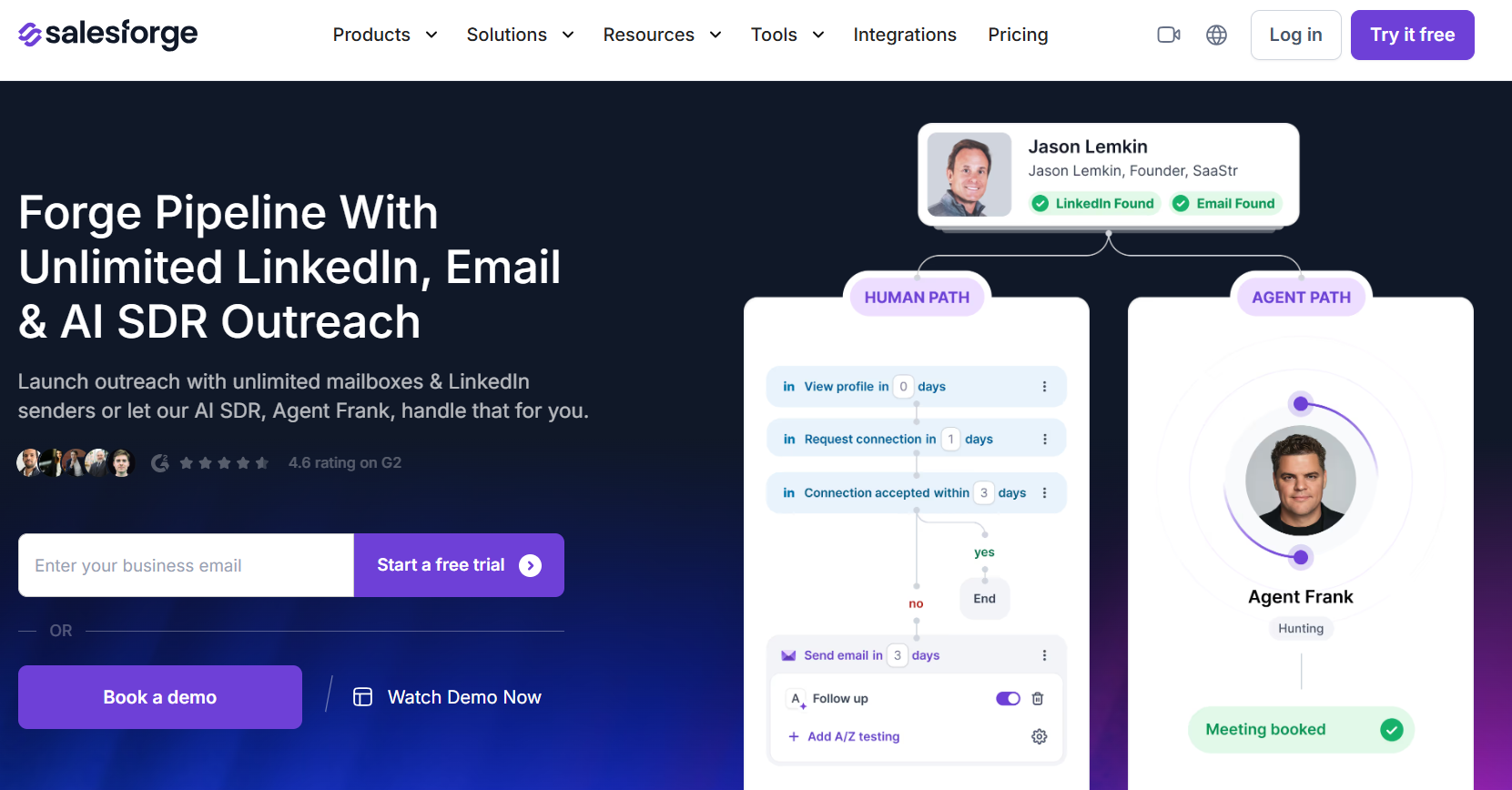
Salesforge runs the sending inside a wider product family that also carries mailbox infrastructure, warm-up, and lead sourcing behind one login.
Features
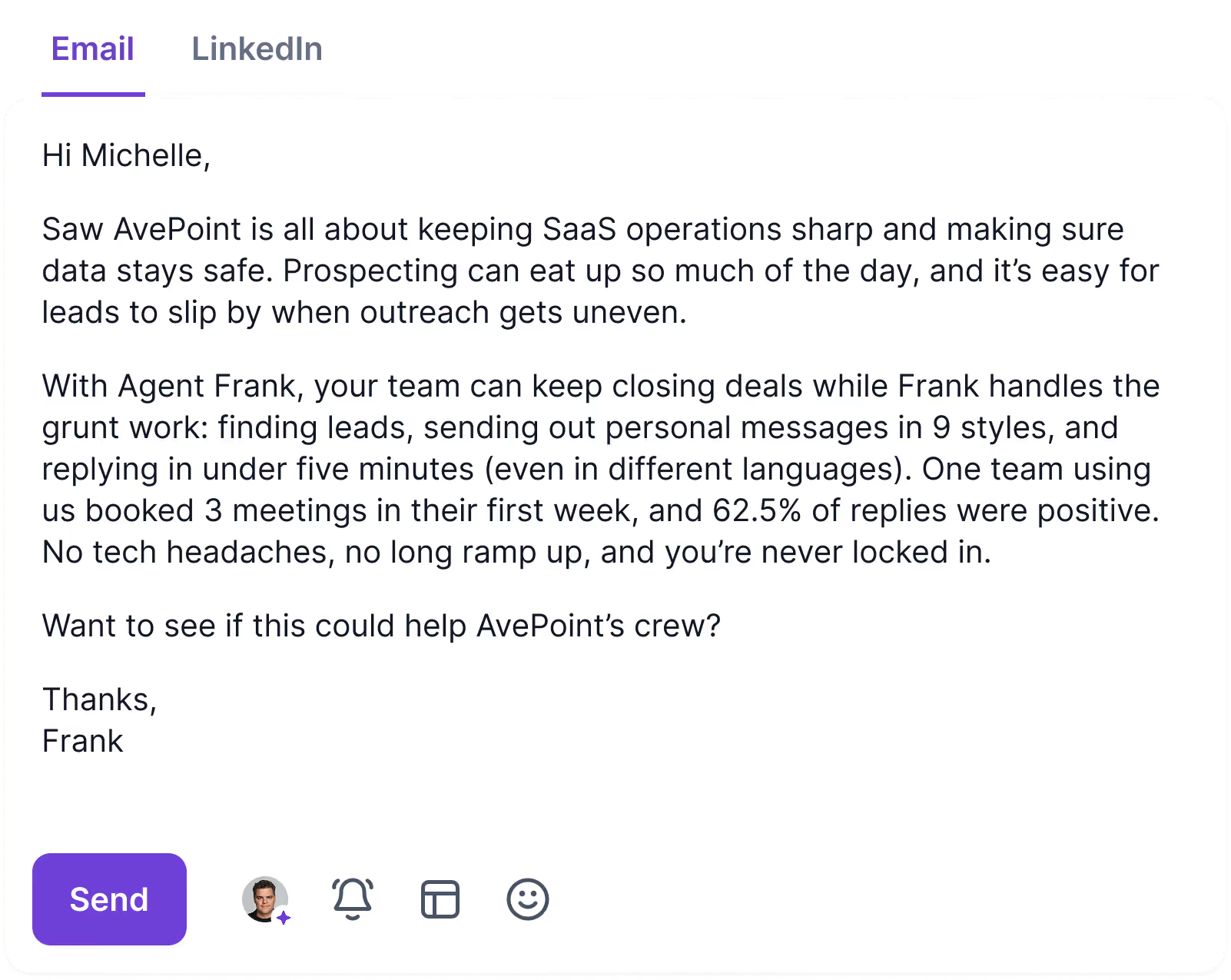
- Agent Frank: An AI SDR prospecting, writing, following up, and booking meetings, running in co-pilot or in autopilot, across more than 20 languages.
- Personalization credits on Growth: 1,000 a month, with separate monthly allowances covering email validation and social actions.
- Primebox: Email and LinkedIn replies land in one inbox, threaded correctly even when the answer arrives from a mailbox you never wrote to, with sentiment analysis applied on top.
- Unlimited senders: Both paid plans carry uncapped mailboxes, and Growth adds uncapped LinkedIn senders and uncapped users.
Pricing
Salesforge bills on sending volume and active contacts, and the AI SDR is a separate line item:
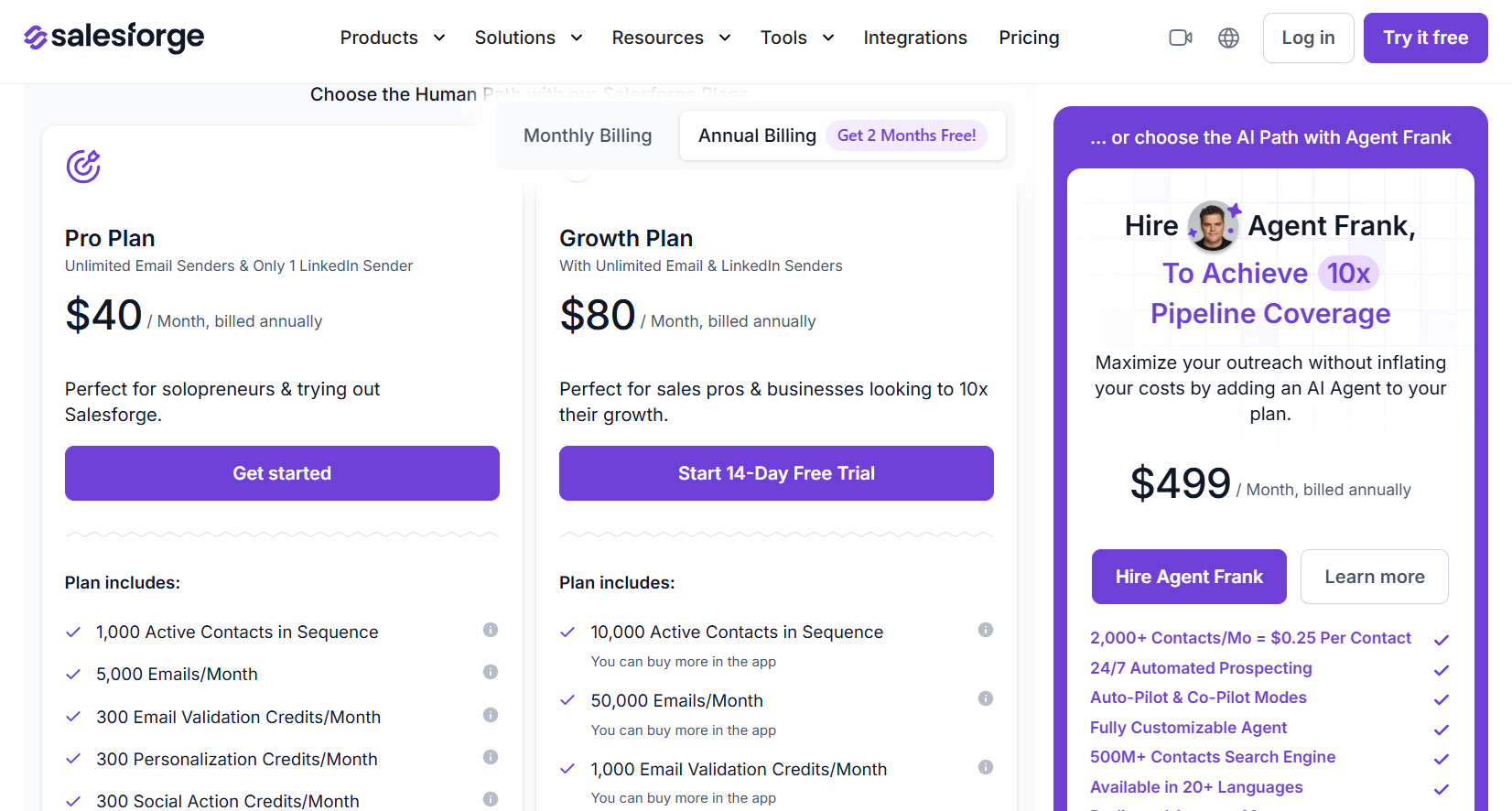
- Pro, $40 per month billed annually: a single LinkedIn sender and a single user, 5,000 emails monthly, 1,000 active contacts, mailboxes without a cap, and premium warm-up without a cap.
- Growth, $80 per month billed annually: LinkedIn senders and users both uncapped, 50,000 emails, 10,000 active contacts, split testing, sequences in multiple languages, API access, and priority support.
- Agent Frank, from $499 per month billed annually: autonomous prospecting against 2,000 contacts a month, an account manager of your own, and a shared Slack channel.
Pros & Cons
✅ Multi-language sequences on Growth, with Agent Frank writing across more than 20 languages.
✅ One vendor and one support team behind the mailboxes, the warm-up, the lead sourcing, and the sending.
✅ Email and LinkedIn replies thread together in Primebox, including answers from an address you never wrote to.
✅ White label is available to agencies.
❌ Personalization and social actions run on credits.
❌ The full stack means learning several products.
#10: Dux-Soup
Best for: Individuals and lean teams wanting AI-written LinkedIn messages at a low monthly rate, in the browser or hosted.
Similar to: Dripify.
Dux-Soup comes in two shapes: a browser extension that works through your existing LinkedIn, Recruiter, or Sales Navigator account, and a hosted cloud edition that carries on with the machine switched off.
Features
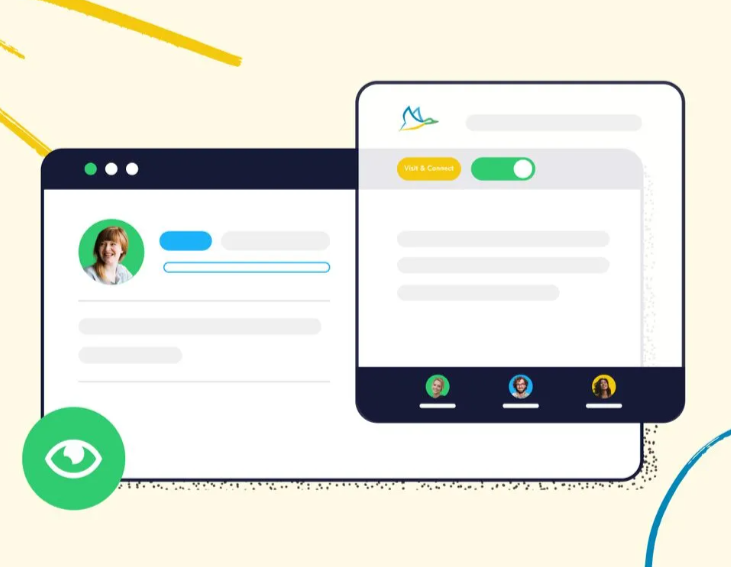
- AI personalization: Every message is written against the prospect's own profile.
- AI response assistant: Included from Turbo Dux upward.
- Drip campaigns with up to 12 actions: Connecting, messaging, InMail, following, endorsing, profile visits, and post likes, ordered by drag and drop with delays you set between them.
- Response detection: A reply pulls that lead out of the sequence immediately.
- Dux-Dash: A central inbox, contact management, campaign statistics, and a lead management dashboard, with native integrations pushing leads out to your CRM.
Pricing
Dux-Soup bills per user, takes 25% off annual billing, and sells a separate agency licence:
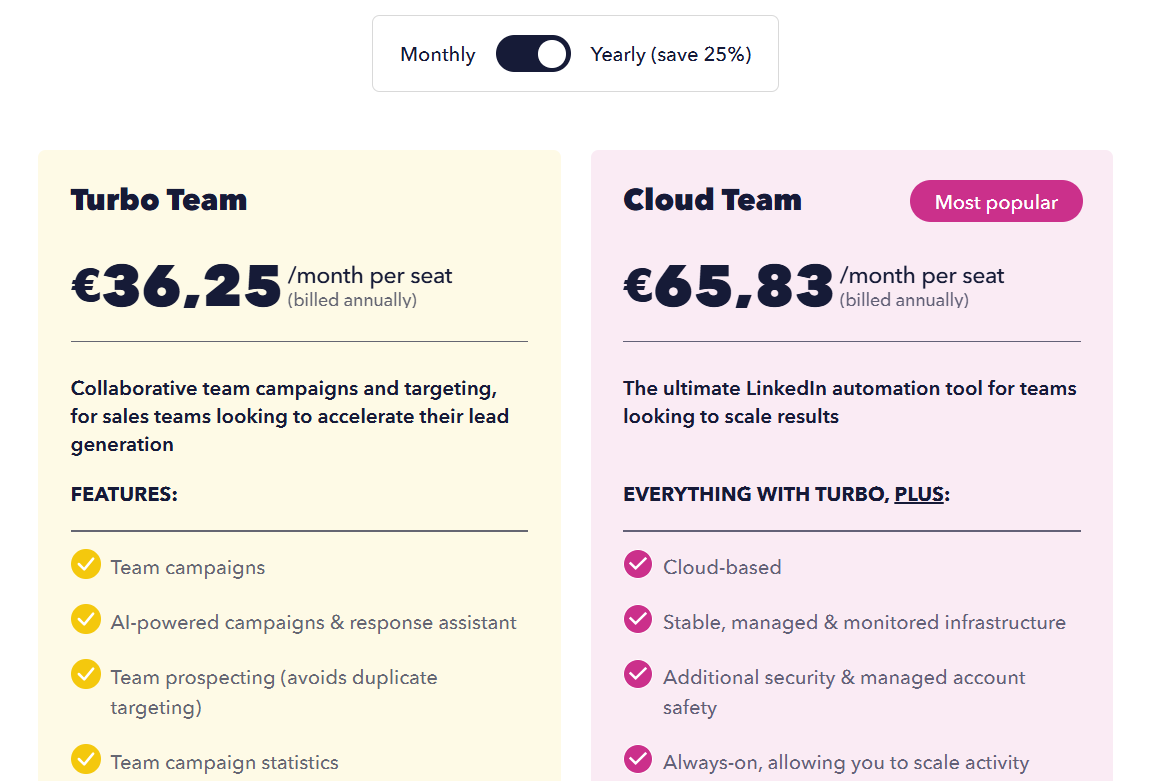
- Pro Dux, €12.99 per month (€9.92 billed annually): personalized invitations, messaging to first-degree connections, post liking, profile visits with tagging, and CSV export.
- Turbo Dux, €49 per month (€36.25 annually): drip campaigns without a cap, AI personalization, the lead dashboard, CRM integrations, and campaign statistics.
- Cloud Dux, €88 per month (€65.83 annually): the managed cloud edition, monitored and always on.
- Cloud Agency, €330 per month: from five client seats, one dashboard covering unlimited LinkedIn accounts.
- Free trial: 14 days on the Turbo feature set.
Pros & Cons
✅ AI message writing arrives on Turbo Dux at €49 a month, or €36.25 billed annually.
✅ Campaigns run through your own native LinkedIn account, with the message history staying inside LinkedIn and no third-party credential access involved.
✅ Under €10 a month on the entry tier billed annually.
❌ The interface looks dated, according to a G2 review.
Which LinkedIn personalization tool should you choose?
The decision rests on where the detail in your message comes from, as that governs everything downstream.
Most of this list draws that detail off the LinkedIn profile.
- Dripify hands you more than 20 fields with a written fallback covering the gaps.
- We-Connect has AI drafting the note from the same profile data.
- Dux-Soup writes every message against the profile on Turbo Dux, at €49 a month or €36.25 billed annually.
A smaller group personalizes the format as well as the facts:
- Expandi puts a dynamic image or a personalized video in front of the prospect.
- Lemlist sends a LinkedIn voice note in a clone of your own voice.
- La Growth Machine records the body once and lets LGM Voice AI generate the intro per lead.
Then there's the group that goes hunting for detail LinkedIn never holds:
- PhantomBuster pulls it from more than 15 sources.
- Sbl.so and Salesforge take it further again, handing the writing and the follow-up to an AI rep.
Meet Alfred starts from the profile too, and then keeps the detail moving.
The fields pulled off that profile stay live at each step of the sequence, and so do your CSV columns and your own snippets.
They work in LinkedIn messages and invite notes from Basic upward, and Pro extends them to InMail, email, and X, with no second tool holding a second copy of your list.
More than 600 templates back the copy, savable privately or shared with everybody on the account, and multi-step sequences save the same way. Nothing in that meters in credits, and email volume answers to your own mailbox, with no platform allowance in the way.
The other half of the work belongs to the account itself.
Randomized timing across every action type, working hours bound to the time zone you set, daily ceilings you choose with headroom to 100 connection requests inside safe parameters, and cloud sending on AWS from a dedicated IP with no proxy to buy.
Underneath all of it there's encryption end to end, DDoS protection, a published data processing agreement, and compliance with both GDPR and CCPA.
➡️ If the copy already reads well and the only problem is that nothing outside LinkedIn ever sees it, the seven-day trial opens every feature and asks for no card.
Or book a demo, and we'll walk through it with you.
⚠️ Disclaimer: This article was last updated on the 25th of September, 2026, and if there's any misinterpretation of the information, please contact us, and we will fact-check it.
Frequently asked questions about LinkedIn personalization with Meet Alfred
How does Meet Alfred's AI personalization work?
Meet Alfred reads each lead's LinkedIn profile, extracts the details held there, and places them into your campaign copy as dynamic fields.
You write the message once. Every recipient receives their own version of it, assembled from their own profile.
The same fields carry into email and X campaigns on Pro, with natural pacing between the steps.
What type of data can I use for personalization?
Two sources feed it.
The first is whatever Meet Alfred pulls off the LinkedIn profile: name, job title, company, and more.
The second is anything you bring in yourself, since a CSV import carries your own columns through as custom fields.
Both become dynamic fields you can place anywhere in the copy, and Pro adds custom personalization snippets on top.
Can I upload my own leads using a CSV file?
Yes. CSV upload is one of the campaign sources, and it takes name, role, and custom fields of your own.
Those leads then land in the built-in LinkedIn CRM alongside everything else, ready for tagging, notes, exclusion, or a sequence.
Related Articles