


We-Connect is building toward LinkedIn intent signals and AI agents.
When I compare alternatives to it, I look at how far each one reaches past LinkedIn and how much of the conversation it hands to AI.
Below, I've ranked 10 options and mapped each against six capabilities in one table, which makes the gaps visible before you open a trial.
TL;DR
- Meet Alfred offers the best We-Connect alternative for sales teams and agencies that want email and X steps plus scheduled social posts alongside LinkedIn automation, with no separate add-on for content.
- Expandi and Dripify are the closest LinkedIn-first matches, with Expandi built around behaviour-based branching and Dripify around low-cost drip campaigns.
- For AI that goes further than We-Connect's auto-reply, Sbl.so runs LinkedIn conversations through to a booked meeting, and Reply.io sells Jason AI SDR.
- HeyReach, La Growth Machine, Waalaxy, Lemlist, and Dux-Soup cover the rest of the range, from flat-rate sender pools down to a browser extension under €10 a month.
How did I evaluate these We-Connect alternatives?
I evaluated each We-Connect alternative on four factors: how it automates LinkedIn, which channels it adds, how much work its AI and signal features take on, and whether its pricing is published.
I picked those four because they're where We-Connect is strongest today, or where it's heading with Watchlist and the Scale plan.
- LinkedIn automation: Every tool here sends connection requests and follow-ups on a schedule, and I flagged the two that run as browser extensions, Waalaxy and Dux-Soup's lower tiers, next to the cloud tools.
- Channels beyond LinkedIn: We-Connect adds email on Professional, so I checked which tools run email, calls, X, or WhatsApp in the same sequence as LinkedIn.
- AI and buying signals: With AI auto-reply and Watchlist at the centre of We-Connect's pitch, I looked at which tools answer prospects with AI and which build lists from buying signals.
- Published pricing: I only kept tools that list a price for the plan most buyers start on, though Expandi and La Growth Machine, like We-Connect, quote agency setups directly.
➡️ For a wider look at LinkedIn-first platforms, our LinkedIn automation software roundup covers tools beyond this list.
What are the best We-Connect alternatives?
Meet Alfred is my top We-Connect alternative in 2026 for outreach that reaches past LinkedIn, and Expandi is the closest match if branching LinkedIn sequences are what you rely on.
Each tool on the shortlist is paired with the team it suits and its price of entry:
#1: Meet Alfred - Best We-Connect Alternative for LinkedIn Outreach Beyond One Channel
Meet Alfred is the best We-Connect alternative in 2026 for sales teams and agencies that want LinkedIn automation, email, and X in one sequence, with social posting to four networks in the same subscription.
While We-Connect has been building toward intent signals and AI agents, our focus at Meet Alfred has been on widening the channels and keeping a person in charge of each live conversation.
Full disclosure: Meet Alfred is our own platform, so I've kept this section factual and listed the trade-offs at the end.
In my experience, LinkedIn-only outreach starts to stall once a team grows past a rep or two.
Prospects who ignore the invite drift away, follow-ups get split across tools, posting falls behind, and nobody can see who answered which lead.
These are the problems Meet Alfred is built to solve:
- Prospects who never accept: Email and X steps share the sequence with LinkedIn, so a lead who ignores your invite still hears from you wherever you have their address or handle.
- Replies scattered across reps: The Smart Inbox pulls every rep's LinkedIn conversations into one view, and a campaign pauses the moment its prospect answers.
- Content that slips: Posts to LinkedIn, Facebook, Instagram, and X get scheduled from the same dashboard as your campaigns, with no separate add-on.
- Client accounts for agencies: Managers can work any teammate's profile through impersonation without sharing passwords, and the whole platform can run under your own brand and domain.
Our customers include teams at Reuters, Samsung, Oracle, Salesforce, and HSBC, and here’s how they work inside the platform:
How does Meet Alfred work?
Meet Alfred takes you from a connected LinkedIn account to a running multichannel campaign in five steps, with replies and social posting handled in the same place.
Step 1: Set the guardrails before anything sends
Connecting LinkedIn takes a few minutes, since Meet Alfred handles the two-factor authentication step inside the app.
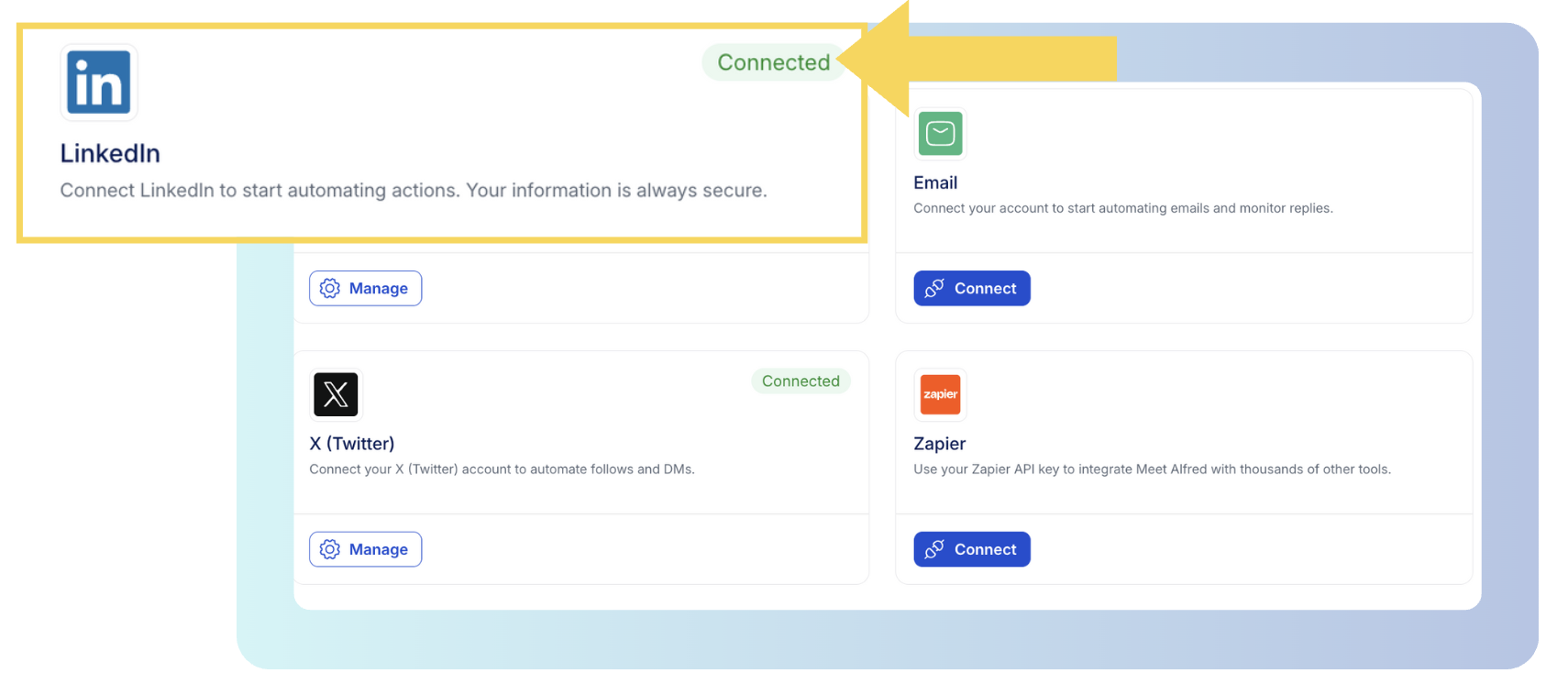
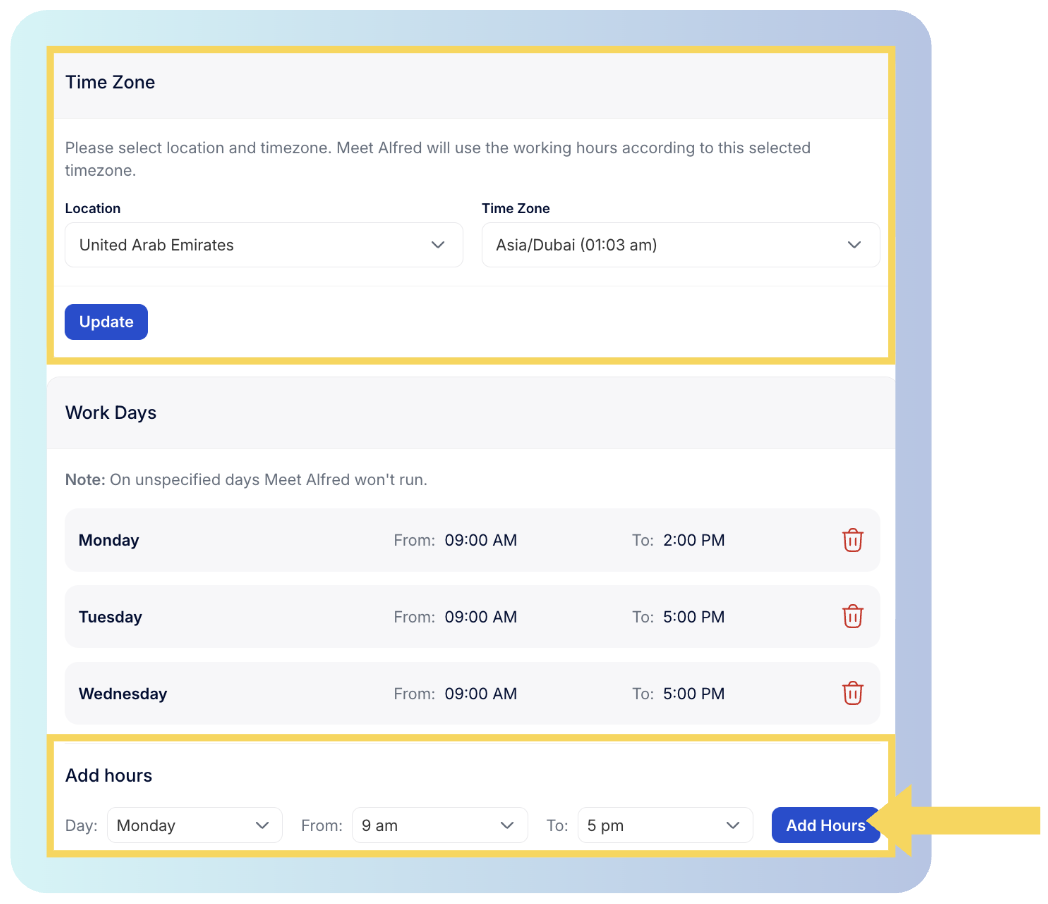
From there, it's ideal to set working hours in your time zone and a daily ceiling for connection requests, which can go as high as 100 a day while staying inside safe parameters.
Auto-withdrawal of old invitations is the other setting I switch on early, because it keeps the queue of unanswered requests short.
In the app, these controls are in Settings next to billing, and the Customizable AI Settings page explains each one.
Step 2: Start with warm audiences
Campaigns can start from people who already engaged on LinkedIn, such as anyone who interacted with a post you choose, attendees of a LinkedIn Event, members of a group, or newsletter subscribers.
That's the closest thing in Meet Alfred to We-Connect's Watchlist, though it works from posts and events you pick, not from a live feed of profile visits.
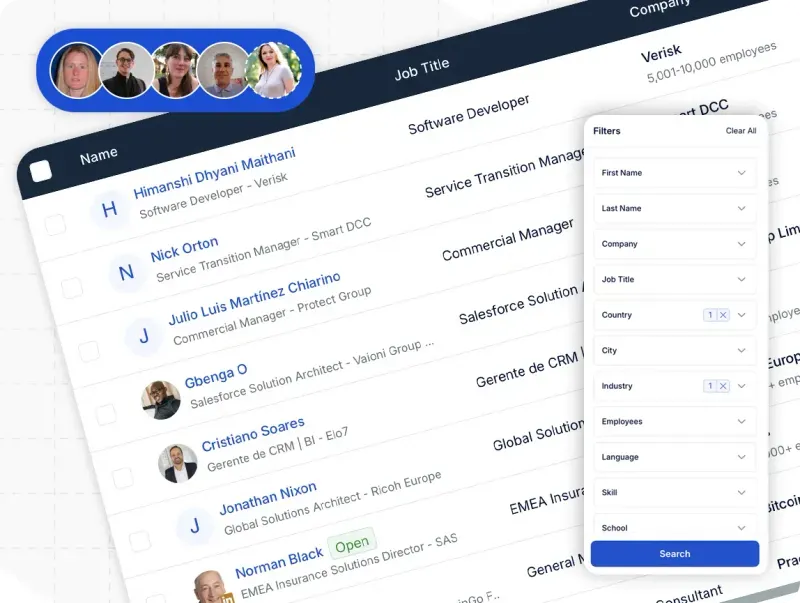
For cold audiences, the AI Lead Finder filters LinkedIn by job title, industry, location, language, and keywords, and lets you preview sample results before choosing how many leads to add.
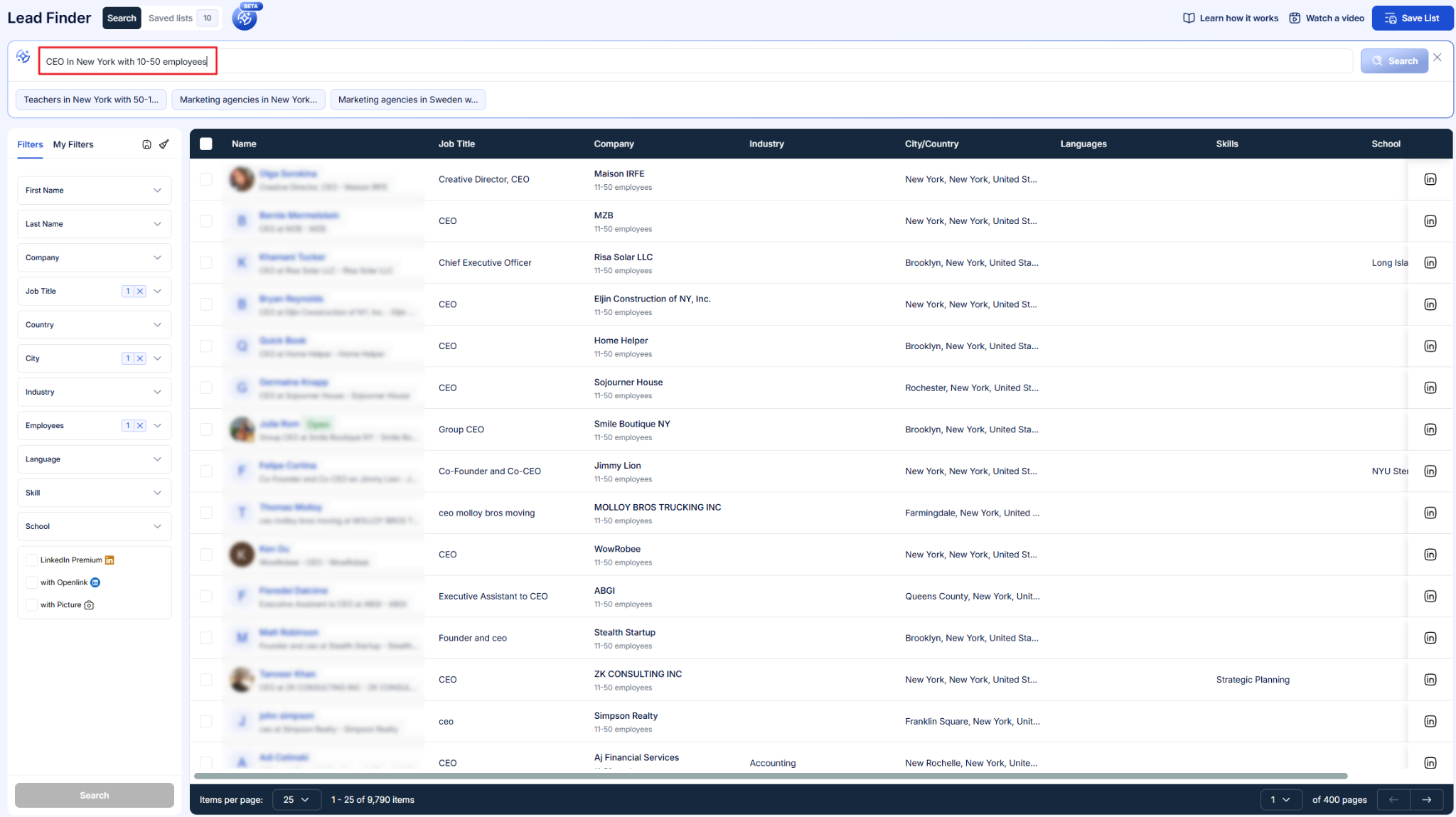
Sales Navigator searches and CSV files work as sources as well, and our guide on how to do prospecting on LinkedIn covers how to pick between them.
Step 3: Write the sequence once, for every channel
The sequence builder mixes LinkedIn actions with email, X, and InMail steps, with smart delays between each one.
AI personalization pulls details like the prospect's name and company from their LinkedIn profile into each message, and CSV imports can carry custom fields for anything the profile doesn't show.
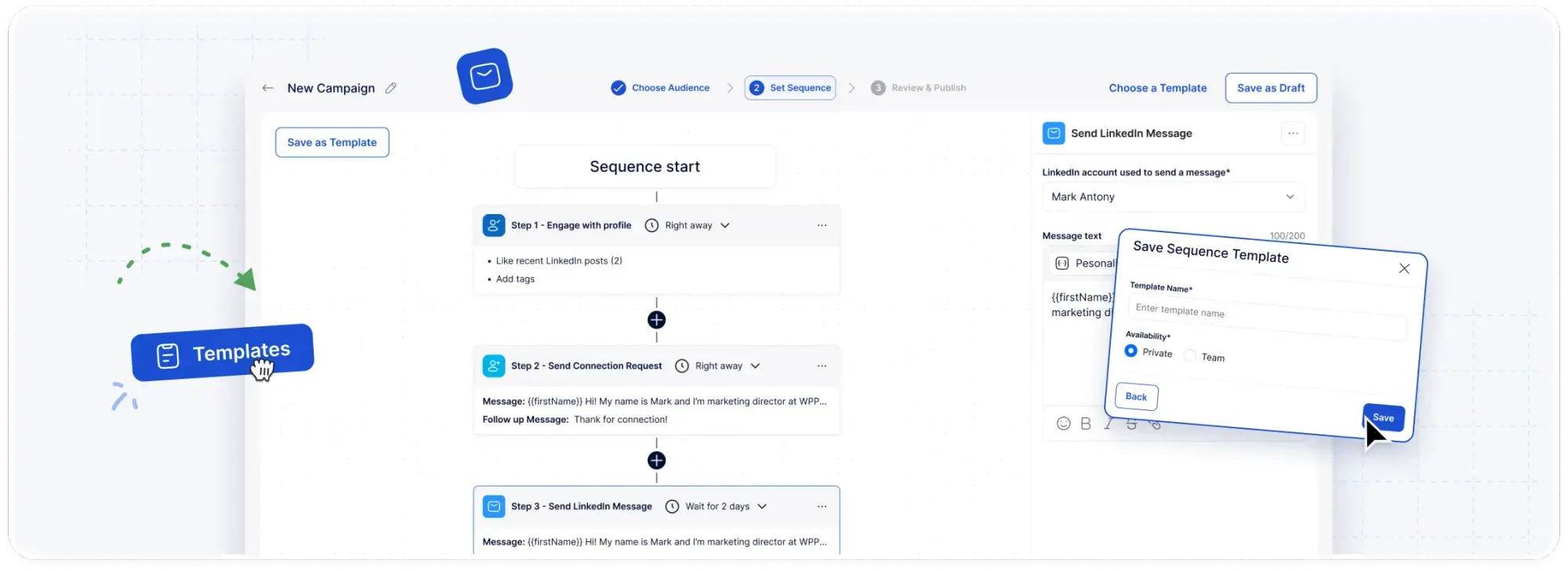
I'd normally warm the prospect with a profile view and a post interaction before the connection request, then keep email for anyone who hasn't accepted after several days and whose address you've imported by CSV.
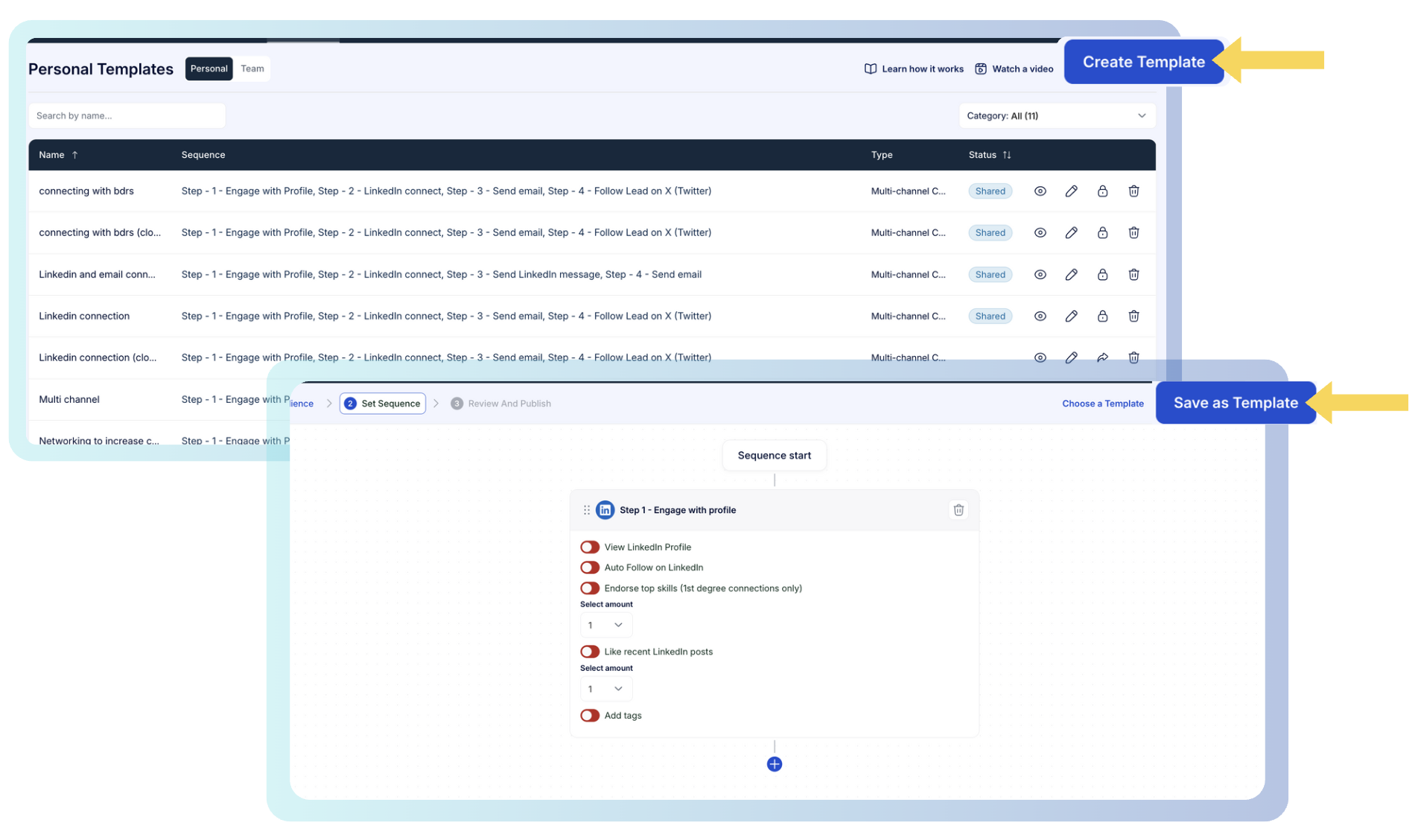
Finished sequences can be saved as templates for yourself or shared across the team.
➡️ Our walkthrough on personalizing LinkedIn messages at scale goes further into snippets and custom fields.
Step 4: Let people handle the replies
A contact's campaign pauses the moment they reply, and the AI hands the conversation back to your team once it needs a human.
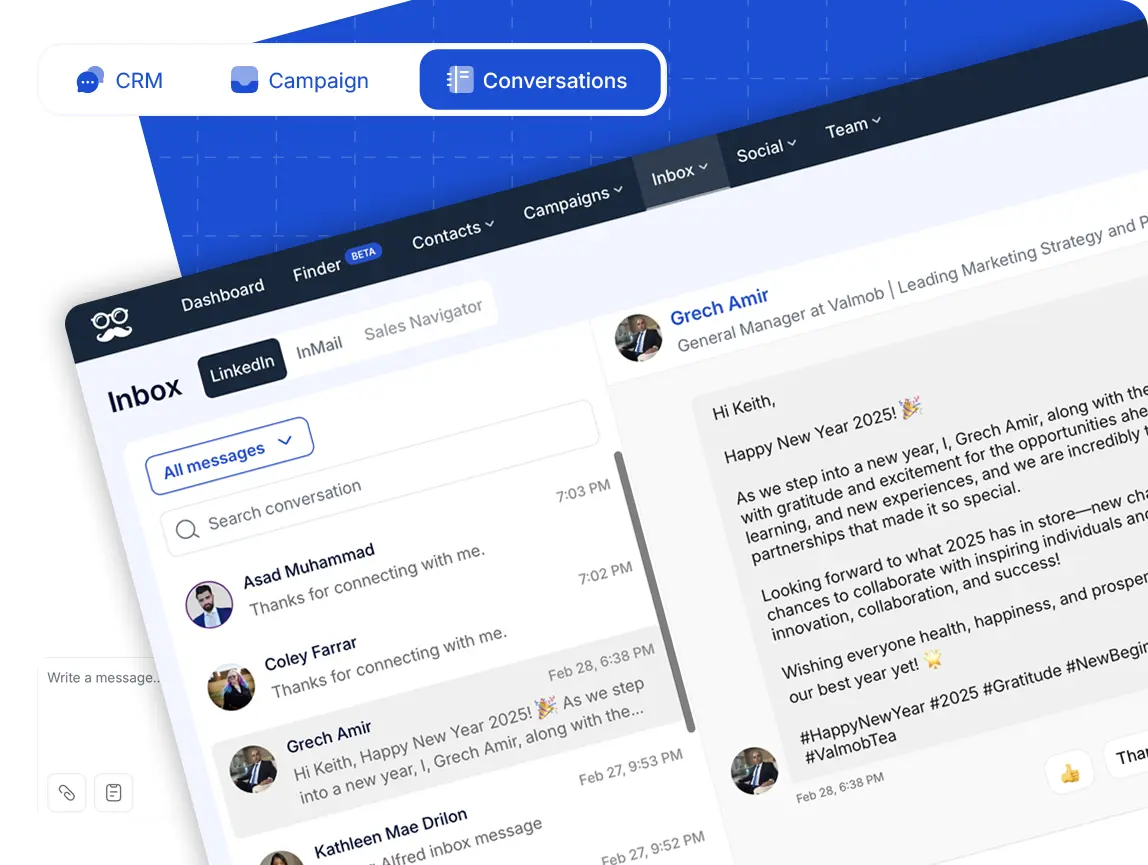
Replies show up in the Smart Inbox alongside InMails and Sales Navigator messages, with the contact's job title and company next to each thread.
Shared reply templates keep answers consistent across reps, and managers can respond from any teammate's account through impersonation without asking for a password.
Step 5: Keep publishing between campaigns
Meet Alfred schedules posts to LinkedIn, Facebook, Instagram, and X from the same dashboard, with best-time-to-post suggestions based on when your audience is active.
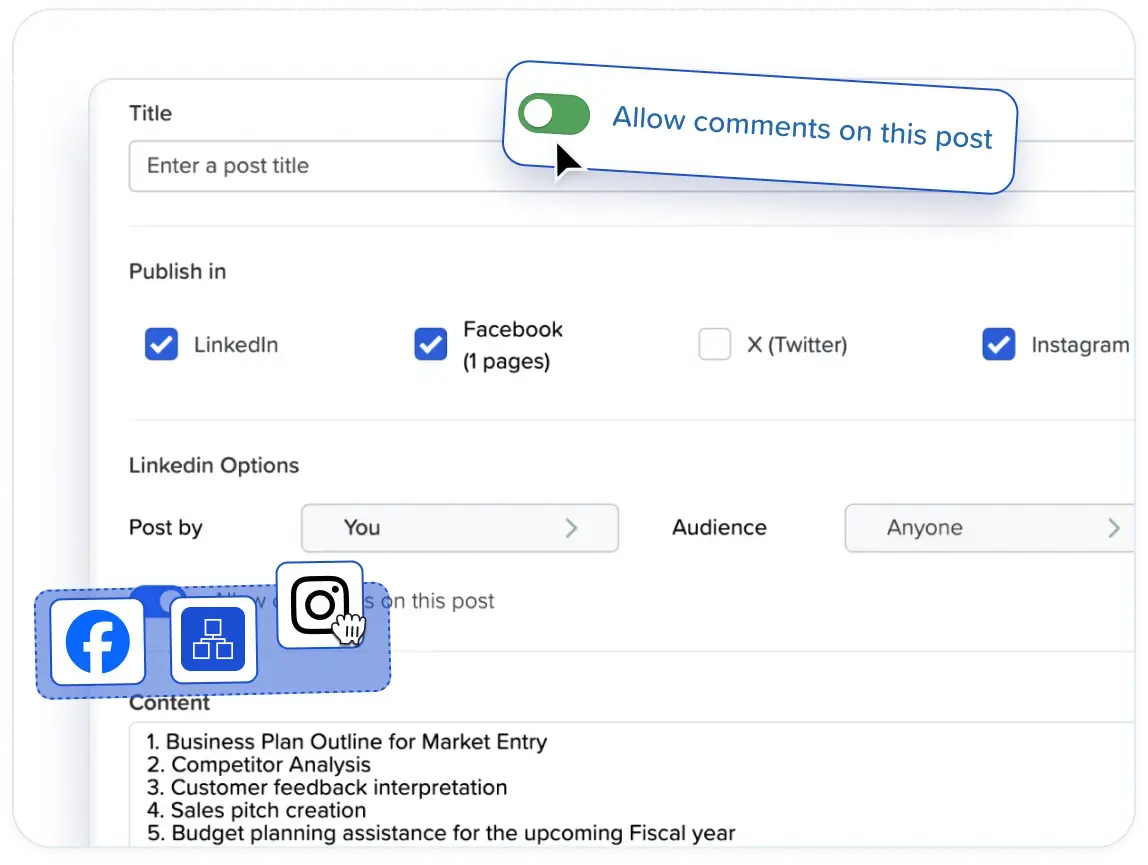
LinkedIn trends monitoring tracks the keywords you choose and surfaces relevant posts you can engage with without leaving the platform.
How is Meet Alfred different from We-Connect?
We-Connect and Meet Alfred both send from the cloud, giving each account a dedicated IP.
The split is that Meet Alfred covers more channels and includes social scheduling, while We-Connect goes further with AI auto-replies and lead scoring.
Four differences stand out when I compare them side by side:
- Channels: We-Connect covers LinkedIn and email, and Meet Alfred adds X outreach plus posting to four social networks.
- Email setup: We-Connect's email steps start on its second tier and trigger on LinkedIn behaviour, while Meet Alfred sends through your own SMTP or IMAP mailbox with no volume cap or message credits.
- AI: We-Connect's AI can answer replies on its own and score leads from 0 to 100, and Meet Alfred uses AI to personalize messages and passes every live conversation to a person.
- Agency tools: We-Connect quotes agencies from ten seats with a dedicated success manager, and Meet Alfred includes white label on your own domain and manager impersonation on its Agency tier.
➡️ If autonomous AI replies are the reason you chose We-Connect, Meet Alfred won't replace that part, and I'd rather say so here than have you find out during the trial.
Pricing
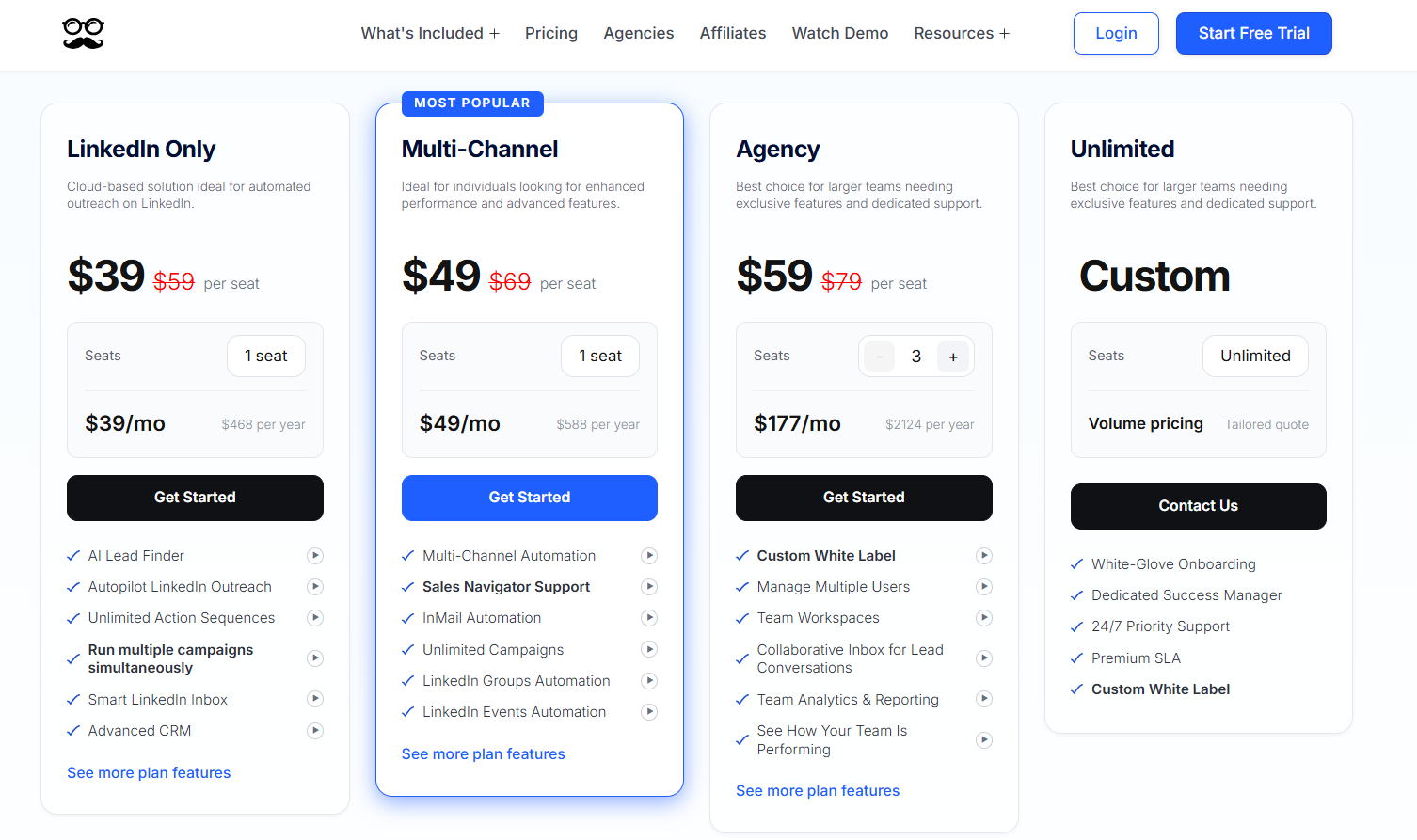
You can test Meet Alfred for 7 days free with no credit card, and paid plans start at $39/seat/month billed annually.
We offer four plans in total:
- LinkedIn Only, $39/seat/month billed annually: LinkedIn automation for Basic and Premium accounts, a 1,000-result AI Lead Finder, sequences of any length, simultaneous campaigns, the Smart LinkedIn Inbox and CRM, templates, automated greetings, and support over email and chat.
- Multi-Channel, $49/seat/month billed annually: brings in email and X automation, Sales Navigator and InMail, unlimited campaigns, campaigns from groups, events, posts, newsletters, and company pages, social post scheduling, CSV campaigns, attachments, Zapier, webhooks, CRM integrations, and a 5,000-result Lead Finder.
- Agency, $59/seat/month billed annually with a three-seat minimum: builds on Multi-Channel with native Salesforce and HubSpot, user management with roles and groups, team workspaces, a collaborative inbox, team analytics with exportable reports, white label, an account manager of your own with onboarding, priority support, and a 10,000-result Lead Finder.
- Unlimited, custom: any number of seats on a tailored quote, white-glove onboarding, a dedicated success manager, priority support day and night, a premium SLA, and custom white-label.
Pros & Cons
✅ Social post scheduling to four networks is part of the subscription, not a paid add-on.
✅ X outreach shares the sequence with LinkedIn and email.
✅ Email sends through your own mailbox, with no message credits.
✅ Impersonation lets managers answer for any rep without sharing passwords.
❌ No autonomous AI replies.
❌ The trial lasts 7 days, with no free plan.
#2: Expandi
Best for: Agencies and sales teams that need each prospect's next LinkedIn step decided by what they did, with gradual warm-up on every profile.
Similar to: We-Connect, Dripify.
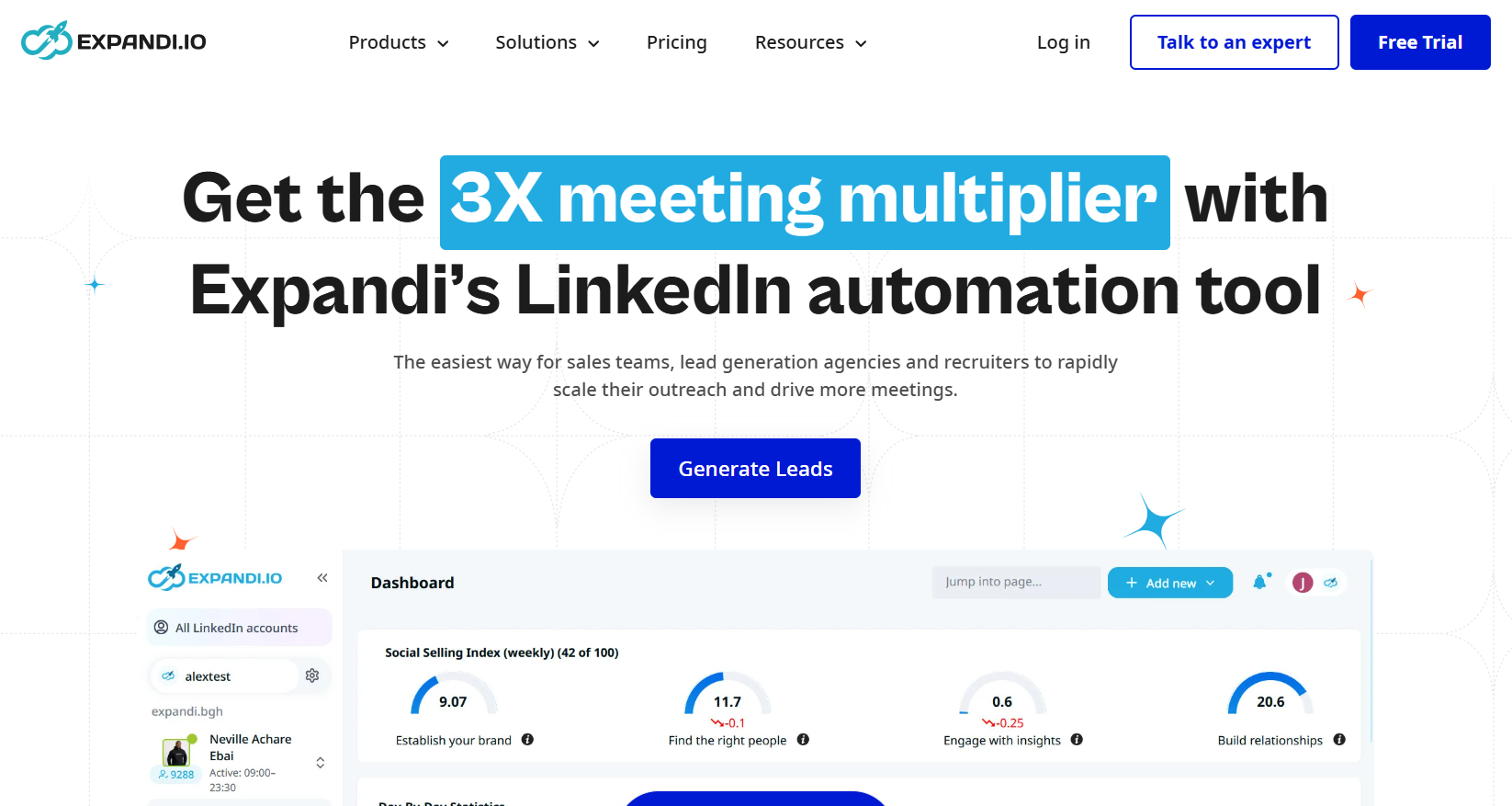
Of the tools here, Expandi is closest to the idea behind We-Connect's Lead Engine, since its Smart Sequences route each prospect by what they did, not by a fixed timer.
Expandi publishes a single $79 plan, and email follow-ups are part of it from the start.
If per-account warm-up is your deciding factor, Expandi is the one I'd trial first.
Features
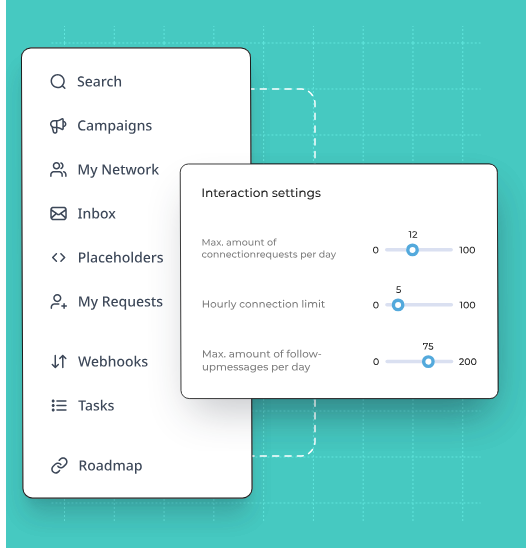
- Conditional branching: Smart Sequences split after an accepted invite, a reply, a profile visit, an email open, or post engagement, so two prospects in one campaign can end up on different routes.
- Protection per account: Each profile sends from the cloud through a regional IP of its own, ramps up gradually through warm-up, and works within randomized daily ranges for every action type.
- Pre-invite engagement: A profile view or a liked post can come before the connection request, so the prospect has seen your name before the invite arrives.
- Image and video personalization: Dynamic images and GIFs through Hyperise, plus personalized video through Sendspark.
Pricing
Expandi's Business plan is $79 a month, and annual billing knocks two months off.
- Business, $79/month: the protection features, unlimited campaigns, email follow-ups inside multichannel campaigns, the builder, a statistics view for every step, plus prioritizing, scheduling, and blacklist controls.
- Agency, quoted from ten seats: one place to run every client's campaigns, permissions by role, client reporting, templates the team can share, a named success manager, and Expandi rebranded as your own product.
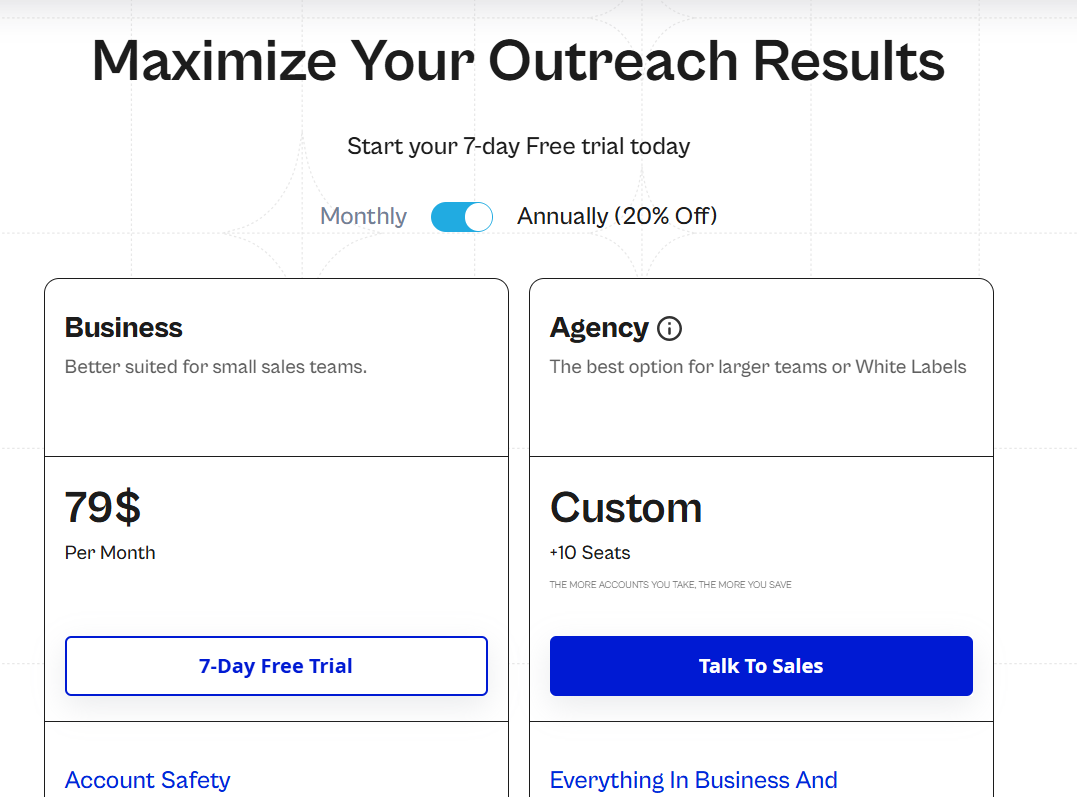
There's a 7-day free trial too.
Pros & Cons
✅ Warm-up and a regional IP come with every connected profile.
✅ A statistics view for each step points to the message that loses prospects.
❌ Dynamic images and personalized video cost extra, through Hyperise and Sendspark.
❌ Only one plan has a published price.
➡️ The tools teams usually test next to Expandi are in our Expandi alternatives roundup.
#3: Dripify
Best for: Individual reps and small teams who want LinkedIn and email in the same drip from the first paid tier.
Similar to: Waalaxy, We-Connect.
Dripify includes email steps on its $39 Basic plan, and We-Connect keeps email for its $59 Professional tier, which makes Dripify the cheaper way to run both channels in one campaign.
The trade-off is scope, because Basic covers one drip campaign and the reporting most teams want arrives two tiers up.
You'll want Pro at minimum if you plan to run more than one campaign at a time.
Features
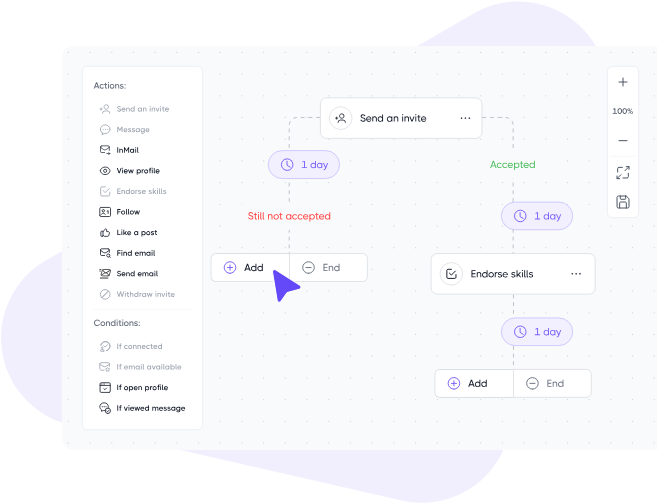
- Branching drips: Ten or more LinkedIn and email steps, separated by wait times and rules that route each lead by behaviour, with templates for standard lead generation plays.
- Fallback personalization: More than 20 fields, an icebreaker among them, plus a backup phrase whenever a profile is missing the detail a message references.
- Per-step reporting: Accepted invites and replies broken out by step on the Advanced tier, which makes a weak message easy to spot.
- Email data: Email finder credits each month on every paid plan, a verifier, and enrichment that adds roughly 30 live data points per lead.
Pricing
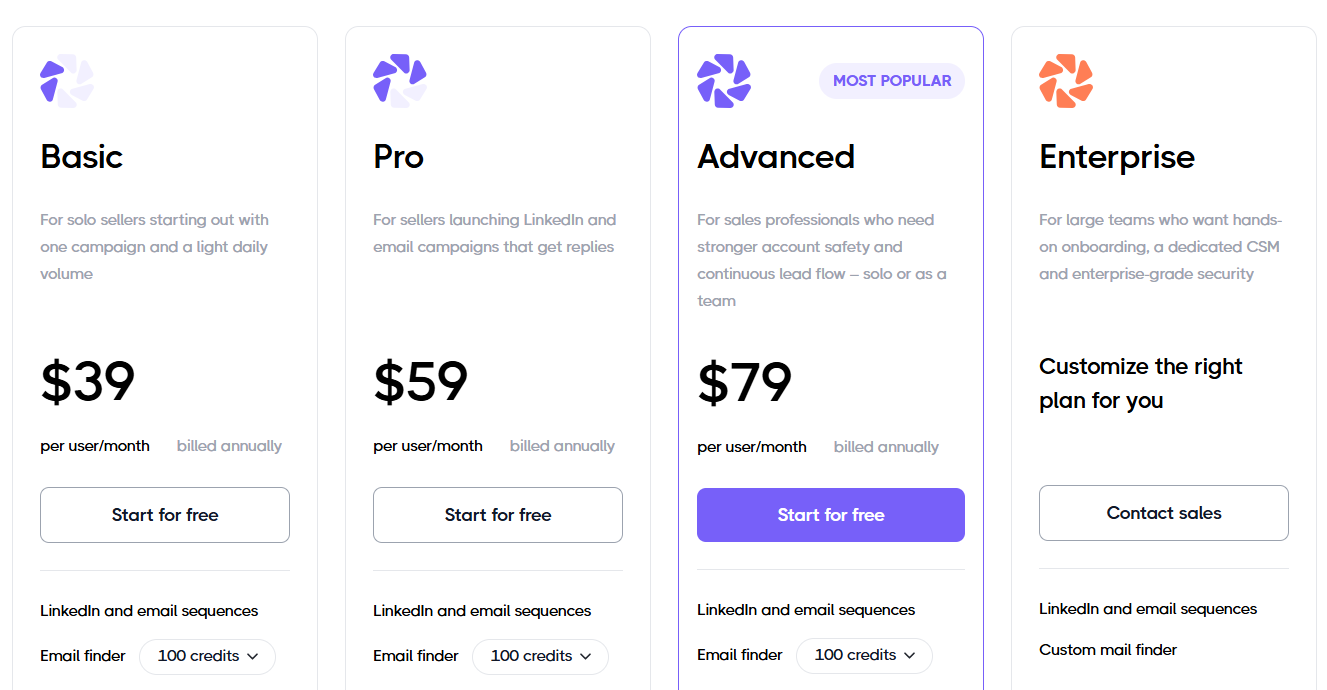
Dripify's Basic plan is $39 per user a month on annual billing, rising to $59 if you pay monthly.
- Basic, $39 billed annually: one drip campaign under limited daily quotas, ready-made sequences, reporting, protection for your LinkedIn account, and support from a live team at any hour.
- Pro, $59 billed annually or $79 monthly: campaigns without a cap, full daily quotas, its own inbox, webhook support, and exports to CSV.
- Advanced, $79 billed annually or $99 monthly: split tests and per-step analytics, lead tagging, evergreen leads, stronger account protection, and multi-team management.
- Enterprise, custom: a success manager assigned to you, with dedicated technical help and a premium onboarding program.
Pros & Cons
✅ The builder is easy to pick up for someone running automation for the first time.
✅ Any LinkedIn post can act as a rolling source of new prospects.
❌ One campaign on Basic.
❌ Step analytics and team management both need the Advanced tier.
Dripify users weighing a switch can find more options in our Dripify comparison.
#4: HeyReach
Best for: Agencies that run a large pool of LinkedIn senders and want one flat fee, with clients and assistants added free.
Similar to: Expandi, Sbl.so.
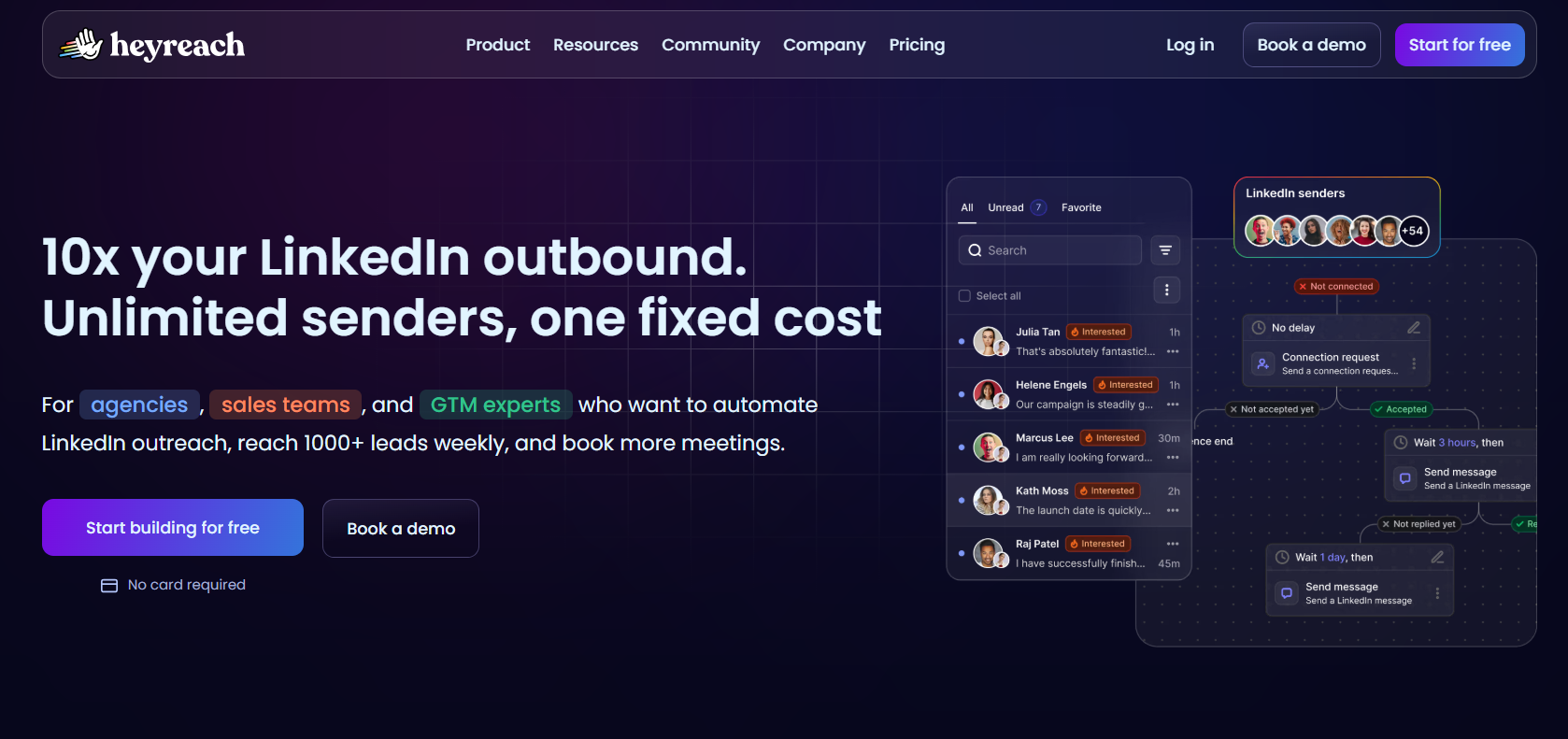
HeyReach charges for each connected LinkedIn sender and lets every other login in free, which suits agencies once accounts start to pile up.
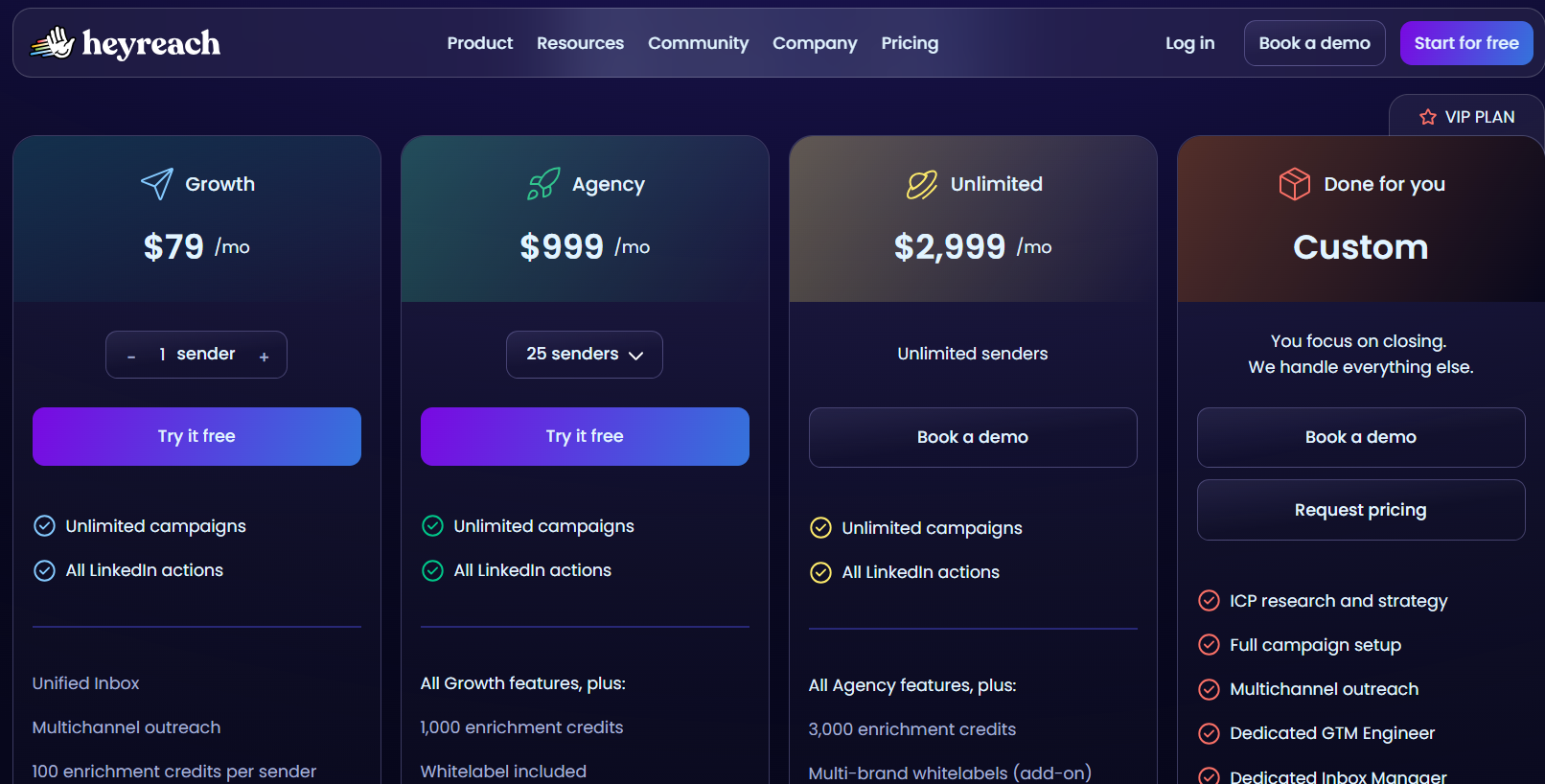
HeyReach's Agency plan covers 25 senders for $999 a month, or $799.20 on annual billing, which works out to about $32 per sender against $59 per seat for We-Connect's Professional plan on the same billing.
By my math, the annual Agency price undercuts We-Connect once you'd otherwise pay for 14 or more Professional seats, though HeyReach's price leaves email out.
Agencies already on HeyReach and looking elsewhere can check our HeyReach alternatives list for the opposite move.
Features
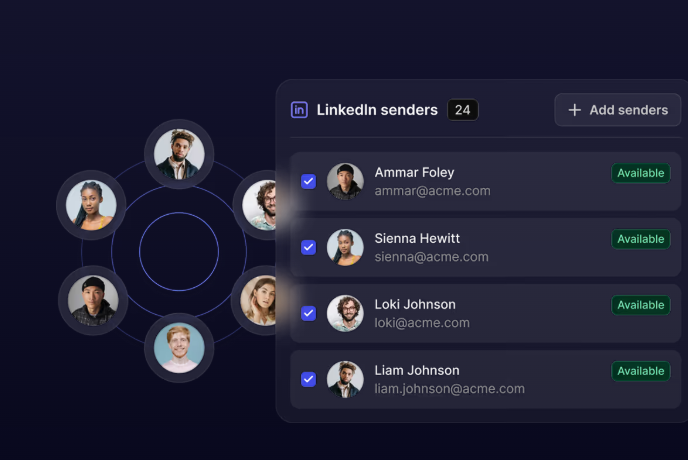
- Rotation across senders: Each campaign spreads its volume over every connected account, and capacity grows with each profile you add.
- One inbox for every account: Conversations from all senders arrive together, and a manager can step into any of them, voice reply included.
- Imports from your stack: Lists flow in from Sales Navigator, Clay, RB2B, HubSpot, or anything else that pushes contacts, and an "If Connected" condition keeps first-degree contacts on their own path.
- Built for AI agents: An MCP server lets an AI assistant start campaigns and fetch reports in conversation, next to an API, webhooks, and a command line tool.
Pricing
HeyReach starts at $79 a month for one sender, and paying annually takes 20% off.
- Growth, $79/month: one sender, with a dedicated residential proxy.
- Agency, $999/month: 25 senders plus white label, on proxies you provide.
- Unlimited, $2,999/month: no sender cap across several workspaces, again with your own proxies.
- Done for you, custom: HeyReach's team runs the campaigns.
Growth's trial runs 14 days with three LinkedIn accounts and no card, and the two larger plans can be trialled for 30 days on request.
Companies under $250,000 ARR with fewer than five people can also apply for a discounted early-stage program.
Pros & Cons
✅ The price per sender drops as the pool grows.
✅ A HubSpot-verified sync, plus Clay and n8n connections.
❌ No built-in email outreach.
❌ Proxies are yours to manage on the larger plans, with HeyReach offering help.
#5: La Growth Machine
Best for: Teams that would add phone calls and X touches to their LinkedIn and email flow, with billing tied to sending profiles.
Similar to: Lemlist, Meet Alfred.
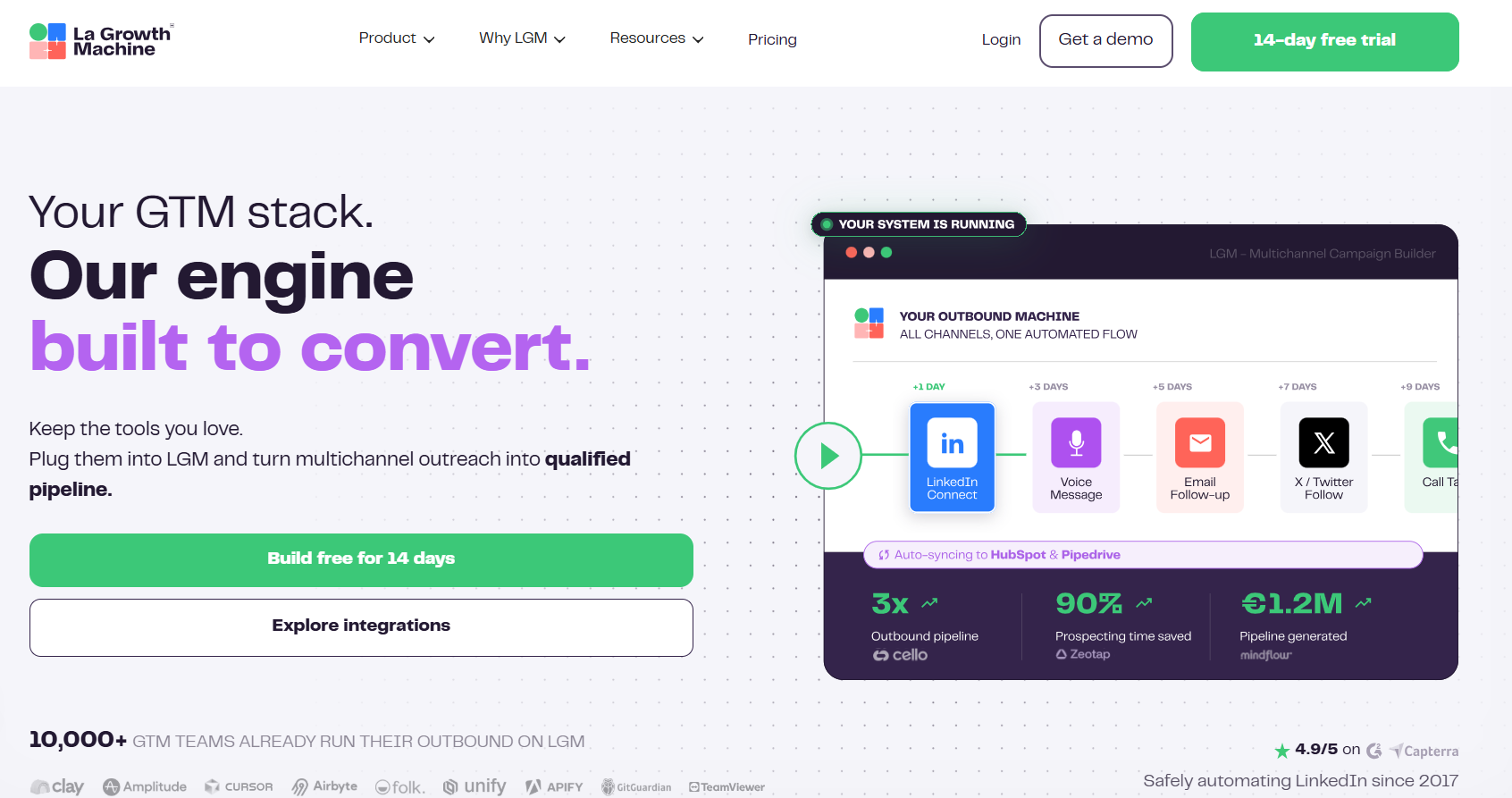
La Growth Machine runs LinkedIn, email, calls, and X in one sequence, adding two channels We-Connect doesn't cover.
Billing is per identity, and a colleague who only answers replies joins without taking a seat.
It's ideal to start on Pro if calls are part of your plan, since Basic stops at LinkedIn and email.
Features
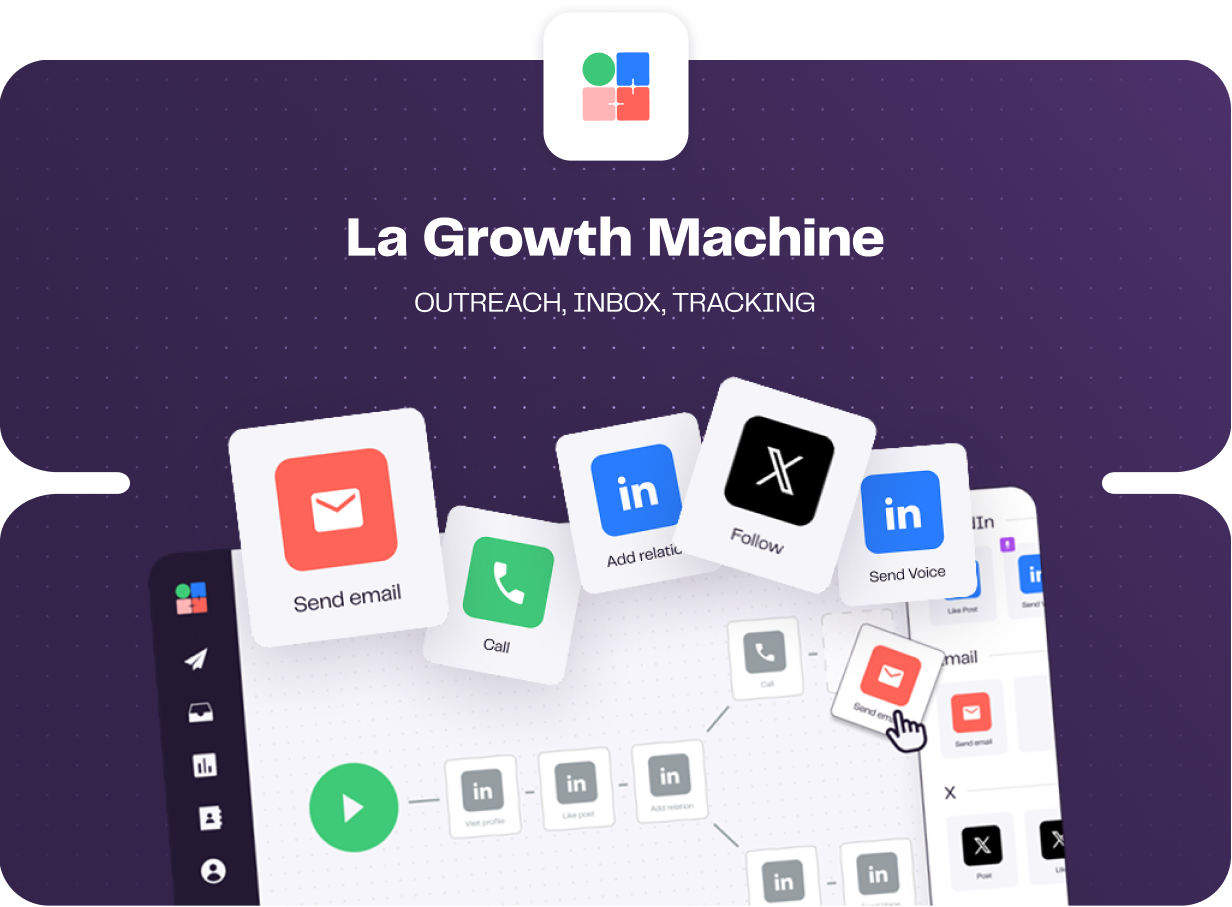
- Behaviour-based paths: Each lead's route depends on what they did, and split tests can compare subject lines, copy, or a connection request with and without a note.
- LinkedIn voice notes at scale: A single recording goes to many prospects, each one opening with a line the AI writes for that person.
- Inbox shared across channels: LinkedIn and email replies share one view you can filter by identity or campaign, and labels applied there flow into HubSpot or Pipedrive.
- Enrichment allowance: Verified emails and profile data arrive each month on every plan, pulled through several providers in sequence.
Pricing
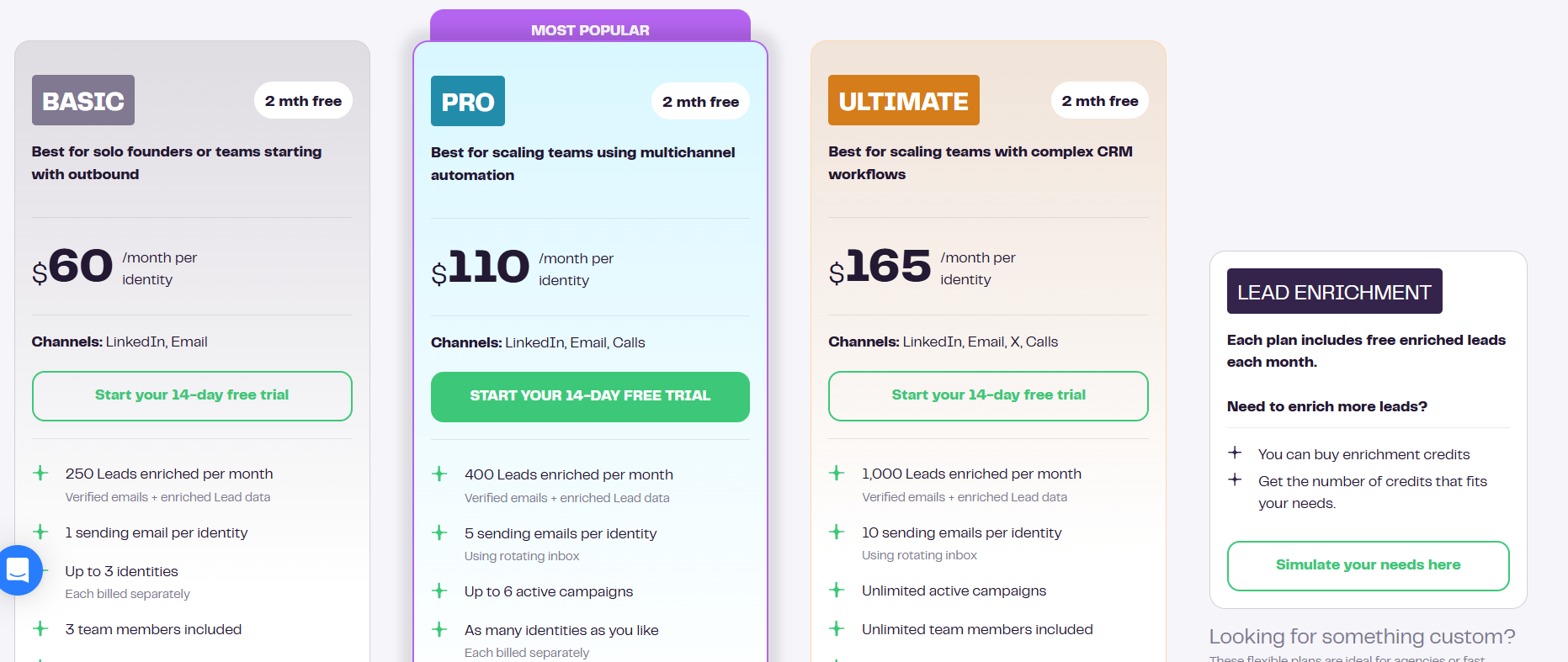
La Growth Machine's Basic plan is $60 per identity a month, with two months free if you pay annually.
- Basic, $60 per identity: email and LinkedIn steps, one sending address, and 250 leads enriched each month, for at most three identities and three teammates.
- Pro, $110 per identity: phone calls join the sequence, enrichment rises to 400 leads, and you get six live campaigns, five rotating addresses, social warming, and 25 free seats for teammates.
- Ultimate, $165 per identity: X joins as well, with enrichment at 1,000 leads, ten addresses, no campaign or teammate cap, and a two-way sync to either HubSpot or Pipedrive.
- Agency, custom: available from six identities.
A 14-day trial is available without a card.
Pros & Cons
✅ X and calls run in the same flow as LinkedIn and email.
✅ Data enrichment comes with every plan, every month.
✅ Split testing extends to whether a connection request carries a note.
✅ Two-way CRM sync arrives on Ultimate.
❌ Costs climb with each sending identity.
❌ Sync errors and interface lag came up in a G2 review.
➡️ More options for teams leaving this platform are in our La Growth Machine alternatives article.
#6: Waalaxy
Best for: Beginners who want a LinkedIn campaign running from a template within an afternoon, straight from a Chrome extension.
Similar to: Dux-Soup, Dripify.
Waalaxy runs as a Chrome extension on LinkedIn, and its 99 ready-made sequences mean there's no workflow to design before launching.
Its intent triggers come closest to what We-Connect describes for Watchlist, since they capture post reactions and competitor engagement on their own.
Based on my experience, Waalaxy suits someone launching a first campaign better than a team running several in parallel.
Features
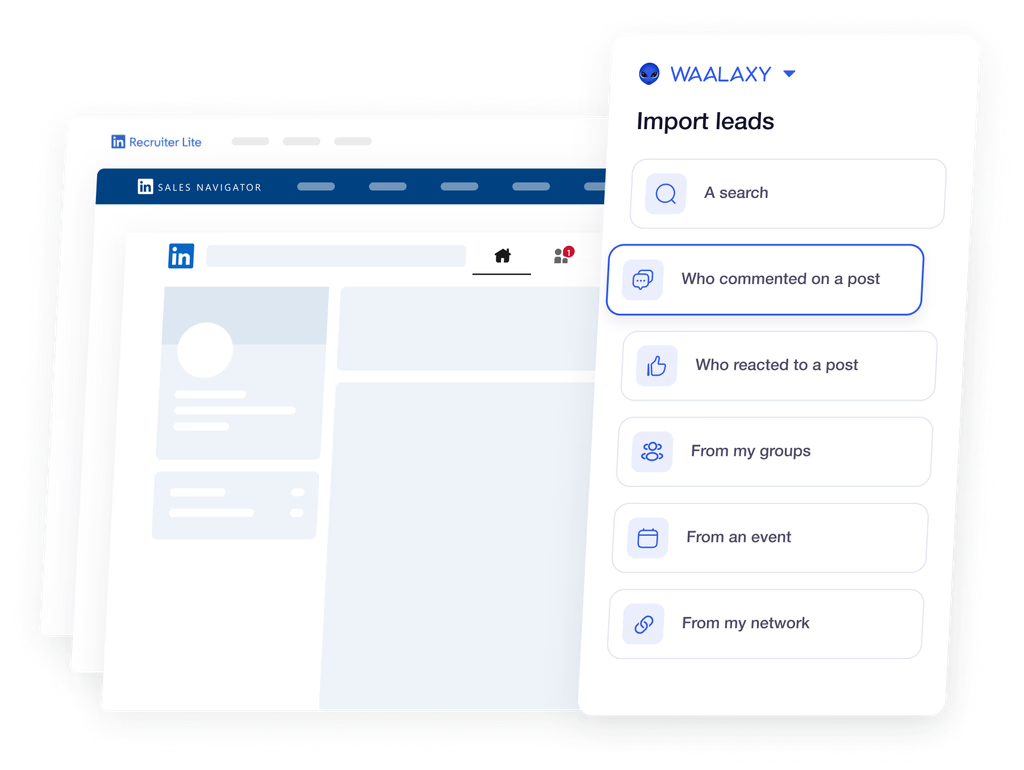
- Templates for every starting point: Campaigns start from ordinary LinkedIn searches, Sales Navigator lists, and Recruiter Lite alike, and reply detection takes anyone who responds out of the flow.
- Captured intent: People who react to or comment on your posts are added automatically, along with those engaging with rival companies or prominent voices in your space.
- Email follow-ups on Business: Business-tier campaigns can add email steps using address-finder credits, which Waalaxy says match above 61% of the time.
- Shared team setup: Prospect lists, permissions, and an analytics view are shared across reps, and Waalaxy checks for overlap before two people contact the same lead.
Pricing
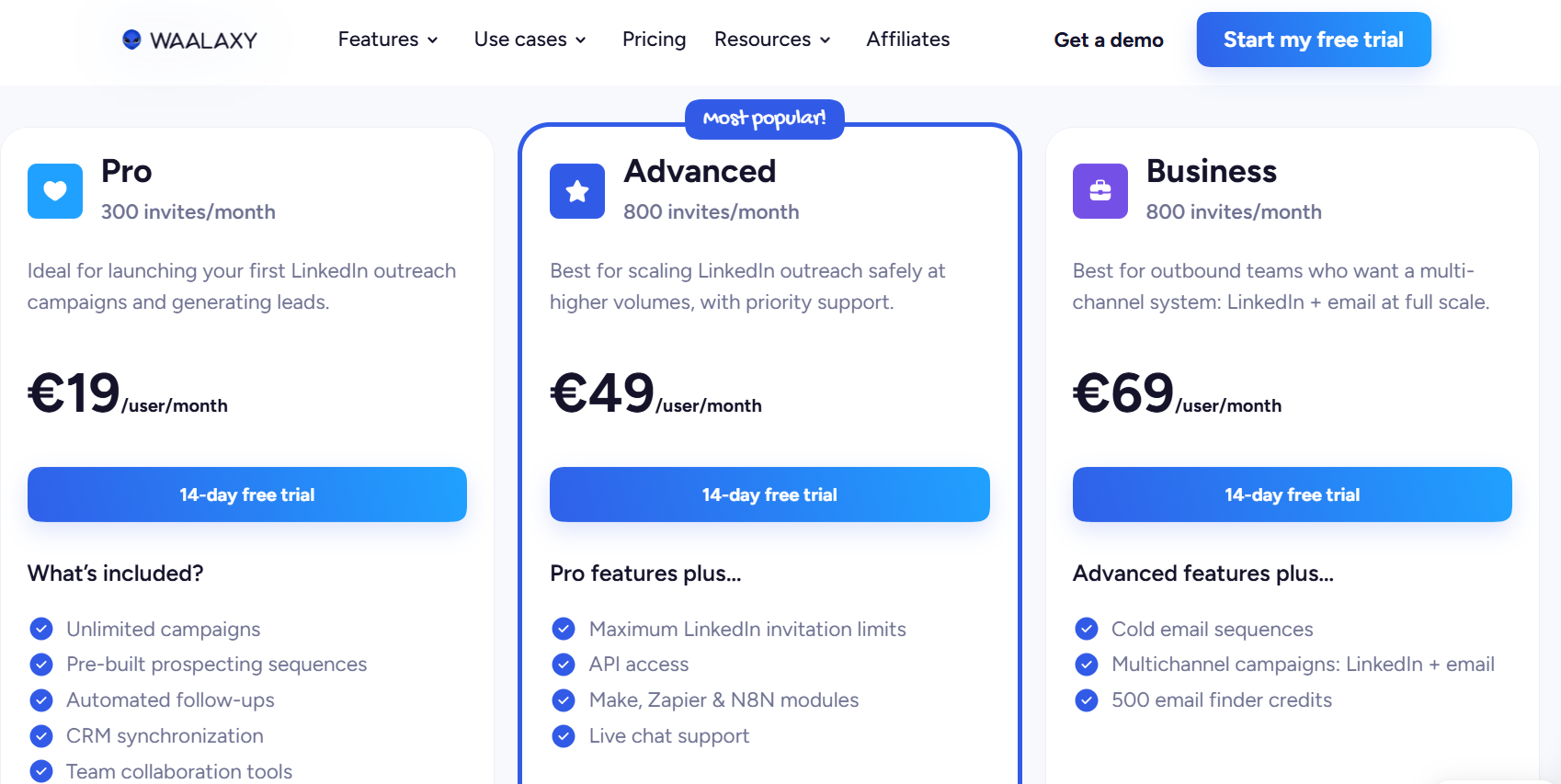
Waalaxy charges €19 per user a month on Pro, with lower rates if you commit for longer.
- Pro, €19/user/month: up to 300 invitations monthly, campaigns without a cap, the full template set, automated follow-ups, and a CRM sync.
- Advanced, €49/user/month: 800 invitations, the API, Make, Zapier, and n8n modules, plus chat support.
- Business, €69/user/month: cold email sequences and joint LinkedIn and email campaigns, backed by 500 address-finder credits a month.
- Inbox add-on: priced on top of any tier, with 500 conversations to try it free.
Waalaxy's free trial is 14 days, no card required.
Pros & Cons
✅ 99 ready-made sequences remove most of the setup work.
✅ Intent-based imports fill lists without manual research.
❌ Email waits for the Business tier.
❌ Some G2 reviewers have raised concerns about pricing.
We compare Waalaxy with other beginner-friendly tools in a Waalaxy alternatives breakdown.
#7: Lemlist
Best for: Email-first teams that want LinkedIn and phone steps around their email, with deliverability tools built in.
Similar to: Reply.io, La Growth Machine.
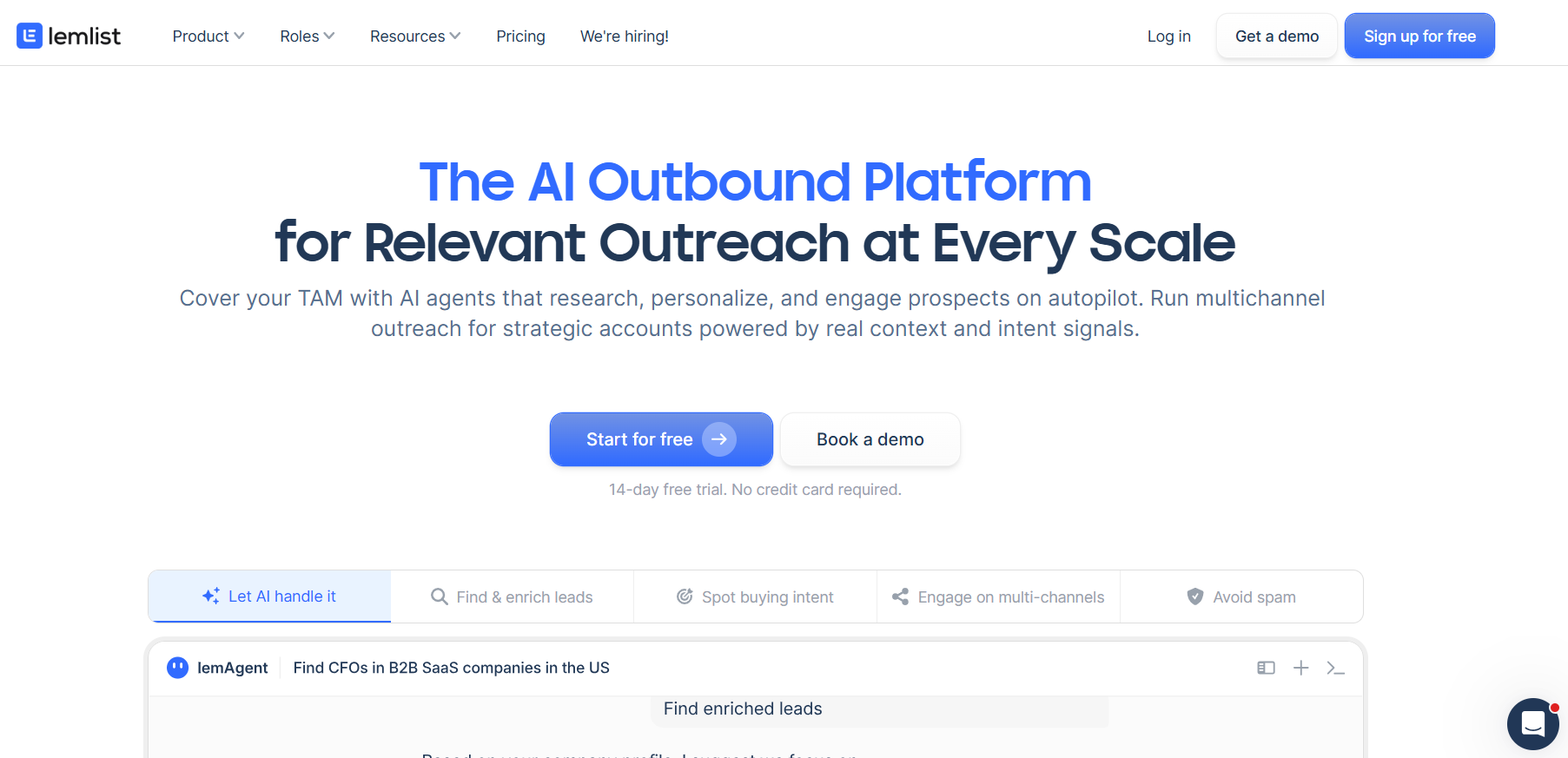
Lemlist starts from email and builds LinkedIn, phone, WhatsApp, and SMS around it, which is the mirror image of We-Connect's LinkedIn-first design.
Its signal agents watch for hiring, role changes, funding rounds, and website visits, covering some of the ground Watchlist targets from outside LinkedIn.
I'd only pick Lemlist over We-Connect if email already drives most of your replies.
Features
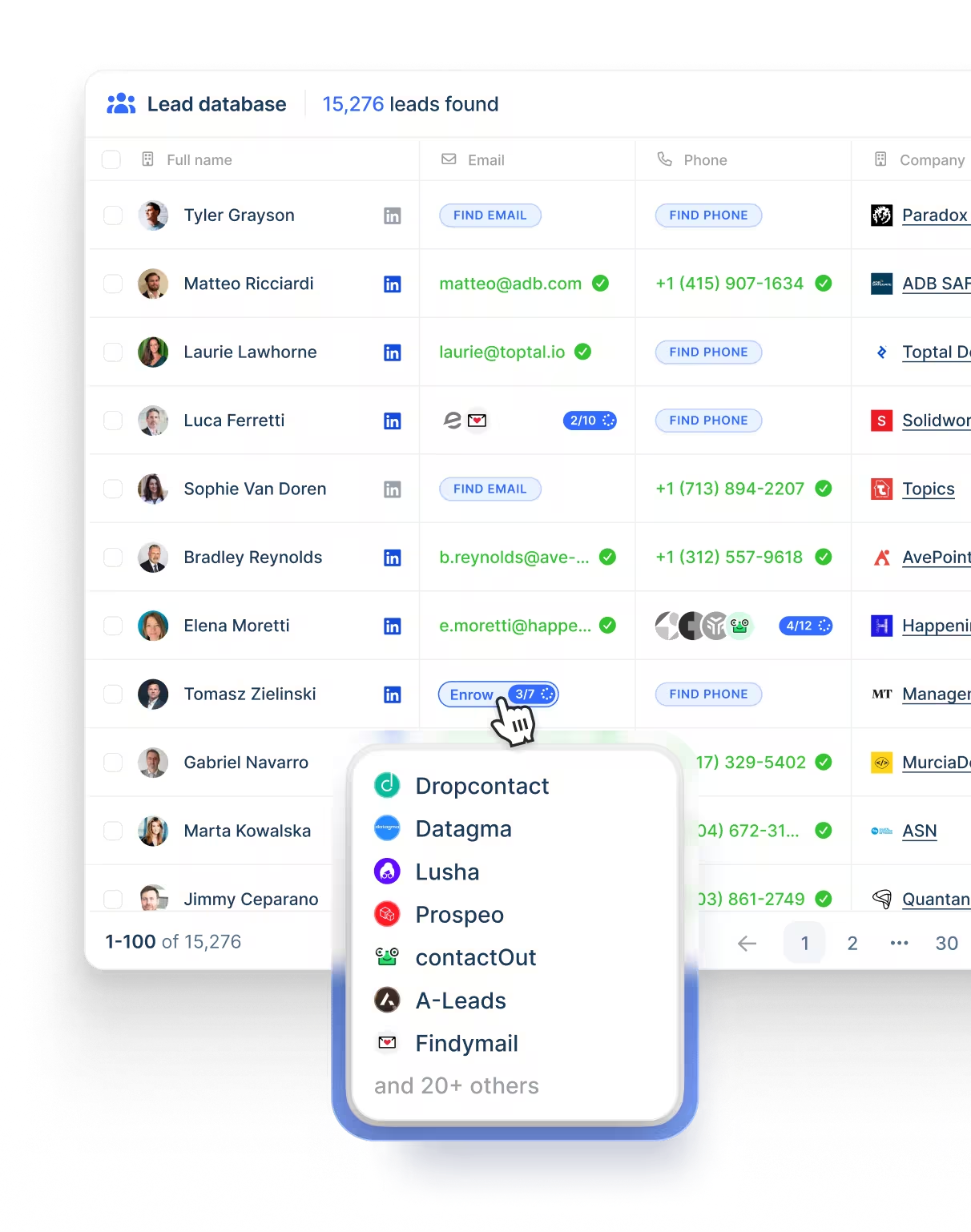
- Multichannel conditions: A sequence can open on email and move a lead to LinkedIn, a phone call, WhatsApp, or SMS, with conditions picking the steps per lead.
- Deliverability Hub: Warm-up, rotation across inboxes, limit management, and DNS checks, with early warnings before a mailbox gets into trouble.
- Contact data: A database of more than 650 million records with email and phone lookup, billed through credits.
- lemAgent: An agent that researches accounts and tidies data before outreach starts.
Pricing
Lemlist's entry plan is $55 a month billed yearly, and LinkedIn automation starts on Multichannel at $87 per user.
- Email, $55 yearly or $69 monthly: no limit on users or senders, 50,000 messages a month, the Deliverability Hub, and the contact database.
- Multichannel, $87 per user a month yearly or $109 monthly: LinkedIn automation, a dialer, SMS, and unlimited messages, with five senders for each user and WhatsApp on top as an add-on.
- Enterprise, custom: SSO, roles you define yourself, priority support, and a dedicated account manager.
- Credits: a verified address costs five and a phone number costs 20, while each intent signal is priced separately from 20.
Lemlist offers a two-week free trial.
Pros & Cons
✅ WhatsApp and calling run in the same sequence as LinkedIn, which is rare on this list.
✅ Warm-up and domain monitoring need no second vendor.
❌ Enrichment and intent signals draw on credits.
❌ The full feature set takes time to learn, per one G2 reviewer.
➡️ Teams comparing Lemlist further can use our Lemlist competitor list.
#8: Sbl.so
Best for: Founder-led sales with no SDR on staff, where AI can run LinkedIn conversations all the way to a booked call.
Similar to: HeyReach, Reply.io.
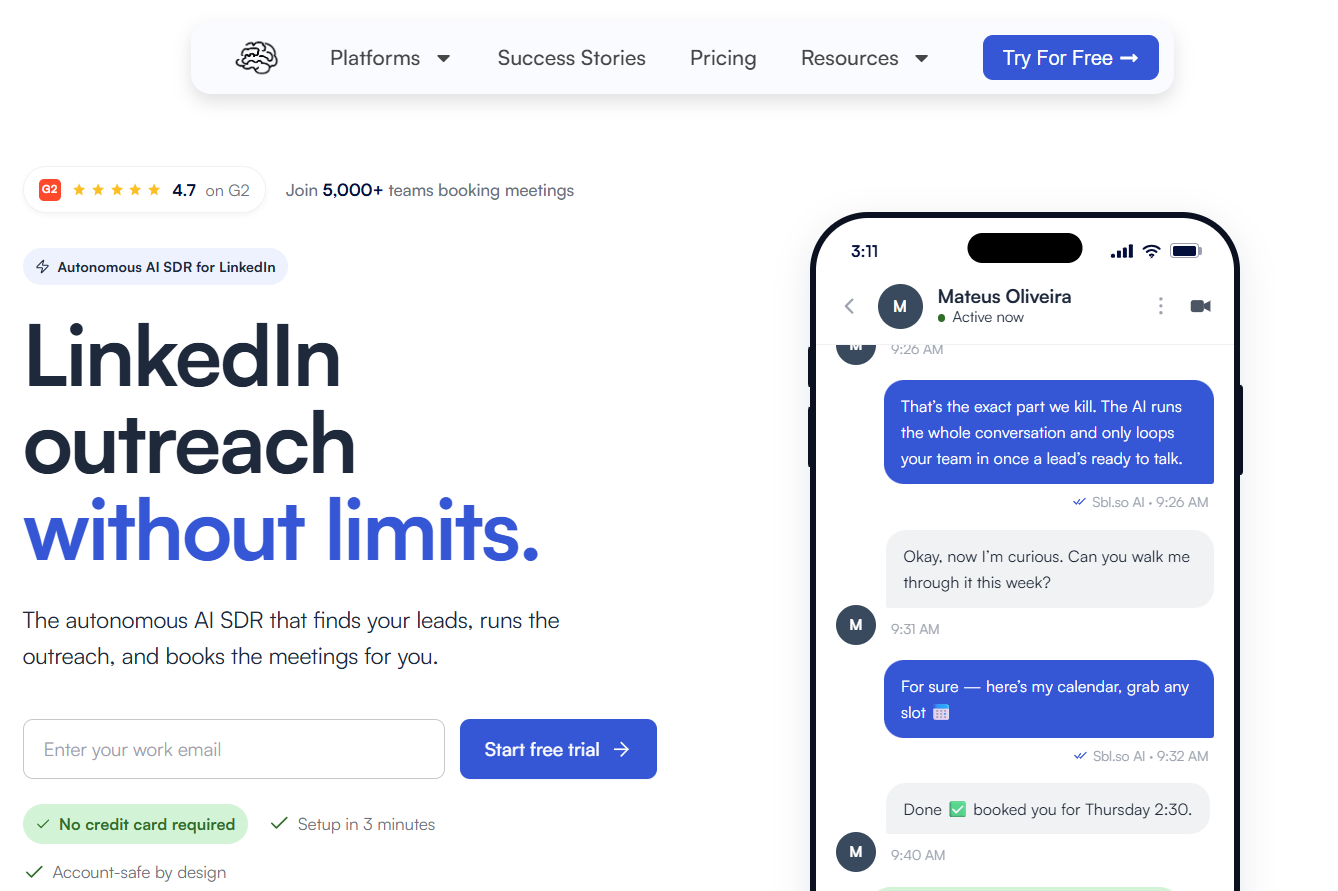
If We-Connect's autonomous auto-reply appeals to you, Sbl.so takes the idea further, with AI running the conversation from first message to booked meeting.
Sending happens from warmed profiles Sbl.so supplies, keeping your own LinkedIn account out of campaign volume.
Before choosing Sbl.so, confirm your buyers actually answer on LinkedIn or WhatsApp, because those are the only channels it covers today.
Features
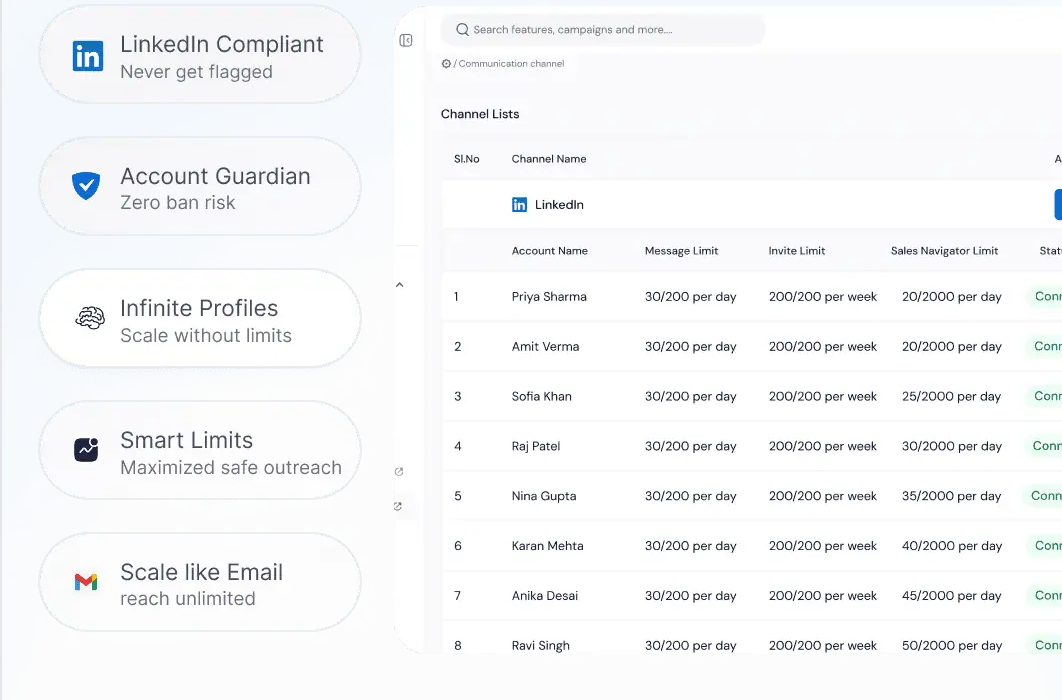
- Daily signal lists: New names arrive every day from job moves, funding announcements, competitor engagement, and profile activity, each one scored against your ideal customer.
- Pooled sender profiles: Pre-warmed accounts share the sending load, so no single profile carries a whole campaign.
- Multilingual AI replies: The AI holds conversations in over a hundred languages and can send voice messages in a clone of your voice, then passes the lead to a person once they warm up.
- CRM and inbox included: Calendar booking, a team inbox, live analytics, and a mobile app, with connections to HubSpot, Salesforce, Pipedrive, Slack, Zapier, n8n, and Make.
Pricing
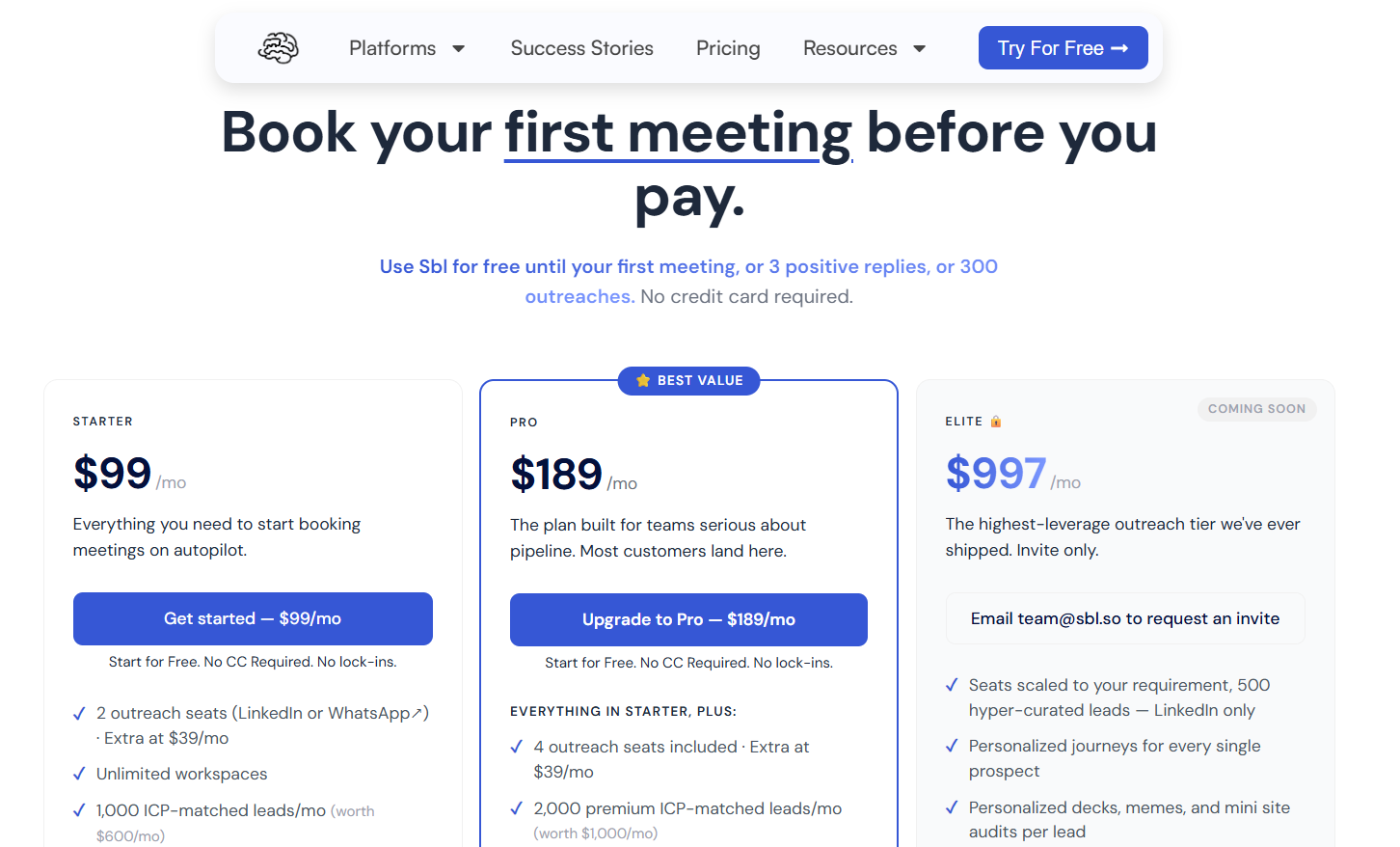
Sbl.so costs $99 a month on Starter, and each seat beyond the included ones is $39.
A seat covers one LinkedIn or WhatsApp account, and the trial stays free until your first meeting, three positive replies, or 300 outreaches.
- Starter, $99/month: two seats and 1,000 leads matched to your ICP each month, signals drawn from reactions on your own posts, AI replies in over 100 languages, Sales Navigator extraction without limits, two users, and priority support.
- Pro, $189/month: four seats and 2,000 premium leads, signals from job moves and funding plus competitor monitoring, voice cloning, an exportable CRM, webhooks you configure, and up to ten users.
- Elite, $997/month: invite-only and listed as coming soon, built around 500 hand-picked leads and a tailored journey per prospect.
- Enterprise, custom: designed around your workflow or compliance requirements.
Pros & Cons
✅ Buying signals refresh the list daily with no manual work.
✅ Your personal profile never carries campaign volume.
❌ LinkedIn and WhatsApp only, with email planned.
#9: Reply.io
Best for: Email-heavy sales teams that want calls and WhatsApp steps around LinkedIn, and may hire an AI SDR later.
Similar to: Lemlist, La Growth Machine.
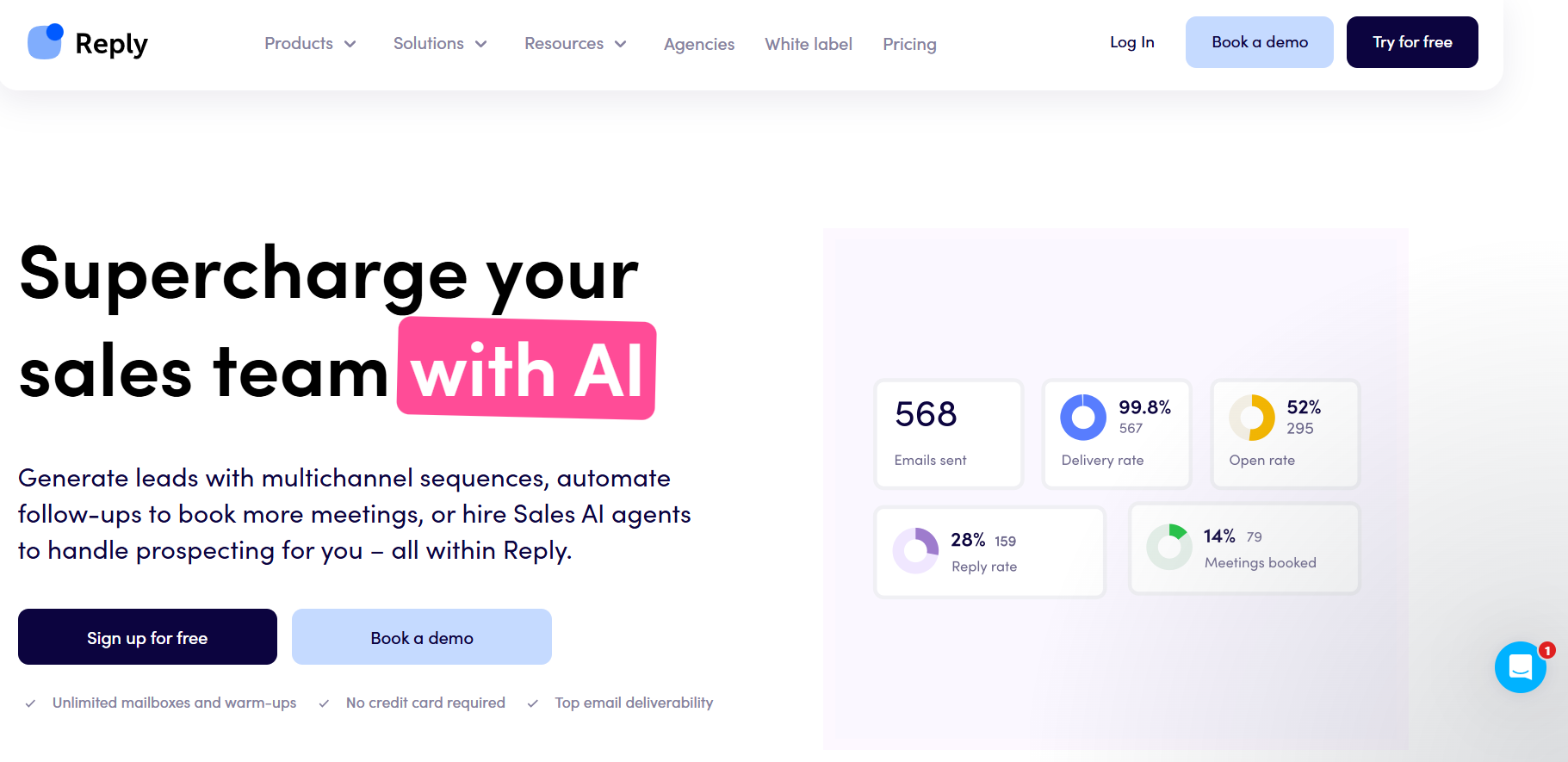
In Reply.io, LinkedIn is one module among several, priced at $69 a month per account on the Email Volume plan and bundled into Multichannel.
For a We-Connect user, Reply.io makes sense once email volume or calling has grown as large as the LinkedIn side of outreach.
You'll want to price both plans against your LinkedIn account count, because Email Volume charges per account and Multichannel bundles LinkedIn per user.
Features
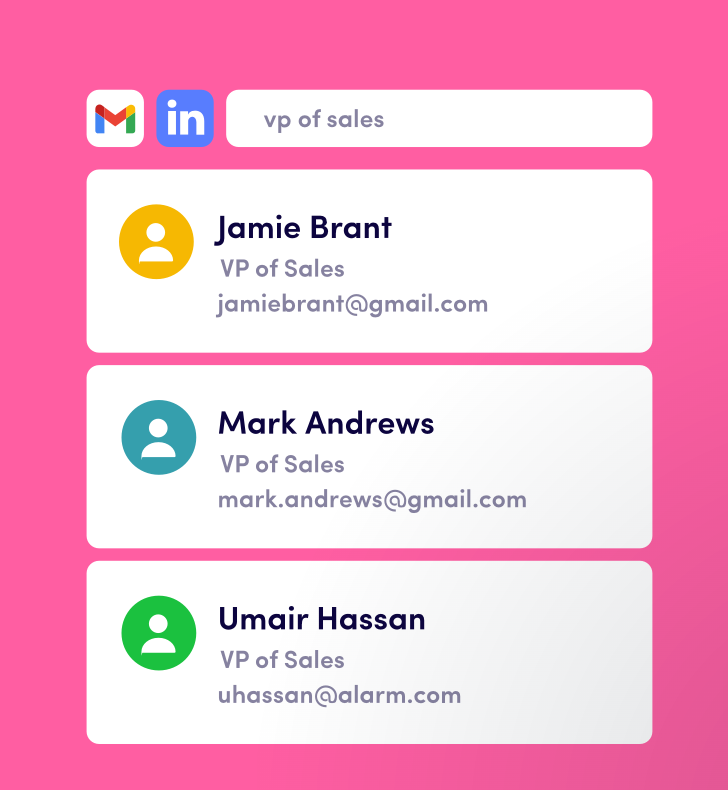
- LinkedIn module: Invitations, messages, InMails, voice notes, and file attachments, plus likes, follows, and skill endorsements, each either automated or queued as a task you approve.
- Conditional sequences: Email, LinkedIn, calls, SMS, and WhatsApp steps adapt to replies and actions, and a Zapier step connects any other channel.
- Mailbox setup in the app: Domains and Google or Microsoft mailboxes, new or pre-warmed, can be bought inside Reply.io, with DNS records configured automatically.
- Outbound from AI tools: An MCP server lets Claude Code, Cursor, and other MCP clients start campaigns and pull results by command.
Pricing
Reply.io's Email Volume plan starts at $49 a month billed annually, and Multichannel starts at $89 per user.
- Email Volume, from $49 a month: no cap on users or mailboxes, 1,000 active contacts, and LinkedIn priced at $69/month per account with calls and SMS at $29/month per user.
- Multichannel, from $89/user/month: unlimited active contacts, ten mailboxes per user, LinkedIn, calls, and SMS, semi-automated WhatsApp, and onboarding with a customer success manager.
- Jason AI SDR, from $500/month: an autopilot or copilot AI SDR, with the Growth tier at $1,500 a month covering 5,000 active contacts and ten LinkedIn accounts.
- Agency Core, from $210/month: client workspaces, unlimited clients, users, and mailboxes, an agency dashboard, and optional white label.
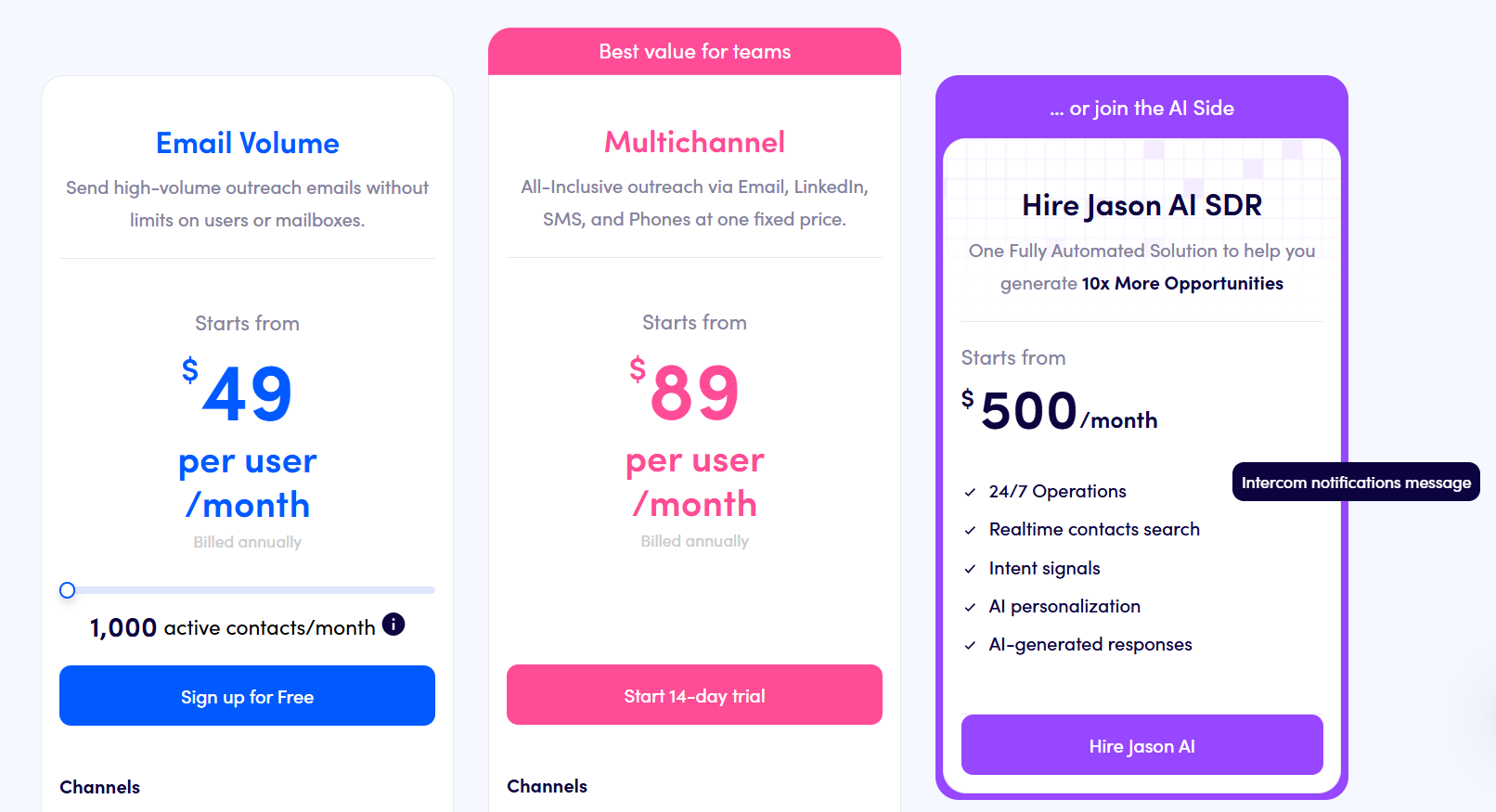
The 14-day free trial doesn't require a card.
Pros & Cons
✅ Five channels branch inside one sequence.
✅ Mailbox purchase and DNS setup happen inside Reply.io.
❌ LinkedIn costs extra on Email Volume.
❌ A G2 reviewer would like to run email and LinkedIn actions in parallel within one sequence.
#10: Dux-Soup
Best for: Individuals and lean teams who want LinkedIn drip campaigns at the lowest price on this list, as a browser extension or in the cloud.
Similar to: Waalaxy, Dripify.
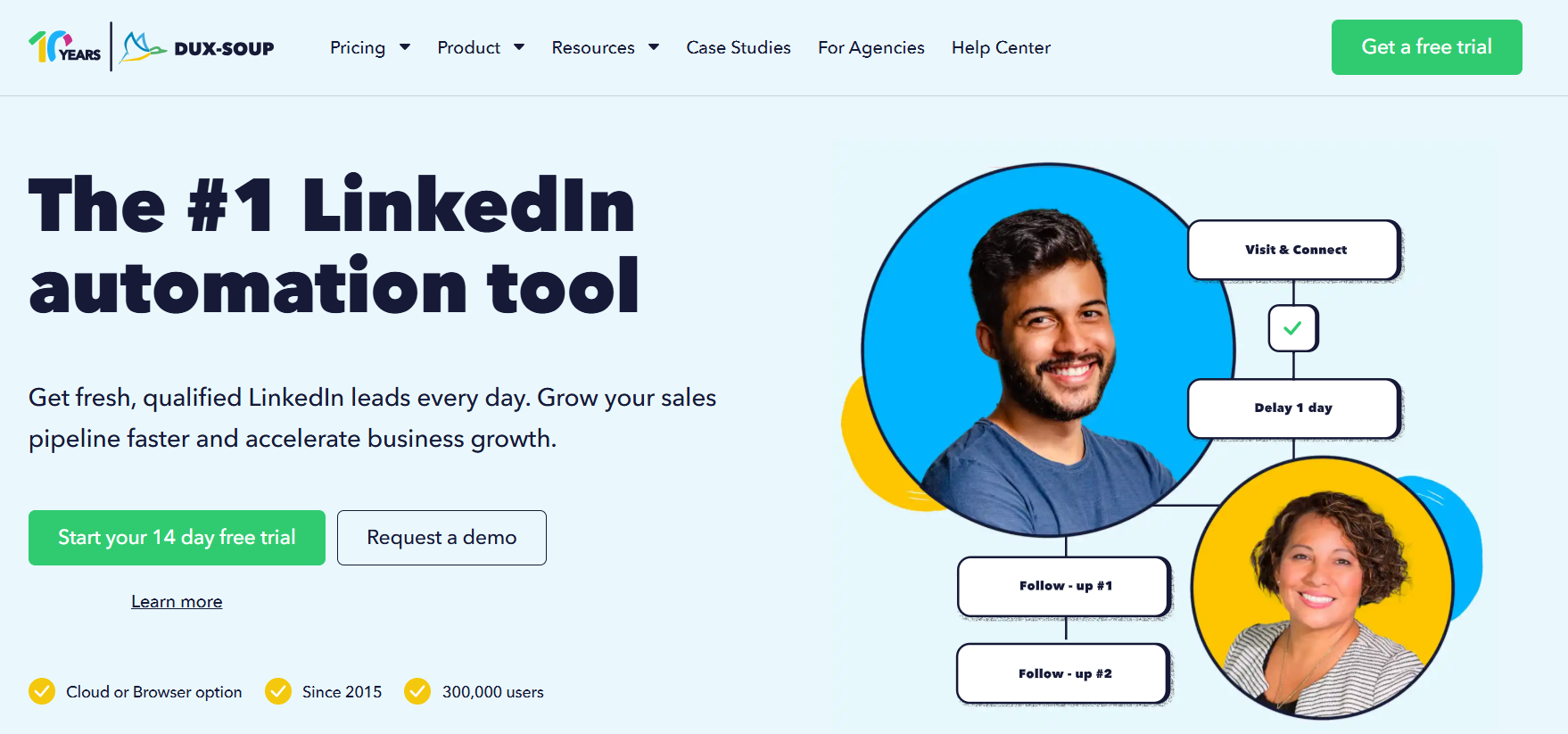
Dux-Soup sells three editions under one name: browser extensions that work on your own LinkedIn, Recruiter, or Sales Navigator account, and a cloud version that keeps running when your computer is off.
Against We-Connect's $49 Growth seat, Dux-Soup's Turbo tier costs €36.25 a month on annual billing, though Dux-Soup doesn't send email.
I’d say that Cloud Dux is the edition to compare with We-Connect, since both are hosted in the cloud.
Features
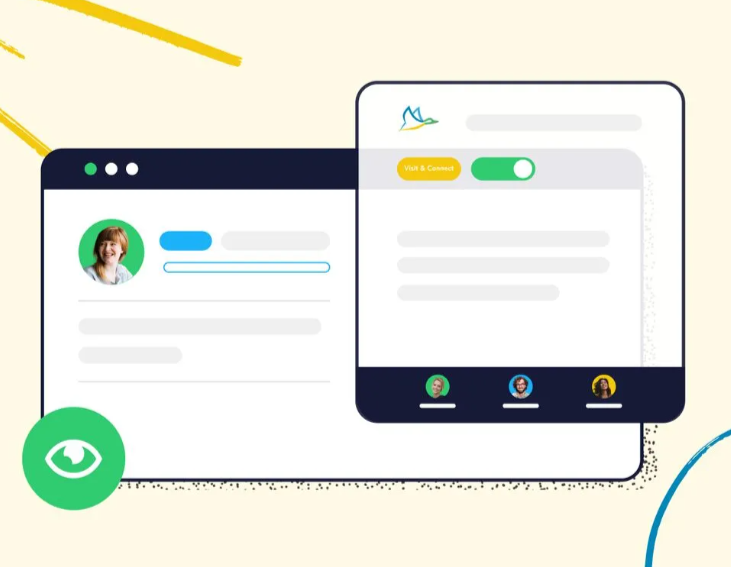
- Drip campaigns with up to 12 actions: Endorsements, follows, InMails, connection requests, messages, profile visits, and post likes, arranged by drag and drop with your own delays between them.
- Response detection: A reply pulls the prospect out of the drip immediately, so nobody gets an automated nudge mid-conversation.
- AI personalization: Messages are written against each prospect's profile, and the Turbo tier adds an AI response assistant.
- Dux-Dash: A hub for campaign stats and lead and contact management, with one inbox for every conversation and native integrations sending leads into your CRM.
Pricing
Dux-Soup's Pro Dux tier is €12.99 a month, or €9.92 a month on annual billing.
- Pro Dux, €12.99/month or €9.92 annually: personalized connection invites, messaging for first-degree contacts, profile visits with tagging, post likes, and exports to CSV.
- Turbo Dux, €49/month or €36.25 annually: drip campaigns without a cap, AI-written personalization, stats per campaign, the lead dashboard, and CRM connections.
- Cloud Dux, €88/month or €65.83 annually: the hosted edition that Dux-Soup keeps running and monitors for you.
- Cloud Agency, €330/month: one dashboard covering any number of LinkedIn accounts, sold from five client seats.
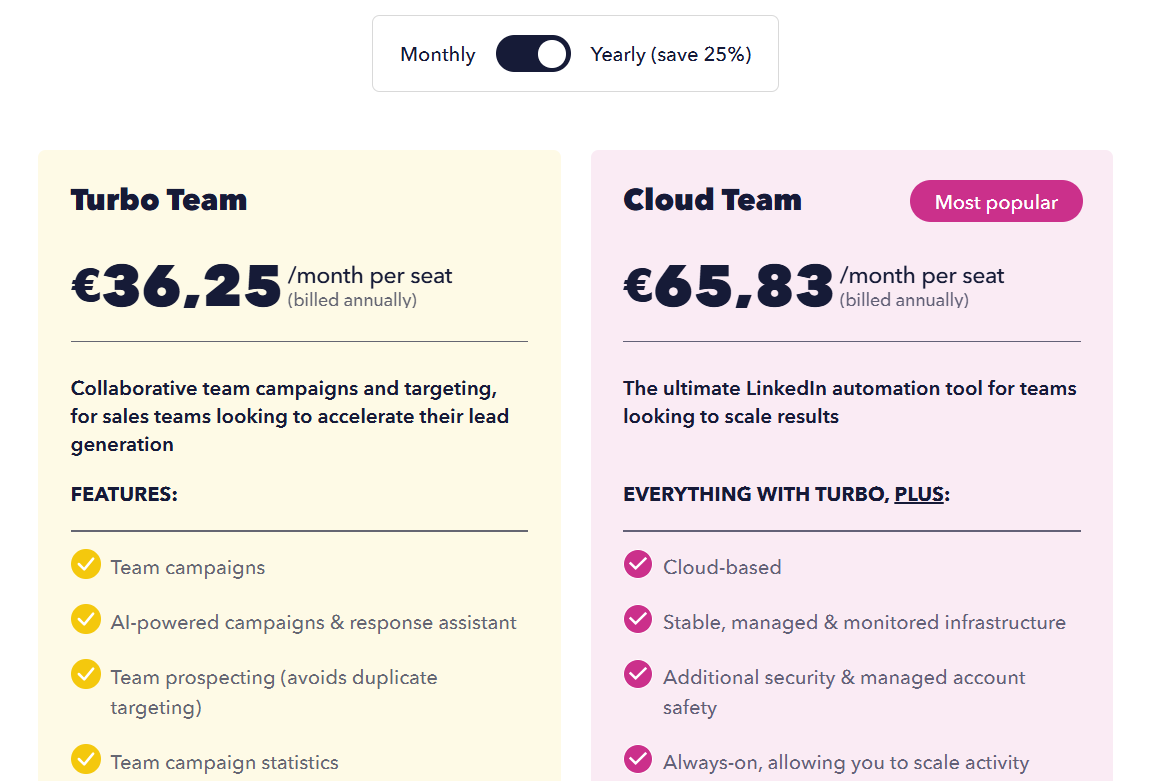
The free trial covers the Turbo feature set for 14 days.
Pros & Cons
✅ The lowest entry price here, under €10 a month billed annually.
✅ The extension works from your own LinkedIn account, without handing credentials to a third party.
❌ No email steps.
❌ The interface looks dated to at least one G2 reviewer.
Which We-Connect alternatives handle AI replies and buying signals?
Sbl.so and Reply.io's Jason AI SDR are the furthest along on AI replies, and Waalaxy and Lemlist come closest to We-Connect's Watchlist for spotting interest before the first message.
The AI and signal features break down like this:
- AI that answers prospects: Sbl.so books meetings straight from its AI conversations, and Jason AI SDR works on autopilot or copilot, with Dux-Soup's response assistant as a lighter option.
- Signals from LinkedIn activity: Waalaxy captures post reactions and competitor engagement, and Sbl.so refreshes its list from job changes and funding news, while Lemlist's agents flag hiring and site visits.
- AI for writing: Meet Alfred personalizes from profile data, La Growth Machine writes a custom opening for each voice message, Dux-Soup's AI writes against each prospect's profile on Turbo, and We-Connect's AI Assist drafts connection notes.
- AI assistants running campaigns: HeyReach and Reply.io both offer MCP servers, so Claude or another assistant can launch campaigns and pull reports in conversation.
In my experience, signals pay off when the message that follows mentions the signal, and that's why separate copy for post engagers and for cold leads is ideal whichever tool you pick.
➡️ For more on building lists from engagement, our LinkedIn prospecting tools roundup compares the sourcing side in detail.
When is We-Connect still the right choice?
We-Connect stays the right choice if you want AI to answer LinkedIn replies on its own and your outreach doesn't need channels beyond LinkedIn and email.
I'd stay put in these cases:
- You want AI auto-reply in autonomous mode at $49 to $59 a seat.
- You like scoring and routing leads in a visual builder like the Lead Engine and are comfortable working in a beta.
- Your CRM is Zoho, Pipedrive, HubSpot, or Salesforce, and you want a native sync from the Professional tier.
- You plan to use Watchlist and the intent agents once the Scale plan launches.
Is Meet Alfred as safe as We-Connect for LinkedIn automation?
On the core protections, yes: Meet Alfred and We-Connect both send from the cloud with a dedicated IP for each account and pace actions like a person would.
Where they differ is in the settings around those protections.
The table compares each safety control side by side:
Neither tool can stop LinkedIn from spotting automation, and you'll want to keep limits conservative for the first few weeks on any new account while personalizing every message.
If an account does get restricted, our guide on how to unrestrict a LinkedIn account walks through recovery, and the dos and don'ts guide covers prevention.
Try Meet Alfred free
Meet Alfred brings LinkedIn automation, email, X, and social scheduling into one subscription, letting a We-Connect user swap a LinkedIn tool and a posting add-on for one platform.
If I were switching, I'd rebuild my best LinkedIn sequence in Meet Alfred first, then add an email step for prospects who don't accept within a week.
➡️ Start your 7-day free trial with full access and no credit card, or book a demo to see the platform with our team first.
⚠️ Disclaimer: We last reviewed this article on 5 November 2026, and if anything here looks wrong or out of date, please get in touch, and we'll recheck it.
FAQs
What is the best alternative to We-Connect?
For teams that want more channels than LinkedIn and email, Meet Alfred is the best We-Connect alternative in 2026.
It adds X outreach and social posting to four networks while matching We-Connect on cloud sending from a dedicated IP.
If AI auto-reply is the feature you'd miss most, I'd shortlist Sbl.so alongside Meet Alfred and run both trials in the same week.
Which We-Connect alternative is cheapest?
Dux-Soup is the cheapest We-Connect alternative, at €9.92 a month billed annually for its Pro Dux tier.
Waalaxy starts at €19 per user a month, and Meet Alfred's LinkedIn Only plan is $39 a seat billed annually.
The catch with the lowest tiers is scope: Pro Dux covers invitations, first-degree messages, post likes, and profile visits, while unlimited drip campaigns start on Turbo Dux.
Which We-Connect alternatives include email on the first paid plan?
Dripify includes email steps from its $39 Basic plan, and La Growth Machine and Expandi do the same at $60 and $79.
We-Connect adds email on Professional at $59, while our Multi-Channel plan adds email and X together at $49.
For a single seat, Meet Alfred comes in $10 lower and adds X, while We-Connect's Professional plan keeps the AI auto-reply.
Is We-Connect's Watchlist available yet?
We-Connect markets LinkedIn Watchlist as a new feature, but its pricing page lists Watchlist under the Scale plan, which is marked as coming soon.
If intent signals are the reason you're considering We-Connect, it's ideal to confirm availability with their team during the trial before planning around it.
Waalaxy's intent triggers and Sbl.so's daily signal lists are both live today, if you need that capability now.
Which We-Connect alternative is best for agencies?
Meet Alfred is the We-Connect alternative I'd pick for agencies, because white label and impersonation both come with our Agency plan, at $59 a seat billed annually from three seats.
We-Connect and Expandi both quote agencies from ten seats, and Expandi includes white label in that tier.
HeyReach's $999 Agency plan suits shops running 25 LinkedIn senders that don't need email from the same tool.
Does any We-Connect alternative reply to prospects with AI?
Sbl.so does, and Reply.io does through Jason AI SDR, with Dux-Soup offering a lighter AI response assistant from its Turbo tier.
Sbl.so's AI hands a lead to a person once they warm up, while Jason can run on autopilot or copilot.
My rule is to test any AI reply tool in copilot mode first and review a week of drafts before letting it send unsupervised.
Which We-Connect alternative includes post scheduling?
Meet Alfred includes social post scheduling for LinkedIn, Facebook, Instagram, and X from its Multi-Channel plan, with best-time-to-post suggestions.
We-Connect sells comparable scheduling through Post Remix at $16/seat/month, or bundles it into the upcoming Scale plan.
None of the other nine tools on this list includes post scheduling in its published plans, and that narrows the field quickly if content is part of your LinkedIn routine.
Can I keep my Sales Navigator workflow if I leave We-Connect?
Meet Alfred imports Sales Navigator searches and lists straight into campaigns, with InMail automation available too, and that keeps the workflow intact.
Waalaxy, HeyReach, Sbl.so, and Dux-Soup also work from Sales Navigator, which rarely narrows the choice.
Sales Navigator support starts on our Multi-Channel plan, and I usually steer people past LinkedIn Only if they build their lists in Sales Navigator.
Gustavo Parra is a Senior SEO & Content Strategist at Meet Alfred, where he specializes in LinkedIn automation, AI-driven outreach, and account-safe growth strategies. He works closely with product, engineering, and support teams to design automation frameworks that help sales teams and agencies scale LinkedIn outreach while minimizing risk. Gustavo focuses on turning real platform data and firsthand product experience into practical, compliance-first guidance.
Related Articles


