





Prospecting on LinkedIn covers two separate jobs: building a list worth messaging, then messaging it without the account picking up a flag.
Here are the 10 best LinkedIn prospecting tools for 2026, ranked on how much of both jobs each one covers on a single subscription.
TL;DR
- Meet Alfred is the best LinkedIn prospecting tool in 2026 for sales teams, agencies, and recruiters, as our AI Lead Finder, the LinkedIn audience sources, outreach on three channels, and a shared team inbox all bill as one subscription.
- PhantomBuster and Sbl.so are the two strongest sourcing plays here, one extracting records from more than 15 platforms, the other assembling and scoring a list from buying signals with nobody driving it.
- Lemlist and Reply.io hold prospect data inside the product, meaning a list can start somewhere other than LinkedIn search.
- La Growth Machine ships a monthly enrichment allowance on every tier and keeps a data vendor off the invoice.
- Waalaxy, Dripify, and We-Connect fit smaller teams: Waalaxy collects post reactions automatically, and Dripify pairs an email finder with roughly 30 data points per lead.
- HeyReach expects your list to arrive from Clay, RB2B, or a CRM, then charges one flat figure covering every connected sending profile.
What are the best LinkedIn prospecting tools?
The best LinkedIn prospecting tools in 2026 are Meet Alfred, PhantomBuster, and Sbl.so.
The table below covers all ten, listing the team each one suits beside what it charges:
| Tool | Best For | Pricing |
|---|---|---|
| Meet Alfred | Teams and agencies wanting AI prospect discovery, LinkedIn audience sources, and outreach on three channels under one bill. | From $29/user/month billed annually, multi-channel from $49, Team at $39. 7-day free trial. |
| PhantomBuster | Growth and RevOps people pulling records and signals from more platforms than LinkedIn alone. | Start from €56/month billed annually, Scale at €352. Free trial with exports capped at ten rows. |
| Sbl.so | Founders with nobody to hand prospecting to, who want the list assembled and worked on profiles they don't own. | From $99/month for two outreach seats. Free until a meeting, three positive replies, or 300 outreaches. |
| Lemlist | Prospecting teams wanting a contact database and intent agents in the same subscription as the sequence. | From $55/month billed yearly, multichannel from $87/user/month. 2-week trial. |
| La Growth Machine | Outbound teams that want a monthly enrichment allowance included and would sooner pay per sending profile. | From $60/month per identity, calls from $110. 14-day trial. |
| Reply.io | Sales teams wanting B2B contact search and website visitor reveals feeding a five-channel sequence. | Multichannel from $89/user/month billed annually, Email Volume from $49/month. 14-day trial. |
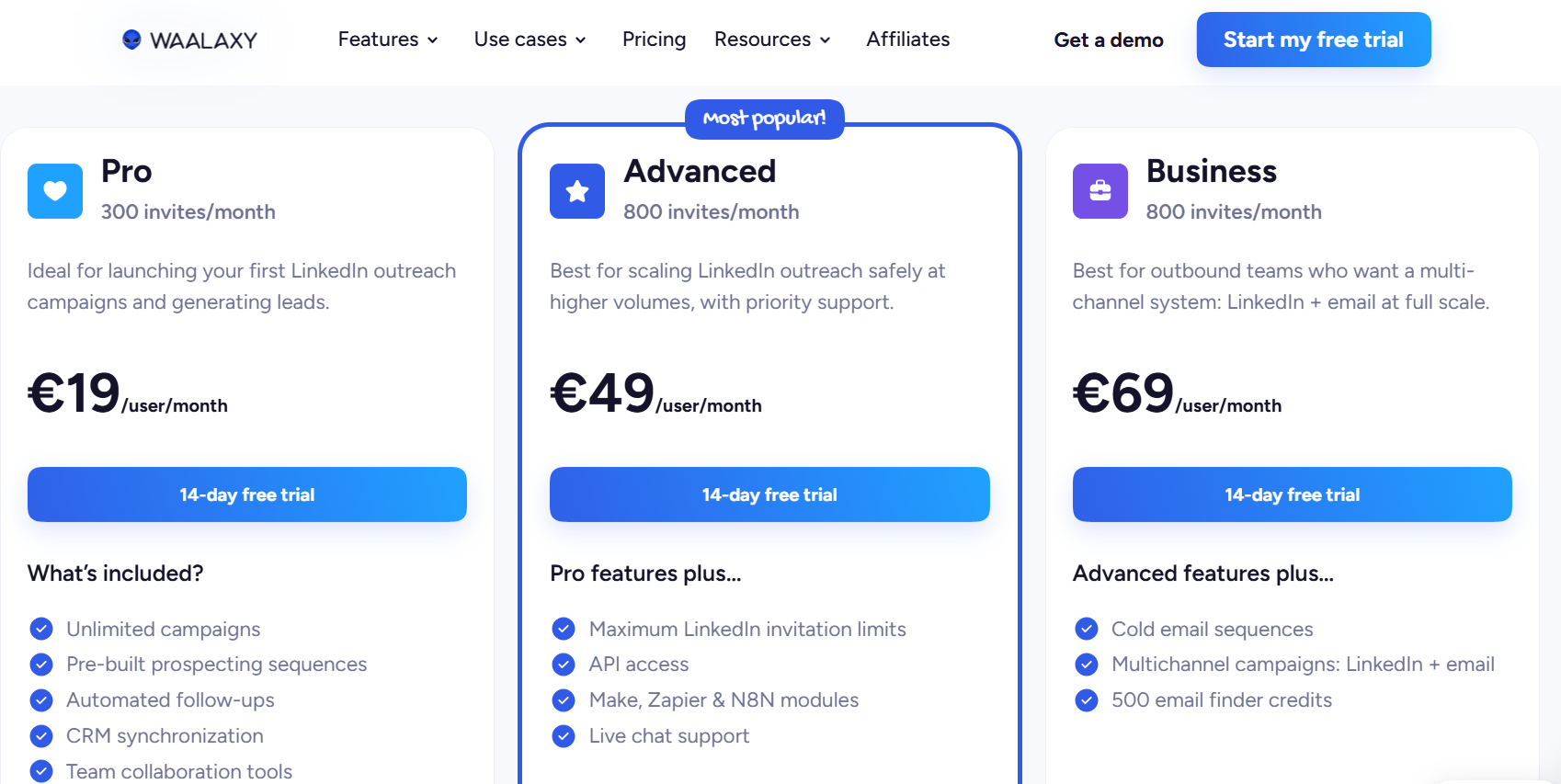
| Waalaxy | Small teams who want post reactions and competitor engagement collected without anyone building a list by hand. | From €19/user/month, cold email and address finding from €69. 14-day trial. |
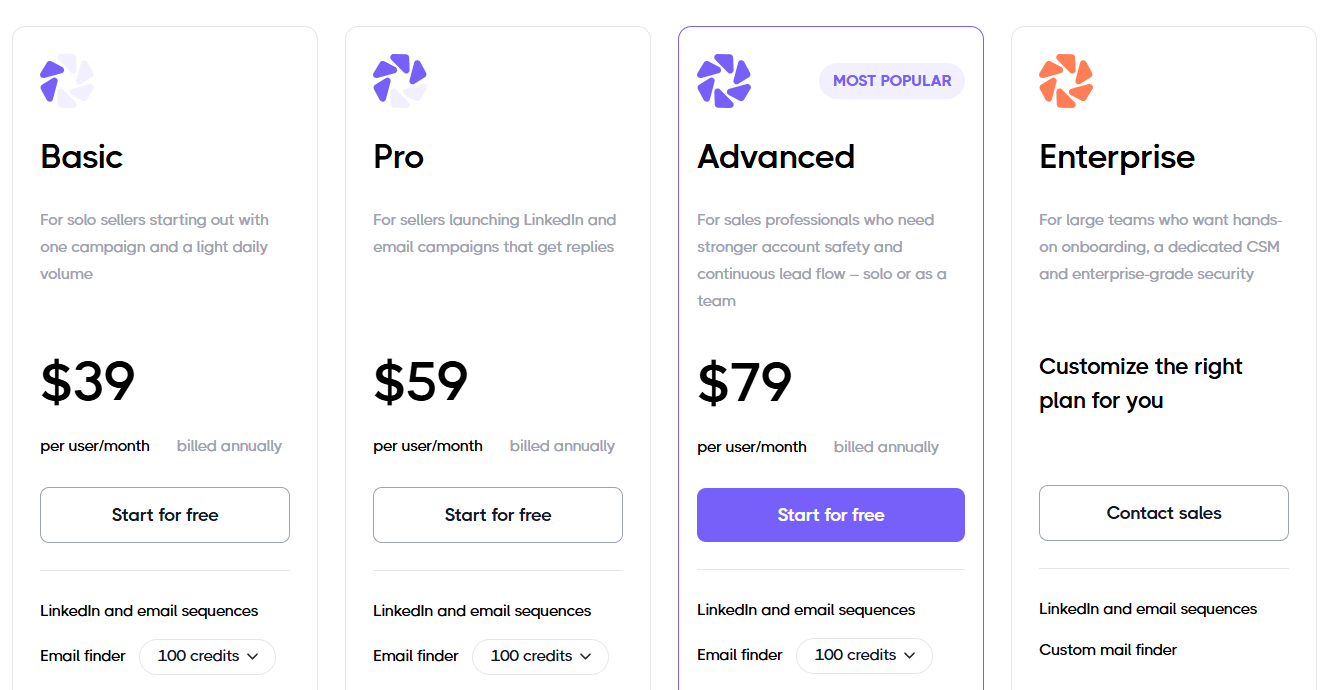
| Dripify | Solo sellers and small teams after an email finder and enrichment attached to a legible drip builder. | From $39/user/month billed annually, step analytics from $79. |
| We-Connect | Small sales teams and recruiters wanting contact enrichment plus behaviour scoring beside LinkedIn and email steps. | From $49/seat/month billed annually, email steps from $59. 14-day trial. |
| HeyReach | Agencies whose lists arrive from Clay, RB2B, or a CRM, and who want one flat fee across every connected sender. | From $79/month for one sender, 25 senders from $999. 14-day trial. |
#1: Meet Alfred
Meet Alfred is the best LinkedIn prospecting tool in 2026 for sales teams, agencies, and recruiters who want list building, outreach, replies, and client branding billed as one product.
The way it works is that our AI Lead Finder turns a description of your buyer into a filtered list of LinkedIn profiles, and that list drops into a campaign with no export step in between.
The campaign works through the list from there, sending profile views, connection requests, messages, and email or X follow-ups on delays you set, then pausing anyone who replies so a rep can answer from the Smart Inbox.
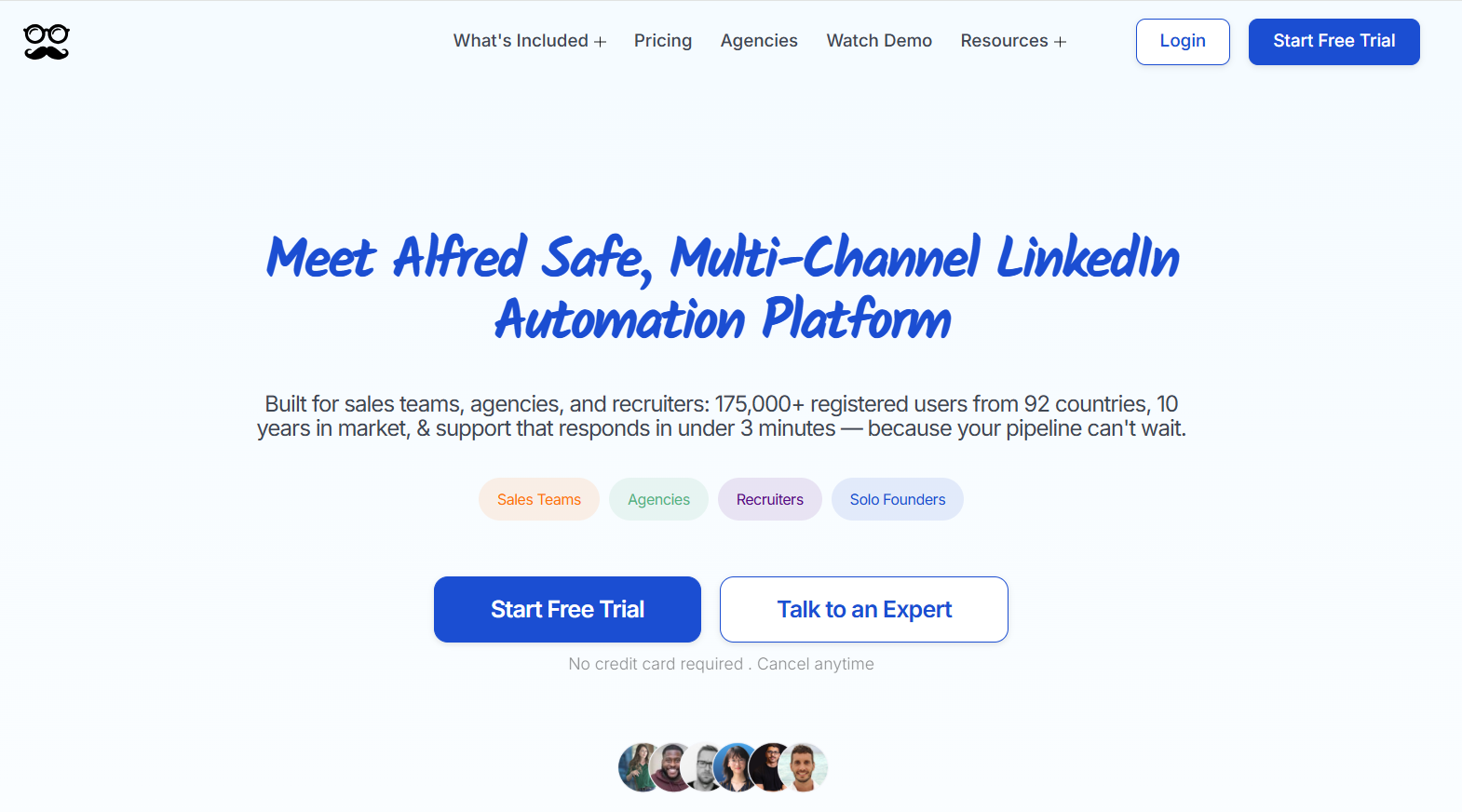
Full disclosure before anything else: Even though Meet Alfred is our software, I’ll build an objective analysis of what makes our tool the best LinkedIn prospecting software on the market.
The capabilities below are the ones our customers use most, a group of more than 175,000 users across 92 countries that includes teams at Reuters, Samsung, Oracle, Salesforce, and HSBC:
How does prospecting work in Meet Alfred?
Prospecting in Meet Alfred runs in four stages: describe the buyer and let AI Lead Finder build the list, pull further audiences out of LinkedIn activity, sequence the outreach, and then work the replies as a team.
Each stage below appears in the order you'd actually meet it.
Step 1: Build the prospect list in AI Lead Finder
AI Lead Finder is a separate screen from campaign setup, used when no prospect list exists yet.
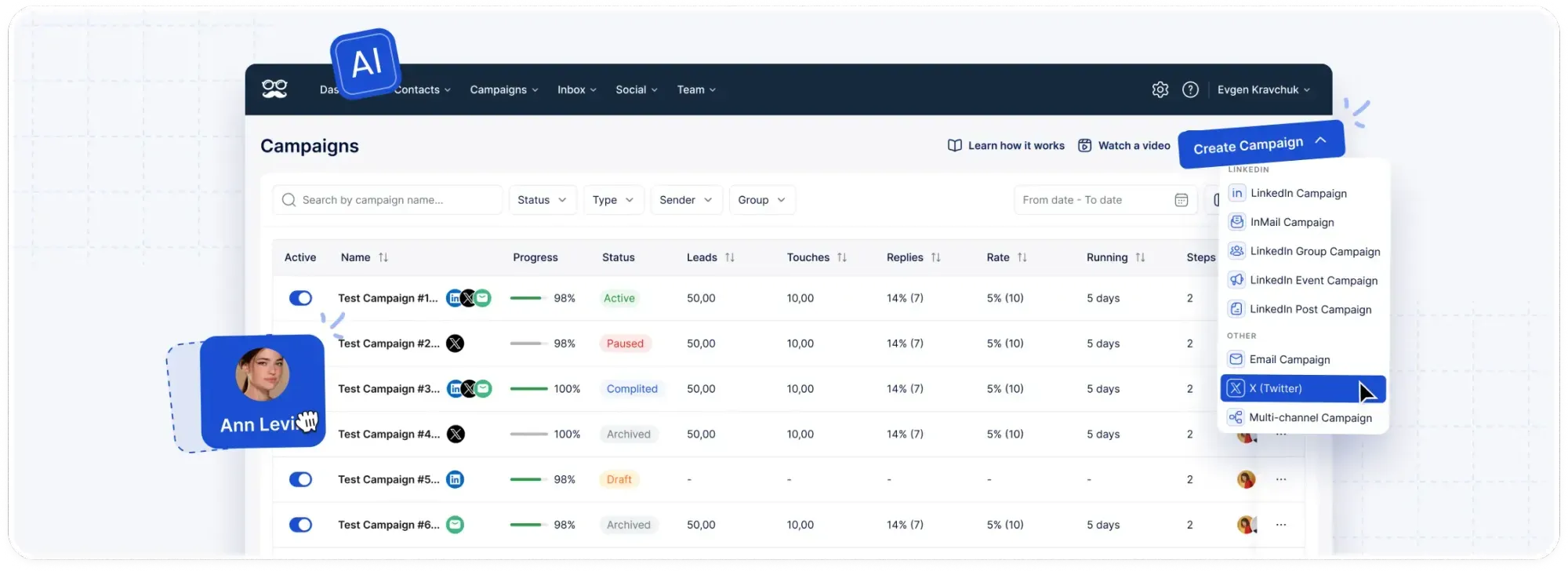
Search filters include job title, industry, location, keywords, and language.
A "Preview sample results" control displays a sample of the output before the search is saved.
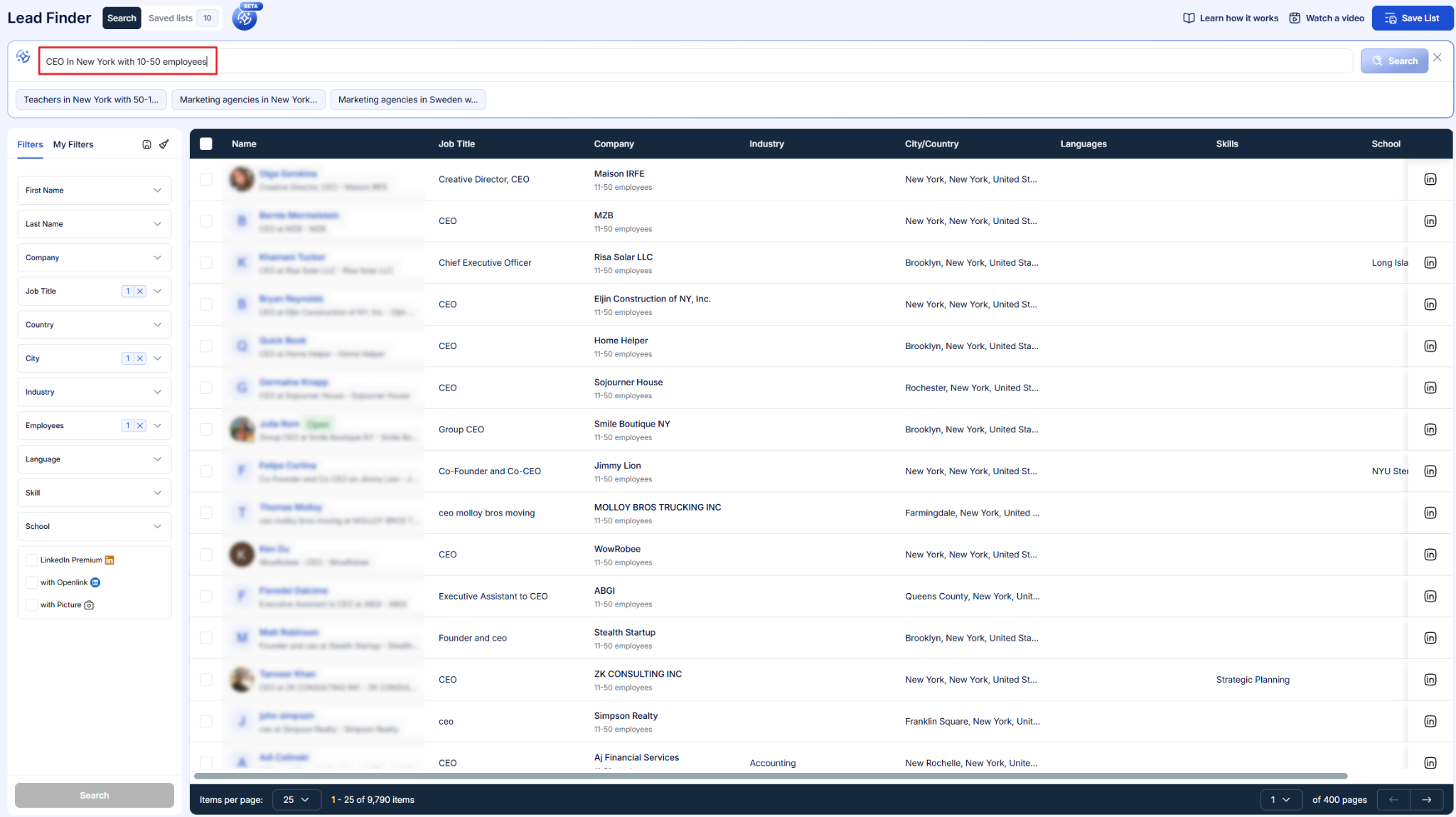
The lead count can be adjusted at that point.
Result ceilings are set by plan: 1,000 on Basic, 5,000 on Pro, and 10,000 on Team.
Saved results are available as a campaign source in the same account, so no export or third-party tool is required between list building and outreach.
➡️ Prospect records are stored in the built-in LinkedIn CRM, and they can also be synced to an external CRM.
Step 2: Select the campaign audience from LinkedIn activity
Campaign setup accepts prospect sources other than AI Lead Finder.
On Basic, a campaign can be built from a LinkedIn search, a LinkedIn or Sales Navigator URL, a CSV upload, and first-degree connections.
Pro adds Sales Navigator searches and lists, along with group, event, and post campaigns.
Post engagement campaigns target anyone who reacts to, comments on, or shares a post, and they work from any post.
Newsletter subscribers, company pages, and Open Profiles are available as audiences too.
Contacts are organised with colour-coded tags and notes through the Tag Manager.
A blacklist excludes specified contacts from future campaigns.
Step 3: Configure the outreach sequence
A sequence is the ordered set of actions applied to every prospect on the list.
Available LinkedIn actions include profile views, post engagement, connection requests with a personalized note, event invitations, and follow-up messages.
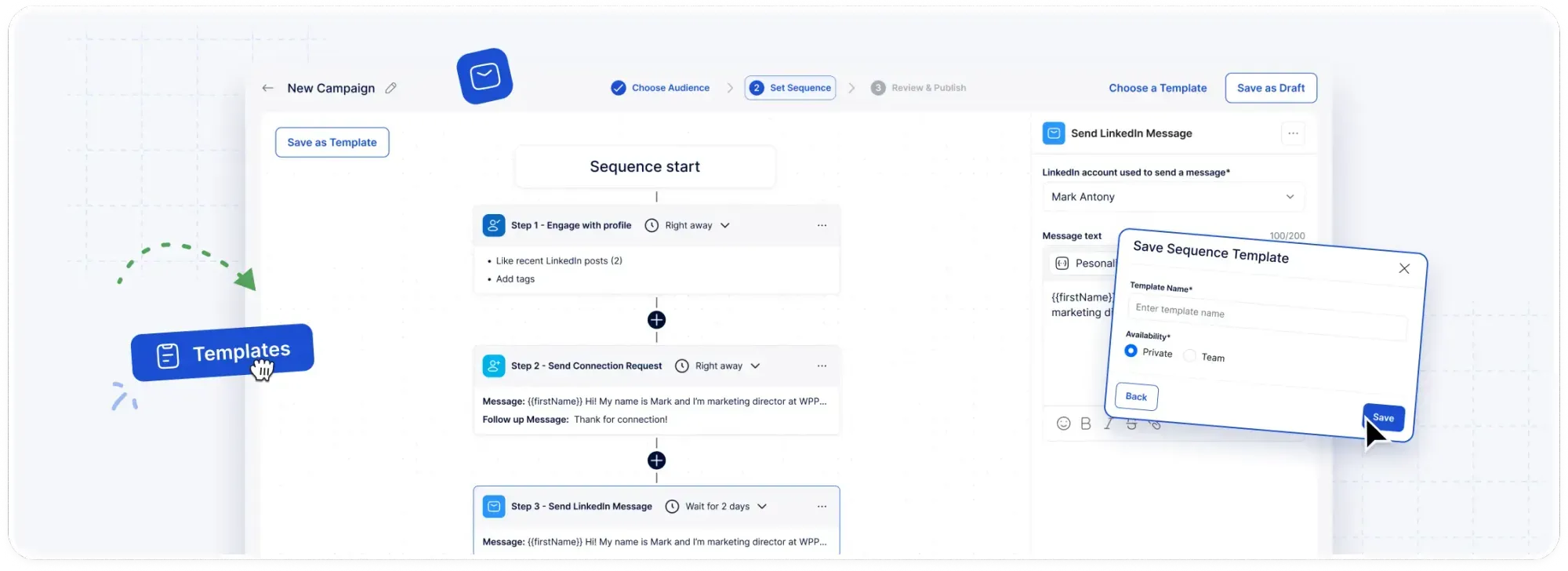
Smart delays are configured between steps to control pacing.
Dynamic fields insert each prospect's name, title, and company into the message copy.
The built-in template library holds more than 600 messages organised by channel and use case, and a complete multi-step sequence can be saved and shared with the team.
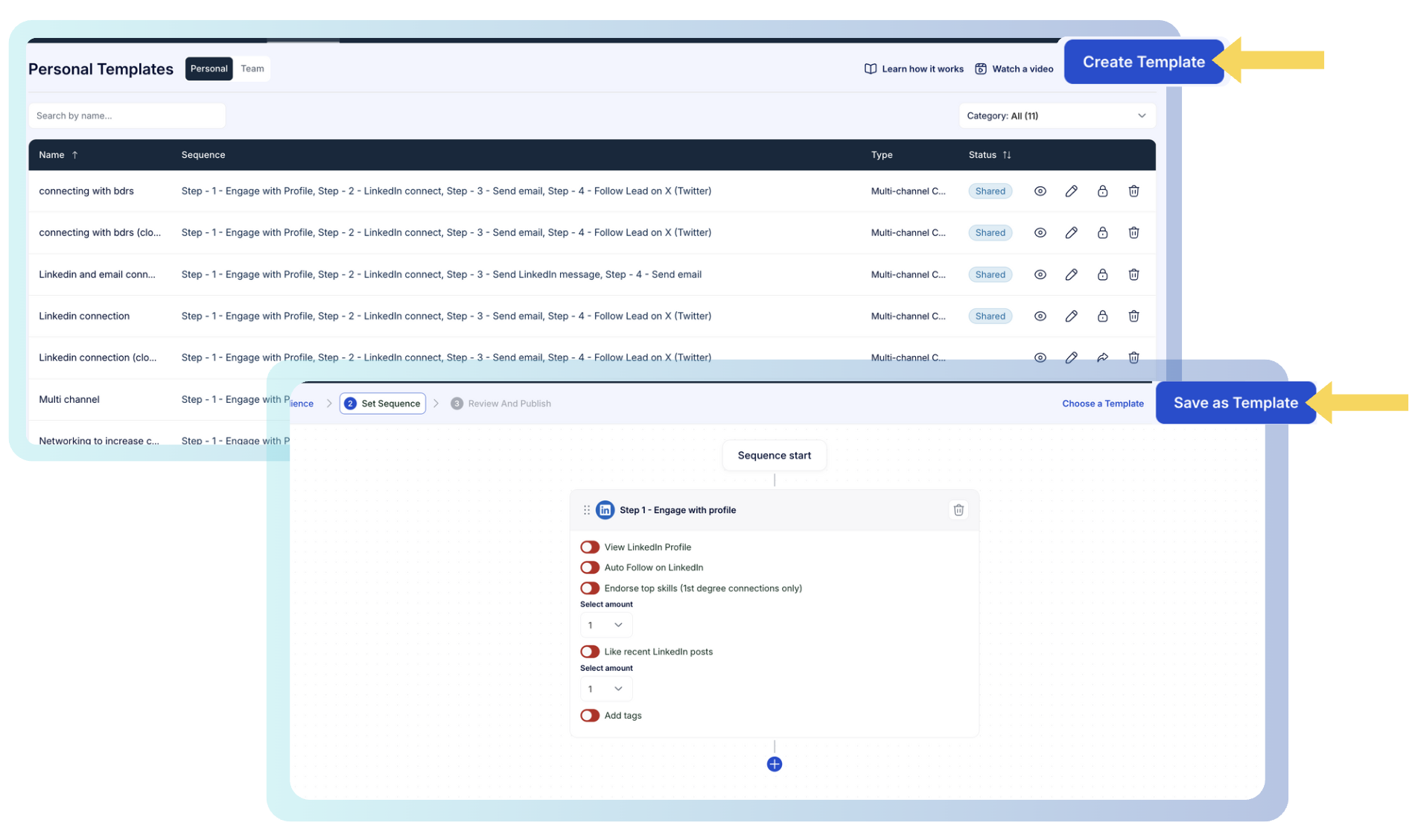
Email, X, and InMail steps are available in the same builder on Pro.
Step 4: Manage replies across the team
Campaign analytics record clicks, replies, and connections in real time.
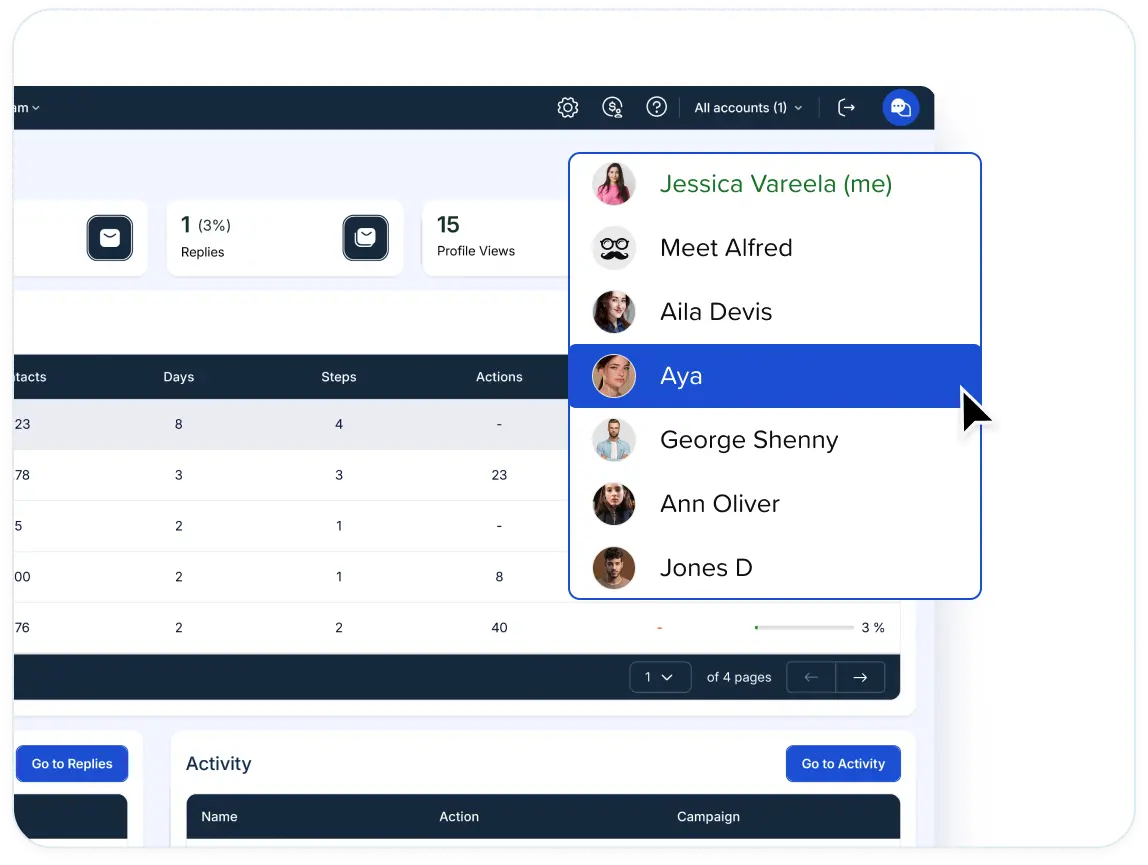
The Smart Inbox consolidates LinkedIn messages, InMails, and Sales Navigator conversations for every connected rep.
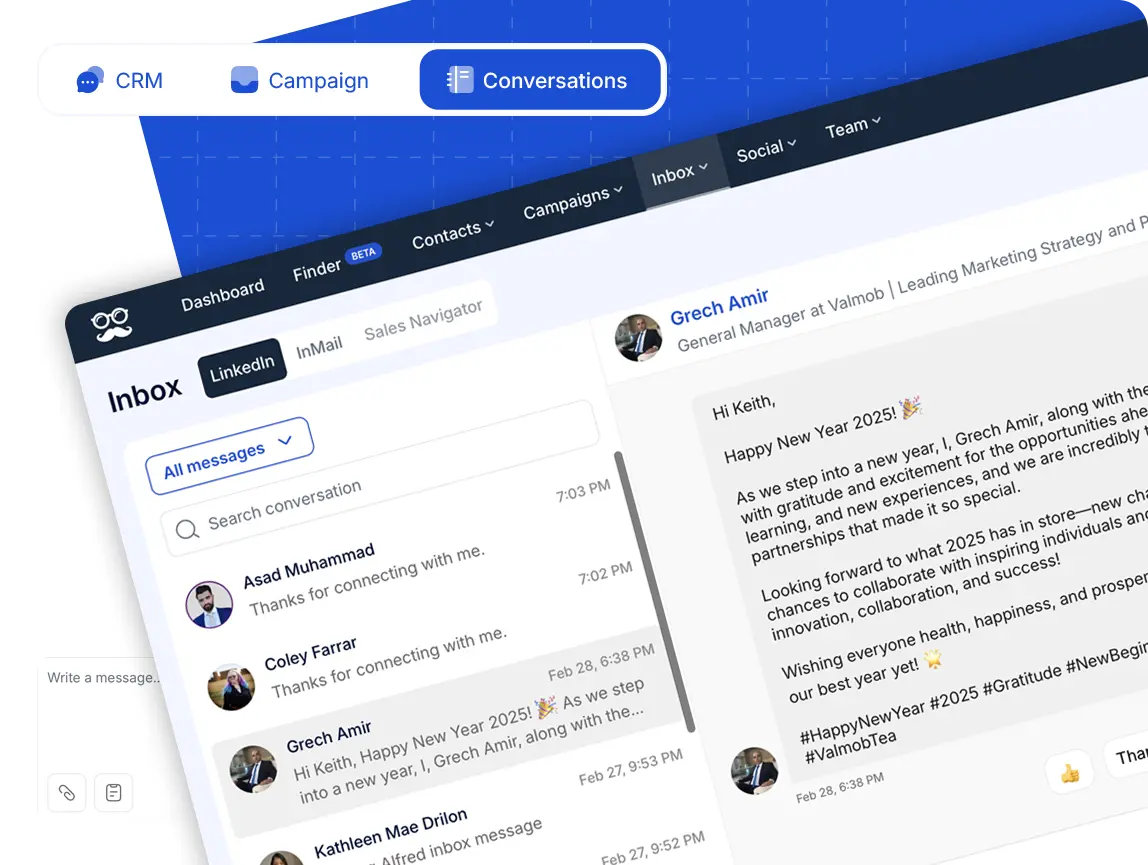
Each thread displays the contact's job title, company, and location.
Reply detection pauses a prospect's campaign when they respond, and no further automated follow-up is sent to that contact.
Tags, notes, file attachments, contact exclusions, and returning a lead to a campaign are available within the inbox.
What’s more, our impersonation capability allows a manager to operate any connected team member's account from their own dashboard, without credentials being shared.
Built-in LinkedIn CRM and engagement tracking
Prospect records can be handled two ways: synced out to an external CRM, or managed entirely inside Meet Alfred's built-in LinkedIn CRM.
Salesforce and HubSpot connect through Zapier or webhooks.
The built-in CRM records every interaction and displays leads separately from existing connections.
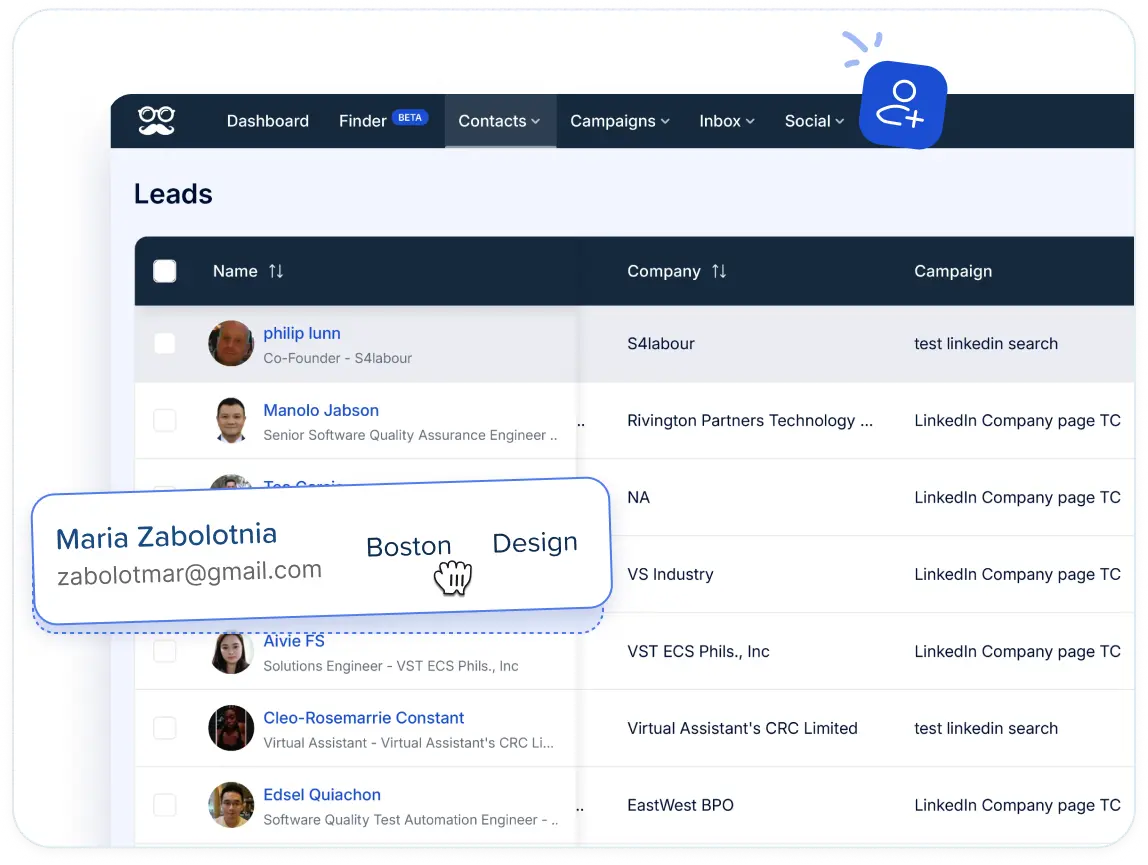
Campaigns launch directly from the CRM, and filters, bulk actions, and exports cover lead management at volume.
Contact details export for use in other tools, covering emails, phone numbers, and X handles.
Engagement tracking then covers every click, reply, and connection as it happens.
Reports break results down by pattern and segment and identify high-value leads, so the contacts most likely to convert can be worked first.
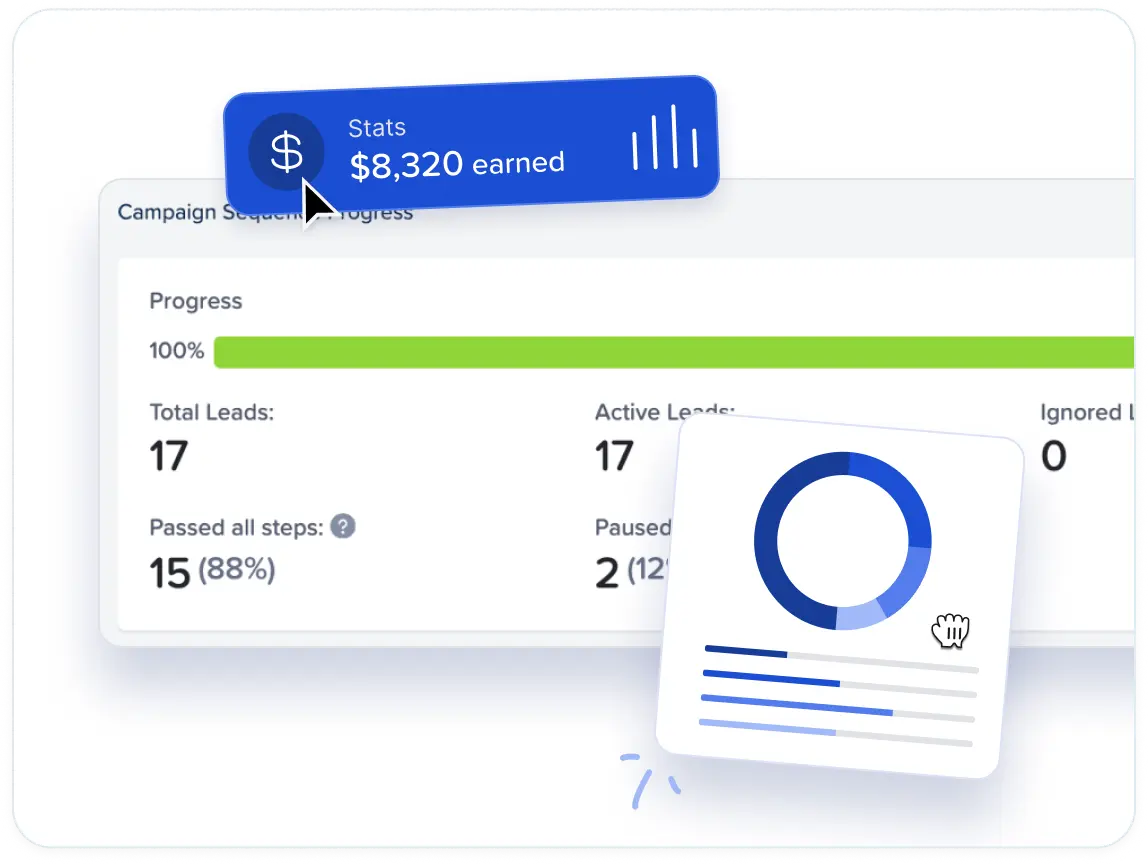
Lead engagement reports follow each lead from first open through to conversion.
Reporting is available at dashboard, campaign, and team level.
How does Meet Alfred compare to a typical LinkedIn prospecting tool?
Meet Alfred differs from a typical LinkedIn prospecting tool on where the prospect list originates, how the data on it gets billed, and what protects the sending account once outreach begins.
Here’s how that looks:
| Dimension | Typical LinkedIn prospecting tool | Meet Alfred |
|---|---|---|
| Where the list comes from | LinkedIn and Sales Navigator search, CSV import, and post or group engagement, with anything past that usually arriving from a separate data vendor or an integration. | Those same sources, plus AI Lead Finder inside the product, filtered by job title, industry, location, keywords, and language. |
| Search result ceilings | Commonly governed by credits, execution time, or an automation slot count, so the effective ceiling shifts with usage. | A fixed count per plan: 1,000 results on Basic, 5,000 on Pro, and 10,000 on Team. |
| How prospect data is billed | Commonly metered, with credits drawn per verified email, per phone number, or per enrichment call. | Lead Finder results draw on the plan ceiling with no separate credit purchase, and contact information for connections and leads exports from the built-in CRM. |
| Handover from list to outreach | An export, an import, or an integration step between the sourcing tool and the sequencing tool. | Search results pass directly into a campaign inside the same product. |
| Channels once the list exists | Usually LinkedIn by itself, or LinkedIn with email. | Three channels in one sequence, namely LinkedIn, email, and X, with InMail available as a LinkedIn step. Everything past LinkedIn opens on Pro. |
| Email volume | Metered by plan, by mailbox count, or by credit balance, depending on the vendor. | Sent over your own SMTP or IMAP connection, so no platform credits apply and your mailbox sets the ceiling. |
| Reply management | A unified inbox is included on some platforms and sold as an add-on on others. | Smart Inbox on every tier including Basic, with reply detection pausing a contact's campaign as soon as they answer. |
| Sending architecture | Split between browser extensions running on your own machine and cloud platforms that keep sending while you're offline. | Entirely cloud-based on AWS since 2017, with no browser extension and no desktop session involved. |
| IP address and proxies | A dedicated or residential proxy comes with some entry plans, while sourcing proxies becomes the customer's job on the higher tiers of others. | A dedicated IP address for every connected account, with no proxy to buy on any tier. |
| LinkedIn account safety | Randomized daily ranges and gradual profile warm-up on some cloud platforms, and daily activity alerts on some of the cheaper tools. | Daily limits you set yourself with headroom to 100 connection requests a day inside safe parameters, randomized pacing on each action type, working hours with time zone control, and auto-withdrawal of pending invitations. |
| Data security | Published in varying detail, so encryption and hosting arrangements often take a direct question to the vendor. | End-to-end encryption, DDoS protection, and AWS hosting. |
| Privacy compliance | Varies by vendor, and processing terms are not always published. | GDPR and CCPA compliant, with a published data processing agreement, privacy policy, and acceptable use policy. |
| Team collaboration | Seat permissions and a shared inbox are common. Operating another user's account in full from one login is rarer. | Team inbox, role-based permissions, groups by client or campaign, per-member analytics, and impersonation. |
| Client branding | Where white label exists, it is usually reserved for an agency plan quoted from ten seats, or offered at a fixed agency price. | Team plan from five seats at $39 a user, covering your logo, your colours, a custom domain, and system notifications from your own address. |
Pricing
Meet Alfred starts with a 7-day free trial that opens the full feature set and asks for no credit card.
Three paid plans follow:
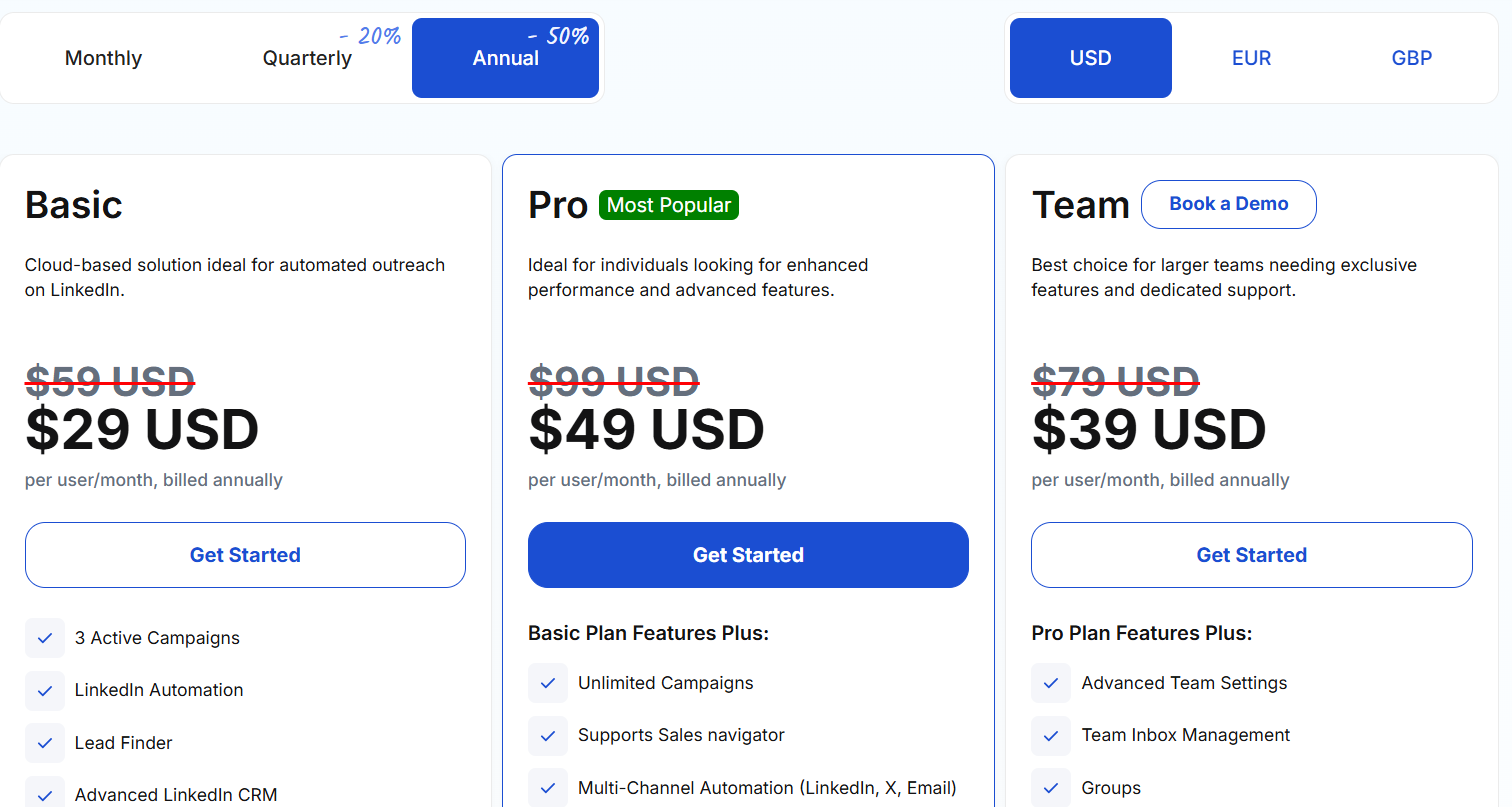
- Basic, from $29/user/month billed annually: three active campaigns of cloud-based LinkedIn automation, AI Lead Finder capped at 1,000 results, the advanced LinkedIn CRM, the Smart Inbox, message templates, automated greetings, custom tags, notes, and data export.
- Pro, from $49/user/month billed annually: the campaign cap lifts, and Sales Navigator support, InMail automation, multi-channel sequences across LinkedIn, email, and X, group, event, and post campaigns, CSV campaigns, social post scheduling, Zapier and webhooks, custom snippets, and Lead Finder at 5,000 results all arrive.
- Team, from $39/user/month billed annually: advanced team settings, team inbox management, groups, and Lead Finder at 10,000 results, with white-label opening at five seats and volume discounts, an account manager, migration help, and priority support at ten.
Pros & Cons
✅ AI Lead Finder builds the prospect list inside the product, at 1,000 results on Basic and 10,000 on Team. No export step between finding somebody and messaging them.
✅ Ten years in market, on AWS cloud sending with a dedicated IP behind every connected account.
✅ Lead Finder results come out of the plan ceiling with no separate credit purchase, and email volume is bounded by your own mailbox.
✅ White-label opens at five seats on the published Team tier, no agency quote needed.
❌ No free tier, just the seven-day trial.
#2: PhantomBuster
Best for: Growth and RevOps people who need prospect records and buying signals from more platforms than LinkedIn on its own.
Similar to: Waalaxy, Sbl.so.
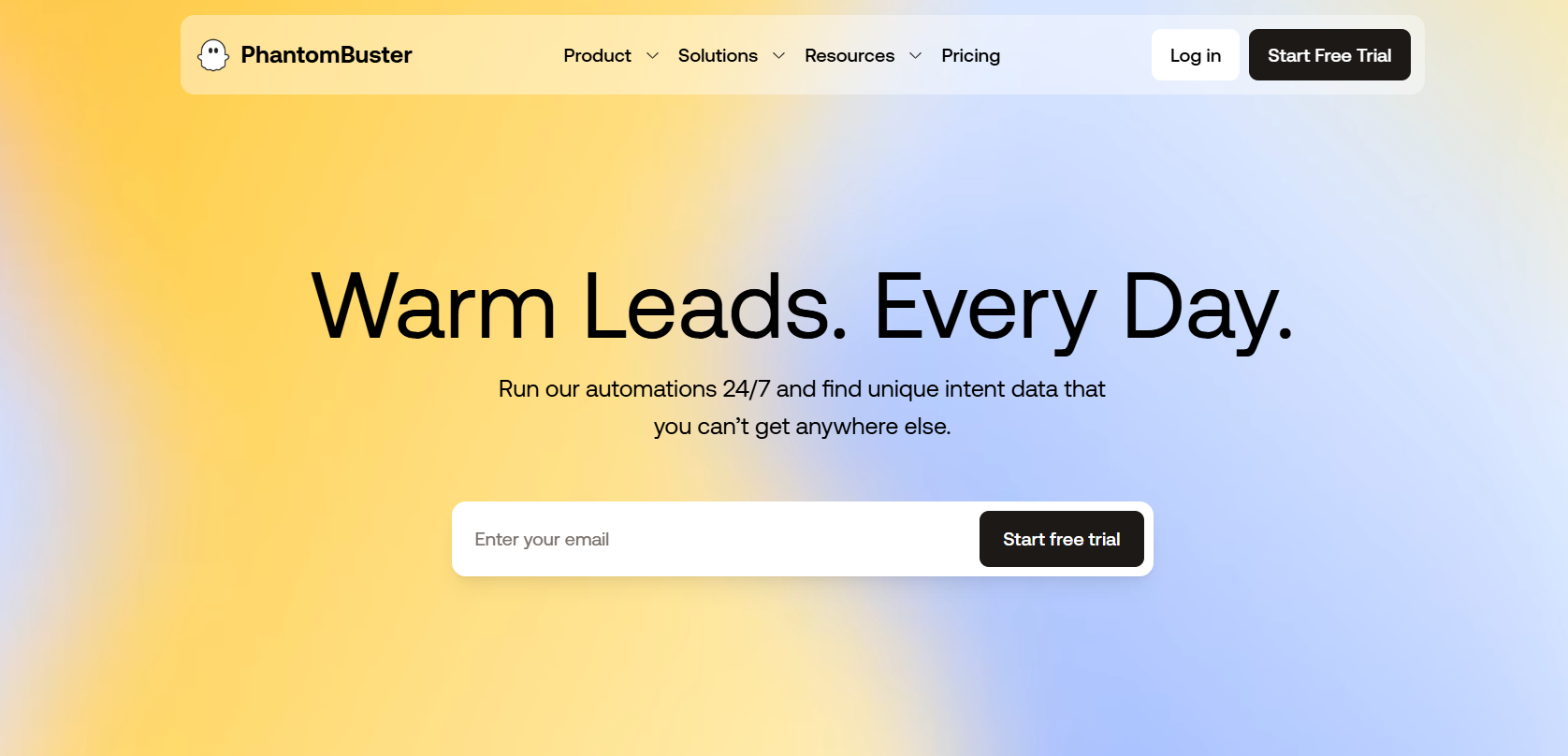
PhantomBuster is a prospect data toolkit, built around extraction and enrichment with outreach automation layered on top, and its jobs reach more than 15 sources, LinkedIn and Sales Navigator among them, alongside Google, Instagram, and X.
Features
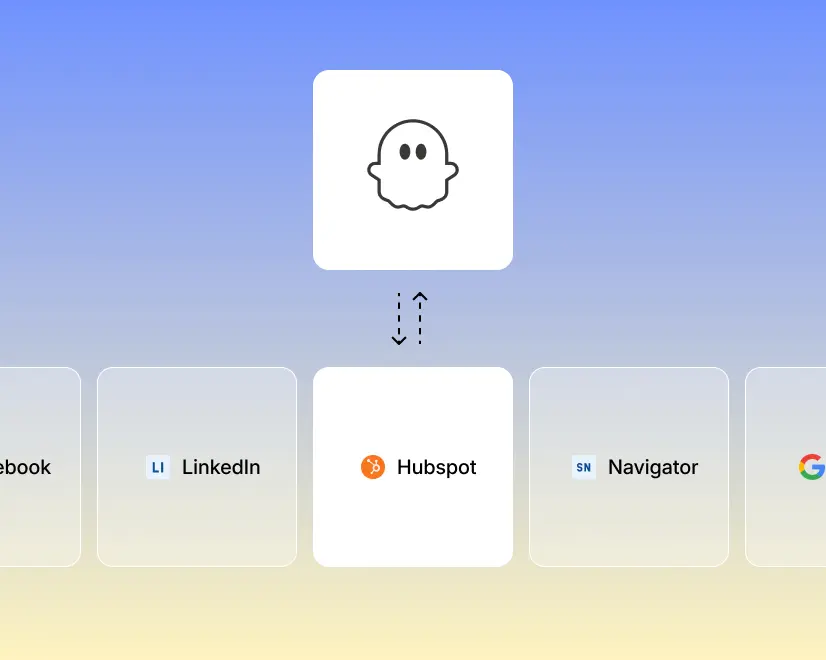
- Prebuilt automations: The library runs past 100 ready-made jobs, each one configurable and scheduled inside a few minutes. Pulling everybody who liked or commented under a LinkedIn post is one job. A Google Maps export is another.
- Live enrichment: Each record can take on upwards of 1,000 data points, and a scheduled refresh keeps a segment current between builds.
- Scheduled LinkedIn actions: Invitations, direct messages, likes, and event invites all run to a timetable, and AI drafts the message from whatever signal that lead gave off.
- MCP server: Claude and ChatGPT both reach the toolkit, so a prospecting run can be driven in conversation. One workspace holds several LinkedIn accounts.
Pricing
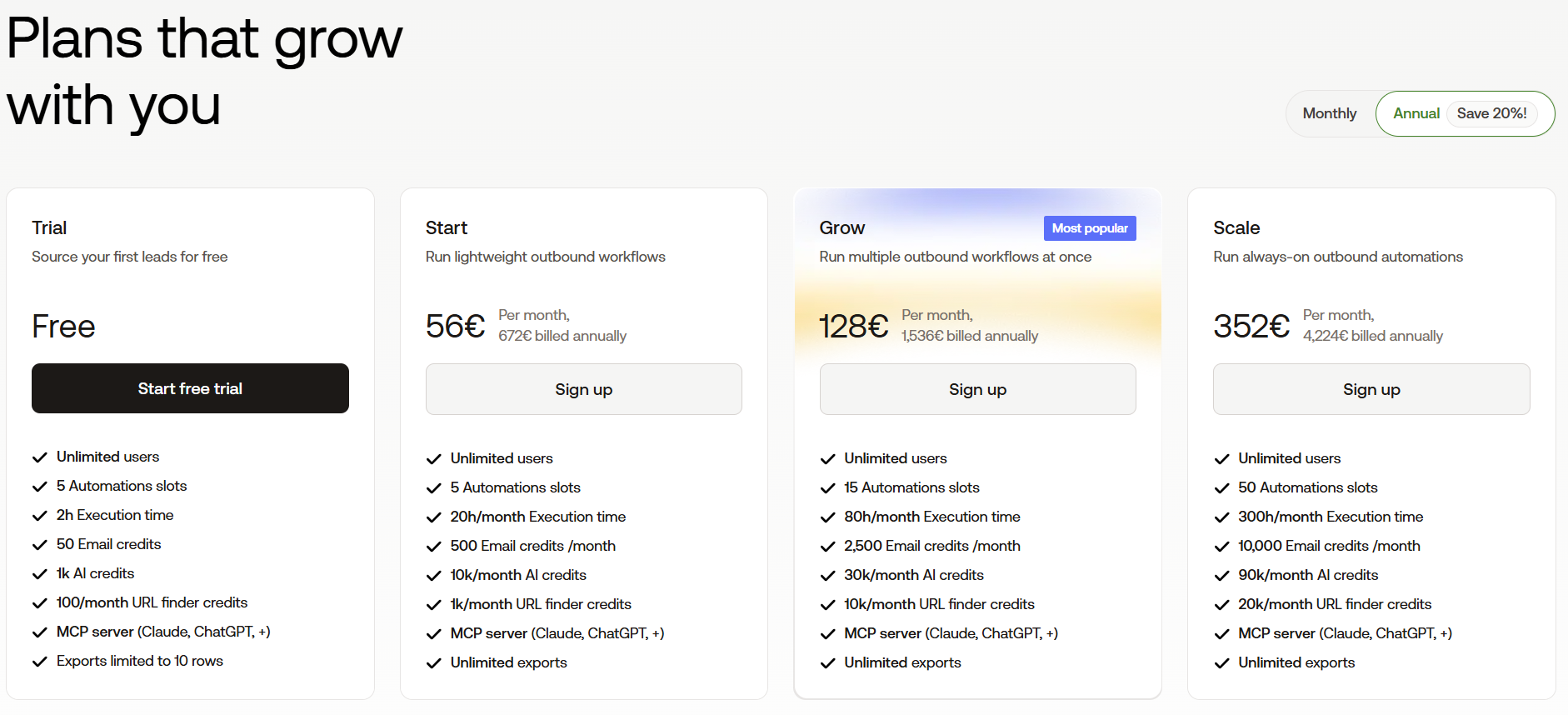
PhantomBuster meters automation slots, execution hours, and credit pools separately from each other.
A year up front cuts 20% off:
- Free trial: five automation slots, two execution hours, 50 email credits, and exports capped at ten rows.
- Start, €56 per month billed annually: five slots, 20 execution hours, 500 email credits, and 1,000 URL finder credits.
- Grow, €128 per month billed annually: 15 slots, 80 hours, 2,500 email credits, and 10,000 URL finder credits.
- Scale, €352 per month billed annually: 50 slots, 300 hours, 10,000 email credits, and 20,000 URL finder credits.
Pros & Cons
✅ Records and signals off more than 15 platforms, some of which a pure sequencer will never see.
✅ Fairly technical extraction work happens without anybody writing code.
✅ MCP access suits teams already driving prospecting through an AI assistant.
❌ Slots, credits, and execution hours make the monthly figure hard to forecast.
❌ There's no unified reply inbox, so conversations happen elsewhere.
#3: Sbl.so
Best for: Founders and lean teams with no one to delegate prospecting to, who'd sooner keep campaign volume off their personal profile.
Similar to: HeyReach, Reply.io.
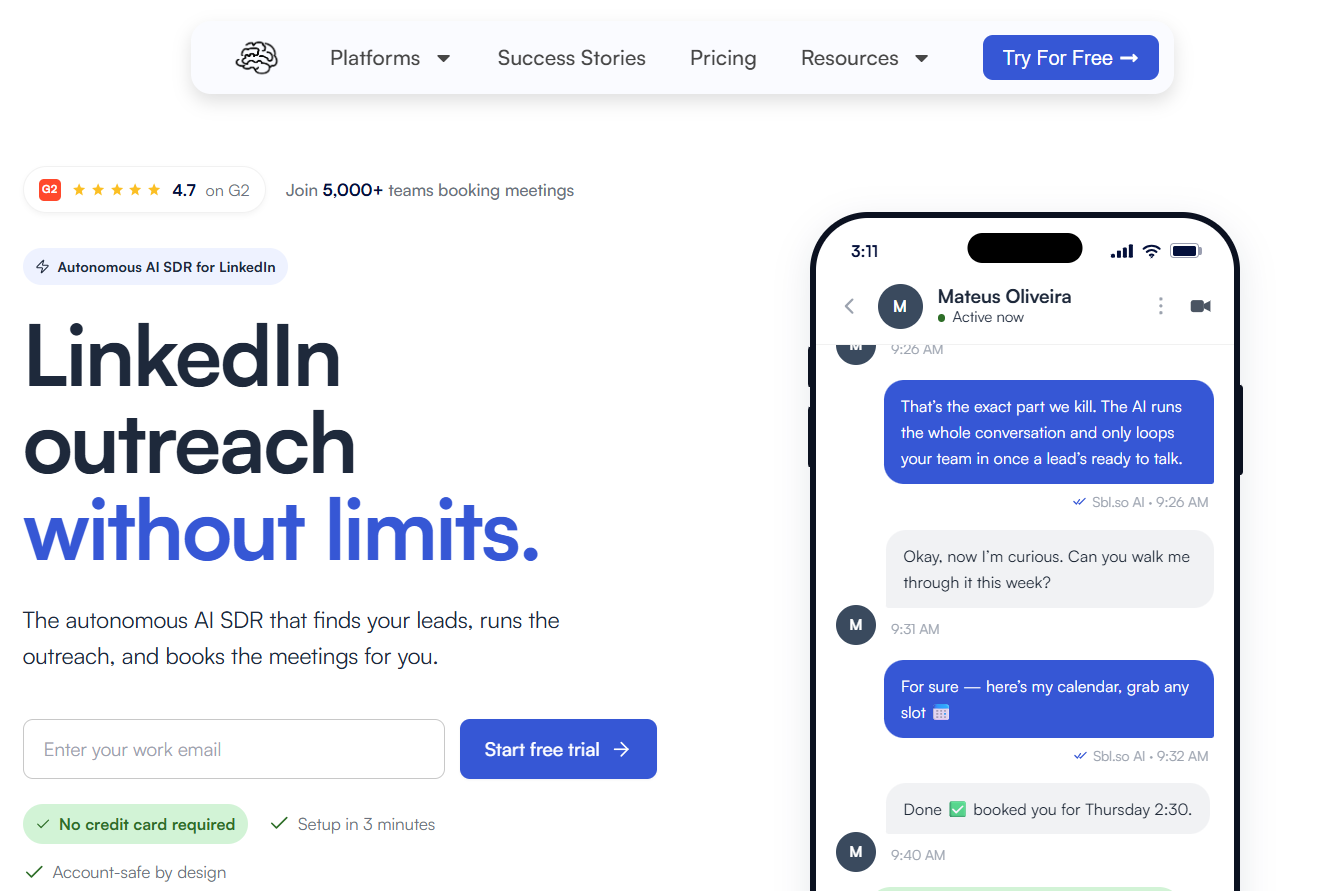
Sbl.so is an AI sales rep for LinkedIn that takes a description of your buyer, assembles the list from buying signals, runs the conversations on profiles the vendor supplies, and books the meetings.
Features
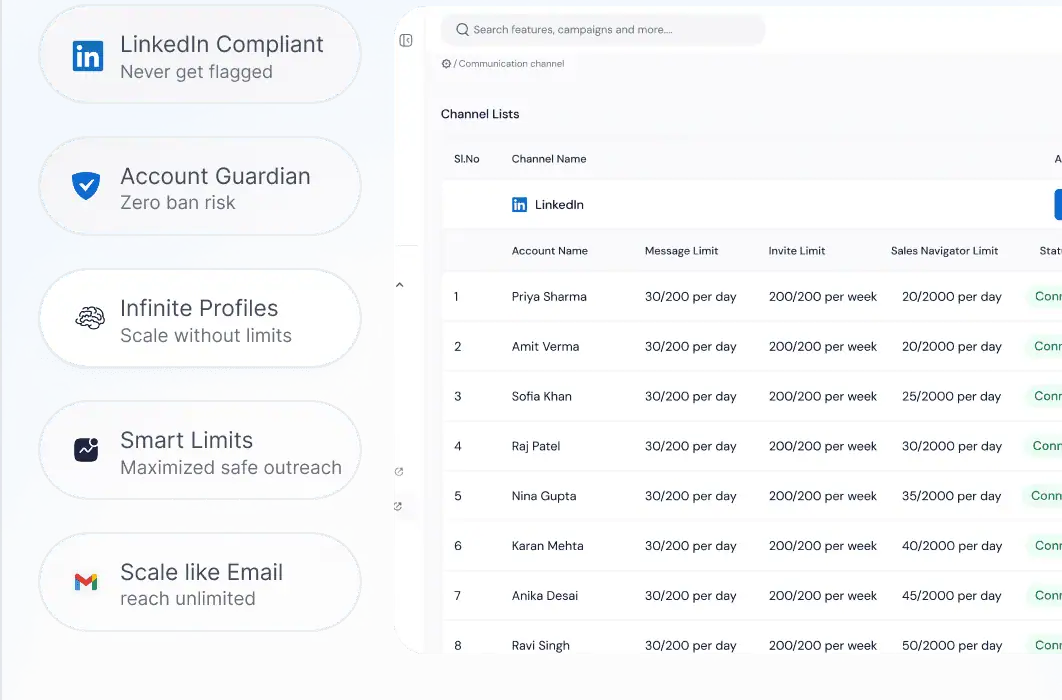
- Signal-built lists: A refresh runs daily off funding news, job moves, profile activity, and whoever engaged with a competitor's post, and every name carries a score against the buyer profile you described.
- Sending profiles from the vendor: Accounts come pre-warmed, and no single one absorbs a campaign, because volume splits across the pool.
- AI on the conversation: More than 100 languages are covered on replies, a voice message can be cloned from your own, and the thread moves to a person once the lead heats up.
- Bundled CRM and inbox: A mobile app, unlimited workspaces, live analytics, one team inbox, and calendar booking. Outbound connections reach Make, n8n, Zapier, Slack, Pipedrive, Salesforce, and HubSpot.
Pricing
The trial has an unusual shape.
Nothing gets charged until one of three markers is hit: a booked meeting, three positive replies, or 300 outreaches.
No card is asked for at the start.
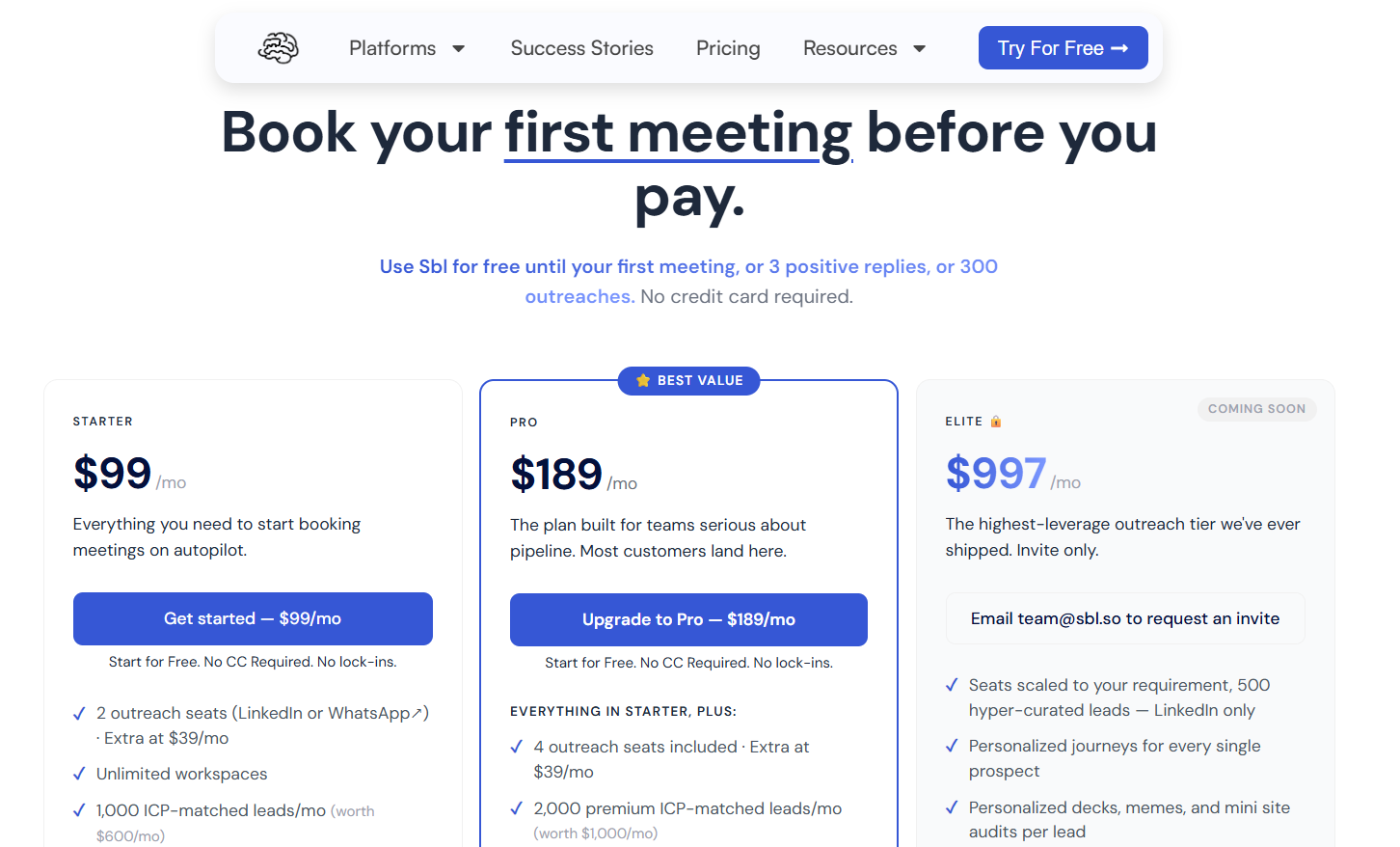
After that, Sbl.so charges by outreach seat, one seat per LinkedIn or WhatsApp account.
Each extra seat is $39 a month:
- Starter, $99 per month: two outreach seats, 1,000 ICP-matched leads a month, signals from comments and reactions on your own posts, AI chat replies in more than 100 languages, unlimited Sales Navigator extraction, unlimited workspaces, two team members, and priority support.
- Pro, $189 per month: four outreach seats, 2,000 premium leads a month, premium signals covering job changes, funding, and competitor monitoring, rich media with an AI cloned voice, the built-in CRM with export, custom webhooks, and ten team members.
- Elite, $997 per month: listed as coming soon and invite-only, with seats scaled to the account, 500 hyper-curated LinkedIn leads, and a personalized journey built for every prospect.
- Enterprise, custom: shaped around a specific workflow, volume, or compliance requirement.
Pros & Cons
✅ Buying signals assemble the list with nobody touching a search filter, and a refresh runs daily.
✅ Campaign volume never touches your personal profile.
✅ Conversations run unattended right through to a booked meeting, a fit for founders selling without an SDR.
❌ Two channels are live today: LinkedIn and WhatsApp.

❌ Email automation is on the roadmap.
#4: Lemlist
Best for: Prospecting teams that want a contact database and intent agents in the same subscription as the sequence.
Similar to: Reply.io, Waalaxy.
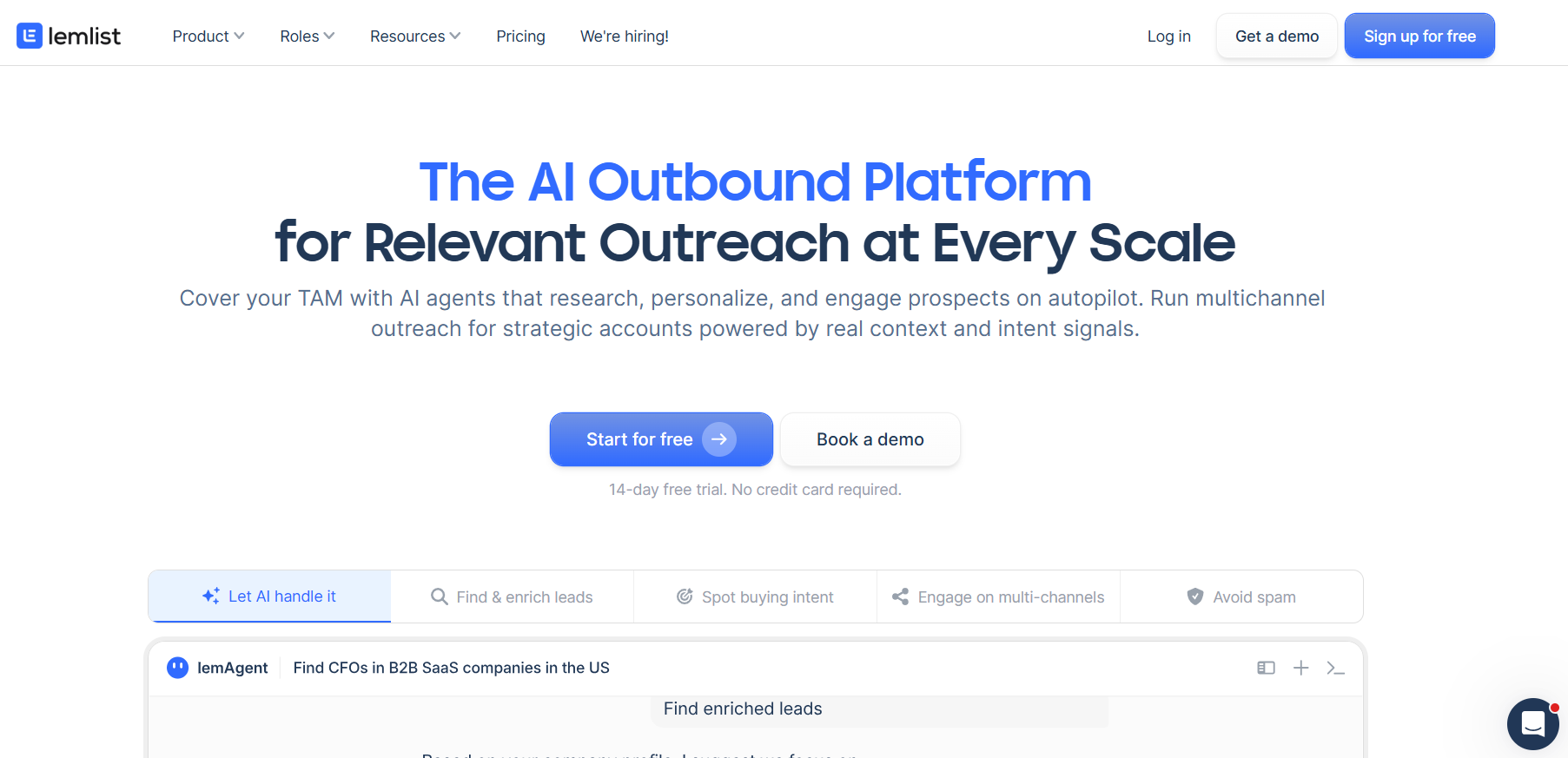
Lemlist is a multichannel outbound platform built over a contact database of more than 650 million records, with a single sequence able to carry a prospect across email, LinkedIn, phone, WhatsApp, and SMS.
Features
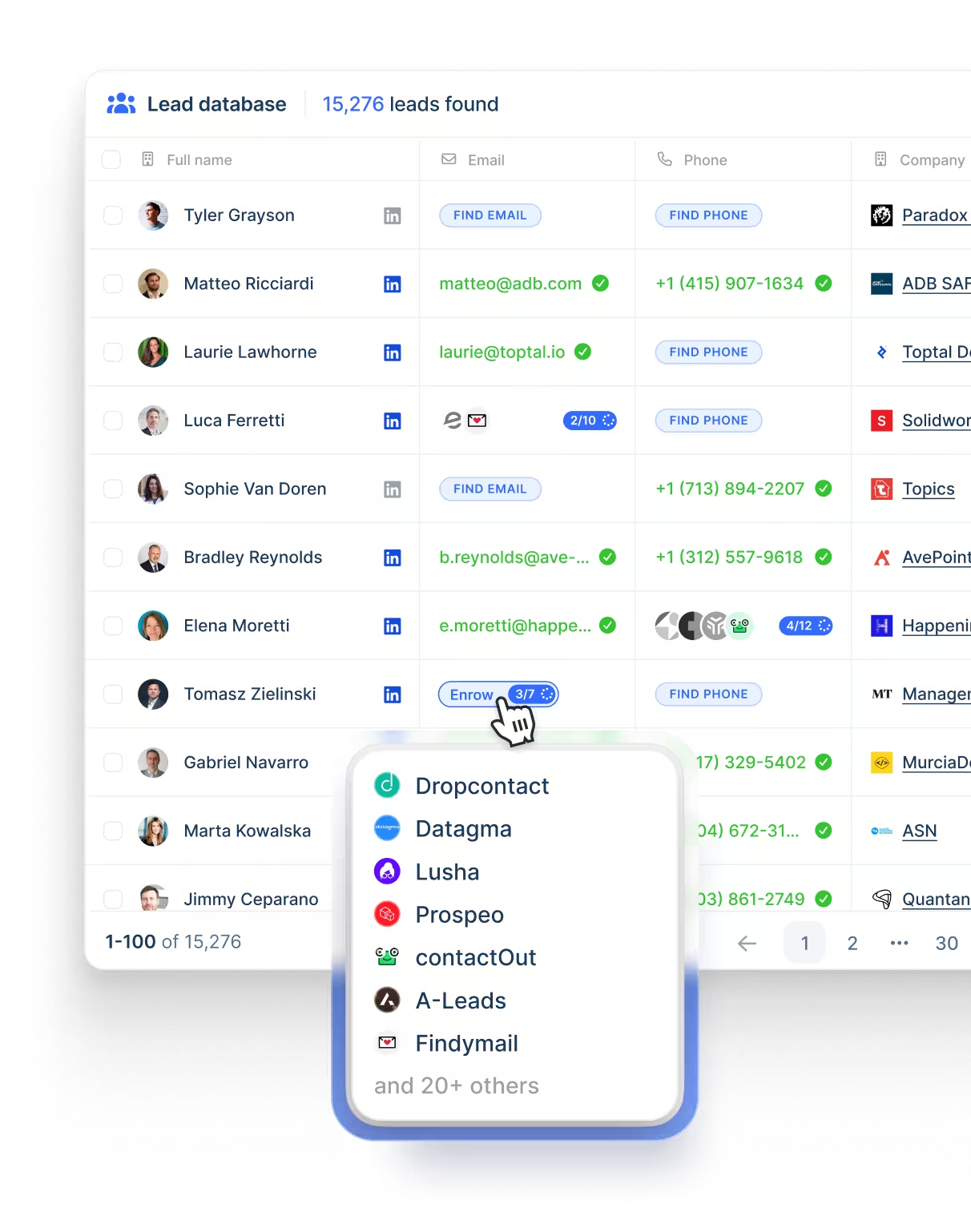
- Contact database: Address and phone lookup runs across upwards of 650 million records, charged in credits.
- Background agents: lemAgent handles account research and data cleanup, while other agents keep watch on hiring, funding, role changes, and website visits.
- Deliverability Hub: Warm-up, inbox rotation, sending limits, and DNS checks in one place. Alerts arrive early enough that a mailbox can still be rescued.
- Five channels, one sequence: Email, LinkedIn, phone, WhatsApp, SMS.
Pricing
Lemlist publishes three paid plans, and a yearly commitment takes 20% off the price:
- Email, $69 monthly at list or $55 yearly: unlimited users and email senders, 50,000 messages monthly, the Deliverability Hub, and the contact database.
- Multichannel, $109 monthly at list or $87 yearly per user: five senders each, LinkedIn automation, SMS, the built-in dialer, unlimited messages, and WhatsApp as a further add-on.
- Enterprise, custom: single sign-on, bespoke roles and permissions, a named account manager, and priority support.
- Credits: five per verified address, 20 per phone number, and intent signals priced individually from 20 upward.
- Trial: two weeks.
Pros & Cons
✅ Upwards of 650 million records means a list doesn't have to begin on LinkedIn.
✅ Intent agents watch funding, hiring, and role changes in the background.
✅ Inbox placement tooling is built in, keeping warm-up and domain monitoring off a second vendor's invoice.
❌ Enrichment and intent signals draw on credits.
❌ A G2 review mentions a learning curve early on.
#5: La Growth Machine
Best for: Outbound teams needing a monthly enrichment allowance in the plan, and happier paying for sending profiles than for seats.
Similar to: Reply.io, Lemlist.
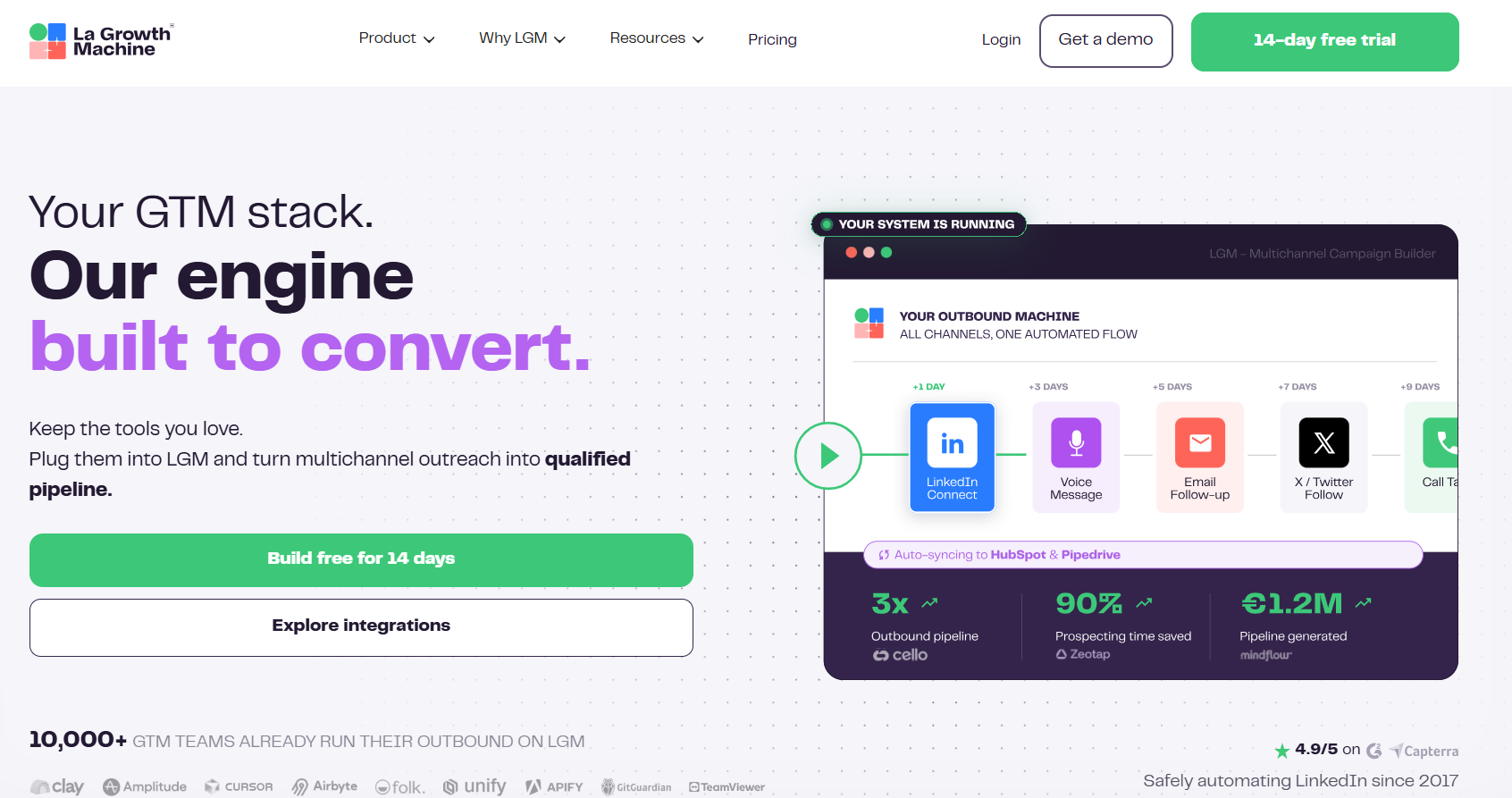
La Growth Machine is a multichannel outbound platform billed per sending identity, with a monthly enrichment allowance included on every tier.
Identities are the profiles actively running campaigns. Anyone whose job is only answering replies can be invited at no cost.
Features
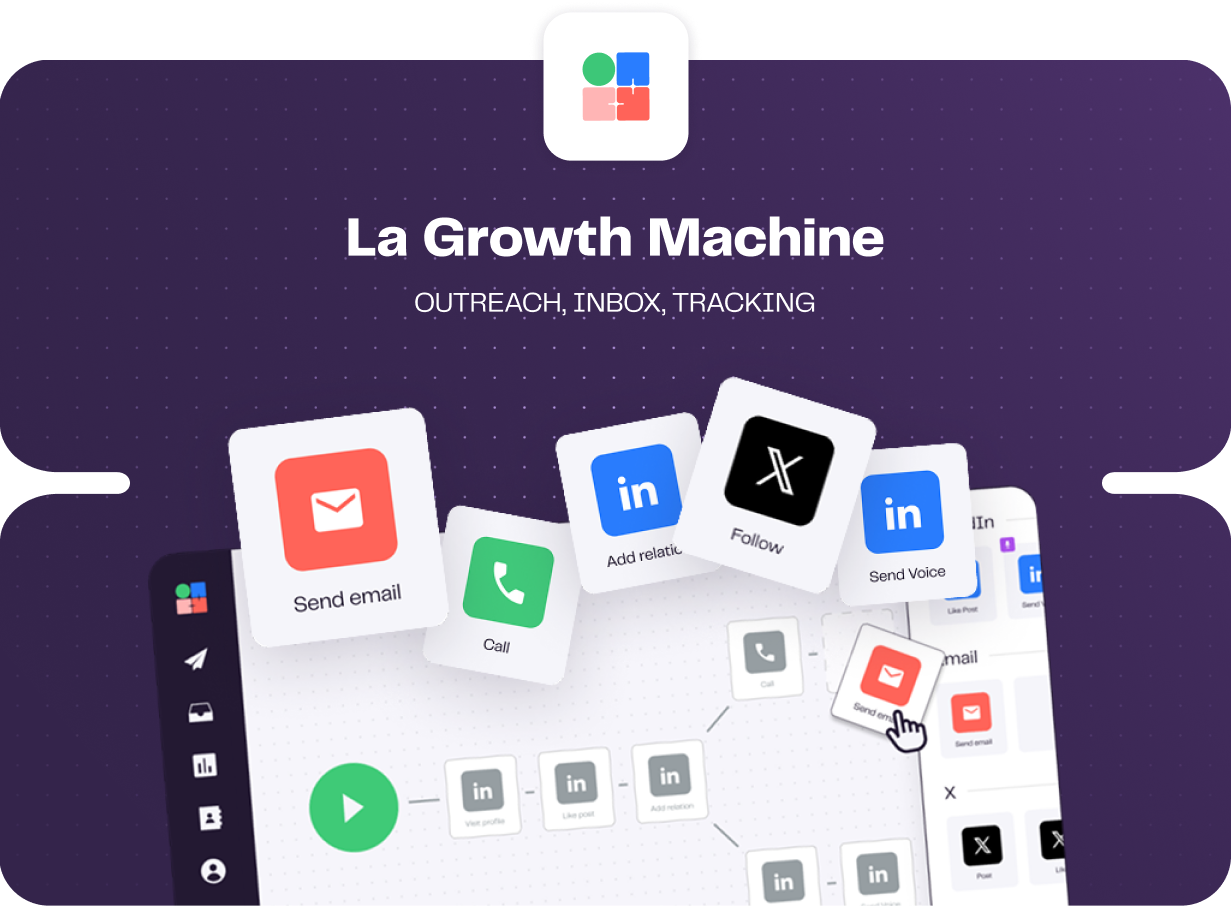
- Enrichment inside the plan: Every tier ships a monthly allowance of verified emails and profile data, sourced through a provider waterfall.
- Conditions and split tests: Behaviour decides the route each lead takes, and tests can run on subject lines, message copy, and whether an invite carries a note.
- LinkedIn voice messages: A single recording reaches the whole list, and AI writes a fresh opening line per prospect.
- Shared multichannel inbox: Email and LinkedIn replies collect in one view, filterable by campaign or identity, and status labels push through to HubSpot or Pipedrive.
Pricing
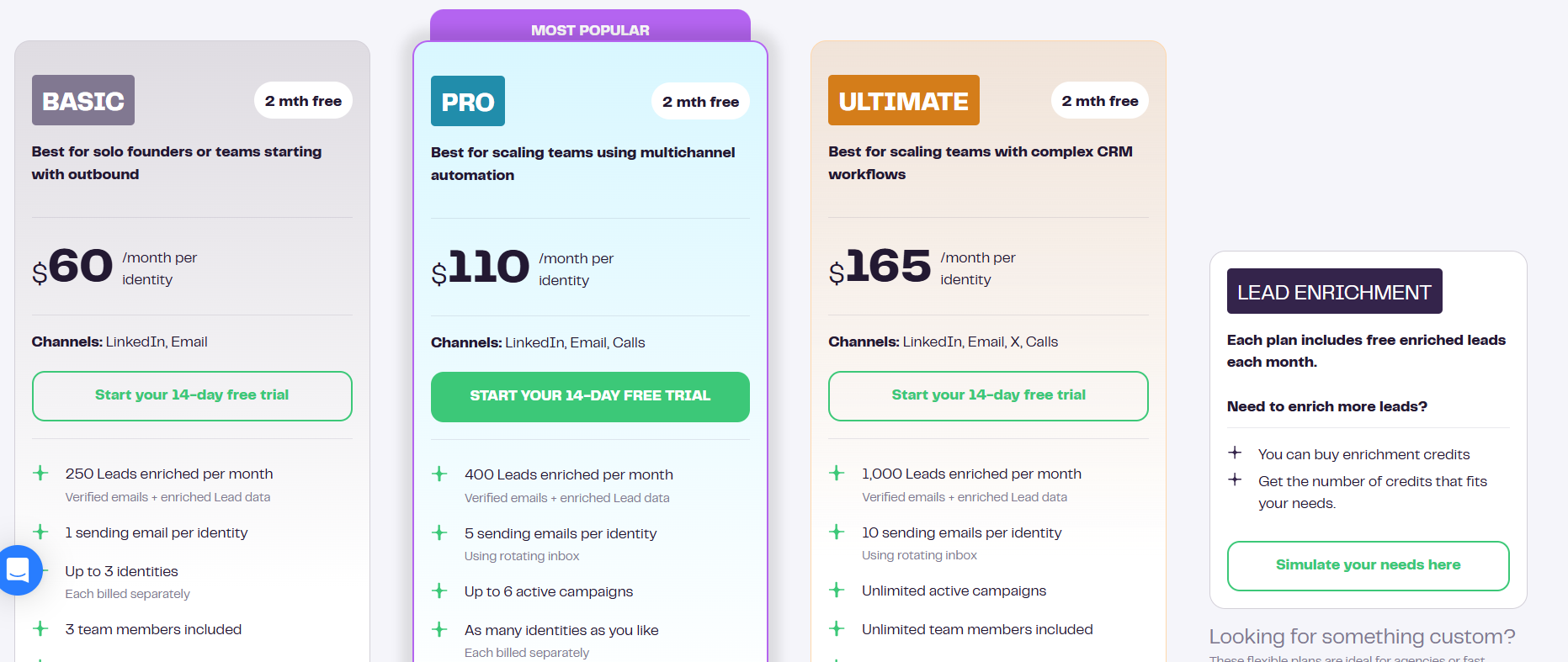
Identities are what get counted each month, and annual billing hands back two of them free:
- Basic, $60 per identity: LinkedIn and email, 250 enriched leads a month, one sending address, up to three identities, and three team members.
- Pro, $110 per identity: adds calls, 400 enriched leads, five rotating sending addresses, six active campaigns, social warming, and 25 free team members.
- Ultimate, $165 per identity: adds X, 1,000 enriched leads, ten sending addresses, unlimited campaigns and team members, and two-way HubSpot or Pipedrive sync.
- Agency, custom: quoted from a six-identity minimum.
- Trial: 14 days, no card.
Pros & Cons
✅ The subscription covers enrichment. Prospect data never shows up as a second invoice line.
✅ Four channels inside one sequence, calling on Pro and X on Ultimate.
✅ Only sending profiles count toward the bill, so invited colleagues add nothing to it.
❌ Per-identity pricing adds up once you have several senders.
❌ A G2 review reports sync errors and interface lag while workflows are being built.
#6: Reply.io
Best for: Sales teams that want B2B contact search and website visitor reveals feeding a conditional five-channel sequence.
Similar to: Lemlist, La Growth Machine.
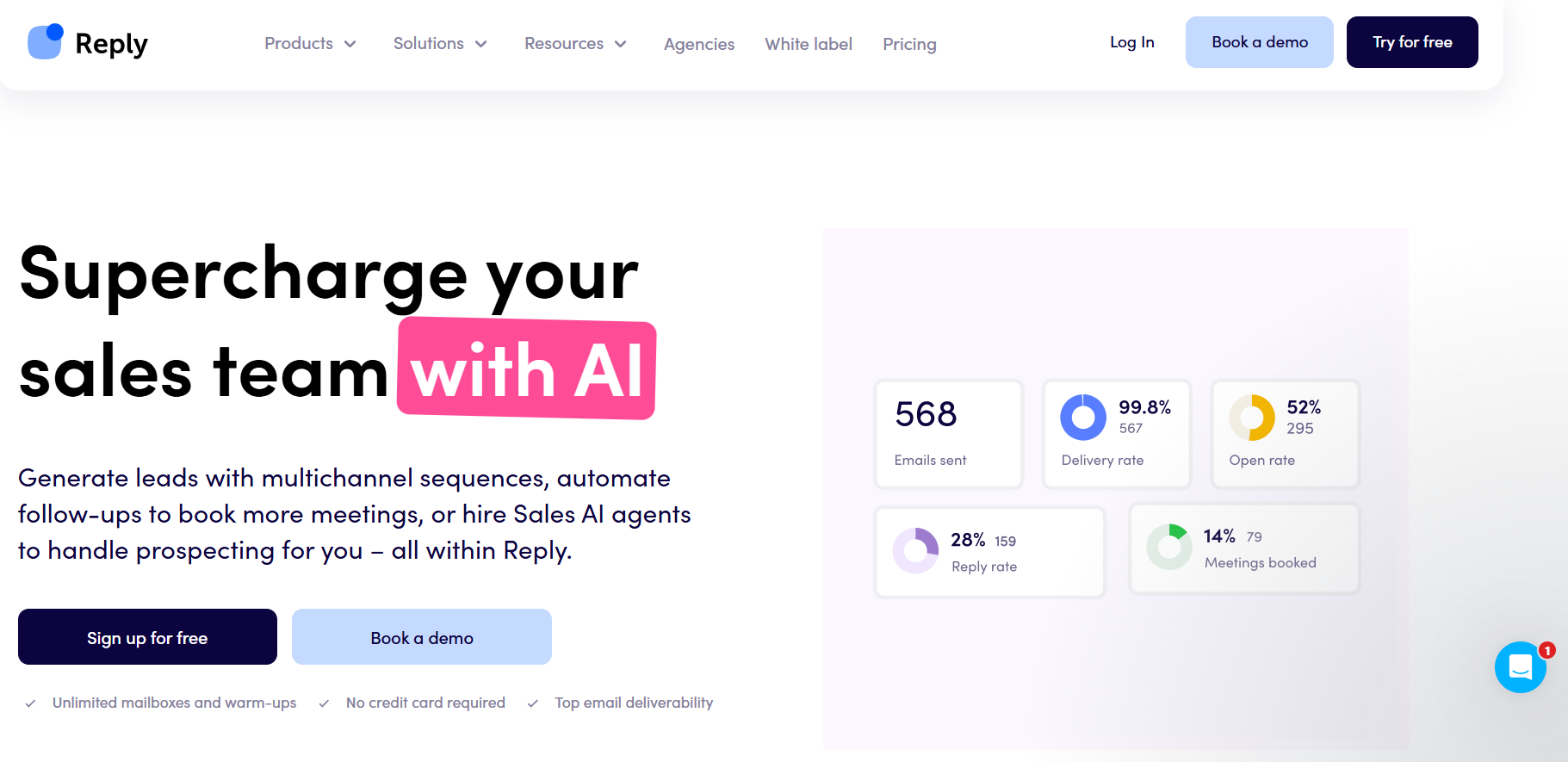
Reply.io is a multichannel sales engagement platform, running email, LinkedIn, calls, SMS, and WhatsApp as steps in one conditional sequence, with B2B contact search and website visitor reveals feeding the top of it.
Features
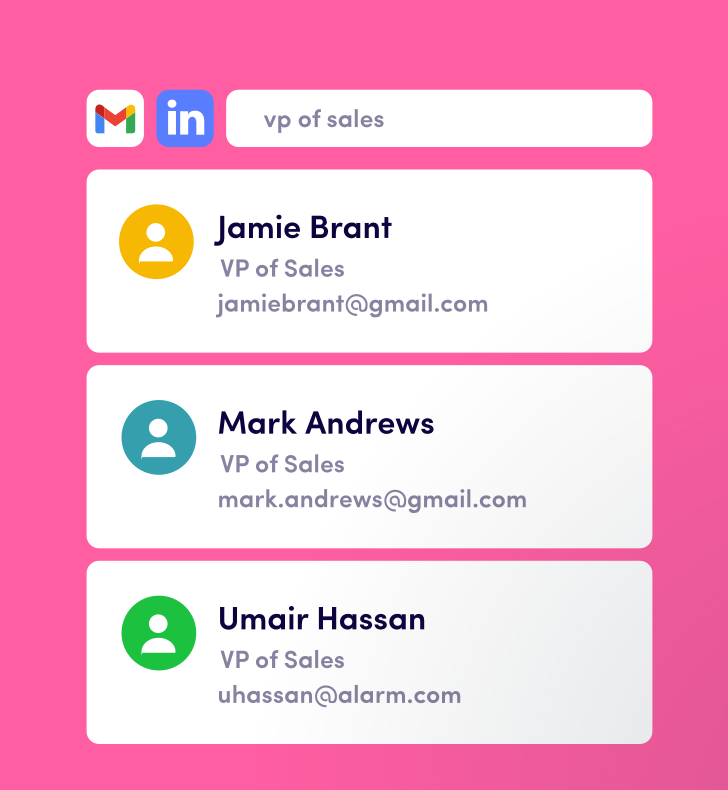
- Live B2B data: Contact search carries buying-intent signals, and every plan includes website visitor reveals up to 200 a month.
- LinkedIn as a full module: Invitations, messages, InMails, voice notes, attachments, post likes, follows, and endorsements. Each one fires automatically or queues as a manual task awaiting your approval.
- Conditional sequences: No response on email pushes the prospect to a LinkedIn touch, then to a call. Each branch gets chosen from what that person did.
- Deliverability suite: Mailboxes without limit, warm-up, DNS setup, tracking domains, inbox rotation, and domain purchase in the app.
Pricing
Two pricing shapes exist at Reply.io, one built around email volume and the other around channel coverage:
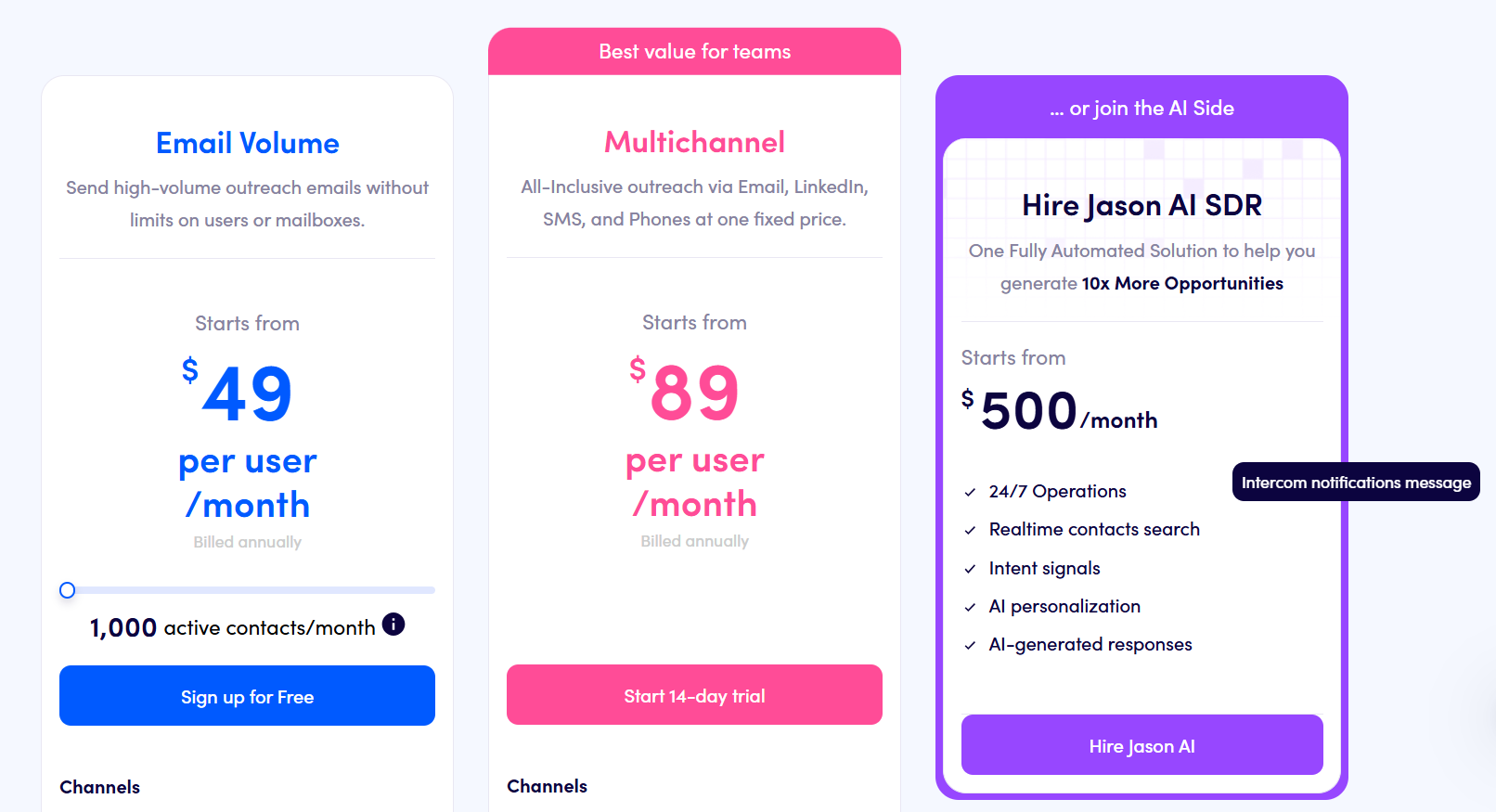
- Multichannel, from $89 per user per month billed annually: ten mailboxes with LinkedIn, calls, and SMS included, plus WhatsApp as a semi-automated step.
- Email Volume, from $49 per month: unlimited users and mailboxes with 1,000 active contacts, where LinkedIn is $69/month per account and calls with SMS are $29/month per user.
- Jason AI SDR, from $500 per month: a fully automated prospecting and reply motion.
- Agency, from $166 per month: an agency dashboard with client management.
- Free trial: 14 days across the platform.
Pros & Cons
✅ Website visitor reveals on every plan, up to 200 a month.
✅ Buying-intent signals ride along with contact search, so a list can be filtered on more than firmographics.
✅ Warm-up comes included, and a fair-usage policy ties your mailbox count to contact volume.
✅ Jason AI SDR is available as an upgrade, keeping a second vendor out of the picture.
❌ Actions can't run in parallel inside one sequence, according to a G2 review.
❌ A unified outbox is missing, per the same review.
#7: Waalaxy
Best for: First-timers and small teams that want post reactions and competitor engagement collected without anybody building a list by hand.
Similar to: Lemlist, Dripify.
Waalaxy is a Chrome extension working over your own LinkedIn session, with prebuilt templates carrying the campaign logic.
Features
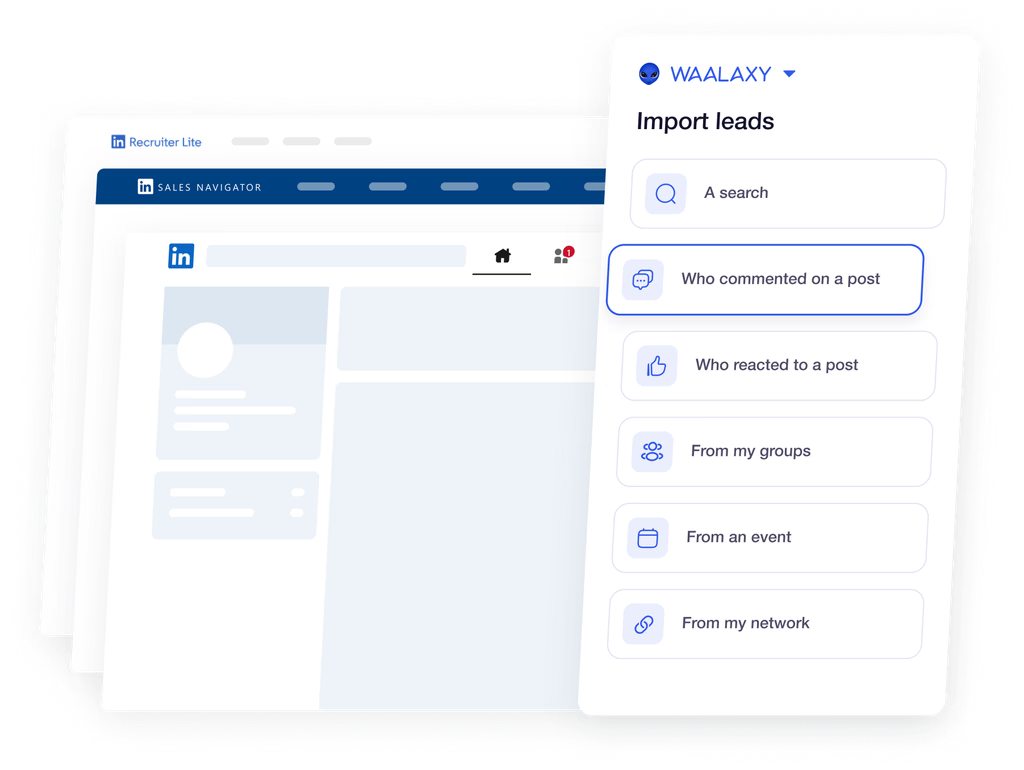
- Interest triggers: Reactions and comments get collected automatically, and so does engagement with rival companies and with the noisiest accounts in your niche.
- Address finding: Enrichment credits pay for the email follow-ups in top-tier campaigns, on a match rate Waalaxy puts above 61%.
- 99 ready-made templates: Launch points cover a LinkedIn search, a Sales Navigator list, and Recruiter Lite, follow-ups already inside, and anybody who answers gets lifted out by reply detection.
- Group working: Duplicate checks keep two reps off one thread, next to prospect lists, permissions, and shared analytics.
Pricing
What separates the tiers is the monthly invitation allowance.
Billing runs per user, and a longer commitment lowers the rate:
- Pro, €19 per user per month: 300 invitations monthly, unlimited campaigns, the template library, automatic follow-ups, and CRM syncing.
- Advanced, €49 per user per month: the allowance rises to 800, plus API access, Make, Zapier, and n8n modules, and chat support.
- Business, €69 per user per month: cold email sequences, campaigns crossing LinkedIn and email, and 500 address-finder credits monthly.
- LinkedIn Inbox add-on: charged separately whichever tier you're on, with 500 conversations free to try it.
- Trial: 14 days, and no card at signup.
Pros & Cons
✅ Interest triggers gather post reactions and competitor engagement automatically.
✅ 99 sequences ship prebuilt. No first campaign begins on an empty canvas.
❌ The inbox is a separate add-on.
❌ Several G2 reviews raise unhappiness with Waalaxy's pricing.
#8: Dripify
Best for: Solo sellers and lean teams after an email finder and enrichment attached to a legible LinkedIn and email drip builder.
Similar to: We-Connect, Waalaxy.
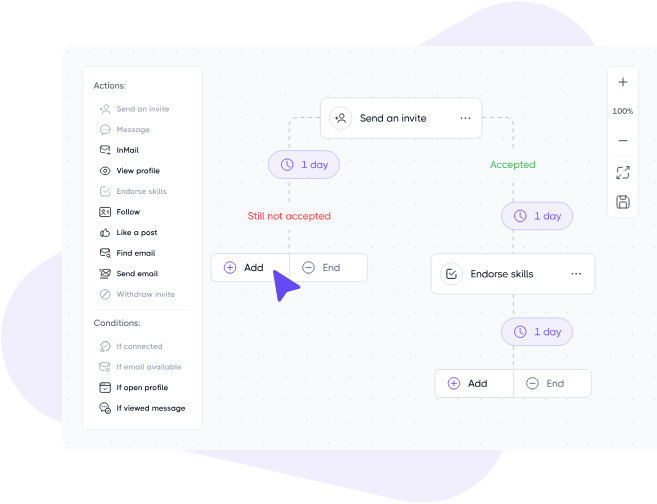
Dripify is a LinkedIn and email drip builder that arranges actions, waits, and conditions in one drag-and-drop panel, with lead data tooling attached to the same subscription.
Features
- Lead data: An email finder carrying monthly credits on every paid tier, a verifier beside it, and enrichment coming back with roughly 30 live data points per lead.
- Nine lead sources: A LinkedIn post can serve as a rolling feed of new prospects.
- The builder: Ten or more LinkedIn and email steps, separated by waits and by branching rules.
- Personalization: More than 20 fields, an icebreaker among them, and a fallback phrase covering any profile missing the detail you called out.
- Step analytics on Advanced: Accepted invites and replies received, reported action by action.
Pricing
Three published tiers billed per user, and a custom enterprise plan above them:
- Basic, $39 per user per month billed annually or $59 monthly: one drip campaign, limited daily quotas, advanced analytics and reports, sequence templates, built-in LinkedIn protection, and live support around the clock.
- Pro, $59 billed annually or $79 monthly: unlimited drip campaigns, full daily quotas, a dedicated inbox, CSV export, and webhook integration.
- Advanced, $79 billed annually or $99 monthly: multi-team management, advanced LinkedIn protection, lead tagging, step analytics, evergreen leads, and split testing.
- Enterprise, custom: premium onboarding, dedicated technical support, and a customer success manager.
Pros & Cons
✅ The email finder carries monthly credits on every paid tier, not the top one alone.
✅ LinkedIn and email sequences are both included from the entry tier.
✅ The builder assumes no prior experience with outreach automation.
❌ Basic covers one drip campaign.
❌ Multi-team management waits until Advanced.
#9: We-Connect
Best for: Recruiters and small sales teams after contact enrichment and behaviour scoring beside their LinkedIn and email steps.
Similar to: Dripify, Reply.io.
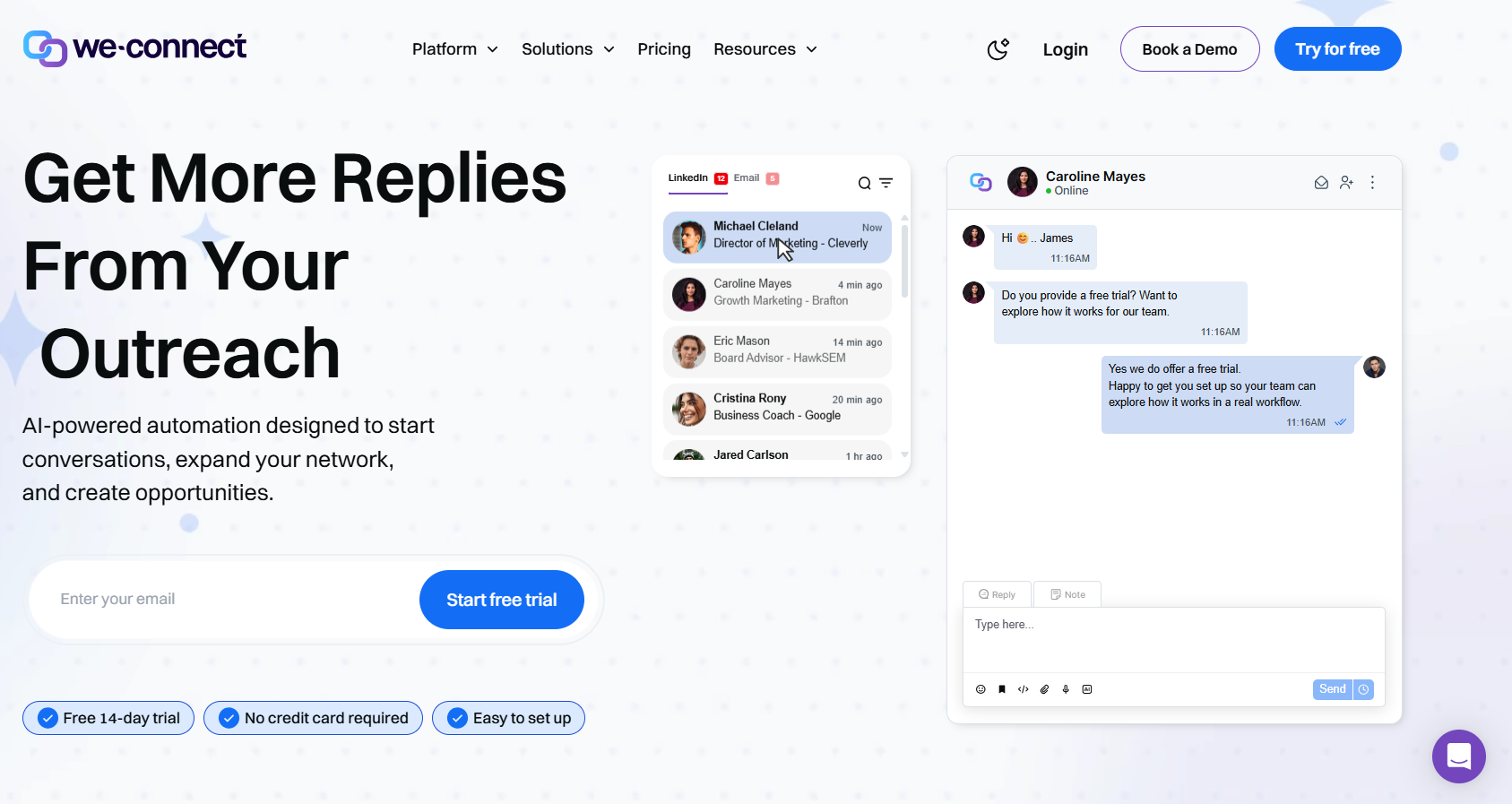
We-Connect is a LinkedIn and email automation platform that puts AI at both ends of a conversation, writing the outbound copy and handling the replies with or without your sign-off.
Features
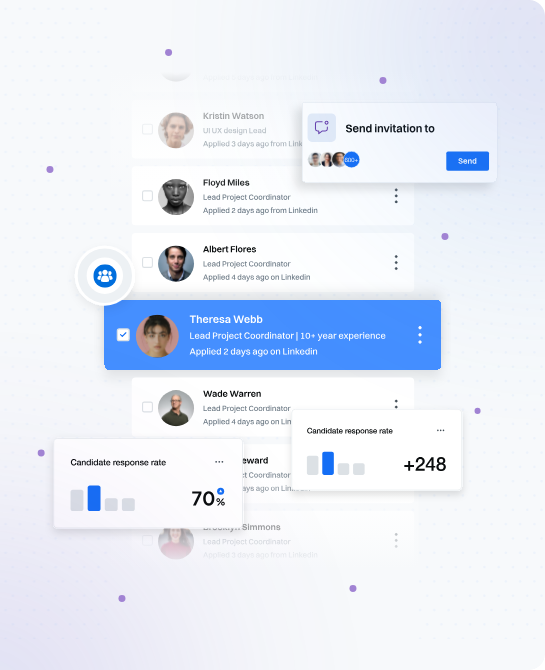
- Lead Engine: A visual builder in beta that reads contact behaviour, routes accordingly, and scores as it goes.
- Contact enrichment: Present from Growth, the entry tier.
- LinkedIn actions: Everything from invitations through to InMails, each message filled in from the contact's own profile ahead of sending.
- Behaviour-triggered email: LinkedIn activity fires the email step, copy gets split tested, and opens, clicks, and bounces all report back.
- AI Assist and auto-reply: Icebreakers, connection notes, and follow-ups all draw on profile data. Inbound messages get handled in co-pilot or autonomous mode.
Pricing
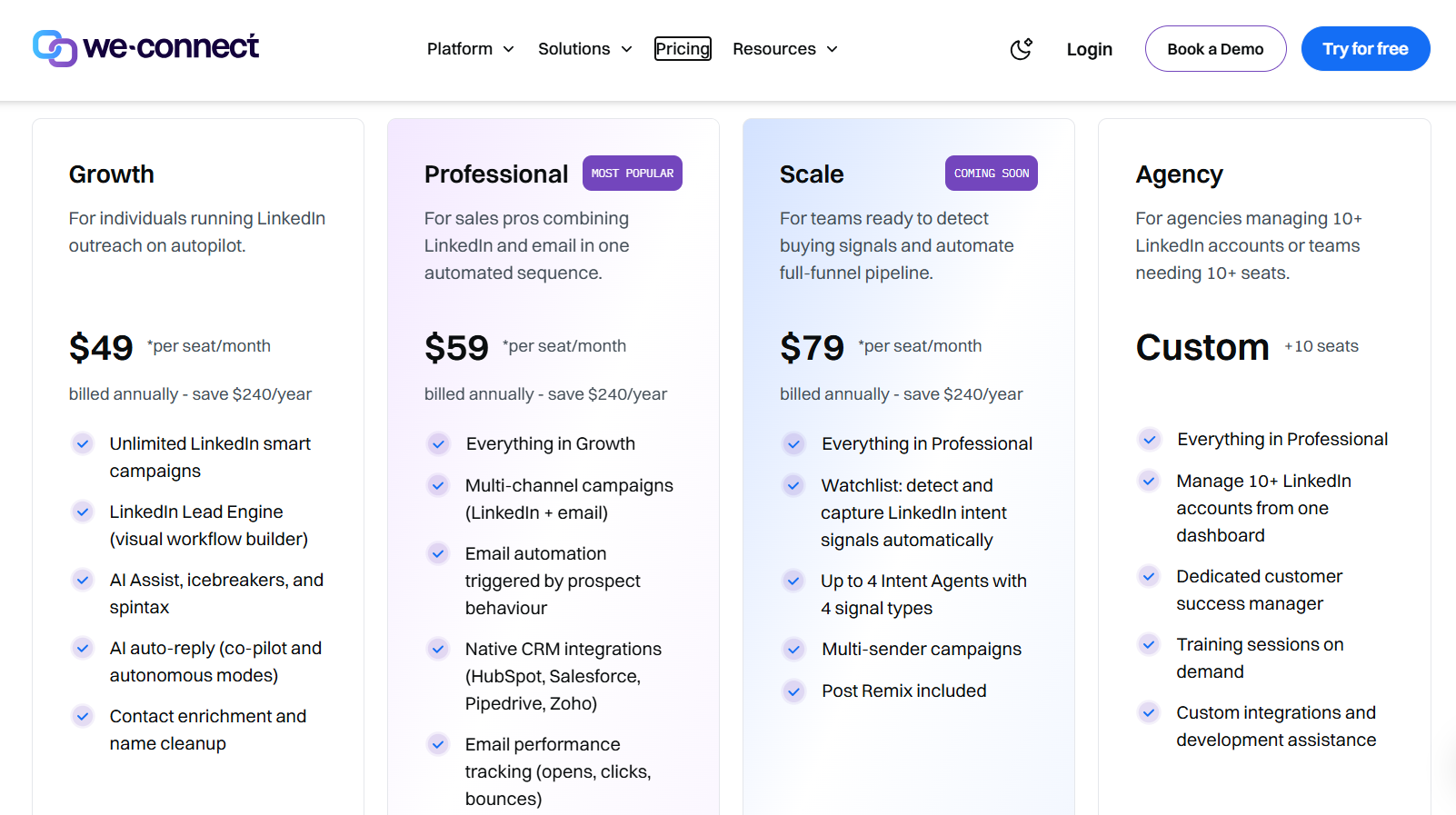
We-Connect prices per seat, annual billing brings the rate down, and agencies are quoted directly:
- Growth, $49 per seat per month billed annually: unlimited LinkedIn smart campaigns, the Lead Engine, AI Assist with icebreakers and spintax, AI auto-reply, and contact enrichment.
- Professional, $59 per seat per month billed annually: multi-channel campaigns, behaviour-triggered email automation, native CRM integrations, and email performance tracking.
- Scale, $79 per seat per month billed annually: listed as coming soon, with intent-signal capture, up to four intent agents, multi-sender campaigns, and Post Remix included.
- Agency, custom from ten seats: ten LinkedIn accounts or more from one dashboard, a dedicated customer success manager, training sessions on demand, and custom development assistance.
- Trial: 14 days, no credit card, with Post Remix sold as an add-on at an introductory $16 per seat per month.
Pros & Cons
✅ Contact enrichment starts on the entry tier.
✅ Autonomous reply handling, uncommon among tools priced in the fifties.
✅ From Professional upward, Zoho, Pipedrive, HubSpot, and Salesforce all sync natively, and Slack picks up campaign notifications.
✅ A named success manager comes with the agency plan, which starts at ten LinkedIn accounts.
❌ Post scheduling is a separate add-on.
❌ Entry pricing runs above much of this list.
#10: HeyReach
Best for: Agencies and outbound teams whose prospect lists arrive from Clay, RB2B, or a CRM, and who want one flat fee covering every connected sender.
Similar to: Sbl.so, PhantomBuster.
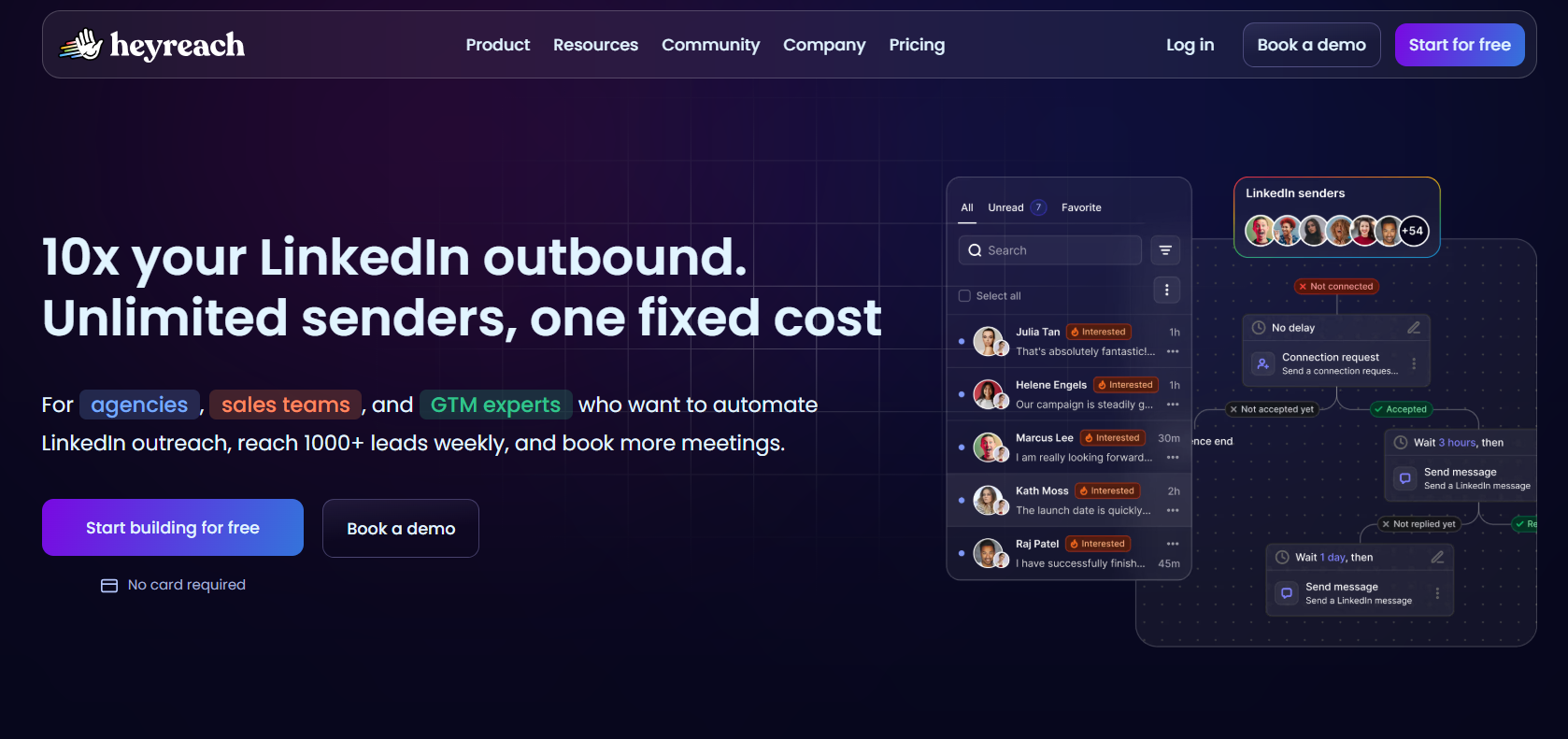
HeyReach is a LinkedIn outreach platform billed per connected sender and not per user.
Seats cost nothing, so an agency can have assistants, colleagues, and clients all in one workspace.
Features
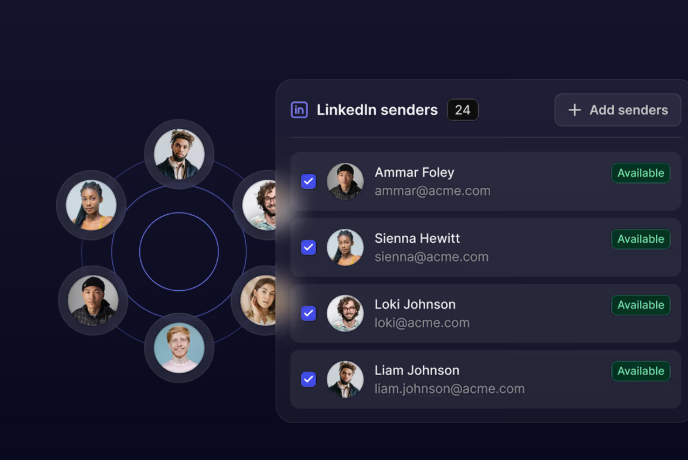
- Lists arrive from elsewhere: Sales Navigator, Clay, RB2B, HubSpot, or anything else capable of pushing a contact record across.
- An If Connected condition: Existing connections and new ones get split inside one sequence.
- Sender rotation: One campaign's sending gets shared out across all the connected profiles. The ceiling rises as you add more staffed accounts.
- One inbox for the pool: Messages from all connected accounts gather in one view, and a manager can reply for a colleague or leave an audio note without opening LinkedIn.
- For teams that build: An MCP server, a command line tool, webhooks, and an API. Between them, enough for an AI assistant to open campaigns and pull reports in conversation.
Pricing
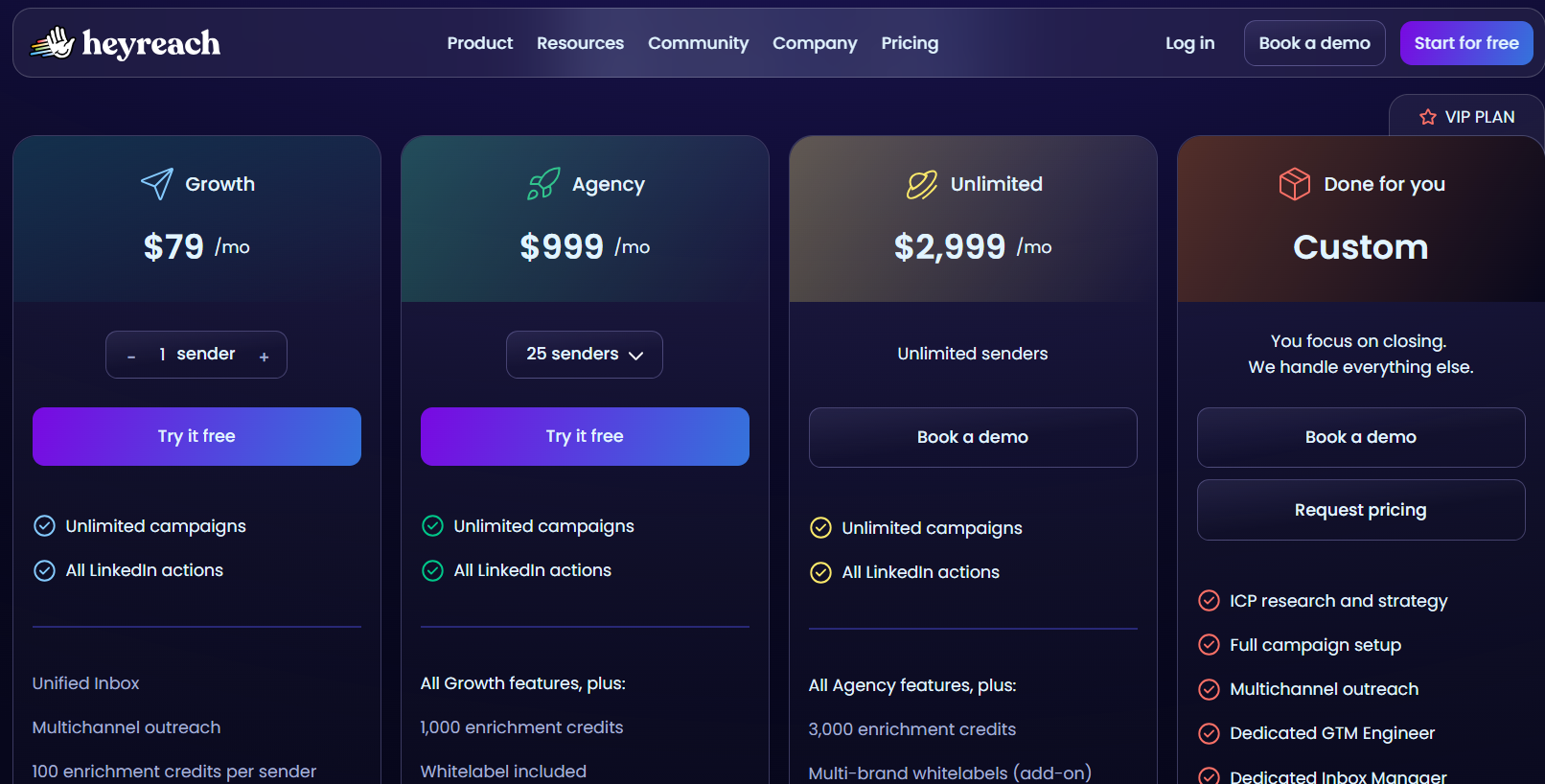
Senders are the billing unit here, and a longer commitment cuts the rate, by 10% quarterly and 20% annually:
- Growth, $79 per month: one sender with a dedicated residential proxy included.
- Agency, $999 per month: 25 senders, white label branding, and your own proxies expected.
- Unlimited, $2,999 per month: unlimited senders across multiple workspaces, again on your own proxies.
- Done for you, custom: HeyReach runs the outreach on your behalf.
- Trial: 14 days on Growth with three LinkedIn accounts and no card, plus a 30-day trial of the two larger plans on request.
A discounted early-stage program also exists, open to companies under $250,000 ARR with fewer than five people.
Pros & Cons
✅ Lists push in from Clay, RB2B, HubSpot, or Sales Navigator, so an existing data stack keeps working.
✅ Cost per account drops as the account count rises, and that economics is what keeps drawing agencies here.
✅ Deep GTM tooling, covering n8n and Clay through to a HubSpot sync that HubSpot has verified itself.
❌ A G2 review mentions that they wish HeyReach had outbound email too.
❌ Proxies are yours to manage on Agency and Unlimited, though the team will help you.
Which LinkedIn prospecting tool should you choose?
Choose your LinkedIn prospecting tool on one thing above all: whether the list already exists, or whether the tool has to build it.
That single answer splits this list cleanly, and the rest is detail underneath it.
Let’s say the list already exists, parked in Clay or a CRM or a spreadsheet somebody bought.
- HeyReach charges on senders and will take that list as it is.
- If nobody has built it yet and you want it built off signals, Sbl.so scores names against your buyer description daily.
- PhantomBuster reaches platforms LinkedIn search never touches.
- For a list that ought to come out of a database, Lemlist holds upwards of 650 million records, and Reply.io reveals as many as 200 website visitors a month on every plan.
A second question tends to surface later, usually on the invoice.
Prospect data across most of this list is metered.
Credits per verified email, credits per phone number, execution hours, automation slots, enrichment allowances that reset each month.
Metered pricing is the right structure for plenty of teams, and budgeting for it deliberately works fine.
Meet Alfred is built for the ones who'd rather not budget for it at all.
AI Lead Finder returns up to 10,000 results on Team with no separate credit purchase behind it; contact information for connections and leads exports from the built-in CRM, email sends over your own SMTP or IMAP connection, with your mailbox setting the ceiling; and Smart Inbox appears on Basic at $29.
The list and the outreach never leave the same product. No export and no import in between.
The infrastructure under all of that is AWS, with a dedicated IP per account, randomized pacing, working-hours control, end-to-end encryption, DDoS protection, and GDPR and CCPA compliance.
➡️ If your pipeline comes off LinkedIn and the prospect data keeps arriving on a separate invoice, a seven-day trial covers every feature and asks for no card.
A demo is the other route in, if you'd sooner have somebody walk you through the product.
⚠️ Disclaimer: This article was last updated on the 15th of September, 2026, and if there's any misinterpretation of the information, please contact us, and we will fact-check it.
Related Articles