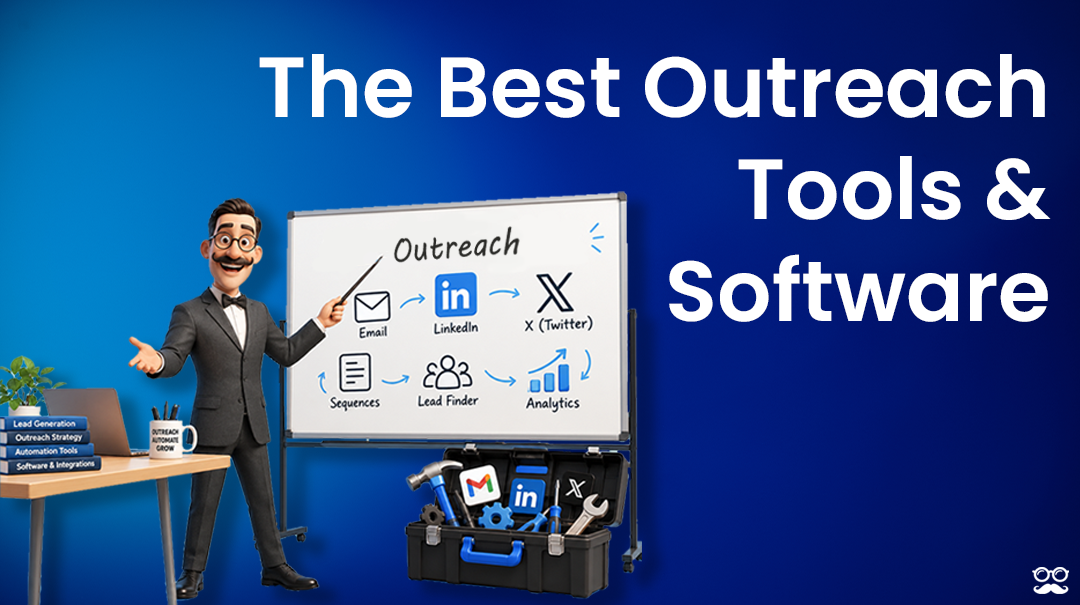






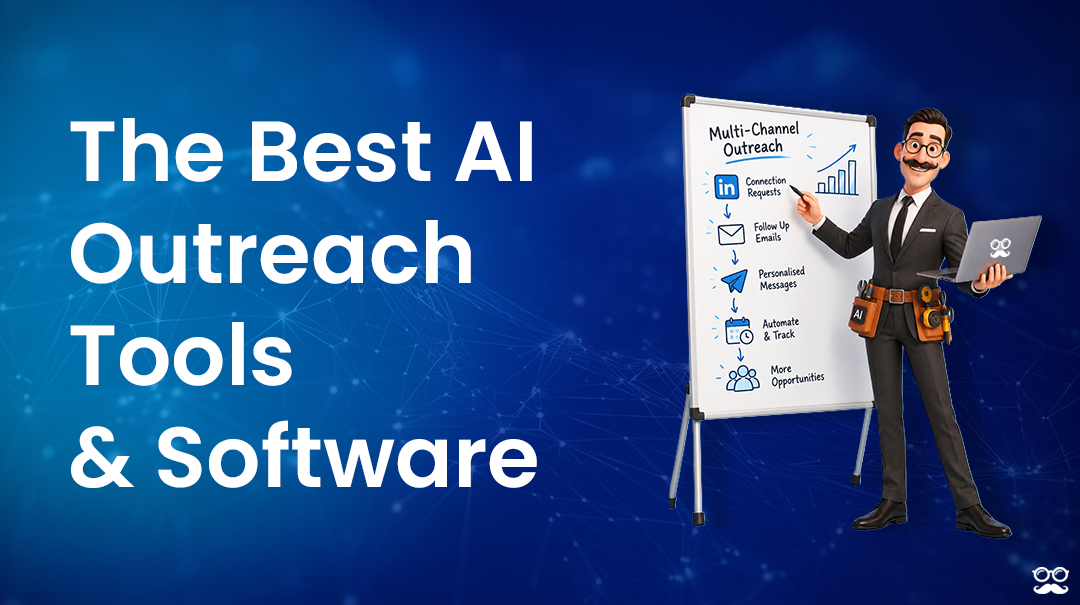
AI outreach software automates some mix of four jobs: finding the prospects, researching them, writing the messages, and handling what comes back.
Where these tools split from each other is how far into that fourth job the AI is allowed to go.
Here are the 10 best AI outreach tools for 2026 that I’ve shortlisted:
TL;DR
- Meet Alfred is the best AI outreach tool in 2026 for sales teams, agencies, and recruiters. The AI builds the prospect list, writes profile data into every message, paces the sending inside limits you set, and pauses the campaign the second someone answers. And the best part? LinkedIn, email, and X all run on one subscription.
- 11x and Sbl.so take the conversation the whole way, one across six channels including live phone calls, the other on LinkedIn profiles the vendor supplies and warms up for you.
- Salesforge and Reply.io both sell an AI SDR as a separate line on top of a sequencer you're already paying for, which keeps the autonomy optional and reversible.
- We-Connect puts autonomous replies on a $49 seat, and Lemlist aims its agents at account research and signal monitoring, leaving the conversation to people.
- Clay and PhantomBuster work upstream of the send, building and enriching the list before any message gets written.
- La Growth Machine’s AI writes a fresh opening line for every prospect who gets a voice message.
What are the best AI outreach tools in 2026?
The best AI outreach tools in 2026 are Meet Alfred with its AI personalization and multichannel outreach capabilities, 11x, and Sbl.so.
Here’s my full shortlist of vendors alongside who I think they’re best for and their current pricing:
#1: Meet Alfred
Meet Alfred is a cloud outreach platform for LinkedIn, email, and X, where the AI finds the prospects, personalizes every message against their profile, and controls how fast the sending happens.
When a prospect writes back, the campaign stops, and the thread goes to a person.
One disclosure before I dive into Meet Alfred’s features: Even though Meet Alfred is our platform, I’ll cover what makes us the best AI outreach platform on the market and be unbiased in our cons.
Here are the features and capabilities behind why teams at Reuters, Samsung, HSBC, Oracle, and Salesforce use our AI outreach solution:
How does Meet Alfred's AI work?
Meet Alfred's AI covers four jobs inside a campaign:
- Building the prospect list.
- Writing the personalization.
- Pacing the sending.
- Detecting a reply so a human can take over.
Here’s how you can build your first automated campaign in 4 steps:
Step 1: Describe the buyer and Lead Finder builds the list
Lead Finder starts from a written description of who you're after, put in everyday words: a CEO in New York at a company of 10 to 50 people.
Filters then cut the result set down by job title, industry, location, keywords, and language.
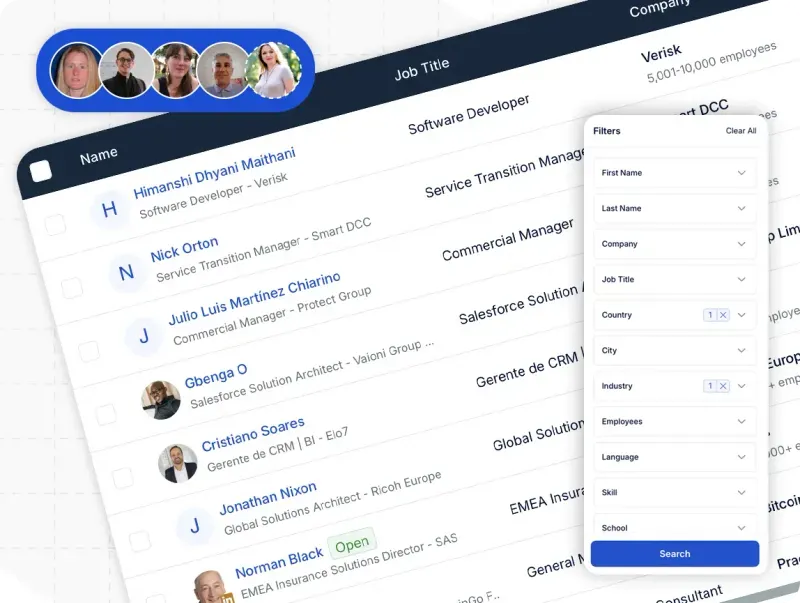
You see a sample of what the search returned before committing to anything, then choose how many profiles to keep.
Your tier decides how many results you can pull. Basic caps out at 1,000 results, Pro triples that to 5,000, and Team doubles again to 10,000.
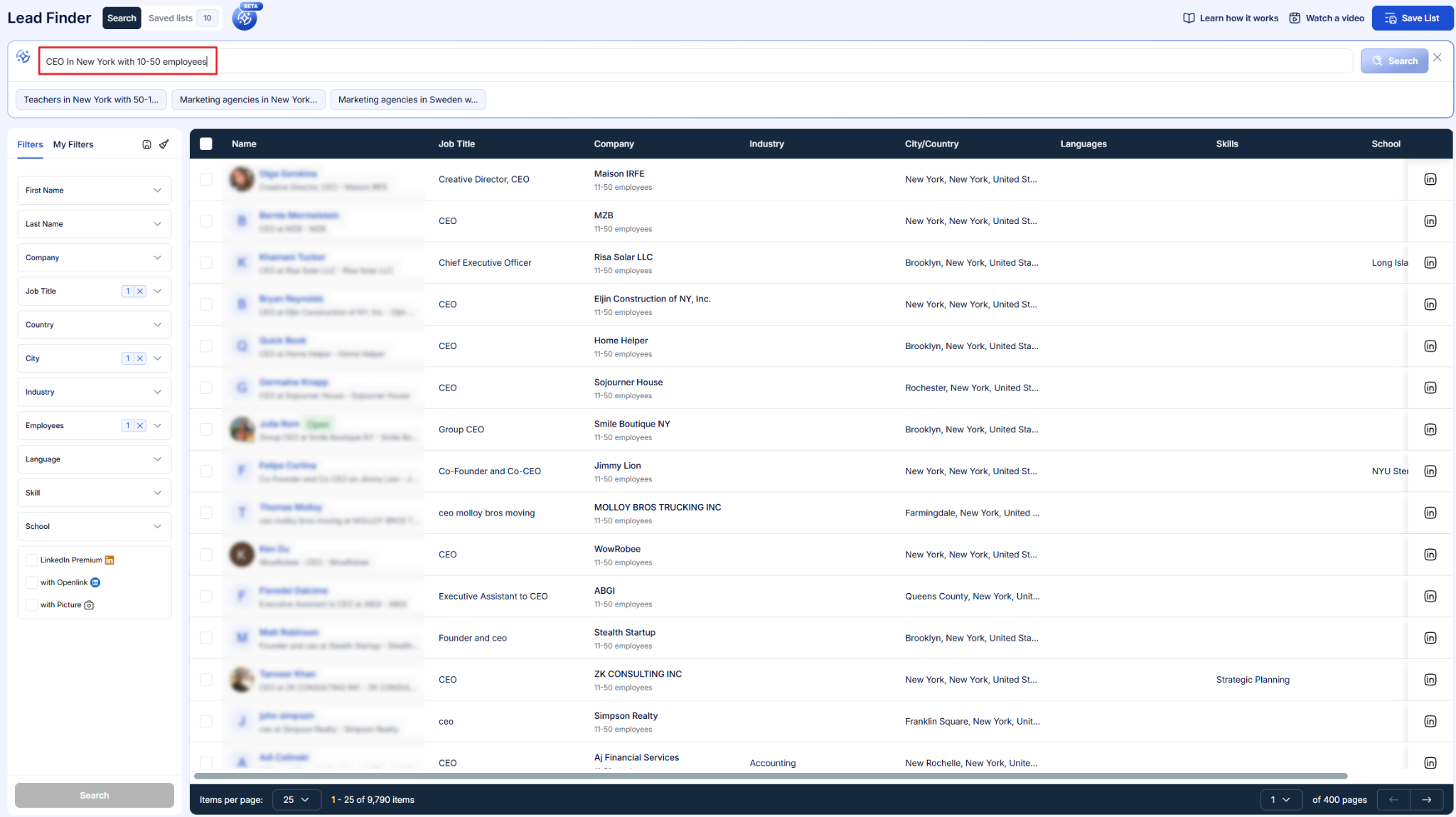
That saved list becomes a selectable source inside the campaign builder.
Campaign setup carries its own list-building routes as well.
- Cold ones: LinkedIn search, a Sales Navigator URL or saved list, and CSV upload.
- Warm ones: post reactions, newsletter subscribers, event attendees, group members, and your own first-degree connections.
Step 2: The AI writes profile data into every message
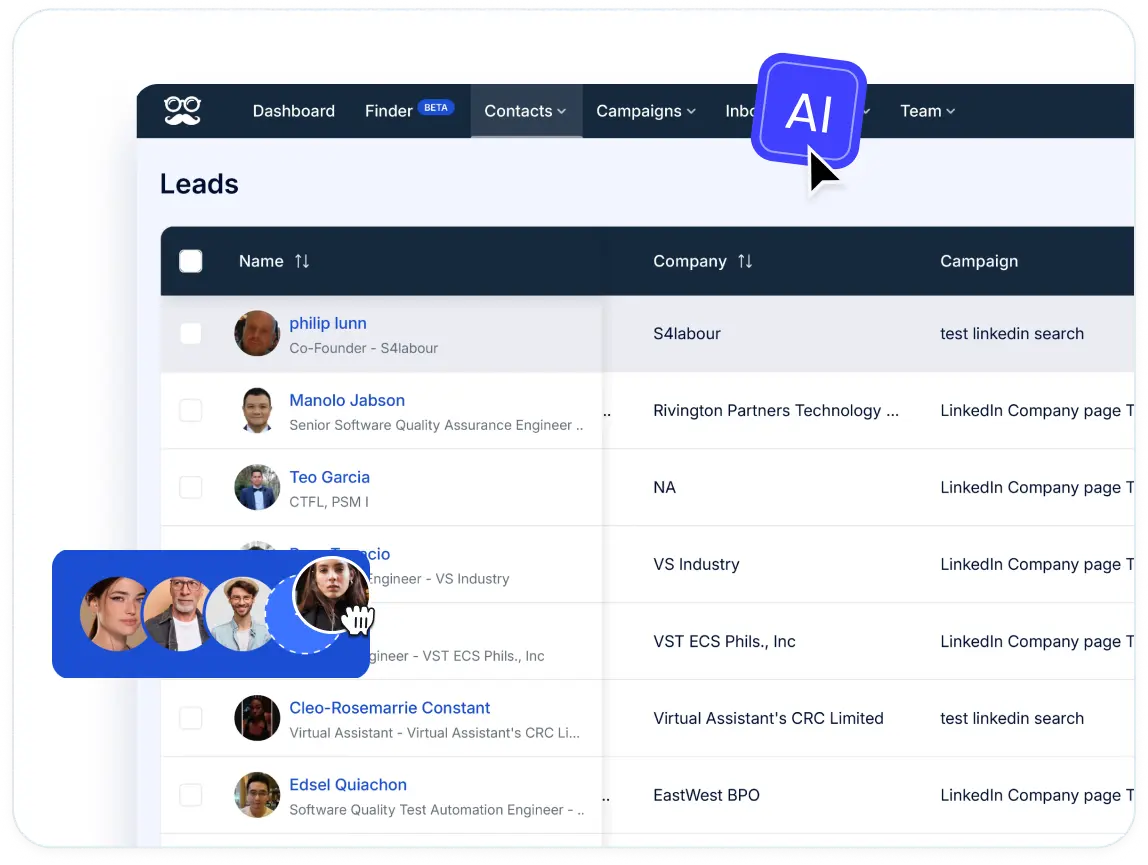
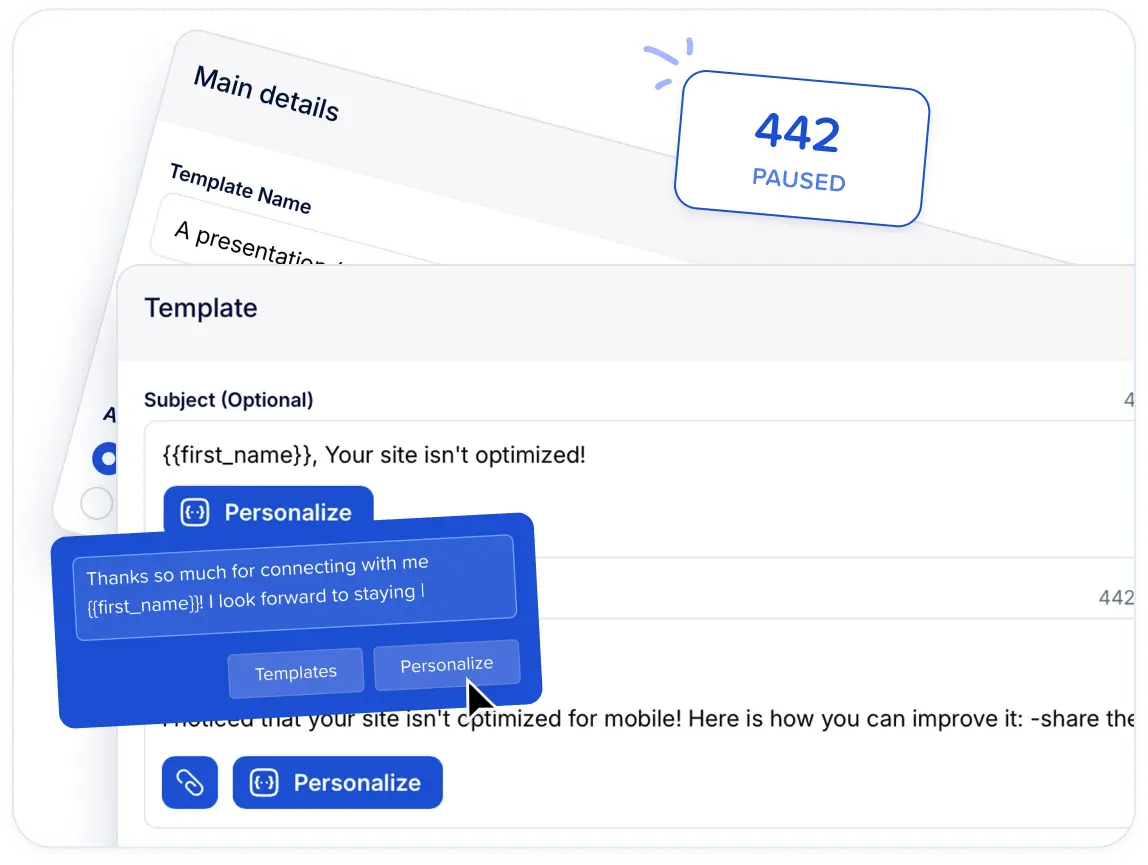
Any message in a campaign can pull fields straight off the prospect's LinkedIn profile, covering name, title, company, and more.
Imported lists behave the same way.
A CSV brings your own records across, and custom fields let you personalize on data LinkedIn never held in the first place.
More than 600 templates come with the variables already placed, covering connection requests, follow-ups, and InMails.
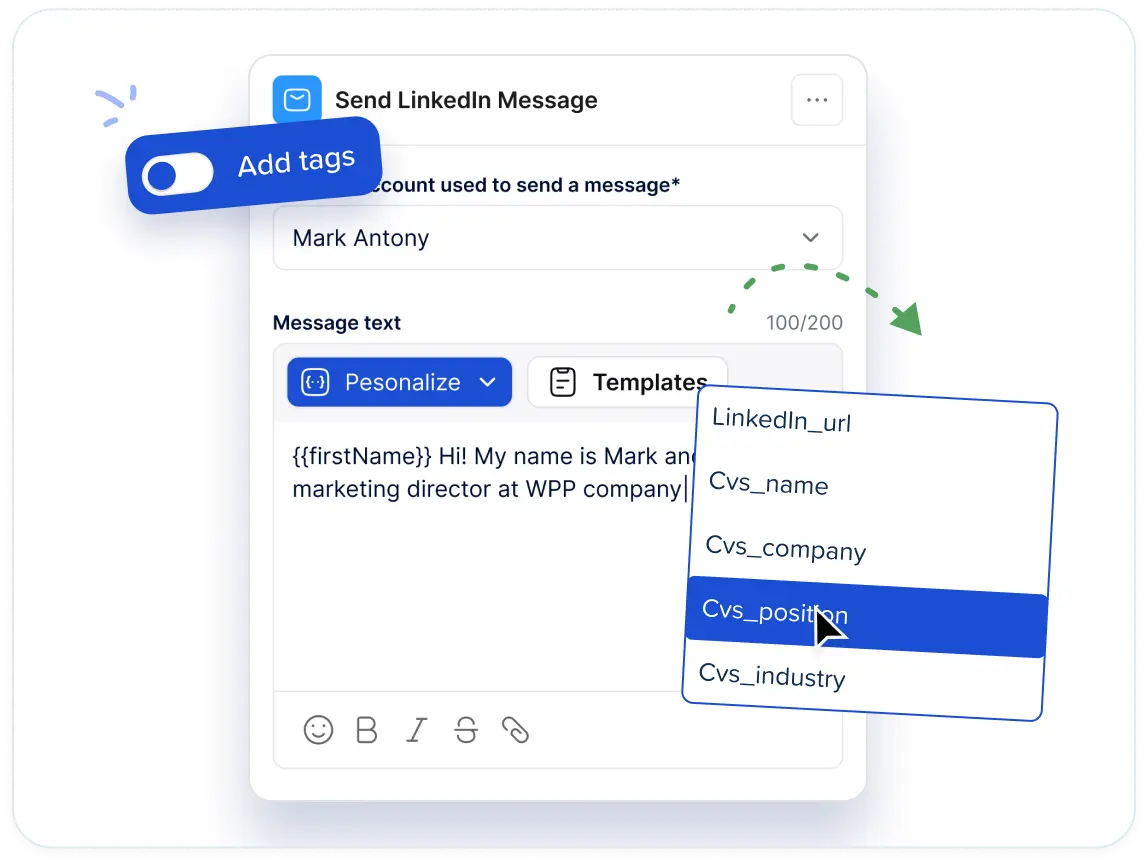
On Pro, the same personalization carries into the email and X steps, so a sequence keeps its voice when it changes channel.
💡 Whole multi-step sequences save as templates and share across the team, so a play that works stops being one rep's private trick.
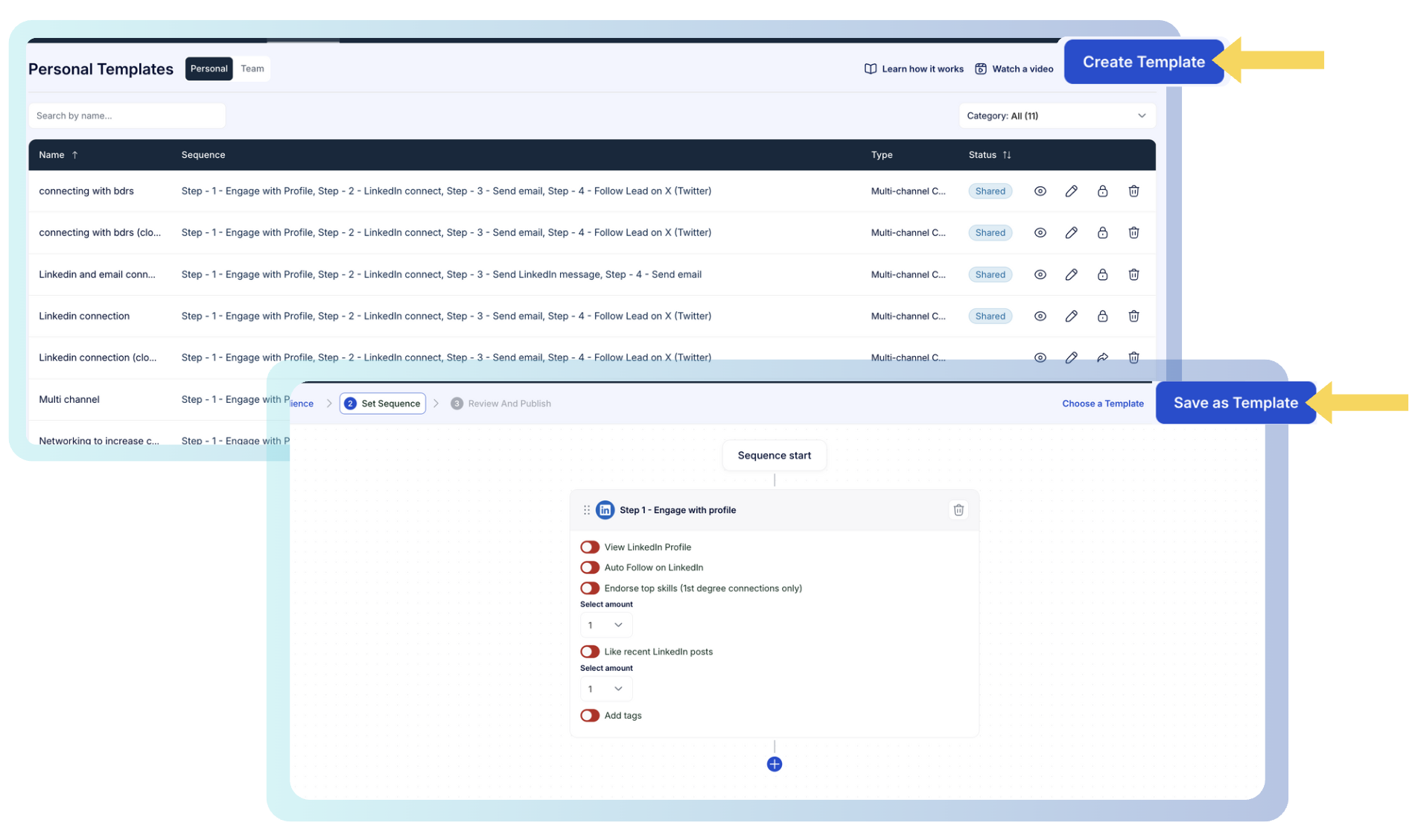
Step 3: You set the limits the AI runs inside
Meet Alfred's AI works to rules you configure, so nothing runs at full speed by default.
The connection request ceiling goes up to 100 a day, which exceeds LinkedIn's usual allowance while staying inside safe parameters.
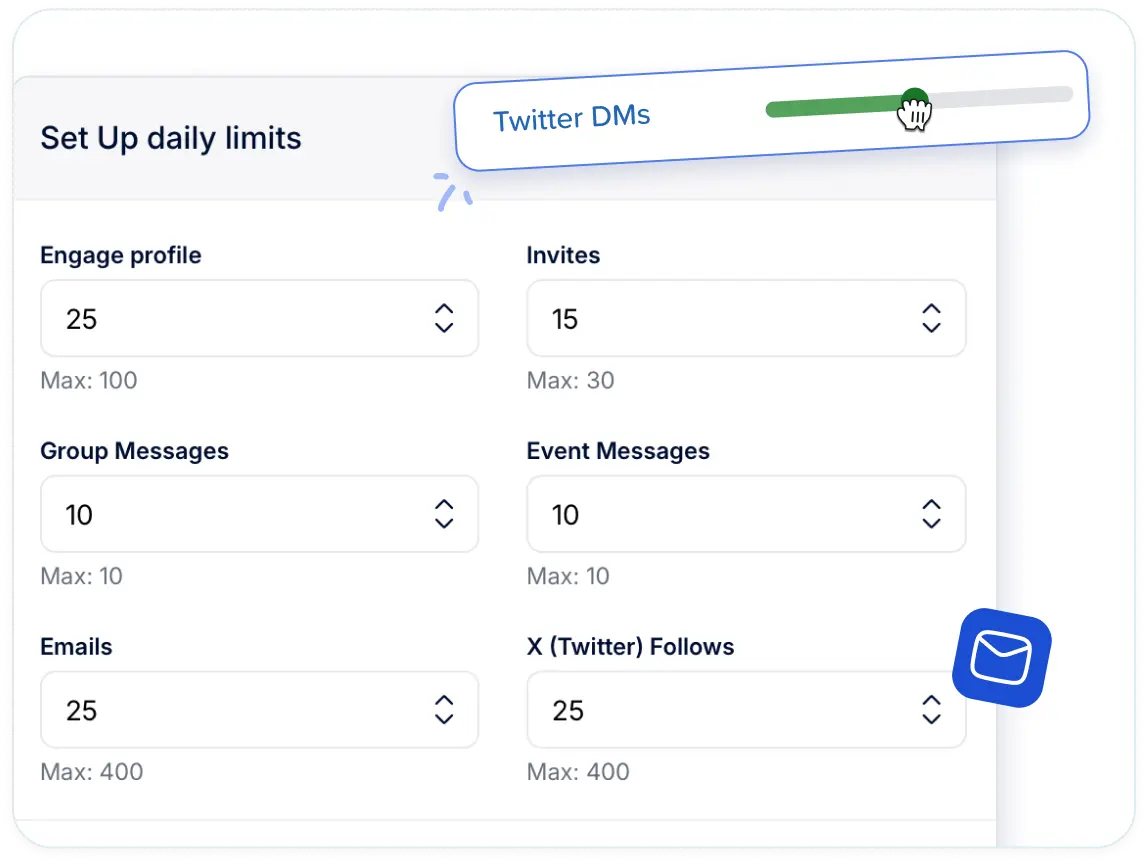
Below whichever number you choose, every action gets a randomized delay, which keeps the activity pattern human.
Outreach only fires during the working hours and time zone you specify.
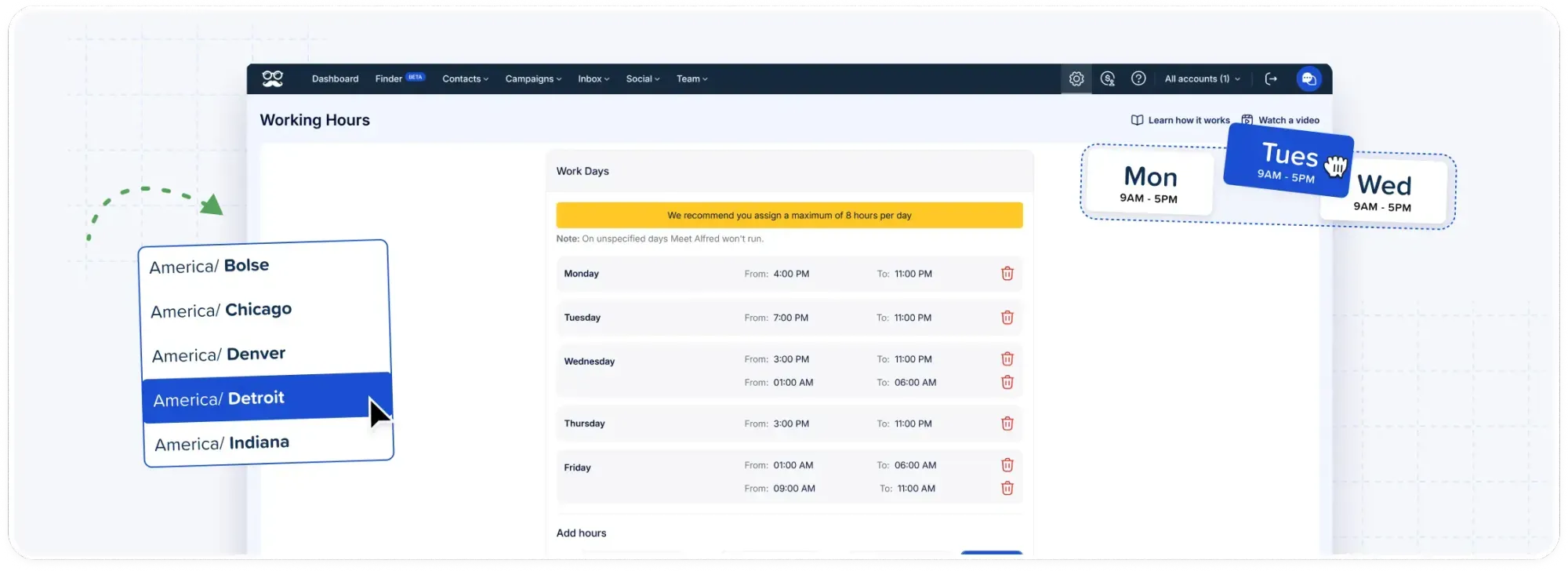
Auto-withdrawal clears pending invitations on its own, and a separate analytics view tracks what was withdrawn and when.
All sending runs on AWS in the cloud, over an IP reserved for your account alone.
That removes two line items other platforms leave you: the proxy subscription, and the machine that has to stay switched on.
X outreach reaches as many as 1,000 prospects a day on the same templates and the same variables.
Step 4: A reply stops the campaign and reaches a person
A human takes over at this stage, and reply detection is what triggers the switch.
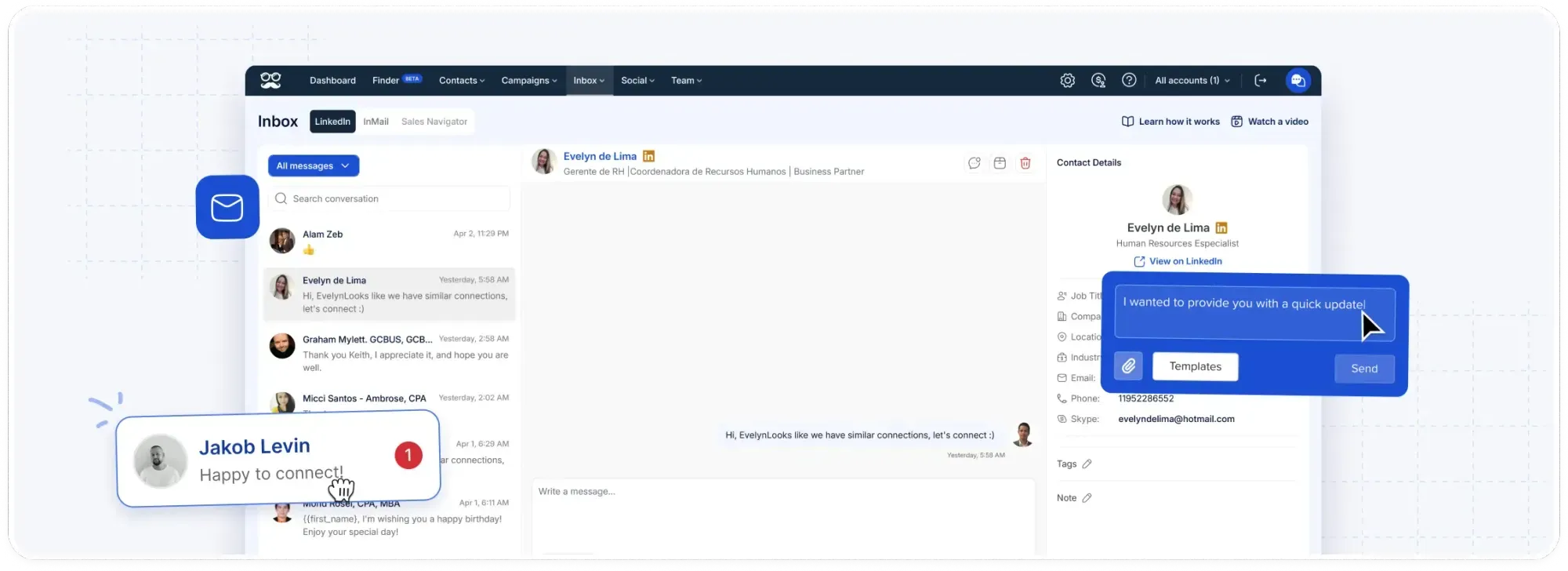
A prospect answers, and their campaign stops there. No scheduled follow-up reaches somebody who is already mid-conversation.
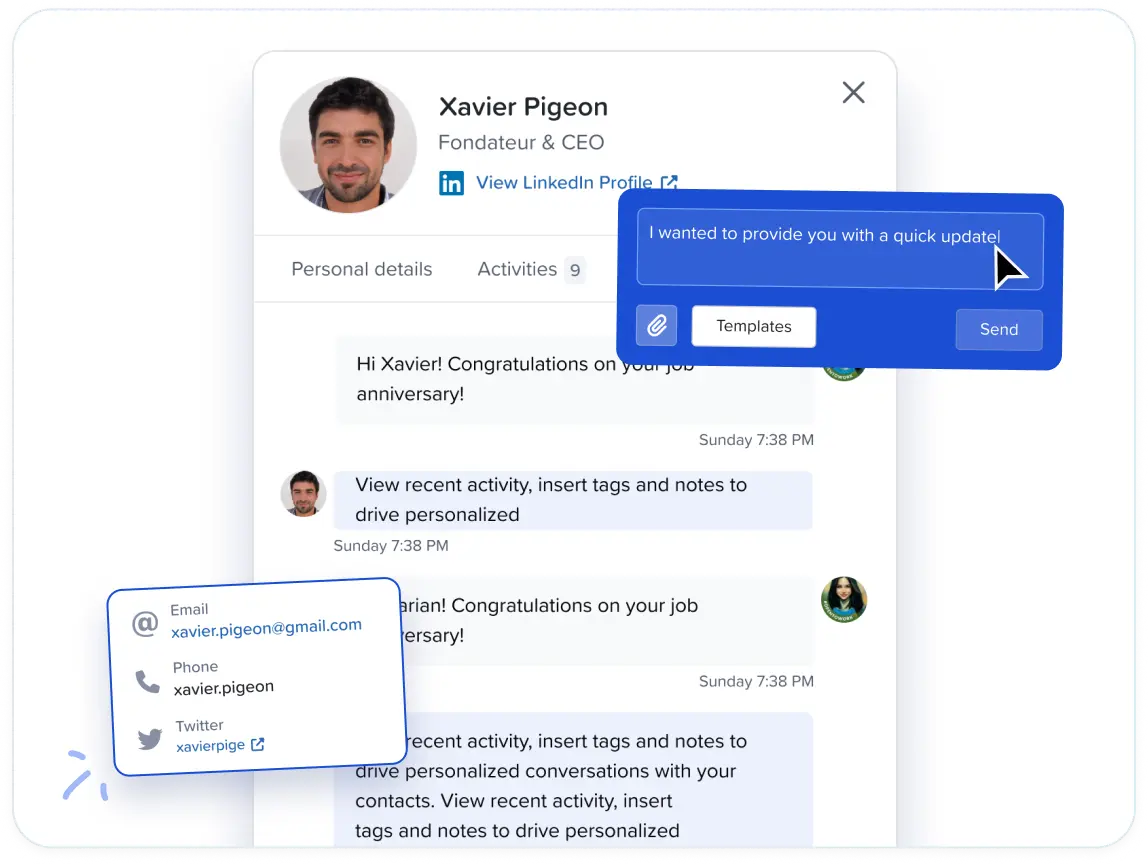
Those threads collect in the Smart Inbox, which covers LinkedIn messages, InMails, and Sales Navigator conversations for everyone on the team.
Job title, company, and location appear next to each thread, so the context arrives with the message.
From that same screen, a rep can tag a contact, write a note, attach a file, exclude a lead, or push one back into a campaign.
Reply templates save and share across the team, and replies export in bulk when you need them elsewhere.
Team analytics break connection requests, follow-ups, and replies down by member.
Working a teammate's account without their password
Impersonation gives a manager full access to a teammate's connected account, opened from the manager's own dashboard. No password moves between people.
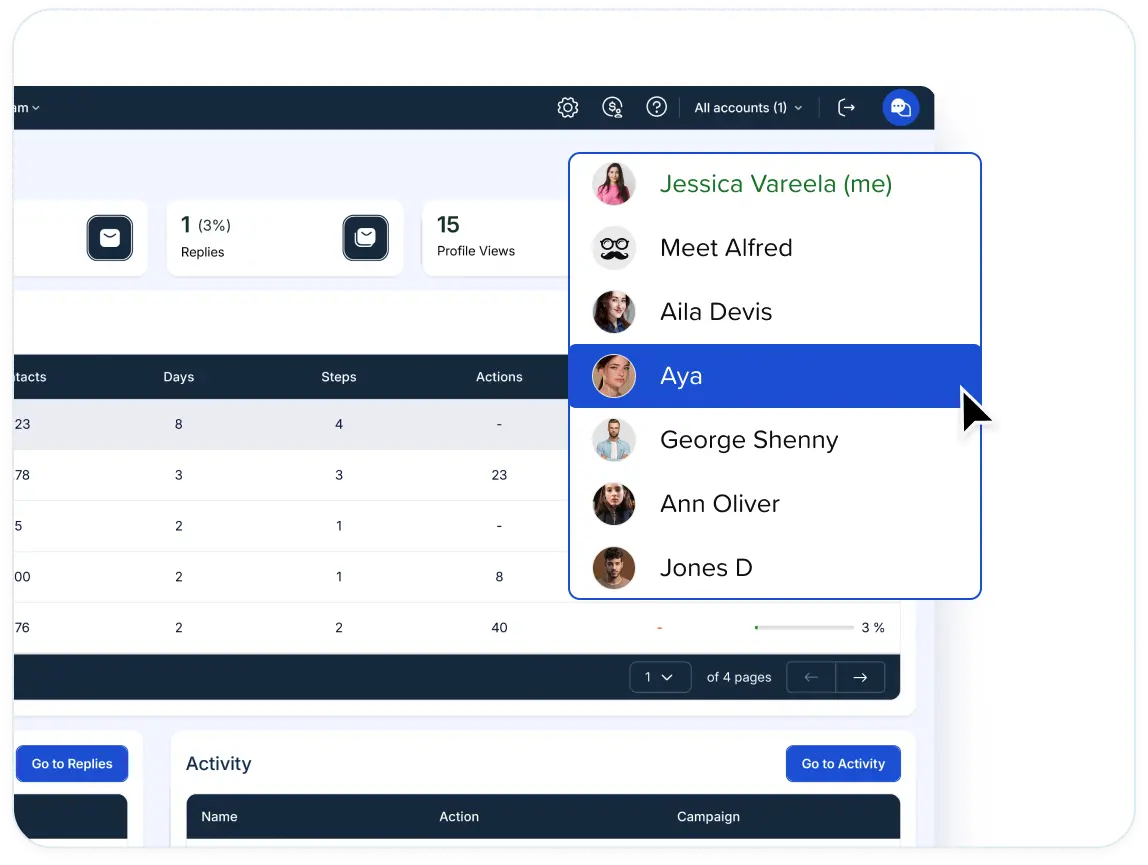
There are 2 ways to reach it:
- The profile bar at the top of the screen lists every account you're cleared to enter, and the Team page repeats the option as a Manage User control on each row.
- From inside that account, a manager handles its outreach and its conversations: launching campaigns and answering leads in the Smart Inbox, on behalf of the person whose account it is.
One operator can cover several client profiles from a single login.
How is Meet Alfred different from other AI outreach tools?
Meet Alfred differs from the typical AI outreach tool on four points:
- Where the AI stops, and a person starts.
- How many channels the AI covers on one subscription.
- What you have to buy separately to make the AI useful.
- What the platform does to keep the sending account safe.
The table below sets each of those against what a typical tool in this category offers:
Meet Alfred pricing
There’s a 7-day free trial of Meet Alfred with the full feature set open, no credit card required, that you can cancel anytime.
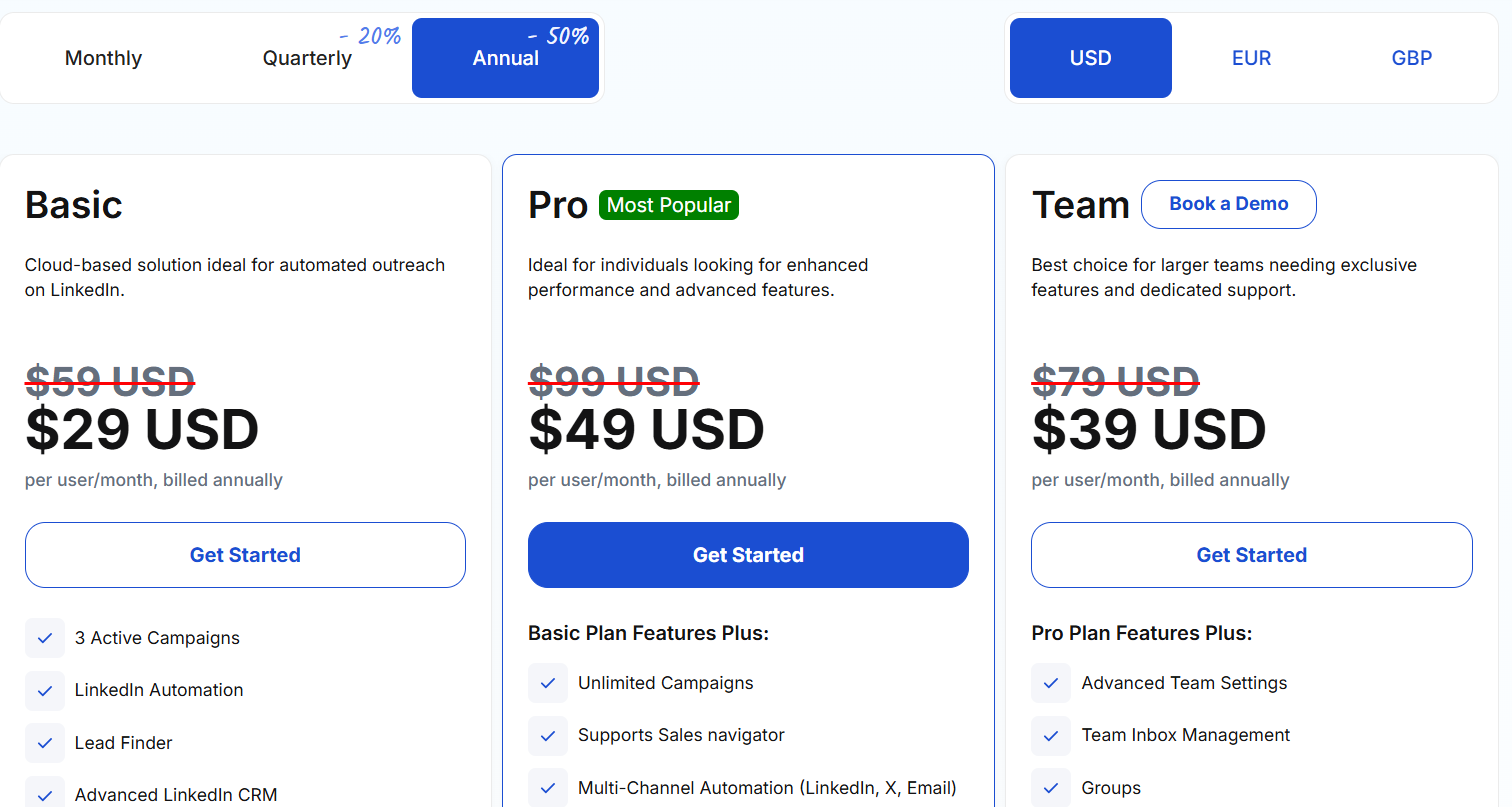
Three paid plans follow, with the annual billing taking 50% off and quarterly taking 20% off:
- Basic, $29/user/month billed annually: three active campaigns of cloud LinkedIn automation, with the advanced CRM for LinkedIn, Smart Inbox, templates, automated greetings, custom tags, notes, exports, and a 1,000-result Lead Finder ceiling.
- Pro, $49/user/month billed annually: campaigns stop being capped, and you pick up Sales Navigator, InMail, sequences running LinkedIn with email and X, campaigns built off groups, events, and posts, CSV campaigns, the social scheduler, Zapier, webhooks, custom personalization snippets, and 5,000 Lead Finder results.
- Team, $39/user/month billed annually: team settings at the advanced level, management of the shared team inbox, groups, and a 10,000-result Lead Finder ceiling. White label opens at five seats. Ten seats brings volume pricing, an account manager, migration help, and priority support.
Pros & Cons
✅ The AI handles discovery, personalization, pacing, and reply detection, then hands the thread over, so no prospect gets a machine-written answer to a real reply.
✅ Pro upward puts LinkedIn, email, X, and the social scheduler on one bill. No proxy and no email credits anywhere on the invoice.
✅ Lead Finder builds the list from a written description of your buyer. Ceilings run from 1,000 to 10,000 results by tier.
✅ Five seats unlocks both white label and impersonation, on a tier with a published price.
❌ Trial only, no free tier.
#2: 11x
Best for: Enterprise GTM teams willing to hand both outbound and inbound to AI workers that email, message, chat, and pick up the phone.
Similar to: Sbl.so, Salesforge.
11x sells two AI workers you bring onto the team. Alice covers outbound across email and social, and Julian handles voice, SMS, WhatsApp, and chat.
Both run inside one sequence, so a phone call and an email read as one conversation, not two disconnected campaigns.
Features
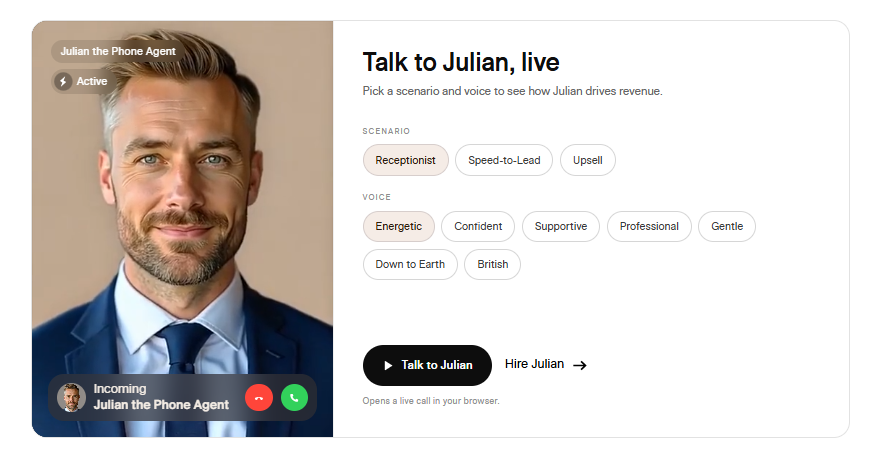
- Alice, the AI SDR: Engages prospects across email and social channels, works the replies that come back, and drives qualified meetings without a rep reading each thread first.
- Julian, the AI phone agent: Live voice calls plus SMS, WhatsApp, email, and chatbot. You configure each against a scenario such as reception, speed to lead, or upsell, then pick from seven voices.
- One sequence across both workers: Julian's call can tee up an email from Alice. An unanswered call triggers a text, and an unanswered message triggers an email. You configure the intervals and the attempt limits once, and both workers run that logic from there.
- Signals and research: More than 50 data sources get filtered for ICP matches, then each prospect is enriched automatically with company news, tech stack, org changes, and competitive signals.
- Region-aware channel choice: The platform picks a channel on the prospect's region. WhatsApp covers the EU, APAC, and LATAM, while SMS and voice are used wherever each performs better.
- Deliverability infrastructure: Email sending health, phone spam detection, branded voice calling, and WhatsApp Business Profiles all come with the platform.
Pricing
11x doesn't publish pricing.
Access starts with a live demo, and the company frames Alice and Julian as hires you bring on.
Pros & Cons
✅ Alice and Julian share one sequence, so a voice touch and an email touch never make the prospect restart their story.
✅ Phone, WhatsApp, and SMS are rare across this list, and 11x runs all three alongside email, social, and chat.
✅ SOC 2 compliance and end-to-end encryption on customer data.
❌ Pricing isn't published.
❌ Evaluation starts with a demo call.
#3: Sbl.so
Best for: Founders and small teams running outbound with no SDR to hand it to, who want the sending kept off their own LinkedIn profile.
Similar to: Reply.io, We-Connect.
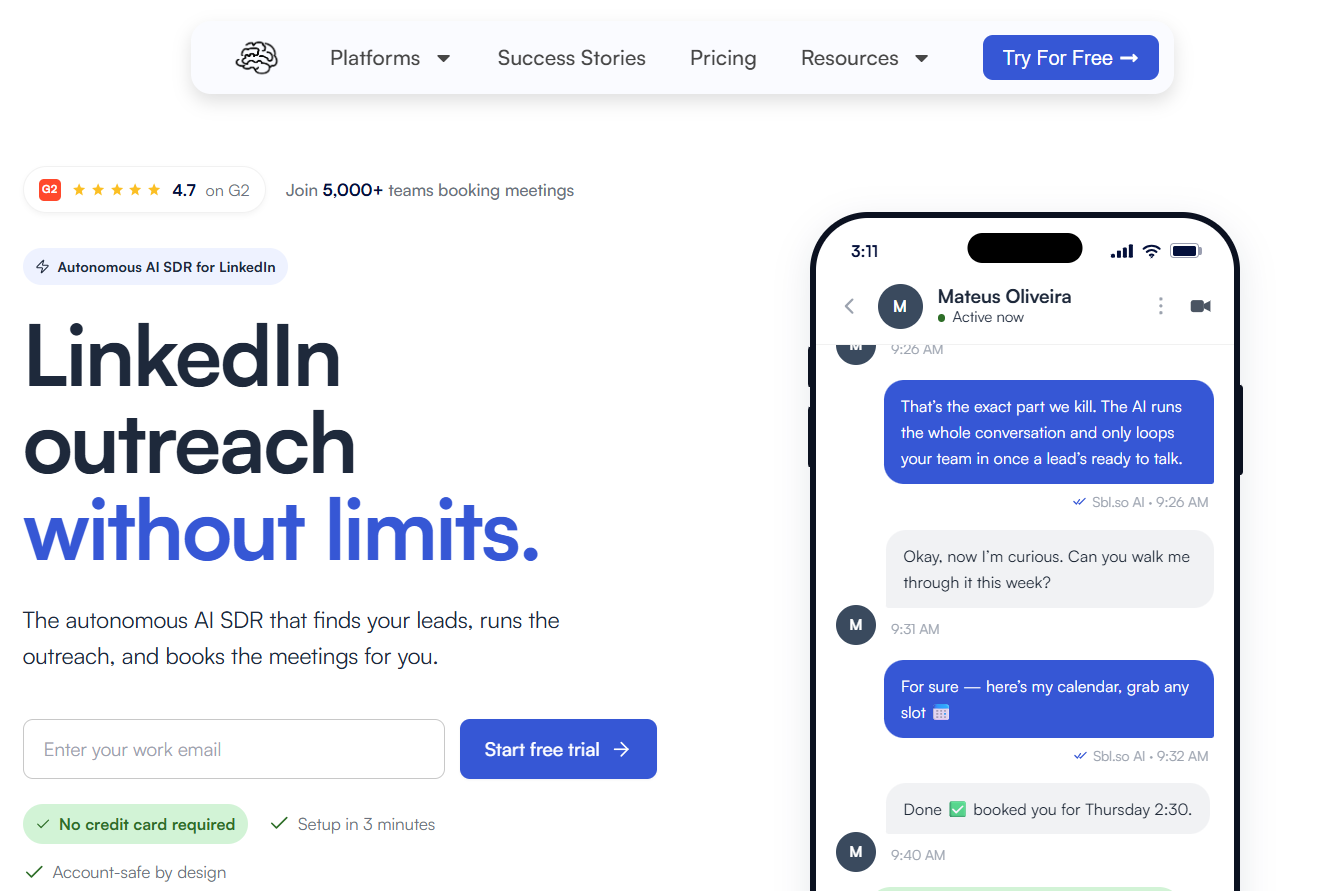
Sbl.so functions as an AI sales rep covering LinkedIn and WhatsApp, taking a buyer description and turning it into booked meetings with no rep touching the thread until late on.
Sending happens on profiles Sbl.so provides, which keeps campaign volume clear of your own account.
Features
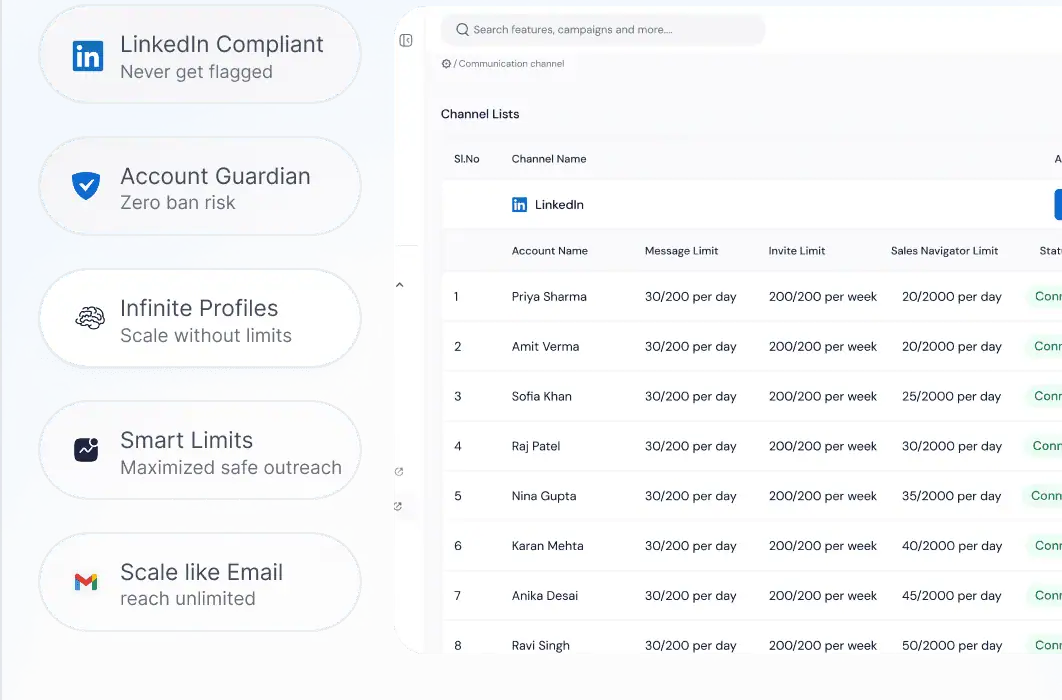
- Signal-driven list building: Job moves, funding rounds, profile activity, and interaction with competitors' posts feed a list that refreshes daily, and every name carries a score against the buyer you described.
- Warmed profiles from the vendor: Sending accounts arrive ready to use. Volume spreads across them so no single profile carries a whole campaign.
- Autonomous replies: Support for more than 100 languages, voice notes cloned from your own recording, and a handoff to a person as the lead warms up.
- CRM, inbox, booking, and analytics included: Calendar scheduling, a shared team inbox, live analytics, workspaces without limit, and a mobile app.
- Connects out to: HubSpot, Salesforce, Pipedrive, Slack, Zapier, n8n, and Make.
Pricing
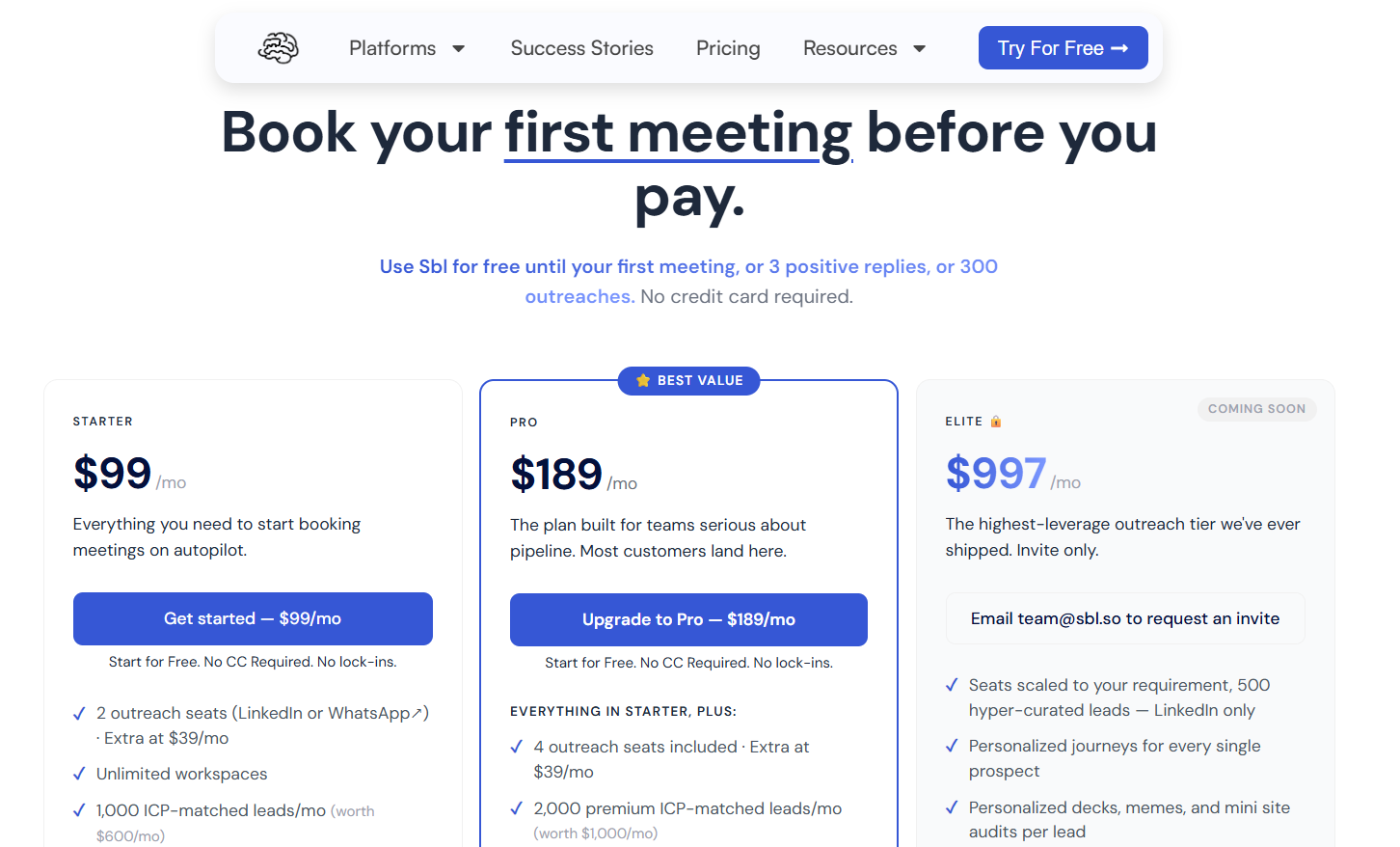
Billing works by outreach seat, where one seat equals one LinkedIn or WhatsApp account. Additional seats cost $39 a month.
- Free trial: no card, running until whichever comes first out of 300 outreaches sent, three positive replies received, or one meeting booked.
- Starter, $99 per month: 2 outreach seats and 1,000 ICP-matched leads monthly, with signals drawn from reactions and comments on posts you publish, chat replies from the AI in over 100 languages, uncapped Sales Navigator extraction, unlimited workspaces, 2 team members, and priority support.
- Pro, $189 per month: 4 outreach seats and 2,000 premium leads monthly, with premium signals tracking job changes, funding, and competitors, plus AI voice cloning in rich media, the built-in CRM with export, custom webhooks, and 10 team members.
- Elite, $997 per month: listed as coming soon and invite-only. Seats scale to the account. 500 hyper-curated leads and a per-prospect journey are included.
- Enterprise, custom: built around your own workflow, volume, or compliance needs.
Pros & Cons
✅ Campaign activity never touches your own LinkedIn profile, since the vendor's accounts carry it.
✅ The list maintains itself off buying signals and updates daily.
✅ Conversations run unattended right through to a calendar booking. That fits a founder with no SDR on payroll.
❌ LinkedIn and WhatsApp are the only live channels. Email automation remains on the roadmap.
#4: Salesforge
Best for: Email-led teams and agencies that grow by adding senders, where seat count doesn't move the bill, and who want mailbox infrastructure in the same stack as the AI.
Similar to: Lemlist, Sbl.so.
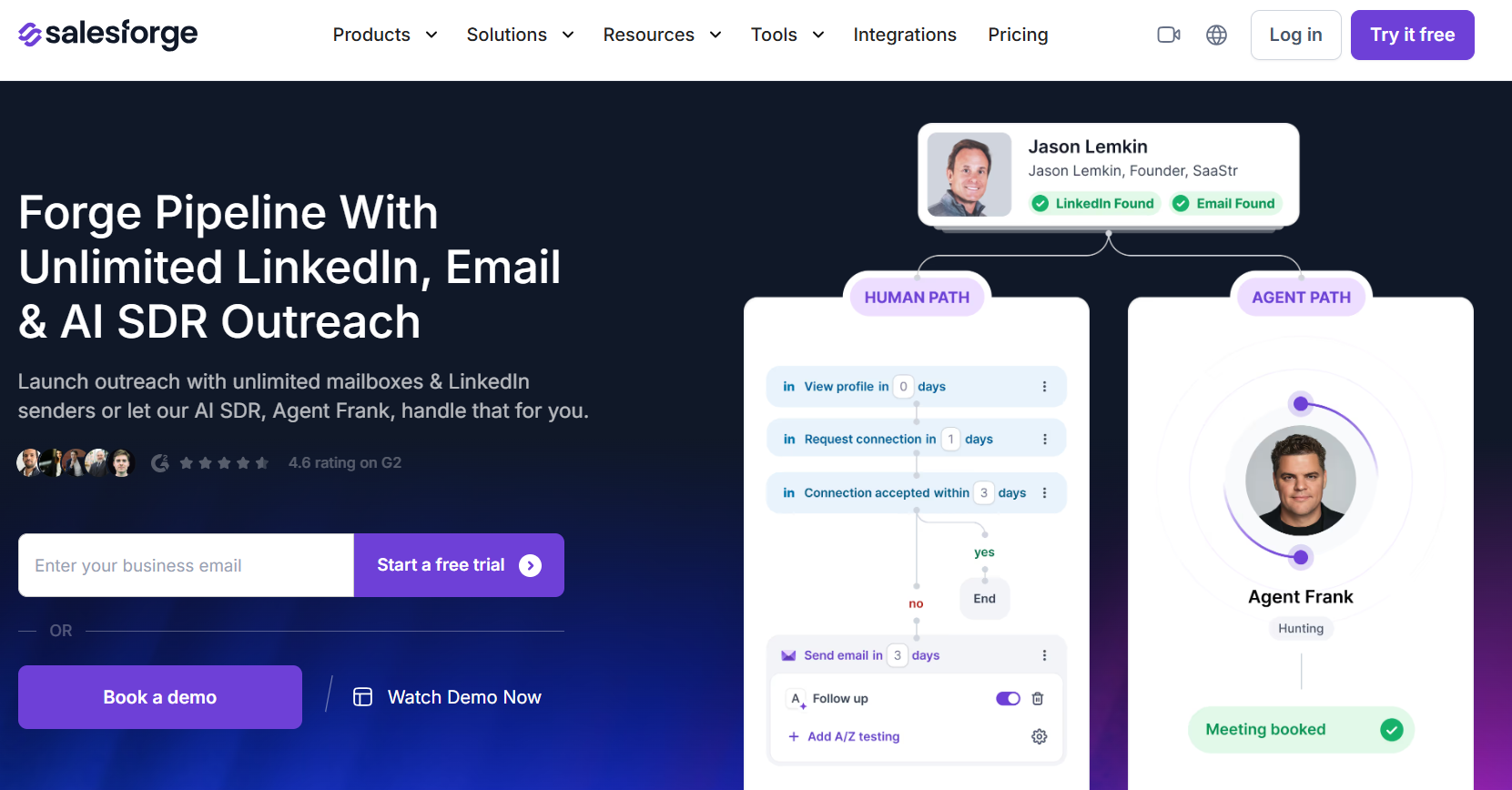
Salesforge is an email-first outreach platform that keeps mailbox infrastructure, warm-up, lead sourcing, and sending behind one login. An AI SDR named Agent Frank is sold alongside it.
Features
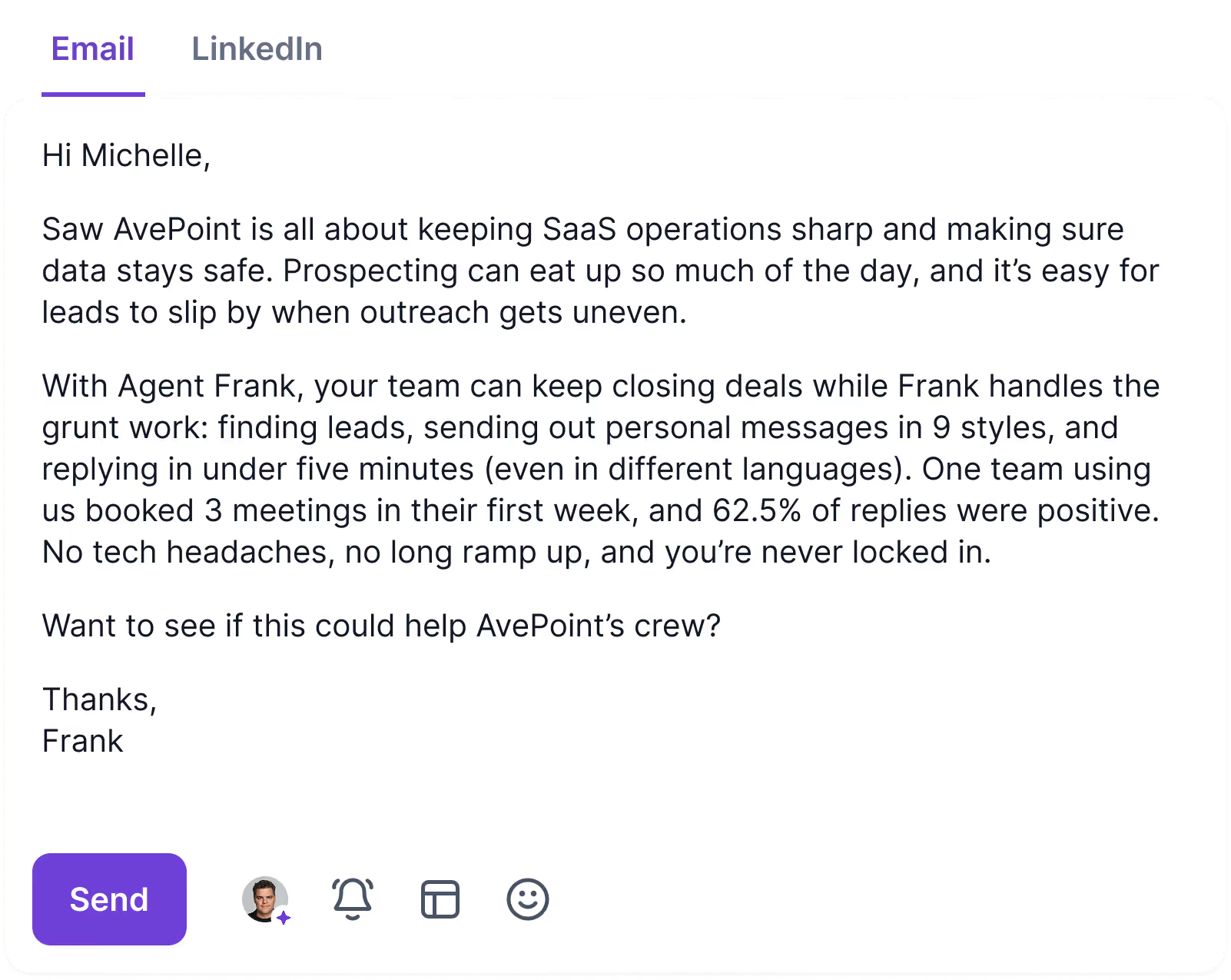
- Agent Frank: The AI SDR prospects, drafts, chases, and books meetings across more than 20 languages. You decide whether a rep approves each message in co-pilot mode or nobody does in autopilot.
- Sender count: Mailboxes are uncapped on both paid tiers, and Growth removes the cap on LinkedIn senders and users too.
- Primebox: Email and LinkedIn replies arrive in one place, threaded correctly even when the prospect answers from a mailbox you never wrote to. Sentiment scoring comes attached to each thread.
- Warmforge: Warm-up runs without limit through Salesforge's own mailboxes at no extra cost, backed by placement tests and domain health alerts.
Pricing
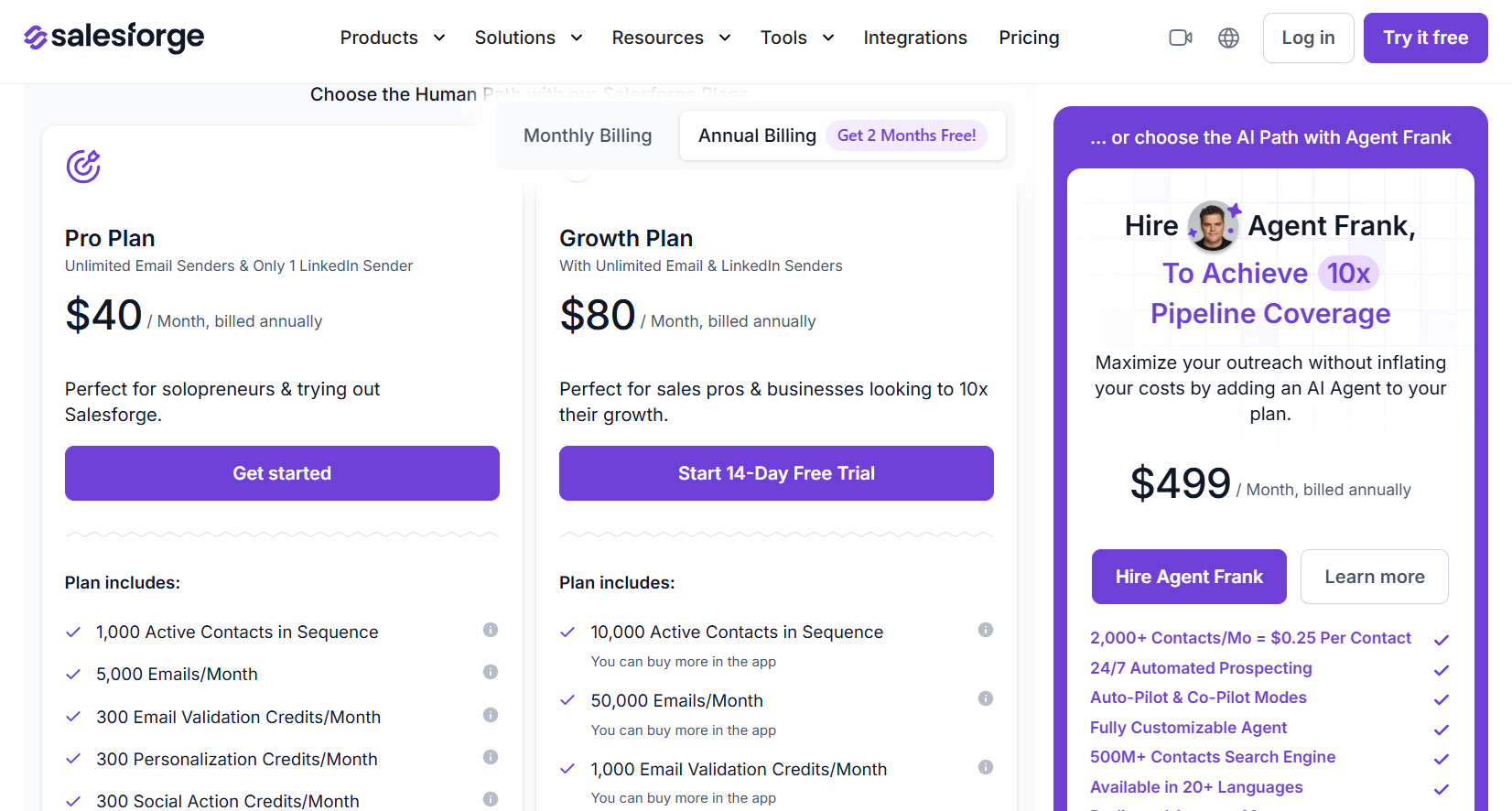
Salesforge charges based on sending volume and active contact count. Agent Frank is billed as its own subscription.
- Pro, $40 per month billed annually: 1 LinkedIn sender, 1 user, 5,000 monthly emails, 1,000 active contacts, uncapped mailboxes, and premium warm-up without limit.
- Growth, $80 per month billed annually: LinkedIn senders and users both uncapped, 50,000 emails, 10,000 active contacts, multi-language sequences, split testing, API access, and priority support.
- Agent Frank, from $499 per month billed annually: autonomous prospecting against 2,000 contacts a month, a dedicated account manager, and a shared Slack channel.
- Credits on Growth: 1,000 monthly each for email validation, personalization, and social actions, toppable in-app.
Pros & Cons
✅ Co-pilot and autopilot both ship, so one subscription covers a team that wants approval rights and one that doesn't.
✅ Growth takes seat maths out of the budget entirely.
✅ Warm-up, mailboxes, sourcing, and sending all answer to one vendor and one support team.
✅ Agencies get white label.
❌ Credits meter personalization and social actions.
❌ The full stack means learning several products.
#5: Reply.io
Best for: Sales teams wanting five channels forked inside a single conditional sequence, where the AI SDR waits on the upgrade path if they decide they want it.
Similar to: Lemlist, La Growth Machine.
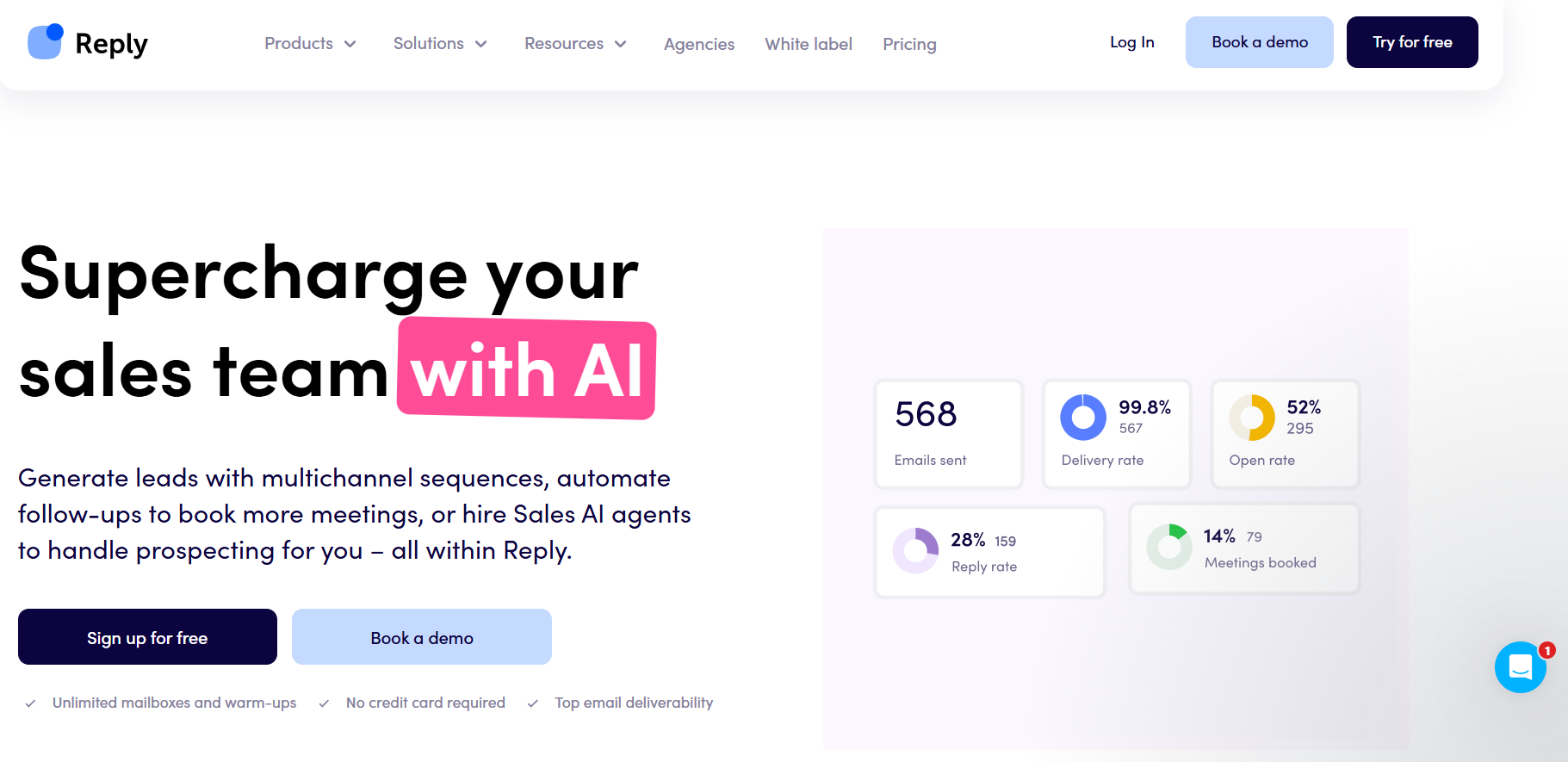
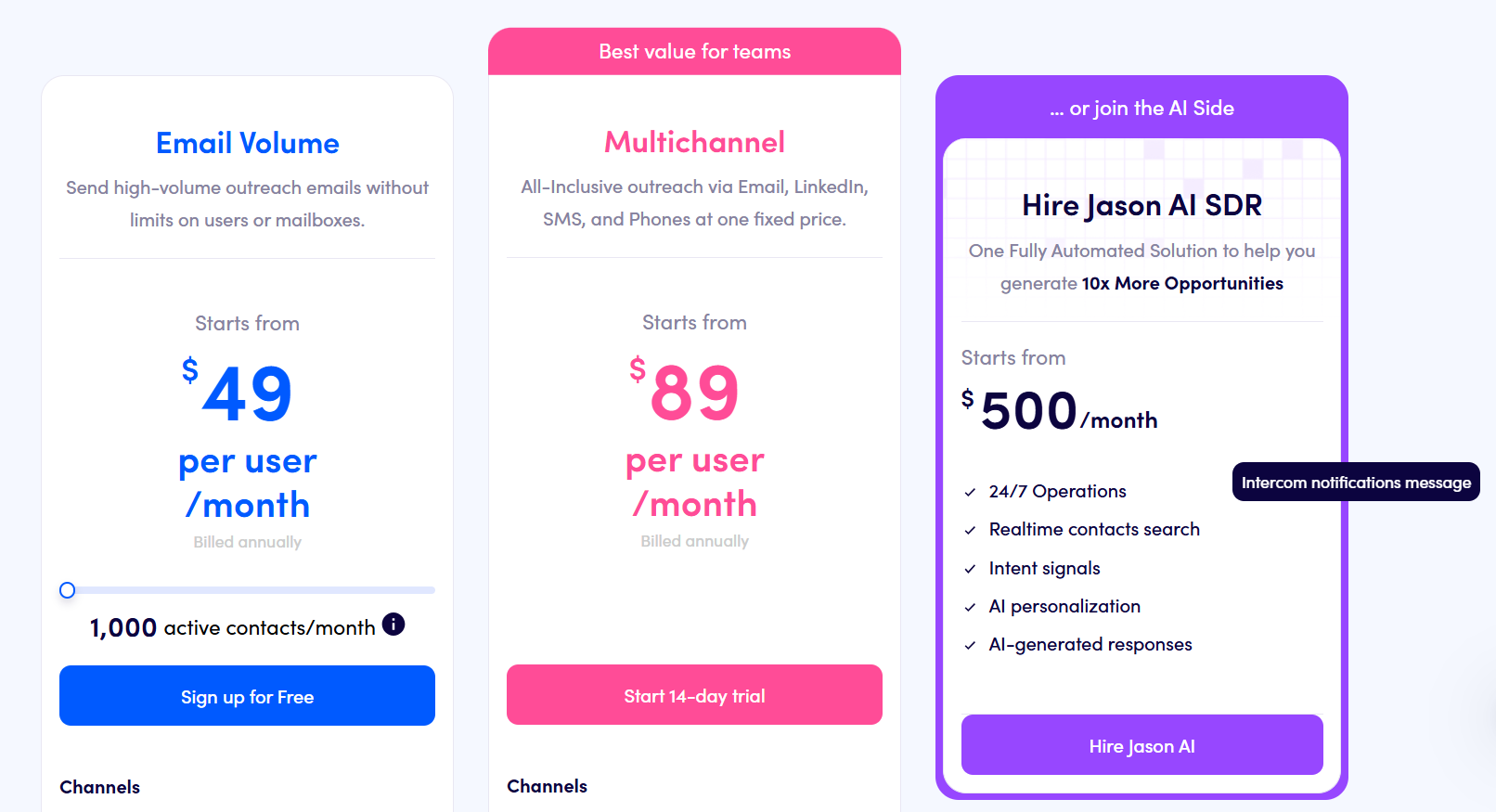
Reply.io is a sales engagement platform running email, LinkedIn, calls, SMS, and WhatsApp as steps inside a single conditional sequence, with an AI SDR called Jason priced as an upgrade.
Keeping the AI optional suits teams that want the sequencer proven before anything starts running autonomously.
Features
- Jason, the AI SDR: Prospecting and reply handling run end to end, on a separate line from $500 a month.
- LinkedIn treated as a first-class channel: Invites, messages, InMails, voice notes, attachments, likes, follows, and endorsements each run automatically or queue as a manual task awaiting approval.
- Branching across channels: No answer on email routes the prospect to LinkedIn, then to a call. What the prospect did decides the fork.
- B2B data in-app: Contact search carrying intent signals. Every plan includes up to 200 website visitor reveals a month.
- Deliverability tooling: Warm-up on uncapped mailboxes, DNS setup, tracking domains of your own, inbox rotation, and domain purchase without leaving the app.
Pricing
Two shapes, depending on whether you're buying channel coverage or email volume:
- Multichannel, from $89 per user per month billed annually: 10 mailboxes, with LinkedIn, calls, and SMS in the price and WhatsApp available as a semi-automated step.
- Email Volume, from $49 per month: users and mailboxes uncapped against 1,000 active contacts. LinkedIn costs $69/month per account, and calls with SMS cost $29/month per user.
- Jason AI SDR, from $500 per month: prospecting and replies handled autonomously.
- Agency, from $166 per month: a client management dashboard.
- Free trial: 14 days across the platform.
Pros & Cons
✅ The AI SDR is an in-house upgrade, so committing to autonomous outreach never means onboarding a second vendor.
✅ Five channels fork inside a single sequence. LinkedIn and calling are billed as add-ons on top.
✅ Warm-up comes included, and mailbox counts run on a fair-usage policy tied to contact volume.
❌ Actions can't run in parallel inside one sequence, per a G2 review.
❌ No unified outbox, per the same review.
#6: We-Connect
Best for: Small sales teams and recruiters who want AI writing the outbound copy and answering what comes back, on a published per-seat price.
Similar to: Sbl.so, La Growth Machine.
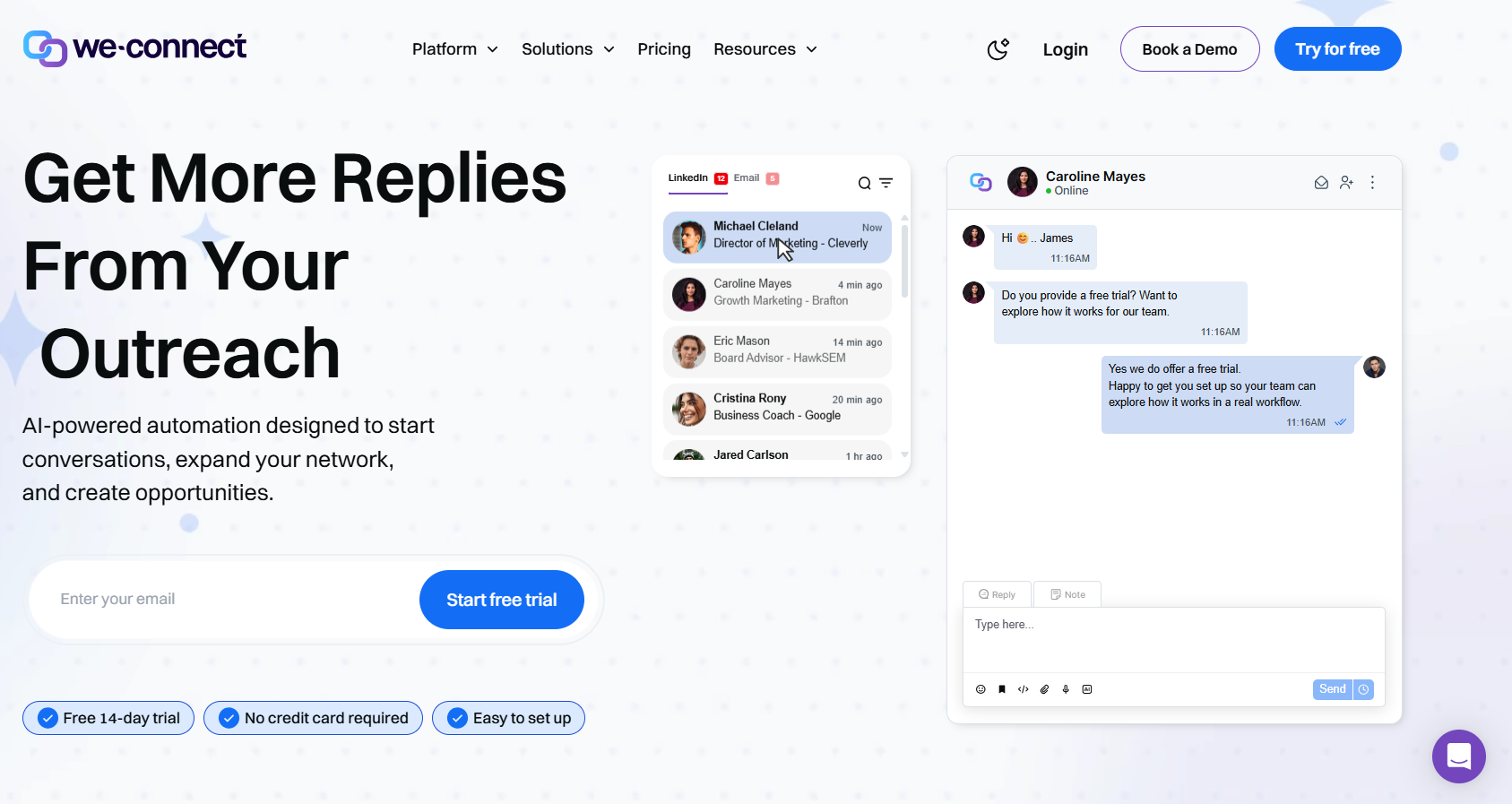
We-Connect combines LinkedIn automation with email sequencing and puts AI on the writing and the answering.
Approval on those answers is a setting, not a requirement.
At $49 a seat, it's the cheapest entry on this list to an AI that responds to a prospect before you've read the message.
Features
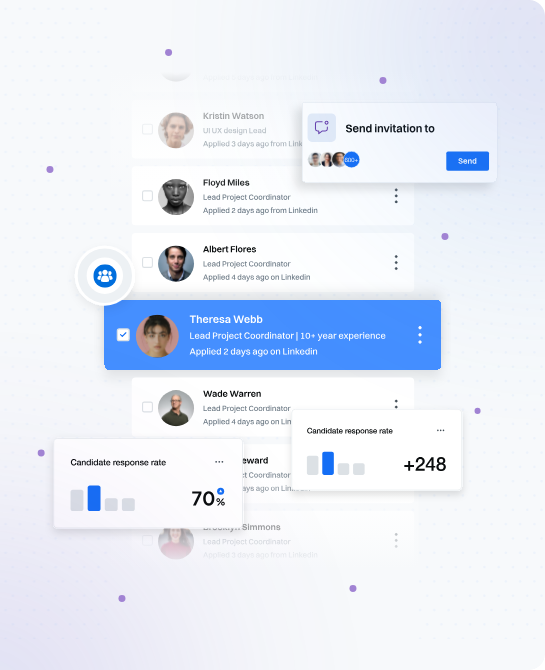
- AI Assist: Profile data feeds the icebreakers, connection notes, and follow-ups. Spintax is available across the copy.
- AI auto-reply: Two modes. Co-pilot waits for your approval, autonomous doesn't.
- Email that fires on LinkedIn behaviour: What a contact did on LinkedIn decides when the email step runs. Split testing applies to the copy, and reporting covers opens, clicks, and bounces.
- Lead Engine: A visual builder in beta that scores contacts on their activity and routes them accordingly.
- Full LinkedIn action set: Everything from invites through to InMails, each message populated from the contact's profile before sending.
Pricing
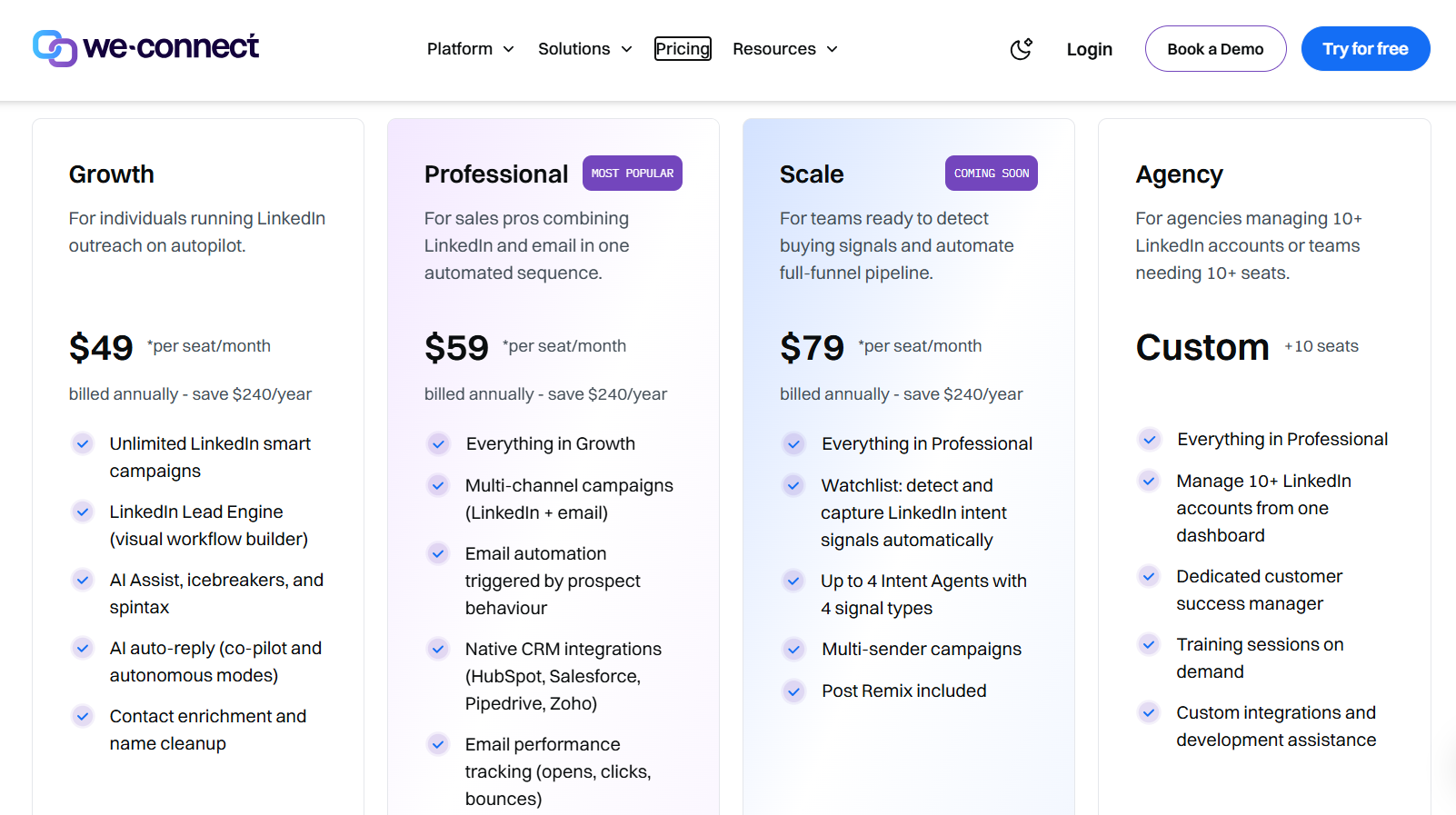
Pricing is per seat. An annual commitment lowers the rate, and agencies get a direct quote:
- Growth, $49/seat/month billed annually: LinkedIn smart campaigns without a cap, plus the Lead Engine, AI Assist carrying spintax and icebreakers, autonomous replies, and contact enrichment.
- Professional, $59/seat/month billed annually: campaigns across channels, behaviour-driven email automation, CRM integrations at the native level, and tracking on email performance.
- Scale, $79/seat/month billed annually: coming soon per the pricing page, carrying intent-signal capture, four intent agents at most, multi-sender campaigns, and Post Remix.
- Agency, custom from ten seats: one dashboard over 10 LinkedIn accounts or more, a named customer success manager, training on request, and help with custom development.
- Free trial: 14 days, no card. Post Remix is a separate add-on from an introductory $16/month/seat.
Pros & Cons
✅ Autonomous replies at $49 a seat. Unusual in this price band.
✅ Salesforce, HubSpot, Pipedrive, and Zoho all sync natively from Professional. Slack carries the campaign alerts.
✅ From Professional, LinkedIn behaviour is what triggers an email.
✅ Ten accounts or more on the agency plan, and a named success manager comes attached.
❌ Post scheduling costs extra, from $16/month/seat.
❌ The entry price runs higher than most of this list.
#7: Lemlist
Best for: Outbound teams losing more replies to spam filters than to weak copy, who want AI agents on the research work while people keep the conversation.
Similar to: Reply.io, Salesforge.
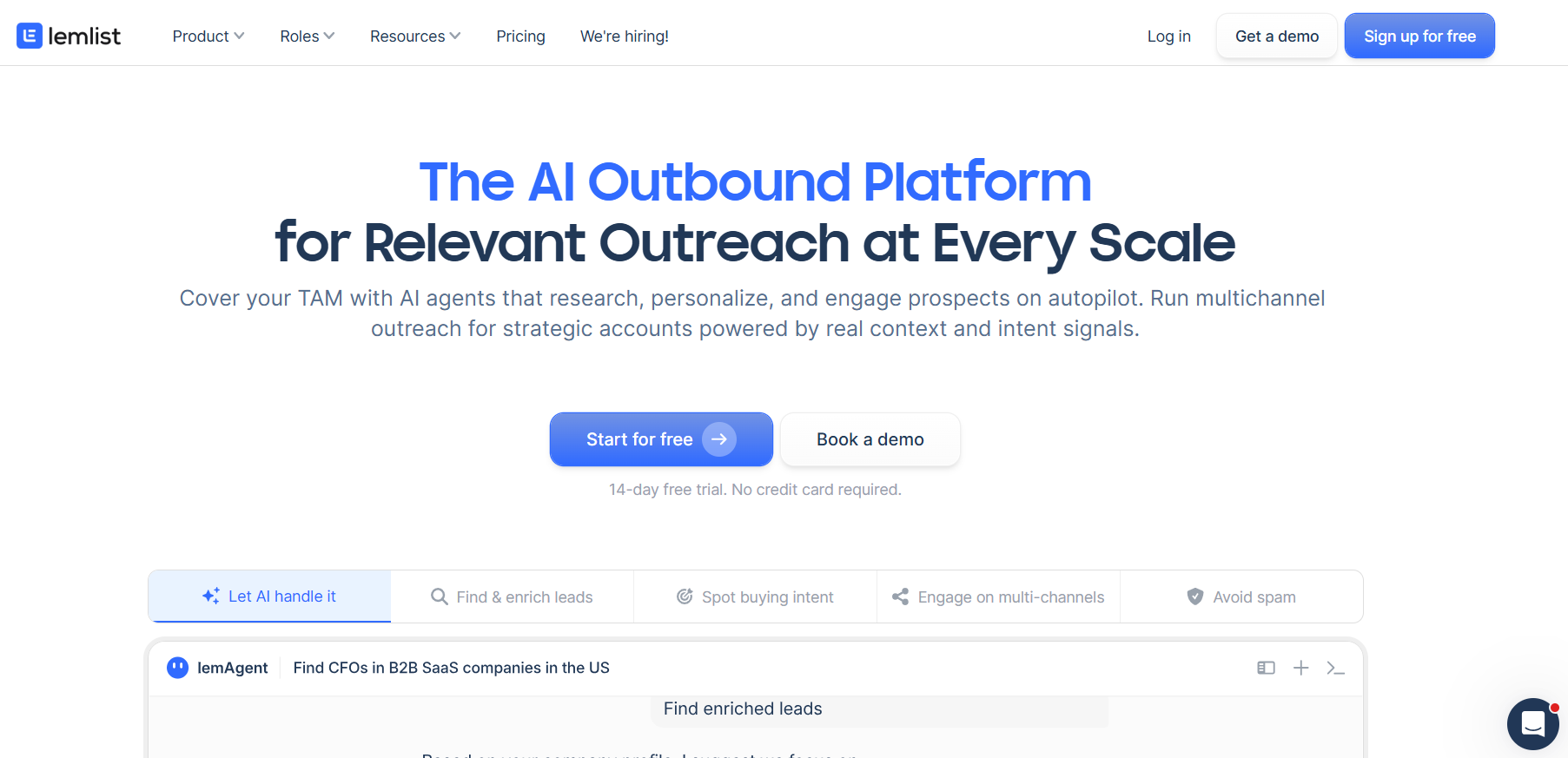
Lemlist is an outbound platform moving a single prospect through email, LinkedIn, phone, WhatsApp, and SMS, with conditions picking each next step from that prospect's behaviour.
Its AI agents handle account research and signal monitoring. Replies stay with people.
Features
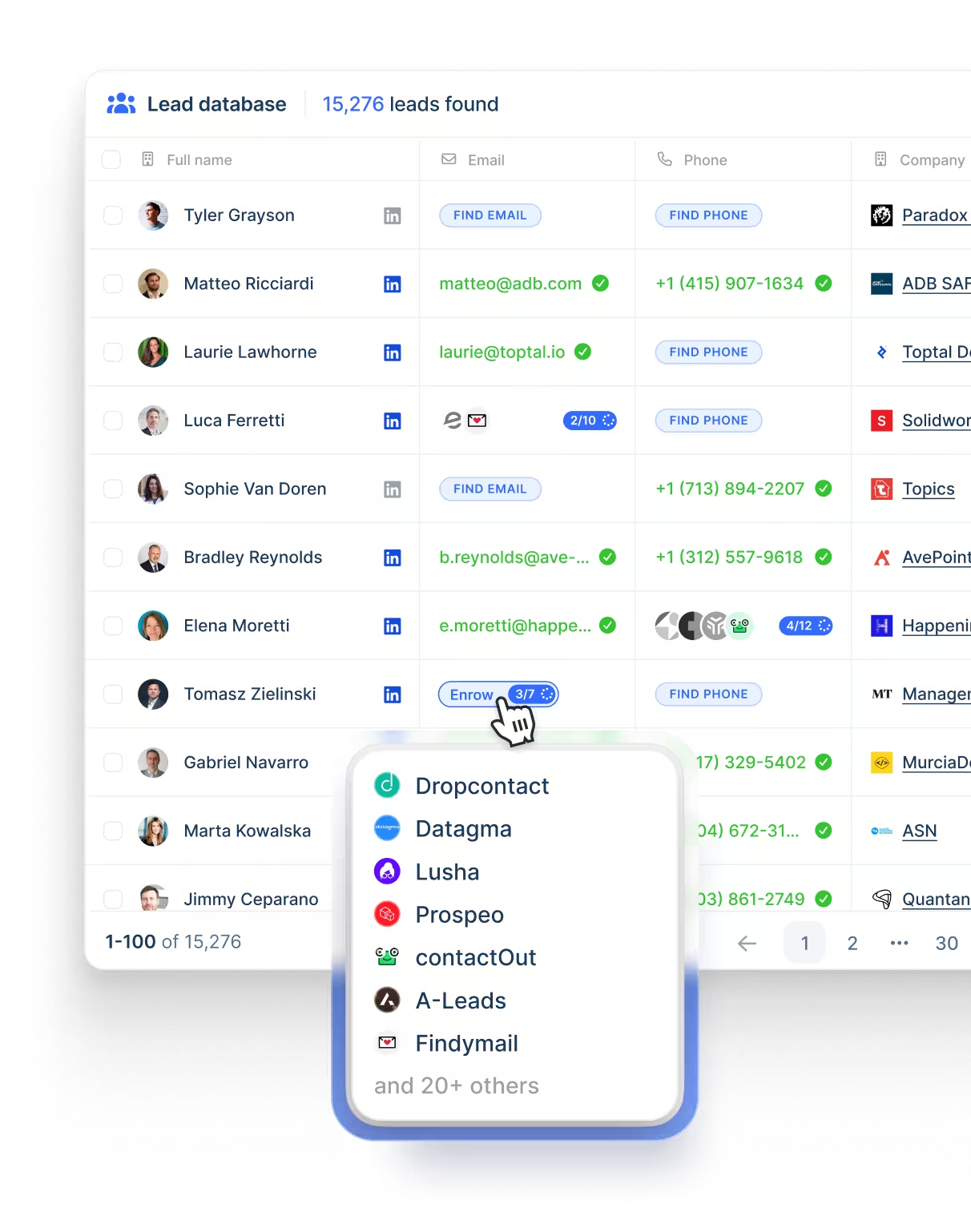
- lemAgent and the watchers: Account research and data cleaning go to lemAgent, while separate agents monitor hiring, role changes, funding, and site visits.
- Five channels, one campaign: An email open might be followed by a LinkedIn invite, a voice note, a dial, then a WhatsApp chase, with conditions deciding which of those touches any given lead actually receives.
- Deliverability Hub: Warm-up, inbox rotation, and sending limit management in one place.
- Mailbox monitoring: DNS checks run continuously, and the alerts are timed to arrive while a mailbox problem is still repairable.
- Contact database: Over 650 million records. Address and phone lookup are billed in credits.
Pricing
Yearly billing takes 20% off the three paid tiers:
- Email, $69 monthly at list or $55 yearly: the Deliverability Hub and the contact database. 50,000 monthly messages, and no cap on either users or email senders.
- Multichannel, $109 monthly at list, $87 yearly per user: the dialer, SMS, and LinkedIn automation, with 5 senders apiece, messages uncapped, and WhatsApp available on top.
- Enterprise, custom: single sign-on, roles and permissions built to your spec, a named account manager, and priority support.
- Credits: a verified address costs 5, a phone number 20, and intent signals start at 20, priced one by one.
- Free trial: two weeks.
Pros & Cons
✅ Inbox placement tooling ships inside the product. Warm-up and domain monitoring never need a second vendor.
✅ A dialer and WhatsApp run as ordinary sequence steps. Almost nothing else on this list offers either.
✅ The entry plan caps neither users nor email senders.
❌ Credits meter enrichment and intent signals.
❌ A G2 review mentions a learning curve early on.
#8: Clay
Best for: GTM and RevOps teams who want to build their own research agents and push enriched records into ads, sequences, the CRM, and the data warehouse.
Similar to: PhantomBuster, 11x.
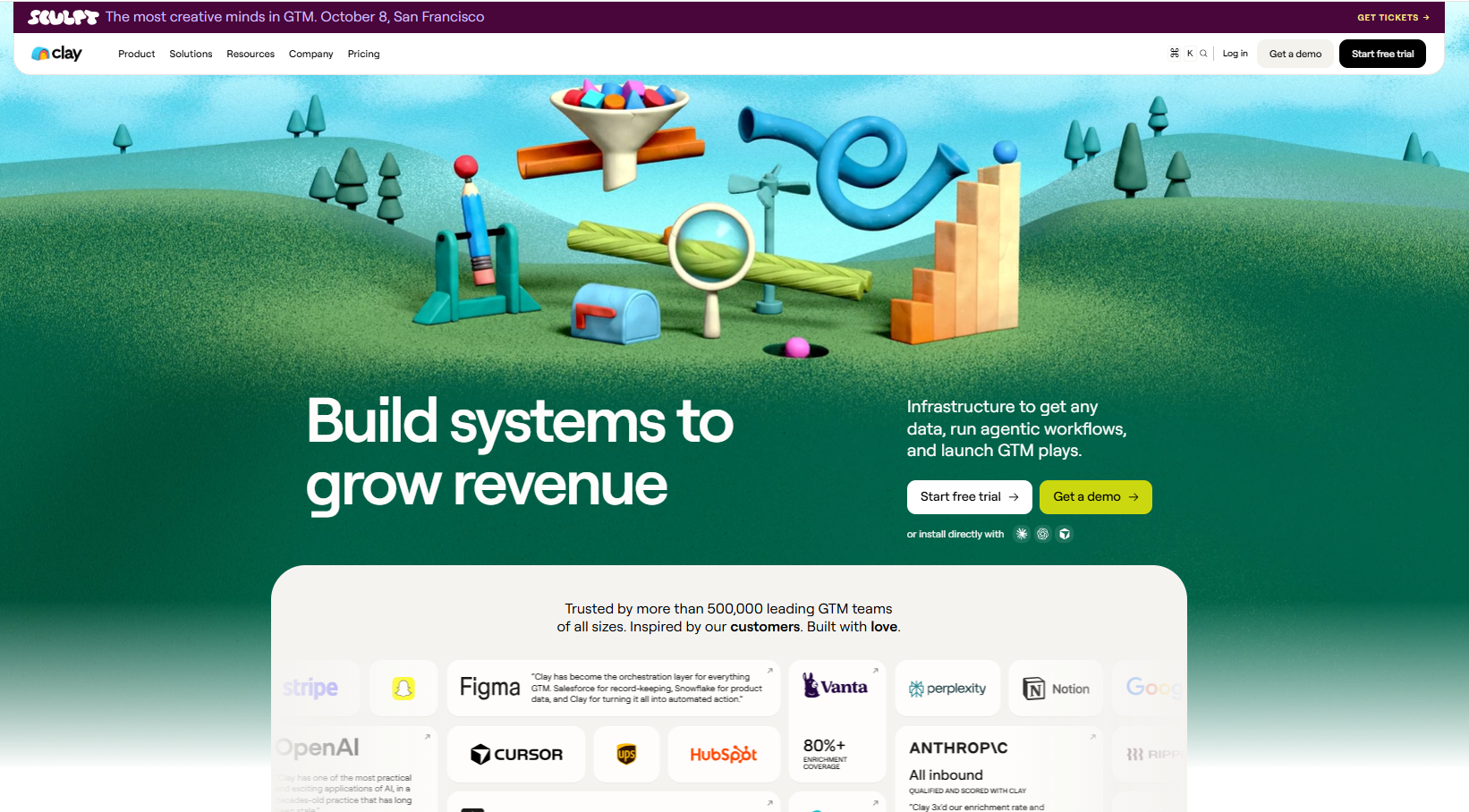
Clay is a GTM data platform where AI agents research and enrich prospect records, and visual workflows push the finished data out to your other tools.
More than 500,000 GTM teams use it, and the work happens upstream of the send, before any message gets written.
Features
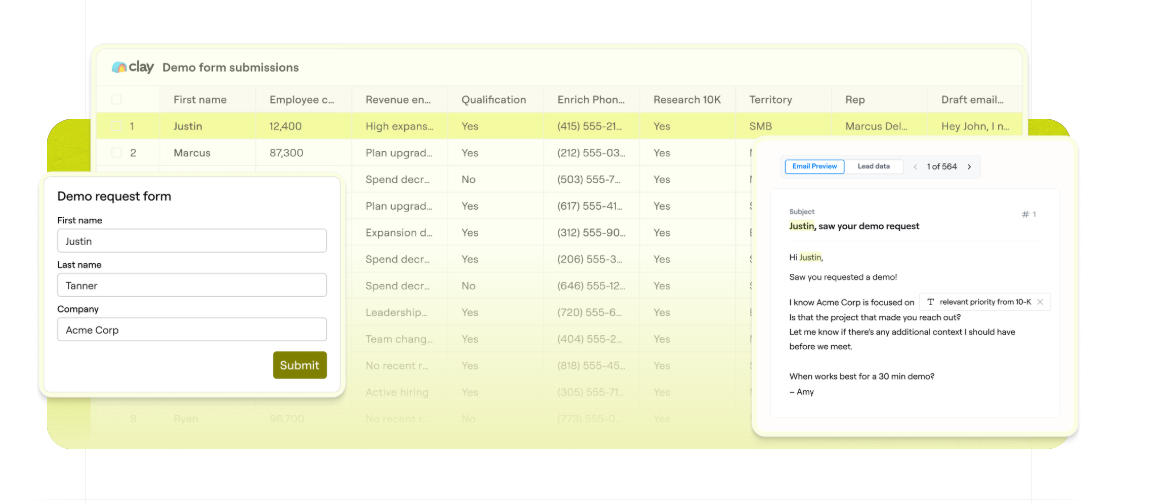
- Claygent: An AI agent with live web access that generates custom data points on any record, mining the web for detail no static database holds.
- Account Agents: Continuous monitoring of accounts for a reason to engage, preparing reps with the context behind each touchpoint.
- Data marketplace: One contract covering more than 200 data and AI vendors. Waterfall enrichment runs providers in sequence until one returns a match.
- Workflows: Visual builders needing no code, code nodes for complex logic, natural language prompts or a CLI to ship faster, and record-level tracing that shows why an agent decided what it decided.
- Execution: A built-in Sequencer with domain and mailbox purchase, plus ad audiences pushed to LinkedIn and Meta.
- Clay MCP: Reps pull prospecting data into their own AI tools conversationally.
Pricing
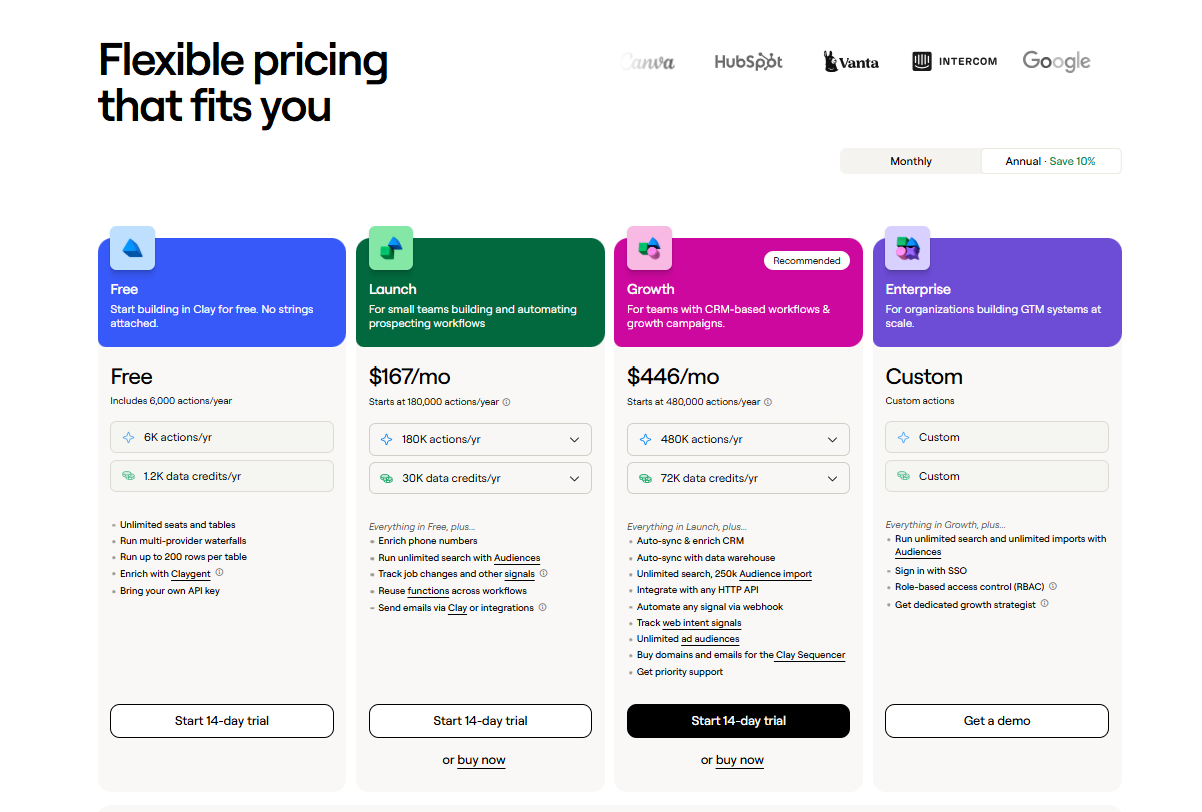
Clay meters two things separately.
Actions cover platform usage, and data credits buy data and AI from marketplace vendors.
Annual billing takes 10% off:
- Free: 6,000 actions and 1,200 data credits a year, unlimited seats and tables, multi-provider waterfalls, up to 200 rows per table, Claygent enrichment, and your own API key. Phone enrichment isn't included.
- Launch, from $54/month for 180,000 actions a year: phone number enrichment, unlimited search with Audiences, job change and signal tracking, reusable functions, and email sending through Clay or an integration. Data credits are priced separately from $113/month, putting the default configuration at $167/month.
- Growth, from $185/month for 480,000 actions a year: CRM auto-sync and enrichment, data warehouse sync, 250,000 Audience imports, any HTTP API, webhook and web intent signals, unlimited ad audiences, domain and mailbox purchase for the Sequencer, and priority support. At the default data credit allowance, $446/month.
- Enterprise, custom: unlimited search and imports, single sign-on, role-based access control, and a dedicated growth strategist.
- Trial: 14 days on the paid tiers. The Free plan itself has no time limit.
Pros & Cons
✅ The free tier is real, and Claygent works on it.
✅ Security and compliance coverage runs to SOC 2 Type II, GDPR, CCPA, ISO 27001, and ISO 42001.
✅ One contract covers more than 200 data vendors, replacing a shelf of separate enrichment subscriptions.
❌ The free tier leaves out phone enrichment.
❌ The Sequencer covers email, so LinkedIn sending needs another tool alongside it.
#9: PhantomBuster
Best for: Growth and RevOps people who need lead data and buying signals from more platforms than LinkedIn alone.
Similar to: Clay, Sbl.so.
PhantomBuster is a prospect data toolkit, built around extraction and enrichment with outreach automation layered on top, and its jobs reach more than 15 sources, LinkedIn and Sales Navigator among them, alongside Google, Instagram, and X.
Features
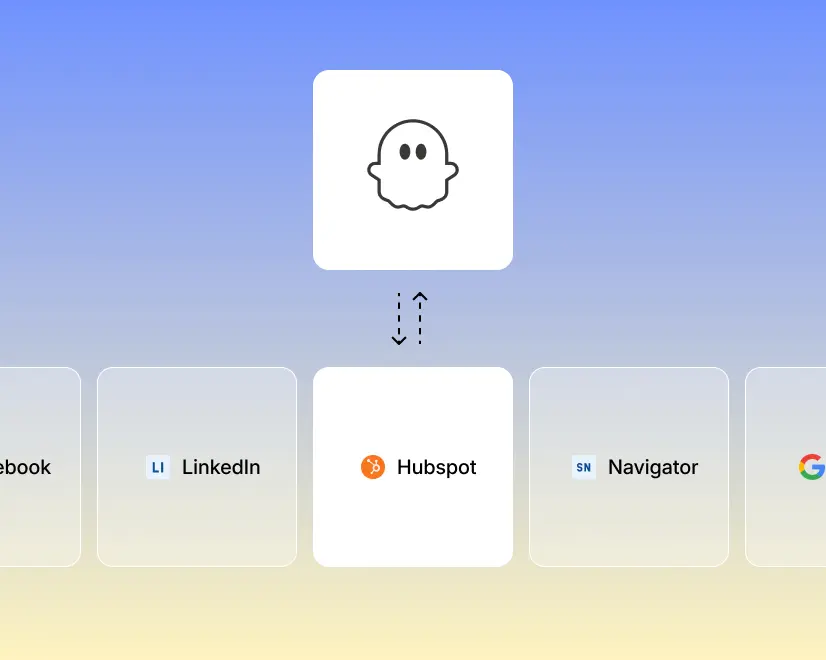
- More than 100 prebuilt jobs: Configuration and scheduling take minutes, covering work like pulling everyone who liked or commented on a LinkedIn post, or exporting a Google Maps result set.
- AI-written outreach: Connection requests and DMs get drafted against whatever signal the lead gave, scheduled beside likes and event invitations.
- Enrichment that refreshes: Over 1,000 data points attach to each record, and scheduled refreshes keep a segment current between builds.
- MCP server: Claude or ChatGPT can drive the whole toolkit conversationally. Several LinkedIn accounts connect to one workspace.
Pricing
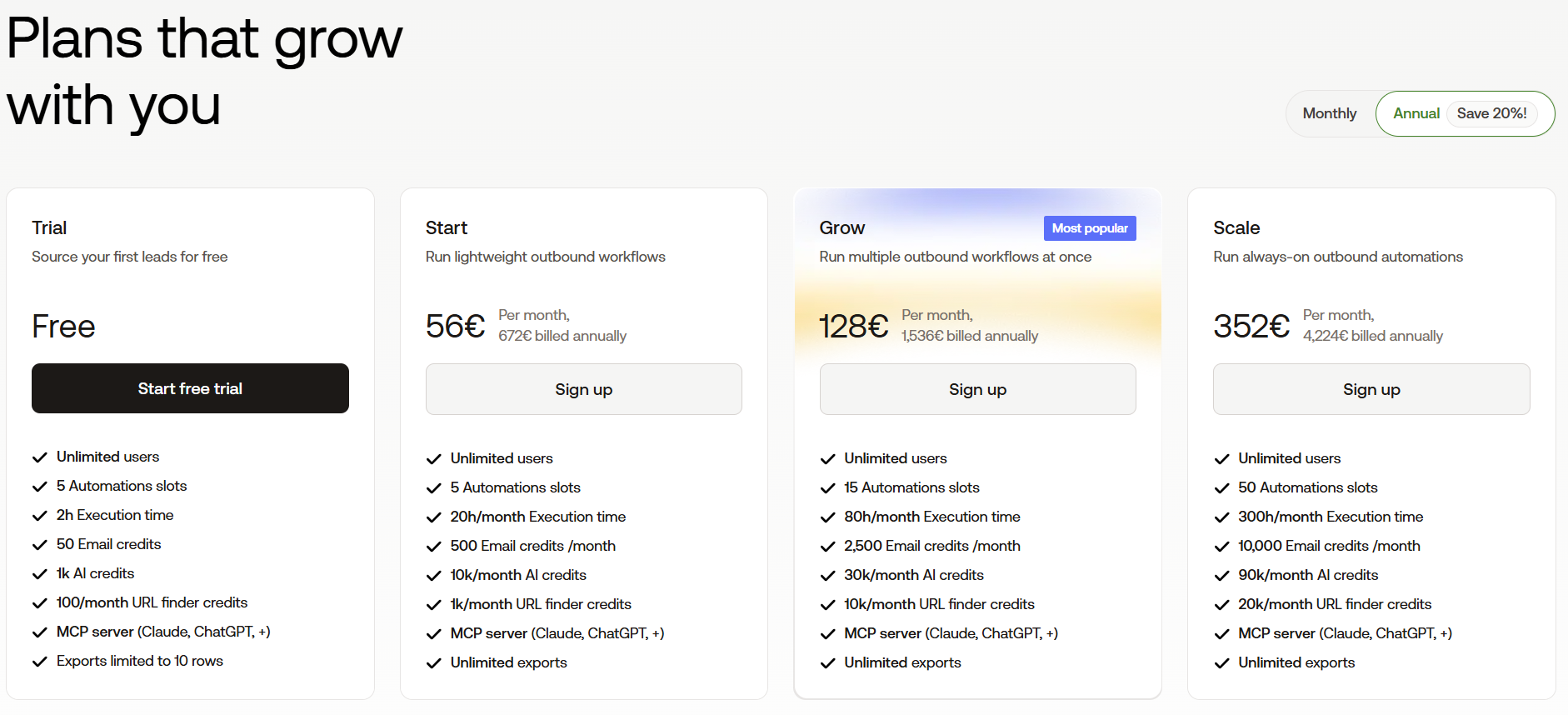
PhantomBuster meters automation slots, execution hours, and credit pools separately from each other. A year up front cuts 20% off:
- Free trial: five automation slots, two execution hours, 50 email credits, and exports capped at ten rows.
- Start, €56 per month billed annually: five slots, 20 execution hours, 500 email credits, and 1,000 URL finder credits.
- Grow, €128 per month billed annually: 15 slots, 80 hours, 2,500 email credits, and 10,000 URL finder credits.
- Scale, €352 per month billed annually: 50 slots, 300 hours, 10,000 email credits, and 20,000 URL finder credits.
Pros & Cons
✅ Signals and data from more than 15 platforms, including sources a sequencer never touches.
✅ Technical extraction jobs run without any code.
✅ MCP access for teams driving prospecting through an AI assistant.
❌ Metered credits and execution hours make monthly cost harder to forecast.
❌ Conversations happen outside the product. There's no unified reply inbox.
#10: La Growth Machine
Best for: Outbound teams wanting AI-written openers on LinkedIn voice messages, plus calls and X beside email, billed by sending profile.
Similar to: Reply.io, Lemlist.
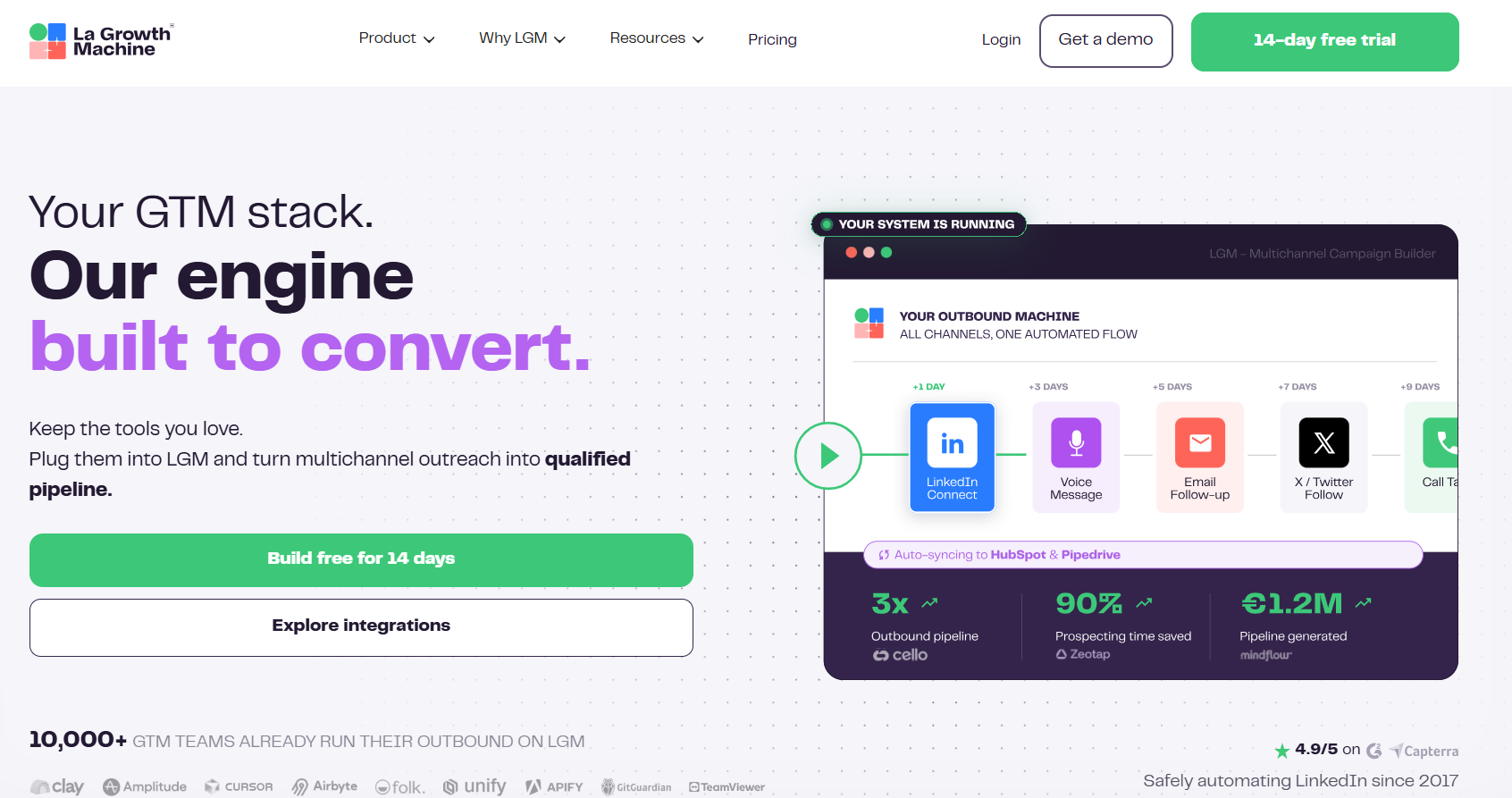
La Growth Machine is a multichannel sequencer covering LinkedIn, email, calls, and X, where AI writes a different opening line for every prospect receiving the same recorded voice message.
The invoice counts identities, meaning the profiles actively sending, so anyone whose job is answering can join at no cost.
Features
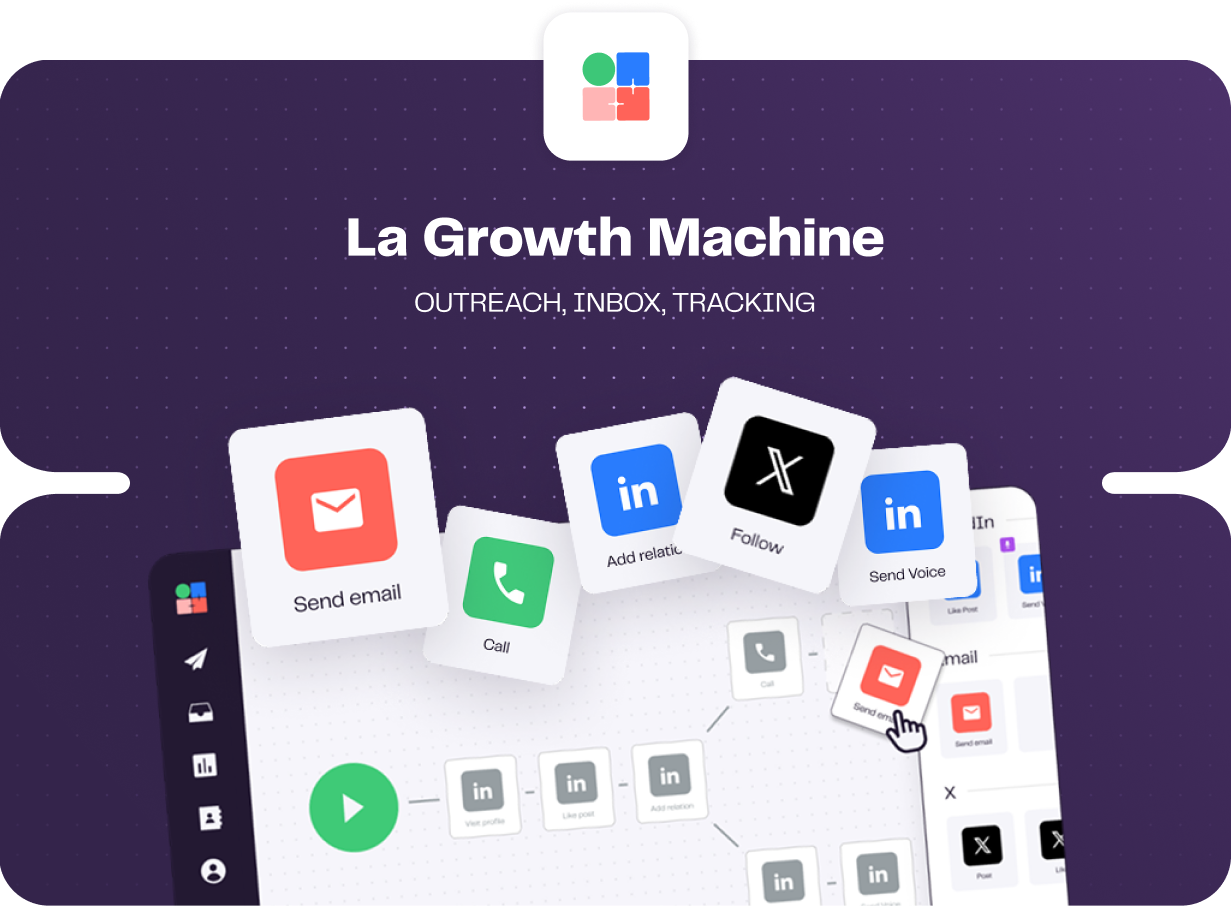
- AI openers on voice messages: You record once, and each recipient gets an AI-generated opening line written for them. A competitor would struggle to match that touch.
- Branching and split tests: Each lead takes a route decided by what they did. Tests can run on subject lines, body copy, and whether an invite carries a note.
- Shared multichannel inbox: Email and LinkedIn replies pool into one view with filters by campaign or identity, and status labels apply in-thread and carry through to HubSpot or Pipedrive.
- Enrichment included: A monthly allowance of verified emails and profile data comes with every tier, sourced through a waterfall of providers.
Pricing
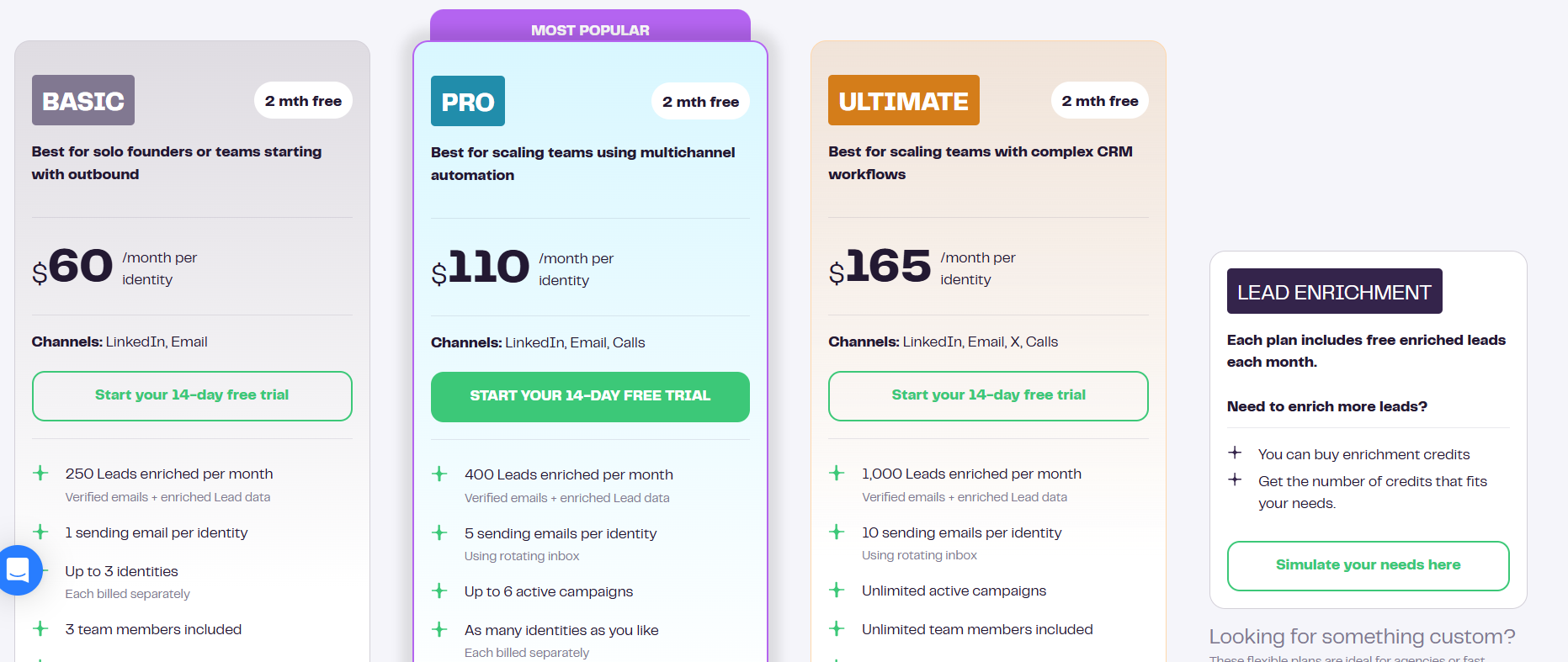
Pricing runs per identity per month. Annual billing includes two free months:
- Basic, $60 per identity: LinkedIn with email, 250 enriched leads monthly, a single sending address, 3 identities at most, and 3 team members.
- Pro, $110 per identity: calls join the sequence, enrichment reaches 400 leads, 5 sending addresses rotate, 6 campaigns run concurrently, and social warming arrives with 25 free team members.
- Ultimate, $165 per identity: X joins too, enrichment reaches 1,000 leads, 10 sending addresses, campaigns and team members both uncapped, and two-way sync into HubSpot or Pipedrive.
- Agency, custom: quoted from six identities up.
- Free trial: 14 days, no card.
Pros & Cons
✅ Four channels inside one sequence. Calling arrives on Pro, X on Ultimate.
✅ The subscription already covers enrichment. No separate data vendor appears on the invoice.
✅ Only sending profiles count toward the bill, since invited colleagues are free.
❌ Cost rises fast once several people are sending.
❌ A G2 review reports occasional sync errors and a laggy interface while workflows are being built.
Which AI outreach tool should you choose?
If I were you, I’d choose by how much of the conversation you're prepared to let software have before you read it.
That single decision rules out more of this list than budget does.
- At the far end, 11x and Sbl.so will run the whole motion.
They answer replies, handle the objection, qualify the lead, and book the meeting with nobody checking the thread.
Both also mean a prospect's first real exchange with your company happens without a person in it.
- A step back from that, Salesforge's Agent Frank runs in co-pilot mode, where a rep approves each message before it goes.
- We-Connect offers the same choice at $49 a seat and lets you switch the approval off once you trust it.
- Reply.io keeps Jason on the upgrade path, so its sequencer works on its own until you decide you want autonomy.
- Further upstream, Clay and PhantomBuster hand you better raw material and leave the sending to something else. Lemlist sits nearby, aiming its agents at account research and signal monitoring while people keep the replies.
Meet Alfred draws the line at the reply, and that's the whole position.
Our AI does the work that scales badly for people.
It finds the prospects from an ordinary-language description of your buyer, then writes their profile data into every message.
It paces the sending so the account stays safe, and it pauses the campaign the moment somebody answers.
Then it stops, and a rep picks the thread up in the Smart Inbox with the contact's job title and company already beside it.
What that buys you, practically:
- One subscription covering LinkedIn, InMail, email, and X, plus a social scheduler that no other tool here bundles into the base price.
- A dedicated IP on every connected account. Proxies never appear on the invoice.
- Email volume capped by your own mailbox and nothing else, sent over your SMTP or IMAP connection.
- Client branding, a custom domain, branded system notifications, and client-facing reports, all unlocked at five seats on a $39 tier. No ten-seat minimum gates any of it.
- End-to-end encryption, DDoS protection, AWS hosting, and GDPR and CCPA compliance behind all of it.
➡️ If you want the AI doing the prospecting and the personalization but not the talking, start a seven-day trial. Every feature is unlocked, and no card is needed to begin.
A demo is the other route, and someone from our team will run through the platform with you.
⚠️ Disclaimer: This article was last updated on the 30th of September, 2026, and if there's any misinterpretation of the information, please contact us, and we will fact-check it.
Related Articles