






In my experience, LinkedIn prospecting works best when your first lists come from people you've already crossed paths with, saving cold search for later.
Warm lists give your first message something real to mention, and they tend to accept at higher rates.
That higher acceptance rate also makes it safer to raise the account's daily volume later on.
In this guide, I'll show you eight steps for LinkedIn prospecting, ordered from warmest to coldest, and how each runs in Meet Alfred, our LinkedIn prospecting platform.
TL;DR
- Get four things ready before any outreach: a written target, a profile aimed at buyers, conservative account limits, and an exclusion list.
- I like to prospect in order of warmth, starting with my own post engagers and existing connections.
- Open each message with the context its source gives you, like a comment the prospect left or an event you both registered for.
- Cold lists wait until the warm sources run thin, starting with LinkedIn search and finishing with AI Lead Finder.
- The best platform for LinkedIn prospecting is Meet Alfred, which runs every step in this guide from one cloud dashboard and brings LinkedIn replies into the Smart Inbox.
What is LinkedIn prospecting?
LinkedIn prospecting is the part of outbound sales where you identify specific people on LinkedIn who fit your target customer and open a first conversation with each of them.
Once someone replies with interest, the prospecting stage is over, and qualification begins.
Every prospect you'll contact on LinkedIn comes through one of two kinds of sources:
- Warm sources: these carry some shared context, such as a comment on your post or a group you both belong to.
- Cold sources: these give you people who fit your target but have never come across you, like the results of a filtered search.
My habit is to start with warm sources, since the opener can then point to something the prospect did, and a cold note has nothing like that to offer.
And if you're still choosing software, our roundup of the 10 best LinkedIn prospecting tools compares the main options side by side.
Which four things should be in place before you start prospecting?
Before the first connection request goes out, you'll want these four things ready:
- A written target: a sentence per segment is usually enough, as long as it names job titles, industry, company size, and region.
- A profile aimed at buyers: most people glance at your profile before accepting a request, and they usually start with the tagline beneath your name.
- Conservative account limits: you set these in Meet Alfred's Customizable AI Settings, and I walk through my own setup below.
- An exclusion list: add current customers, deals in progress, competitors' staff, and your own colleagues to the blacklist in Meet Alfred's LinkedIn CRM to keep them out of your campaigns.
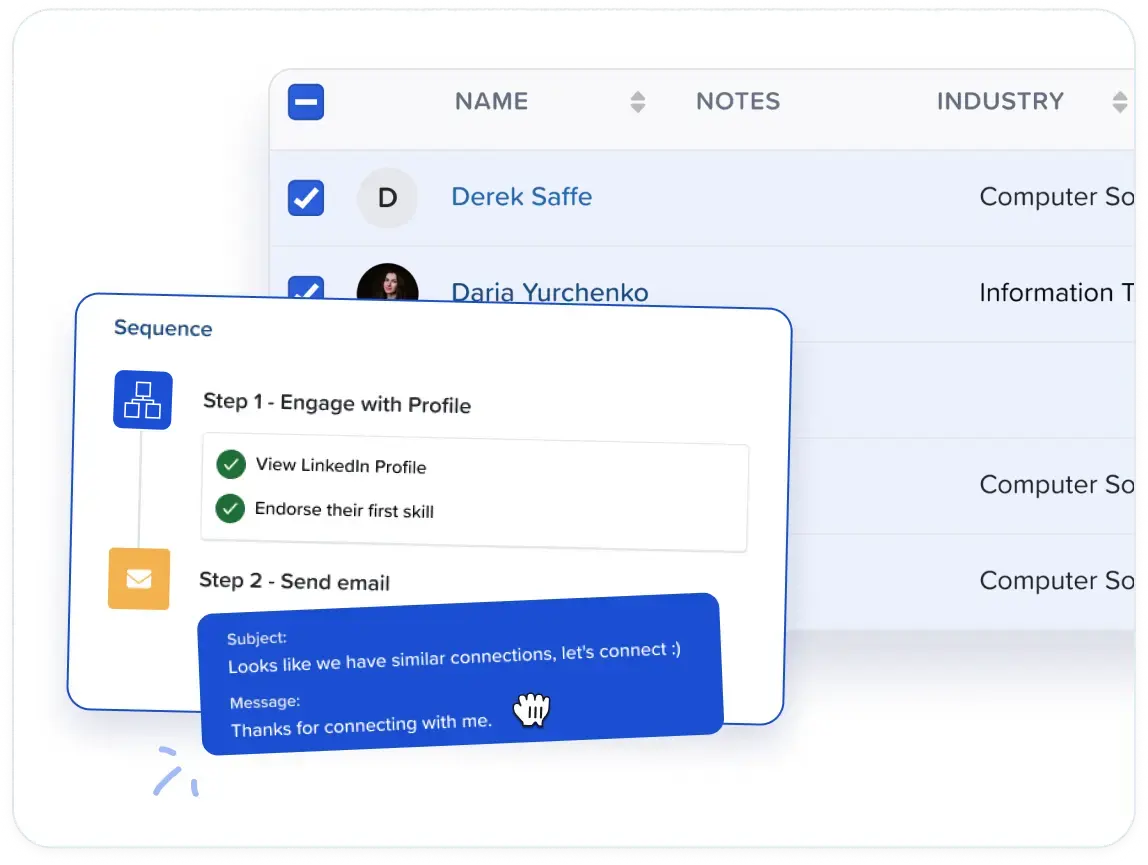
Throughout this guide, I'll use a fleet management software vendor targeting heads of operations and transport managers at UK haulage firms with 20 to 200 vehicles.
For that vendor, a tagline like "Helping UK hauliers cut fuel and empty-mile costs" tells a transport manager why the request arrived.
Our guide to generating B2B leads on LinkedIn builds a fuller ideal customer profile, buying triggers included.
Connecting the profile to Meet Alfred takes very little time, and the two-factor authentication step runs inside the app too.
From there, the Customizable AI Settings control how the account behaves, and here's how I'd normally configure them:
- Daily connection requests: Meet Alfred allows up to 100 a day within safe parameters, but I start new or quiet accounts at 25 or fewer and raise it over several weeks.
- Working hours: actions run only during the hours you set, in the time zone you choose, and I match both to where my prospects work.
- Auto-withdrawal: stale pending invitations get pulled back automatically, with a separate analytics view charting every withdrawal over time.
- Human-like pacing: randomized intervals between actions keep any two days of activity from looking identical.
➡️ Meet Alfred runs on AWS in the cloud, and each connected account sends from a dedicated IP of its own.
That leaves no browser extension to keep open and no proxy subscription to manage.
How do you do prospecting on LinkedIn?
You do prospecting on LinkedIn by moving through eight steps ranked by shared context, starting with your own post engagers and ending with Meet Alfred's AI Lead Finder.
Steps 1 to 6 draw on some form of shared context, while Steps 7 and 8 rely on fit alone.
After running a lot of these, I'm convinced one campaign per source keeps results comparable.
Step 1: Start with people who engage with your own posts
It's ideal to start with the people who've reacted to your own LinkedIn posts: they've already chosen to engage with something you wrote.
A LinkedIn Post campaign in Meet Alfred turns that engagement into a list of everyone who liked or commented on the post you pick, plus anyone who shared it.
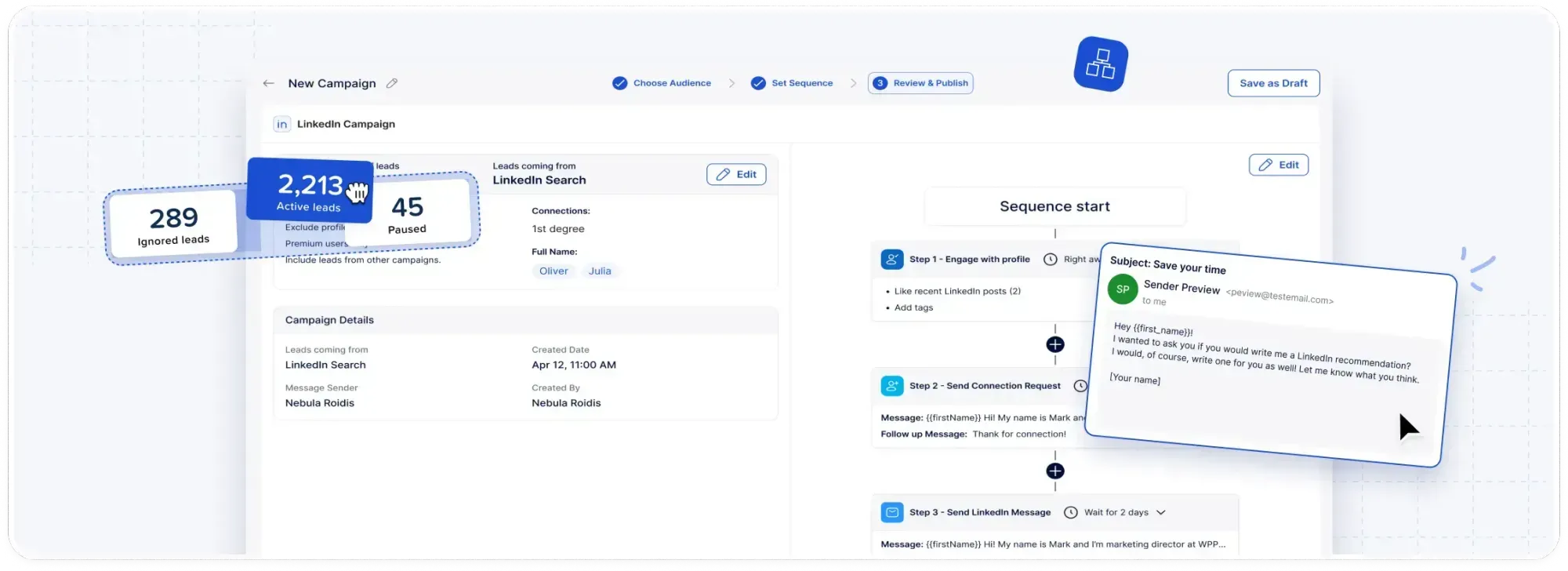
How big that pool gets depends on how often you post, and I usually schedule posts ahead of time through the Social Media Posting module, which also recommends when to publish.
Say the fleet vendor's post on fuel spend picks up 50 reactions and comments in week one.
That's a campaign of up to 50 warm prospects before a single search has been run, and the connection note can open with a thank-you:
Hi [First name], thanks for reacting to my post on fuel spend by vehicle type. I'm connecting with more transport managers looking at the same costs, and I'd be glad to add you.
Meet Alfred's AI-Personalization fills [First name] from each prospect's LinkedIn profile, so the same note reads correctly for everyone on the list.
Step 2: Reopen conversations with 1st-degree connections
Existing 1st-degree connections need no connection request at all, and since you last spoke, a few will have moved into the exact job titles you sell to.
I'd open by admitting some time has passed, with a line like "it's been a while since we connected, and we now help haulage firms cut empty miles."
Two features in Meet Alfred make this group of existing connections easier to work through:
- LinkedIn CRM: existing connections have their own view, apart from newly collected leads, and filters narrow that list down to the people worth messaging.
- Automated greetings: these keep the group warm between campaigns on birthdays and work anniversaries, as well as when someone starts a new role or endorses you.
I find the new-role message the most useful, since someone who has just moved into a buying seat is often open to hearing about suppliers early on.
Step 3: Find prospects in the comments on other people's posts
Comment sections on other people's posts hold prospects who care about the topic, even if they've never seen your name.
The LinkedIn Post campaign type from Step 1 works on any post, and a busy thread under an industry analyst's update is as usable as one of your own.
Finding those posts takes more effort, and LinkedIn trends monitoring in Meet Alfred helps by watching for keywords you set and listing the posts that use them.
For the fleet vendor, I'd track keywords like "driver shortage" and "fuel duty," then engage with the matching posts from the same screen.
Before launching a campaign on someone else's post, I always leave a comment of my own, so a note like this stays honest:
Hi [First name], we were both in the discussion under [Author]'s post on the driver shortage. I'd like to connect with more operations leaders working through it.
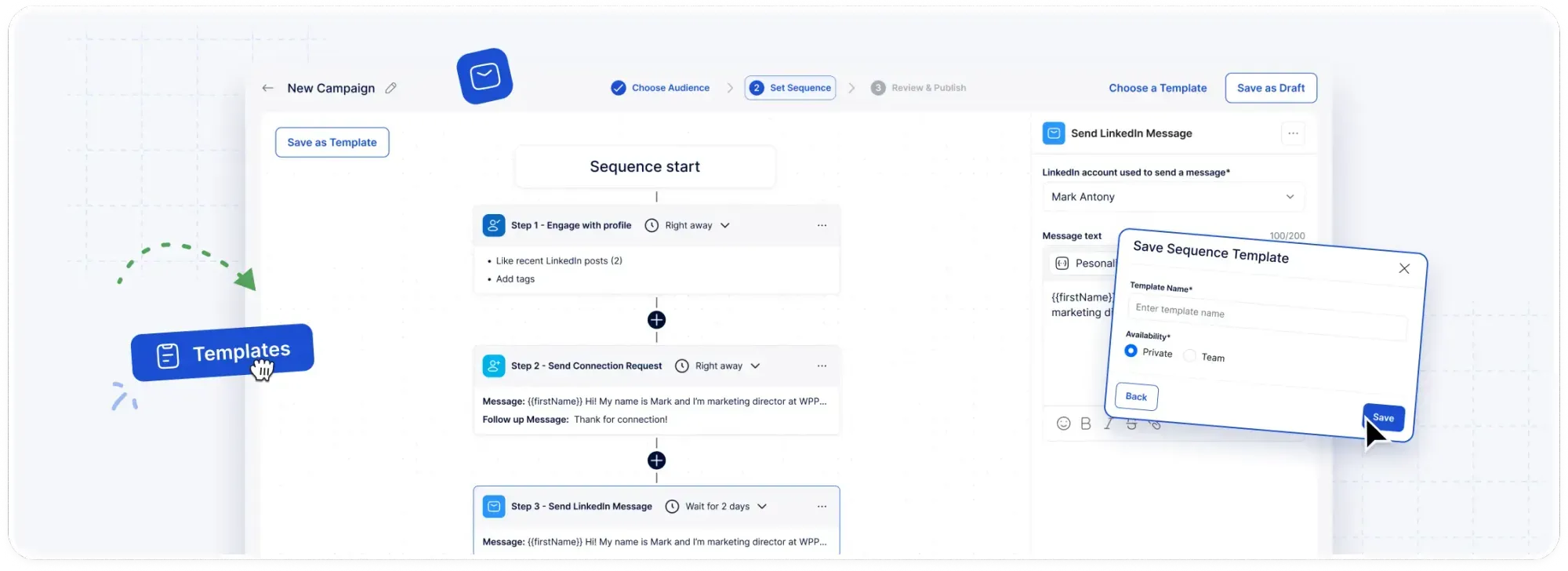
For these prospects, my usual sequence in Meet Alfred runs in this order:
- Day 1: a profile view, the lightest touch in the sequence, and always my first step.
- Day 2: an engagement with one of the prospect's own posts, putting your name in front of them twice before the invite.
- Day 3 or 4: the connection request with the note above, sent a day or two after the post engagement.
- After acceptance: a follow-up message that offers something useful, such as a two-page checklist on cutting empty miles for fleets of their size.
Smart delays in Meet Alfred's sequence builder handle the gap between each of those steps without any manual timing.
Step 4: Message LinkedIn event attendees
LinkedIn events give you a dated, specific reason to contact everyone who signed up, and Meet Alfred's LinkedIn Event campaigns build the list from an event's attendees.
Someone who registered for an online session on fleet electrification has told you what they were thinking about and roughly when.
My rule is to stick to events I've registered for myself, because a line like "see you at the session" only works if it's true.
Messages sent in the week before an event can say you'll both be there, while messages afterwards can offer a one-page summary of your own notes from the session.
💡 If you were the host, you can run it the other way around: the event invitation step in a Meet Alfred sequence invites prospects from other sources to your next session.
Step 5: Prospect inside groups your buyers use
Group membership is a looser connection than a shared event, but it's still a real one, and group quality varies widely.
Before building a group campaign, I check the group itself against a couple of signals:
- Recent activity: plenty of large groups haven't hosted a real discussion in years, and I look at how recently members posted before anything else.
- Discussion over promotion: a small group where transport managers swap questions every week usually does better for me than a 50,000-member group full of promotional posts.
A few comments of your own in those threads also make the shared membership feel genuine before any outreach goes out.
Group campaigns in Meet Alfred are built from a group's member list, and I'd recommend one campaign per group so each message stays specific to its community.
One of our customers, the president of a creative services company, runs segmented campaigns across 62 LinkedIn groups.
For the opener itself, a short note that names the group is usually enough.
Step 6: Use newsletter subscribers and company pages
Newsletter subscribers and company page audiences are the last stop before cold search, because the shared context here is thinner, and Meet Alfred can build a campaign from either one.
A newsletter's subscribers signed up to read about one subject regularly, so that subject makes a natural first line for the opener.
If you publish a LinkedIn newsletter yourself, its subscribers belong much higher on this list.
LinkedIn Company campaigns start from a company page you pick, and the company itself becomes the shared context worth naming in your note.
Step 7: Build cold lists with LinkedIn search and Sales Navigator
Cold lists come next, built purely on fit, and these are the Meet Alfred options I use for them:
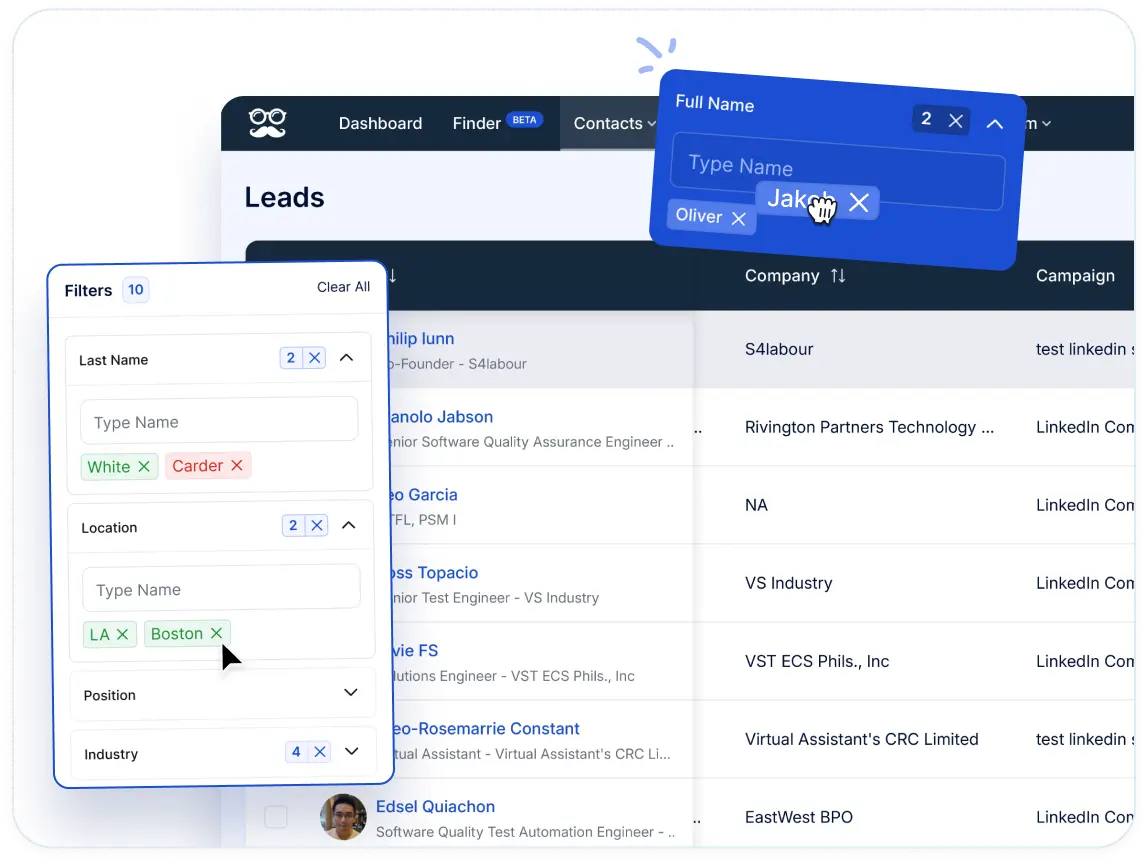
- Built-in LinkedIn search: campaign setup includes filters for location, job title, industry, language, and keywords, and "Preview sample results" shows part of the output before you set a lead count.
- A LinkedIn search URL: pasting one in brings over a search you've already refined on LinkedIn, filters and all.
- Sales Navigator: searches and lead lists import straight into campaigns, with InMail available as a sequence step for prospects outside your network.
- Open Profiles: people with an Open Profile can be messaged right away, without a connection.
Sales Navigator's finer filters, such as "Changed jobs in past 90 days," add a timing signal that a standard search can't provide, and our Sales Navigator guide covers them in more detail.
I keep cold notes shorter than warm ones, because there's no shared moment to mention:
Hi [First name], I work with transport managers at UK haulage firms on fuel and route costs, and I'd like to connect.
Step 8: Widen the list with AI Lead Finder
AI Lead Finder is the coldest and widest source here, built for when LinkedIn search runs short, and there are four stages to working with it:
- Describe the buyer: you type a short description, such as "head of operations at a UK haulage company with 50 to 200 employees."
- Filter and preview: filters for industry, keywords, job title, language, and location narrow the results, with a sample preview first.
- Mind the limits: each search returns up to 1,000 profiles on a Basic or Premium LinkedIn account and 2,500 with Sales Navigator, with a separate plan ceiling listed under pricing.
- Save and launch: results arrive enriched with verified contact details, and the saved list shows up as an audience in the campaign builder with no download in between.
Spreadsheets from outside LinkedIn, such as a list of trade show contacts, come in through a CSV upload, bringing custom fields for personalization with them.
💡 Once all eight steps run as separate campaigns, most of my weekly work shifts from building lists to answering replies.
What does a weekly LinkedIn prospecting routine look like?
A weekly LinkedIn prospecting routine tops up the warm campaigns every week and reviews each source's numbers every two weeks, with cold lists held in reserve.
Here's the rhythm I follow, split by how often each task comes round:
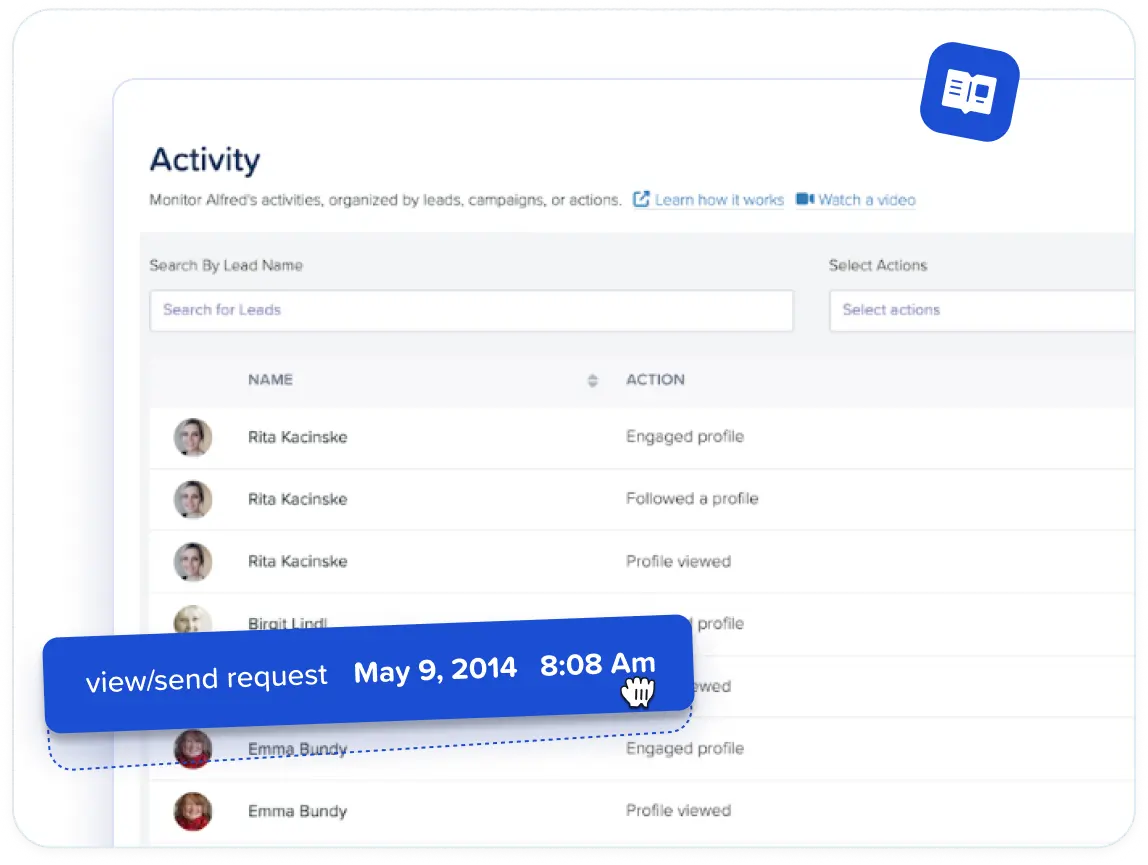
- Every working day: answer new replies in Meet Alfred's Smart Inbox, where every LinkedIn conversation arrives in one view, InMails and Sales Navigator threads included.
- Every week: add fresh post engagers and recent event attendees to their existing campaigns to keep each list current.
- Every two weeks: compare accepted connections and replies by source in the campaigns overview, and slow down any campaign whose acceptance rate keeps dropping.
- Every month: look for new groups and events your buyers have joined, and retire any source that has stopped producing replies.
Once replies start coming in, I rely on four Smart Inbox features in particular:
- Reply detection: a LinkedIn reply pauses that prospect's campaign automatically, so scheduled follow-ups don't reach someone already in a conversation with you.
- Profile context: each thread shows a short profile summary with job title and company, and tags and notes go on from the same screen.
- Returning leads: "not now" replies go back into a campaign for later, and interested ones move on to sales.
- Team coverage: every rep's threads appear together in the Team Inbox, and Impersonation lets a manager covering for someone answer from that rep's account without sharing credentials.
For follow-ups beyond LinkedIn, Multichannel Sequences add email and X steps to the same campaign, sending the email from your own mailbox.
With a UK list like the fleet vendor's, I'd confirm that emailing each contact fits UK data protection and electronic marketing rules before adding those steps.
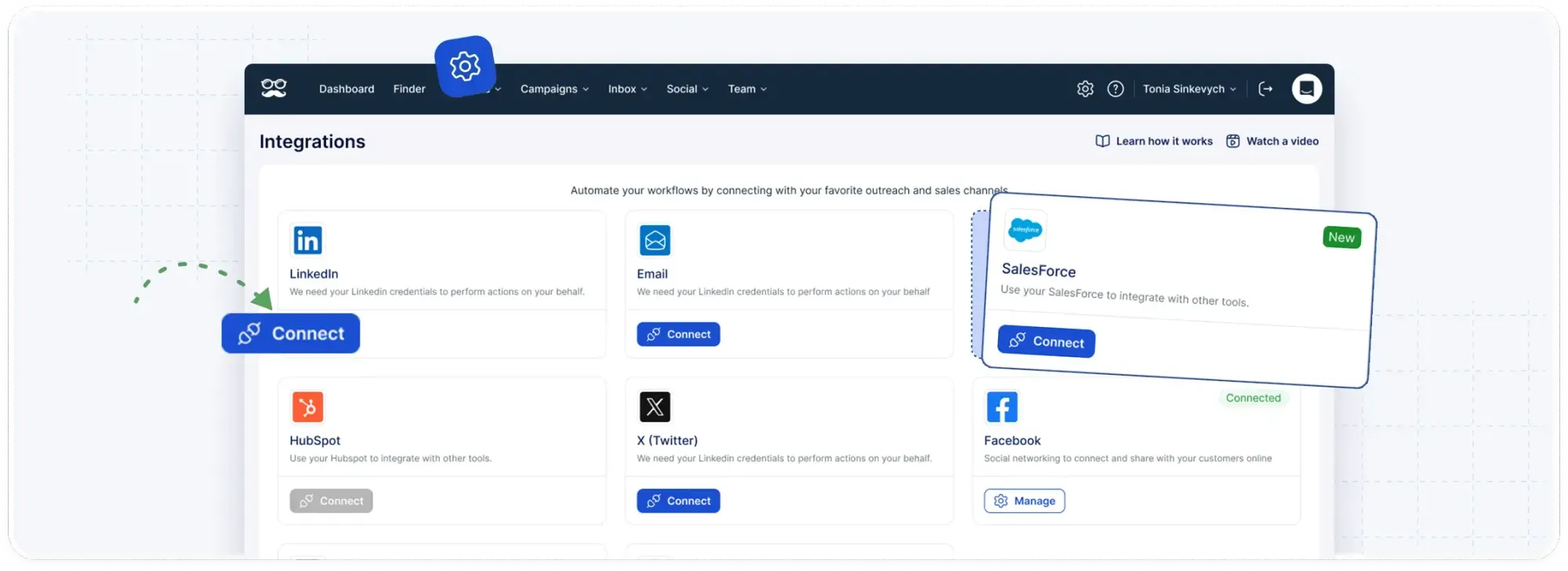
Prospects who book a call can sync over to Salesforce or HubSpot, and Zapier or webhooks cover most other CRMs.
How much does Meet Alfred cost?
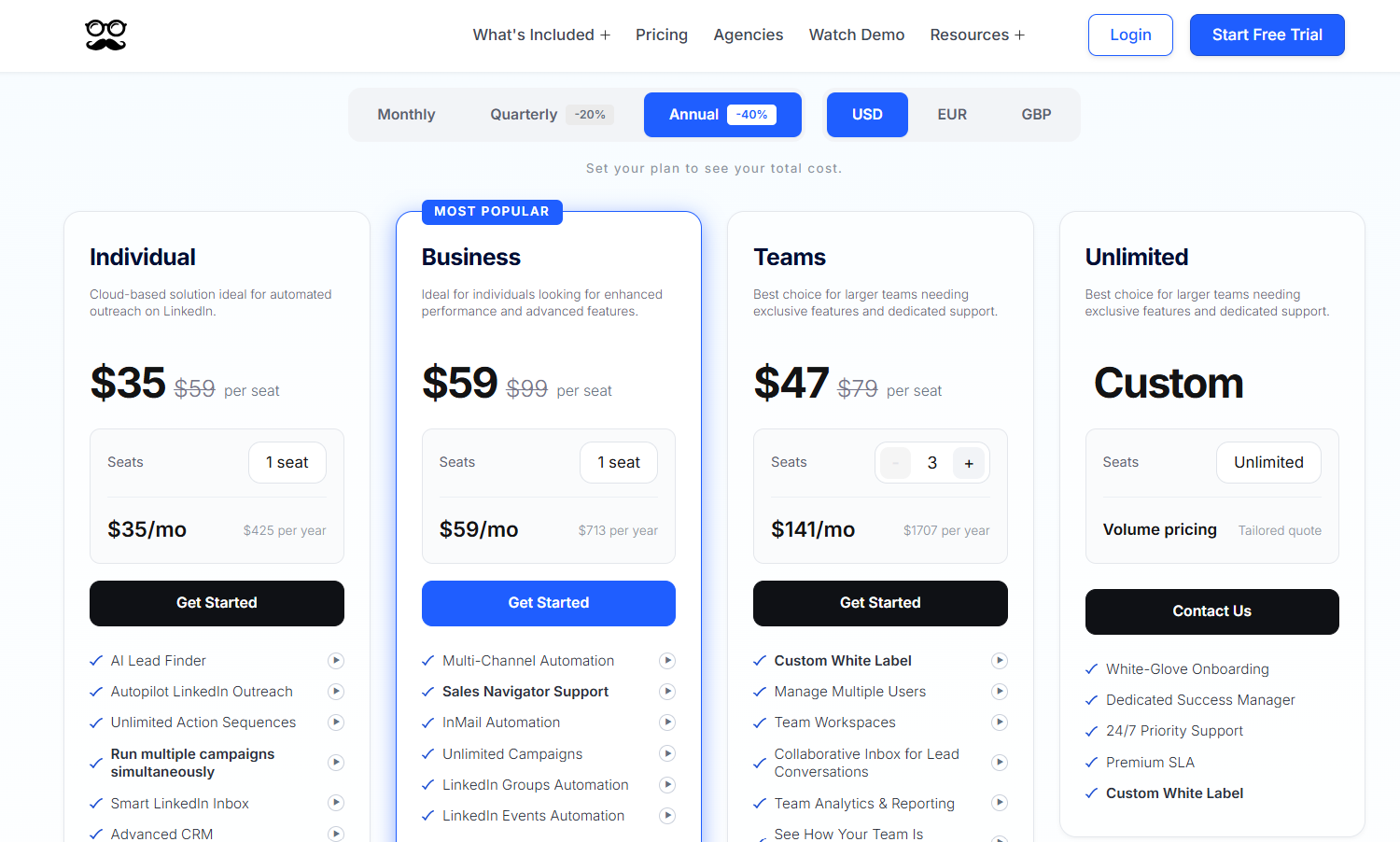
As of October 2026, our pricing page has four paid plans, starting at $35/user/month on Individual with annual billing.
Annual billing takes 40% off the monthly rate, and quarterly billing takes 20% off.
Before paying anything, you can test Meet Alfred on a 7-day free trial with no credit card required.
- Individual, $35/user/month: AI Lead Finder up to 1,000 results, LinkedIn automation on Basic or Premium accounts, the Smart LinkedIn Inbox, and the advanced CRM.
- Business, $59/user/month: Post, Event, Group, Newsletter, and Company campaigns, plus Sales Navigator, InMail, CSV campaigns, social post scheduling, email and X sequence steps, and 5,000 Lead Finder results.
- Teams, $47/user/month: roles and permissions, a shared team inbox, White Label, per-rep team analytics, a dedicated account manager, native integrations with Salesforce and HubSpot, and 10,000 Lead Finder results.
- Unlimited, custom quote: volume pricing, a premium SLA, custom White Label, white-glove onboarding, and a dedicated success manager.
Start prospecting on LinkedIn with Meet Alfred
The quickest first week usually comes from whichever warm source you already have the most of.
For some teams that's a post with a busy comment section, and for others it's a long list of connections nobody has spoken to in a while.
My advice is to launch that campaign first and bring in the next source once it's running smoothly.
All eight steps run from the same cloud-based Meet Alfred dashboard, within the daily limits and working hours you've configured for the account.
If you're ready to try it, pick whichever of these two starting points suits you:
- Free trial: test Meet Alfred on your own target list for 7 days, with no credit card to enter.
- Demo: the video demo walks through campaign setup, and our team can also run a live demo for you.
⚠️ Disclaimer: This article was last updated on the 18th of October, 2026, and if there's any misinterpretation of the information, please contact us, and we will fact-check it.
Frequently asked questions
Is LinkedIn prospecting the same as lead generation?
No, LinkedIn prospecting is the outbound part of lead generation, where you find specific people and start conversations with them one at a time.
Lead generation also counts inbound interest from your content, plus the follow-up that turns a conversation into a sales opportunity.
In Meet Alfred, post scheduling and outreach campaigns share one dashboard, and the inbound and outbound sides of lead generation can run side by side.
Our guide to generating B2B leads on LinkedIn covers the full process, and it's the better starting point if prospecting is only one part of your plan.
For software options, see our roundup of the 10 best LinkedIn lead generation tools.
Can you prospect with a free LinkedIn account?
Yes, a free LinkedIn account works for prospecting, and Meet Alfred supports both Basic (free) and Premium accounts.
Search is where a free account feels the limits most, since LinkedIn applies a monthly commercial use limit once someone searches heavily.
In AI Lead Finder, a free or Premium account returns up to 1,000 profiles per search.
On a free account, I'd lean on warm sources like post engagers, because they need far less search than a cold list built from scratch.
What is an Open Profile on LinkedIn?
An Open Profile is a setting for LinkedIn Premium members that lets anyone on LinkedIn message them without being connected, and those messages don't use up InMail credits.
Members who switch it on have chosen to hear from people outside their network, which makes a direct message a reasonable first move.
Meet Alfred can send personalized messages to Open Profiles as part of a prospecting campaign.
Should a connection request include a note?
For warm prospects, yes, because the note is the only place to mention the post or event that links you before they accept.
For cold lists, a short note naming who you help has read better than a pitch in the campaigns I've run.
Meet Alfred's library of more than 600 templates includes connection notes, while AI-Personalization fills in details like first name and company from each prospect's profile.
For written examples, our list of 38 LinkedIn connection message templates covers both warm and cold openers.
Related Articles