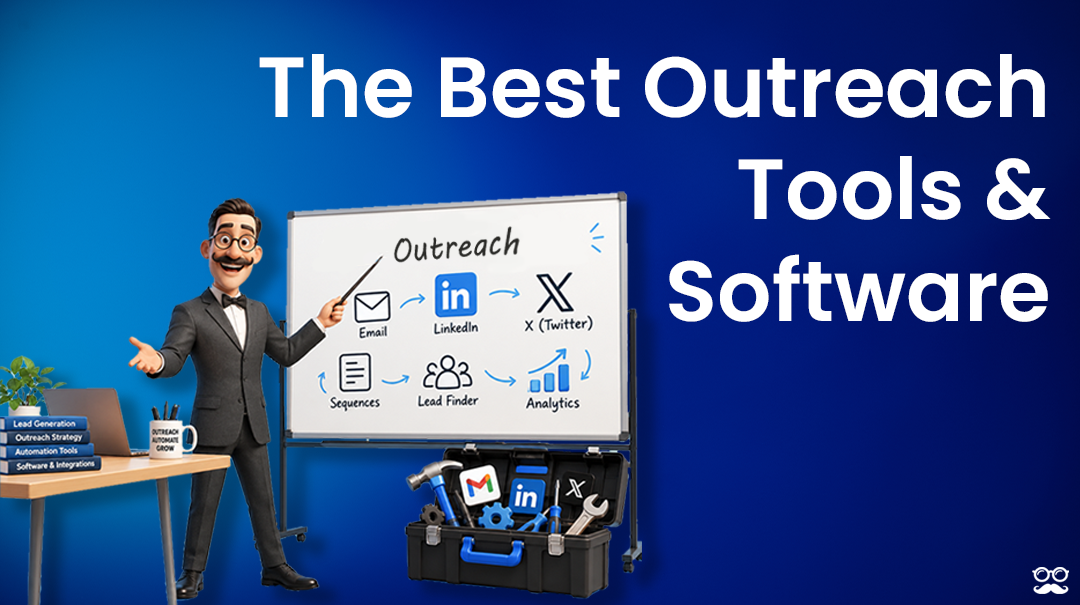







Are you looking for the best Waalaxy alternatives that run outreach from the cloud, without a monthly invitation allowance deciding how far your campaigns get?
Ten of them are below.
Each entry covers who the tool is built for and what running it costs, so you can shortlist without opening ten pricing pages.
TL;DR
- For sales teams, agencies, and recruiters, Meet Alfred is the strongest Waalaxy alternative in 2026: campaigns send from the cloud on an IP dedicated to each account, the shared inbox is in the entry plan at $35 a seat, and LinkedIn, email, and X outreach draw on one subscription.
- Teams that scale by connecting more LinkedIn profiles should price out HeyReach and Expandi, one charging a flat fee across every connected sender and the other putting a regional IP and a warm-up ramp behind each profile.
- At the bottom of the price range, Octopus CRM starts at $6.99 a month and Dux-Soup under €10 on annual billing, with Dripify a step above them, pairing LinkedIn and email from its first tier.
- For outreach reaching past LinkedIn and email, Lemlist and Reply.io add calling, SMS, and WhatsApp, while La Growth Machine covers calls and X and bills by sending profile.
- We-Connect suits recruiters and small sales teams that want the email step triggered by LinkedIn activity, with AI drafting the outbound and handling what comes back.
How to choose the best Waalaxy alternative
The right Waalaxy alternative depends on which limit you’ve hit first: the browser session, the monthly invitation allowance, or the fact that email and the inbox cost extra.
I ran every tool on this list through four checks, and they hold up just as well on a shortlist of your own:
- Look at where campaigns run: Each tool had to send from the cloud or publish a hosted option, so outreach keeps moving with the laptop shut. Dux-Soup sells both an extension and a hosted edition, and Octopus CRM is the exception, kept as the cheapest way to test LinkedIn automation at all.
- Count the channels on the plan you’d actually buy: Waalaxy holds email back for its Business tier, so I noted where email opens on every entry. Meet Alfred, for example, puts email and X in the same sequence as LinkedIn on its second tier, while HeyReach, Dux-Soup, and Octopus CRM stay LinkedIn-first and earn their place on sender volume or budget.
- Make sure the pricing can be checked: Published per-user, per-sender, or per-identity rates were preferred, and quote-only plans made it in only where the structure is documented, like Expandi’s ten-seat agency minimum.
- Find the step up: Every tool here beats Waalaxy on at least one axis, whether that’s cloud sending, extra channels, agency branding, or a lower entry price. A tool that matched Waalaxy feature for feature gave nobody a reason to switch.
Meet Alfred clears all four, though Waalaxy’s 99 prebuilt sequences still get a first campaign out faster than anything else here.
What are the best alternatives to Waalaxy?
The best alternatives to Waalaxy in 2026 are Meet Alfred with its multi-channel LinkedIn automation platform, Expandi, and Dripify.
The table below sets each tool against its intended buyer and its published price:
#1: Meet Alfred
Meet Alfred is the best alternative to Waalaxy in 2026 for sales teams, agencies, and recruiters whose outreach has outgrown a browser session.
Our platform keeps the whole motion together: prospect discovery, sequences running across LinkedIn, email, and X, one inbox holding every reply your team receives, and whitelabeling all belong to the same subscription.
Full disclosure: Meet Alfred is our own solution, so I'll be specific about what it does differently from Waalaxy, and I'll point out where Waalaxy is the better buy.
Teams at Reuters, Samsung, Oracle, Salesforce, and HSBC run outreach on the platform, and these are the parts they use most:
How the setup runs, from connected profile to first reply
Four stages cover how Meet Alfred works when you get started:
Step 1: Connect the profile and cap the daily volume
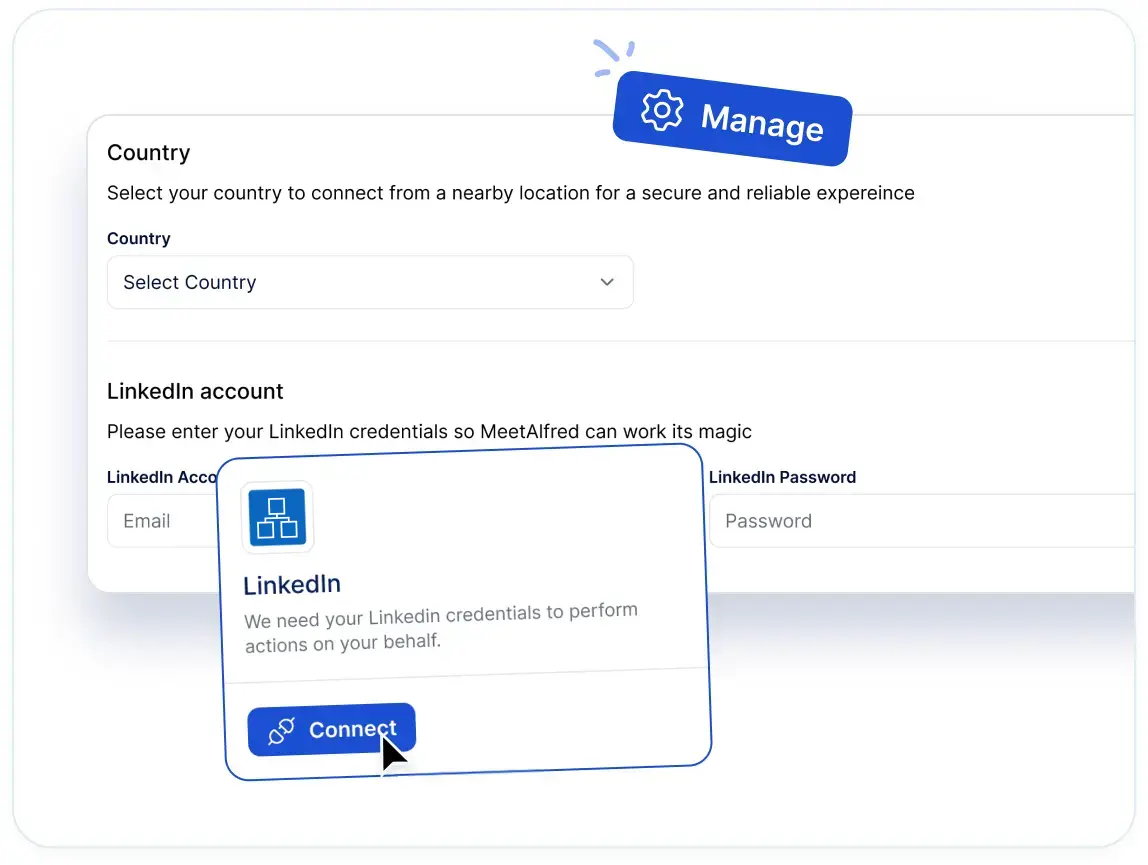
The first thing sign-up asks for is a LinkedIn profile, and the app handles two-factor authentication on the way through.
A daily ceiling on connection requests is next, and it can reach 100 a day while staying inside safe parameters.
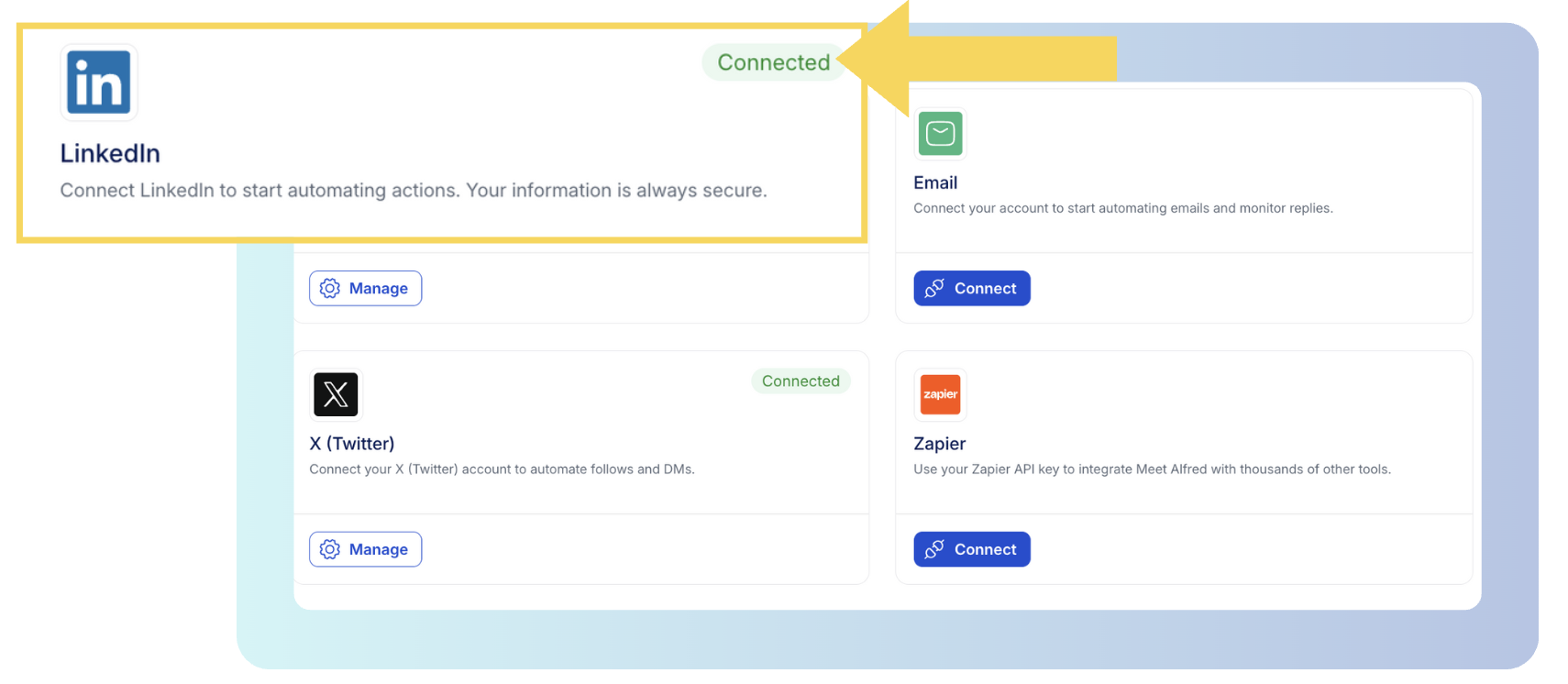
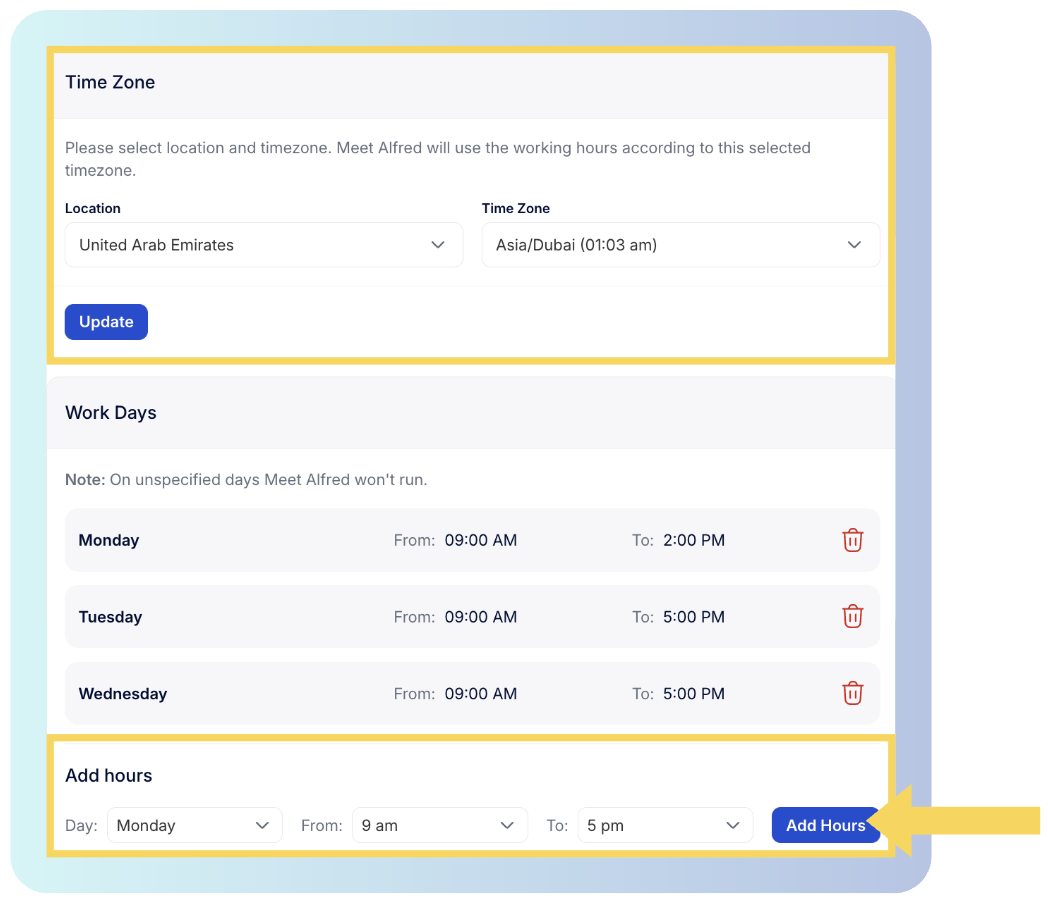
The schedule goes in beside it as an allowed window plus a time zone, which keeps a message from firing at 4 AM in your prospect's market.
Auto-withdrawal then clears pending invitations on its own, with withdrawal analytics tracking that activity over time.
➡️ Underneath that ceiling, each action is spaced by a randomized delay, and the sending runs on our cloud from an IP dedicated to that account, so there's no tab to keep open and no proxy to shop for.
Step 2: Decide who gets contacted
A campaign needs an audience, and there are two ways to get one:
- One is activity already visible on LinkedIn, and from our multi-channel tier upward that covers a group you share with the prospect, an event’s attendee list, a newsletter’s subscriber roll, or the reactions sitting under a post.
- The other is search, either LinkedIn’s own or a Sales Navigator list from that same tier, with filters covering industry, job title, location, language, and keywords.
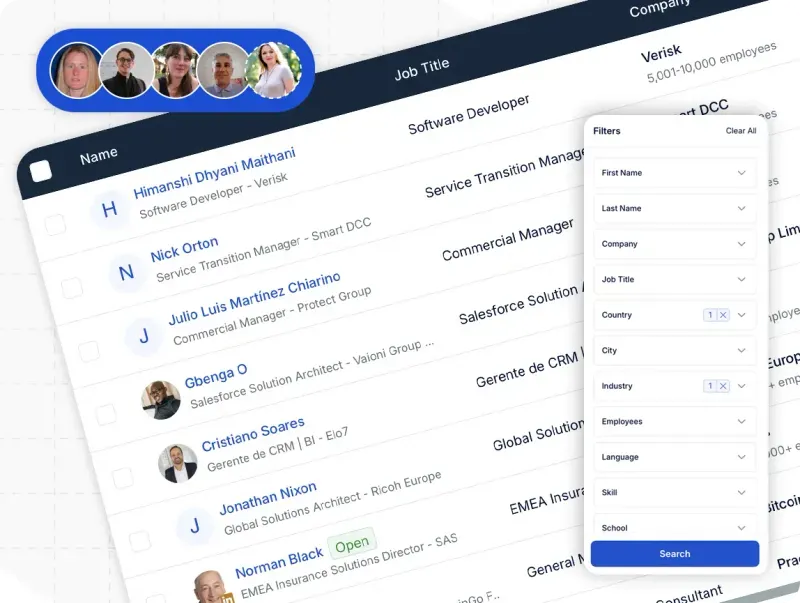
Whichever route you take, sample results appear before anything runs, beside a dial that sets how many of those profiles the campaign takes.
The AI Lead Finder works on its own screen.
You describe the buyer in natural language (for example, "heads of talent at 50-200 person software companies in Berlin"), then filter what comes back and import the ones you want into a campaign.
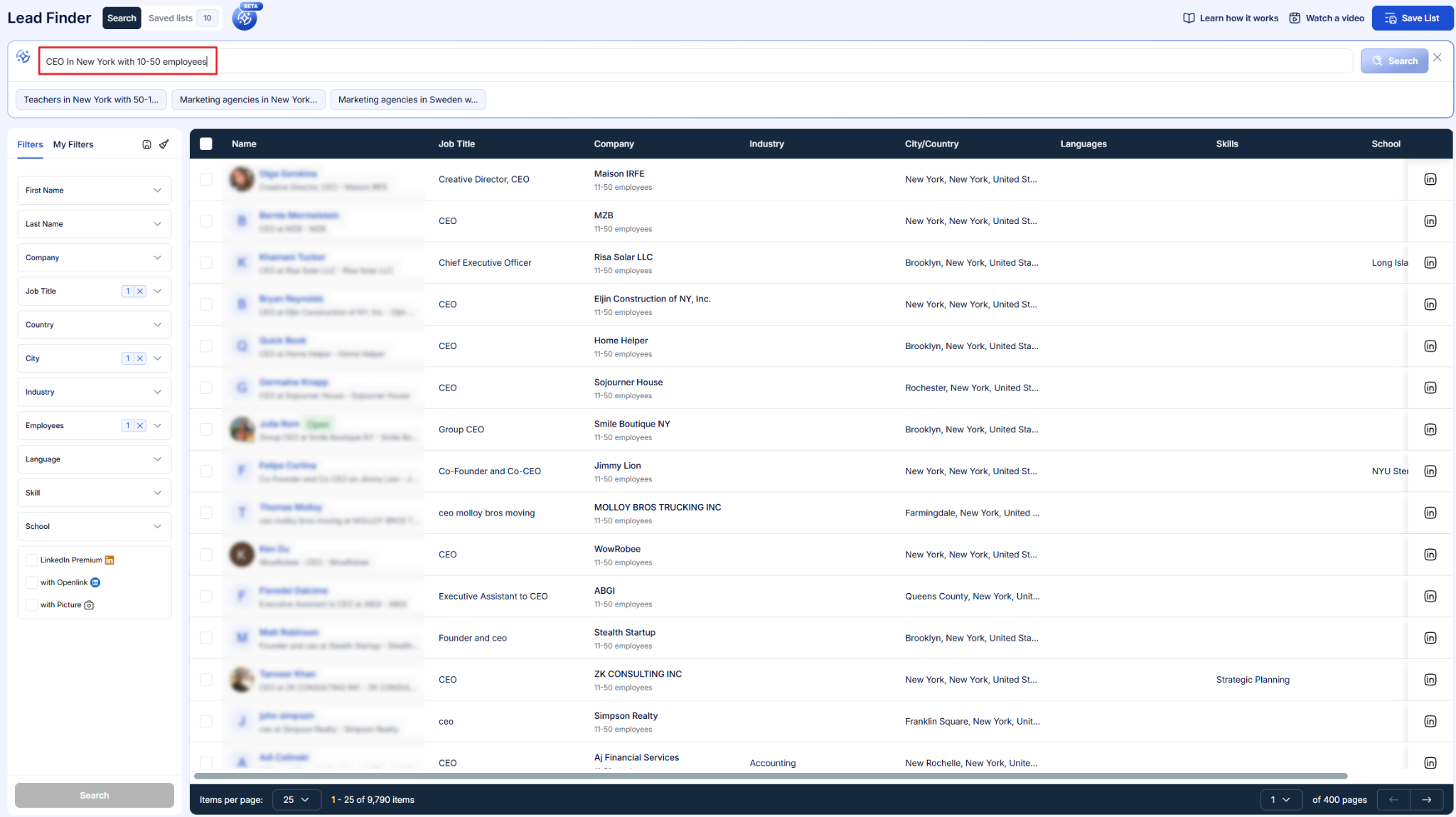
Result ceilings go by plan, from 1,000 up to 10,000.
That saved list then shows up as a source option once campaign setup starts.
Step 3: Order the actions, then launch
A sequence is a run of actions in a fixed order, each one holding for a defined interval before the next fires.
You can build one from nothing, or open a pre-built sequence template and rewrite the copy inside it.
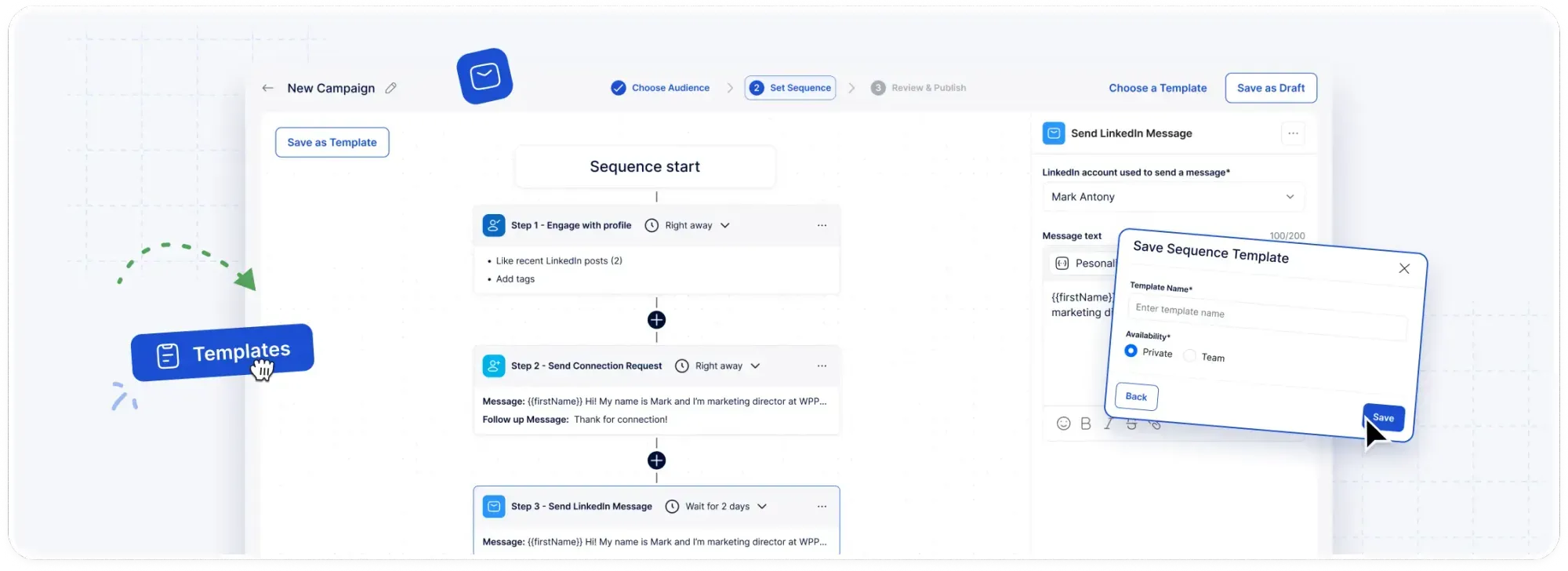
For example, a campaign might view a prospect's profile on day one, follow them the next day, send a connection request with a personalized note the day after that, then follow up with a message if nothing has come back.
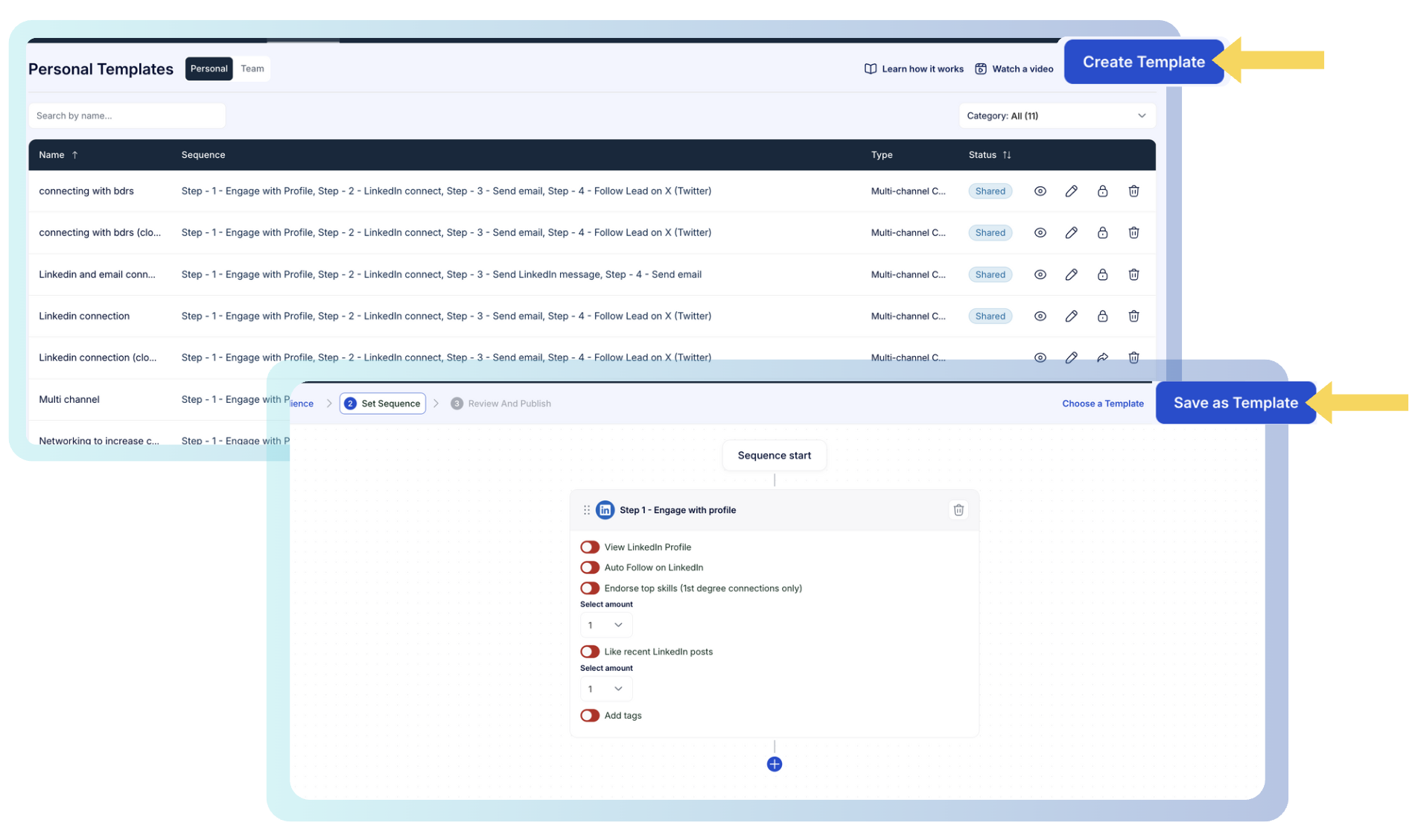
From our multi-channel tier, email, X, and InMail steps drop into that same sequence, so a single workflow reaches the prospect wherever they’re likely to reply.
A sequence that produces results can be saved and handed to the rest of the team, so nobody rebuilds a winning play from nothing.
Step 4: Handle the replies at team scale
Somewhere past the first few hundred replies, LinkedIn's own inbox stops being workable, and adding a second and third rep to the same list makes it harder again.
This is why Meet Alfred’s Smart Inbox gathers the team's LinkedIn, InMail, and Sales Navigator conversations into one view, and each thread carries the contact's role, employer, and location next to it.
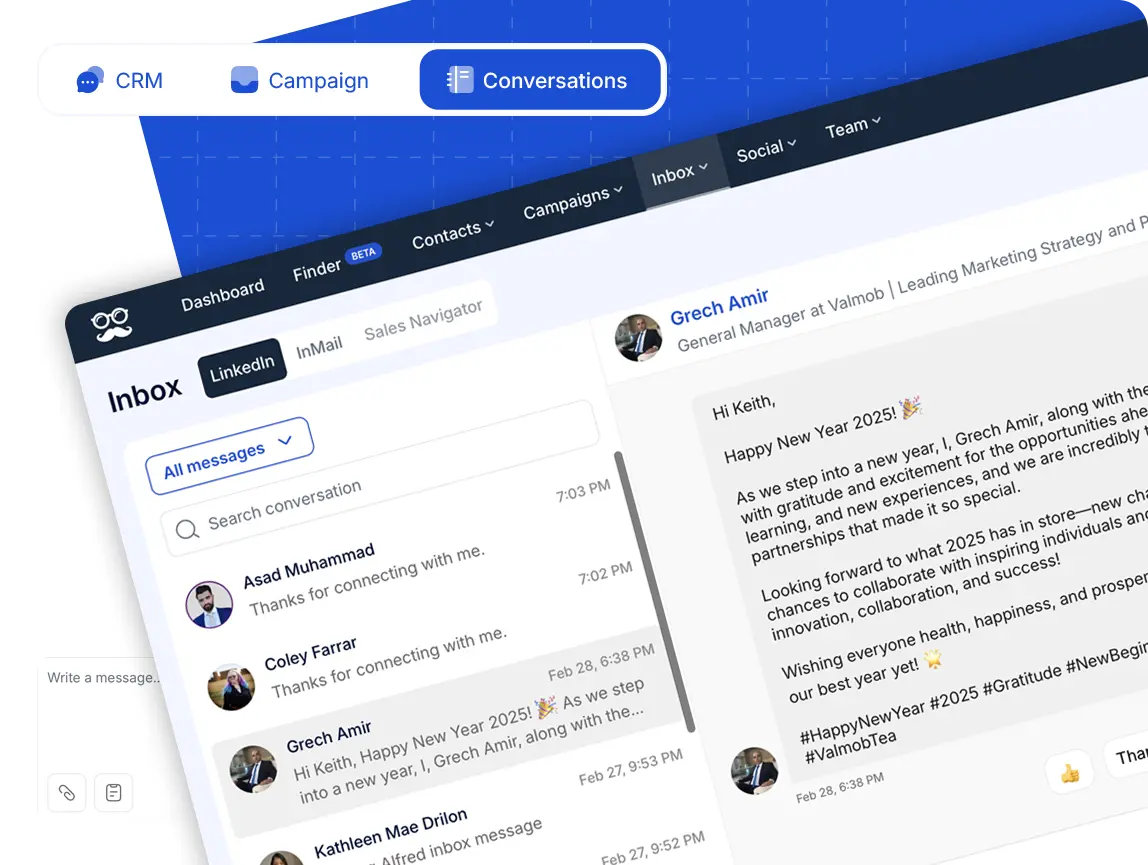
The campaign for that contact pauses as soon as they reply, so nobody gets an automated follow-up after they've already answered.
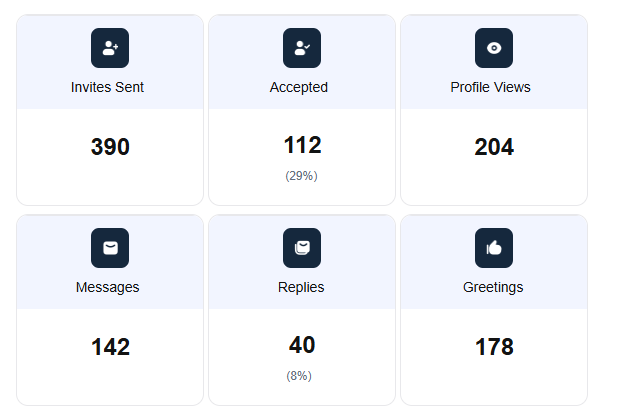
Team stats run alongside it, breaking invites sent, invites accepted, profile views, messages, and replies down by member.
Sending from the cloud, on an IP of its own
Meet Alfred has run on AWS since 2017, and there's no browser extension or desktop dependency anywhere in the setup.
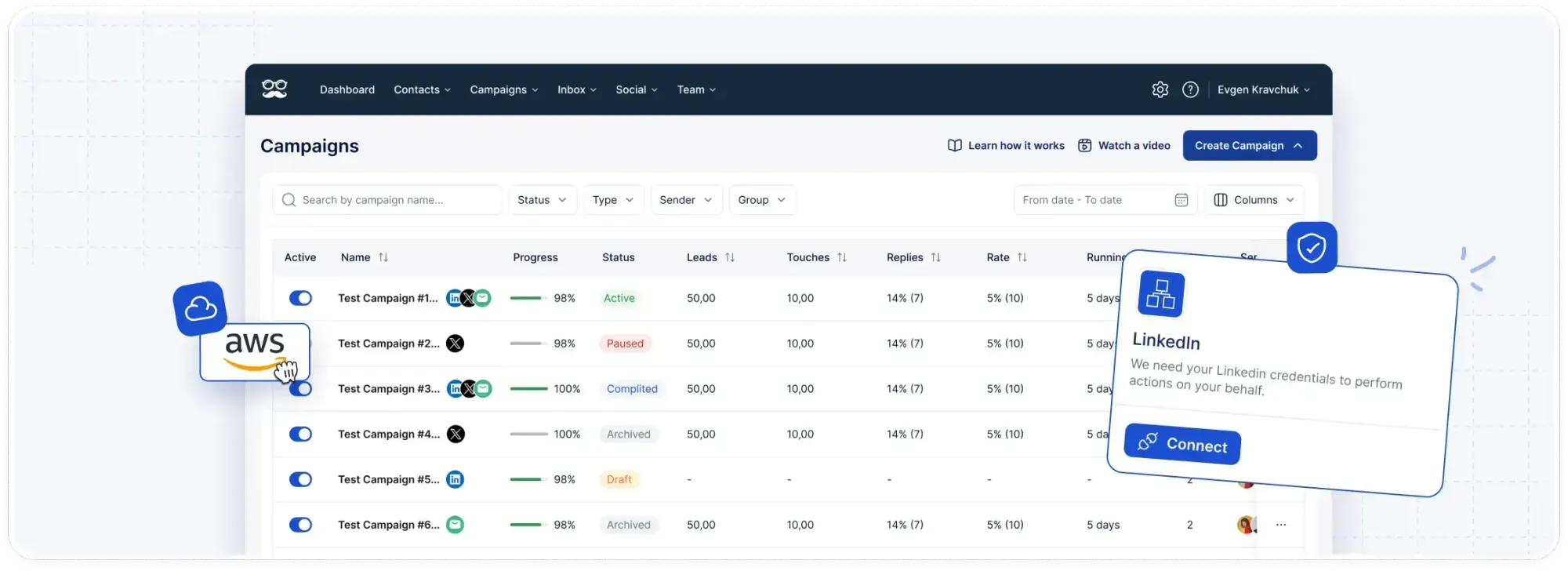
A campaign carries on while you're offline, which is the practical difference between outreach that runs and outreach that waits for somebody to open a laptop.
Each connected account also gets a dedicated IP address, which supports LinkedIn message deliverability and gives the account room to scale.
Two layers then apply account-wide:
- Behaviour: the daily cap, the randomized pacing, and the working-hours window operate as one control, which is how volume reaches as high as 100 connection requests a day and stays inside safe parameters.
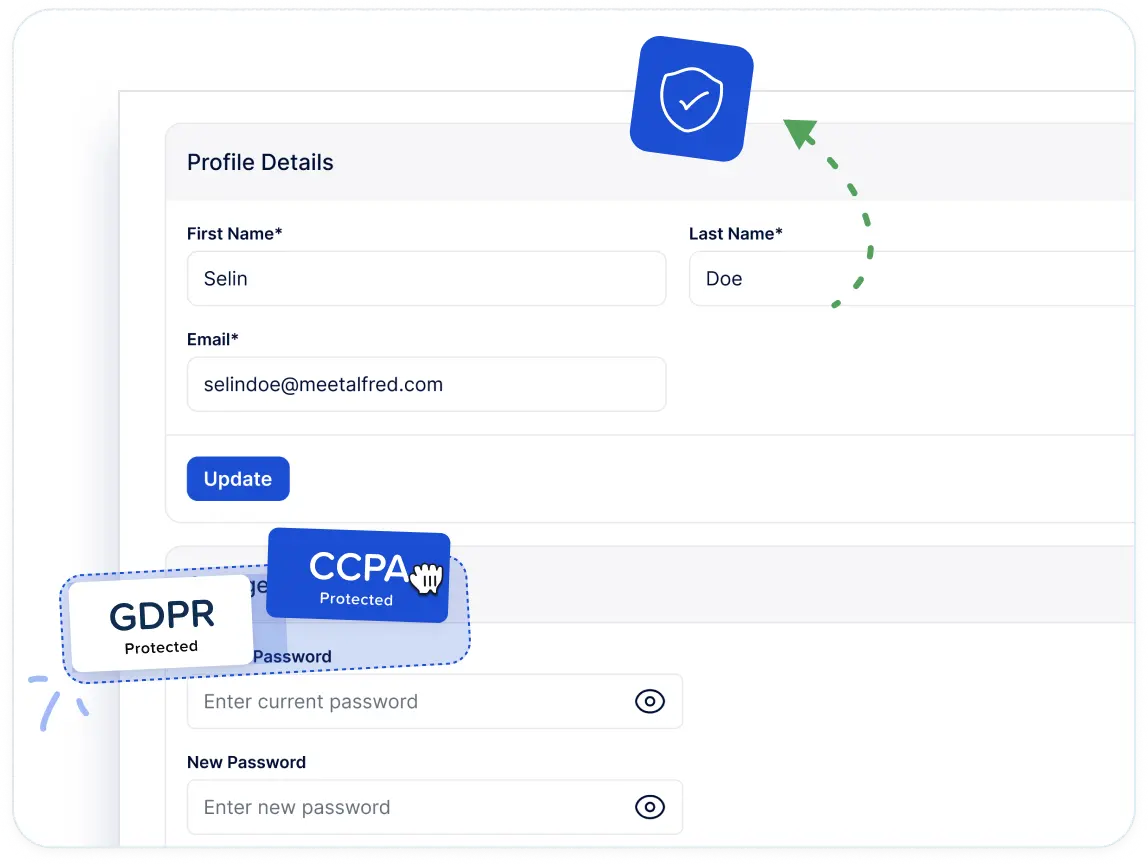
- Platform security: end-to-end encryption, DDoS protection, and GDPR and CCPA compliance, all handled on our side and none of it configured campaign by campaign.
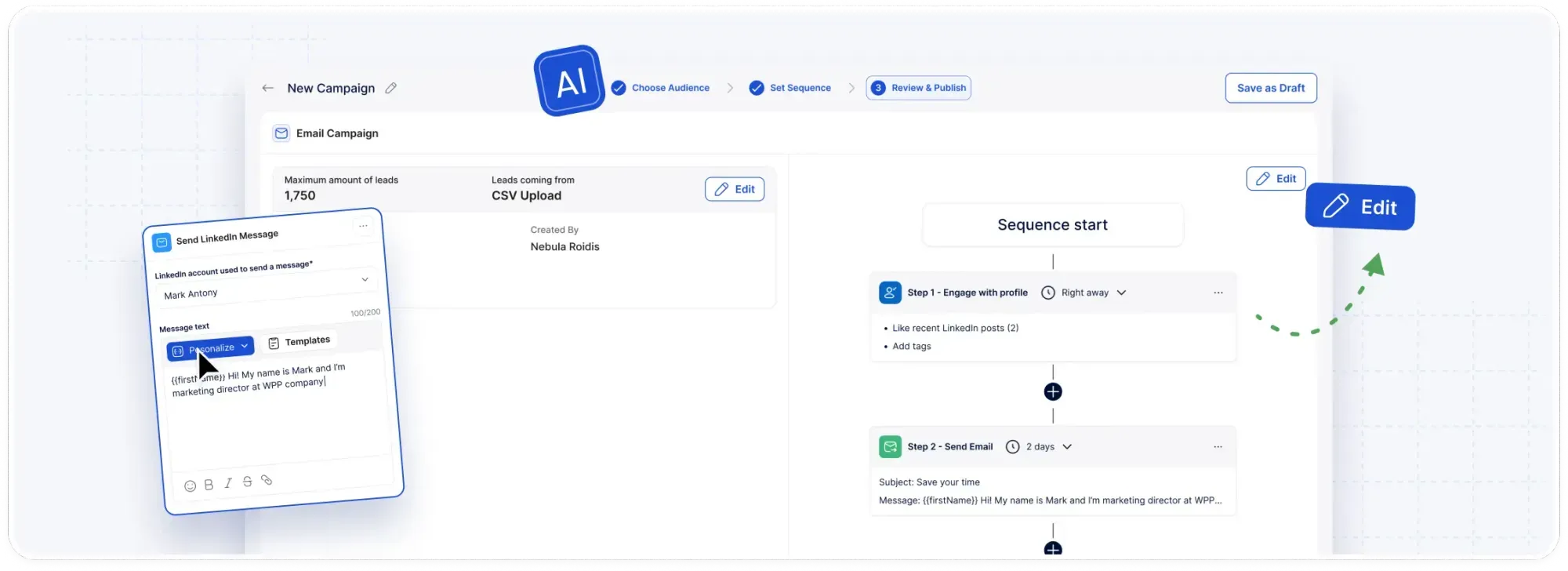
Three outreach channels and social posting on one subscription
Email and X are sequence steps here, with no second product or credit balance behind them.
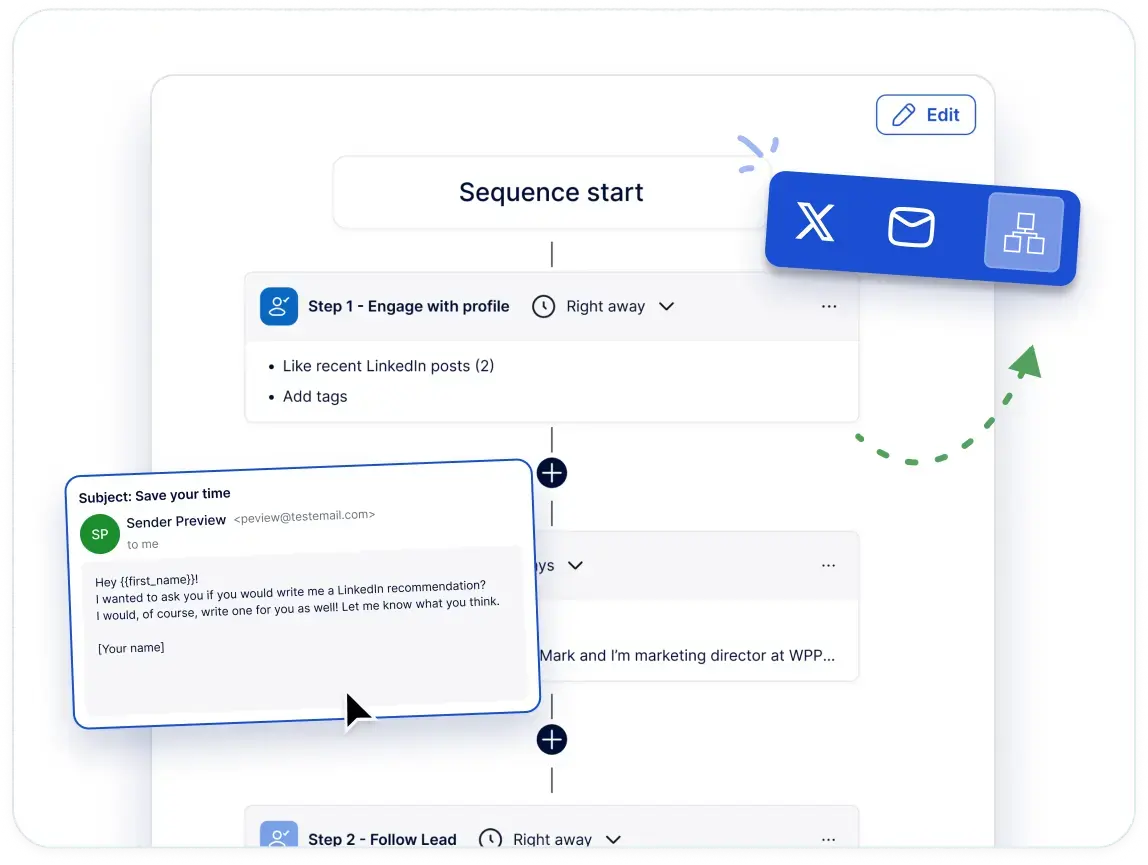
The mailbox is your own, connected over SMTP or IMAP, so Gmail, G Suite, and Outlook all work, as does any other provider on those protocols.
Your sending volume then follows what that provider permits, with no message credits metered.
A connection request left unanswered for five days can be followed by an email on day five, and nothing gets exported between the two.
In practice, that covers:
- A single workflow carrying one prospect between LinkedIn, email, and X, with no handoff in the middle.
- Up to 1,000 X direct messages a day, sent on their own or slotted in beside the LinkedIn touches.
- Social posts scheduled to LinkedIn, Facebook, Instagram, and X from one dashboard, with timing recommendations and performance analytics included.
- A single reporting view for opens, clicks, replies, connections, and conversions, which makes the channel producing your pipeline easy to spot.
How is Meet Alfred different from Waalaxy?
Waalaxy is good at the job it set out to do.
99 ready-made sequences mean a first campaign never starts from an empty builder, the email finder publishes a match rate above 61% with triple verification behind it, and its triggers collect the people reacting to posts and the ones engaging with rival accounts, with no list built by hand.
Duplicate prevention keeps two reps off the same thread, too.
For a first-timer who wants outreach going out this afternoon, that's a sensible place to begin.
The two platforms compare like this:
How much weight that table carries depends on the volume you’re planning to run.
Waalaxy's shape fits a rep sending a few hundred invitations a month from their own browser, which is a real and common use case.
Four things change once the volume climbs and more than one person is sending:
- Execution stops depending on your machine, because cloud sending keeps a campaign moving overnight and through a closed laptop, on an IP dedicated to that account.
- Capacity tracks the schedule you set, at up to 100 connection requests a day, paced randomly inside your working hours.
- The reply layer is part of the plan, with the Smart Inbox included from the entry tier, carrying tags, notes, attachments, and reply templates the whole team shares.
- The agency layer has a published price, since white label, a custom domain, and your own notification address open at five seats, with a dedicated account manager and priority support included on our team plan.
➡️ Our support also answers around the clock, with a first reply averaging under three minutes.
Pricing
A 7-day trial opens the full feature set without a credit card.
Paid plans then run on four tiers, each cheaper per seat on annual billing:
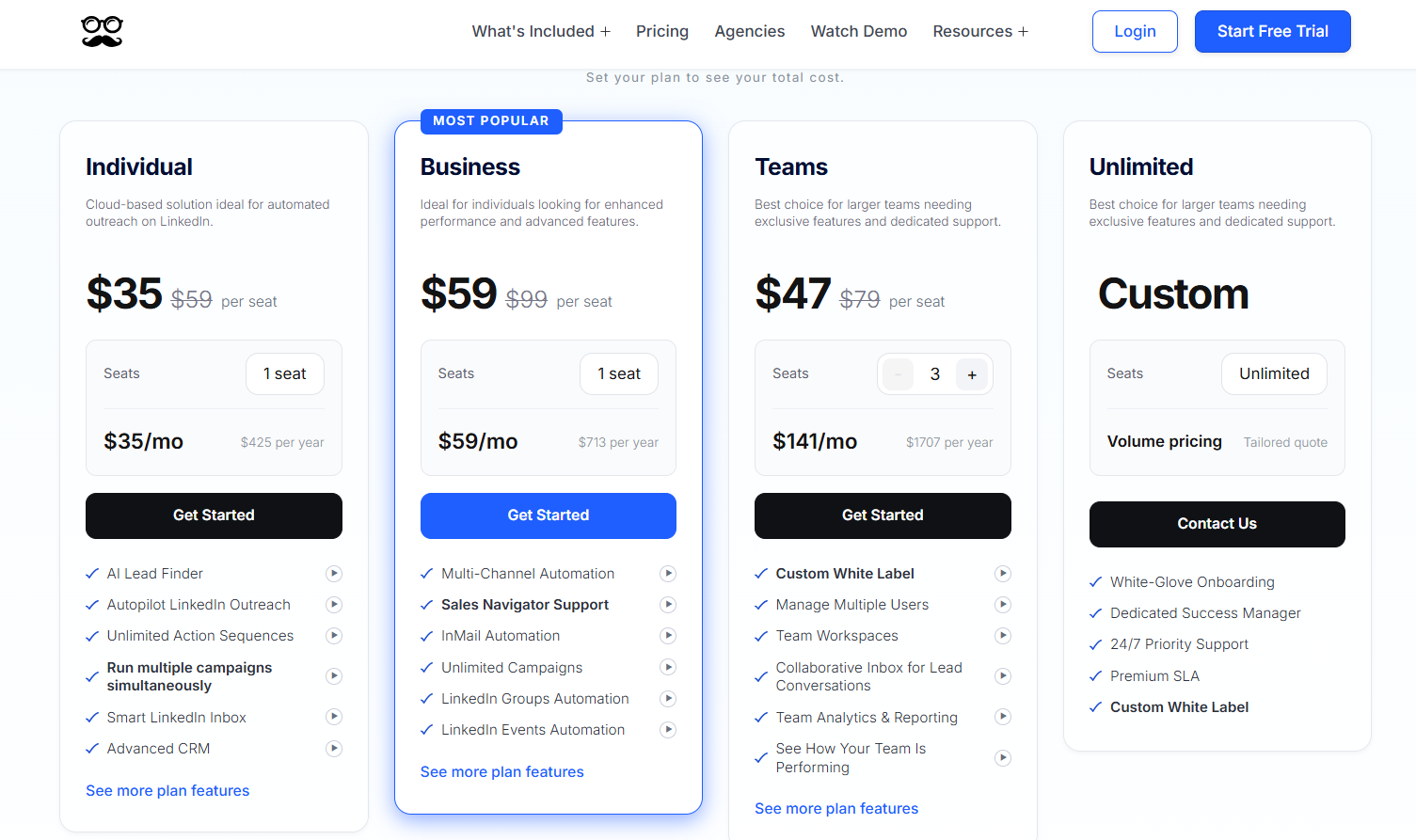
- Individual, $35/seat/month billed annually: cloud LinkedIn automation for Basic and Premium accounts, Lead Finder capped at 1,000 results, unlimited actions per sequence, several campaigns live at once, the Smart Inbox, the advanced LinkedIn CRM, message templates, and automated greetings.
- Business, $59/seat/month billed annually: Individual plus unlimited campaigns, Sales Navigator support, InMail automation, multi-channel sequences across LinkedIn, email, and X, group, event, post, newsletter, and company campaigns, CSV campaigns, social post scheduling, Zapier, webhooks, and 5,000 Lead Finder results.
- Teams, $47/seat/month billed annually: Business plus roles and permissions, groups, team inbox and campaign management, team analytics, white label from five seats, a dedicated account manager, onboarding, priority support, and 10,000 Lead Finder results.
- Unlimited, custom: volume pricing on unlimited seats, white-glove onboarding, a dedicated success manager, a premium SLA, and custom white label.
Pros & Cons
✅ Campaigns send from the cloud on a dedicated IP for each account, with nothing installed locally.
✅ Three outreach channels and four social networks on one subscription, with no proxies to buy separately.
✅ The Smart Inbox is included at the entry price, and impersonation lets a manager work any client account without a shared password.
✅ White label with your logo, your colors, a custom domain, and notifications from your own address, all at five seats.
❌ There's no free tier, just the seven-day trial.
#2: Expandi
Best for: Sales teams and agencies that want if-then rules picking each next touch, with account protection handled at the infrastructure level.
Similar to: HeyReach, Dripify.
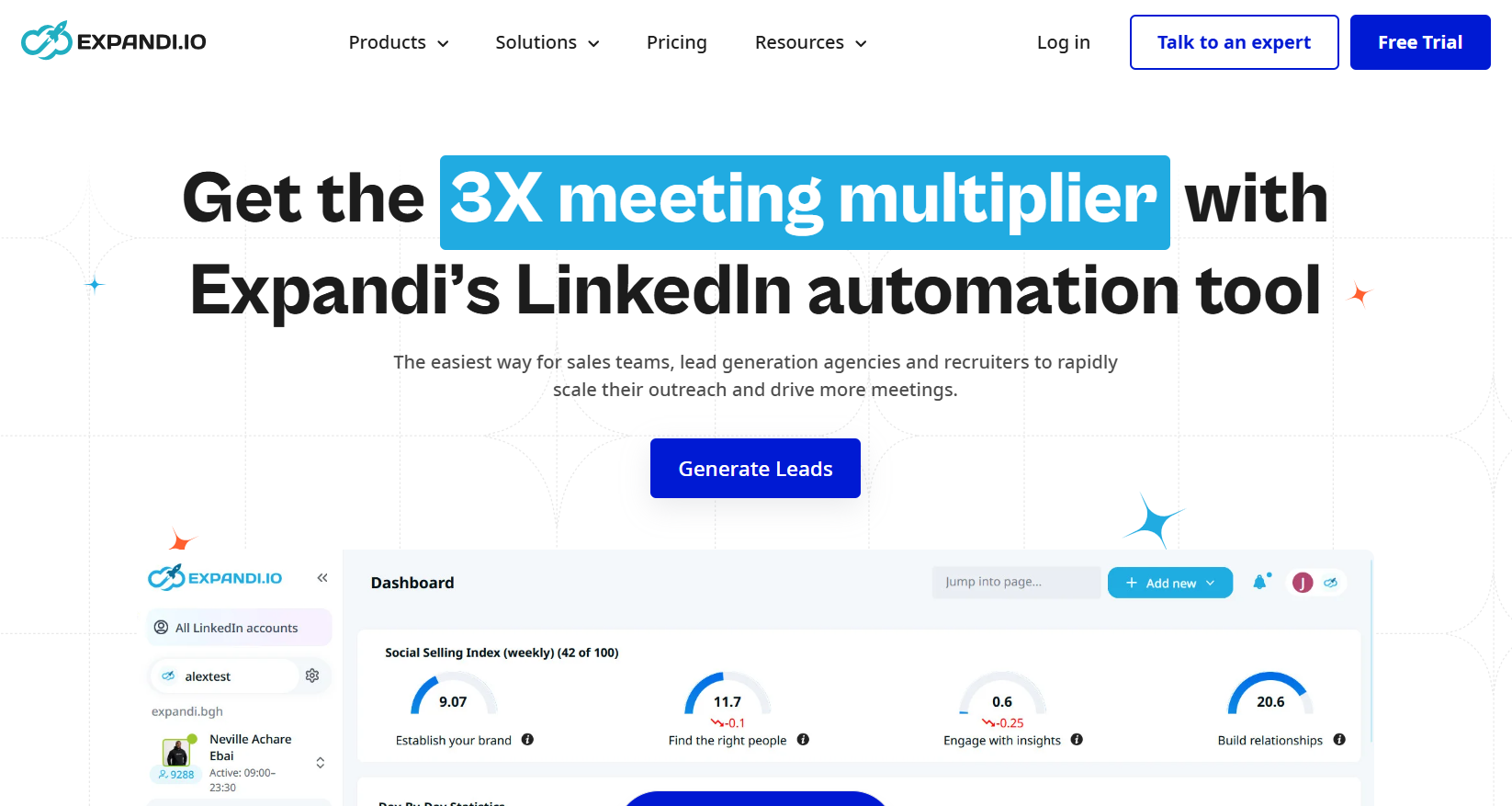
Expandi runs its campaigns from the cloud. Smart Sequences handle the decision-making: they read the last thing a prospect did, then pick the next touch off that.
Where Waalaxy works through your browser, Expandi sends from the cloud with a regional IP and a warm-up ramp behind every profile.
Features
- Smart Sequences: An accept, a reply, a profile visit, an email open, or a liked post each send that lead down a different branch. Two prospects in the same campaign can finish it having received nothing in common.
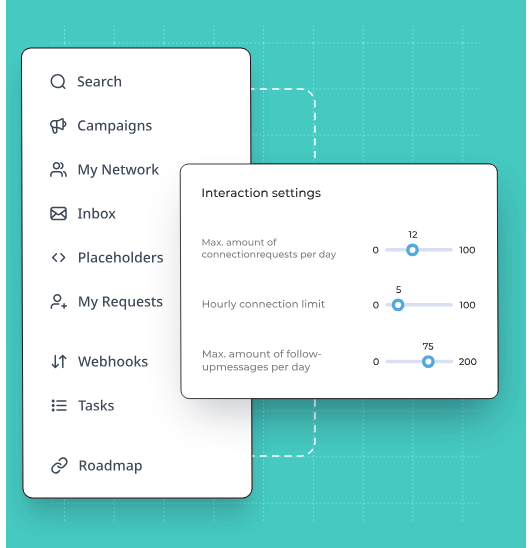
- Safety at the infrastructure layer: Cloud sending, a regional IP per connected profile, a warm-up ramp on anything new, and randomized daily ranges covering every action type.
- A softer opening: Profile views and post interactions can be queued ahead of the first message. By the time the invite lands, the prospect has already seen the name.
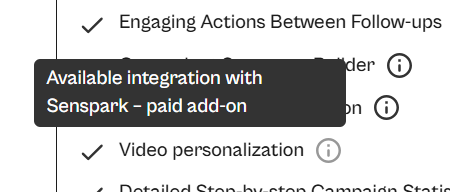
- Personalization through partners: Hyperise supplies dynamic images and GIFs while Sendspark covers personalized video, and both are charged on top of the plan.
Pricing
Expandi publishes one plan and quotes agencies directly:
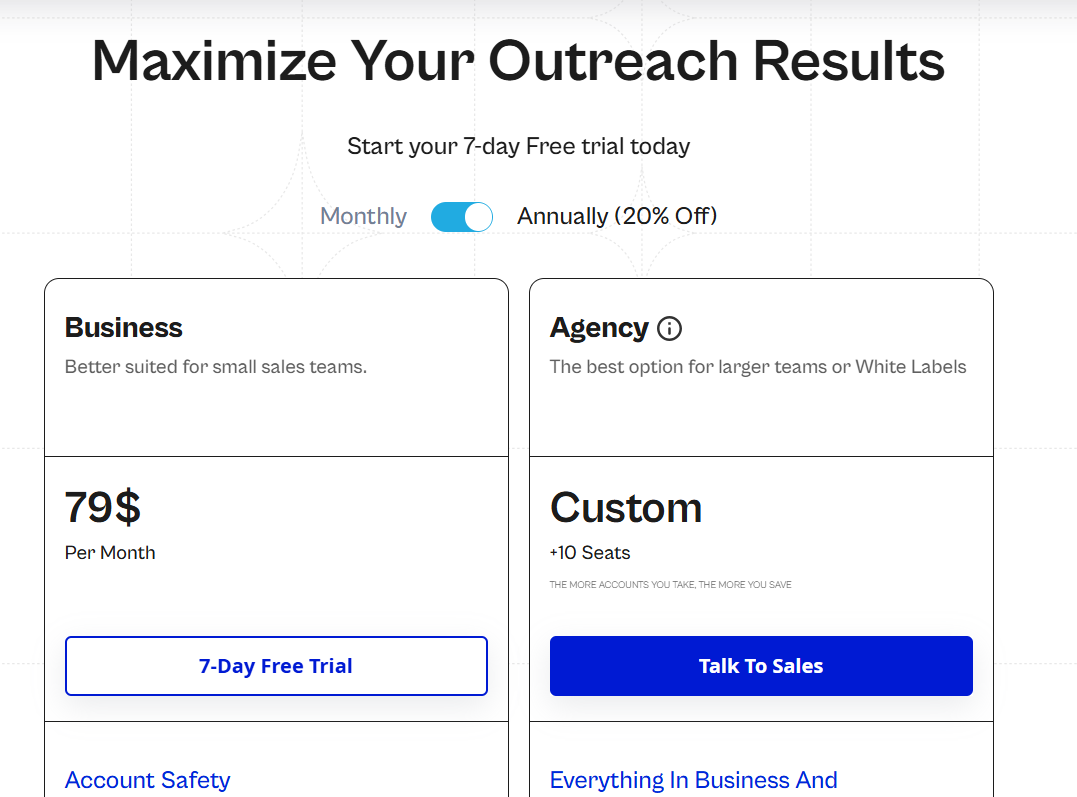
- Business, $79 per month when you pay annually: the protection layer in full, campaigns without limit, multichannel outreach carrying email follow-ups, the builder itself, scheduling, blacklisting, campaign prioritization, and statistics at step level.
- Agency, quoted from ten seats up: roles and permissions, every campaign managed from one place, reporting built for clients, shared templates, your own customer success manager, and the platform wearing your brand.
- Trial: seven days, free to sign up for.
Pros & Cons
✅ A regional IP and an automatic warm-up on every profile you connect.
✅ The branching keys off prospect behaviour, so the next action follows an accept or a reply and not the clock.
✅ Campaign prioritization sends the day's available limits to whichever campaign is performing.
❌ Dynamic imagery and video are charged separately.
❌ One published tier, at $79 a seat.
#3: Dripify
Best for: Small teams and independent sellers who want LinkedIn and email steps on one panel, with numbers on every action.
Similar to: We-Connect, Dux-Soup.
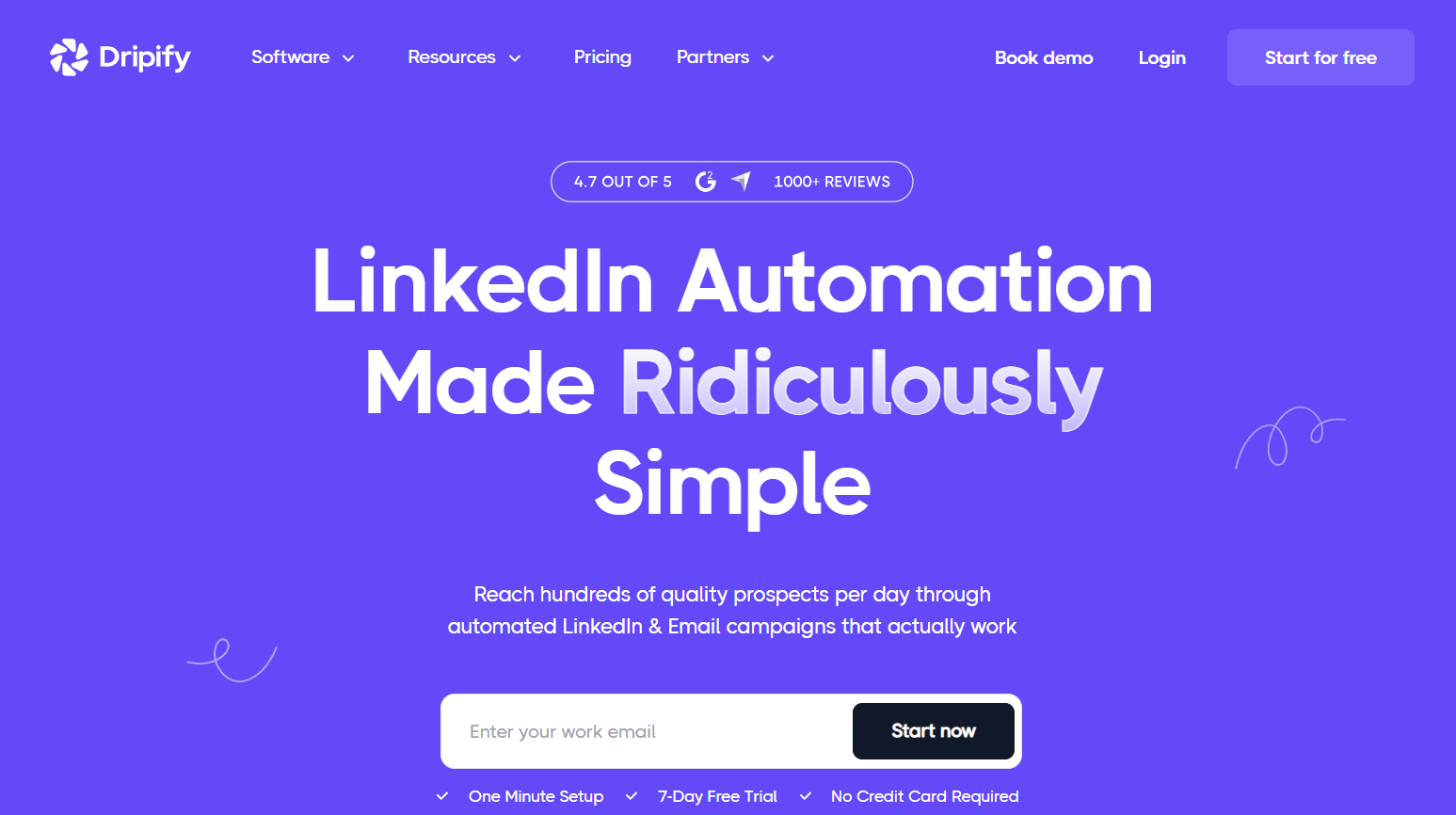
A Dripify campaign is assembled on one panel. You drag actions, wait times, and conditions into position, and templates exist for the familiar plays.
Dripify costs more than Waalaxy’s entry tier, but email steps arrive on its very first plan, not held back for the top one.
Features
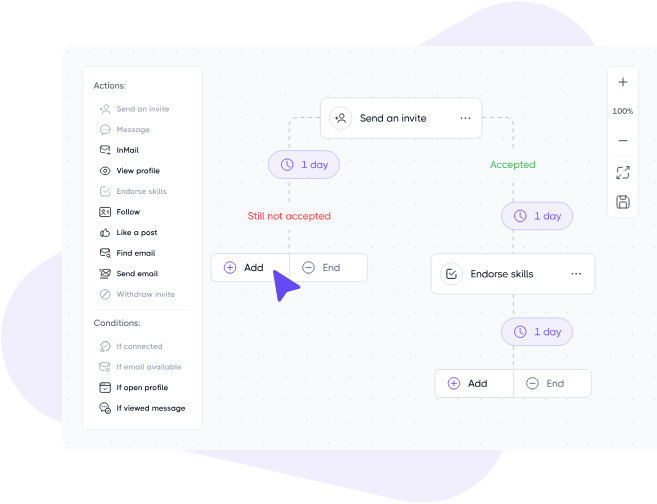
- The builder: Ten or more LinkedIn and email actions chain together with a wait or a branching rule between each pair, and ready-made flows cover the common lead generation plays.
- Personalization variables: Over 20 fields, an icebreaker among them. Any lead whose profile lacks the detail you referenced gets a fallback phrase in its place.
- Step analytics on the Advanced tier: Invites accepted and replies received, reported action by action.
- Lead data: Monthly email finder credits on every paid plan, with a verifier alongside them and enrichment returning about 30 live data points per lead.
Pricing
Two published tiers are billed per user, and a custom enterprise plan runs above them:
- Pro, $59 per user per month on annual billing (79 month to month): LinkedIn and email sequences, unlimited drip campaigns, the email finder, built-in LinkedIn protection, analytics and reports, a dedicated inbox, HubSpot integration, the open API and MCP server, and live support around the clock.
- Advanced, $79 per user per month on annual billing (99 month to month): Pro plus team management, advanced LinkedIn protection, lead tagging, step analytics, A/B testing, and evergreen leads.
- Enterprise, custom: onboarding handled personally, a named technical contact, a custom mail finder, and a customer success manager.
- Trial: 7 days, no card needed.
Pros & Cons
✅ Email sequences are included at the entry price, not reserved for a higher tier.
✅ Nine lead sources, and any LinkedIn post can keep feeding in new prospects as they engage with it.
✅ The builder reads clearly for anyone whose first automated campaign this is.
❌ No white label on the published plans.
❌ Team management waits for Advanced.
#4: HeyReach
Best for: Agencies that add LinkedIn profiles faster than people, and want the bill to follow the profiles.
Similar to: Expandi, Reply.io.
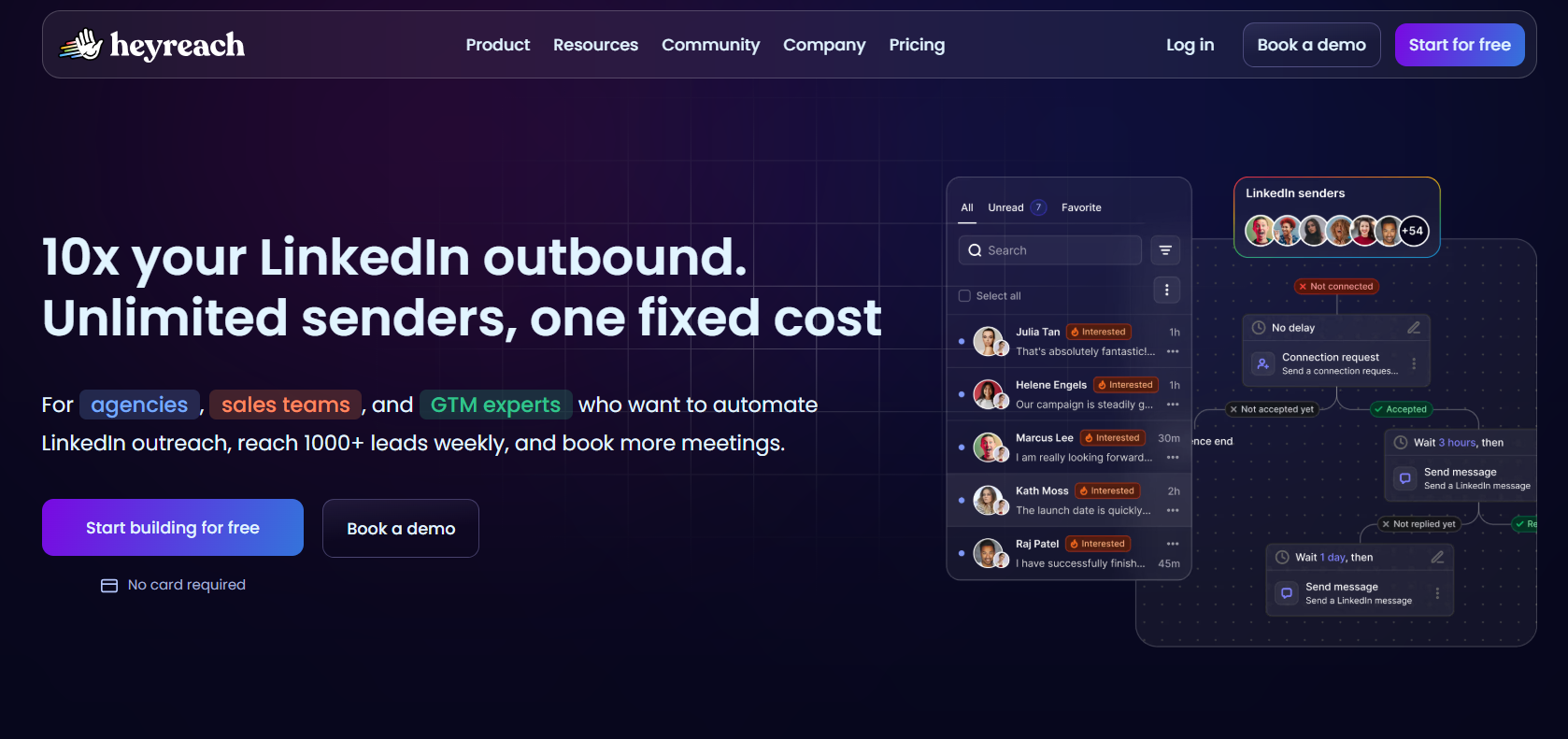
The invoice at HeyReach counts connected LinkedIn senders. Seats cost nothing, which is how an agency ends up with assistants, colleagues, and clients all in one workspace.
HeyReach is built for the agency running dozens of profiles, the opposite end of the market from Waalaxy’s single rep on a monthly invitation allowance.
Features
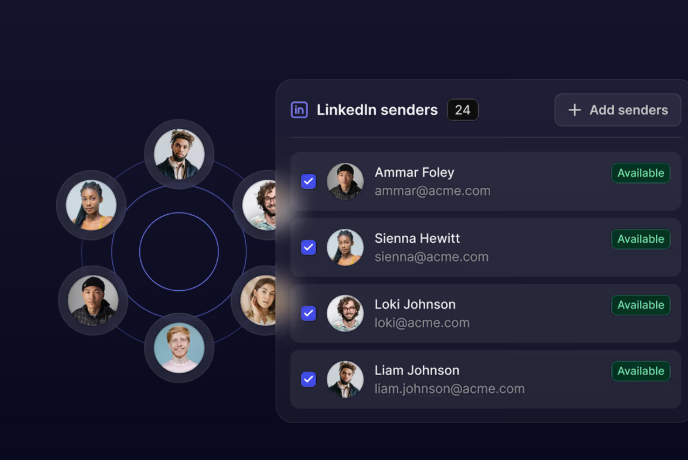
- Volume spread over the pool: One campaign's sending is shared out among the connected profiles. Output rises with however many accounts you can keep staffed.
- Replies in one place: Messages from all connected accounts land in a shared view, where a manager can answer for a colleague and even record an audio reply, with LinkedIn itself never opened.
- Lists from any source: Sales Navigator, Clay, RB2B, HubSpot, or anything else able to push a record across, with an If Connected condition sorting existing connections away from cold ones.
- Built to be automated: An API, webhooks, a command line interface, and an MCP server let an AI assistant start campaigns and pull reporting conversationally.
Pricing
The sender count sets the price, and quarterly billing takes off 10%, with annual taking 20%:
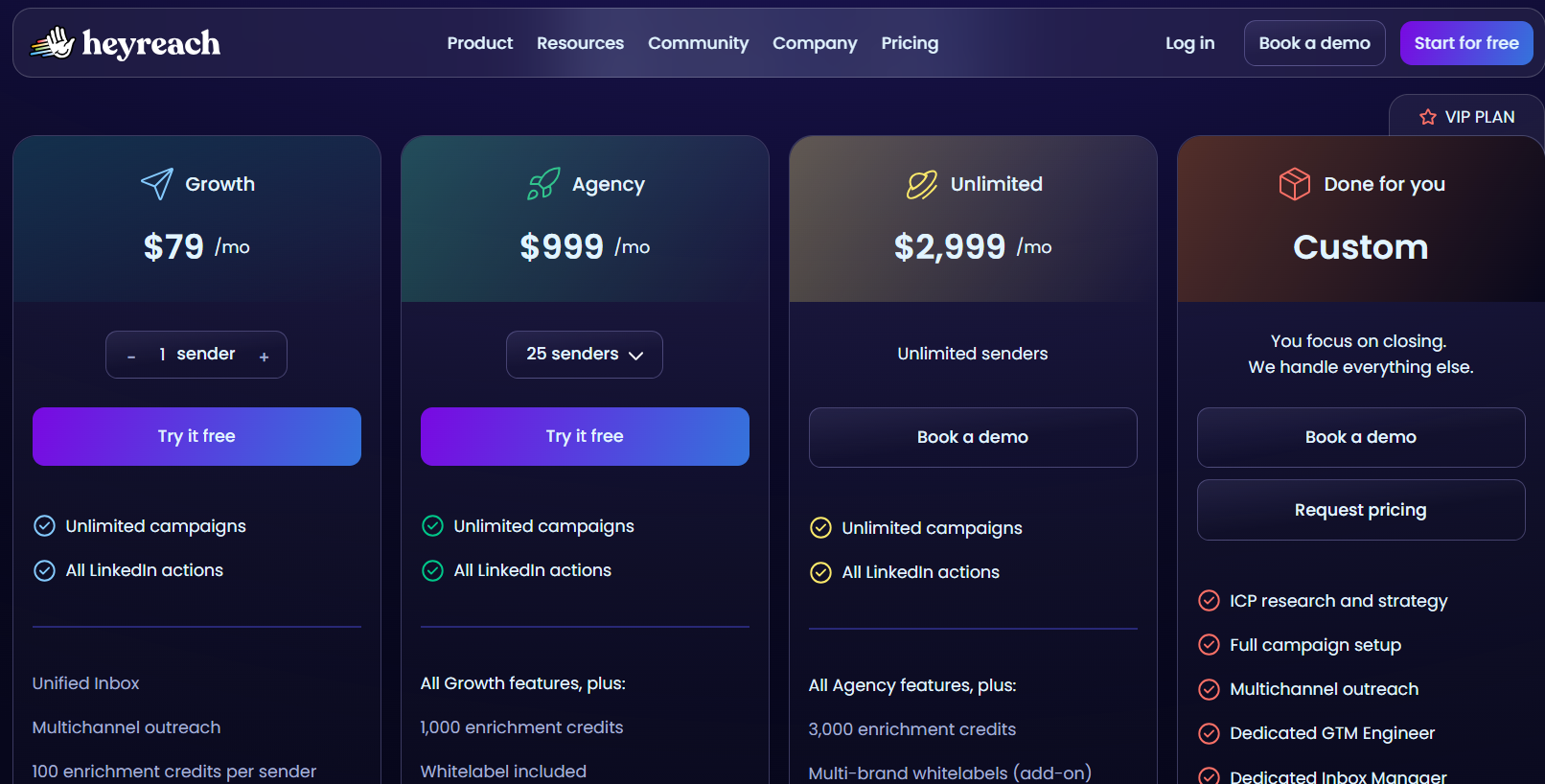
- Growth, $79 a month: one connected sender, with a dedicated residential proxy in the price.
- Agency, $999 a month: 25 senders and white label branding, on proxies you're expected to bring.
- Unlimited, $2,999 a month: senders without a cap, across as many workspaces as you want, again on proxies you provide.
- Done for you, custom: HeyReach's own team runs the campaigns.
- Trial: 14 days on Growth covering three LinkedIn accounts with no card, and the larger two plans open a 30-day trial if you ask.
A discounted early-stage program covers companies below $250,000 ARR with fewer than five people.
Pros & Cons
✅ Each additional account costs less per profile, which is the maths that keeps agencies on it.
✅ The go-to-market tooling runs deeper than most, with Clay, n8n, and a HubSpot sync that HubSpot verified on its own side.
❌ A G2 review mentions that they wish HeyReach had outbound email too.
❌ Proxies are yours to manage on Agency and Unlimited, though the team will help you.
#5: Dux-Soup
Best for: Solo sellers and small teams on the tightest budget, choosing between the browser and a hosted edition.
Similar to: Octopus CRM, Dripify.
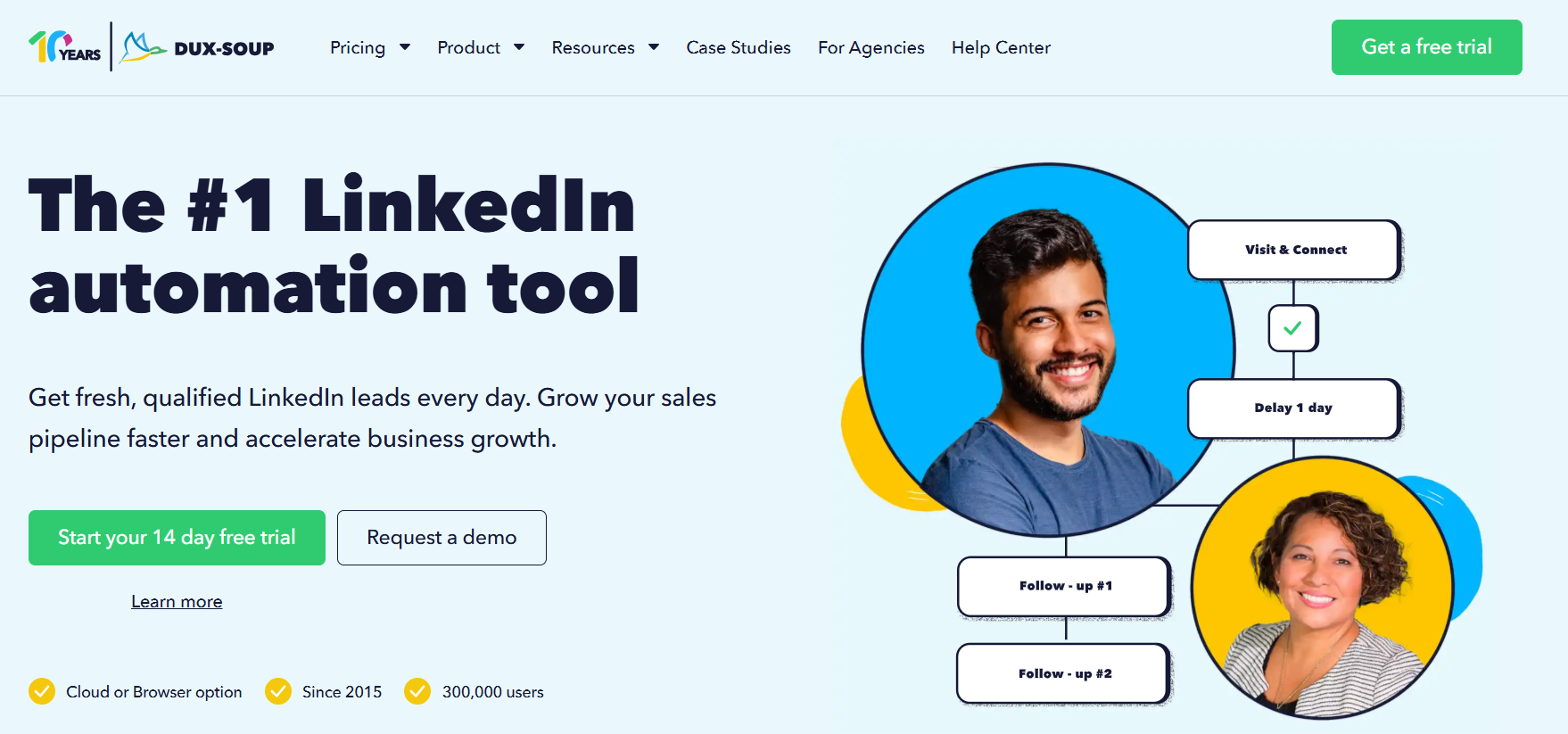
Three products share the Dux-Soup name, and the difference between them is where a campaign executes. Two run as an extension on your own account, whether that's LinkedIn, Recruiter, or Sales Navigator. The third is hosted, and it carries on once your machine is off.
Like Waalaxy, Dux-Soup can run as a browser extension, but it also sells a hosted edition for teams that want campaigns running with the laptop closed.
Features

- Drip campaigns up to 12 actions: Connections, messages, follows, endorsements, InMails, profile visits, and post likes are ordered by drag and drop, each with its own delay.
- Reply detection: The moment somebody answers, they leave the automated flow, so no follow-up lands on top of a live conversation.
- AI personalization: Each message is written against the prospect's own profile, and Turbo adds an AI response assistant on top.
- Dux-Dash: Campaign statistics, lead management, a central inbox, and contact records, with native integrations pushing the leads into your CRM.
Pricing
Pricing is per user with 25% off annual billing, and there's a separate agency licence:
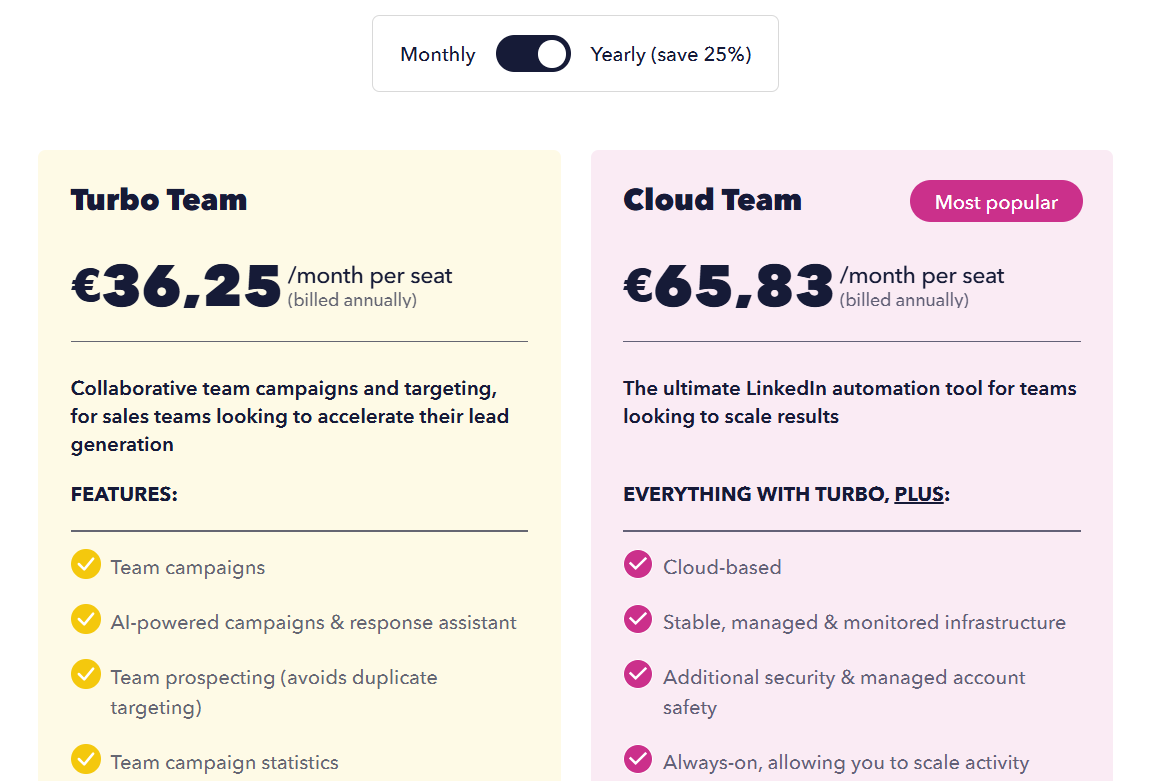
- Pro Dux, €12.99 a month or €9.92 on annual billing: personalized invitations, profile visits and tagging, post liking, messages to first-degree connections, and CSV export.
- Turbo Dux, €49 a month or €36.25 annually: drip campaigns without limit, campaign statistics, the lead dashboard, AI personalization, and CRM integrations.
- Cloud Dux, €88 a month or €65.83 annually: the hosted edition, monitored and always running.
- Cloud Agency, €330 a month: from five client seats, one dashboard, and no cap on connected LinkedIn accounts.
- Trial: 14 days with the Turbo feature set.
Pros & Cons
✅ Under €10 a month on an annual plan, which is about as cheap as LinkedIn automation gets.
✅ The extension editions work through your own LinkedIn login, so no credentials go to a third party and the message history stays inside LinkedIn.
❌ The UI is a bit dated, according to another G2 review.
#6: We-Connect
Best for: Recruiters and small sales teams that want the email step triggered by LinkedIn activity, with AI writing and answering.
Similar to: Dripify, Expandi.
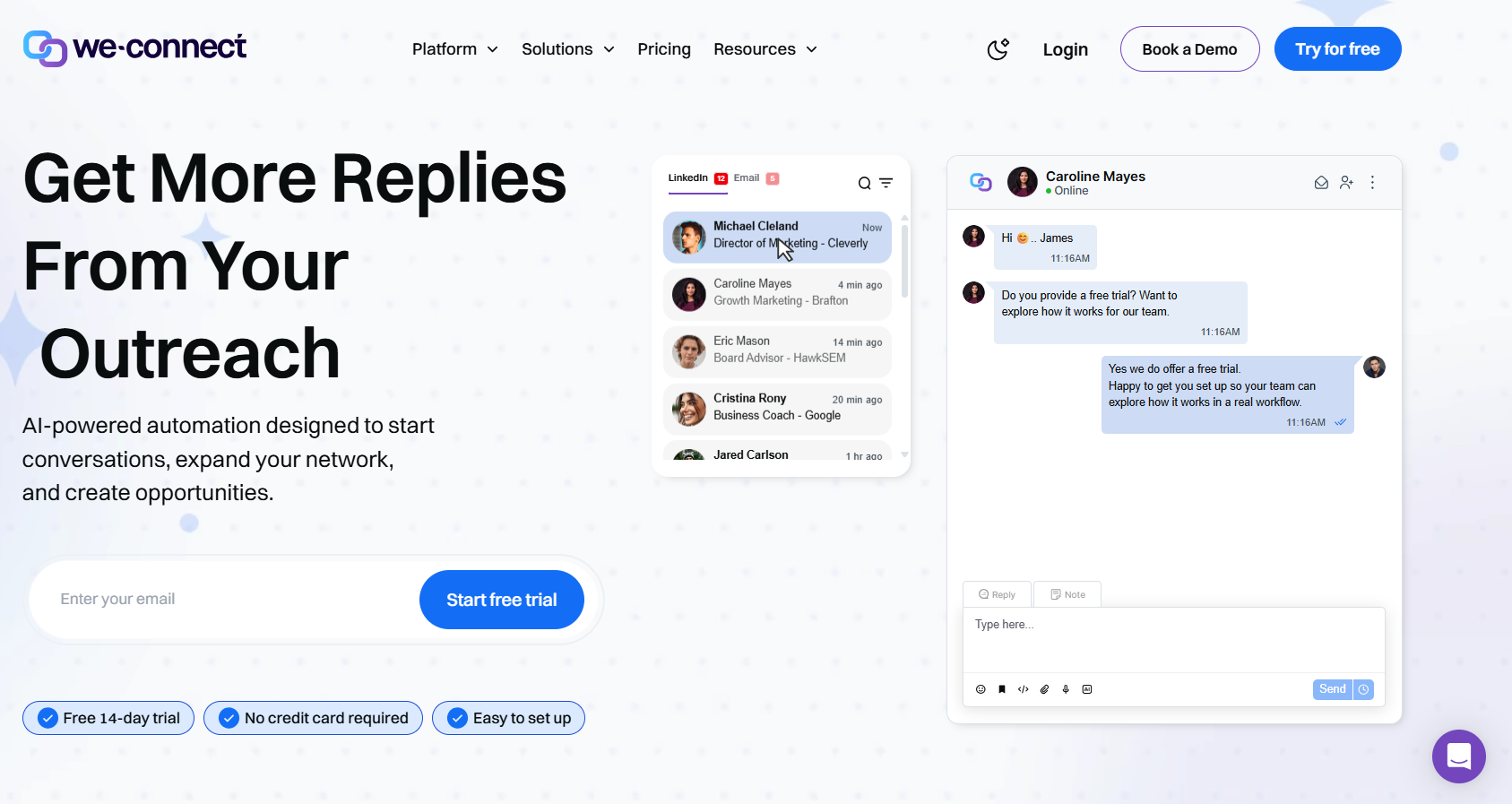
LinkedIn automation and email sequencing run side by side on We-Connect, with AI working both ends of the exchange, writing what goes out and dealing with what comes back.
Compared with Waalaxy, We-Connect opens email on its second tier and adds AI that answers replies, either with your approval or on its own.
Features

- The whole LinkedIn action set: Invitations, messages, and InMails, all of them filled in from the contact's own profile before sending.
- Email that follows LinkedIn activity: What a contact does on LinkedIn triggers the email step. Copy gets split tested, and opens, clicks, and bounces are reported back.
- AI Assist and auto-reply: Profile data feeds the icebreakers, the connection notes, and the follow-ups. Inbound messages can be answered in co-pilot mode or autonomously.
- Lead Engine: A visual builder in beta that scores contacts on their behaviour and decides where each one goes next.
Pricing
Seats set the price, annual billing lowers the rate, and agency pricing comes by quote:
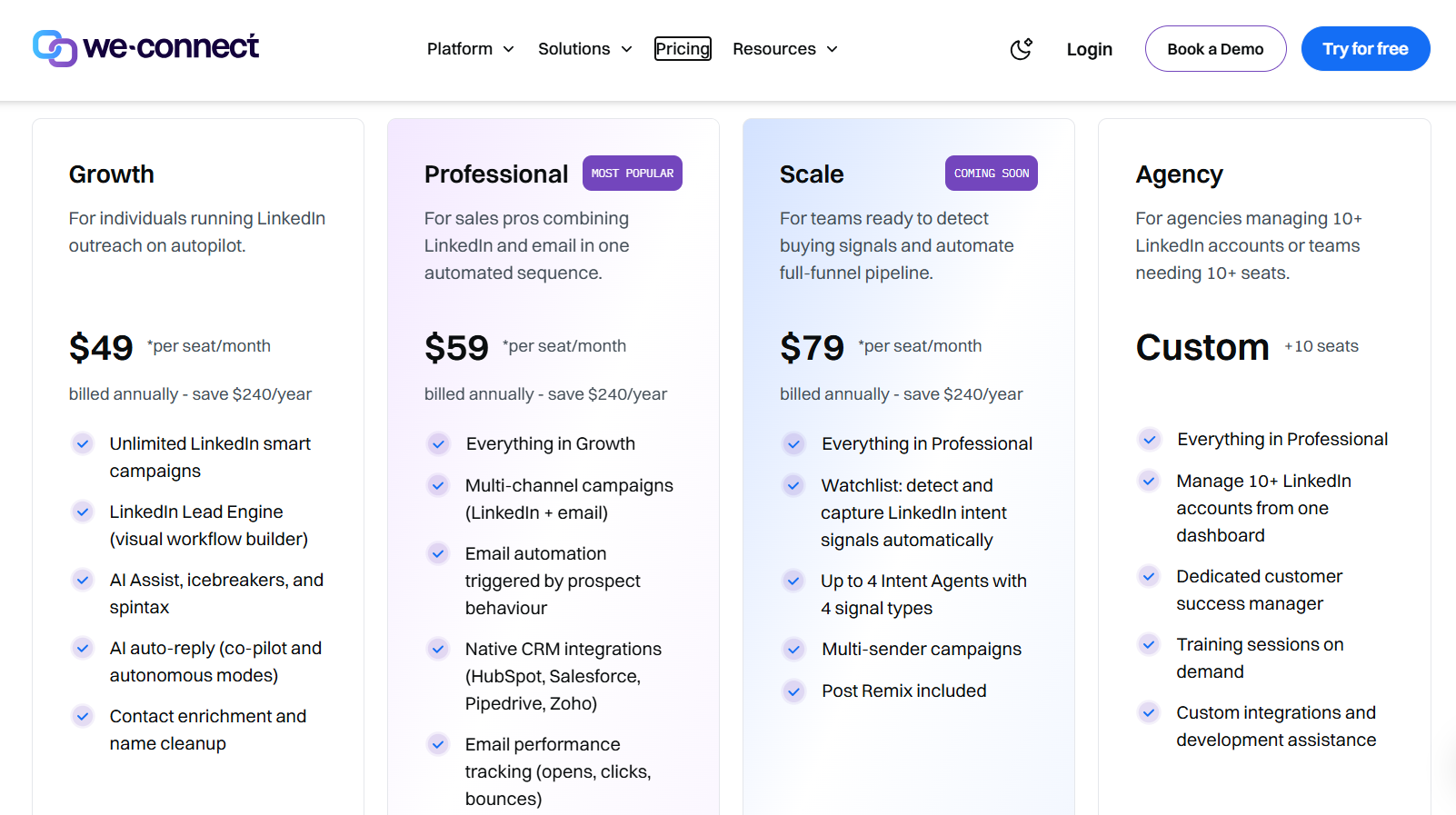
- Growth, $49 per seat per month billed annually: LinkedIn smart campaigns with no cap, contact enrichment, the Lead Engine, AI auto-reply, and AI Assist covering icebreakers and spintax.
- Professional, $59 per seat per month billed annually: campaigns go multi-channel, email automation fires on behaviour, native CRM integrations come in, and email performance gets tracked.
- Scale, $79 per seat per month billed annually: still marked coming soon, bringing multi-sender campaigns, intent-signal capture, as many as four intent agents, and Post Remix.
- Agency, custom from ten seats: a dashboard for ten or more LinkedIn accounts, a dedicated customer success manager, training when you need it, and custom development help.
- Trial: 14 days, no card, with Post Remix sold separately from an introductory $16/month/seat.
Pros & Cons
✅ Replies can be handled autonomously, which is uncommon in this price band.
✅ Native syncs cover Salesforce, HubSpot, Pipedrive, and Zoho from Professional up, with campaign notifications going to Slack.
✅ The email step can be triggered by LinkedIn behaviour from Professional upward.
✅ Agency plans cover ten or more client accounts with a named success manager.
❌ Post scheduling is a paid add-on.
#7: La Growth Machine
Best for: Outbound crews that want a phone call and an X message available as sequence steps, with the bill counting sending profiles.
Similar to: Lemlist, Reply.io.
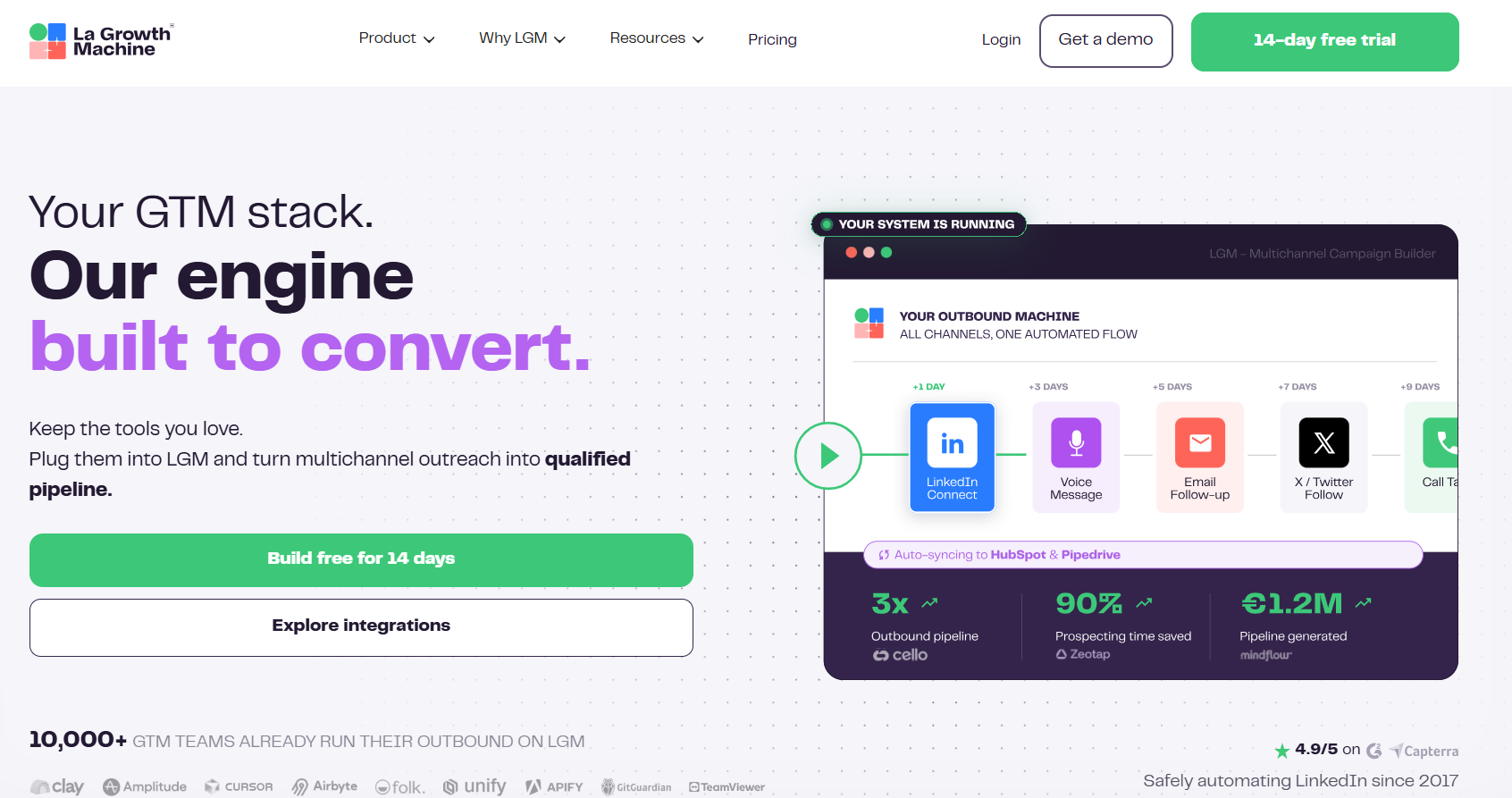
La Growth Machine bills by identity, meaning a profile that actively runs campaigns, which means that anybody whose only job is answering replies can be added for nothing.
The platform goes further than Waalaxy’s LinkedIn-and-email pairing, adding calls on Pro and X on Ultimate.
Features
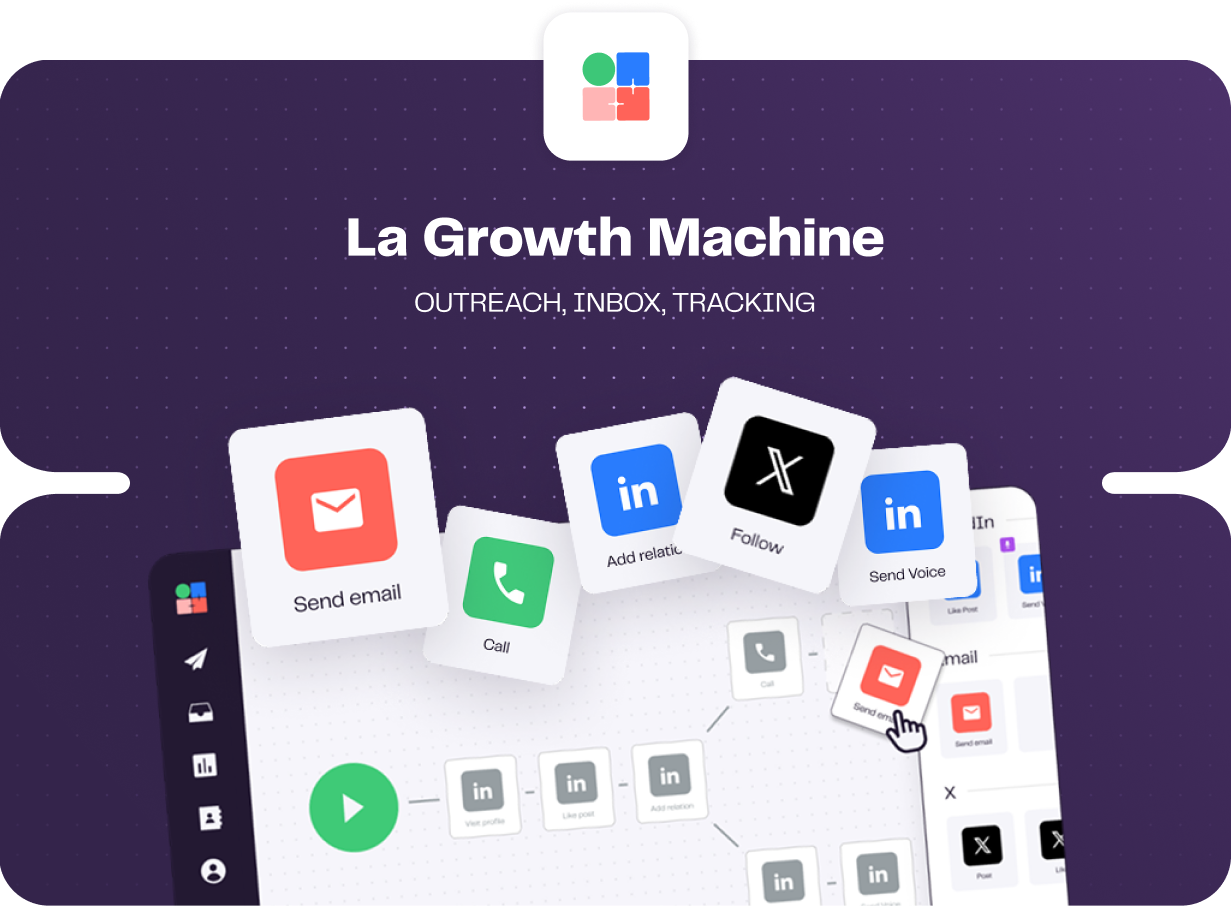
- Branching and split tests: What a lead does decides where they go next, and tests can be run on subject lines, on copy, and on whether an invitation carries a note.
- Voice notes on LinkedIn: A single recording delivered at volume, with a fresh AI-written opening line for every prospect who hears it.
- One inbox for both channels: LinkedIn and email replies collect together, filterable by campaign or by identity. A status applied in the thread pushes through to HubSpot or Pipedrive.
- Enrichment already paid for: A monthly allowance of verified addresses and profile data is attached to every tier, sourced through a waterfall of data providers.
Pricing
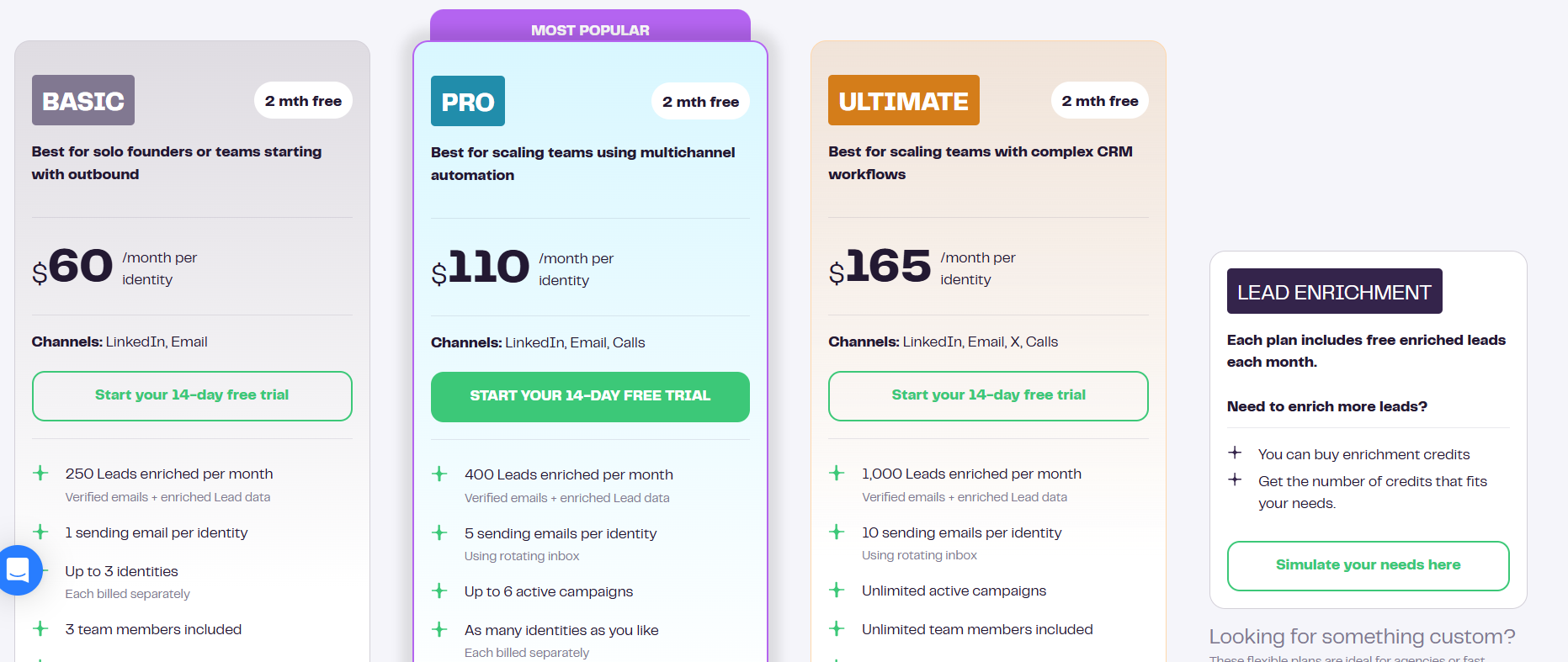
The rate is per identity per month, and annual billing waives two months:
- Basic, $60 per identity: LinkedIn and email, with a ceiling of three identities, a single sending address, three team members, and 250 enriched leads monthly.
- Pro, $110 per identity: calling is added, enrichment moves to 400 leads, five sending addresses go into rotation, six campaigns can run together, and social warming comes in with 25 free team members.
- Ultimate, $165 per identity: X becomes available, enrichment reaches 1,000 leads, ten sending addresses rotate, campaigns and team members are uncapped, and HubSpot or Pipedrive sync runs in both directions.
- Agency, custom: quoted from six identities up.
- Trial: 14 days, no card.
Pros & Cons
✅ The enrichment allowance is inside the subscription, so lead data never turns into a separate bill.
✅ Only sending profiles count toward the price, and everybody else joins free.
✅ Voice notes go out at volume with a per-prospect AI opener, which is rare tooling.
❌ The bill climbs quickly once several profiles are sending.
❌ Sync errors and interface lag during workflow setup, according to a G2 review.
#8: Octopus CRM
Best for: Solo operators checking whether automated LinkedIn outreach produces anything in their market before any real spend.
Similar to: Dux-Soup.
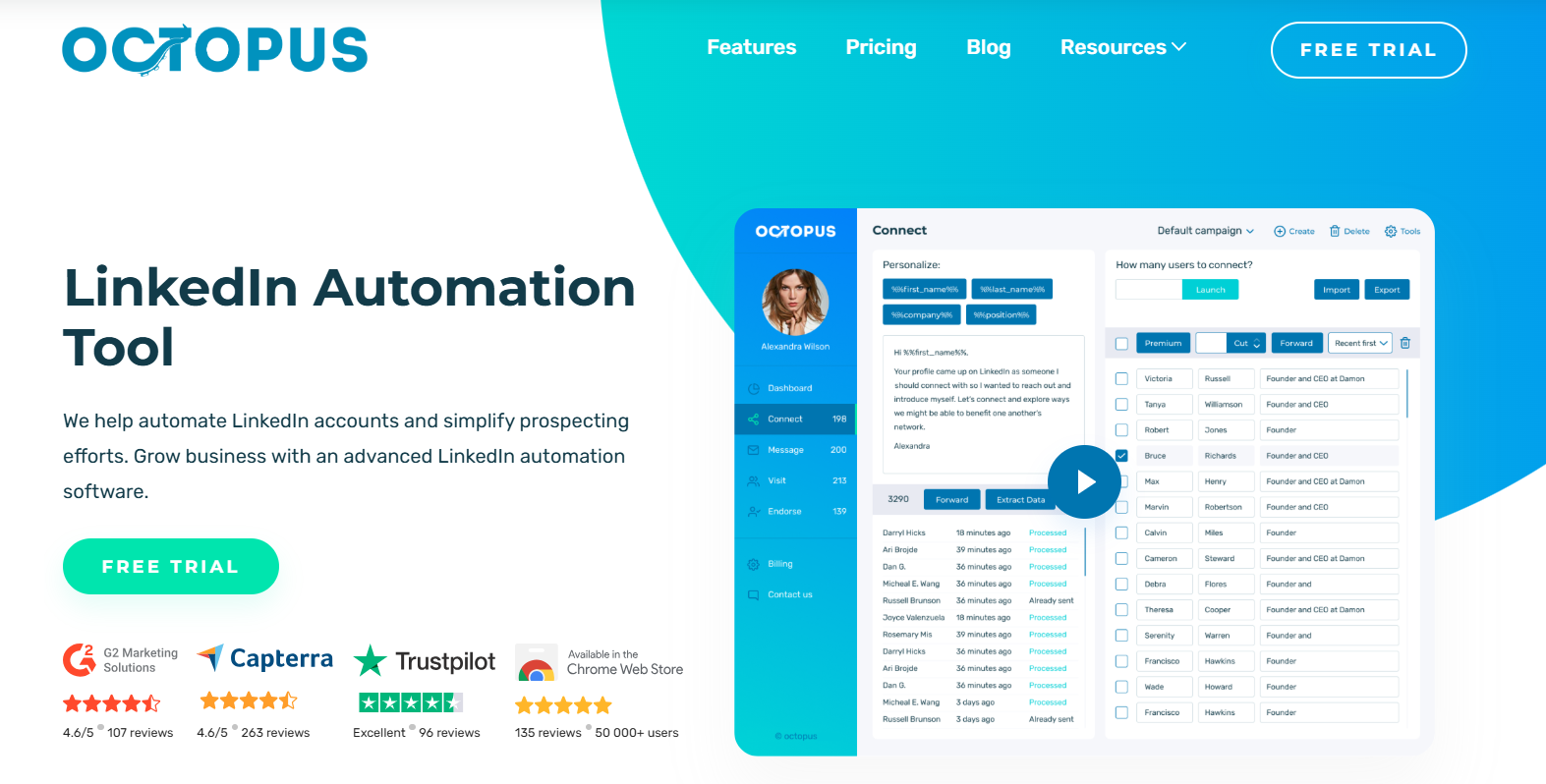
Octopus CRM sticks to the core LinkedIn actions: personalized invites, bulk messages, profile views, and skill endorsements.
The platform undercuts Waalaxy’s entry tier, though it stays focused on core LinkedIn actions with no email channel published.
Features
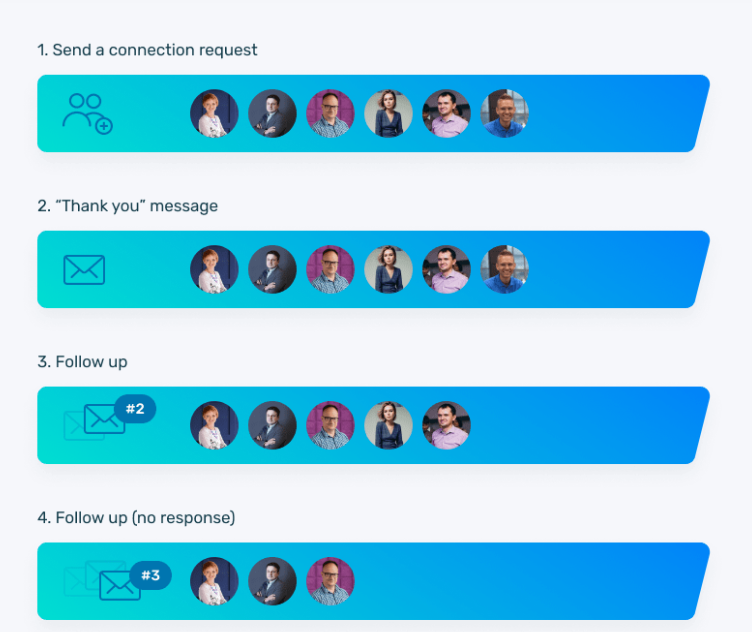
- The action set: Profile views and endorsements can warm a prospect first, then a personalized invite goes out, with bulk messaging reserved for first-degree connections.
- Personal CRM: Your contact list with campaign statistics attached to it, and your own data imports and exports freely.
- Funnel builder: Actions link into a lead generation funnel, where a profile view leads into an invite and an accepted invite leads into a message.
- Activity control: If daily activity on the account runs hotter than it should, an alert gives you the chance to ease off.
Pricing
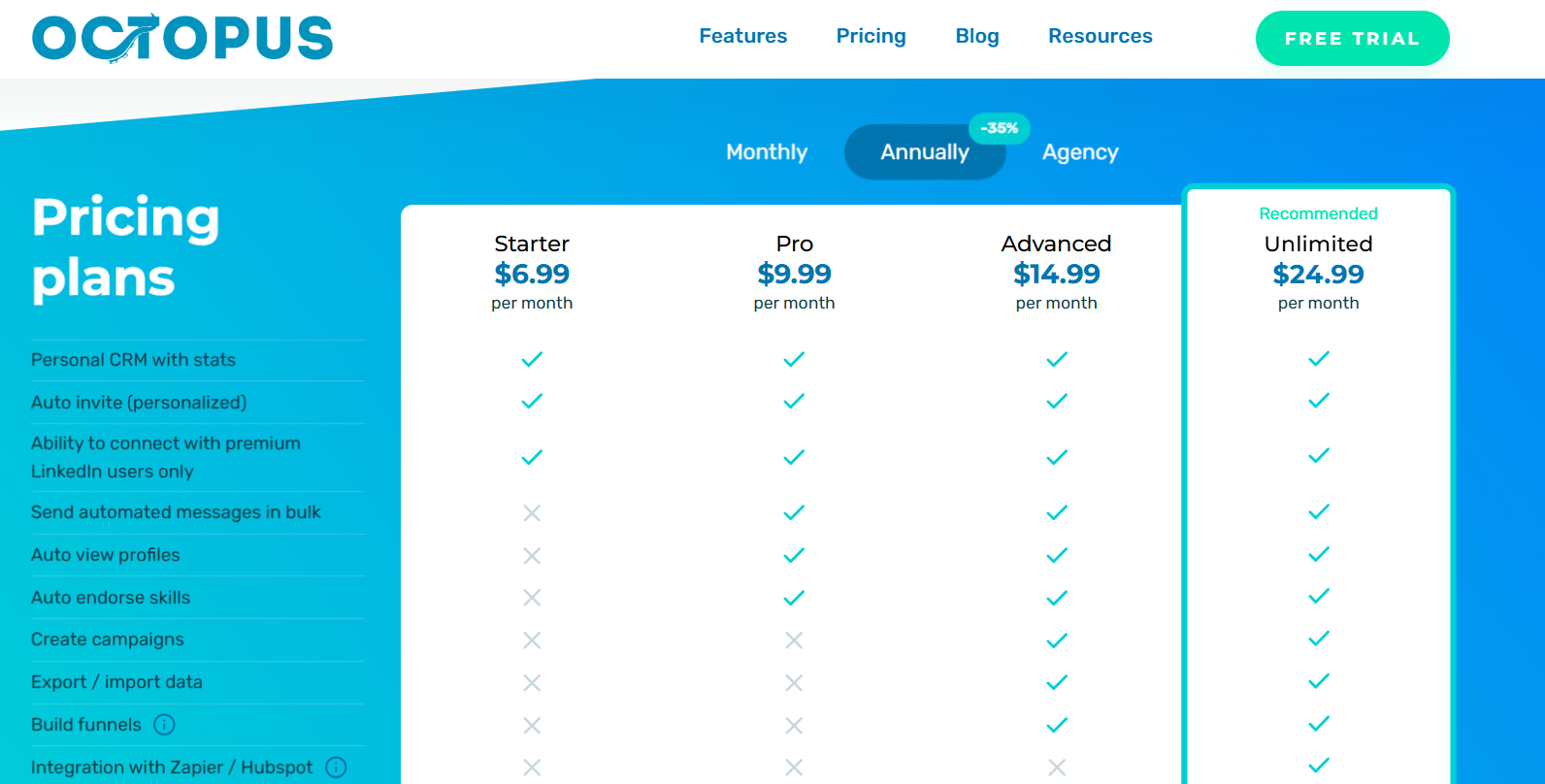
Four tiers open up progressively more of the action set, Sales Navigator works on all of them, and the feature matrix on the pricing page rewards a read against your own checklist:
- Starter, $6.99 a month: the entry point, covering personalized auto-invites and the personal CRM.
- Pro, $9.99 a month: a wider slice of the messaging and profile-view actions.
- Advanced, $14.99 a month: integrations join, Zapier and HubSpot among them.
- Unlimited, $24.99 a month: the complete action set, with LinkedIn Premium and Recruiter supported next to Sales Navigator.
- Trial: seven days, no credit card, cancel whenever.
Pros & Cons
✅ Activity alerts are a safeguard you don't often get at this price.
✅ The funnel builder links profile views through invites and into follow-up messages.
✅ Sales Navigator works from the cheapest tier.
❌ A G2 review mentions that they’re not happy with Octopus CRM’s customer support.
❌ Another G2 review mentions that the platform is very LinkedIn-specific.
#9: Lemlist
Best for: Teams fighting mailbox deliverability first and copy second, who also want calling and WhatsApp as sequence steps.
Similar to: Reply.io, La Growth Machine.
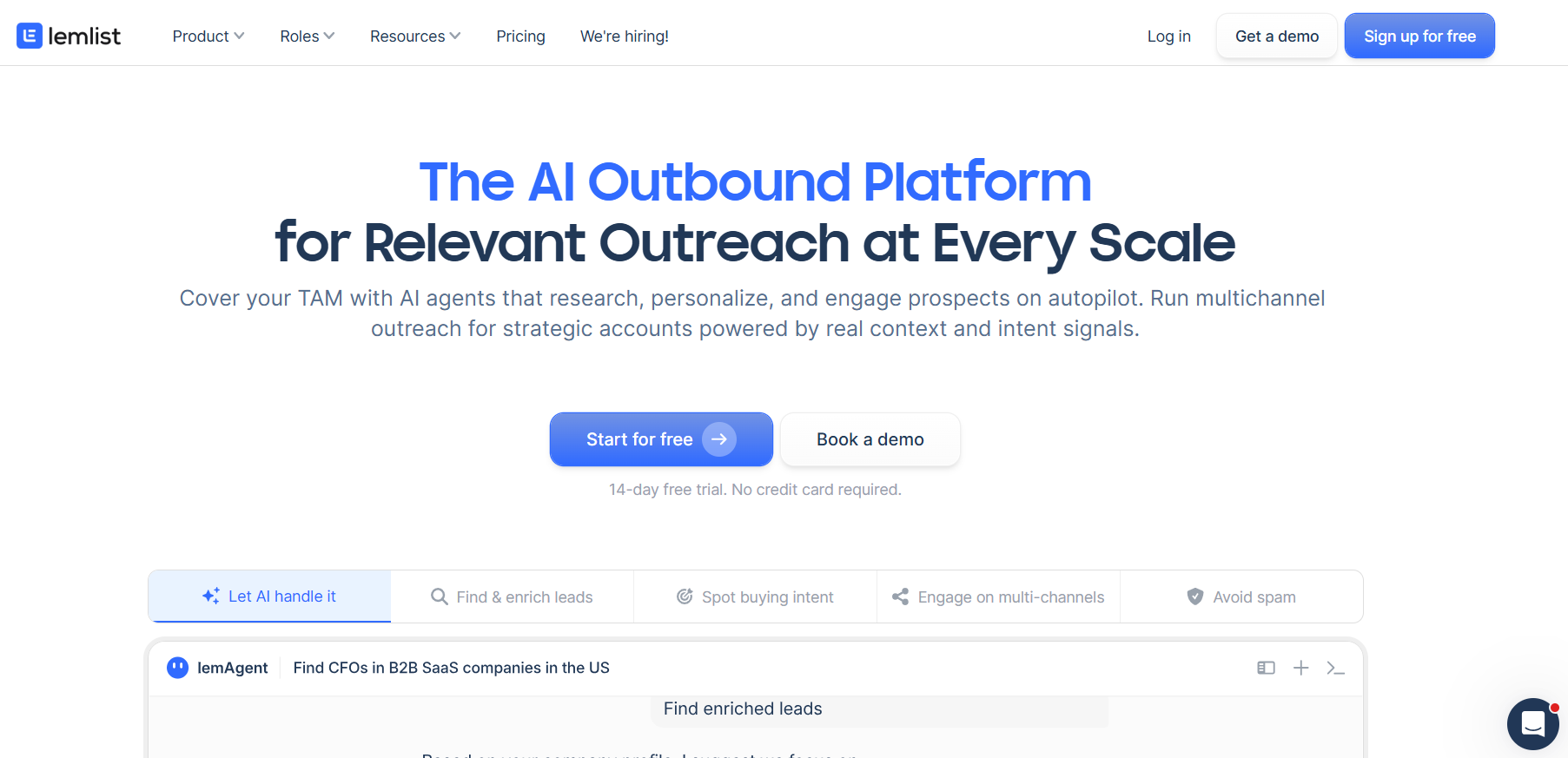
One Lemlist sequence can move a prospect across email, LinkedIn, the phone, WhatsApp, and SMS. Conditions pick the next step from whatever that prospect has done so far.
If email is the reason you’re leaving Waalaxy, Lemlist comes at outreach from the other direction, with deliverability tooling built in from its entry plan.
Features
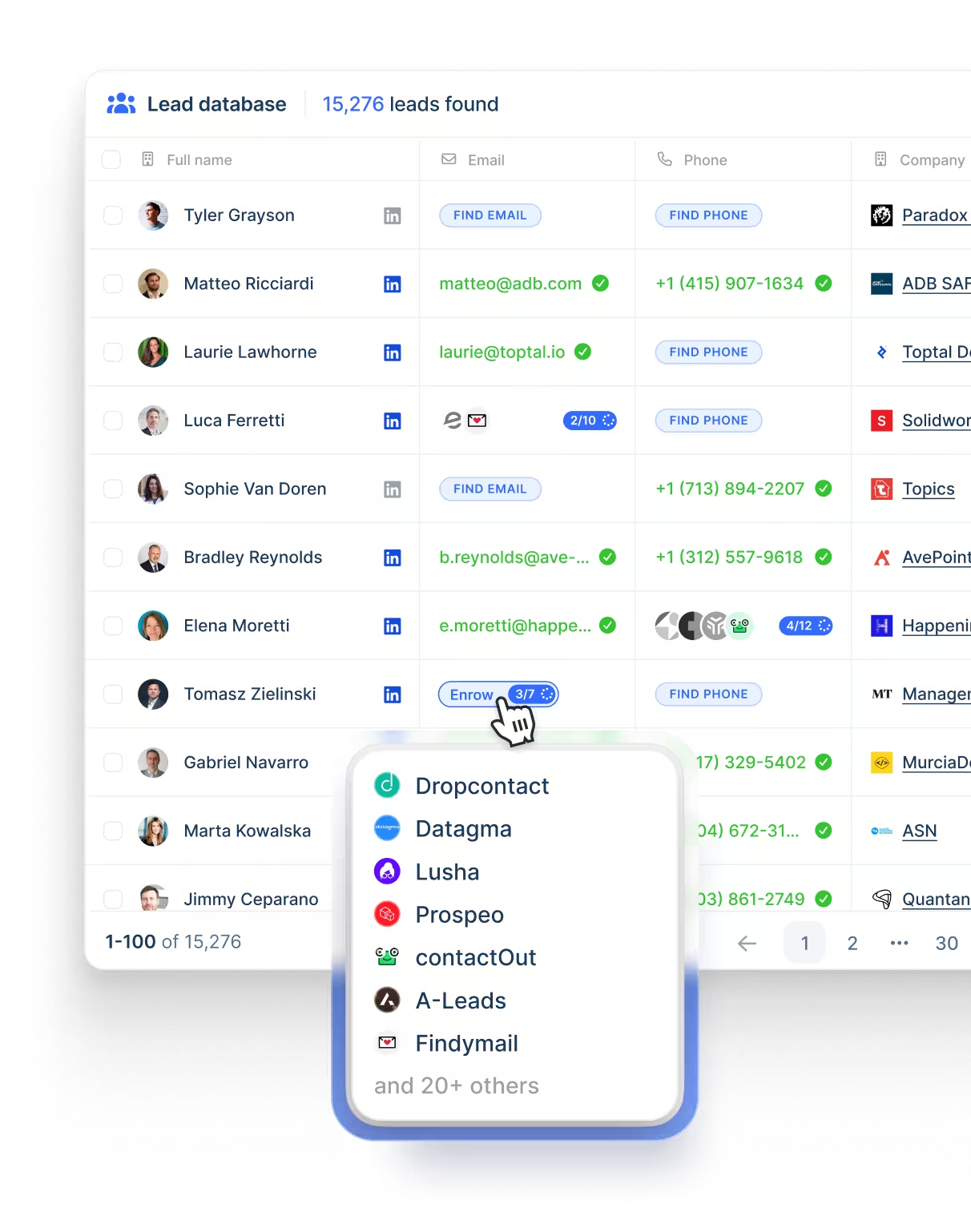
- Five channels in a single flow: The campaign can start with an email, put a LinkedIn invite and a voice note behind it, dial the prospect, then chase over WhatsApp, and conditions choose which of those each lead actually gets.
- Deliverability Hub: Mailbox warm-up, inbox rotation, limit management, and DNS checks, with the warnings turning up early enough to rescue a domain.
- Contact data: Better than 650 million records with email and phone lookup over the top, billed by credit.
- Agents doing groundwork: Account research and data cleaning go to lemAgent, while separate agents watch for funding rounds, hiring, a change of role, or a visit to your site.
Pricing
Three paid plans, 20% cheaper on yearly billing:
- Email, $69 monthly at list, $55 yearly: no ceiling on users or on email senders, 50,000 messages a month, the Deliverability Hub, and access to the contact database.
- Multichannel, $109 monthly at list, $87 per user yearly: LinkedIn automation, SMS, the dialer, five senders each, messages without limit, and WhatsApp for an extra charge.
- Enterprise, custom: single sign-on, roles and permissions to your specification, a named account manager, and priority support.
- Credits: five for a verified address, 20 for a phone number, and intent signals from 20 apiece.
- Trial: two weeks.
Pros & Cons
✅ Deliverability tooling ships with the product, so warm-up and domain monitoring don't need a second vendor.
✅ Calling and WhatsApp are unusual on a list like this, and here they're steps in the same flow as LinkedIn.
✅ Research agents watch hiring and funding activity without another subscription.
❌ Enrichment and intent signals run on credits.
❌ There's a bit of a learning curve to get the most out of all the features when you first start, according to a G2 review.
#10: Reply.io
Best for: Sales teams running five channels through one conditional sequence, with the option of handing prospecting to an AI SDR later.
Similar to: Lemlist, La Growth Machine.
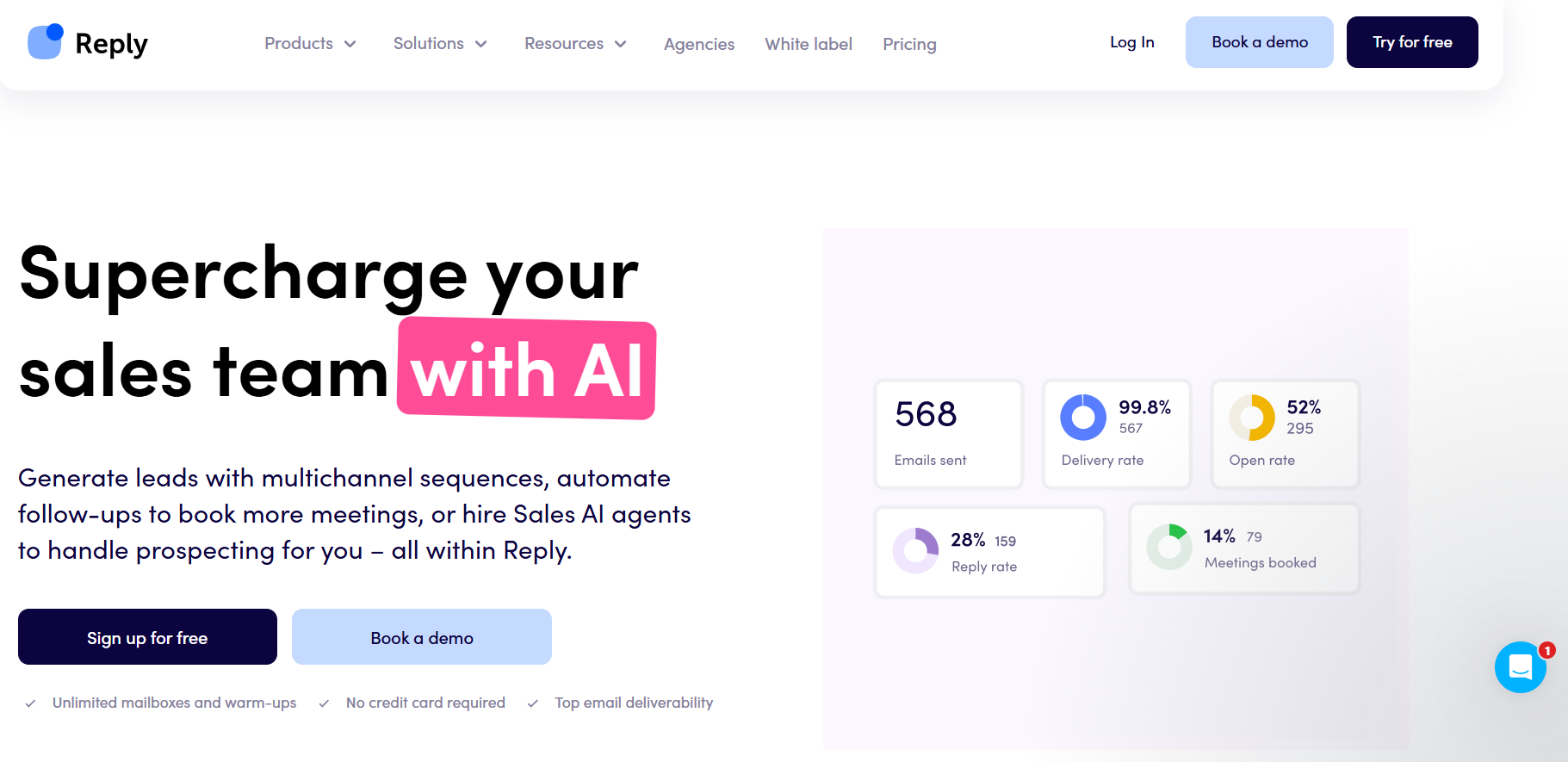
Reply.io is a sales engagement platform, where email, LinkedIn, calling, SMS, and WhatsApp are each available as steps inside one sequence, and a Zapier step reaches whatever else you need.
The tool adds calling, SMS, and WhatsApp to the LinkedIn and email steps Waalaxy offers, all inside one conditional sequence.
Features
- LinkedIn is treated as a full channel: Invitations, messages, InMails, voice messages, attachments, post likes, follows, endorsements. Each one either fires automatically or waits as a manual task for your approval.
- Conditional sequences: A prospect who ignores the email gets a LinkedIn touch and then a call, and which branch they take depends on their own behaviour.
- B2B data on the platform: Contact search carrying buying-intent signals, plus website visitor reveals on every plan up to 200 a month.
- Deliverability tooling: Mailboxes are uncapped under a fair-usage policy and come with warm-up, and DNS setup, custom tracking domains, inbox rotation, and even domain purchase are handled in-app.
Pricing
Reply.io splits its pricing two ways, one shape for email volume and one for channel coverage:
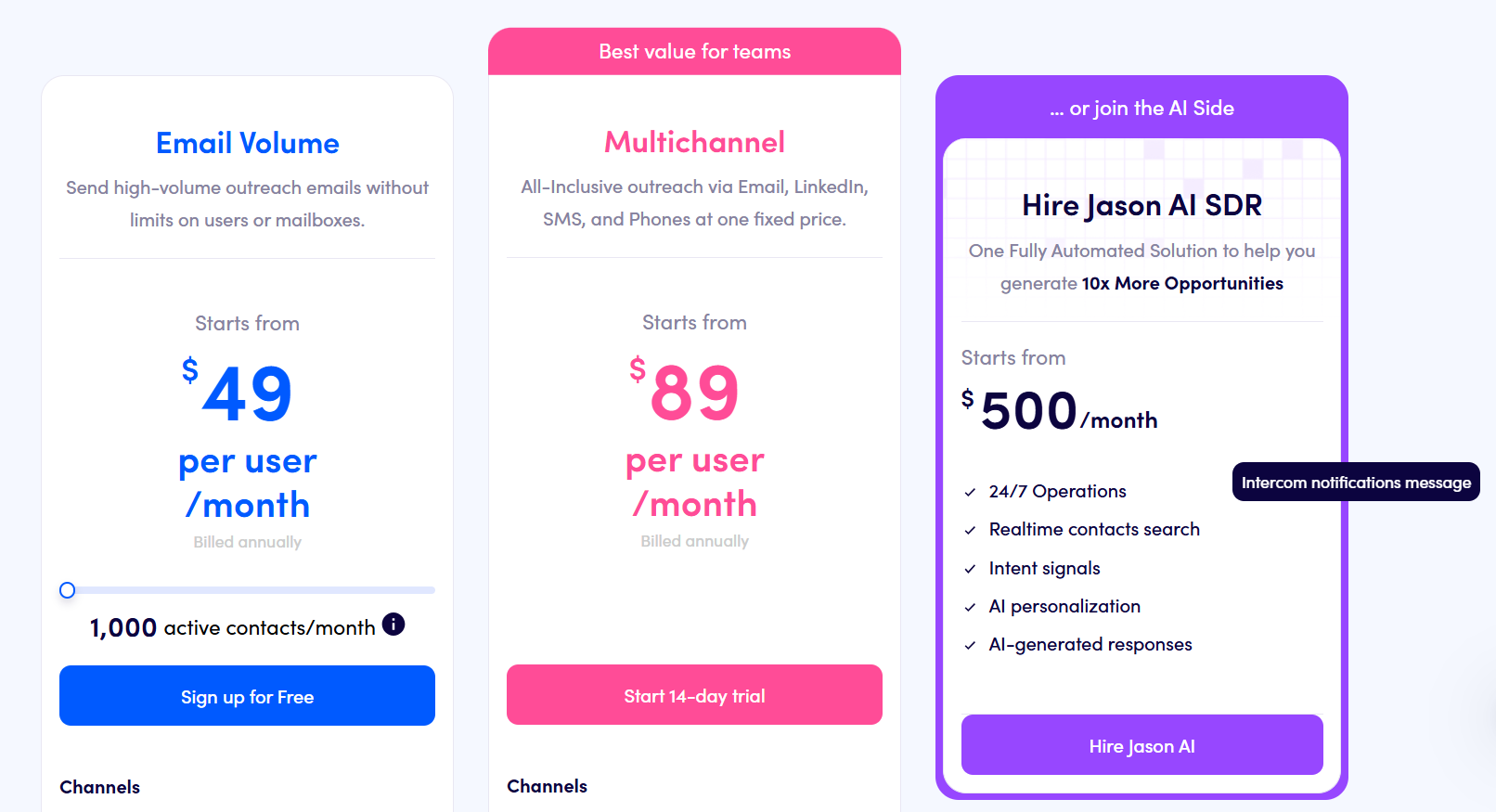
- Multichannel, from $89 per user per month billed annually: ten mailboxes, LinkedIn, calling, and SMS all included, with WhatsApp running as a semi-automated step.
- Email Volume, from $49 per month: no cap on users or mailboxes, 1,000 active contacts, and LinkedIn priced at $69/month per account with calling and SMS at $29/month per user.
- Jason AI SDR, from $500 per month: prospecting and replies handled automatically, end to end.
- Agency, from $166 per month: a client management dashboard built for agencies.
- Trial: 14 days across the platform.
Pros & Cons
✅ Five channels can branch inside one sequence, though LinkedIn and calling carry their own charges.
✅ Warm-up is bundled, with the mailbox count governed by fair usage against your contact volume.
✅ The AI SDR is an upgrade on the same platform, so no second vendor is needed for it.
❌ There is no possibility to parallelize actions within the same sequence (for example, contacting someone in parallel via email and on LinkedIn, without LinkedIn becoming a bottleneck), according to a G2 review.
❌ A unified outbox is also missing, according to the same G2 review.
How much do Waalaxy alternatives cost by number of senders?
Waalaxy is one of the cheapest tools here per seat, at €475 a month for 25 senders on Pro, and only Dux-Soup and Octopus CRM come in lower.
I treated each sender as one LinkedIn account on one seat and used annual pricing wherever it’s published.
Above one sender, a tool switches to its team plan if that plan has a published price, and stays on its entry plan if not.
Euro-priced tools stay in euros, so read them against the dollar figures with the exchange rate in mind.
The catch is what that Waalaxy figure leaves out, since email needs Business and the inbox costs extra on every tier.
Moving all 25 seats to Business for email takes Waalaxy to €1,725 a month, before the inbox add-on.
Meet Alfred’s Teams figure covers email, X, the Smart Inbox, and white label in the same $1,175, so the gap narrows fast once you price like for like.
Price isn’t usually why teams leave Waalaxy anyway: the browser session and the invitation allowance tend to give out first.
When should you stay with Waalaxy?
Waalaxy is still the right call for a single rep or a very small team that wants campaigns out fast and stays well inside a few hundred invitations a month, which usually looks like one of these:
- You’d rather launch from one of 99 prebuilt sequences than design a flow yourself.
- Your best prospects come from post reactions and competitor engagement, which Waalaxy’s triggers capture automatically.
- Budget is tight enough that €19 a seat on Pro is the deciding factor, and email can wait.
- Two or three reps share prospect lists and need duplicate prevention more than a shared inbox.
Is Meet Alfred safer for your LinkedIn account than a browser extension?
Meet Alfred’s cloud sending leaves a safer footprint than a browser extension running inside your own session, because every action goes out from AWS on an IP dedicated to that account, paced the way a person would pace it.
That doesn’t make any tool invisible to LinkedIn, so my advice is the same whatever you run: keep volumes modest and write like a human, then let the safeguards cover the rest.
- Your daily number: Connection requests capped at whatever you set, up to 100 a day within safe parameters.
- Irregular timing: Randomized gaps between actions, so nothing fires on a predictable beat.
- Office hours only: Campaigns pause outside your working window and time zone.
- Fewer loose ends: Pending invitations get withdrawn automatically, and the withdrawal analytics show you when.
Which Waalaxy alternative should you pick?
For teams that have outgrown a browser extension, I’d pick Meet Alfred, and the other nine mostly separate on two questions.
The first is where the sending happens.
Expandi publishes a cloud architecture with a regional IP behind every connected profile, and Dux-Soup charges €88 for its hosted edition against €12.99 for the extension, which tells you roughly what that difference is worth to a vendor.
The second is what each extra channel costs.
Reply.io prices LinkedIn at $69 an account on its volume plan, and La Growth Machine keeps X for its top Ultimate tier.
WhatsApp, meanwhile, is charged on top of Lemlist’s Multichannel plan.
Meet Alfred answers both on one subscription.
Campaigns send from AWS on an IP dedicated to each connected account, so nothing depends on a browser staying open or a laptop staying awake, and LinkedIn, email, and X share a sequence with scheduled posting to LinkedIn, Facebook, Instagram, and X.
The shared inbox comes with the entry tier at $35, and the agency layer of white label, a custom domain, and notifications from your own address opens on Teams from five seats, with nothing to negotiate for it.
➡️ If your outreach has outgrown a browser extension, the 7-day trial unlocks everything without a card, and a demo is the other route if you'd rather have someone walk the platform with you.
⚠️ Disclaimer: This article was last updated on the 21st of October, 2026, and if there’s any misinterpretation of the information, please contact us, and we will fact-check it.
FAQs
What is the best alternative to Waalaxy?
For most teams that have outgrown it, Meet Alfred.
The tell I’d look for is the browser: if your outreach depends on a session staying open, the extension is the bottleneck, not your copy.
Meet Alfred sends from the cloud on a dedicated IP per account, with LinkedIn, email, and X in one sequence and the Smart Inbox included from the entry plan.
Is there a cloud-based alternative to Waalaxy?
Yes, and Meet Alfred, Expandi, and HeyReach all send from the cloud.
The twist is that “cloud” covers a lot of ground, so what I’d actually check is whether each account gets its own IP, and who supplies it.
Meet Alfred and Expandi assign an IP per account as standard, while HeyReach includes a residential proxy on Growth and asks you to bring your own on its larger plans.
Dux-Soup covers both camps, with an extension from €12.99 a month and a hosted edition from €88.
What are cheaper alternatives to Waalaxy?
Octopus CRM at $6.99 a month and Dux-Soup at €9.92 on annual billing both come in under Waalaxy’s €19 Pro tier.
But I’d compare against the Waalaxy plan you’d actually end up on, which for anyone sending email is Business at €69.
Measured against that, Meet Alfred’s Business plan at $59/seat/month billed annually adds X and the inbox to the same LinkedIn-plus-email bundle.
And Dripify’s $59 entry tier already pairs LinkedIn with email.
Does Waalaxy include an inbox?
Not in the base price: the LinkedIn Inbox is an add-on on every Waalaxy tier, with 500 conversations free to try it.
It sounds minor until a second rep joins and replies start landing in two places.
On Meet Alfred, the Smart Inbox comes with every plan and holds LinkedIn, InMail, and Sales Navigator threads for the whole team, with tags, notes, and shared reply templates attached.
What’s the difference between Waalaxy and Meet Alfred?
Waalaxy is built to get one person’s first campaign out the door, and Meet Alfred is built for the team that comes after.
Waalaxy runs through a Chrome extension with a monthly invitation allowance, while Meet Alfred sends from the cloud under daily limits you set, up to 100 connection requests a day.
The channels split too, since Waalaxy pairs LinkedIn with email on its top tier and Meet Alfred adds X outreach and social posting.
And where Waalaxy publishes no white label, ours opens at five seats.
What is the best Waalaxy alternative for agencies?
Meet Alfred, and the quickest way to see why is to log in the way your client would.
With white label on the Teams plan from five seats, at $47/seat/month billed annually, that login screen carries your logo, your colors, and your domain.
Behind it, impersonation lets one manager run every client account without passwords changing hands.
Agencies stacking up sender profiles faster than staff should still price HeyReach, whose Agency plan bundles 25 senders for $999 a month.
What is the best Waalaxy alternative for recruiters?
Meet Alfred, because recruiting outreach depends on follow-through more than on first touches.
Passive candidates often reply weeks later, which is exactly when a scattered inbox loses them.
I’d lean on two features here: the Smart Inbox, which keeps every candidate thread with notes and tags attached, and automated greetings for new roles and work anniversaries, which give you a natural reason to reopen a conversation.
We-Connect is the other one I’d shortlist, since its email step fires on LinkedIn activity and its AI can answer replies.
Gustavo Parra is a Senior SEO & Content Strategist at Meet Alfred, where he specializes in LinkedIn automation, AI-driven outreach, and account-safe growth strategies. He works closely with product, engineering, and support teams to design automation frameworks that help sales teams and agencies scale LinkedIn outreach while minimizing risk. Gustavo focuses on turning real platform data and firsthand product experience into practical, compliance-first guidance.
Related Articles